Conclusion
Clever AI Humanizer is a straightforward tool that excels in refining short, AI-generated text to sound more natural and human-like. Its simplicity and genuinely free access make it a convenient option for casual writers, bloggers, and students looking to improve the readability of their drafts. However, it struggles with longer texts and lacks the reliability needed for extensive or critical content. The tool’s performance is solid within its optimal range, but its limitations become apparent when pushed beyond short to mid-length texts.
Pros
- Effective for refining short, AI-generated text
- Simple and easy-to-use interface
- Genuinely free with no paywalls or intrusive ads
- Good for improving sentence flow and breaking up repetitive patterns
Cons
- Struggles with longer texts and technical content
- AI Writer feature often fails with higher word counts
- Limited style customization and control
Table of Contents
- Introduction
- First Impressions and UI Experience
- Core Features
- Performance and Output Reliability
- Pricing
- Privacy and Data Handling
- Final Verdict
- Frequently Asked Questions
CleverHumanizer AI
Introduction
When I first encountered Clever AI Humanizer, I saw it less as an AI writing tool and more as a refinement layer for AI-generated content. This is not something I would typically open when starting to write from scratch. It appears designed for the stage after the draft exists, when the text technically functions but still reads stiff, formulaic, or clearly AI-produced.
In my view, Clever AI Humanizer targets users who already use AI tools but lack full confidence in publishing the output directly. This is quite evident from how the tool presents itself. From the name to the interface, everything emphasizes making AI text feel more relaxed, natural, and human, rather than more intelligent or detailed.
In my opinion, this tool works best for:
- Bloggers or SEO writers who already produce drafts elsewhere and want to make them softer
- Students or casual writers prioritizing readability over stylistic perfection
- People aiming to reduce repetitive AI phrasing without rewriting everything manually
- Anyone who prefers to avoid prompt engineering or complex configurations
However, I believe this tool isn’t suitable for everyone. I wouldn’t rely on it for:
- Long-form editorial work where tone consistency is crucial
- Content demanding factual accuracy with minimal deviation in wording
- Structured texts where sentence logic must remain very precise
- Writers seeking tight control over sentence rewriting
What I appreciated is that the tool doesn’t overpromise as an all-in-one solution. It doesn’t claim to replace human editing or sophisticated writing tools. Instead, it honestly aims to make AI-generated text less detectable. This focused approach made me more inclined to test it thoroughly.
First Impressions and UI Experience
My initial impression of the interface was one of relief. It was clutter-free, free of aggressive upselling, and there was no pressure to sign up before testing. I opened the page and immediately understood how to use it, something many AI tools still struggle with.

The layout is simple: I paste or generate text on the left, and the humanized version appears on the right. I never had to search for buttons or guess the next step. The side-by-side layout made it easy to quickly assess whether a rewrite was genuinely improved or merely different.
Visually, the UI is soft and minimal. The gradient background gives it a lighter, less technical feel, which I believe is intentional. It doesn’t aim to be a comprehensive writing suite, which suited my needs. My focus was more on speed and clarity than on depth.
A few UI aspects stood out to me:
- Switching between AI Humanizer and AI Writer was seamless
- Writing style options were accessible without feeling cluttered
- Casual being labeled as the top style aligned with my results
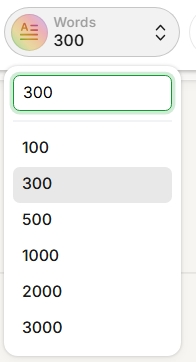
- Word count and language settings worked predictably
Overall, the UI left a good impression. It was easy to use, revisit, and not mentally draining — qualities I value over flashy features.
Core Features
AI Humanizer
This is where I spent most of my time, and honestly, this is the core feature that truly matters in Clever AI Humanizer. Everything else feels secondary to how well the humanizer itself works.
The process is straightforward: paste AI text, click ‘Humanize,’ and the rewritten version appears beside it. There are no options to tweak, which initially felt a bit uncomfortable. After some use, it became clear that the tool is designed for speed, not meticulous, line-by-line editing.

What stood out is its emphasis on sentence flow over mere word swaps. Long, monotonous sentences are broken up, stiff short lines are combined, and the overall rhythm shifts. This alone makes the output feel less like obvious AI writing.
In my experience, it performed best with clearly AI-generated but factually sound input, especially if the writing was repetitive or overly polished and readability took precedence over precise wording. It struggled more with technical content, tightly structured arguments, or text that already sounded quite human.
I observed minor shifts in meaning; nothing major, but confident statements sometimes softened, and explanations grew more descriptive. Therefore, I would never publish the output without thorough review.
I mainly used the Casual style, as it felt most natural. The other styles didn’t significantly alter the output and seemed more cosmetic than functional.
The tool also doesn’t explain its edits; I only see the results, not the rationale. For casual use, that’s acceptable, but as a reviewer, it felt somewhat opaque.
When it functions well, it genuinely works. Some rewrites feel natural and avoid typical AI telltale signs. It’s not perfect, but it does enough right to justify continued use.
Score: 8.3 / 10
Writing Style Options
Clever AI Humanizer provides several writing styles, but in practice, I didn’t consider this a primary control feature. Casual is clearly the default and the recommended option, and after testing the others, I ended up sticking with it almost every time.
My observations on the styles:
- Casual felt the most relaxed and natural
- Simple Academic sounded somewhat more structured but also more predictable
- Simple Formal appeared cleaner but more AI-like


While differences exist, they are subtle. I wouldn’t call this deep style control; the styles seem more like preset tendencies than true tone adjustments. This isn’t necessarily a flaw, but it limits customization.


Therefore, I used the style selector more as a preference switch than a creative tool. Casual consistently provided the best balance of clarity and naturalness, which suited my needs.
AI Writer & Humanizer
The AI Writer feature in Clever AI Humanizer felt secondary. It can generate essays or blog posts, then humanize them, which sounds promising, but in practice, it performs best with short content.
With low word counts, the output was acceptable—nothing extraordinary, but readable and improved after humanization. When attempting longer content, it often failed to generate or showed errors. This happened frequently enough to seem like a limitation rather than a bug.

What I found frustrating is that the interface permits higher word limits without warning, despite the feature clearly struggling with longer texts.


When it functions, the writing feels quite standard. The main benefit is the humanizer, not the AI writer. I viewed this as a supportive feature rather than a primary writing tool.
My best results came from:
- Focusing on short to mid-length sections
- Dividing longer content into chunks
- Manually reviewing each output
The copy options are straightforward and useful, maintaining a clutter-free experience that suits the tool.
Score: 6.7 / 10
Performance and Output Reliability
Performance-wise, Clever AI Humanizer is quite consistent within its optimal range. For short to mid-length texts, the rewrites are predictable, completing without delays and being readable after a quick check.
Issues arose when pushing the tool with longer inputs. The quality varied; some sections restructured well, others felt overprocessed or slightly off tone. I began to see it more as a section helper than a reliable large-scale editor.
The AI Writer feature showed reliability issues. It performed well with low word counts but often failed or showed errors with higher limits, reducing confidence for long-form tasks.
Overall, performance is solid for its main purpose: humanizing short AI-generated text. Its reliability diminishes outside this core use.
Pricing
Clever AI Humanizer is genuinely free, with no paywalls, locked features, or intrusive ads, which improves the user experience compared to many similar tools.

Although limits seem generous on paper, in practice, smaller chunks yield better results. Rewriting generally outperforms generation, especially for longer content, which often underdelivers.
I liked that the tool doesn’t aggressively promote upgrades or premium plans. There’s no pressure to pay; limitations become apparent through performance rather than strict restrictions.
The pricing is genuinely free, ideal for light to moderate use. For short content and casual workflows, it suffices, but for extensive long-form work, limitations are more evident.
Privacy and Data Handling
Privacy is handled minimally. The interface offers little explanation about data management, which I noticed immediately. It seems designed to stay unobtrusive rather than overly communicative.
Content history is mentioned, indicating some data retention, at least temporarily. I used it cautiously, suitable for drafts and generic content, but not for sensitive or client material.
Overall, I treat Clever AI Humanizer like most free AI tools: useful and convenient, but not trustworthy for sensitive data. For routine writing and testing, this trade-off is acceptable.
CleverHumanizer AI vs WriteHuman
|
Feature / Metric |
Clever AI Humanizer |
WriteHuman |
|
Main Focus |
Humanizing AI text |
Humanizing AI text + better longer rewriting |
|
AI Writer Function |
Exists, but often errors on long content |
More reliable for longer outputs |
|
Humanization Quality |
Good, especially for short text |
Strong, smoother and more consistent |
|
Free Plan & Pricing |
Truly free with decent allowances |
Free plan with more noticeable limits |
Compared to WriteHuman, I prefer its more consistent humanization and better handling of longer texts. While Clever AI Humanizer is free and simple, it struggles with larger outputs and its writing feature is limited. For daily rewriting and natural-sounding text, WriteHuman is my choice.
Final Verdict
After testing Clever AI Humanizer, I see it as most effective when expectations are realistic. It performs well with short, clearly AI-generated text and helps break repetitive patterns.
I appreciate its simplicity and true free access, with no paywalls or upgrade pressure. However, longer outputs can be unreliable, and the AI Writer feature is limited. I wouldn’t rely on it for long or critical content without thorough checking.
In summary, it functions well as a quick aid rather than a primary writing solution.
Overall score: 7.5 / 10
Frequently Asked Questions
Clever AI Humanizer is best used for refining AI-generated content to make it sound more natural and human-like. It is particularly useful for bloggers, SEO writers, students, or casual writers who want to improve the readability of their drafts without extensive manual rewriting.
The AI Humanizer feature works by taking AI-generated text and rewriting it to sound more natural and less formulaic. You paste your text into the tool, click ‘Humanize,’ and the rewritten version appears beside it. It focuses on improving sentence flow and breaking up monotonous structures.
Clever AI Humanizer struggles with long-form content and technical texts where precise wording is crucial. It is not suitable for structured texts requiring tight control over sentence rewriting or for content demanding high factual accuracy. Additionally, the AI Writer feature often fails with longer texts.
Yes, Clever AI Humanizer is genuinely free to use. There are no paywalls, locked features, or intrusive ads. However, it performs best with shorter texts, and limitations become apparent when dealing with longer content.
Compared to WriteHuman, Clever AI Humanizer is simpler and truly free but struggles with longer texts and has a less reliable AI Writer feature. WriteHuman offers more consistent humanization and better handling of longer texts, making it a better choice for extensive rewriting tasks.
Clever AI Humanizer offers several writing styles, including Casual, Simple Academic, and Simple Formal. However, the differences between these styles are subtle, and Casual is the most natural and recommended option for most uses.
It is not recommended to use Clever AI Humanizer for sensitive or client material due to its minimal privacy handling and lack of detailed data management explanations. It is best suited for drafts and generic content rather than sensitive information.
Abonneer je op onze nieuwsbrief en ben als eerste op de hoogte van tijd- en geldbesparende AI-tools!
Comments