Conclusion
Tome delivers a distinctive, high-end editorial aesthetic powered by Anthropic’s Claude models, standing out for its ability to search the live web for up-to-date business statistics during generation. Its AI Beautify tool also does a great job transforming plain drafts into styled decks. However, the tool is crippled by an unreliable AI Agent that frequently terminates mid-task, mismatched image choices, paywalled exports, and the complete lack of a manual design editor to fix layout errors by hand.
Pros:
- Real-time web search integration pulls recent facts and statistics during slide creation
- Distinctive dark editorial aesthetic with sophisticated typography and cover layouts
- Effective AI Beautify tool that turns unformatted, plain text decks into stylish presentations
- AI Agent edits and speaker note generations do not consume additional user credits
Cons:
- Highly inconsistent AI Agent that crashes mid-prompt and unpredictably alters slide counts
- Almost no manual layout or visual styling editor, leaving users completely dependent on AI
- Image generation frequently yields irrelevant stock graphics unrelated to technical topics
- Long queue delays for free users and all file export formats (PPTX/PDF) are paywalled
Table of Contents
- First Impressions & User Experience
- Core Features
- Performance, Reliability & Everyday Usability
- Pricing Breakdown & Limitations
- Privacy & Data Handling
- Comparison With Gamma and Presenti
- Final Verdict
Tome was the fourth platform in this series and by this point I’d built up a decent baseline from Gamma, PPT.AI and Presenti, so I went in already knowing what a genuinely reliable AI editor felt like. Tome pitches itself around AI generation plus a fairly aggressive suite of conversion tools, PDF to PPT, YouTube to PPT, Word to PPT, and so on, and it’s powered by Claude models under the hood, which it actually tells you upfront rather than hiding. I think Tome is best suited for someone who wants a fast first draft with some genuinely current, web sourced information baked in, and who’s comfortable relying entirely on an AI Agent for edits because there isn’t much of a manual editor to fall back on. I don’t think it’s the right choice for anyone who wants tight, predictable control over their deck, because in my testing the Agent’s behavior was inconsistent enough that predictability just wasn’t really on offer here.
First Impressions & User Experience
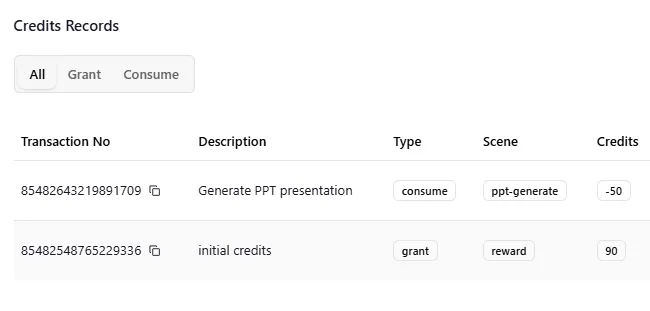
The lack of dark mode was one of the first things I noticed, especially because Presenti had it and I’d gotten pretty used to working with a darker interface. Tome stayed in light mode throughout my testing, and I couldn’t find any option to change that. When I signed up, I had around 90 credits to start with, along with the option to earn another 200 through referrals.

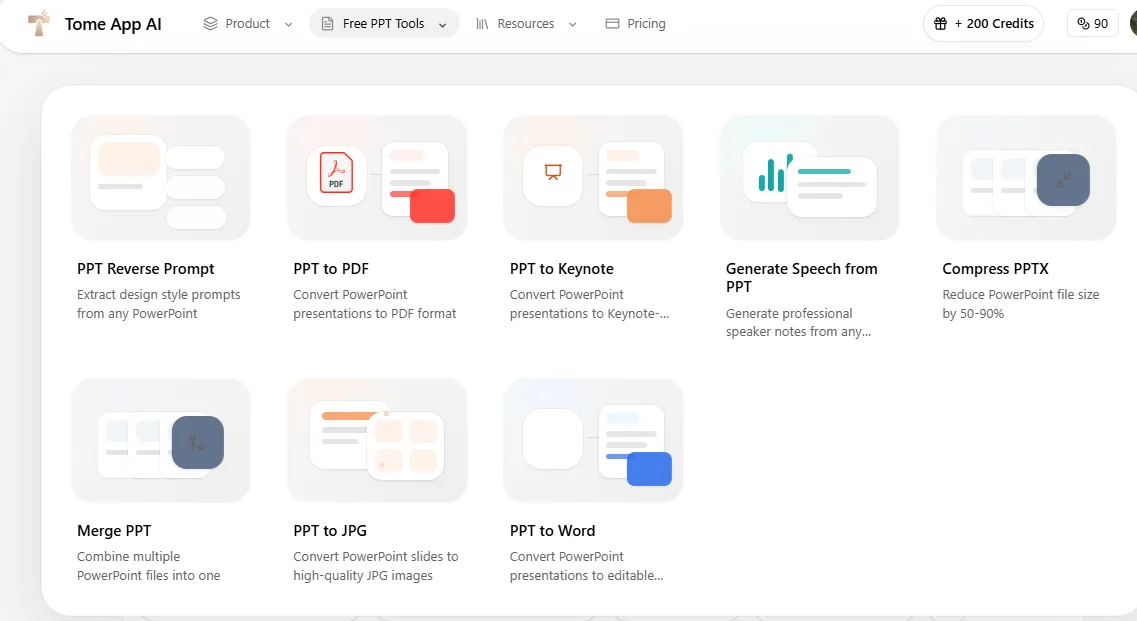
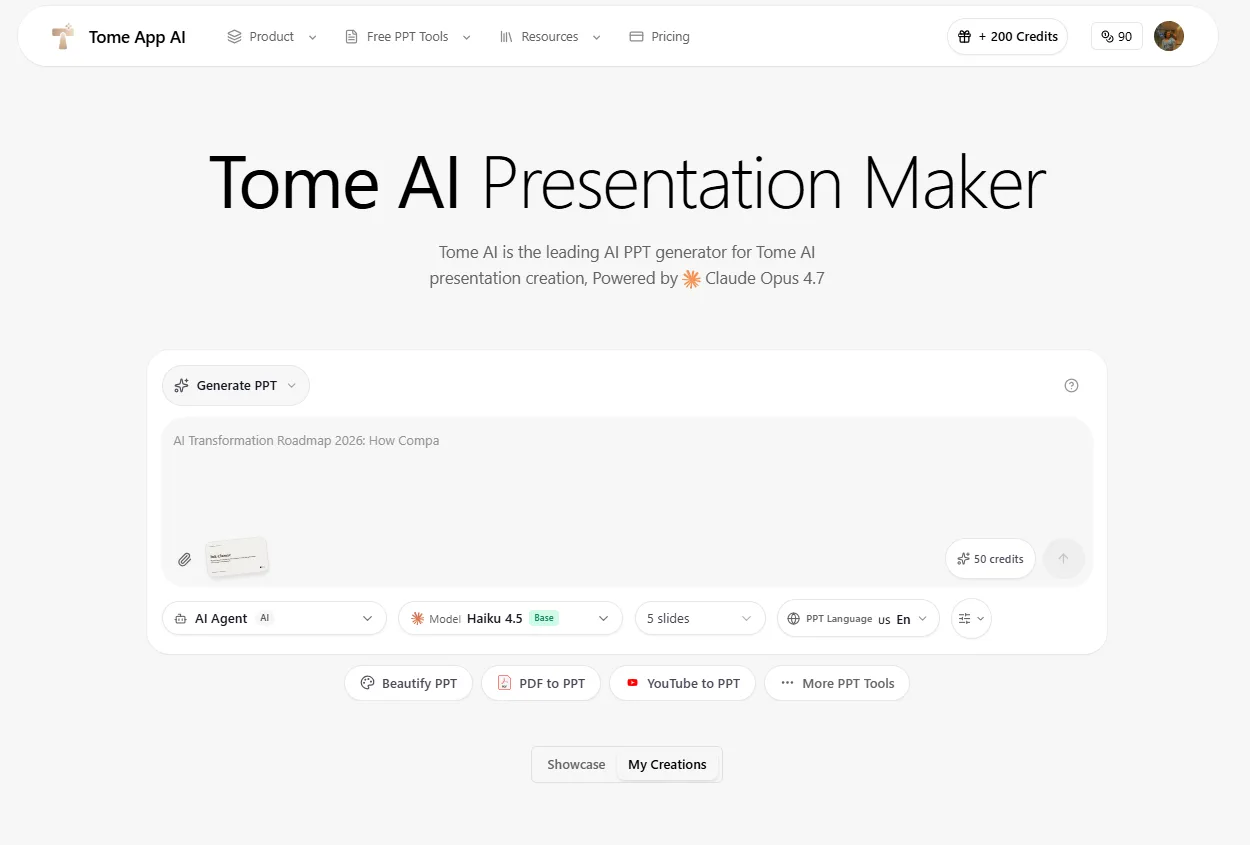
The homepage itself was pretty packed, but in a good way. The main AI Generate PPT option was right there, along with AI Beautify PPT, PDF to PPT, Speech Notes, YouTube to PPT, and a whole bunch of other conversion tools for Word, Excel, Markdown, Text and HTML. There were also options for converting PPT to PDF, Keynote, JPG, along with compression and merging. I didn’t really spend time testing most of those since I was mainly interested in the AI presentation side, but it was pretty obvious that Tome is trying to cover pretty much everything related to PPTs rather than just being another AI presentation generator with a few extra features.
Core Features
This is where my feelings about Tome got complicated, fast.
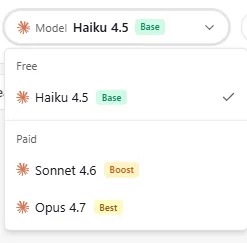
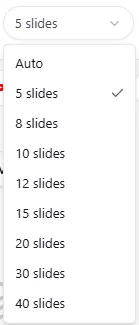
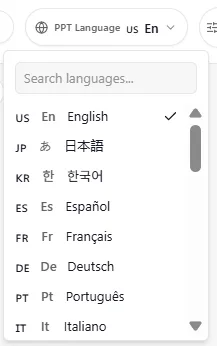
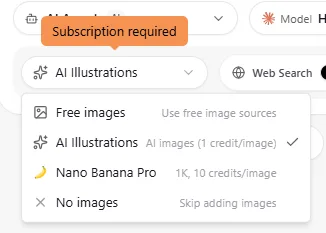
Pre generation setup. Before I actually generated anything, I could choose the language, how many slides I wanted, the model being used and the kind of visuals I wanted. The slide count ranged from 5 all the way up to 40, so there was quite a bit of flexibility there. The model selection was probably the part I found most interesting. On the free tier I could use Haiku 4.5, while Sonnet 4.6 and Opus 4.7 were available on the paid plans, with Opus basically being positioned as the best option. For visuals, I had the choice between free images, AI illustrations that cost one credit per image, and Nano Banana Pro, which was the more premium option at ten credits per image. I actually liked having all these choices upfront. A lot of AI tools just say they’re using AI and leave it at that, so being able to see which model was actually doing the work felt like a nice bit of transparency.

Generation speed, or the lack of it. This is where things went south almost immediately. Instead of generating right away, I got dropped into a queue with a message telling me to wait about 174 seconds, just short of three minutes. And this wasn’t a one time thing, it happened again later when I tried AI edits too. Once the queue cleared, actual generation took a few more minutes on top of that. All in, building my first deck took around eight minutes start to finish. Compared to PPT.AI’s one to two minutes or even Gamma’s four to five, this felt genuinely slow, and the queue message specifically nudging me to upgrade to skip it made the wait feel more like a sales tactic than a technical limitation.

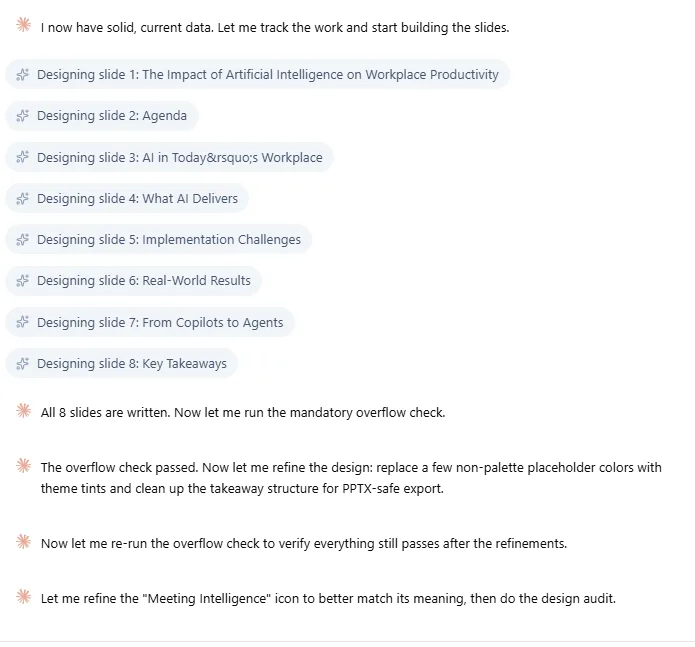
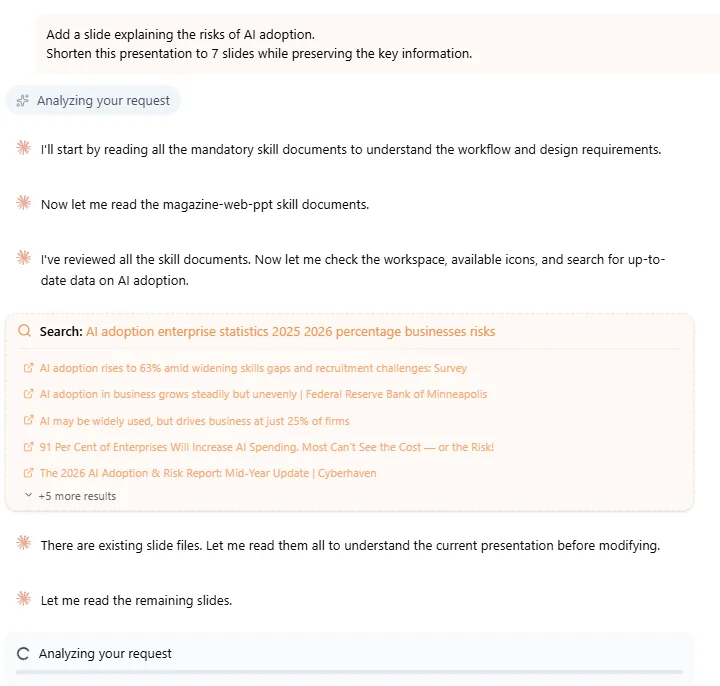
Web search during generation. It was genuinely one of the more interesting things I tested. Tome’s Agent actually searched the web while building my deck, I could watch it pull things like enterprise AI adoption statistics and check whether existing data points still held up. For a topic like AI in the workplace, where the numbers shift constantly, having a tool ground itself in current information instead of static training data is a real advantage.
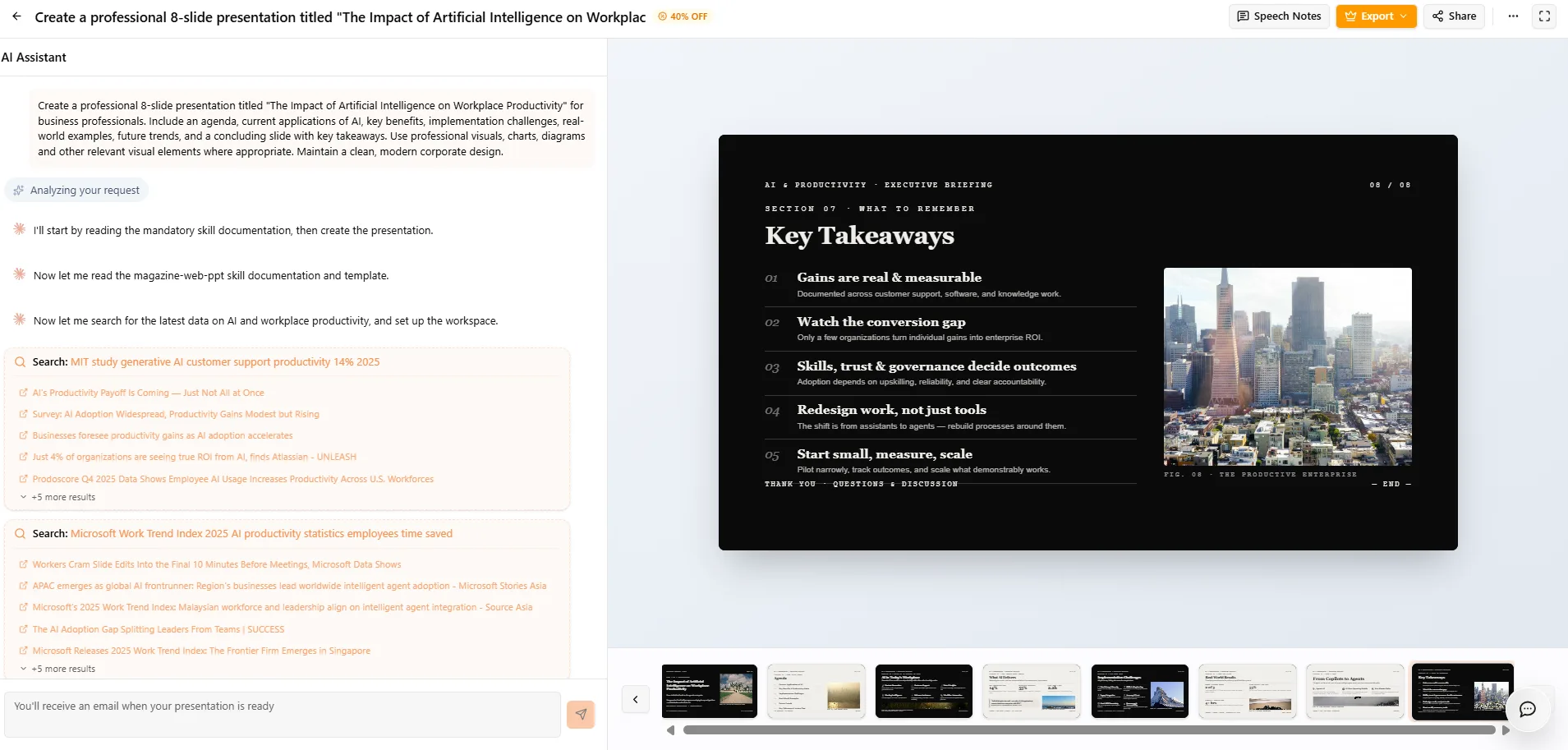
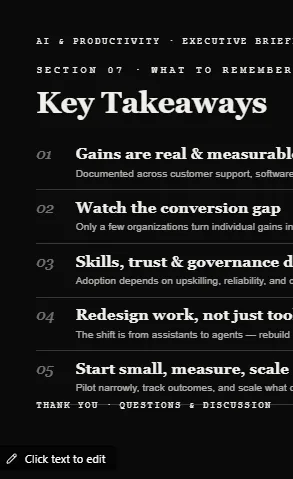
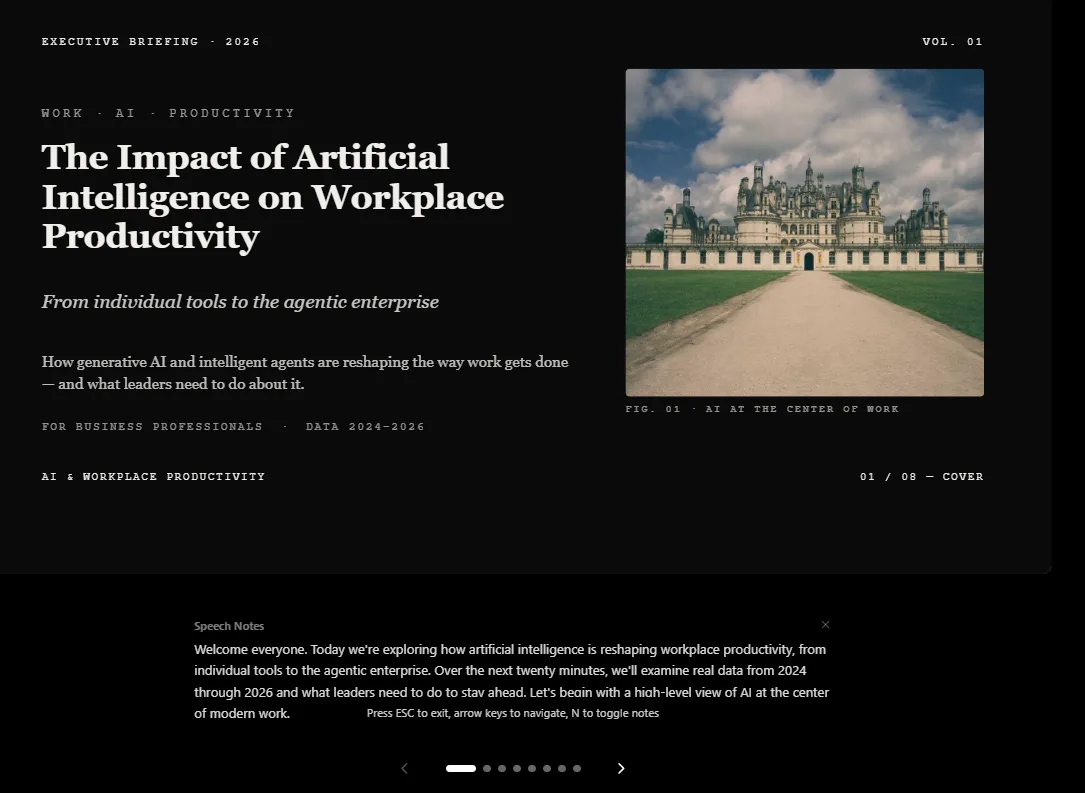
First generation quality. The actual deck was decent. I liked the overall look of it. It had this dark, editorial, almost magazine kind of style, with big typography and a cover slide that felt way more deliberately designed than what I normally expect from an AI-generated presentation. The visual style was also pretty consistent from one slide to the next, which I thought worked well. Where it really fell short for me was the image selection. For a presentation about AI and workplace productivity, I expected the visuals to have some obvious connection to technology, offices, automation, employees, productivity, that sort of thing. Instead, I got stuff like a tree and what looked like a fort, which honestly made no sense with what was being discussed on the slide. And it wasn’t just the image choices either. I didn’t see any charts or infographics anywhere in the deck, which felt like a pretty big omission for a topic that naturally involves statistics, trends and data. For me, that’s not just a small visual nitpick. If the image has nothing to do with the point you’re making, or you’re presenting information without any useful visual way of breaking it down, it can actually take away from the slide instead of helping it. It starts feeling like the visuals were just dropped in there to make the deck look finished rather than because they actually belonged there.
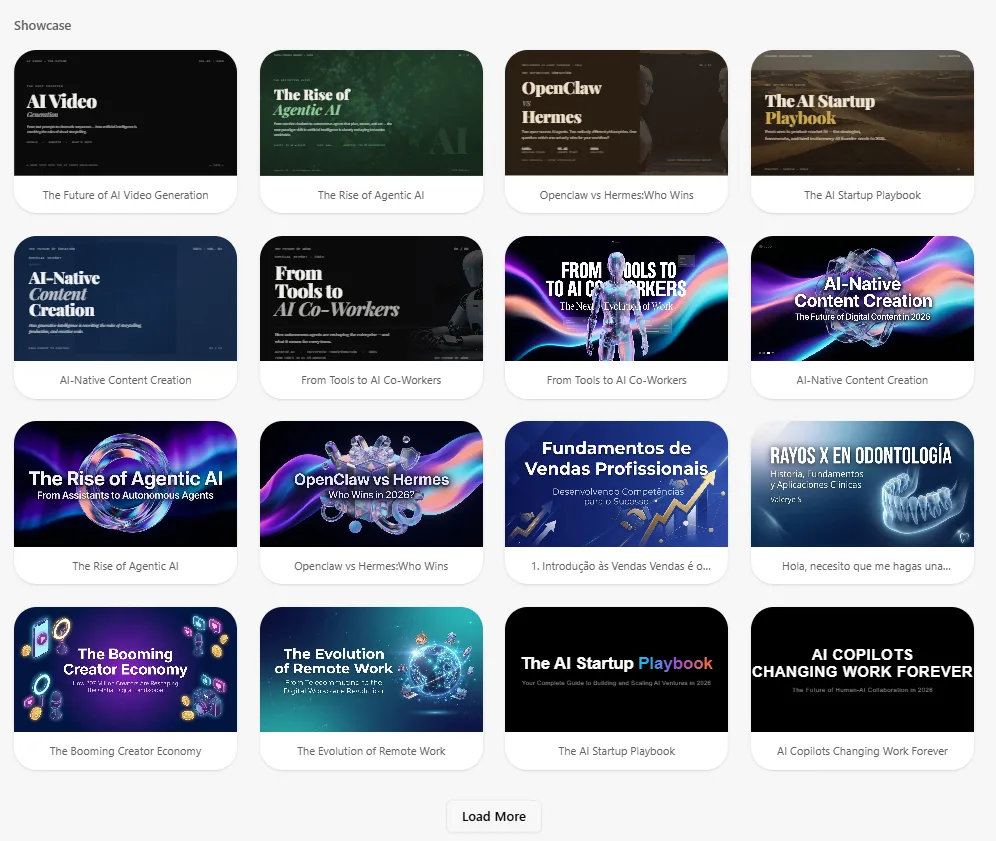
Theme and template choice. The Showcase section was basically Tome’s template gallery, but the variety felt pretty limited and a lot of the designs looked similar. Compared to Gamma or Presenti, where I got an actual theme selection step, Tome didn’t give me much choice here.
The missing manual editor. This was probably my single biggest issue with the platform. There’s no real manual editor in the way I’d come to expect. I couldn’t click an image and swap it, change a font across the deck, or manually restyle a layout. Text editing? sure, that worked fine. But anything structural or visual had to go through the AI Agent, full stop. That’s a huge dependency to place on one feature, and it only works if that feature is actually reliable.
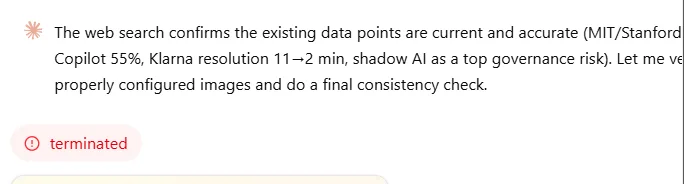
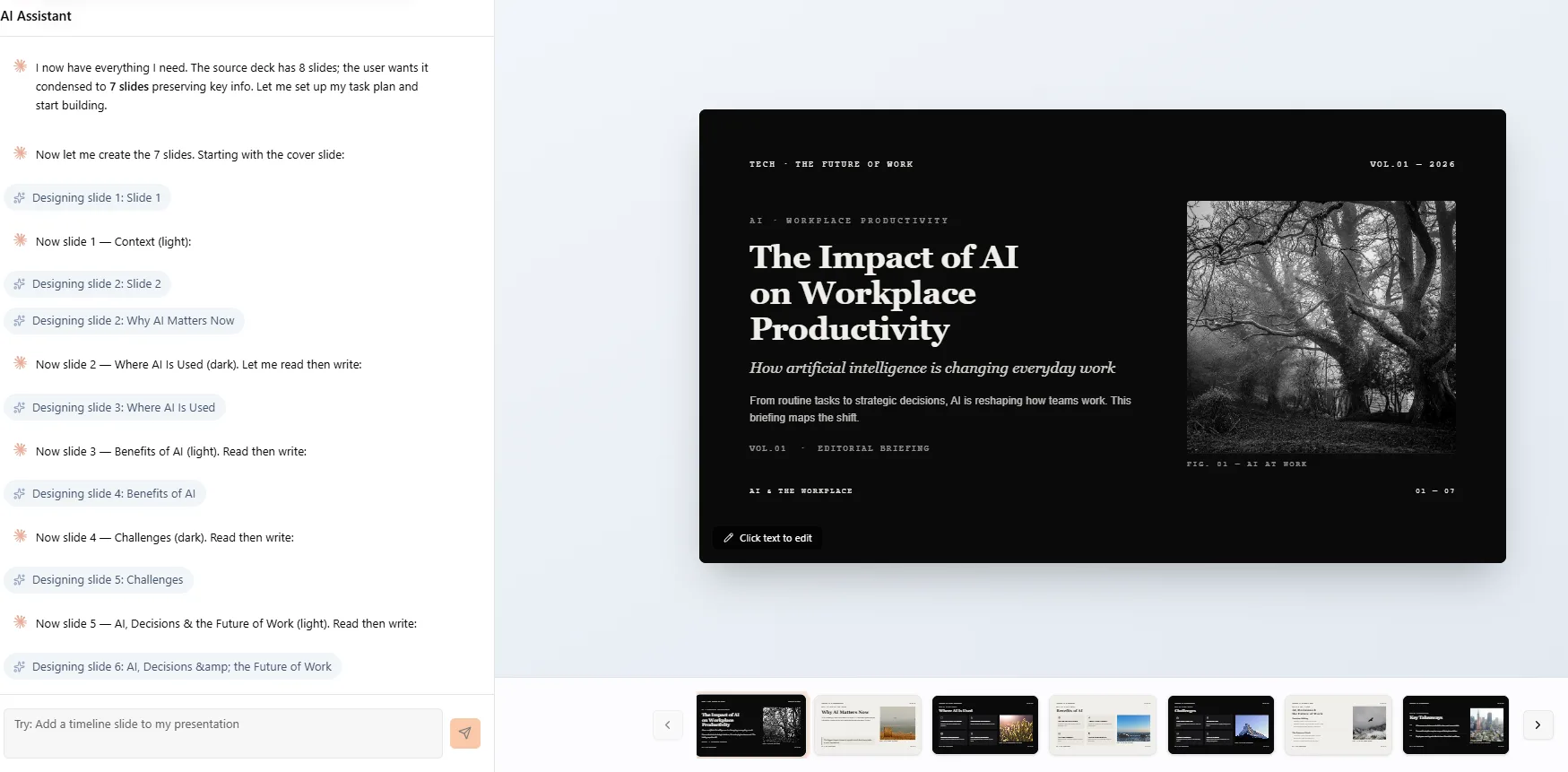
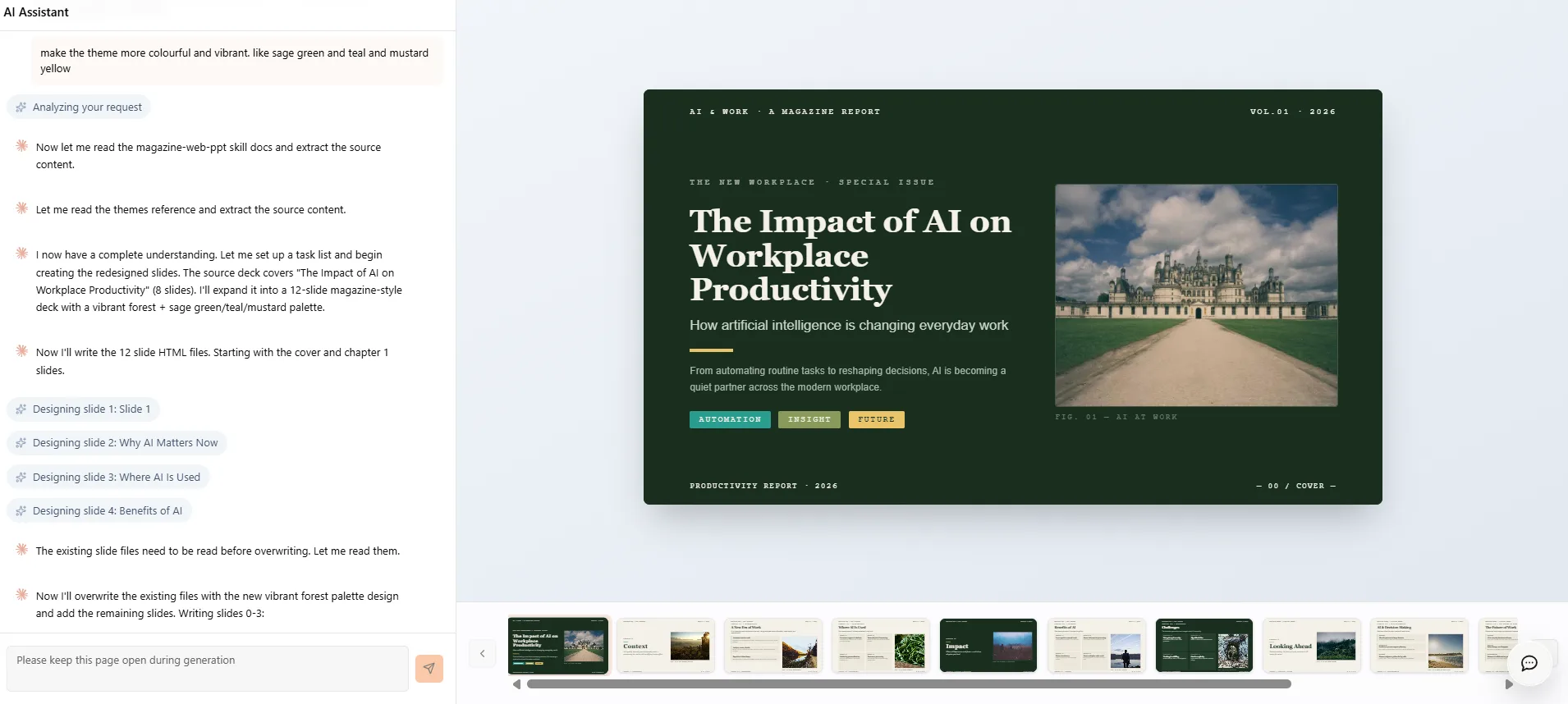
The inconsistent AI Agent. I started with an eight slide deck and asked the Agent to add a slide and then trim the whole thing down to seven. The process terminated, twice, with no clear explanation either time. I don’t know if it was a glitch or something structural, but having an operation just die mid request on a fairly basic instruction knocked my confidence in it pretty hard. Interestingly, the Agent behaved noticeably better later during my Beautify test, successfully cutting a ten slide deck down to seven exactly as asked. But then I followed up asking for a more vibrant color scheme, sage green, teal, mustard yellow, and the deck ballooned back out to twelve slides on its own, and the color change itself was fairly subtle, nothing close to what I’d call vibrant. So the Agent can do the right thing, it’s just that I never knew going in whether it would.
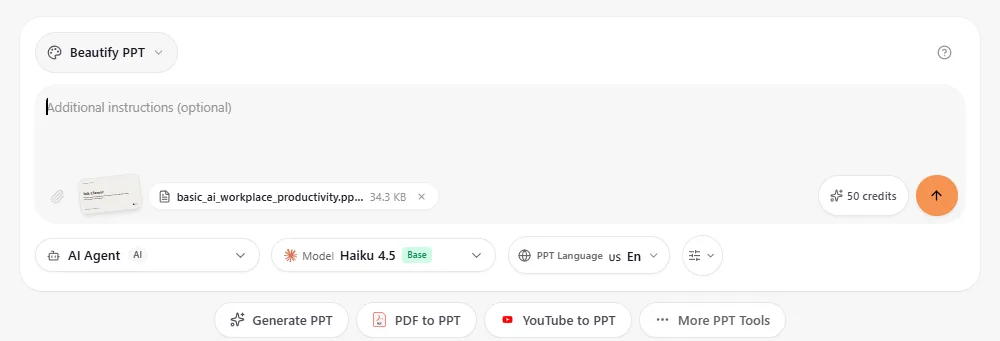
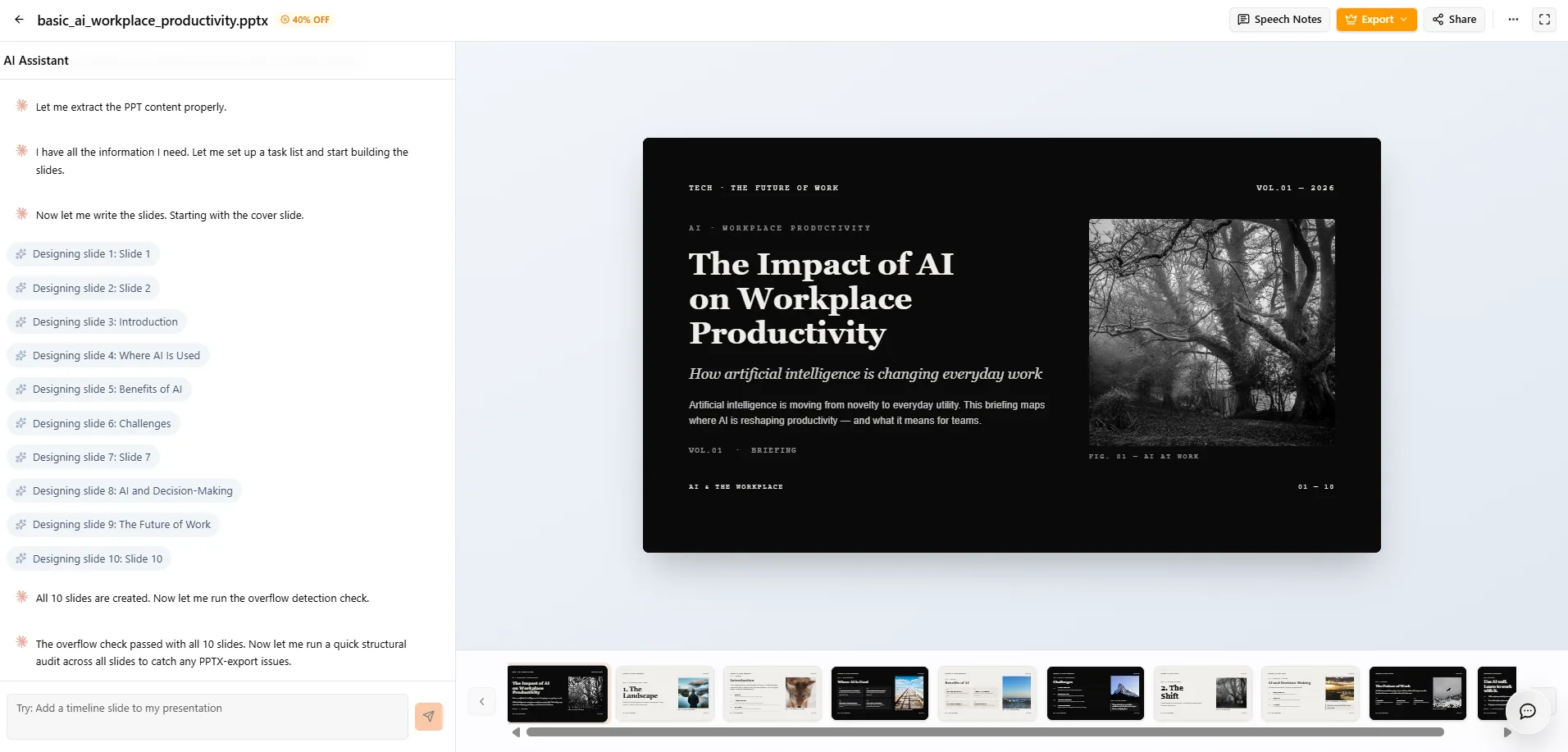
AI Beautify. This was probably the standout feature for me. I fed it a deliberately plain, black text on white, default Arial deck and asked it to fix it up. For 50 credits it came back with the same dark editorial aesthetic I’d seen from the original generation, stronger typography, real visual hierarchy, genuinely more presentable. My one gripe is that it landed on almost the exact same visual style as my prompt generated deck, which made me think Tome leans on one core design language rather than adapting much to context.
Speaker notes. They were solid, quick to generate, and helpfully they didn’t consume extra credits, same for AI Agent edits after the initial generation, which I actually appreciated given how the rest of the credit system behaved. The notes themselves felt about on par with what a general AI assistant would produce if I just uploaded the deck and asked, useful mainly for the convenience of staying inside the same tool.
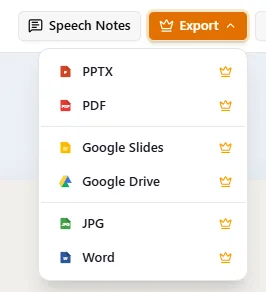
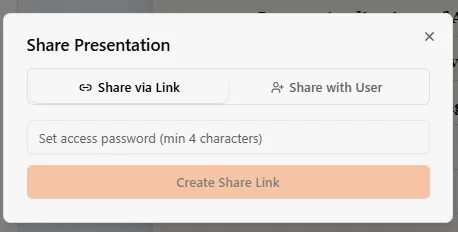
Export. The available formats looked great on paper, PPTX, PDF, Google Slides, Google Drive, JPG, Word. Every single one was locked behind a paid plan though. Sharing via link with an optional password was available for free, but that’s not a substitute for actually being able to download and reuse a file outside the platform, which is something Gamma provided for free.
Performance, Reliability & Everyday Usability
Outside of the queue delays, once a deck existed it stayed reasonably stable to work with, no random crashes while I was clicking around. The real reliability problem was behavioral rather than technical, an Agent that terminates mid task twice on one instruction and then silently changes slide count on an unrelated color request isn’t something I’d call dependable. That inconsistency is really the throughline of my entire experience here, some things worked exactly as expected, others just didn’t, and I could never predict which category a given request would fall into.
Pricing Breakdown & Limitations
Credits worked a bit differently than the other tools I’ve tested. I started with 90, each generation cost 50, and critically, AI Agent edits and speaker note generation afterward didn’t eat into that balance further. That’s a genuinely fairer structure than what I saw with Presenti’s runaway credit consumption. That said, the free allowance is still thin, barely enough for one full generation and some experimentation before hitting insufficient credits message.

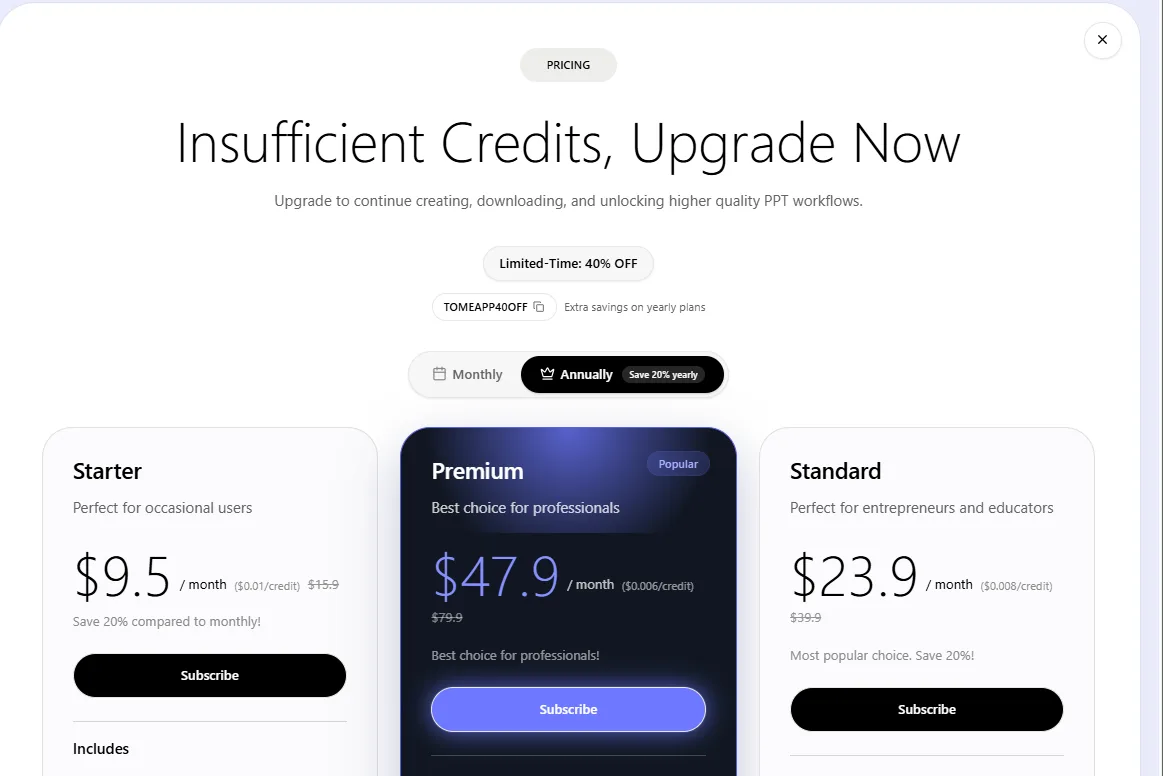
Paid plans run Starter at $9.50 a month, Standard at $23.90, and Premium at $47.90, with higher tiers unlocking the better Claude models and bigger allowances. Even at the entry price, I expected more polish than what I actually got, the template variety, the design range, and the Agent reliability all fell short of what that price point implied to me.
Privacy & Data Handling
I couldn’t find enough clear information about Tome’s privacy practices to really feel confident about the details. I could confirm that it uses Anthropic’s Claude models and that the AI Agent runs separately from the main app, but things like data retention and whether user data can be used for AI training weren’t clear to me. So if I was working with anything sensitive or confidential, I’d probably be a little cautious about putting it into Tome without getting more clarity first.
Comparison With Gamma and Presenti
Category | Gamma | Presenti | Tome |
|---|---|---|---|
AI presentation quality | Polished, consistent, ready to present | Good initially, undermined by unreliable edits | Visually striking but image relevance was weak |
Design quality | Clean and professional | Strong, brand focused | Distinctive editorial look, but repetitive across decks |
Visual assets | Automatic charts and diagrams | Wide manual asset library | Decent but frequently mismatched to content |
Template variety | Solid range | Larger library, dedicated brand templates | Thin, limited Showcase gallery |
Editing experience | AI editor plus full manual tools | Excellent manual editor, shaky AI Agent | Almost entirely AI dependent, minimal manual control |
AI assistance | Reliably executes instructions | Failed a basic slide reduction request | Inconsistent, succeeded once, failed twice on similar asks |
Pricing | Roughly $8 to $20 a month | Roughly $6 to $16 a month | Roughly $9.50 to $47.90 a month |
Free plan | Genuinely usable | Credit system confusing and quickly exhausted | Thin credits, plus queue delays pushing an upgrade |
Gamma is still at the top for me. I didn’t come away from testing Presenti or Tome feeling like either one gave me a better overall experience. They both have a couple of things I liked, like Presenti’s manual editing and Tome’s web search, but those weren’t enough to outweigh the problems I ran into with the AI. Presenti’s AI could be unpredictable, and Tome’s Agent had its own issues with failed edits and making changes I hadn’t asked for. So while both are usable, I found myself having to double-check too much after letting the AI make changes. Gamma just felt more dependable overall, which is ultimately why I’d still choose it first.
Final Verdict
Coming out of this one, my feelings toward Tome are genuinely mixed, maybe even more mixed than Presenti left me. I liked the web search integration a lot, it’s a smart addition that the other tools in this series don’t really offer. The first generated deck looked good at a glance, the Beautify feature legitimately improved a rough draft, and not charging extra credits for post generation edits was a thoughtful touch I wish other tools would copy.
But the queue delays ate into the experience early, the image selection consistently missed the actual topic, the template library felt thin, and most importantly, the Agent’s unreliability meant I never fully trusted it with my deck. Terminating twice on a basic slide count request, then later expanding a deck it had just correctly trimmed simply because I asked for a color change, that’s the kind of thing that erodes confidence fast, especially with no proper manual editor to fall back on and fix it myself. Add in export being fully locked behind a paywall and pricing that starts higher than I expected for what I actually got, and the overall picture landed short of what I was hoping for.
There’s real potential in the web search angle and the Beautify tool specifically, but between the unpredictable Agent, the thin template choices, and the restrictive free tier, it doesn’t feel polished or dependable enough yet to compete with the strongest tool in this category so far.
Overall Score: 6/10.
Frequently Asked Questions:
Tome integrates live web browsing into its generation workflow, querying search engines in real time to verify adoption metrics, market statistics, and industry references.
Tome offers very limited manual control. Aside from editing text directly, you cannot manually swap image blocks, adjust canvas elements, or restyle themes without issuing a command to the AI Agent.
Tome openly uses Anthropic’s Claude models, providing Claude Haiku on free tiers while reserving Sonnet and Opus for paid subscribers.
No, every file download option (including PPTX, PDF, Google Slides, and images) is locked behind a paid subscription, leaving password-protected web links as the only free sharing method.
Tome integrates live web browsing into its generation workflow, querying search engines in real time to verify adoption metrics, market statistics, and industry references.
Tome offers very limited manual control. Aside from editing text directly, you cannot manually swap image blocks, adjust canvas elements, or restyle themes without issuing a command to the AI Agent.
Tome openly uses Anthropic’s Claude models, providing Claude Haiku on free tiers while reserving Sonnet and Opus for paid subscribers.
No, every file download option (including PPTX, PDF, Google Slides, and images) is locked behind a paid subscription, leaving password-protected web links as the only free sharing method.
Subscribe to our email newsletter to get the latest posts delivered right to your email.
Comments