Introduction
Conclusion
WriteHuman presents a focused approach to humanizing AI-generated content and detecting AI traits, which is commendable. However, its strict limitations and inconsistent performance, particularly in the AI Image Recognition feature, hinder its overall effectiveness. While it shows promise in reducing AI detection scores through its humanizer, the tool feels more like a supplementary aid rather than a comprehensive solution. It may appeal to those specifically needing quick humanization and AI detection, but for broader writing and editing tasks, it falls short.
Pros
- Focused on a specific niche: humanizing AI content and detecting AI traits
- Simple and intuitive user interface
- Provides clear and probabilistic AI detection scores
- Effective in reducing AI detection scores when used in tandem with the humanizer
Cons
- Strict word limits and usage caps hinder thorough testing and usability
- Inconsistent performance, especially in AI Image Recognition
- Lacks features for in-depth editing, tone adjustment, or creative collaboration
- Aggressive pricing structure with limited free tier
Table of Contents
- First Impressions & UI Experience
- Main Features
- AI Humanizer
- AI Content Detector
- Word Counter Tool
- Performance & Output Reliability
- Pricing, Free Access, and Practical Limits
- Privacy and Data Handling
- WriteHuman vs QuillBot
- Final Verdict
- Frequently Asked Questions
I didn’t expect WriteHuman to magically fix all AI-generated content, to be honest. I opened it more out of curiosity than trust. Tools that claim to ‘humanize’ AI content often overpromise, and most end up just rearranging words in a way that still feels… stiff. So while moving through WriteHuman’s features, what I focused on wasn’t perfection, but whether it actually feels usable in real situations and where it clearly starts to fall apart.
What stood out early on is that WriteHuman feels very deliberate about its purpose. It’s not trying to be an all-in-one writing assistant or a research-heavy platform. It’s centered around one main concept: making AI content appear and pass as human, and providing tools to verify that. That narrow focus helps, but it also makes it very clear who this tool fits and who it probably won’t.
Suitable for:
- People working with AI-generated content who need quick humanization rather than extensive rewriting
- Users who prioritize AI detection scores and probability indicators
- Anyone wanting an all-in-one tool: humanizer, detector, image detector, and word counter
Unsuitable for:
- Writers seeking in-depth editing, tone adjustment, or creative collaboration
- Those expecting support for long-form writing or strategic guidance
- Users who are indifferent to AI detection results
First Impressions & UI Experience
The first thing I noticed upon opening WriteHuman was its calming interface. It’s free of clutter, aggressive pop-ups, and overwhelming dashboards. The design features soft pastel gradients, rounded cards, and spacious layout. It almost seems designed to reduce stress, even when you’re already concerned about AI detection — which is quite clever.
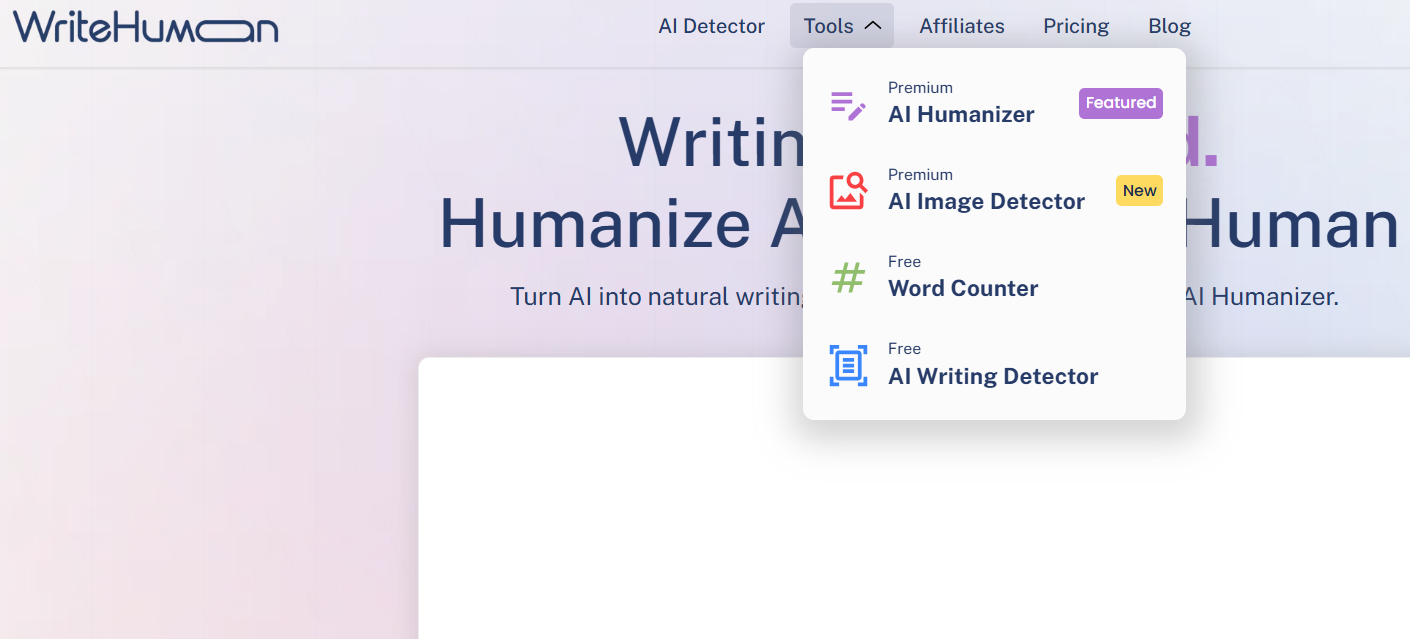
Navigation is straightforward, perhaps even too minimal. Key options are conveniently placed at the top: AI Detector, Tools, and Pricing. The tools dropdown distinctly separates free options from premium ones, without feeling intrusive. You can see what’s available, with a gentle reminder that some features require payment.
The primary writing interface is simple and intuitive. A sizable input box, a visible word counter, and logical action buttons that require no tutorial. The explanation of the “Human Score” is clear and well-presented. It avoids claiming absolute certainty, which I appreciated. It consistently emphasizes that scores are probabilistic, not definitive. Such honesty is uncommon among tools in this domain.
There are minor friction points, however. Some features appear clickable but are restricted, disrupting the flow slightly. Prompts for the enhanced model appear just enough to remind you of tier limitations. Not intrusive, but noticeable. Nevertheless, nothing seems hidden or deceptive, which is important.
Overall, the UI is designed for quick use rather than exploration. It’s not a platform I’d browse casually. It’s meant for opening, pasting text, checking results, and then exiting. For its intended purpose, this approach actually benefits WriteHuman.
Main Features
AI Humanizer
This is undoubtedly the core feature of WriteHuman, and also the most limited. The humanizer has strict caps. I was limited to 200 words per request, restricting its usefulness for anything beyond short snippets. Additionally, I could only use it twice before being prompted to subscribe. While tone options were available, the limit prevented trying them all.


I also noticed that the human percentage score was not shown for my inputs. This made it difficult to assess what modifications the tool made. I had to depend on the writing detector to observe any differences.

The output was acceptable.
- Sentences were marginally rephrased
- Flow was somewhat more natural
- Tone shifted slightly, but not significantly

It didn’t resemble a thorough rewrite, more like superficial polishing. The main issue isn’t quality, but accessibility. Two attempts vanish quickly, leaving little room to gauge the humanizer’s consistency.
Rating: 6.7 out of 10
AI Content Detector
This tool proved more practical than the humanizer due to higher limits. It allowed me to analyze up to 1200 words, which is reasonable. Results were presented as a clear percentage, with a visual layout that was easy to interpret.


Notably, after humanizing text, the detector showed a decrease from 100% AI to about 15% AI. That part was interesting, and probably the strongest signal that the humanizer does have some effect, even if it’s not shown inside the humanizer dashboard.
AI Image Recognition
This feature genuinely felt like the weakest aspect of the platform. While an AI image detector sounds useful in theory, in practice, the results were inconsistent enough that I wouldn’t trust it for critical decisions.
A very bland, obviously AI-generated image was correctly identified. That part worked.
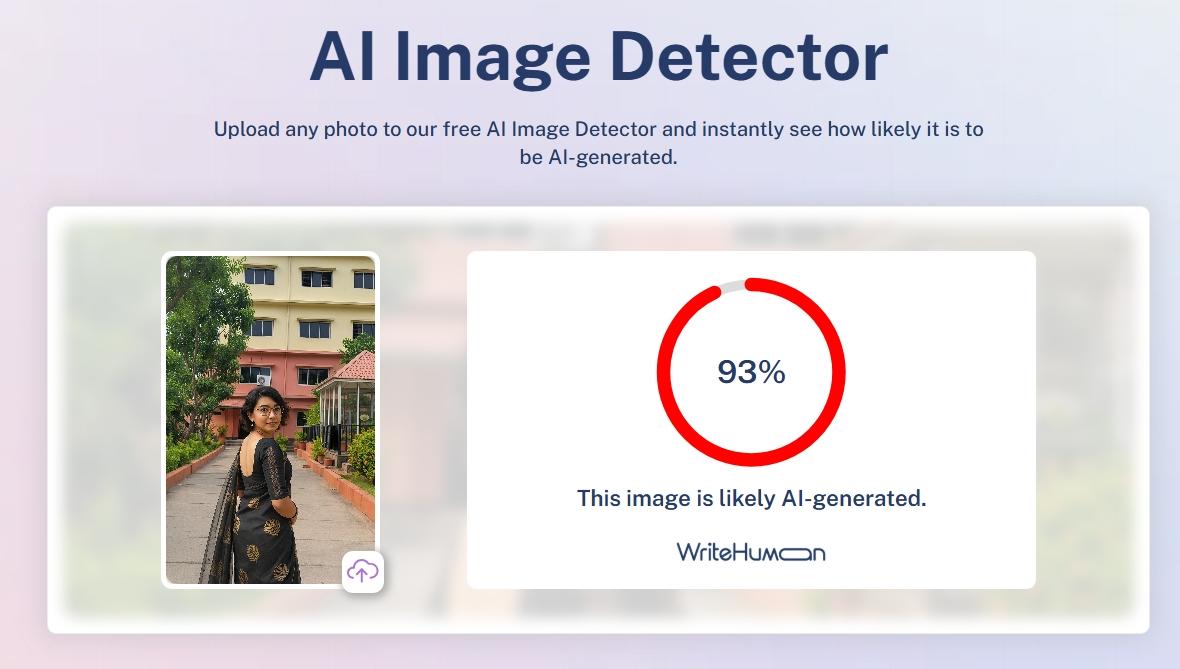
However, when I uploaded a realistic-looking nails photo (used earlier for choosing nail polish), the detector marked it as only 5% AI — which is clearly incorrect.

One genuine screenshot I tested was flagged as 21% AI, raising immediate doubts about its accuracy.Only a very bland, obviously AI-generated image was detected accurately.

This inconsistency is concerning.
- Realistic AI images largely bypassed detection
- Percentage scores seemed arbitrary
- Confidence levels did not align with actual accuracy
The tool presents results very confidently, but the output doesn’t earn that confidence. If someone relied on this to prove whether an image is AI-made or not, they could very easily be misled. For me, this makes the image detector feel more like an experiment than a dependable feature.
Rating: 5 out of 10
Word Counter Tool
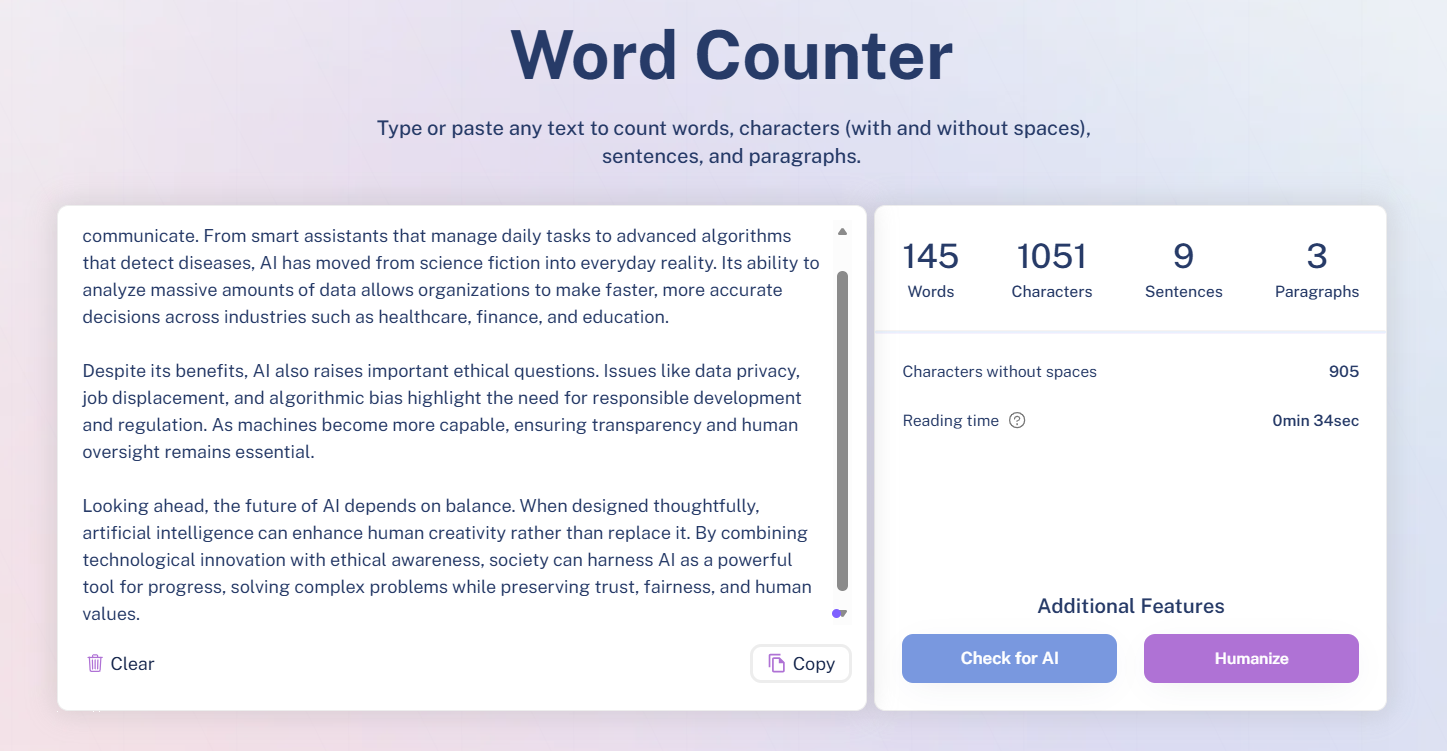
The word counter performs its basic function adequately, with little else to note. It simply counts words as expected, without additional features. It updates instantly, displays counts clearly, and remains unobtrusive. I encountered no issues, but also saw no reason to pay it special attention. It feels like a supplementary tool rather than a main feature. Useful, but easily replaceable.
Rating: 7 out of 10
Performance & Output Reliability
In terms of reliability, WriteHuman feels… inconsistent. Some features function logically, while others lack consistency. The humanizer produces some effect, at least. Running text through it and checking with the detector showed a decrease from 100% AI to about 15%. This indicates the tool has at least some impact.
However, the output was not always significantly changed. The humanized version was a bit smoother and less stiff, but not drastically different. If the original text was decent, the humanizer provided some improvement. If it was very robotic initially, the tone remained somewhat unchanged.
The writing detector is more consistent than the image detector, but still functions as a probabilistic estimate rather than a definitive judgment. Results fluctuate with minor edits, making it a useful indicator rather than proof. I wouldn’t base publication decisions solely on that score.
The image detection feature is the least dependable. A genuine screenshot was marked as 21% AI, while a realistic AI-generated nails image was only 5% AI. This inconsistency undermines trust. Overall, WriteHuman is most useful as a rough filter rather than an authoritative tool.
Pricing, Free Access, and Practical Limits
Using WriteHuman for free gives a very narrow window into the platform. Some tools are visible and technically usable, but the limits appear almost immediately. It feels less like a free tier and more like a short demo.
Here’s how access actually felt in practice.
On the free side:
- AI Humanizer capped at 200 words
- Only two humanization attempts before a paywall
- Writing detector usable up to 1200 words
- Image detector available but inconsistent
- Word counter fully accessible
Those limits show up fast. Two humanizer runs are barely enough to understand how the tool behaves, let alone rely on it.


The paid plans are clearly where WriteHuman expects real usage to happen.
- Basic
- 80 requests per month
- 600 words per request
- Enhanced model access
- Pro
- 200 requests per month
- 1200 words per request
- Priority access
- Ultra
- Unlimited requests
- 3000 words per request
- Full access and priority

Annual billing is pushed heavily, with monthly pricing technically available but clearly discouraged. The enhanced model is locked behind paid plans, which makes sense since the free version barely allows testing.
Overall, pricing feels aggressive for how limited the free tier is. It’s not a tool I could slowly grow into. It’s more like, pay quickly or stop using it.
Privacy and Data Handling
Privacy here felt fairly standard, nothing alarming, but also nothing that made me feel especially reassured either. While going through how WriteHuman handles data, it became clear that the platform collects personal information depending on how I use it. That includes basic usage data, interactions with the tools, and choices I make inside the product. It didn’t feel excessive, but it’s definitely present in the background.
One thing I did notice is that they’re clear about not processing sensitive personal information, which matters. They also state that they don’t receive personal data from third parties, which keeps the data flow a bit more contained. Most of the processing seems focused on running the service properly, improving it over time, preventing fraud, and staying compliant with legal requirements.
Sharing does happen, but only in specific situations and with certain categories of third parties. That’s expected for a tool like this. Security-wise, they mention having safeguards in place, but also openly admit that no system is ever fully secure. I appreciated that honesty, even if it’s not comforting.
Users do have rights depending on location, things like access, correction, or deletion of data. Exercising those rights requires submitting a request, which means it’s possible, but not instant. Overall, the privacy setup feels acceptable, but it’s something I’d stay aware of rather than forget about entirely.
WriteHuman vs QuillBot
|
Aspect |
WriteHuman |
QuillBot |
|
Core Purpose |
Focused on humanizing AI text and checking for AI traits |
Focused on rewriting, paraphrasing, summarizing and editing existing text |
|
Detection vs Correction Focus |
Strong on detection (writing detector + image detector) |
Strong on detection as well as correction (paraphrasing tools and grammar support) |
|
Humanization vs Polish |
Tries to make AI text look less AI, but very limited access |
Tries to improve clarity and structure through rewriting rules |
|
Pricing Comparison |
Basic ~$12/moPro ~$18/moUltra ~$36/mo |
Premium monthly ~$19.95 or annual ~$8.33/mo equivalent; higher caps and modes unlocked |
|
Personal Winner |
WriteHuman feels narrow and capped too quickly |
QuillBot feels more practical for everyday rewriting and editing |
Even though WriteHuman is interesting because it mixes detection and humanization, it just doesn’t hold up in real use without paying. The humanizer itself barely lets me test anything before it blocks me, and the detection is okay but inconsistent. Compared with that, QuillBot actually gives me tools I can use to rewrite and polish text, even on free tiers, and its pricing feels more reasonable for what I get. So in my experience, QuillBot wins this comparison because it adds more practical deliverables to an editing workflow, while WriteHuman felt more like a narrow experiment that I hit limits on too fast to trust it deeply.
Final Verdict
WriteHuman has a clear and focused idea. It’s built to humanize AI text and check whether something looks AI-generated. I respect that it doesn’t try to be everything at once. When the humanizer and writing detector are used together, I did see real changes, like AI scores dropping after humanization, which shows the tool is doing something meaningful.
That said, the limits are hard to ignore. The humanizer is capped so tightly that proper testing without paying is almost impossible. Detection accuracy, especially for images, is inconsistent enough that I wouldn’t trust it fully. It also doesn’t help with deeper editing, tone shaping, or creative rewriting.
Realistically, WriteHuman fits best as a side tool. Something to check AI traces or lightly smooth text after it’s written, not a primary writing or editing platform.
I’d recommend it only if AI detection and quick humanization are the main priorities. Otherwise, it feels too narrow for regular use.
Overall score: 6 / 10
Frequently Asked Questions
WriteHuman is a tool designed to humanize AI-generated content and verify its human-like quality. It focuses on making AI text appear more natural and provides tools to check AI detection scores. However, it is not an all-in-one writing assistant and has limited features for in-depth editing or creative collaboration.
WriteHuman’s AI Humanizer provides acceptable results, with marginal improvements in sentence structure and tone. However, it has strict word limits (200 words per request) and only allows a couple of free attempts. The output feels more like superficial polishing rather than a thorough rewrite.
The free version of WriteHuman is quite limited. It allows only two humanization attempts with a cap of 200 words each. The AI content detector can analyze up to 1200 words, but other features like the image detector are inconsistent. It feels more like a short demo than a fully functional free tier.
WriteHuman’s AI Content Detector is more practical than its humanizer, allowing analysis of up to 1200 words. It shows a clear percentage of AI detection, and results indicate some effect after humanizing text. However, it should be used as an indicator rather than definitive proof of AI content.
WriteHuman’s AI Image Recognition is inconsistent and the least reliable feature. It correctly identified obviously AI-generated images but failed with more realistic ones. The percentage scores seemed arbitrary, and confidence levels did not align with actual accuracy, making it more of an experiment than a dependable tool.
WriteHuman is more focused on humanizing AI text and checking for AI traits, but it has tight limits and inconsistent detection. QuillBot, on the other hand, offers more practical tools for rewriting, paraphrasing, and editing, even in its free tier. QuillBot feels more useful for everyday writing and editing tasks.
WriteHuman offers several pricing plans: Basic at around $12/month with 80 requests and 600 words per request, Pro at around $18/month with 200 requests and 1200 words per request, and Ultra at around $36/month with unlimited requests and 3000 words per request. Annual billing is heavily encouraged, and the free tier is quite limited.
WriteHuman is suitable for people working with AI-generated content who need quick humanization rather than extensive rewriting. It is also useful for users who prioritize AI detection scores and probability indicators. However, it is not ideal for writers seeking in-depth editing, tone adjustment, or creative collaboration.
Abonneer je op onze nieuwsbrief en ben als eerste op de hoogte van tijd- en geldbesparende AI-tools!
Comments