Conclusion
Gamma stands out as the premier all-around AI presentation platform, combining intelligent slide generation with the most responsive, reliable conversational AI editor in its class. It effortlessly handles complex redesigns—such as transforming an entire deck into an executive summary with dark styling and comparison tables in a single pass. While initial slide generation can take 4 to 5 minutes and exported files occasionally trigger layout overflow warnings, its generous free credits and free PPTX/PDF downloads make it the undisputed leader.
Pros:
- Highly reliable split-screen AI editor that flawlessly executes compound structural and stylistic commands
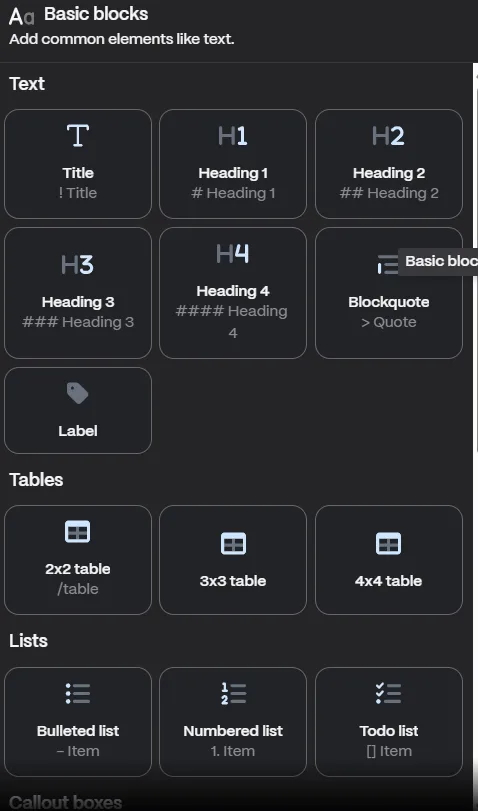
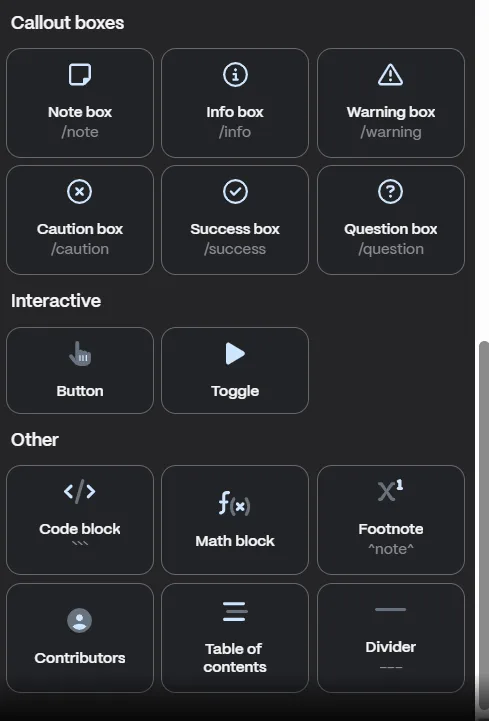
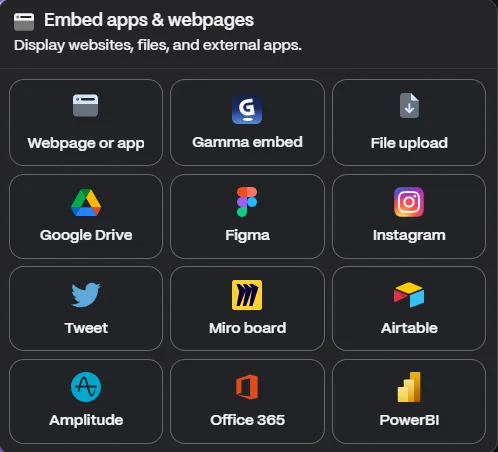
- Rich library of built-in visual elements including smart layouts, stat blocks, timelines, and app embeds
- Presenter-friendly speaker notes formatted as concise talking prompts rather than dense paragraphs
- Free plan includes genuine PDF, PowerPoint, and Google Slides file downloads
Cons:
- Slower initial deck generation compared to peers, often taking 4 to 5 minutes to complete
- Exported PowerPoint and Google Slides files occasionally trigger text and layout overflow warnings
- Individual user plans enable AI model training on account content by default unless manually toggled off
- Opaque credit deduction rules make tracking individual AI action costs difficult
Table of Contents
- First Impressions & User Experience
- Core Features
- Performance, Reliability & Everyday Usability
- Pricing Breakdown & Limitations
- Privacy & Data Handling
- Final Verdict
I’d been hearing about Gamma for a while, and after seeing enough people recommend it, I finally decided to give it a proper try. I wanted to see if it could actually save me time or if it was just another tool that looked impressive in demos. After spending some time with it, I get why so many people like it. I could throw in a rough prompt, paste my notes, or upload a document, and within a few minutes I had something that actually looked presentable. For the kind of presentations where I just need to get ideas across quickly, that was a lot more useful than starting with an empty slide and figuring everything out from scratch. For me, Gamma makes the most sense if you’re constantly putting presentations together but don’t enjoy designing slides. I can easily see consultants, marketers, founders working on pitch decks, or anyone rushing to finish an internal update getting a lot of value from it. I don’t think it’s the right fit for someone who wants total design control down to the pixel, or someone building a deck with very specific brand guidelines that need to be followed exactly from slide one. Gamma nudges things in its own direction a lot, and fighting that nudge gets old.
First Impressions & User Experience
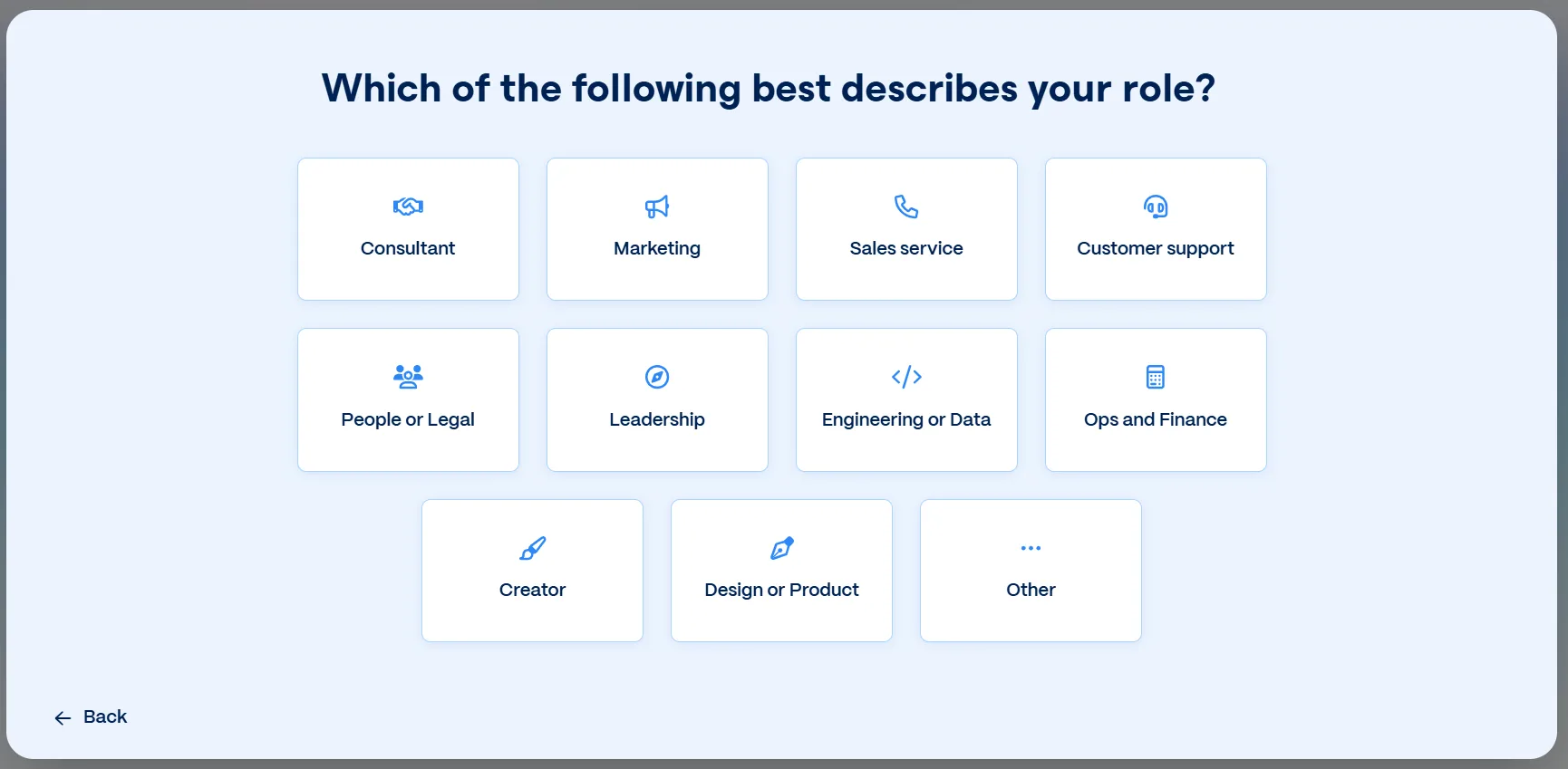
The onboarding was short, which I appreciated. It asked how I planned on using Gamma (personal, work, or education) and then asked me to pick a role from a list, things like consultant, marketing, sales, leadership, and so on. It didn’t feel like it was harvesting data for no reason, it actually felt like it was trying to shape what templates and suggestions I’d see later.

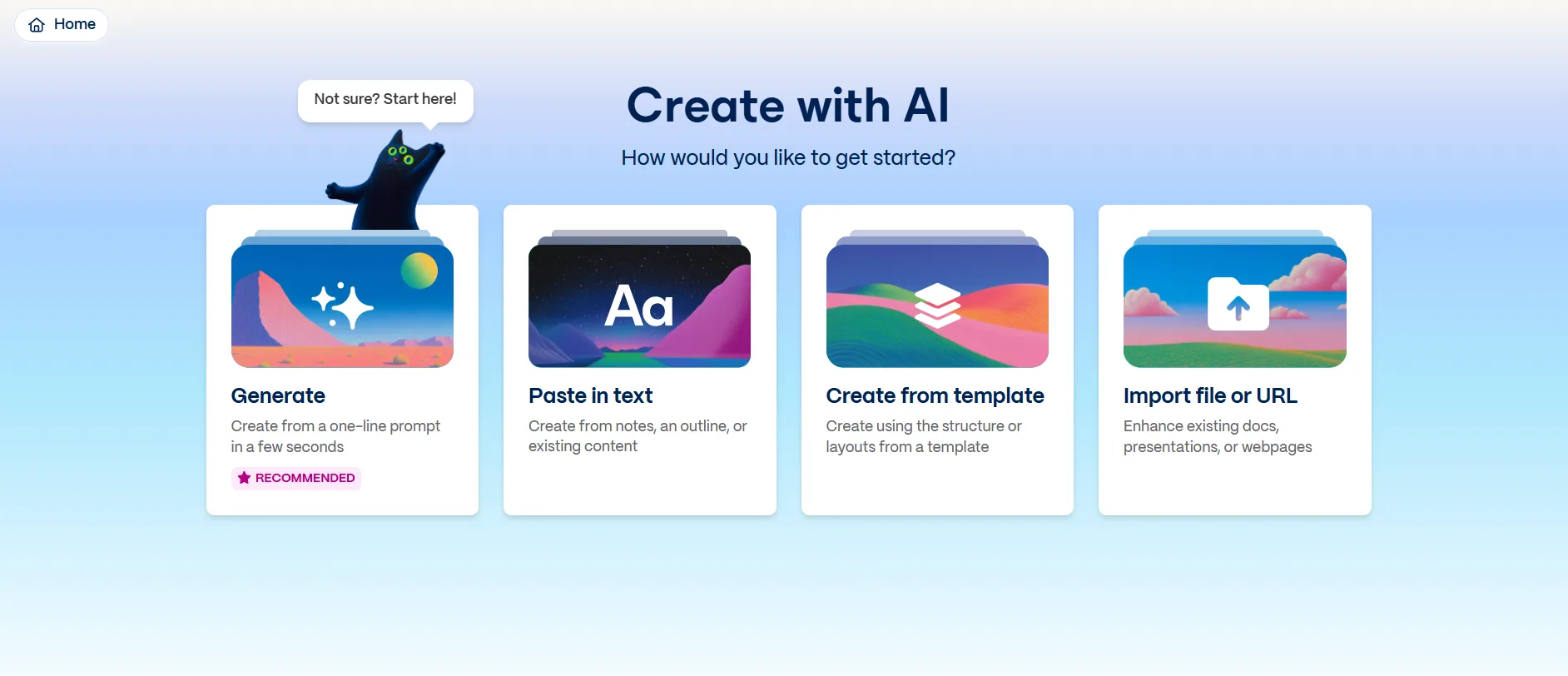
Once I got past that, the home screen gave me four ways to start: Generate with AI, Paste in Text, Create from a Template, or Import a File or URL. I focused most of my testing on Generate and Paste in Text since those felt like the actual core of what makes Gamma an AI tool and not just a slide editor with a fancy name.
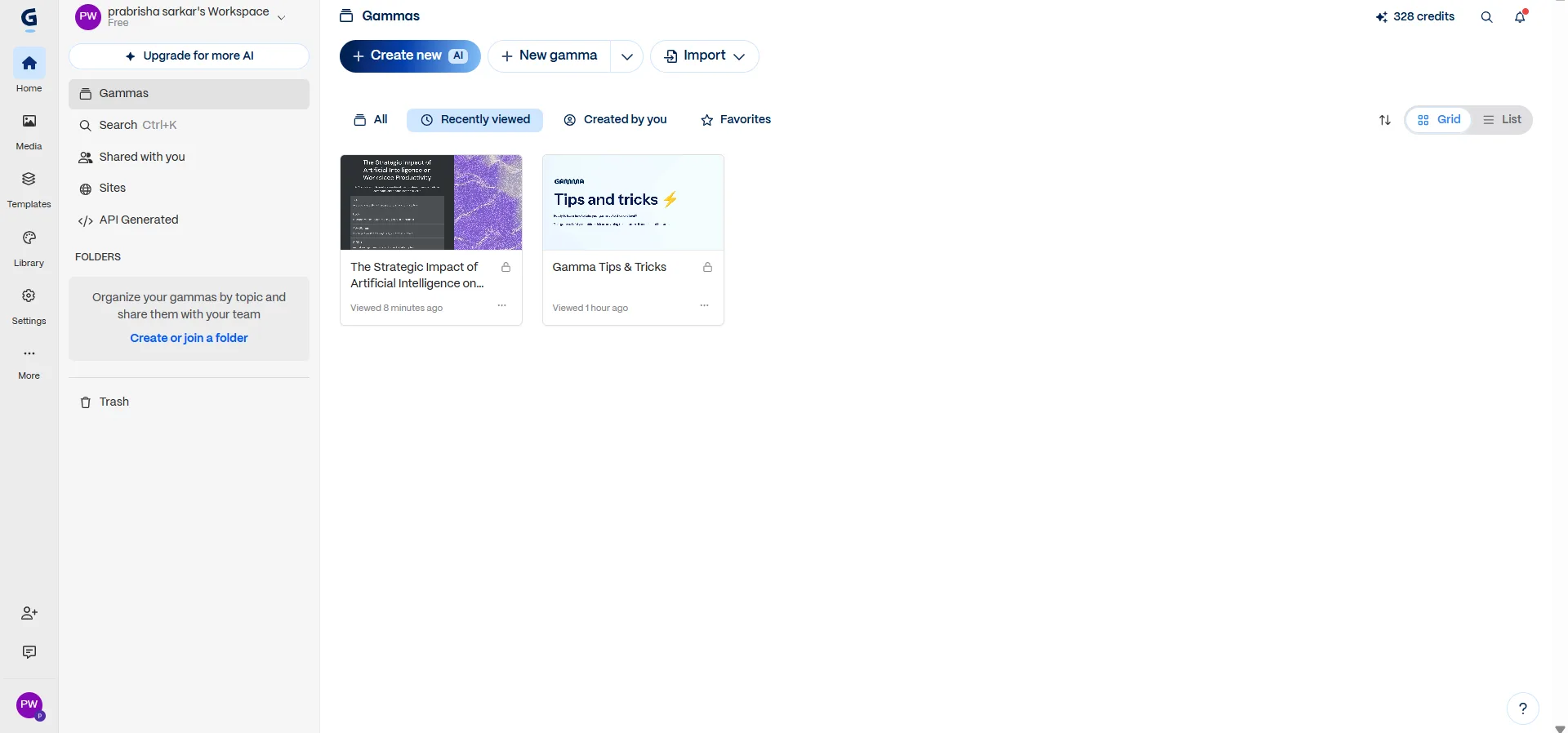
The dashboard itself is clean. Maybe a little too clean in places, I had to hunt for a couple settings the first time around, but nothing that took more than a minute to find. The learning curve is low. I was generating a full presentation within maybe two minutes of opening the tool for the first time, no tutorial needed.
Core Features
This is probably the part I ended up spending the most time with, mostly because it’s where you really get a feel for what Gamma does well and where it starts getting in your way. So I wanted to go through it in a bit more detail.
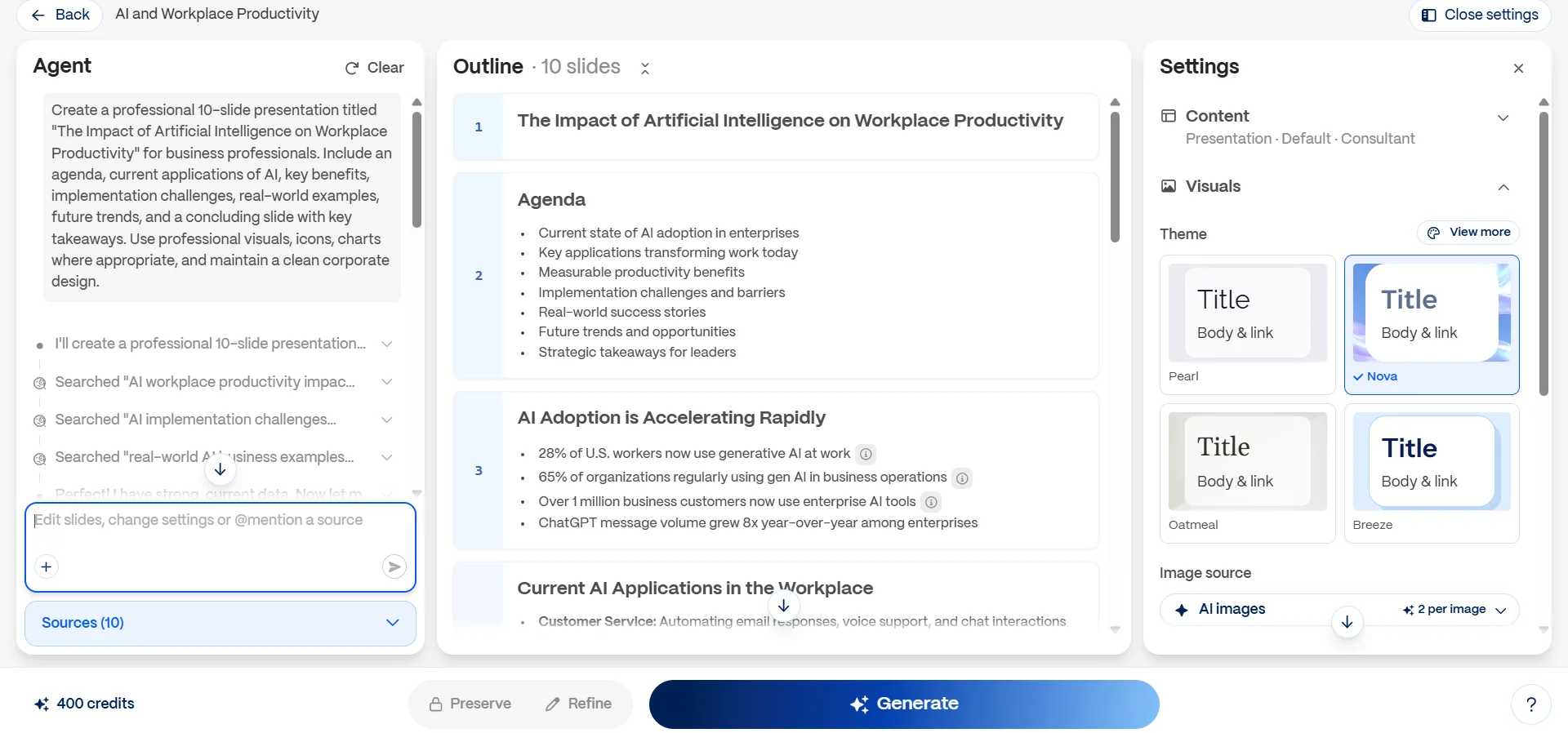
- Generation from a prompt. I typed in a request for a ten-slide presentation on AI and workplace productivity, aimed at business professionals, and asked for an agenda, real world examples, and a closing takeaways slide. Before it built anything, Gamma generated an outline first and let me review the structure before committing. I actually like this step a lot, it means I’m not stuck regenerating an entire deck because the AI misunderstood my angle on slide three.
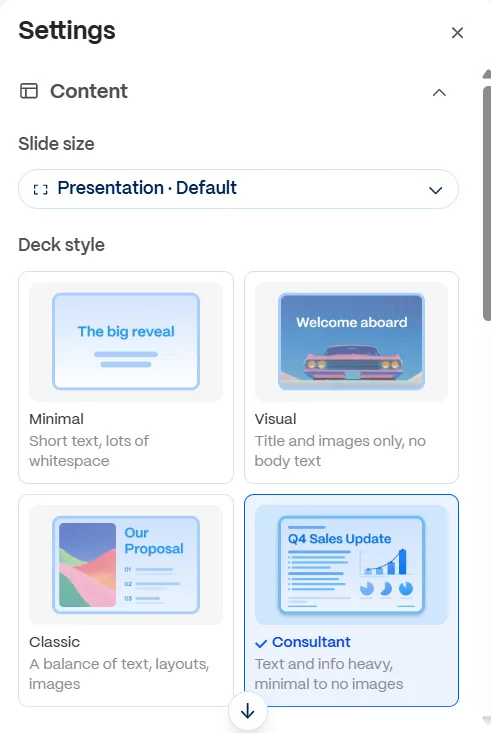
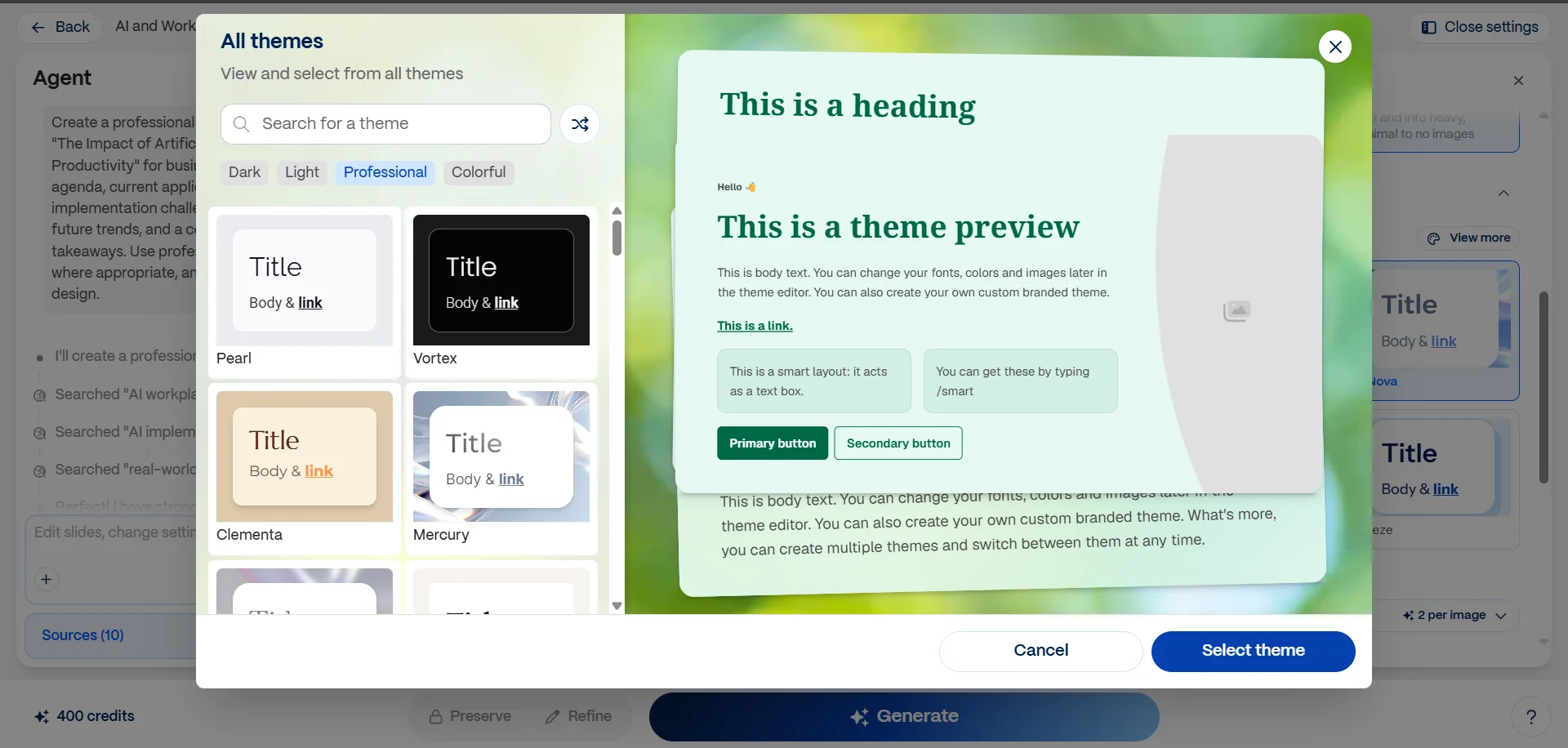
Before generating, I also poked around the settings panel, there’s a decent amount of control here. I could pick a theme, a “deck style”, i.e., Minimal, Visual, Classic, or Consultant, which controls how text-heavy vs image-heavy the output is, image sources, and art styles for the AI generated visuals, things like photo, illustration, isometric, or spot color. This all happens before the deck even exists, which felt like a smart way to cut down on rework later.

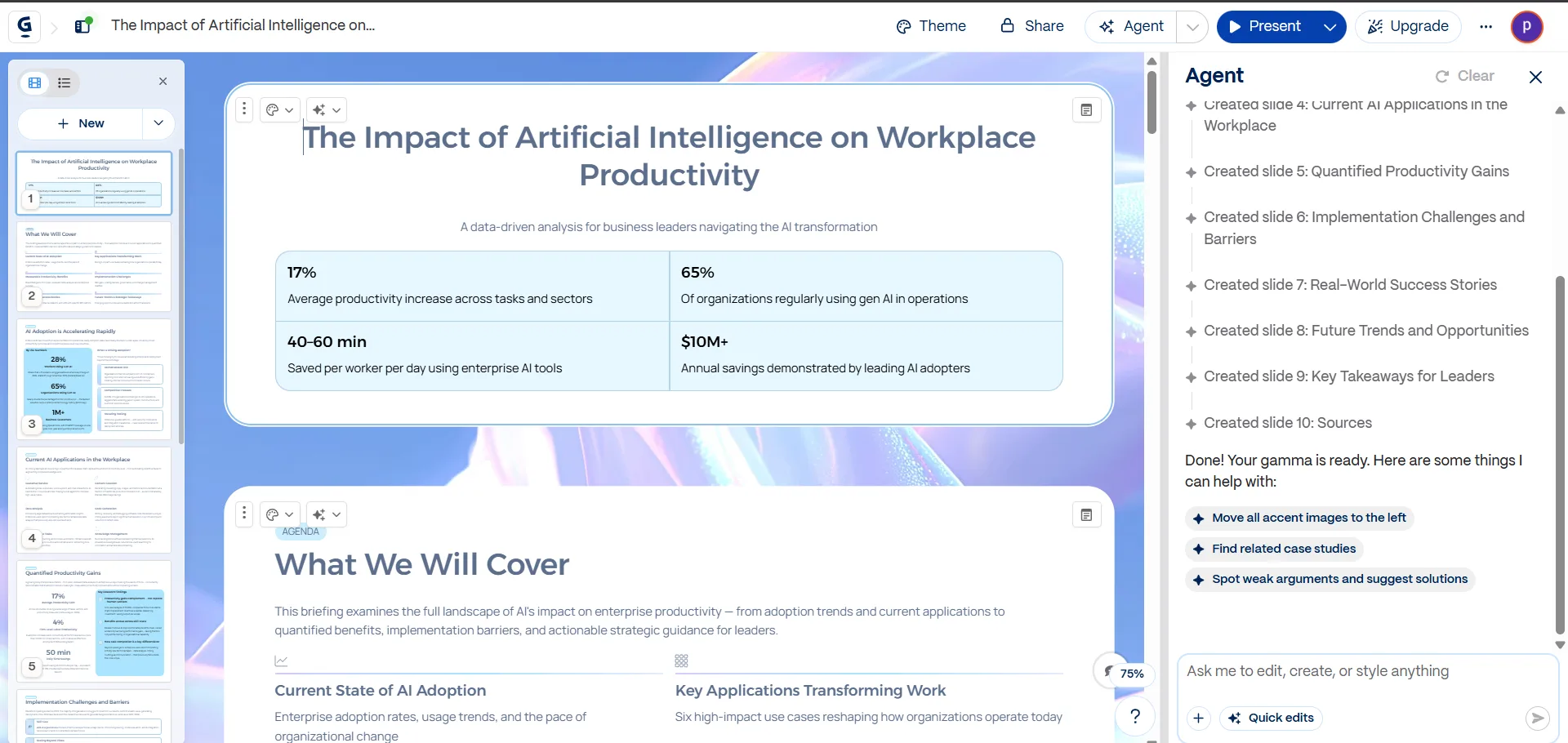
- Generation speed. Honestly, this was my biggest complaint. It took around four to five minutes to generate the full ten slide deck. That’s a long wait when you’re staring at a loading screen and I did find myself checking my phone twice. But when it finished, the quality mostly justified the wait, the deck had real formatting, relevant charts and stat callouts, and a flow that made sense slide to slide. It wasn’t a wall of bullet points, it actually looked like something I could present without a redesign pass first.
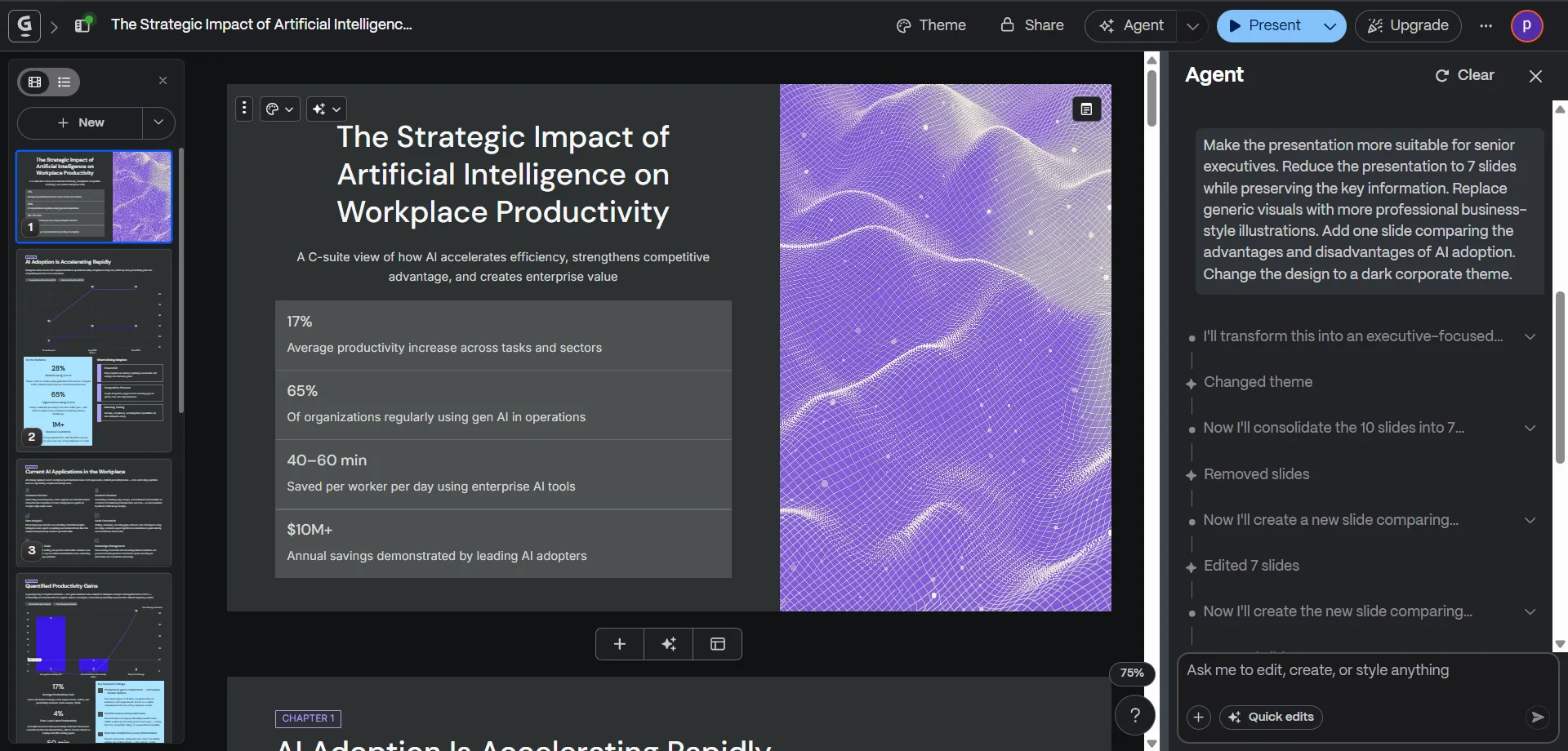
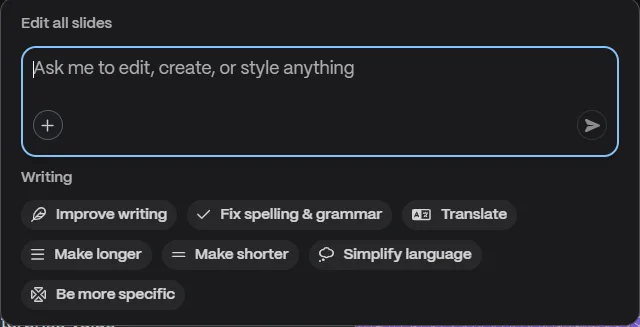
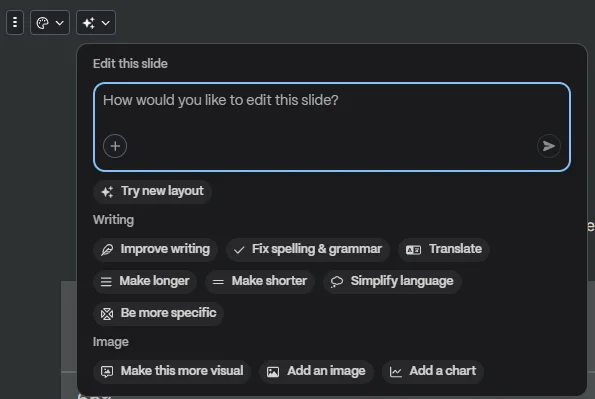
- AI editing. This is honestly the part that impressed me most. The editor is split, slides and outline on one side, an AI chat style editor on the other. I asked it to improve the writing, simplify language, make things more specific, shorten sections, expand others, translate text, generate new related slides, and reduce the total slide count. Every single request I threw at it landed close to what I actually wanted, and these edits happened fast, nothing like the initial generation wait. I also tested a more dramatic request later, I asked it to turn the whole deck into something aimed at senior executives, cut it down to seven slides, swap in more professional business style visuals, add a pros and cons comparison slide, and switch the whole thing to a dark corporate theme. It did all of that in one pass and the result actually read like an executive briefing, not a watered down version of the original.
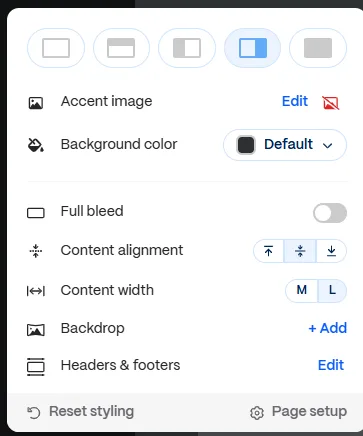
- Manual editing. Beyond the AI chat, there’s a full manual editor too. Accent images, background colors, alignment, layouts, themes, all changeable per slide or globally. I didn’t feel boxed in by whatever the AI handed me first, if something looked off I could either fix it by hand or just ask the AI editor to handle it.
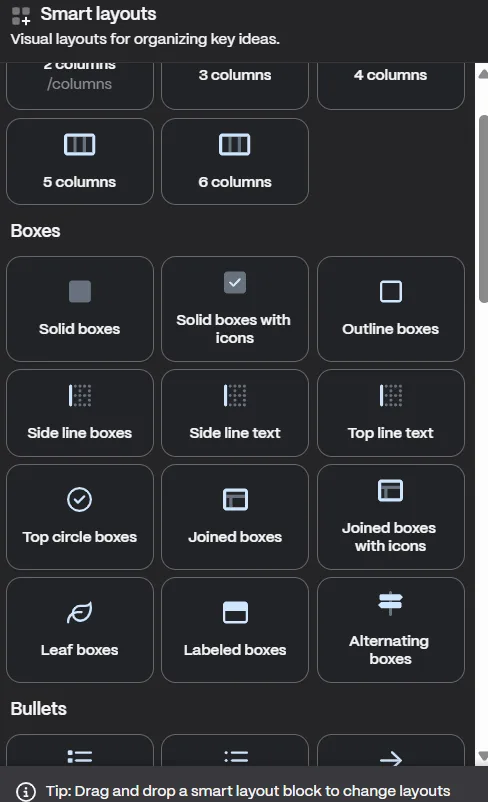
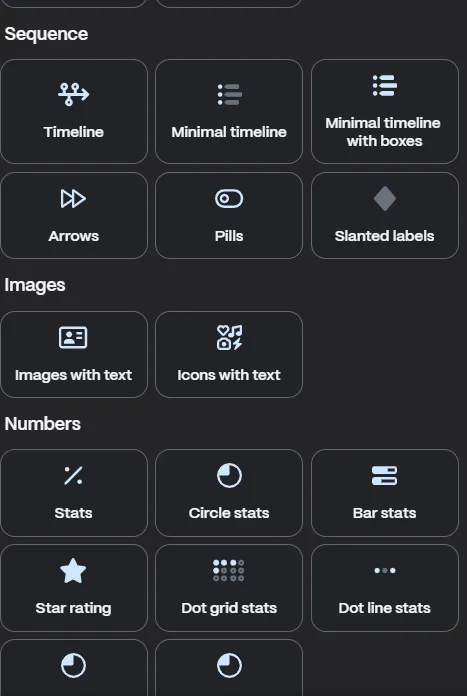
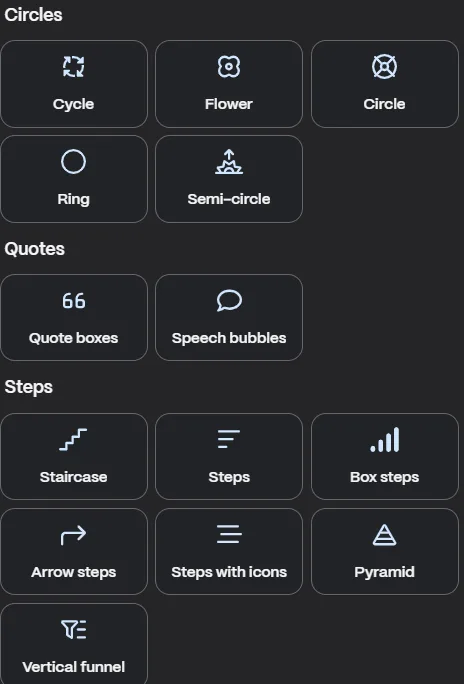
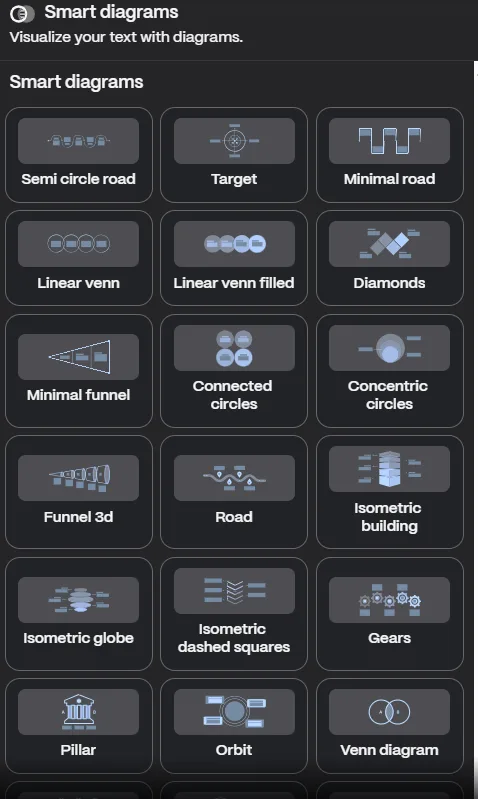
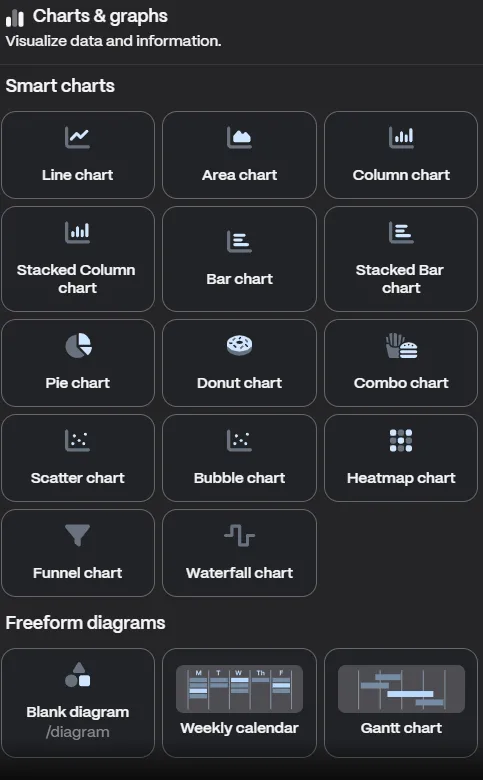
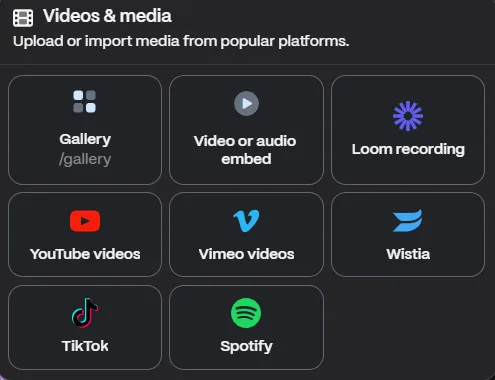
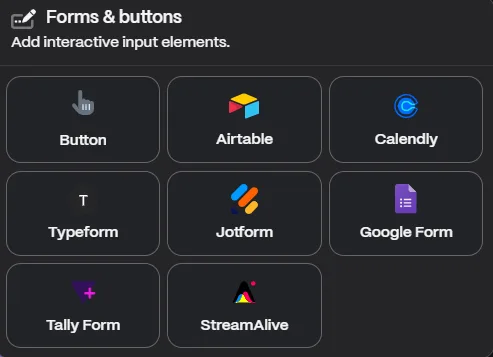
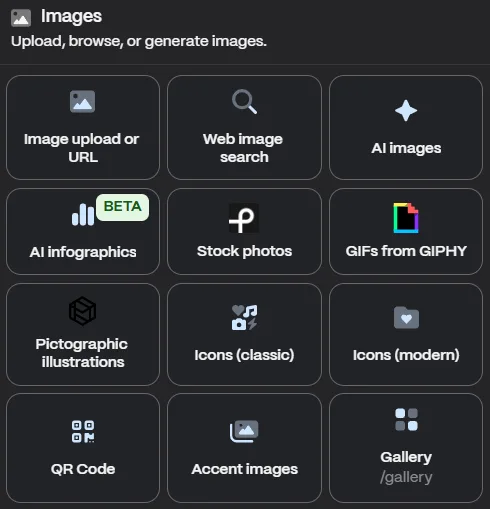
- The content library. This is honestly bigger than I expected going in. Smart layouts consisting of columns, boxes, timelines, funnels, stat blocks and more, smart diagrams that include venn diagrams, cycles, pyramids, road maps, isometric buildings, of all things, charts and graphs which have things like line, bar, pie, scatter, heatmap, waterfall, the works, plus embeds for things like YouTube, Loom, Figma, Google Drive, Airtable, and forms through Typeform or Jotform. I did not test every single block, there’s simply too many and testing all of them would’ve turned into its own project. But scrolling through it, it’s clear Gamma isn’t just a deck generator with a nice UI slapped on, there’s a proper editor underneath it.
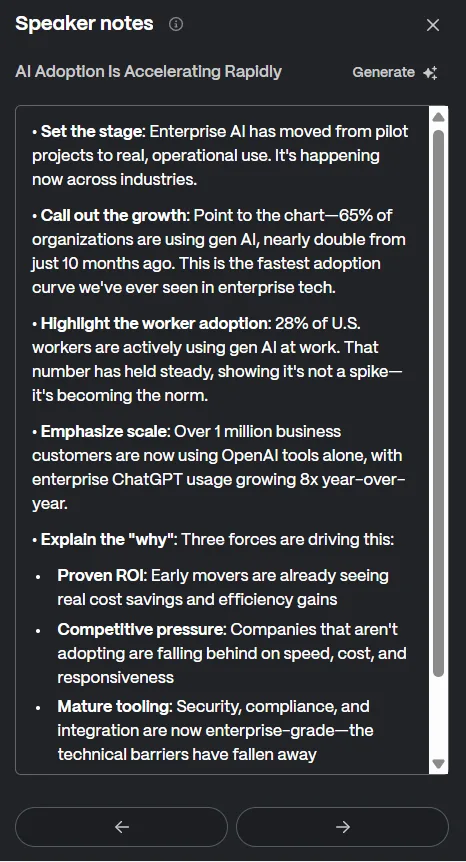
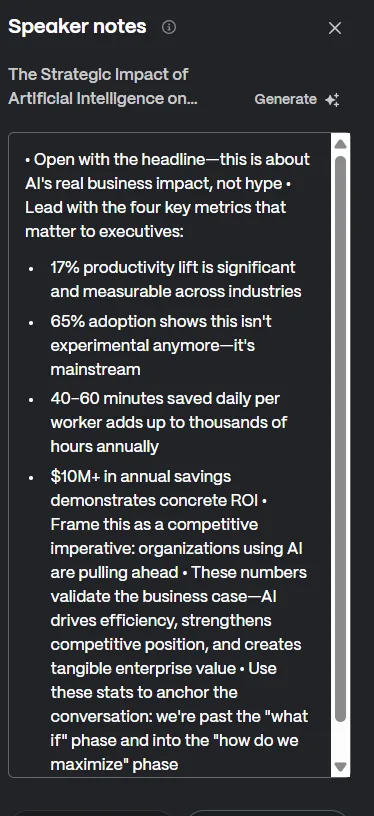
- Speaker notes. I generated notes for a couple slides and actually preferred what came out. Instead of a paragraph I’d have to basically read word for word, it gave me concise talking prompts, things like “set the stage” or “call out the growth” followed by the specific numbers to lean on. It felt like notes an actual presenter would write for themselves. One small thing worth flagging, generating speaker notes cost credits, five per slide from what I saw.
- Paste in Text. I also tested this option separately. Functionally it’s not wildly different from Generate, instead of writing a prompt I pasted in existing notes and it asked whether to preserve the content as-is or let the AI refine it before building slides. Past that fork, the workflow converges with the Generate path pretty much entirely.
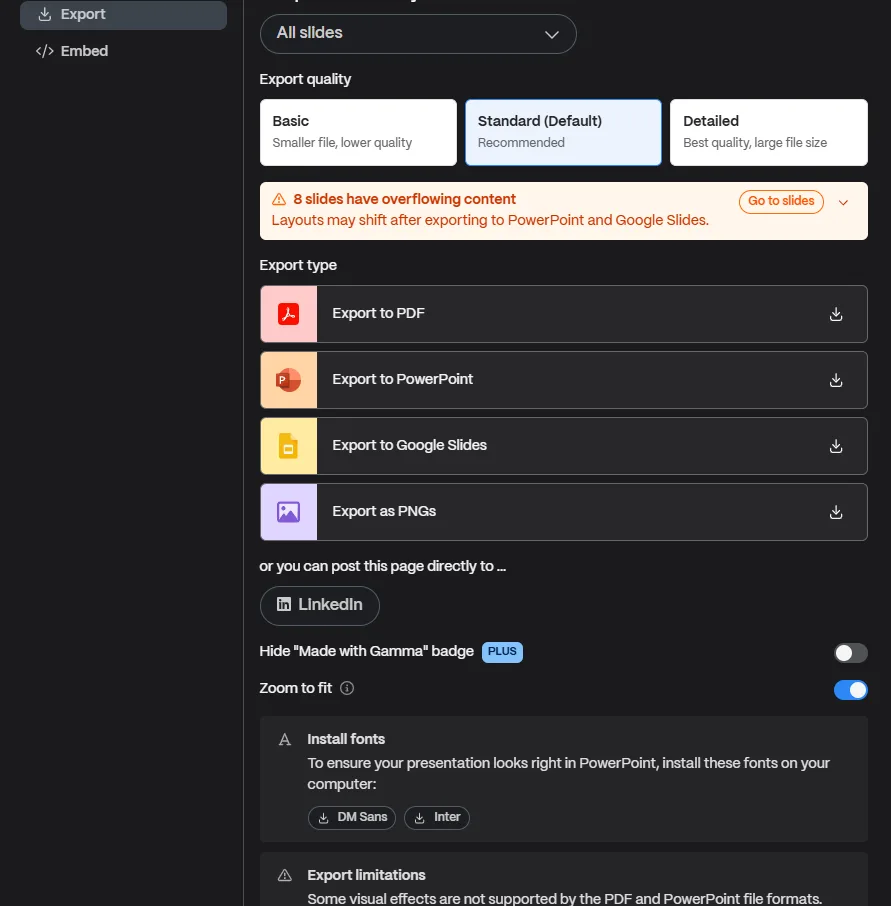
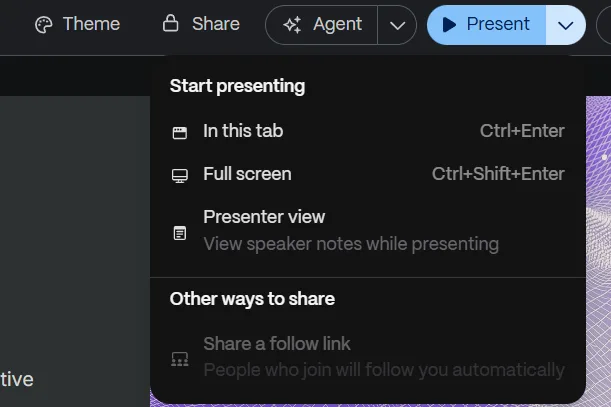
- Export and sharing. Export options cover PDF, PowerPoint, Google Slides, and PNG. Presenting directly from the platform worked without issue, and sharing links functioned the way I’d expect for something meant to be used in a professional or collaborative setting. One flag from my export attempt, it warned me that eight of my slides had overflowing content that might shift once exported to PowerPoint or Google Slides, so that’s something worth double checking before sending a deck off to someone else.
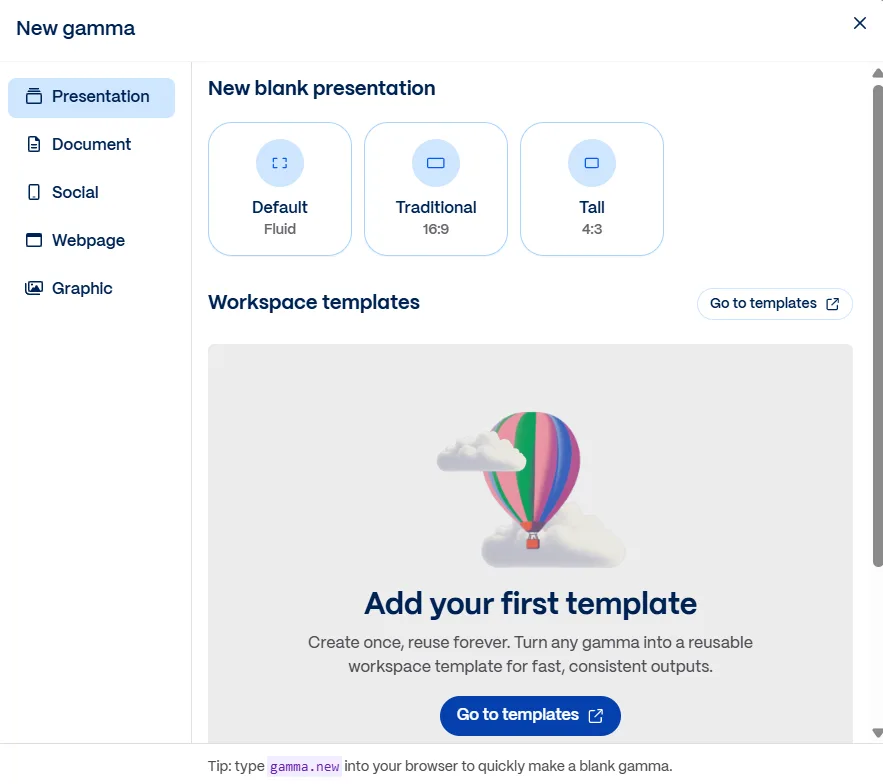
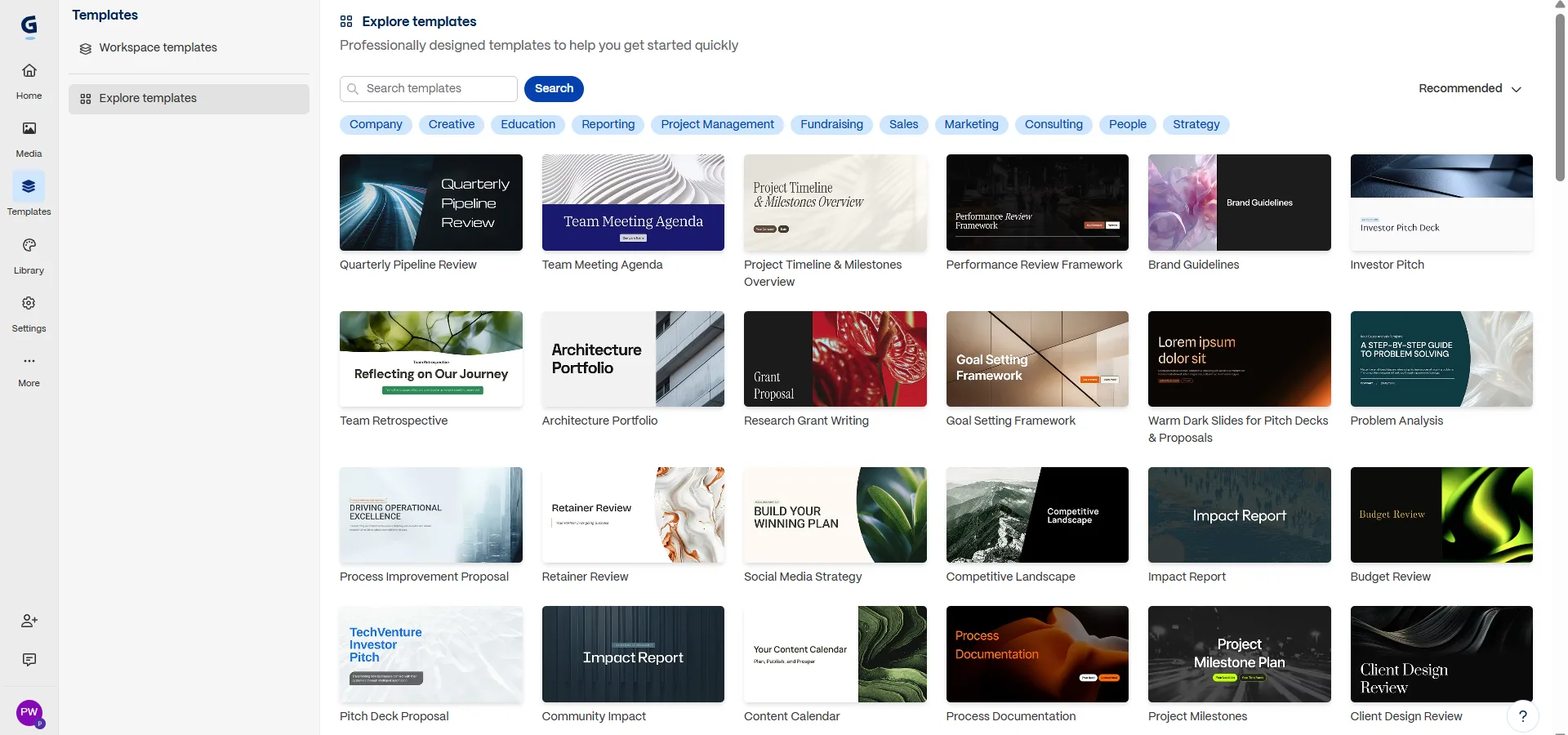
I didn’t dig deep into Gamma’s non-presentation modes, it can also generate documents, webpages, social posts, and standalone graphics, but that’s outside what I’m reviewing here so I mostly just noted that it exists. I also didn’t do a deep collaboration test since I was working solo through this round. I also browsed through the template library. There was a surprisingly large variety of templates covering different styles and use cases. I didn’t build a presentation from a template because I wanted to focus on Gamma’s AI generation capabilities, but the collection itself looked modern and professionally designed.
Performance, Reliability & Everyday Usability
Outside of that initial four to five minute wait while the presentation was being generated, everything else felt pretty smooth. Once I was in the editor, AI edits applied quickly, switching between slides was responsive, and I never felt like I was waiting around for the tool to catch up.
I also spent quite a bit of time editing the same deck, making changes, moving content around, and trying different layouts. Even after multiple rounds of edits, the editor stayed responsive the whole time. I didn’t run into any crashes, random freezes, or anything that interrupted the workflow.
The slide layouts also held together well throughout most of my editing. The only issue I came across was the overflow warning during export, but Gamma flagged it before I downloaded the presentation instead of leaving me to find the problem afterward. Another thing I noticed was that the content stayed fairly consistent from beginning to end. The AI didn’t start contradicting points it had made earlier, and I wasn’t seeing the same ideas or statistics repeated over and over across different slides.
Pricing Breakdown & Limitations
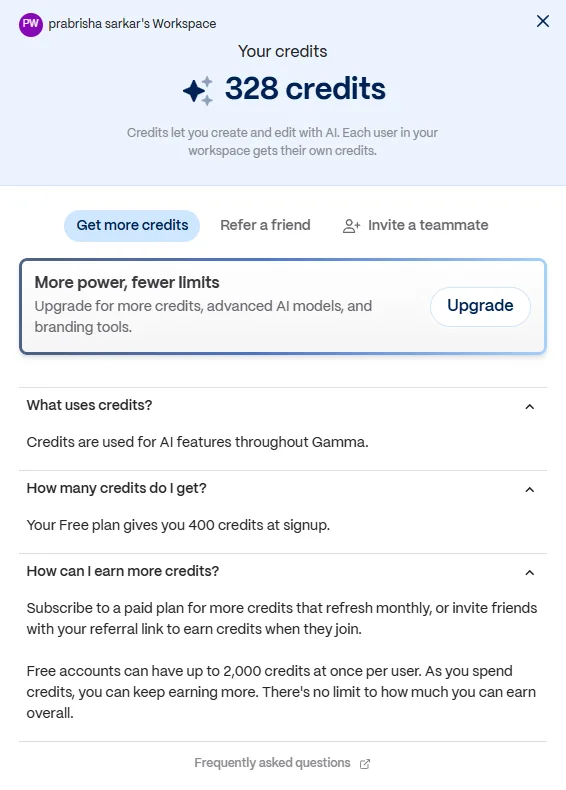
Gamma runs on a credit system rather than a flat usage cap, and figuring out the actual math takes a little digging. The Free plan gives 400 credits at signup and those don’t refill on their own. That sounds thin until you actually use it, generating my full ten slide deck, running close to a dozen AI edits, and generating speaker notes for two slides only burned through about 72 credits, I still had 328 left over afterward. So for casual or occasional use, the free plan holds up fine.
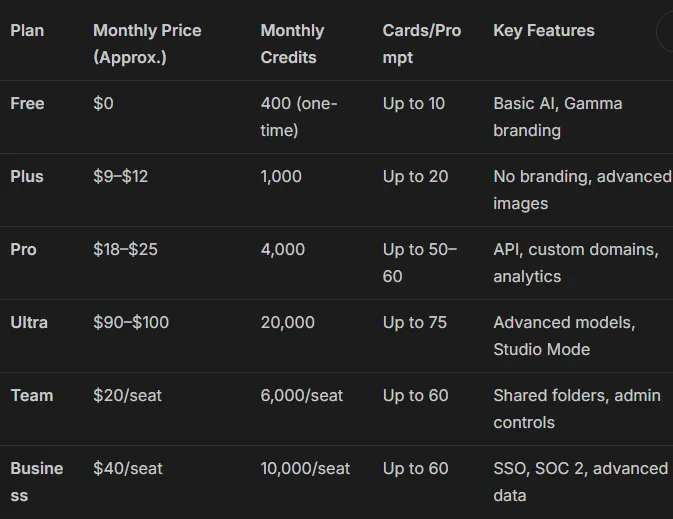
Paid plans sit roughly in this range as of writing: Plus lands around eight to ten dollars a month with 1,000 monthly credits and branding removal, Pro runs closer to eighteen to twenty dollars a month with 4,000 credits and extras like custom branding, analytics, and API access, and Ultra sits way up at around ninety dollars a month with 20,000 credits, mainly aimed at heavy users who need premium models. There’s also a Team and Business tier for organizations, with seat minimums attached. Annual billing brings the price down noticeably compared to paying month to month.
The part that gave me pause reading through user feedback elsewhere is that Gamma doesn’t publish a clear per action credit cost, so it’s hard to predict exactly how far a plan will stretch, and some reviewers have reported the system defaulting to pricier models without asking first, which burns credits faster than expected. For someone doing occasional decks, none of this is a dealbreaker. For someone planning to generate and regenerate constantly, I’d go in expecting to keep an eye on the credit meter more than the marketing page suggests.
Privacy & Data Handling
I always like knowing what happens to my data before I start relying on a tool, so I dug into Gamma’s privacy policy to see what was actually there. From what I found, the individual plans, including Free, Plus, Pro, and Ultra, all use account content to help train and improve Gamma’s AI models by default. I was glad to find that there is an option to turn that off in the account settings, although I probably wouldn’t have noticed it if I hadn’t gone looking for it myself.
The Team and Business plans are handled differently. Based on what I read, anything created inside those workspaces is automatically excluded from model training from the very beginning. There isn’t a setting to switch on or off because it’s already configured that way. That honestly felt like the right approach to me since those plans are much more likely to be used for company presentations, client work, or other documents that people wouldn’t want feeding into AI models.
As for security, I saw that Gamma encrypts data over HTTPS, which is pretty much what I expected to see. If I ever wanted to delete an account or request a copy of my data, that goes through their privacy contact process instead of a simple button inside the settings page. It isn’t necessarily a problem, but it did stand out because plenty of services make those requests a little easier to handle.
After reading through everything, I came away thinking the company is fairly clear about how it handles user data. I didn’t feel like I had to read between the lines to understand what was happening, which I appreciated. The one thing that stuck with me was the default training setting on the individual plans. If I was planning to upload anything private or confidential, changing that setting would probably be one of the first things I’d do before importing any files.
Final Verdict
Coming out of this, my overall impression of Gamma is a strong one, held back only by that initial generation delay. Once the deck exists, editing it is fast, the AI actually listens to specific instructions instead of vaguely gesturing at them, and the visual quality of what it produces is genuinely presentation ready rather than something I’d need to rebuild from scratch. The credit system on the free plan is more generous in practice than it sounds on paper, and the privacy setup is reasonable as long as someone actually checks the training toggle rather than assuming it’s off.
If someone asked me whether I’d keep using Gamma after this, my answer would be yes. I can definitely see myself using it again for quick presentations, client work, or turning rough notes into something presentable without spending hours on slides. My biggest complaints are the slow initial generation and the credit system, which could be a lot more transparent. Other than that, the experience was solid, and once the first deck was generated, everything worked pretty much the way I wanted it to.
Overall Score: 8.9/10.
Frequently Asked Questions:
Yes. Unlike most competitors that paywall exports, Gamma allows free tier users to export their finished decks directly to PowerPoint, PDF, Google Slides, and PNG formats.
Gamma features the strongest conversational AI editor in the category. In testing, it successfully handled compound instructions in a single prompt—such as cutting slide counts, shifting tone for an executive audience, inserting pros/cons tables, and adopting a dark theme without breaking layout coherence.
On individual tiers (Free, Plus, Pro, Ultra), Gamma’s privacy settings enable AI model training by default, though users can manually opt out in account settings. Team and Business enterprise tiers automatically exclude customer data from training.
New users receive 400 one-time credits. Because generating a full 10-slide deck, running extensive AI edits, and drafting speaker notes consumed only about 72 credits in testing, the free tier offers ample runway for multiple projects.
Yes. Unlike most competitors that paywall exports, Gamma allows free tier users to export their finished decks directly to PowerPoint, PDF, Google Slides, and PNG formats.
Gamma features the strongest conversational AI editor in the category. In testing, it successfully handled compound instructions in a single prompt—such as cutting slide counts, shifting tone for an executive audience, inserting pros/cons tables, and adopting a dark theme without breaking layout coherence.
On individual tiers (Free, Plus, Pro, Ultra), Gamma’s privacy settings enable AI model training by default, though users can manually opt out in account settings. Team and Business enterprise tiers automatically exclude customer data from training.
New users receive 400 one-time credits. Because generating a full 10-slide deck, running extensive AI edits, and drafting speaker notes consumed only about 72 credits in testing, the free tier offers ample runway for multiple projects.
Subscribe to our email newsletter to get the latest posts delivered right to your email.
Comments