Conclusion
PPT.AI is engineered for pure speed, taking users from raw text, documents, URLs, or YouTube links to a fully populated slide deck in under two minutes. It provides granular pre-generation targeting across diverse professional scenes, audience types, and tone settings, supported by a massive template catalog. However, haste leads to visible quality flaws like broken titles, and the total lack of a conversational AI editing layer forces all revisions to be done manually. With exports paywalled on the free tier, it functions best as a fast drafting engine for hands-on editors.
Pros:
- Extremely rapid generation, producing full multi-slide presentations in 1 to 2 minutes
- Detailed pre-generation controls for audience, tone, presentation scene, and outline review
- Vast template library filterable by specific industry categories, visual styles, and colors
- Budget-friendly paid pricing starting at $6.90/month with an unlimited generation tier
Cons:
- Frequent layout polish bugs on initial outputs, including awkwardly broken title words
- No conversational AI editing assistant inside the editor to refine slides after generation
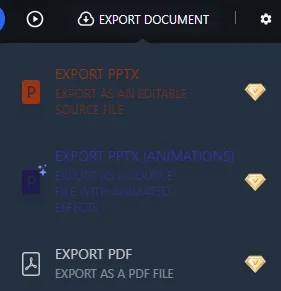
- All file exports (editable PPTX, animated PPTX, PDF) are locked behind paid plans
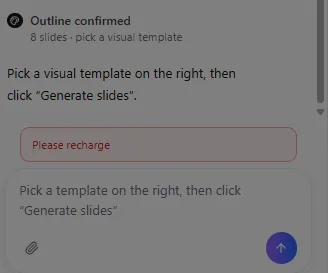
- Credit usage is opaque, allowing users to build outlines only to block final generation at the last step
Table of Contents
- First Impressions & User Experience
- Core Features
- Performance, Reliability & Everyday Usability
- Pricing Breakdown & Limitations
- Privacy & Data Handling
- Comparison With Gamma
- Final Verdict
I moved onto PPT.AI right after wrapping up my time with Gamma, mostly because I wanted to see how a second AI presentation tool would stack up once I already knew what “good” looked like in this category. PPT.AI is built around two modes, Professional and Standard, and the whole pitch is speed, going from raw content to a finished deck fast. I think this tool is best suited for someone who already has source material ready, a document, a PDF, a URL, even a YouTube link, and just wants that content turned into slides without much back and forth. I don’t think it’s the right choice for someone who wants an AI that keeps helping after the first draft, because that part of the experience just isn’t really there.
First Impressions & User Experience
Getting started with PPT.AI was pretty straightforward. There were two main modes: Standard and Professional. Professional was more prompt-based, while Standard let me bring in material in different ways, including plain text, a document or PDF, a URL, a YouTube link, or even an image. I mostly stuck with Standard because it gave me more to actually test.
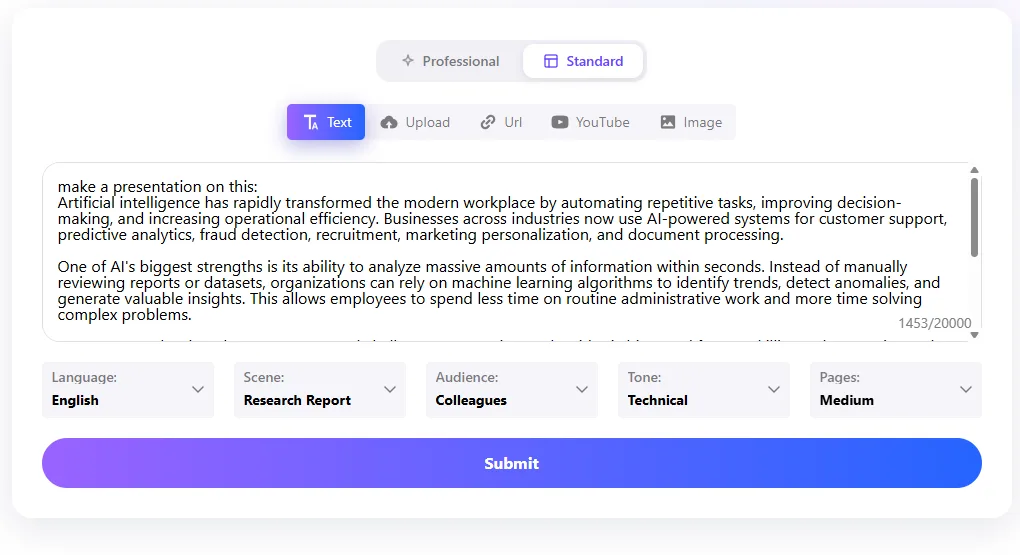
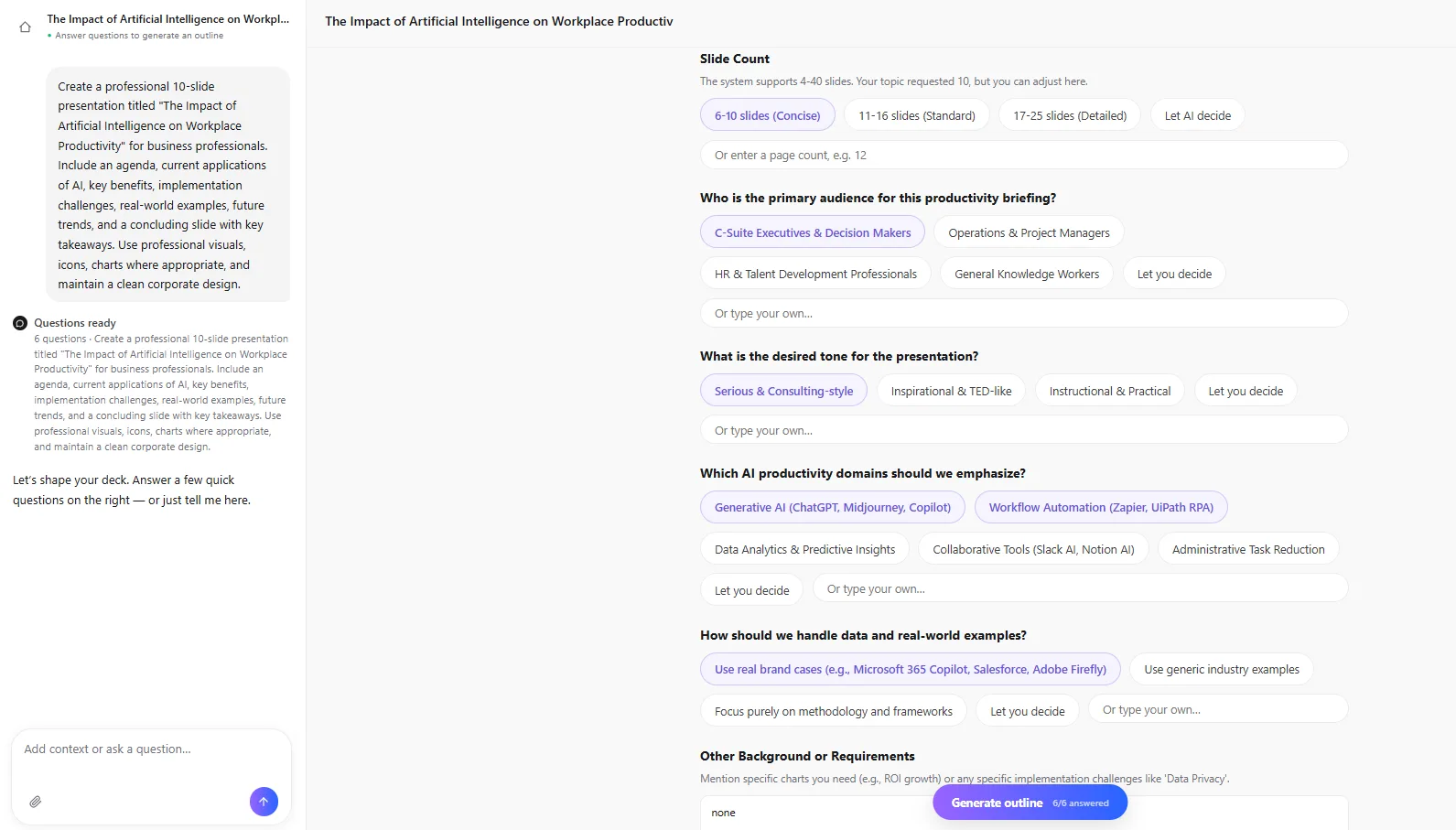
Before generating anything, I had to fill in quite a few parameters. I could choose the language, the type of presentation or “scene” which included things like teaching material, work summaries, research reports, business plans and others, the intended audience, the tone, and the approximate length. The audience options included students, teachers, supervisors, colleagues and the general public, while the tone could be professional, friendly, technical, persuasive, academic and more. I could also choose between a short, medium or long presentation. I actually liked having all these options because it felt like I was giving the tool a more specific brief before it started working. Compared with Gamma, this felt a little more detailed and granular to me.
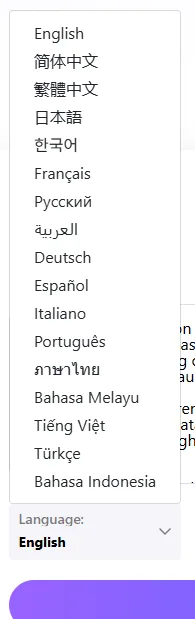
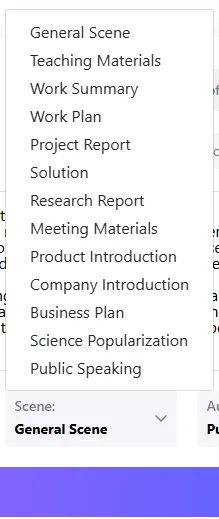
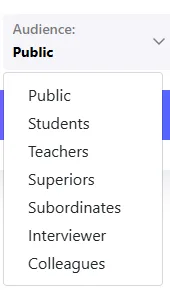
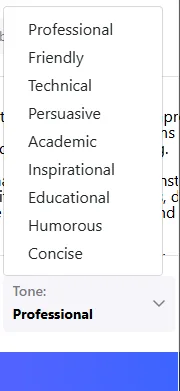
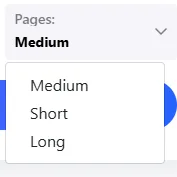
The dashboard itself was easy enough to understand, although it didn’t feel quite as polished as Gamma’s. It felt more functional and form-like, basically fill in the details and then let the tool do its thing. I only tested the desktop version, so that’s what I’m basing this on.
Core Features
This is the section where my opinion started splitting in two very different directions, some real strengths, some real gaps.
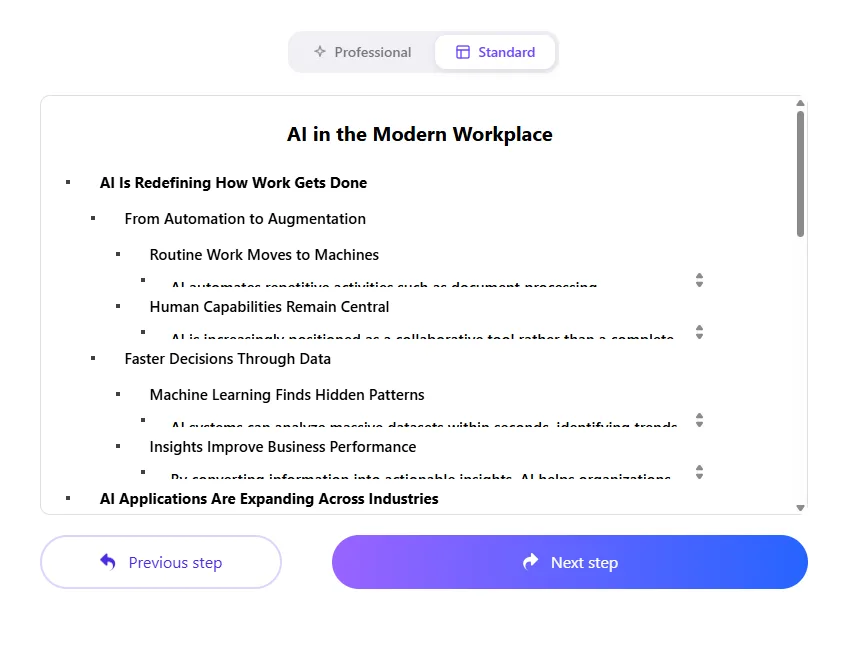
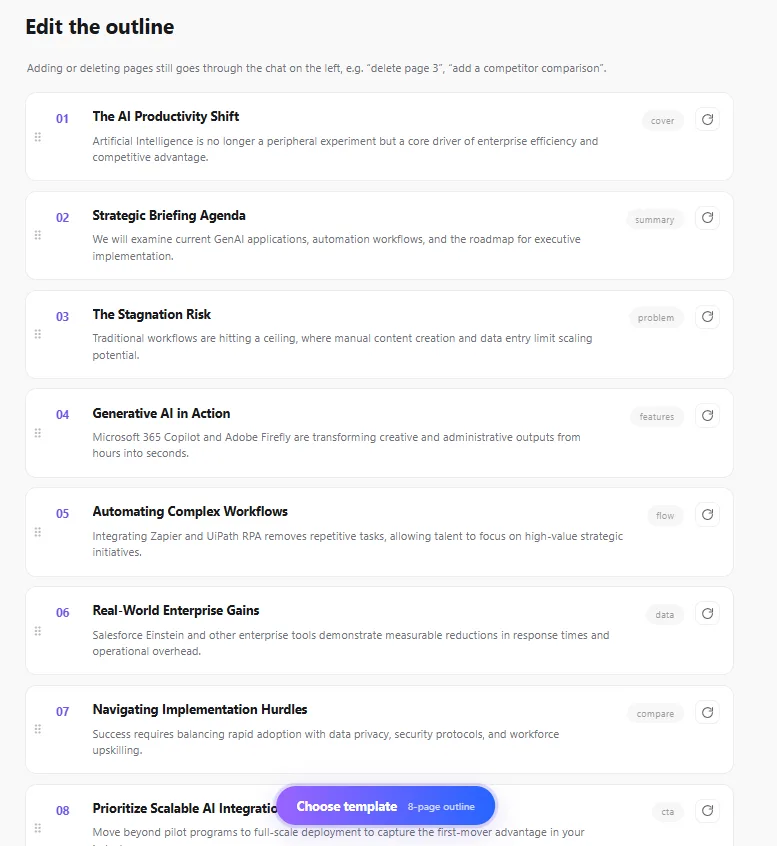
Outline generation. Once I had everything filled in, the first thing I noticed was that PPT.AI didn’t immediately jump straight into making the slides. It gave me an outline first, which I preferred. I had already seen something similar when I tested Gamma, and I think having that little checkpoint makes a difference. I could actually look at what it thought the presentation should contain before committing to the whole thing. I could see the individual pages, get a rough idea of where the presentation was going, and decide if the structure made sense to me. More importantly, I could add pages or delete ones I didn’t think were necessary. I liked that because sometimes these tools make assumptions about what you want and then you end up having to fix everything after the deck is already generated. Here, at least I had a chance to catch some of that before the actual design work started. It wasn’t anything revolutionary, but from my experience it made the process feel a little less frustrating and gave me a bit more control over what I was actually going to get.
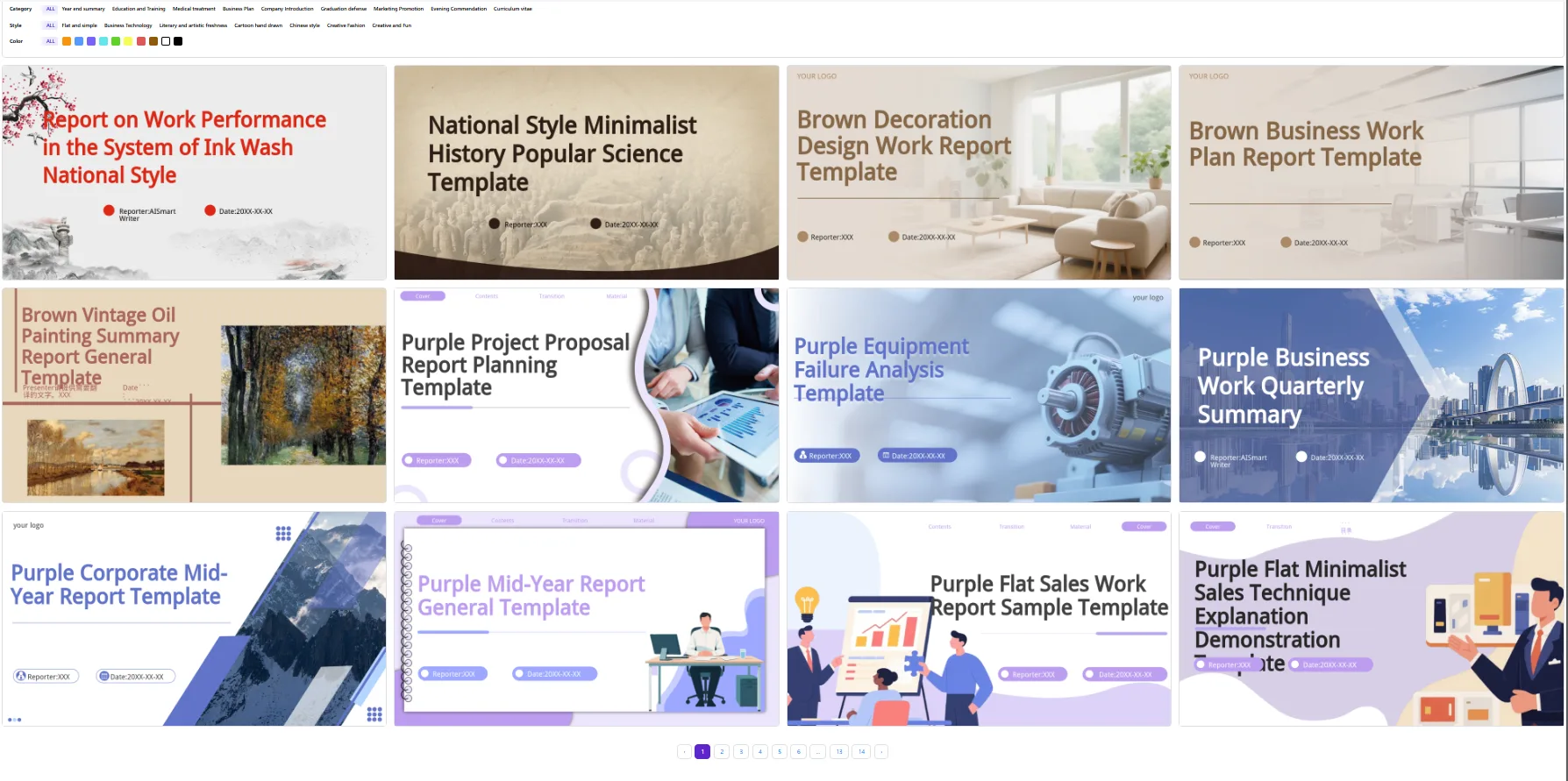
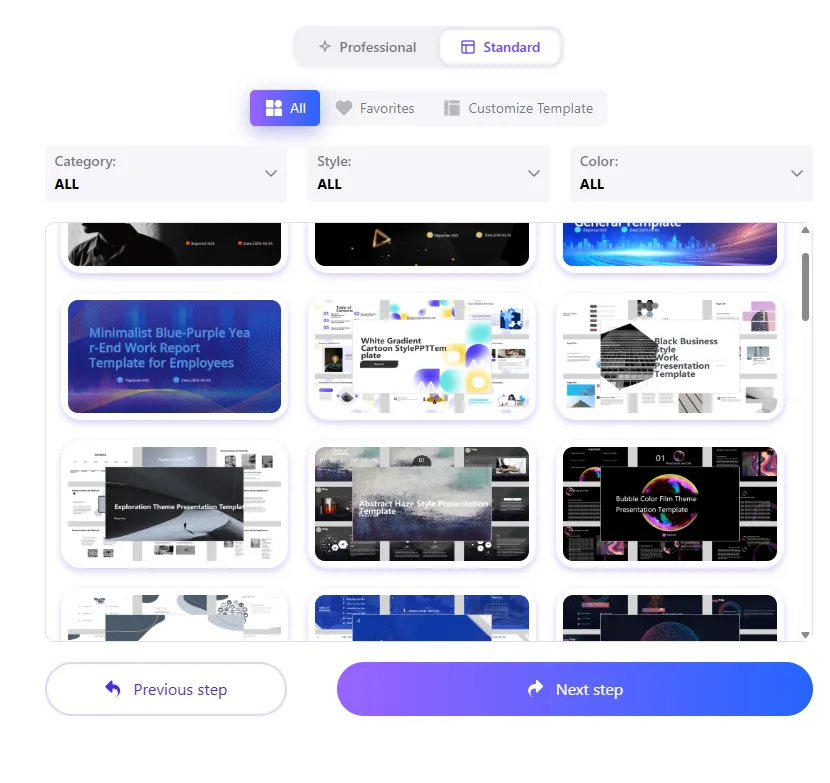
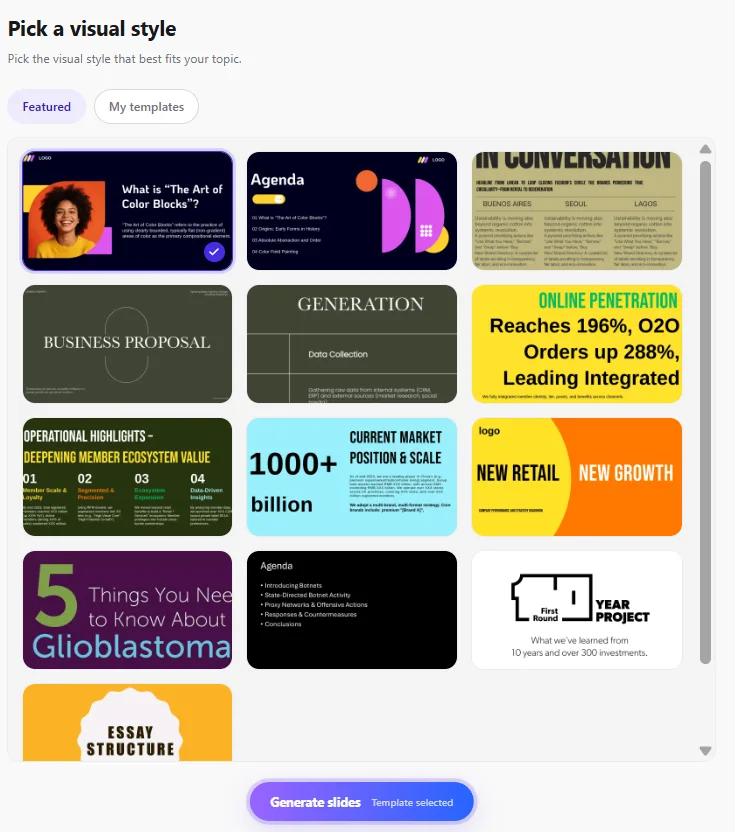
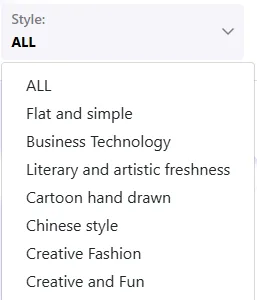
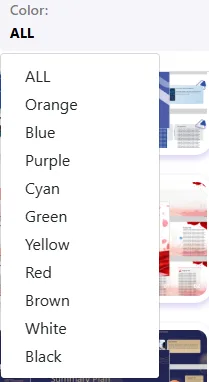
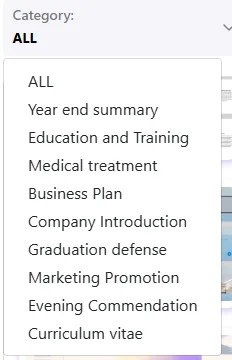
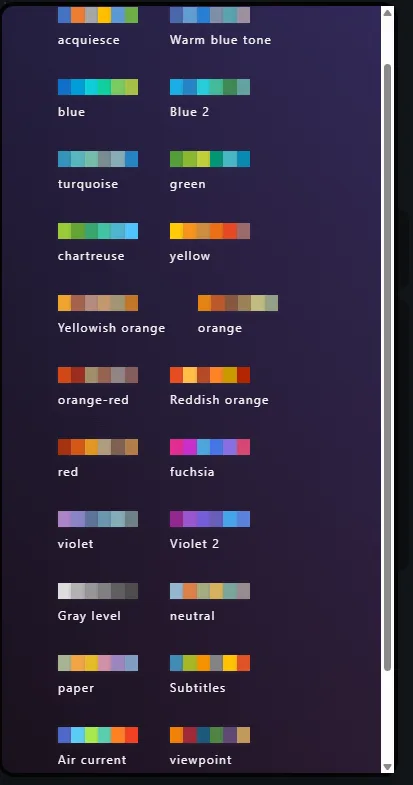
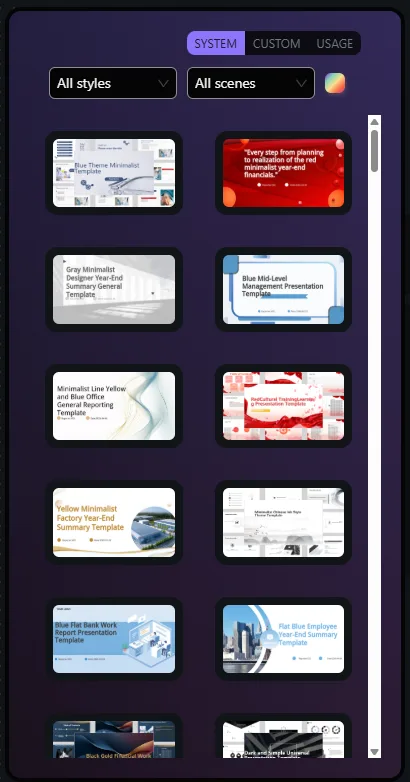
Template selection. This part actually impressed me. PPT.AI has a pretty big template library, and I could filter it by category, style and colour. There were categories for things like business plans, education and training, marketing, medical presentations and year-end summaries, while the style options ranged from flat and simple and business technology to more creative ones like fashion, Chinese style and cartoon hand-drawn. I could also filter by specific colours, which I found useful when I already had a certain look in mind.
I ended up spending quite a bit of time just browsing through the options because there was genuinely a lot there. Not every template worked for me, obviously, but I liked having that much choice. It was one of the areas where PPT.AI felt more flexible than I initially expected, especially if I wanted to choose the visual direction myself rather than leave everything to the generator.
Generation speed. This was probably the strongest part of my experience with PPT.AI. The entire deck was generated in roughly one or two minutes, which felt almost instant compared with the four or five minutes I had to wait with Gamma. I definitely appreciated the speed, especially since I wasn’t left sitting around wondering when the presentation would finally appear. The only thing is, for me, speed matters less if I still have to spend a lot of time fixing the result afterwards, so I saw this more as a strong advantage of the tool rather than a sign that the overall output was better.
Generation quality. And this is where it fell apart a bit for me. Speed came at a cost. My title slide for a deck on AI in the modern workplace had the actual title broken awkwardly mid word, “workplace” got split apart visually in a way that looked sloppy right out of the gate. That’s exactly the kind of small detail that undercuts the entire point of using an AI generator in the first place, I shouldn’t have to manually fix the title slide of a presentation that supposedly wrote itself.
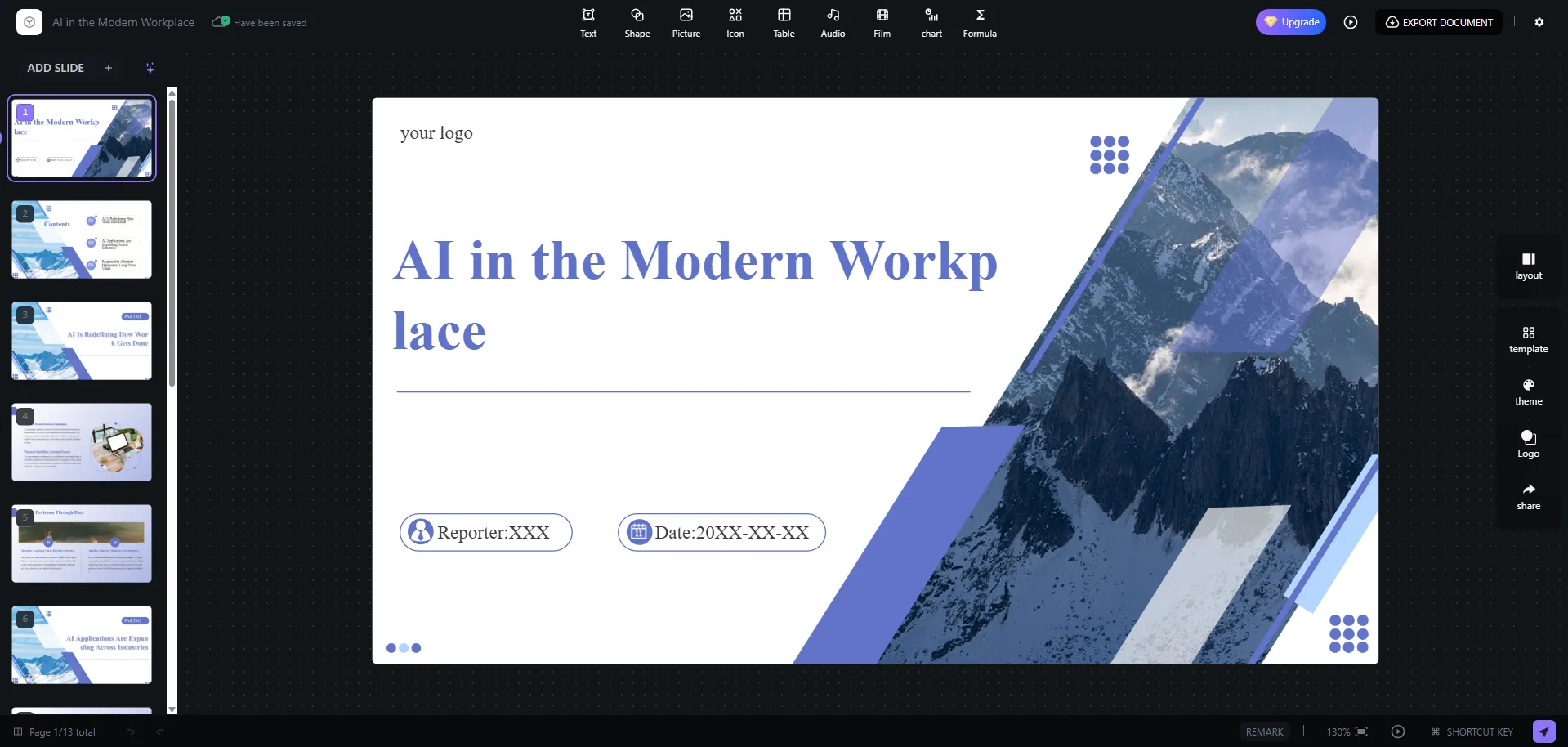
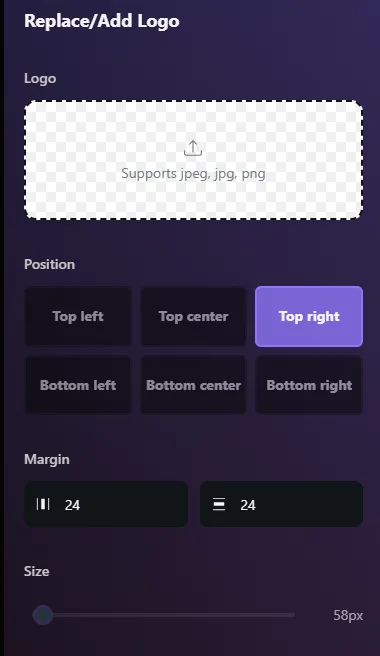
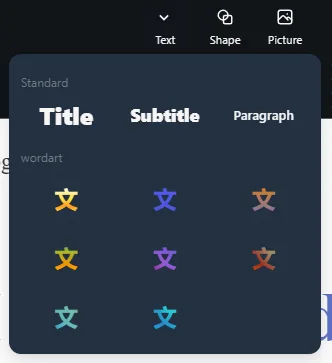
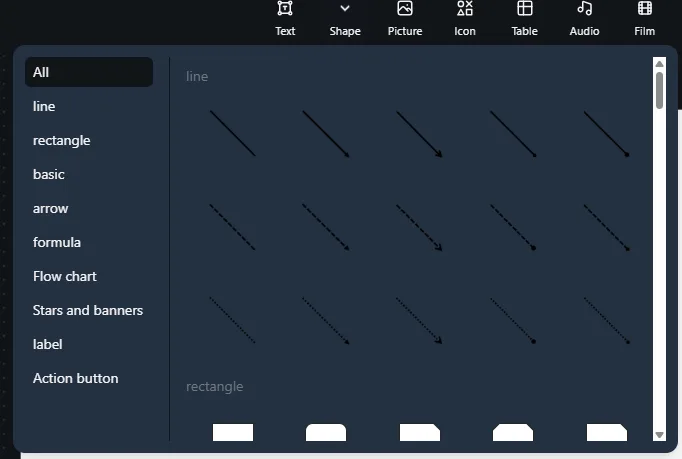
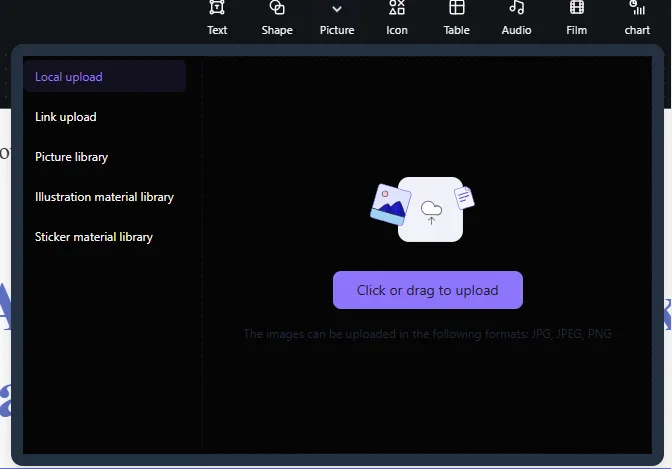
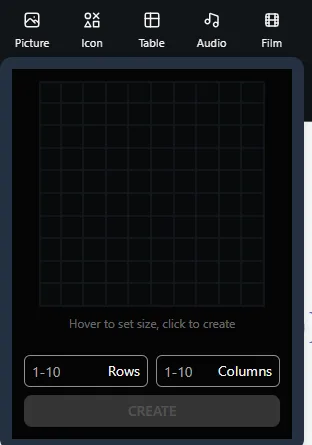
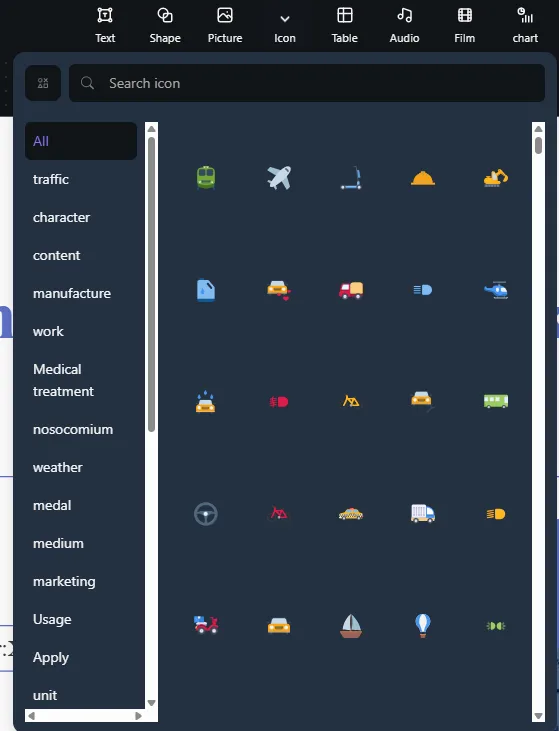
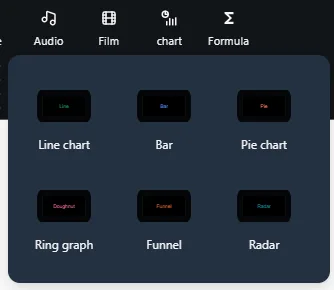
Manual editing tools. Once inside the actual editor, there was honestly a good amount here, layout changes, template and theme swaps, color adjustments, image replacement, logo upload, text styling including word art, shapes, icons which were searchable and categorized, tables, audio, video, and six different chart types, line, bar, pie, ring graph, funnel, and radar. The shape library covered lines, rectangles, arrows, flowcharts, labels, action buttons. So from a pure “does the manual toolkit have enough in it” standpoint, no complaints, it’s actually a solid kit.
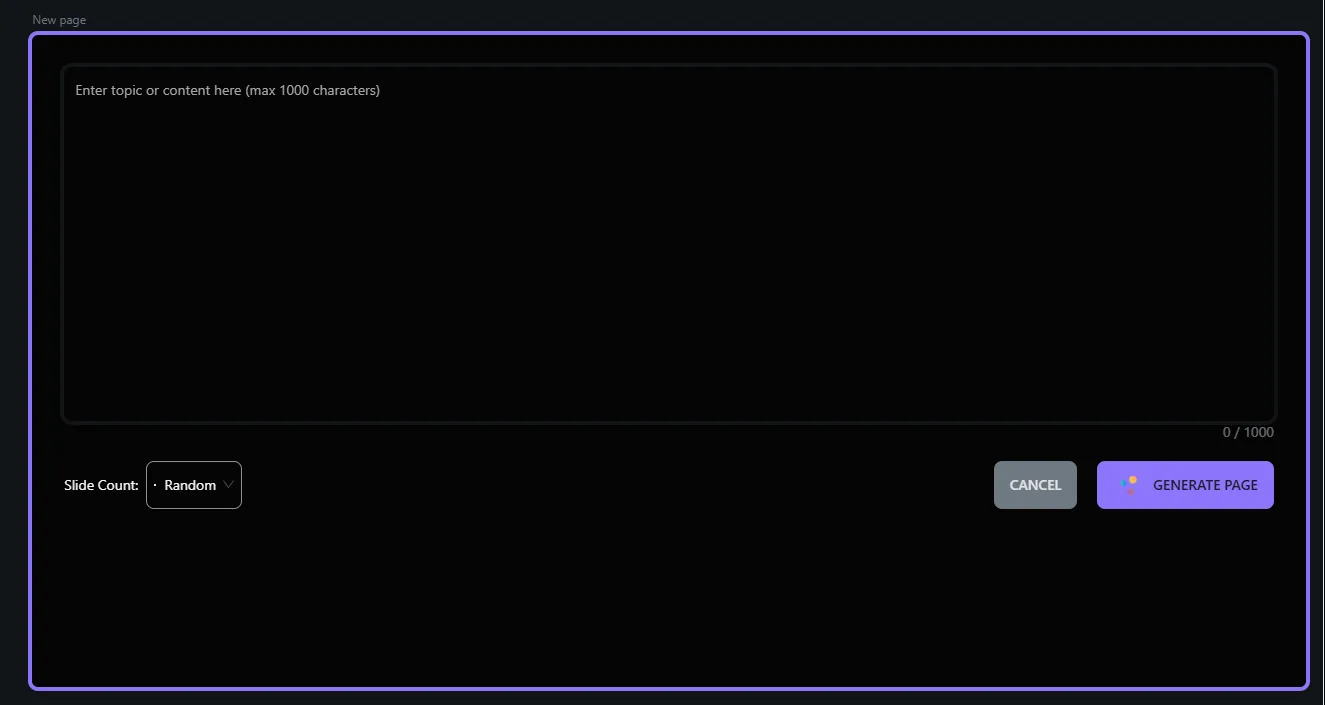
The AI editor, or lack of one. This was the biggest letdown for me personally. With Gamma I could talk to an AI editor directly, tell it to shorten a slide, rewrite something, change the tone, generate a new slide based on the existing deck, and it would just do it in context. PPT.AI doesn’t really have that. There’s a feature to generate an individual new page from a topic, which is useful in a narrow sense, I could add content without rebuilding the whole thing, but it’s not the same as an AI that understands and edits what I already built. Everything past the initial generation leaned much more manual than I expected going in.
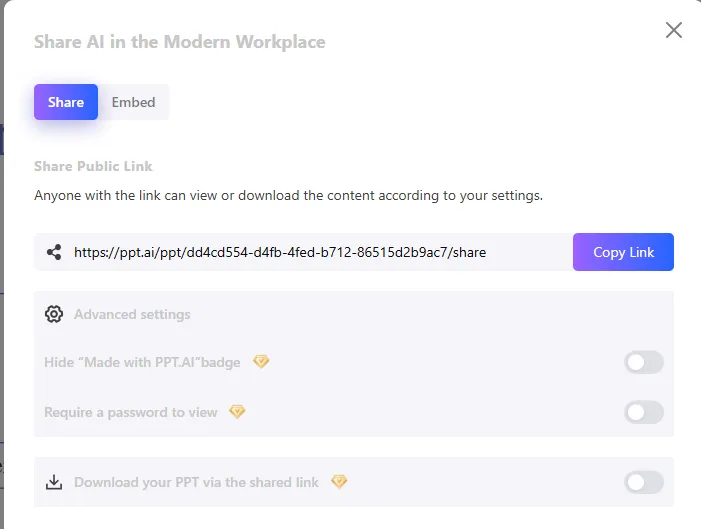
Export. This is where things got frustrating. PPTX and PDF export were both available, including an editable PPTX and even an animated PPTX option, but every single one of them sat behind the paid plan. On free, my only real option was sharing a link rather than downloading an actual file I could use elsewhere. Additional sharing controls, hiding the PPT.AI badge, requiring a password, allowing viewers to download from the link, all locked behind premium too. Compared with Gamma, where I could export to PDF or PowerPoint even on the free tier, this felt like a meaningfully worse deal.
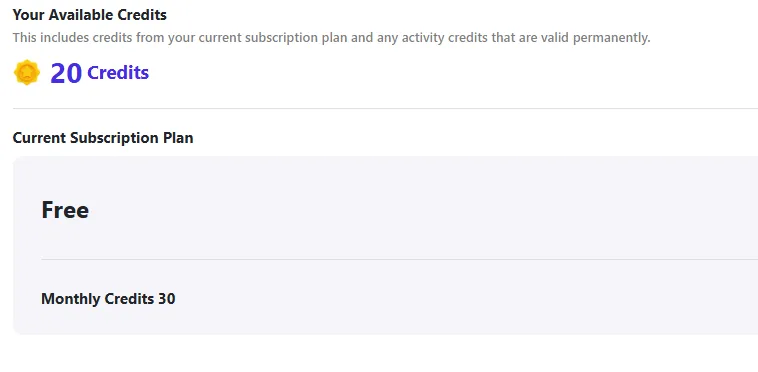
Credits. The free plan gave me 30 credits a month, and after generating one presentation I had 20 left, so that single generation ate 10 credits. On paper that means three free decks a month, which sounds fine for casual use. But the transparency around this was rough. I went through an entire second generation flow later, prompt, outline review, template selection, all of it, only to hit a wall right at the final generate step telling me I didn’t have enough credits left. That’s a frustrating way to find out, after I’d already invested the time going through every step.
Performance, Reliability & Everyday Usability
Generation speed, as I mentioned, was genuinely impressive, easily the fastest of anything I’ve tested in this category so far. The manual editor stayed responsive while I was working in it, no lag or weird freezing that I noticed. Where things got shaky was less about technical stability and more about the workflow itself, being walked through an entire setup process only to be blocked at the very last step by a credit shortage isn’t a crash, but it has the same effect on trust in the tool. Layouts held together reasonably well once I was inside the manual editor, I didn’t run into slides breaking apart mid edit the way I’ve heard can happen with some tools in this space.
Pricing Breakdown & Limitations
PPT.AI is noticeably cheaper than Gamma on paper. The pricing page lists a Free plan, a Basic plan at $6.90 a month, and an Unlimited plan at $13.90 a month. Basic bumps the monthly generation cap up to 50 presentations and allows up to 35 slides each, unlocks the full template library, advanced editing, and PDF or PPT export. Unlimited removes the generation cap entirely and keeps the same broader feature set.
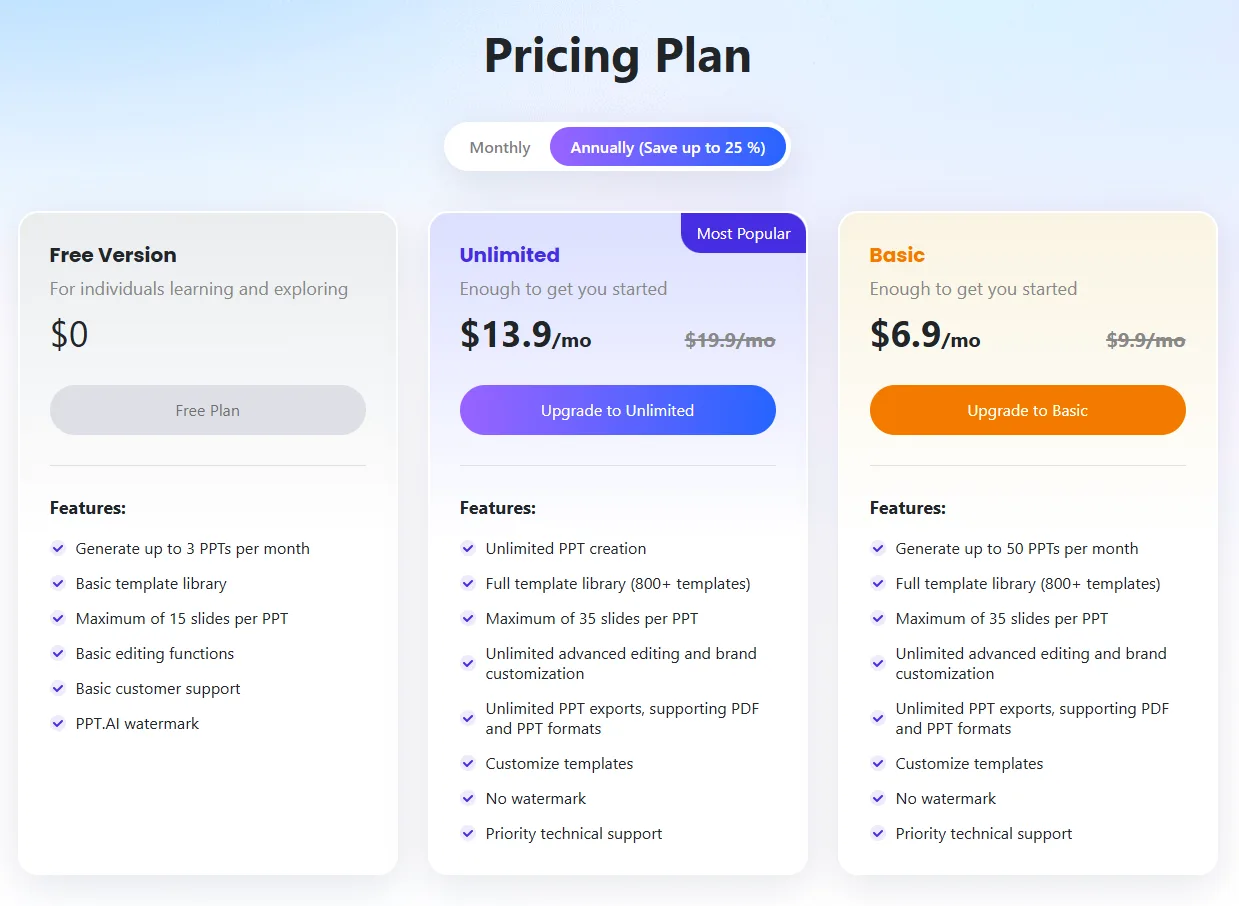
That price point is genuinely attractive if someone’s comparing sticker prices alone. But I don’t think a lower number automatically means better value, and for me the free plan specifically feels much more restrictive than it should, mainly because of that export wall. Not being able to download a finished presentation without paying is a bigger limitation than most of the credit or generation caps I’ve run into with other tools. The unclear credit consumption on top of that made we wary of leaning on the free plan for anything regular.
Privacy & Data Handling
Checking their privacy policy directly, a few practical points stood out. PPT.AI states it may use anonymized content to improve its AI systems, but says personal information is never used for AI training without explicit consent. Generated presentations aren’t shared with other users. Elsewhere on their site, across a few different product pages, they repeat that uploaded content is processed with bank level encryption and automatically deleted after 24 hours, which is a genuinely reassuring retention window if accurate across the board. Policy changes get communicated by email or an in-service notice rather than silently. I didn’t find any specific mention of formal security certifications like SOC 2, so anyone with strict compliance needs would want to reach out to them directly before relying on this for sensitive material. Overall it reads as reasonably privacy conscious for a tool at this price, even if it’s lighter on formal documentation than I’d like.
Comparison With Gamma
Since this is my second tool in this category, here’s how the two actually stack up against each other on the things that mattered most during my testing.
Category | Gamma | PPT.AI |
|---|---|---|
AI presentation quality | Strong, polished, presentation ready out of the gate | Fast but rougher, noticeable layout issues like broken titles |
Design quality | Consistently clean and professional | Good templates but generation itself lacks polish |
Visual assets | Rich, automatic charts, diagrams, stat blocks | Good manual chart and shape library, less automatic |
Template variety | Solid, decent range of themes | Very large, more filtering options |
Editing experience | Split screen AI plus manual editor | Manual editor only after the initial generation |
AI assistance | Full conversational AI editor post-generation | Limited to generating new individual pages |
Export options | PDF, PowerPoint, Google Slides, PNG available free | PPTX and PDF export locked behind paid plan |
Pricing | Higher, roughly $8 to $20 a month for paid tiers | Lower, $6.90 to $13.90 a month for paid tiers |
Free plan | Genuinely usable, 400 credits, exports included | Restrictive, exports blocked, credit use unclear |
Best use case | Fast, AI assisted decks needing minimal manual cleanup | Content already prepared, comfortable doing manual design work |
If I had to pick one for actual client facing or presentation ready work without a lot of extra fiddling, I’d reach for Gamma every time. PPT.AI wins on raw speed and on template variety, but that’s not quite enough to make up for the missing AI editor and the export restriction on the free tier.
Final Verdict
My time with PPT.AI left me with mixed feelings that leaned more negative by the end than I expected going in. I liked the generation speed a lot, and the amount of control I had over language, audience, tone and scene before anything got built was genuinely more granular than what I’d seen elsewhere. The template library and manual editing tools are solid too, there’s real depth there if someone’s willing to put in the manual work.
But the actual output quality wasn’t consistently there, small but noticeable issues like a broken title slide shouldn’t happen on a tool whose entire selling point is automation. The missing AI editor after generation was probably my biggest disappointment, it turned what should be an iterative AI assisted process into something much closer to traditional manual slide building. And locking export behind a paywall on the free plan, when a direct competitor doesn’t do that, made the whole free tier feel like a demo rather than something actually usable.
It’s not a bad tool, and for someone who just wants a fast first draft and doesn’t mind doing the rest by hand, it might do the job fine. But measured against what a strong AI first presentation platform should offer, it falls short in the places that matter most to me.
Overall Score: 5.5/10.
Frequently Asked Questions:
Yes, PPT.AI’s Standard Mode accepts external URLs and YouTube links, parsing the source information to produce a slide outline and final presentation.
No. Unlike tools with conversational sidebars, PPT.AI only allows you to generate new individual slides from a prompt; all text tweaking, restyling, and formatting must be done manually.
Free users receive 30 credits monthly (roughly 10 credits per deck). If your balance is insufficient, the system allows you to complete outline and template setup but halts generation at the final step until you upgrade.
No, all downloadable formats—including standard PPTX, animated PPTX, and PDF—require upgrading to at least the Basic paid plan.
Yes, PPT.AI’s Standard Mode accepts external URLs and YouTube links, parsing the source information to produce a slide outline and final presentation.
No. Unlike tools with conversational sidebars, PPT.AI only allows you to generate new individual slides from a prompt; all text tweaking, restyling, and formatting must be done manually.
Free users receive 30 credits monthly (roughly 10 credits per deck). If your balance is insufficient, the system allows you to complete outline and template setup but halts generation at the final step until you upgrade.
No, all downloadable formats—including standard PPTX, animated PPTX, and PDF—require upgrading to at least the Basic paid plan.
Subscribe to our email newsletter to get the latest posts delivered right to your email.
Comments