Conclusion
ZeroGPT presents itself as a surprisingly capable multi-tool platform, particularly excelling in AI detection and offering a wide array of features that cater to content creators, students, and educators. Its free tier is notably generous, providing access to most tools without requiring an account, which is a significant advantage over many competitors. However, the platform is not without its rough edges; some tools like the background remover failed during testing, and the plagiarism checker is nearly useless without a subscription. Despite these drawbacks, ZeroGPT’s core features, such as the AI detector and summarizer, perform well, making it a strong choice for those seeking a centralized solution for writing and detection tasks.
Pros
- Comprehensive toolkit with a wide range of features
- Generous free tier with no mandatory sign-ups
- Accurate AI detection with nuanced results
- User-friendly interface with dark mode
- Impressive language range for translation
Cons
- Some tools like the background remover are unreliable
- Plagiarism checker is nearly useless without a subscription
- Inconsistent performance on peripheral tools
Table of Contents
- First Impressions and Dashboard Experience
- Core Features
- Performance and Output Reliability
- Pricing Breakdown and Limitations
- Privacy and Data Handling
- ZeroGPT vs CleverHumanizer AI vs WriteHuman vs Walter AI
- Final Verdict and Overall Score
- Frequently Asked Questions
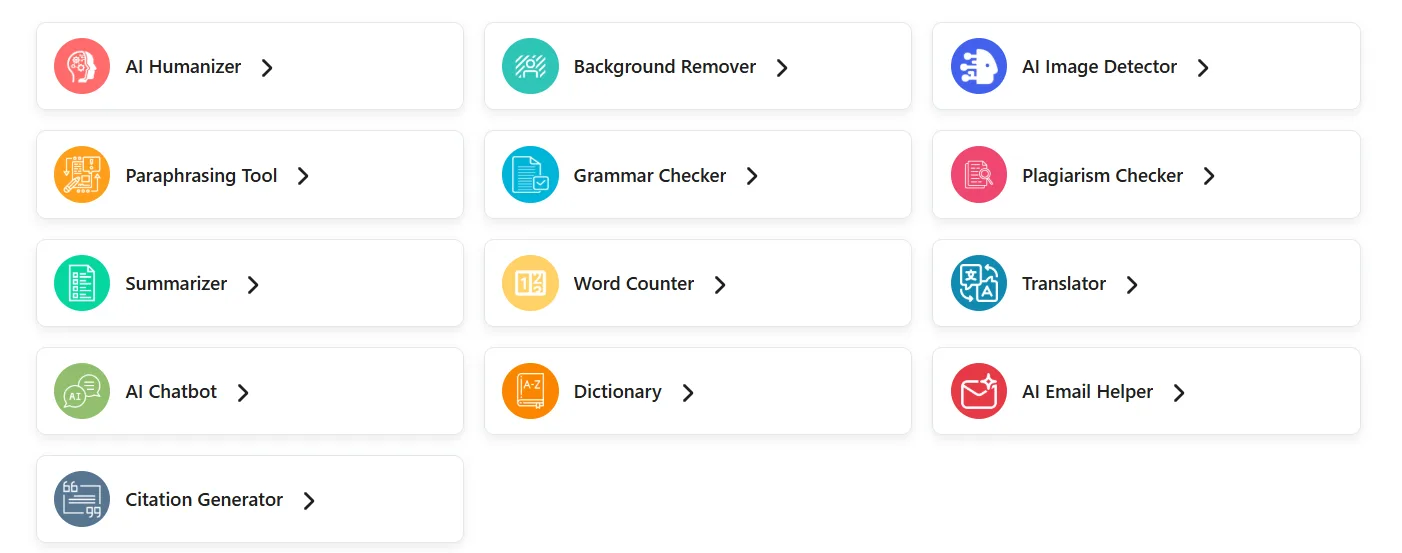
ZeroGPT has established a reputation in the AI detection field, but to label it solely as an AI detector would be an understatement. During my testing, I discovered a platform that has subtly grown into a comprehensive toolkit, including detection, humanization, paraphrasing, summarization, translation, grammar correction, a chatbot, citation generator, email composer, dictionary, word counter, and even an AI image detector with background removal. This extensive array of tools under one platform is impressive, but it also reveals some of the platform’s limitations.
ZeroGPT appears most suitable for content creators, students, bloggers, and educators seeking a centralized solution for writing and detection tasks without the need to subscribe to multiple separate tools. Its free tier is notably more generous than many competitors, which partly explains its sizable user base. However, I wouldn’t advise it for those requiring in-depth creative writing support, extensive long-form content creation, or high-level plagiarism detection. While the platform offers many features, not all are executed with equal excellence, and I will detail these aspects further.
First Impressions and Dashboard Experience
The dashboard is tidy and surprisingly well-organized, exceeding my expectations. Upon arriving at the homepage, I encountered a clear grid of tools with labeled icons, each leading to a dedicated page instead of a cluttered all-in-one interface. The consistent icon-based navigation in the left sidebar within each tool facilitates quick switching between features.
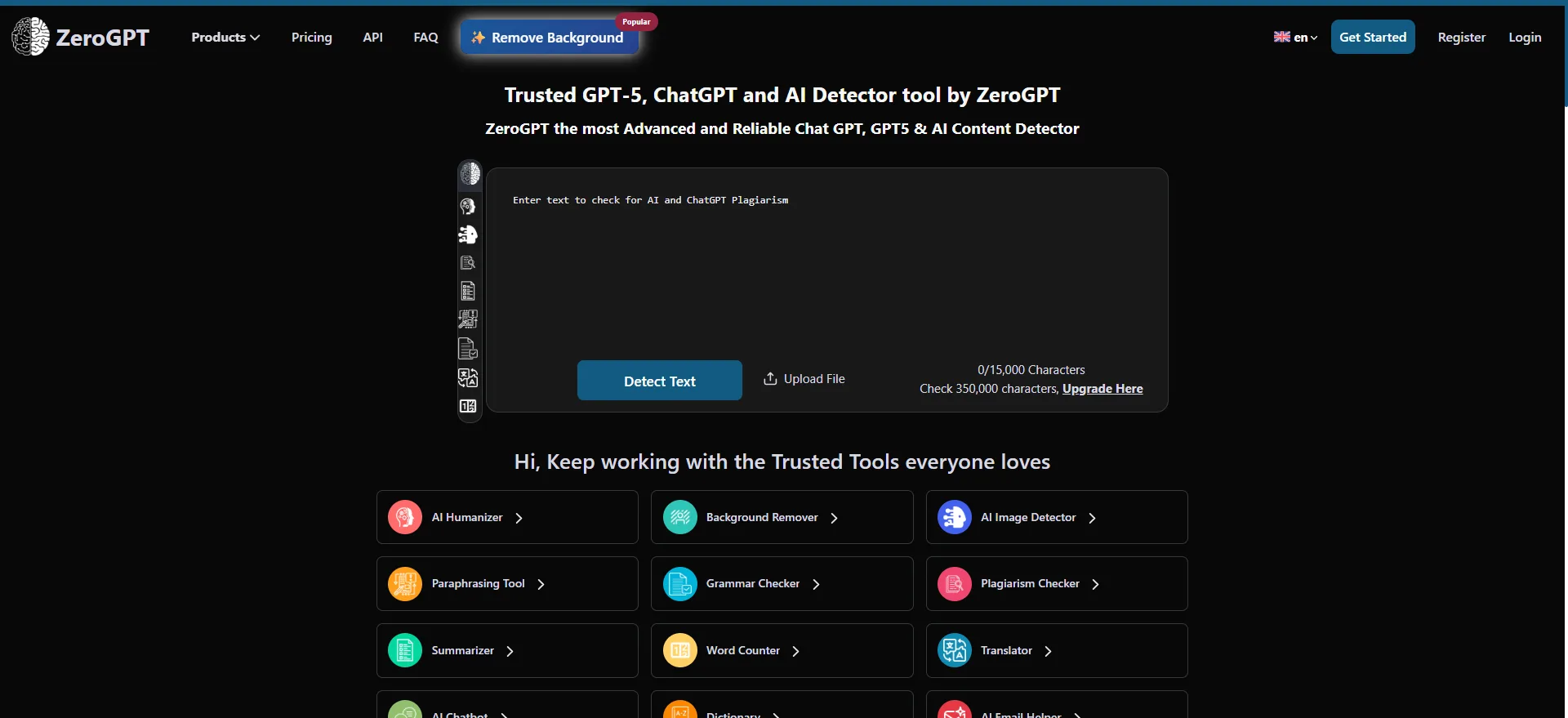
A feature I genuinely appreciated is ZeroGPT’s dark mode. Though minor, this is significant for extended work sessions, and many similar tools neglect this feature. The overall aesthetic is professional, primarily navy and teal hues, with no sense of cheapness or haste in the UI design. The persistent top banner pushing premium plans is there, as expected, and so is the “Using AI Text? It Can Be Detected. Make it Human” prompt that appears across several tools. While the prompt can seem somewhat pushy after repeated exposure, I understand its purpose from a business standpoint. It’s evident that ZeroGPT targets budget-conscious users, and tools in this segment tend to monetize more aggressively to offset lower prices. The tradeoff is clear: users receive a more affordable product, but with increased upselling and promotional prompts.
Most tools in the free tier are accessible instantly without the need for an account, which I appreciated. This stands in contrast to some competitors that require mandatory sign-ups before testing.
Core Features
AI/GPT Detection Tool
This feature is the flagship and the main reason ZeroGPT has earned its reputation. I tested it with various samples: one clearly human-written, one generated directly by ChatGPT, and one that was rewritten using a humanizer tool. The results proved quite insightful.
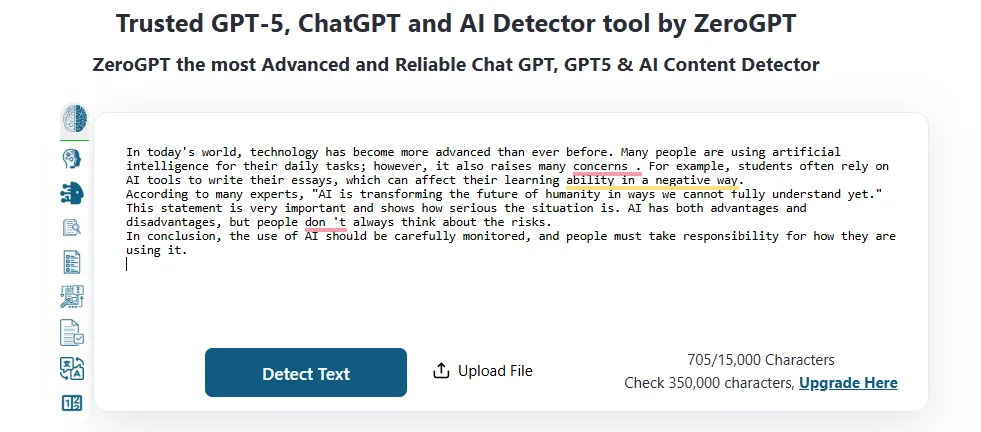
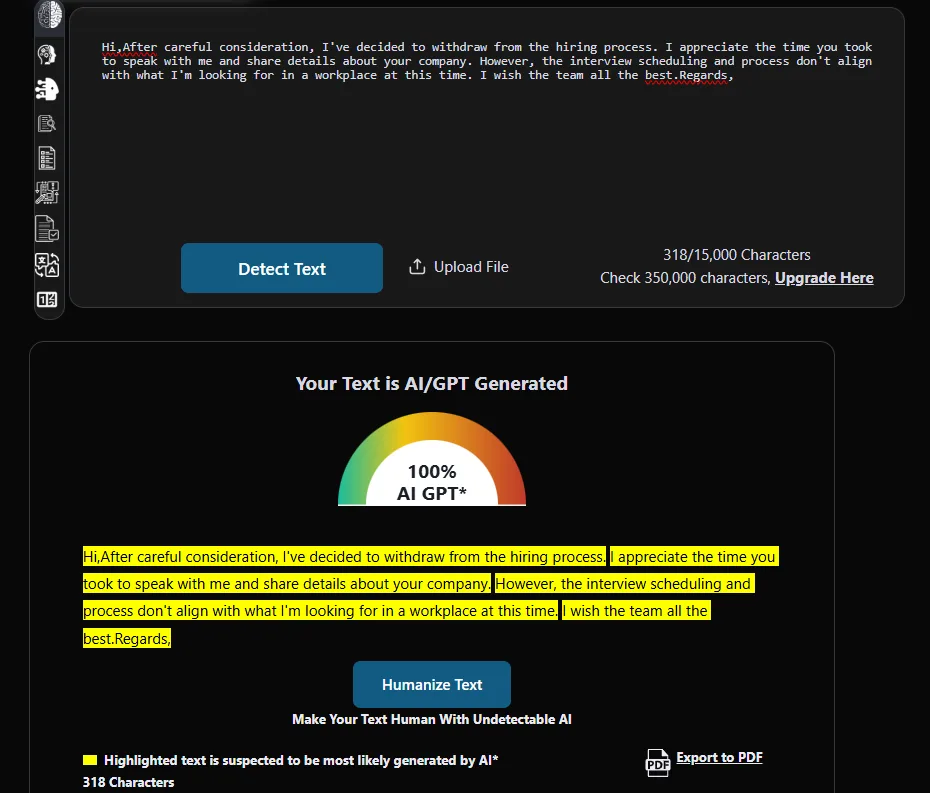

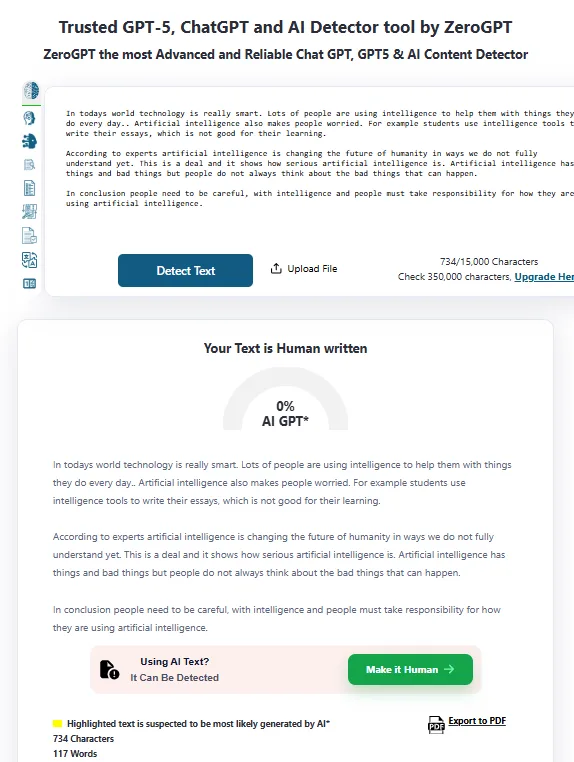
The human-authored text registered 0% AI, which was exactly as expected. The AI-generated sample was correctly flagged with a high AI percentage, with sentence-level highlights indicating the specific parts that triggered detection. The humanized version (though not by a humanizer tool but rather asking ChatGPT to write in a humanized manner) came back at around 37.4%, categorised as “most likely human, may include parts generated by AI.” This nuanced outcome suggests the detector is not merely relying on crude pattern matching.
The free plan’s limit of 15,000 characters per detection is sufficient for most daily needs. It also supports file uploads, PDF report exports on paid plans, and batch detection in higher tiers.
- Sentence-level highlights help identify the specific parts that triggered detection.
- Results are presented as a percentage along with a written classification, rather than a simple yes/no.
- PDF export is restricted to paid plans, which can be limiting for professional use.
- The platform does not provide explanations for why sentences are flagged, which I found somewhat limiting.
AI Humanizer Tool
It performed adequately, though it didn’t impress me profoundly. It displays a warning that the text might still be flagged by AI detectors, but after humanization, it yielded a low detection score, which is a definite advantage.
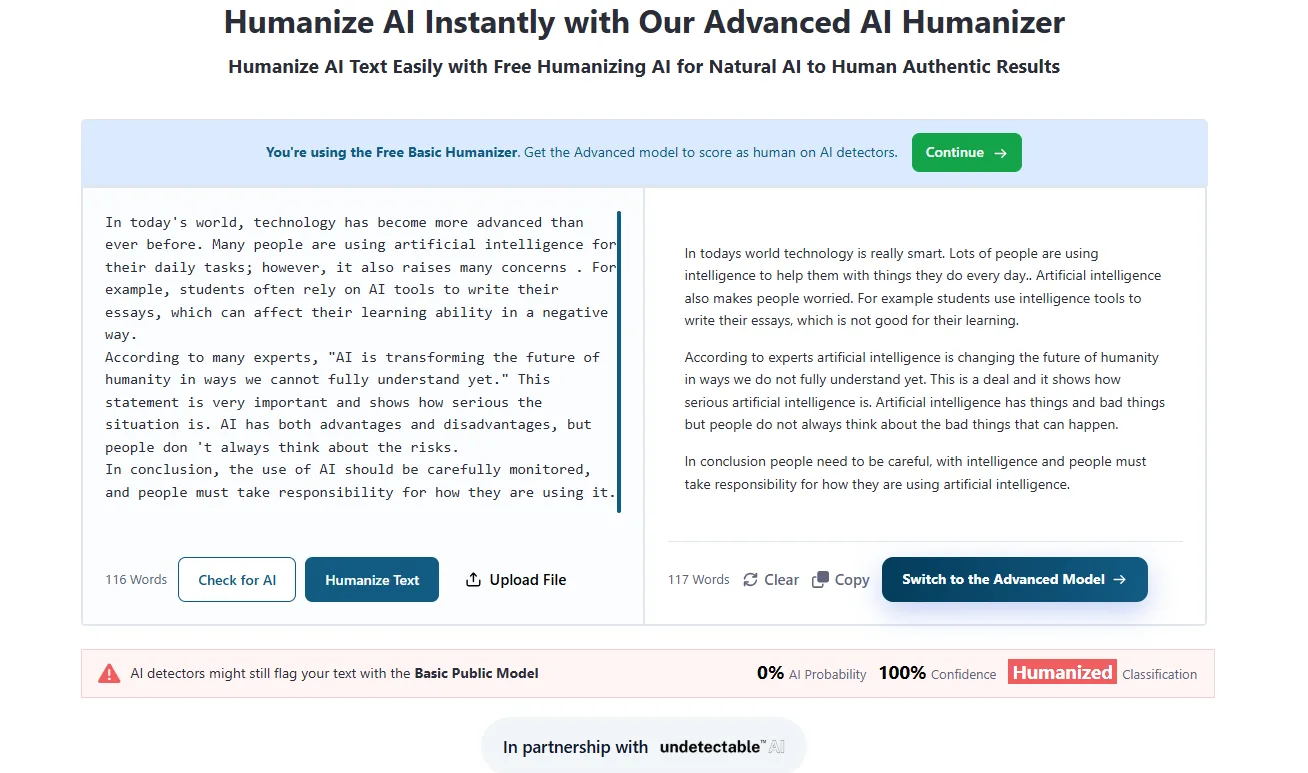
I tested it with the same AI-generated paragraph I used across other tools. The output lowered the detection score, altered sentence structures, and softened the phrasing. It’s more of a surface-level polish than a complete rewrite. Powered by Undetectable AI, the tool’s humanization relies on a third-party model rather than proprietary technology.
For those requiring serious humanization, the basic model may be insufficient. The advanced model, available only in paid plans, likely offers a significant improvement.
AI Paraphrasing Tool
This feature pleasantly surprised me. It supports up to 300 words for free users and defaults to a Standard tone. A Thinking mode toggle is available but only in higher-tier plans. The output differed noticeably in word choice and structure, with highlights showing changed words in orange, structural modifications in another color, and unchanged words separately. This color-coded breakdown is very helpful, allowing a quick assessment of how extensive the rewrite is.
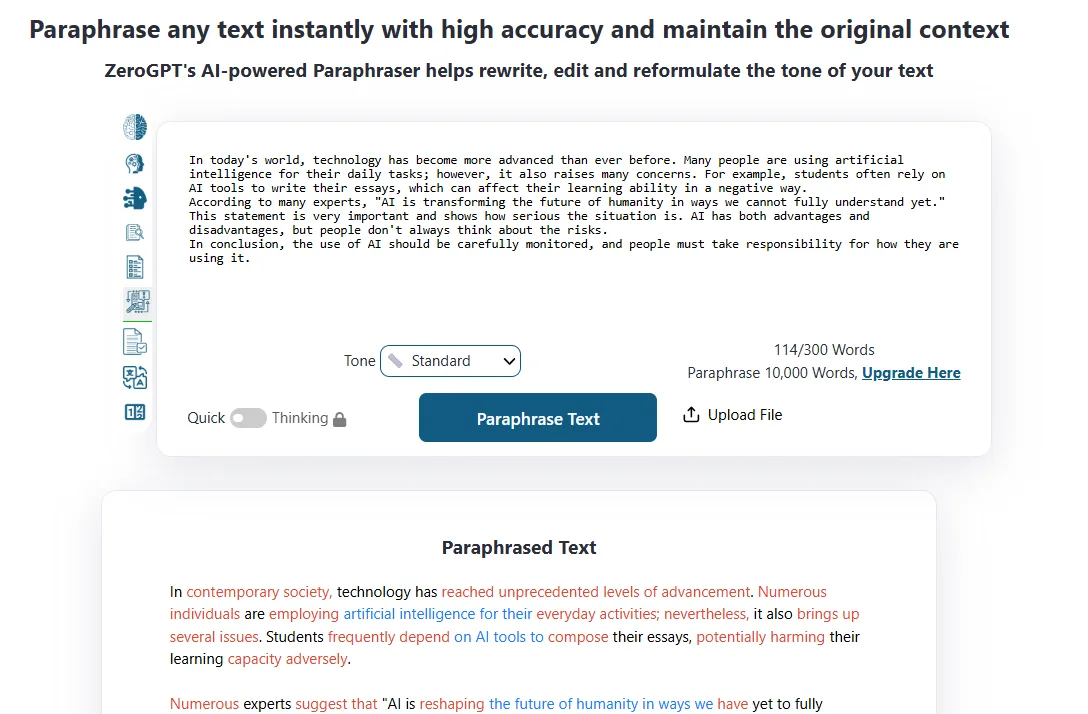
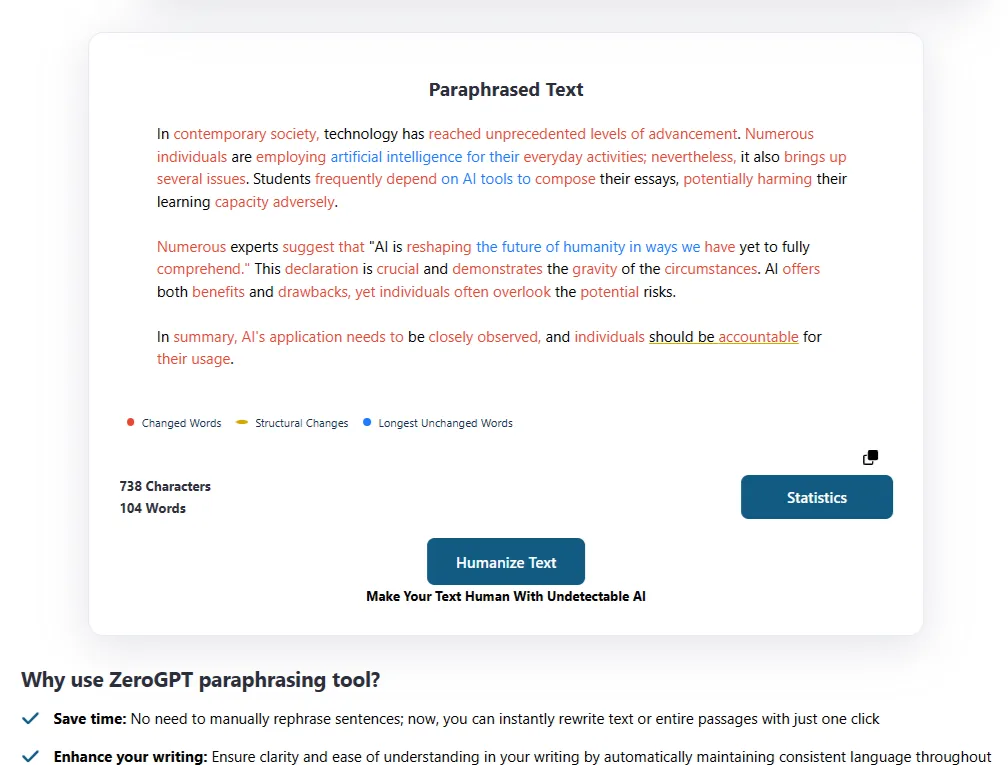
The quality was reasonable, surpassing simple synonym replacement. Some sentences were genuinely restructured rather than just substituted. However, for technical or precise content, manual review remains advisable due to occasional meaning shifts.
Grammar and Spell Checker Tool

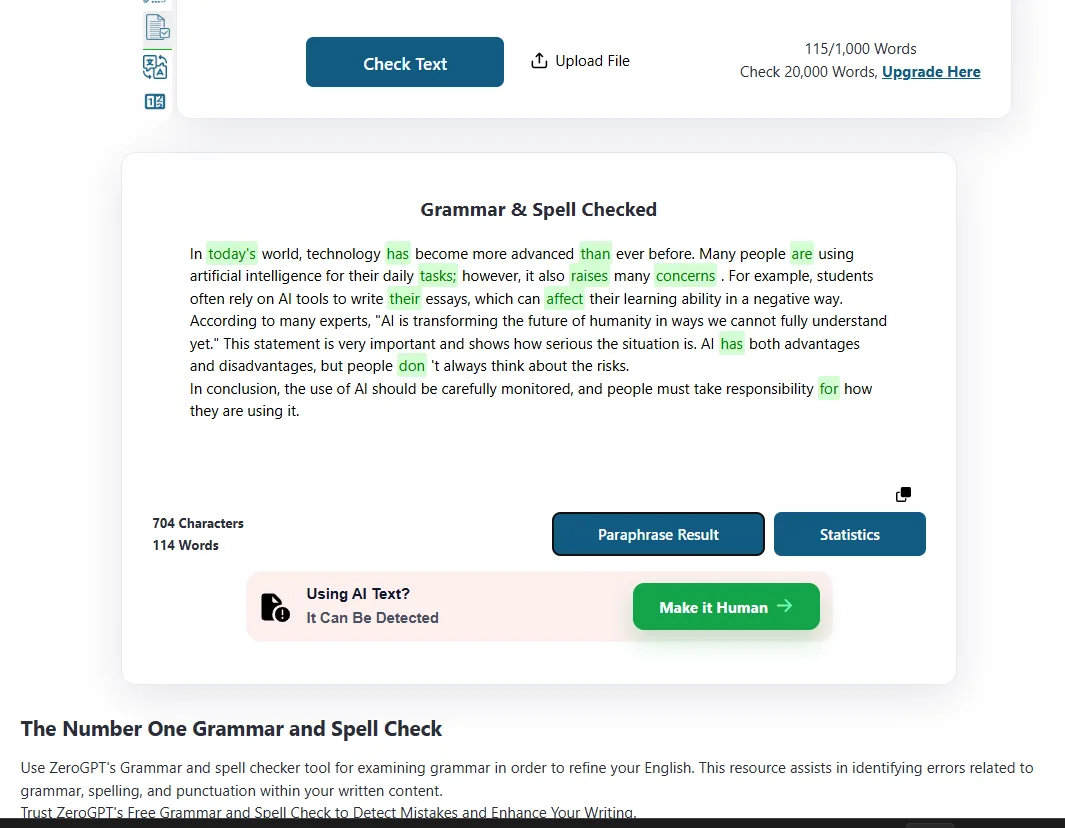
It is straightforward and functional. Using the same test paragraph, it highlighted grammatical issues in orange, spelling errors in red, and style suggestions separately. The 1,000-word free limit is somewhat restrictive for longer documents but adequate for sections. The output also comes with a “Paraphrase Result” button and a statistics panel showing character and word counts, which is a nice touch. It does what it promises.
AI Summarization Tool
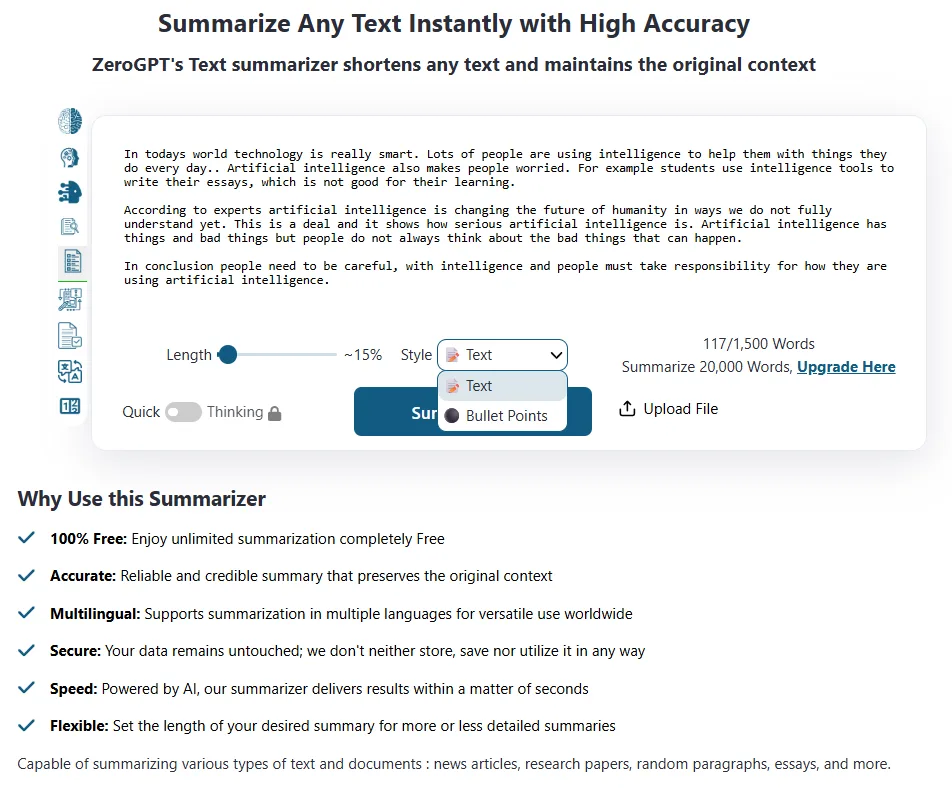
The summarizer performed well during my testing. Using the same ~117-word paragraph, it produced a concise version that preserved the main meaning. The length slider allows adjustments from very brief (about 15% of the original) to approximately 45%, with options for Text or Bullet Points output. I particularly appreciated the Bullet Points option, making it ideal for quick note summaries. Free users are allowed 1,500 words per run, which is quite generous. It also maintained the core meaning effectively, which is a plus.

AI Translation Tool
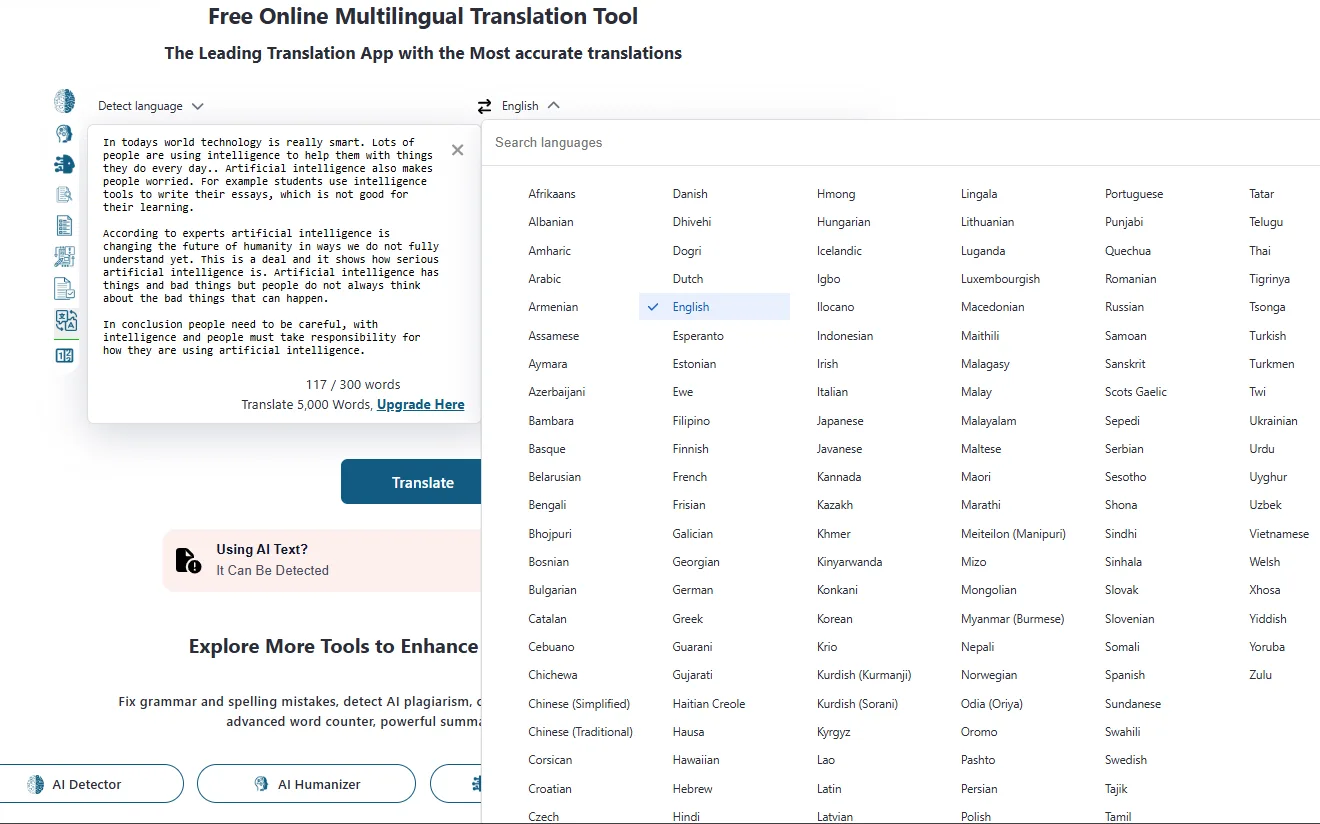
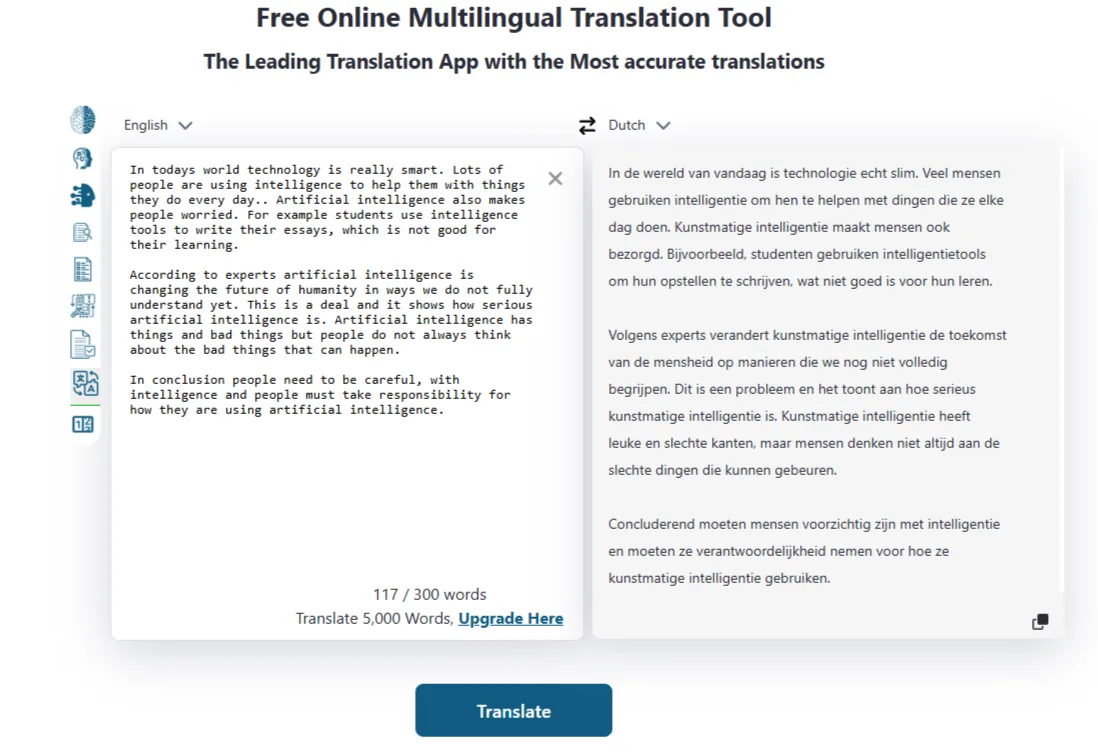
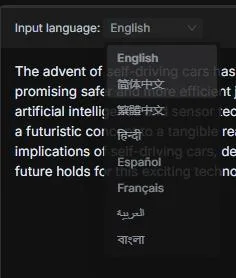
I tested translating from English to Dutch, and the result was very literal. The Dutch output does not sound natural to a native speaker and would likely be recognized as AI-generated. Consequently, I found the translation quality somewhat lacking. However, the platform supports an extensive range of languages, including Afrikaans, Amharic, Dhivehi, Kinyarwanda, among many others—more than most tools offer. The free limit is 300 words, which is modest, but the language selection is impressively broad. A built-in AI detection prompt appears below the translation, reminding users that the translated text can still be detected—somewhat redundant but aligned with the platform’s messaging.
AI Image Detection Tool
I tested the image detector with two images: a real photo of a cat I took, which was rated 97% real with low AI likelihood confidence. The second was an obviously AI-generated mango image, which was rated 99% fake with high confidence. Both results were accurate, and the detection was nearly instant. Compared to WriteHuman’s image detector—which flagged realistic AI images as only 5% AI and a real screenshot at 21%—ZeroGPT’s detector performed noticeably better in my limited tests.
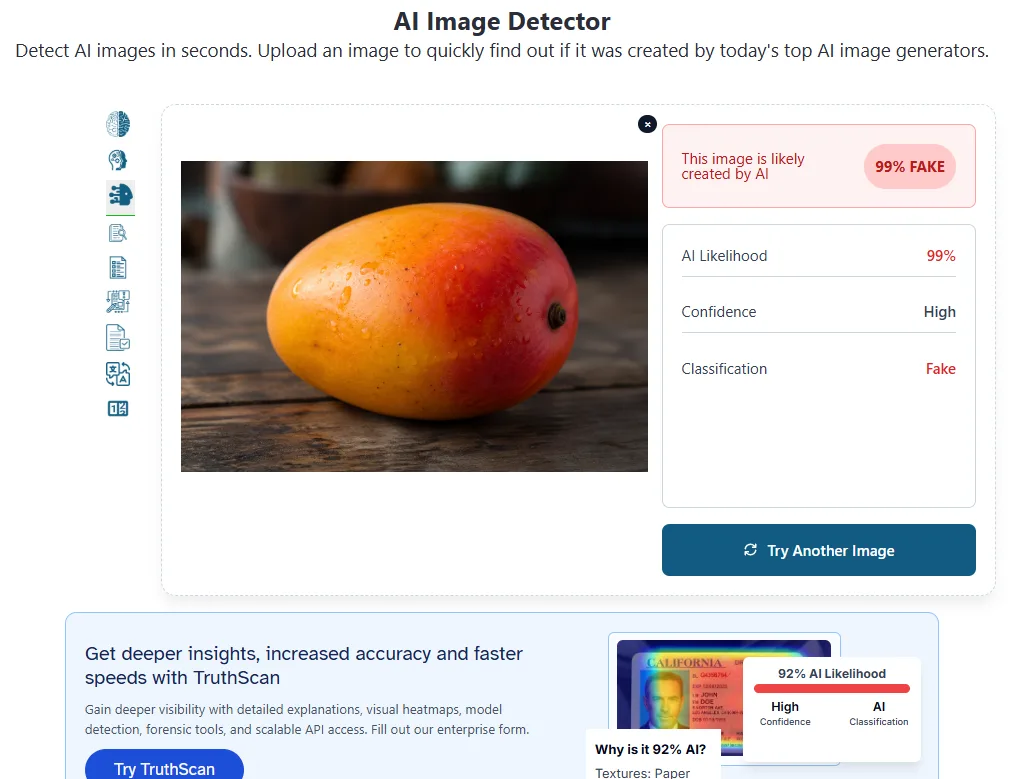
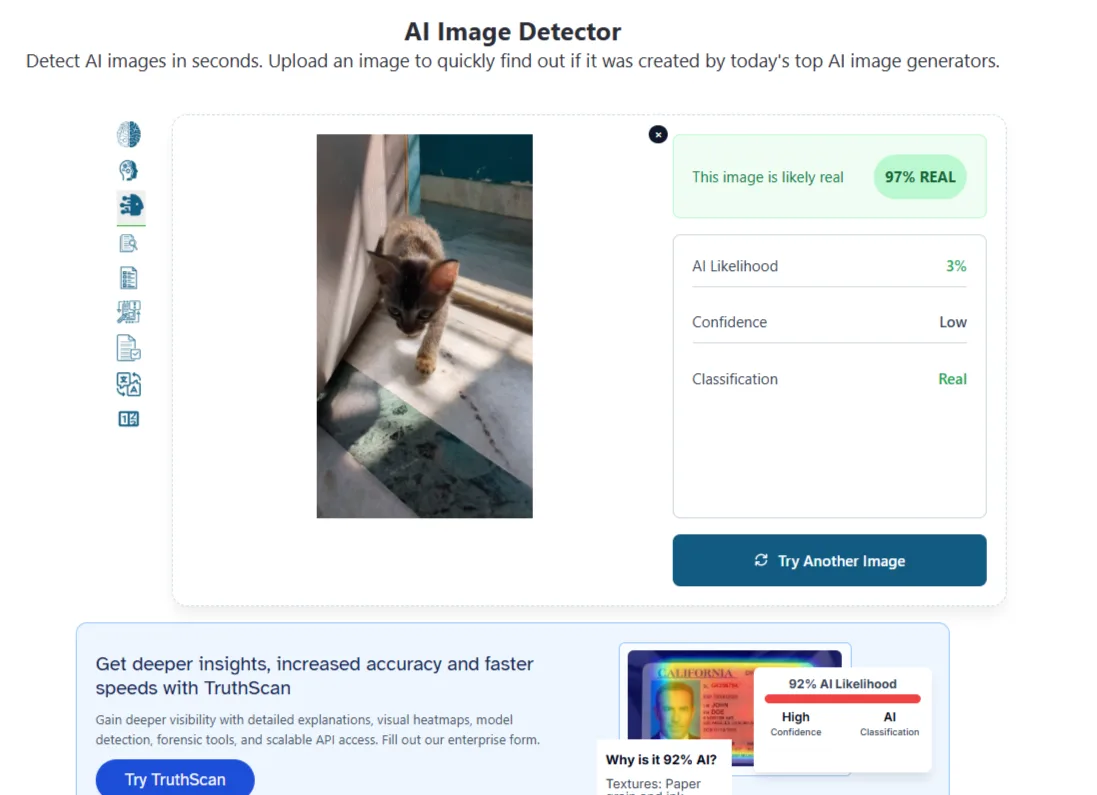
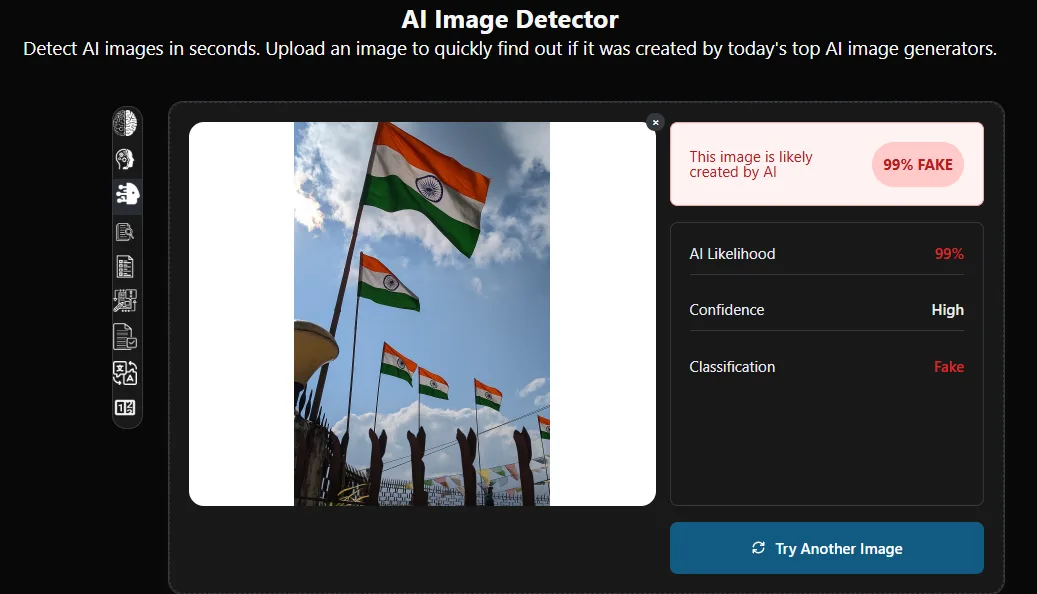
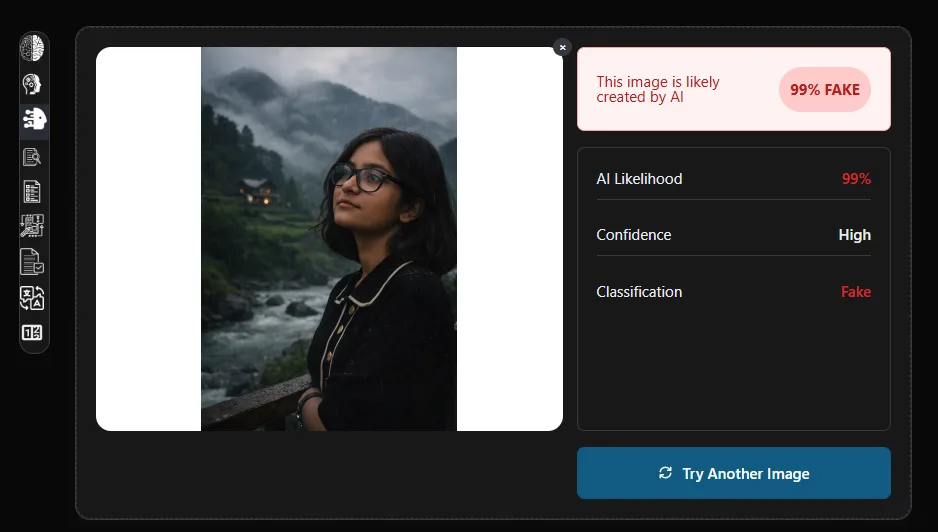
However, testing with just two images is not comprehensive, and since the tool is powered by TruthScan, it remains a third-party integration rather than a native ZeroGPT feature.
ZeroCHAT Chatbot
The chatbot is labeled as “more accurate and reliable than ChatGPT” on the platform, which is a bold claim I am not going to take at face value. What I did notice is that the chat interface flags its own output immediately on load, with a banner saying “This AI Content Can Be Flagged. It Can Be Detected” and a Make it Human button right there in the chat. This self-awareness can be seen as either refreshingly honest or somewhat sales-oriented, depending on perspective, but I find it useful.
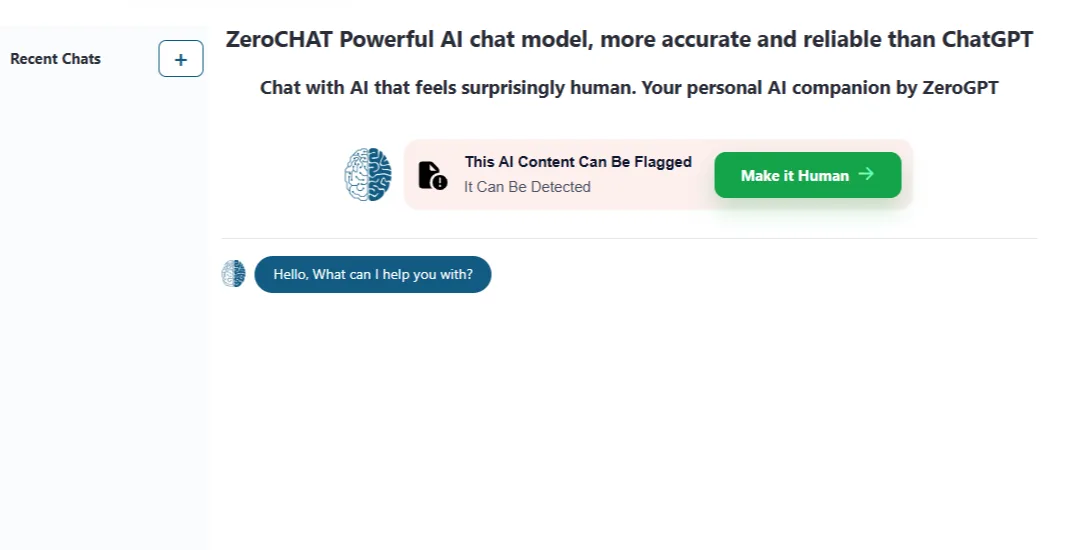
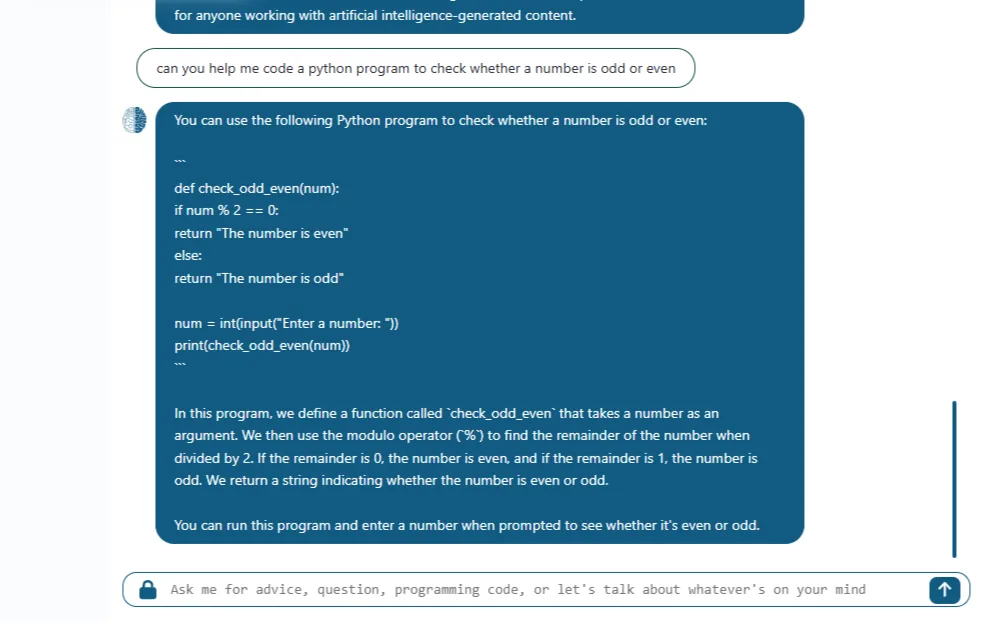

I tested the chatbot with a Python coding request and a blog review. The coding reply was accurate and well-structured. The review reply was generic, using placeholder prompts—expected for a general chatbot without specific context. It managed both tasks without issues, but I remain skeptical about its claim of being more accurate and reliable than ChatGPT.
AI Email Assistant
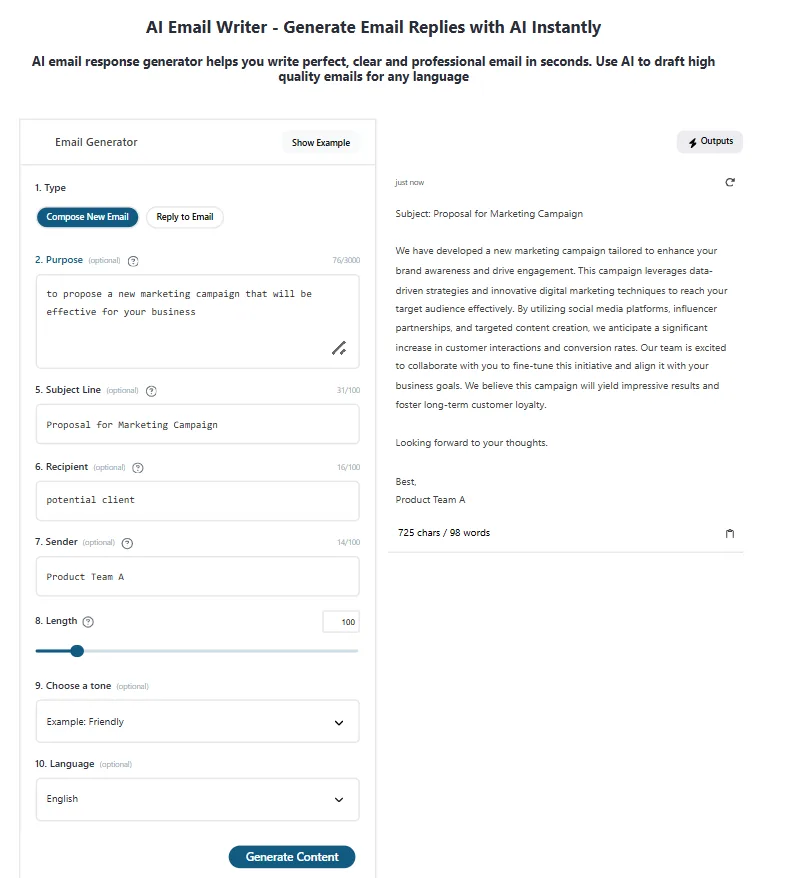
This is a form-based tool with fields for type (compose or reply), purpose, subject, recipient, sender, length, tone, and language. It produced two drafts: one for a new email and one for a reply, which I found quite useful. The email I generated for a marketing proposal was professional and well-structured. The length slider functions properly, and the tone setting visibly influences the formality or casualness of the output.

Citation Creation Tool
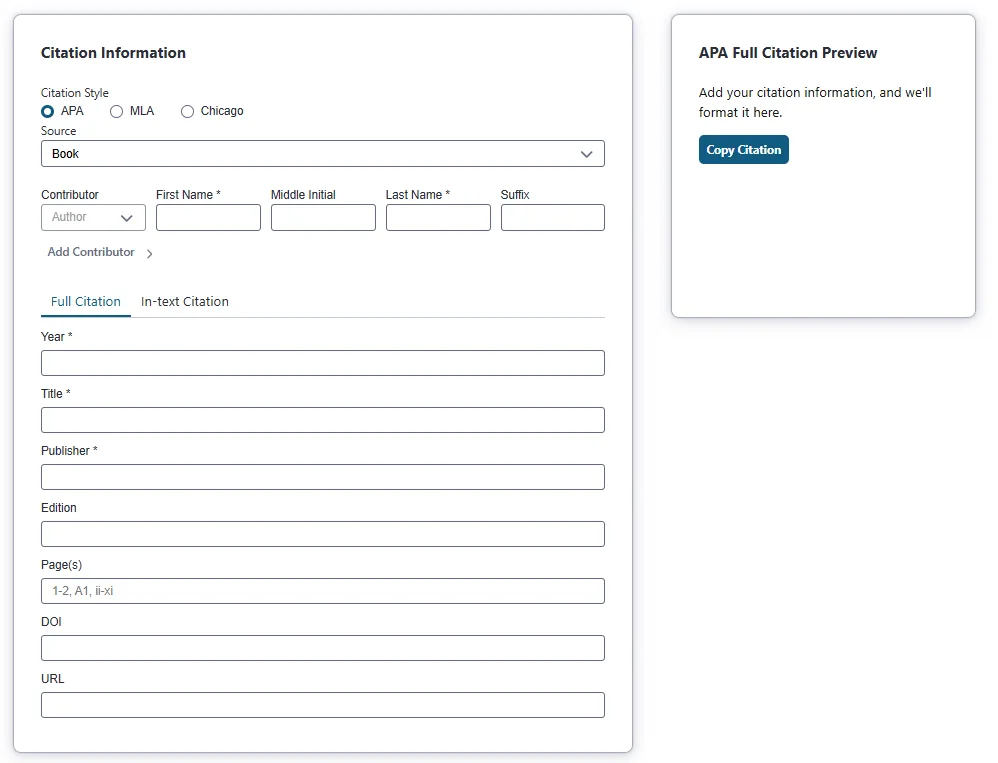
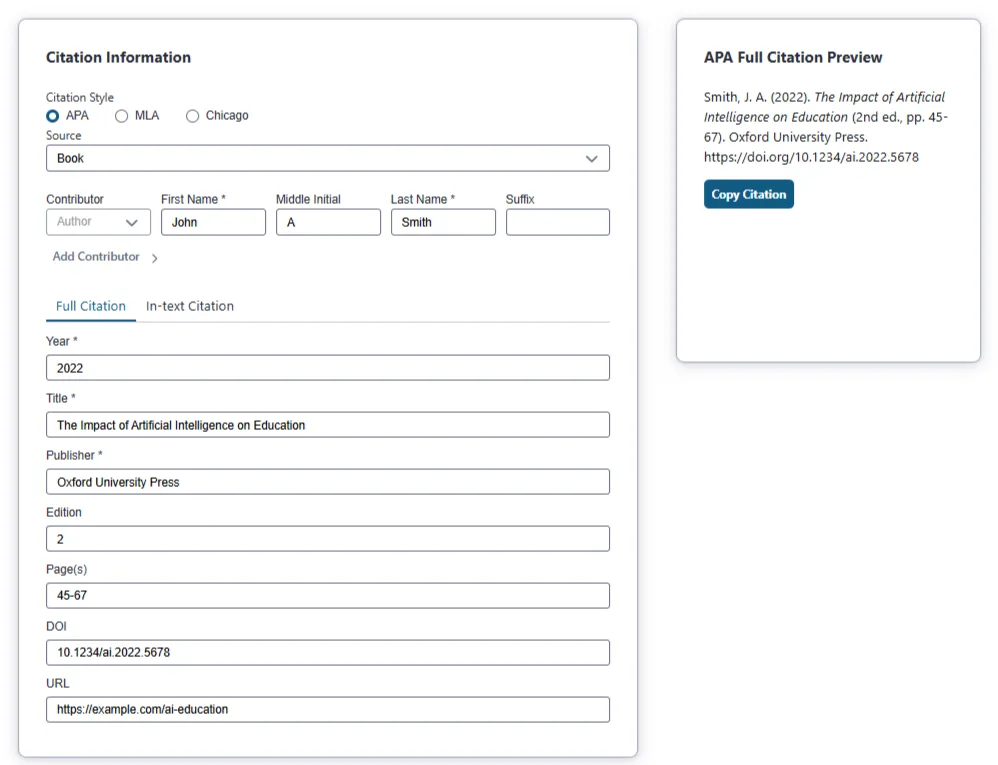
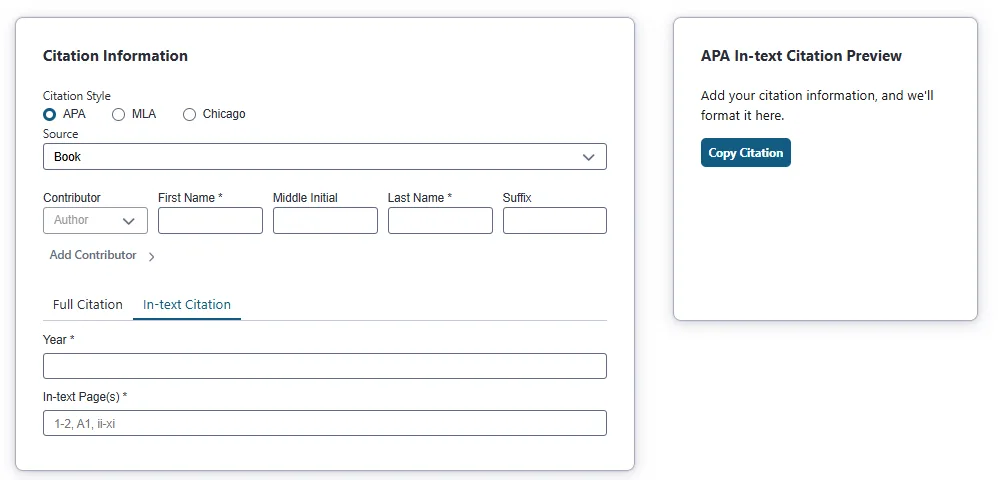
Supports APA, MLA, and Chicago styles, with separate tabs for full citations and in-text citations. I tested it with a book entry, and the APA full citation was correctly formatted. The form requests standard details: author, year, title, publisher, edition, pages, DOI, and URL. It’s a utility feature that I wouldn’t specifically seek out, but it makes sense given the platform’s focus on students.
Dictionary & Word Counter

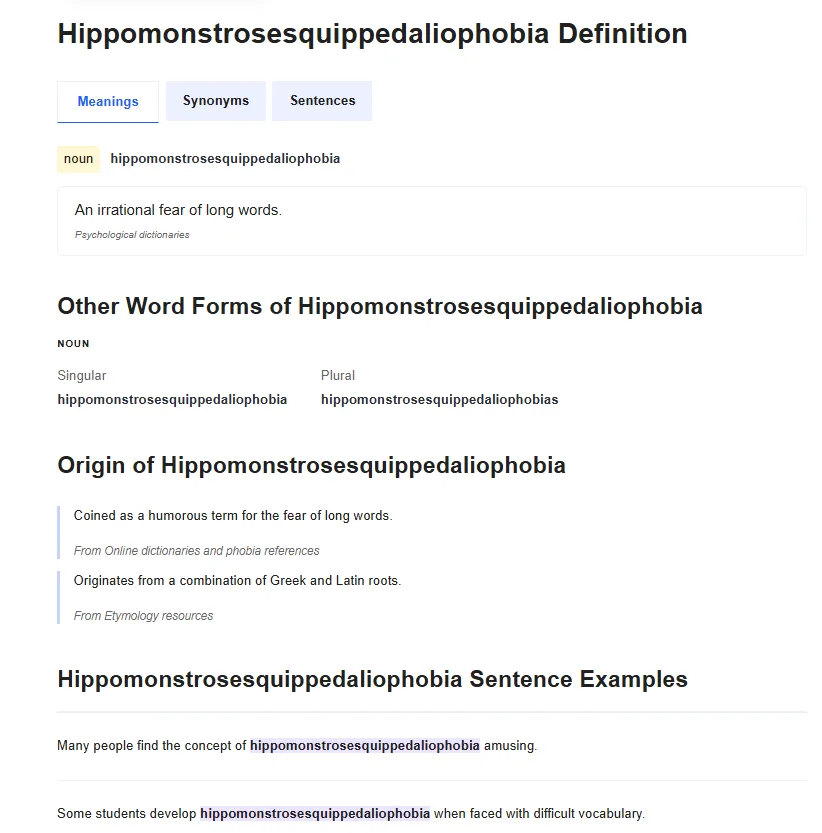
The dictionary is well-organized and more detailed than anticipated, displaying meanings, synonyms, example sentences, word forms, and etymology on a single page. I looked up “hippomonstrosesquippedaliophobia” as a test and it returned a full entry with examples and origins, so the database is not superficial.
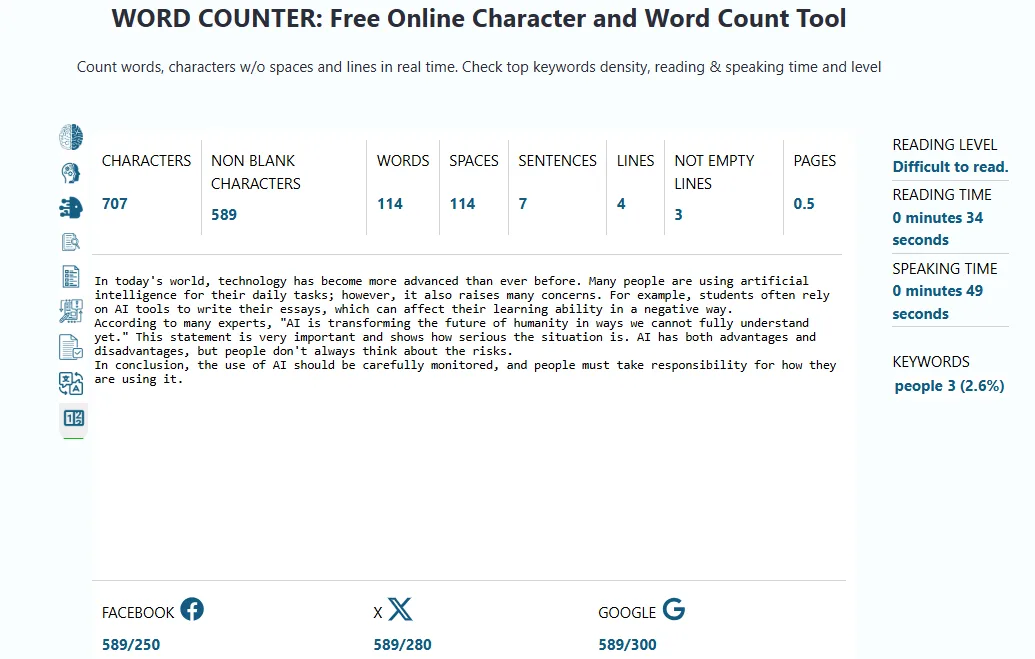
The word counter displays characters, non-blank characters, words, spaces, sentences, lines, pages, reading level, estimated reading and speaking times, and keyword density—offering detailed insights for content creators.
Background Removal Tool
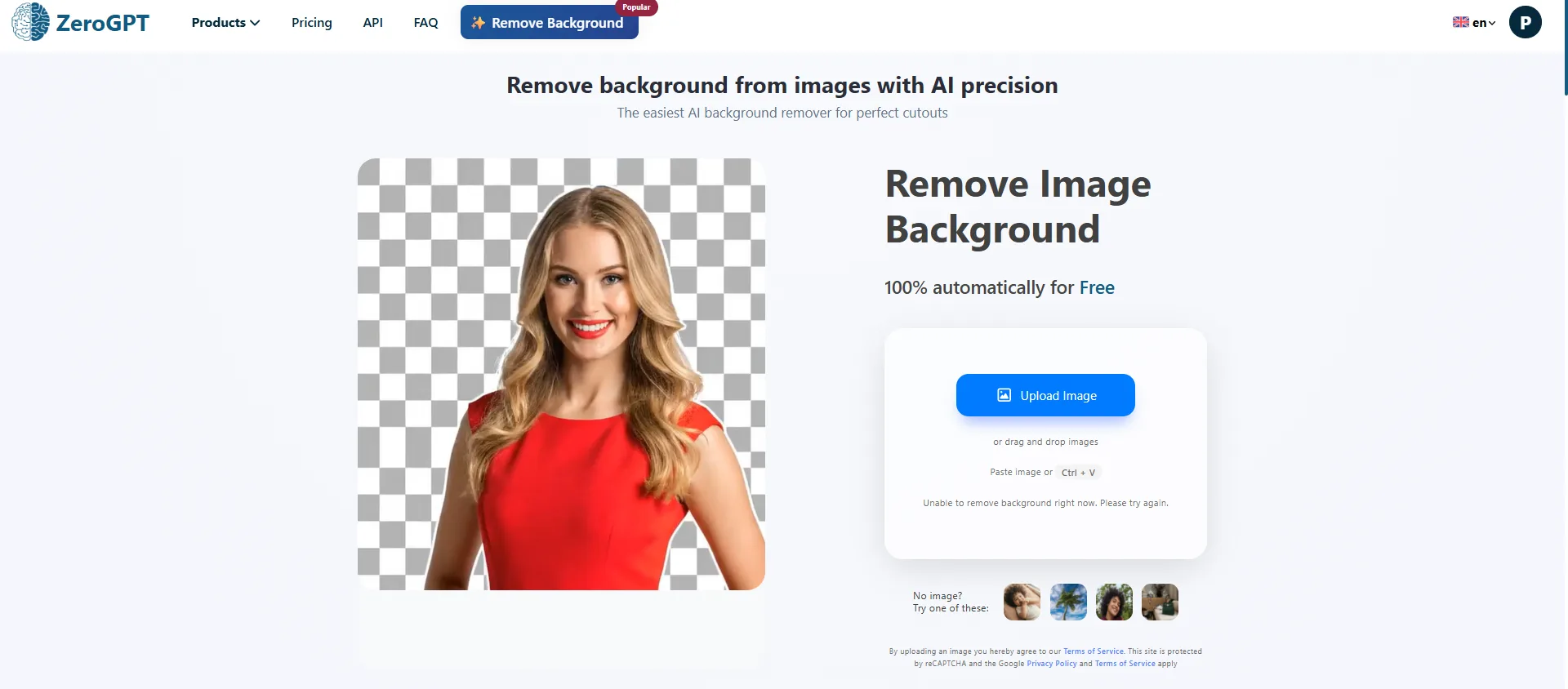
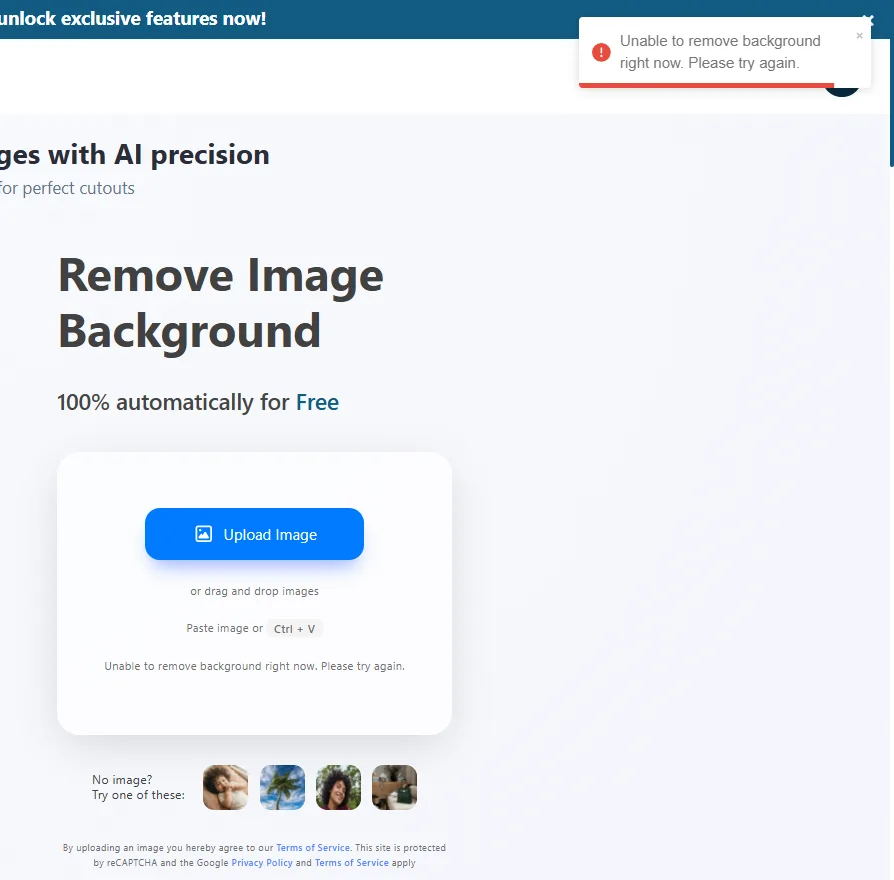
I have to be honest here, during my testing the background remover gave me an error saying “Unable to remove background right now. Please try again.” It did show a sample output using one of the demo images on the page, which worked, but when I actually tried to use it, it failed. A tool that errors on the first try does not inspire confidence, even if it might work fine on other occasions.
Performance and Output Reliability
Overall, ZeroGPT’s performance is solid for its core tools and inconsistent on the peripheral ones. The AI detector, summarizer, translator, and grammar checker all behaved predictably and returned results without hiccups. The chatbot and paraphraser were also reliable in my use.
The humanizer is functional but limited on the free tier, and the disclaimer about the basic model possibly still being detected is a signal that free users should not expect the same results as paid users. The background remover failed outright during my test, which is a direct reliability issue. The plagiarism checker is essentially locked for free users, showing 0/0 words remaining and requiring a sign-up and balance before it will run.
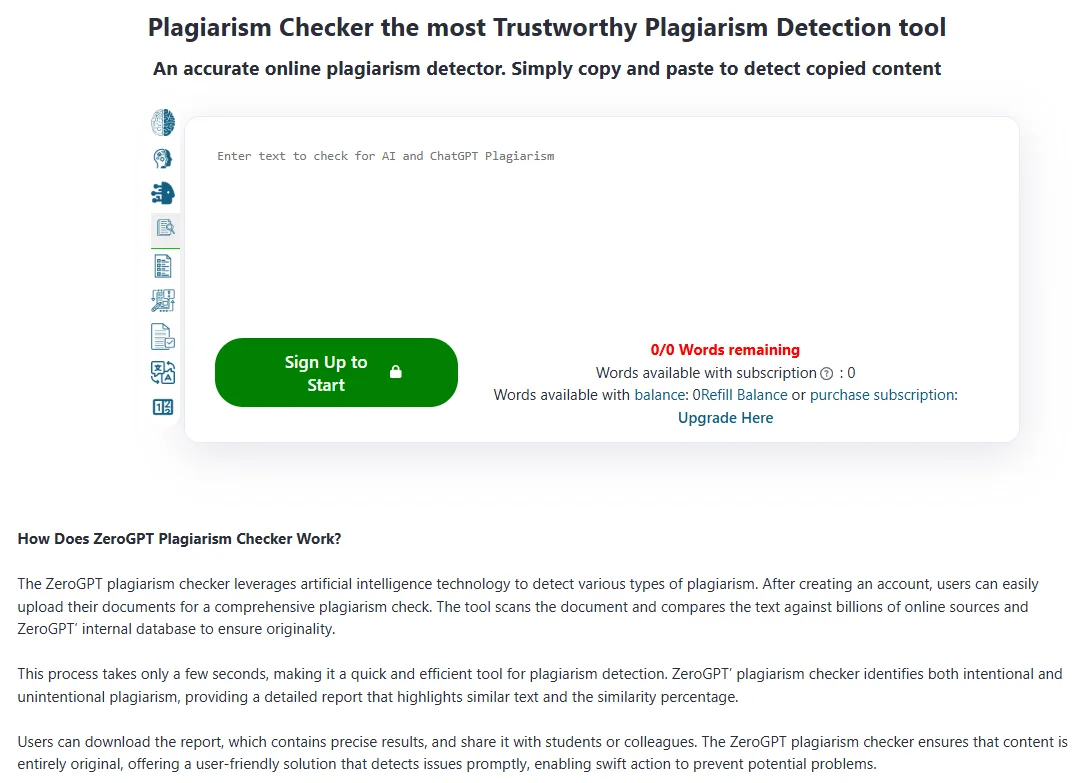
Detection accuracy, which is the feature most people come here for, was good in my testing. The results were nuanced, percentage-based, and included sentence-level breakdowns rather than binary outputs. That nuance matters because it gives context rather than just a verdict.
Pricing Breakdown and Limitations
ZeroGPT’s pricing structure, as of my testing, looks like this:
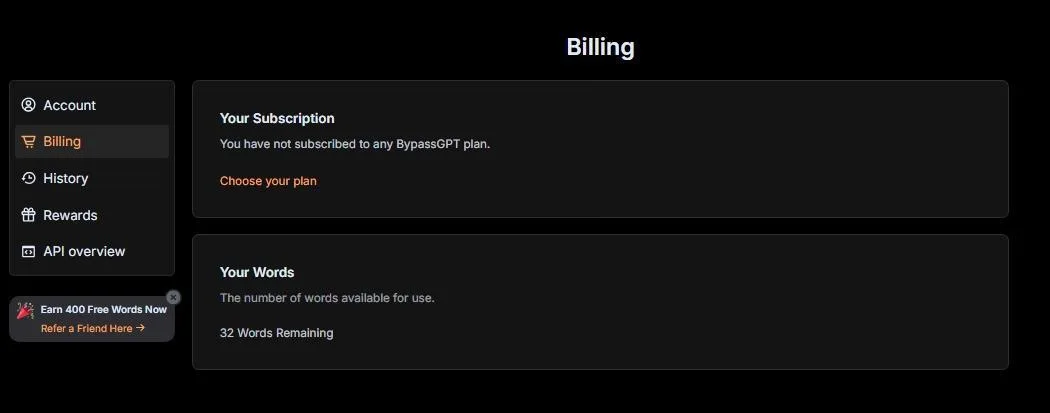
- Free: $0, 15,000 characters per AI detection, no batch files, no PDF report, 1,000 ZeroCHAT-4 prompts, 1,500 words in Summarizer, 400 words in Paraphraser, 1,000 words in Grammar Checker, 300 words plagiarism check (one-time only), basic humanizer model
- Pro: $7.99/month (billed yearly), 100,000 characters for detection, 60 batch files, 2,000 ZeroCHAT-4 prompts
- Plus: $14.99/month (billed yearly), same character limit as Pro, 25,000 words plagiarism per month, ZeroCHAT-4
- Max: $18.99/month (billed yearly), ZeroCHAT-5, 40,000 words plagiarism per month, unlimited paraphrase modes, 10,000 words grammar checker
- Expert: $49.99/month (billed yearly), 350,000 characters per detection, 100 batch files, 5,000 ZeroCHAT-5 prompts, 100,000 words plagiarism per month
- Enterprise: Custom quote, unlimited everything
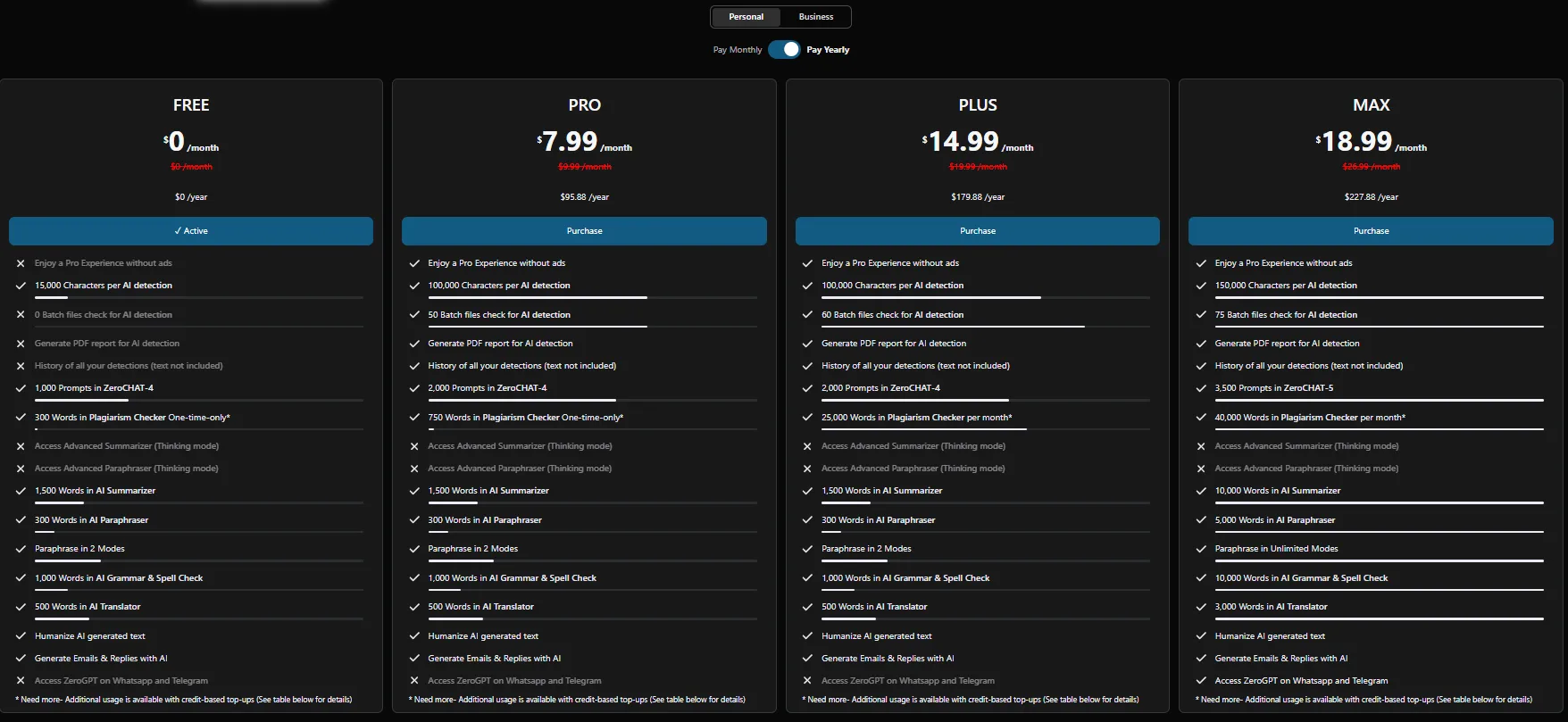
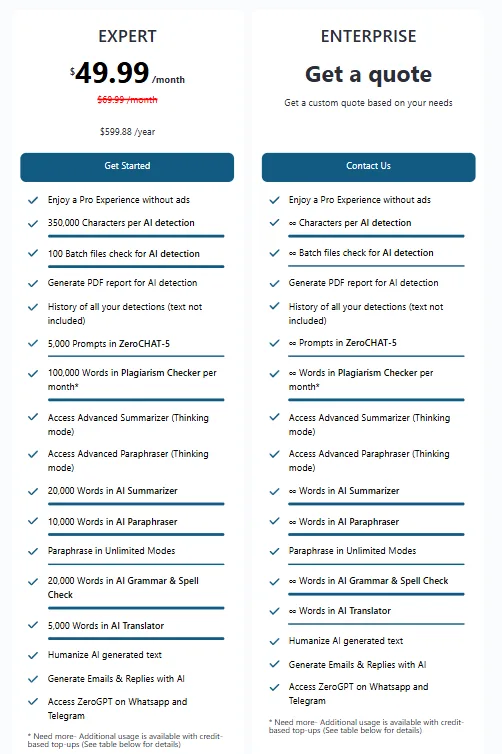
For the free plan specifically, the meaningful limitations are: no batch detection, no PDF report, no plagiarism checking (the one-time 300 words is essentially nothing), basic humanizer only, and detection capped at 15,000 characters. For casual individual use, the free plan is pretty generous in my opinion. For anyone doing professional content auditing or regular plagiarism checks, a paid plan becomes necessary quickly.
Privacy and Data Handling
Based on the privacy policy, here is what ZeroGPT collects and does with data:
- Personal data collected includes name, email, phone number, and other details provided on registration or via direct contact
- Data is used to operate the platform, personalize experience, send communications, and prevent fraud
- Cookies and log files are used to track user behavior and third-party advertisers may also use their own cookies
- Data may be shared during business transfers like mergers or acquisitions
- Personal data is retained generally for no more than 3 months after account termination unless legally required otherwise
- Users have GDPR and CCPA rights including access, correction, deletion, and restriction of their data
- The service does not knowingly collect data from users under 18
The 3-month retention window post-termination is reasonable and better than tools that are vague about deletion timelines. There are no particularly alarming red flags here but it is not a privacy-first setup either.
ZeroGPT vs CleverHumanizer AI vs WriteHuman vs Walter AI
|
Feature |
ZeroGPT |
CleverHumanizer AI |
WriteHuman |
Walter AI |
|
Core Focus |
Detection + multi-tool writing suite |
AI humanization only |
Humanization + detection |
Humanization + detection only |
|
AI Detector |
Yes, sentence-level, 15,000 chars free |
No dedicated detector |
Yes, up to 1,200 words free |
Yes, 300 words/request on trial |
|
AI Humanizer |
Yes, basic model free, advanced locked |
Yes, genuinely free, no paywall |
Yes, 200 words free, 2 attempts only |
Yes, 300 total trial words |
|
Quality of features |
★★★★ |
|||
|
Tool Variety |
Very high (13+ tools) |
Very low (humanizer + basic writer) |
Low (humanizer, detector, image detector, word counter) |
Very low (humanizer + detector only) |
|
Free Plan Value |
High, most tools usable without paying |
Very high, genuinely no paywalls |
Very low, hits limit almost immediately |
Very low, 300 total trial words only |
|
Plagiarism Checker |
Yes, very limited free |
No |
No |
No |
|
AI Image Detector |
Yes, accurate in my testing |
No |
Yes, inconsistent in testing |
No |
|
Pricing Start |
$7.99/month (yearly) |
Free |
~$12/month |
$8/month (yearly) |
|
UI Quality |
Clean, dark mode available |
Minimal, soft |
Minimal, pastel |
Excellent dark theme |
Between these four tools, ZeroGPT is the clear winner for anyone who wants range and does not want to pay immediately. CleverHumanizer AI wins if the only need is humanization and the budget is zero. WriteHuman and Walter are both too restrictive on their free plans to be seriously useful without a paid subscription, and neither offers enough over ZeroGPT to justify paying for them instead.
My personal pick is ZeroGPT and it is not really a close call. The free plan is plenty generous, the tool variety is genuinely useful, and the core detector, which is the reason most people would come here in the first place, performs very well. The humanizer being limited on the free tier is annoying but understandable. Everything else on the platform being free and functional is a real differentiator.
Final Verdict and Overall Score
ZeroGPT is a messy overachiever. It tries to do a lot of things, and most of them it does at a level that is good enough to be genuinely useful. The AI detector is solid, the summarizer and paraphraser are functional, the translator covers an impressive language range, the chatbot handles basic tasks competently, and the free plan offers more than almost anything else in this space.
The weaknesses are real though. The plagiarism checker is nearly useless without a subscription. The background remover failed on my test. However, its core feature works very well.
For a student, a blogger, or a content writer who needs a detection tool with enough supporting utilities to make the platform feel like a proper workspace, ZeroGPT is a strong choice. For someone whose primary need is high-quality humanization, there are more focused options. For a professional content auditing workflow, the paid plans start becoming necessary pretty quickly.
Overall Score: 8.8 / 10
Frequently Asked Questions
ZeroGPT is a comprehensive toolkit that includes AI detection, humanization, paraphrasing, summarization, translation, grammar correction, a chatbot, citation generator, email composer, dictionary, word counter, and an AI image detector. It is designed to be a centralized solution for content creators, students, bloggers, and educators.
ZeroGPT’s AI detection tool is quite accurate, providing nuanced results with sentence-level highlights and percentage-based outcomes. It correctly identified human-written text, AI-generated content, and humanized AI text in testing, offering more than a simple yes/no verdict.
The free plan of ZeroGPT includes limitations such as a 15,000-character limit per AI detection, no batch detection, no PDF reports, basic humanizer model only, and restricted word counts for various tools. However, it is quite generous compared to competitors and offers most tools without requiring an account.
ZeroGPT’s AI humanizer tool performs adequately but not exceptionally. It lowers detection scores and alters sentence structures, but it is more of a surface-level polish than a complete rewrite. The advanced model, available only in paid plans, likely offers significant improvements.
ZeroGPT offers several pricing plans: Free ($0), Pro ($7.99/month billed yearly), Plus ($14.99/month billed yearly), Max ($18.99/month billed yearly), Expert ($49.99/month billed yearly), and Enterprise (custom quote). Each plan offers varying limits on characters, words, and additional features.
ZeroGPT stands out for its range of tools and generous free plan. CleverHumanizer AI is better for those solely needing AI humanization without a paywall. WriteHuman and Walter AI are more restrictive on their free plans and do not offer enough over ZeroGPT to justify paying for them instead.
ZeroGPT collects personal data such as name, email, and phone number, using it to operate the platform and personalize the user experience. Data is retained for no more than 3 months after account termination unless legally required otherwise. Users have GDPR and CCPA rights, including access, correction, deletion, and restriction of their data.
While ZeroGPT offers a solid AI detector and a range of useful tools, its free plan has limitations that may not suffice for professional content auditing. Paid plans become necessary for features like batch detection, PDF reports, and extensive plagiarism checks, making it more suitable for professional use with a subscription.
Subscribe to our email newsletter to get the latest posts delivered right to your email.
Comments