Conclusion
BypassGPT presents a sleek and visually appealing interface, which initially creates a positive impression. However, this initial appeal quickly fades upon deeper inspection. The tool’s core functionalities, particularly its AI detection and humanization capabilities, fall short of expectations. The AI detector often misidentifies AI-generated text as human-written, and the essay generator flags its own output as AI, raising serious concerns about its reliability. Additionally, the free tier is excessively restrictive, offering only 150 words per month, which is insufficient for meaningful use. While the multi-detector panel is a useful feature, it is not enough to compensate for the tool’s overall shortcomings.
Pros
- Clean and visually appealing UI
- Multi-detector panel for comprehensive detection checks
- Decent humanization output in Creative mode
Cons
- Unreliable AI detection, often misidentifying AI text as human-written
- Excessively restrictive free tier with only 150 words per month
- Near-identical outputs from different rewriting tools, lacking real variety
- Plagiarism remover lacks transparency and does not show what was flagged
Table of Contents
- First Impressions and Dashboard Experience
- Core Features
- Performance and Output Reliability
- Pricing Breakdown and Limitations
- Privacy and Data Handling
- BypassGPT vs ZeroGPT vs WriteHuman vs Walter AI
- Final Verdict and Overall Score
- Frequently Asked Questions
I went into BypassGPT with moderate expectations. The name is bold, the claims are bolder, and the interface when I first landed on it looked genuinely clean and well-designed. But within the first fifteen minutes of actual testing, that initial goodwill started evaporating pretty fast. This is a tool that I think suits a very specific kind of user: someone who primarily wants to humanize short AI-generated content and does not need the kind of tool variety or generous free access that other platforms offer. What it does not suit is anyone who wants reliable AI detection, anyone on a tight budget who cannot afford to burn through 150 words a month, or anyone looking for a platform they can actually trust to tell them the truth about their own output.
I would not recommend BypassGPT to professionals, students, bloggers, or content writers who are already using a tool like ZeroGPT or even something simpler. The detection is genuinely unreliable in my testing, the free tier is almost offensively limited, and the rewriting tools while plentiful in name, all tend to produce very similar outputs. More on that below.
First Impressions and Dashboard Experience
The first thing I noticed, and perhaps the only thing I liked about this tool, is the UI. It’s dark-themed, minimal, and clean. The sidebar is simple: Bypass AI, Undetectable AI, AI Detector, AI Humanizer, Plagiarism Remover. No clutter, no aggressive pop-ups on the first screen before I could test anything. The typography is readable, the layout is spacious, and the overall visual experience feels considered.
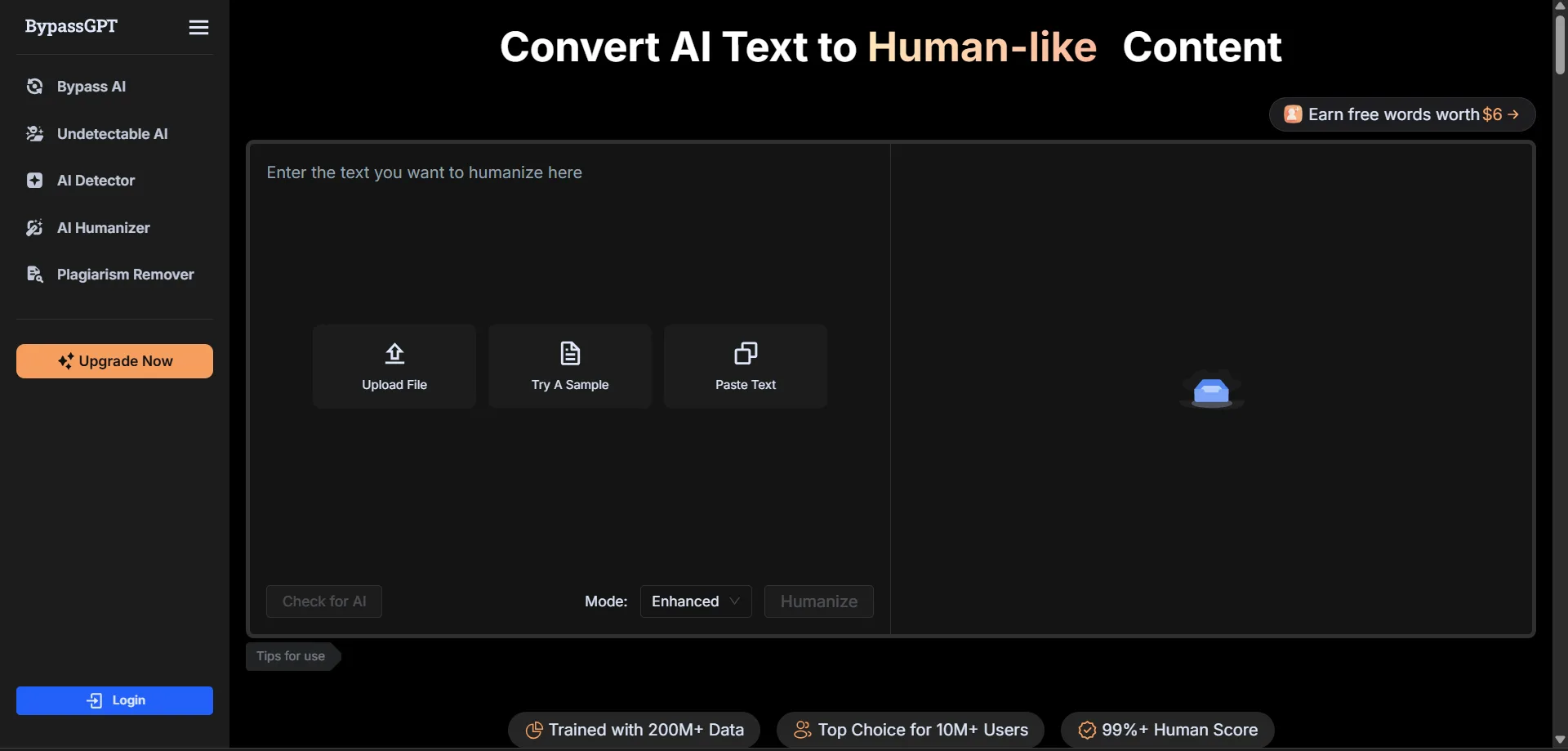
There is an “Earn Free Words” prompt in the top right corner and a flash sale countdown banner with timer that appear fairly quickly, which does break the otherwise restrained aesthetic a bit. The billing page shows a referral program that gives 400 free words for referring a friend, plus a daily check-in word reward. These things tell me that the platform is aware its free tier is extremely limited and is trying to soften that with engagement mechanics. It worked visually at first, but the actual usage experience brought me back to earth pretty quickly.
Core Features
AI Humanizer
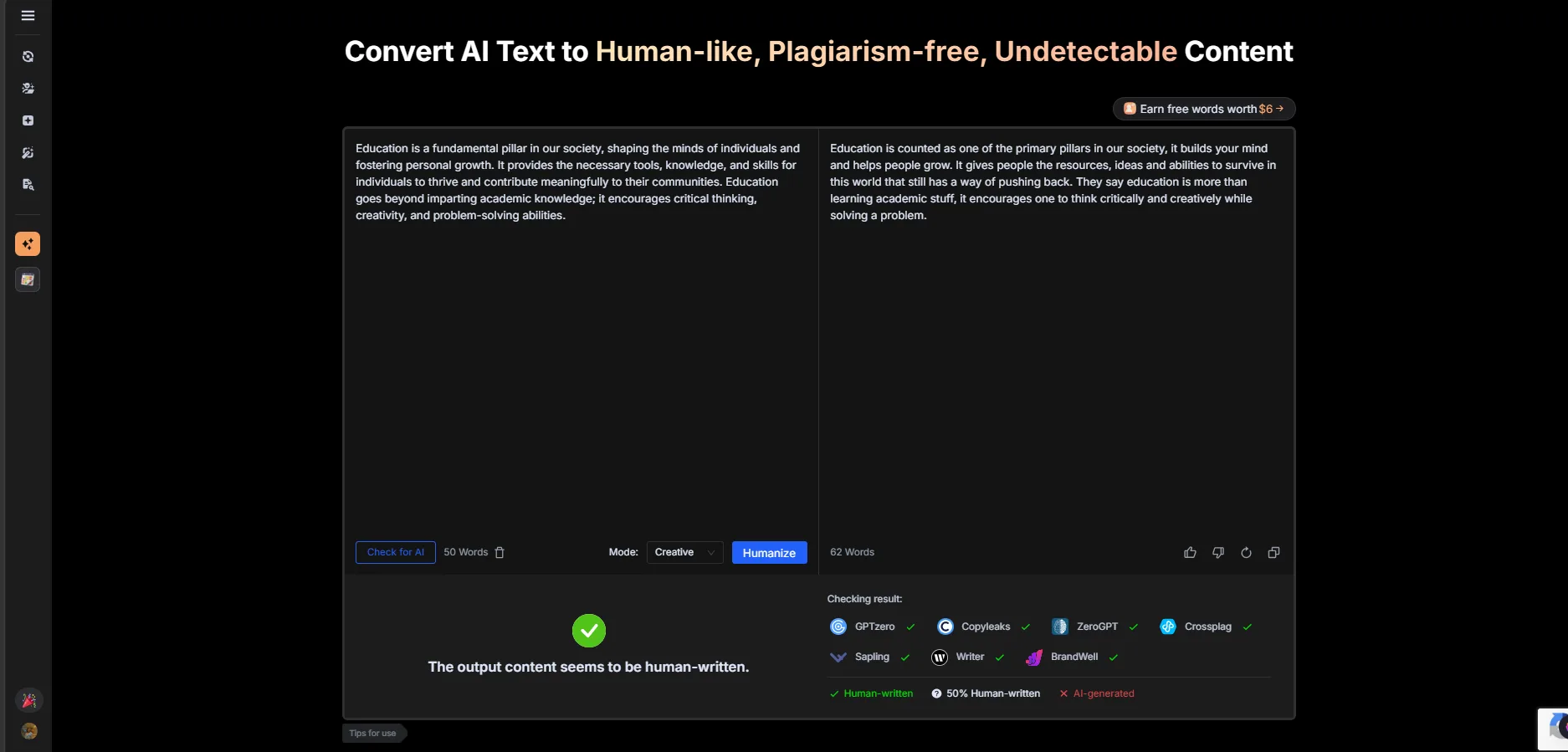
This is the main feature and the one I spent the most time on. The interface is the familiar side-by-side layout: paste text on the left, get humanized output on the right. There are three modes available, Fast, Creative, and Enhanced, and all three are technically accessible on the free plan which is nice. There is also a built-in detection check below the output that runs against multiple detectors simultaneously including GPTzero, Copyleaks, ZeroGPT, Crossplag, Sapling, Writer, and BrandWell. That multi-detector panel is genuinely useful and one of the stronger design decisions on this platform.
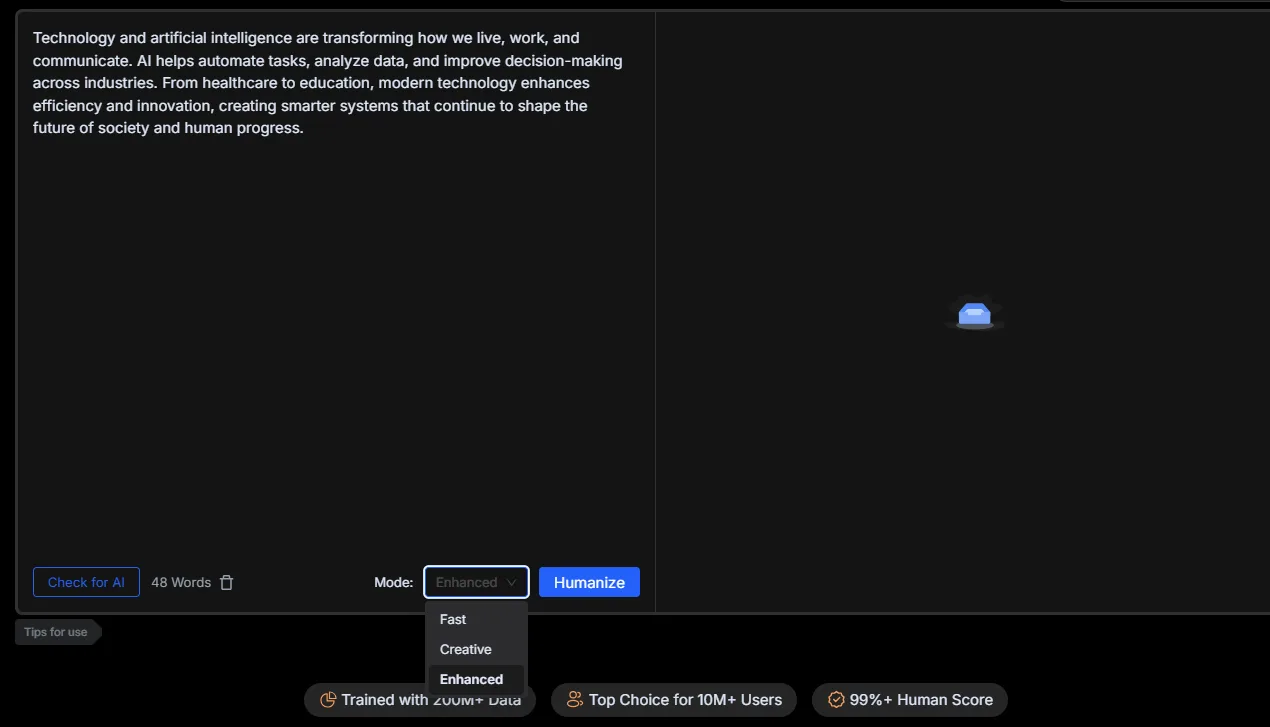
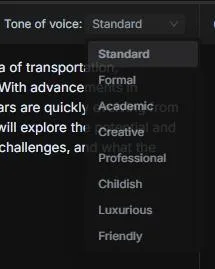
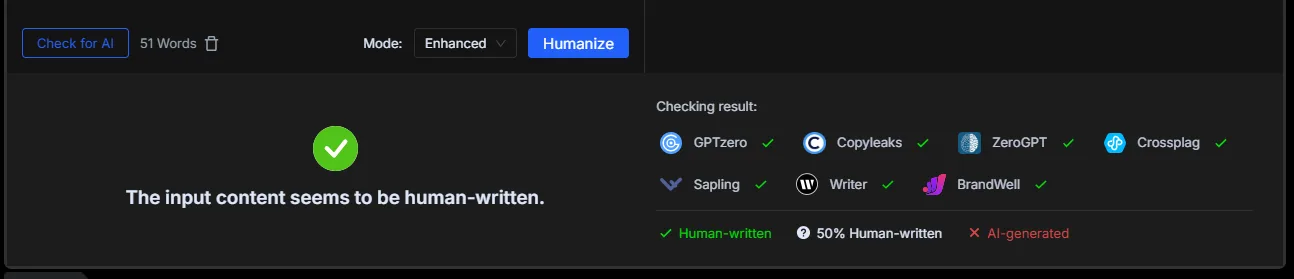
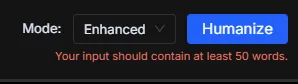
The output quality itself is decent when it works. When I ran the sample text through Creative mode, the result passed as human-written across most of the detectors in that panel. The rewrite felt looser and more natural than the input, which is what a humanizer should do. There is a minimum word requirement of 50 words for the Enhanced mode, which I only found out after hitting an error message when I tried a shorter input. That kind of silent gating is slightly frustrating.
The big problem is the 150 words per month free limit. That is not per day, not per week, it is per month. I used up a large chunk of that just testing two inputs. This is the most restrictive free tier I have encountered across every humanizer I have reviewed and it is not close. Though one thing to be noted is that it does not count it’s own sample texts towards our word limit, which helped with the testing… the reliability however is a considerable gap.
For reference, CleverHumanizer AI gives genuinely unlimited free access with no paywalls. WriteHuman gives 200 words per request before the paywall, and while that is also low, it at least resets. ZeroGPT’s humanizer on the free plan, is part of a broader suite where dozens of other tools remain accessible. BypassGPT’s 150 words a month means the free tier is effectively a demo that barely lasts a single session.
AI Detector
This is where I had my biggest problem with BypassGPT. I tested the detector with AI-generated text and my experience was that it flagged that content as human-written. What made this worse is that the text I used had em dashes in it, which are one of the clearest giveaways of AI-generated content. Even then, the detector returned a human verdict, and not only that, I also checked the same text with ZeroGPT which showed me that the content was AI, hence that just adds on to the unreliability of BypassGPT. Only with its own sample text did it show me that the content was AI.
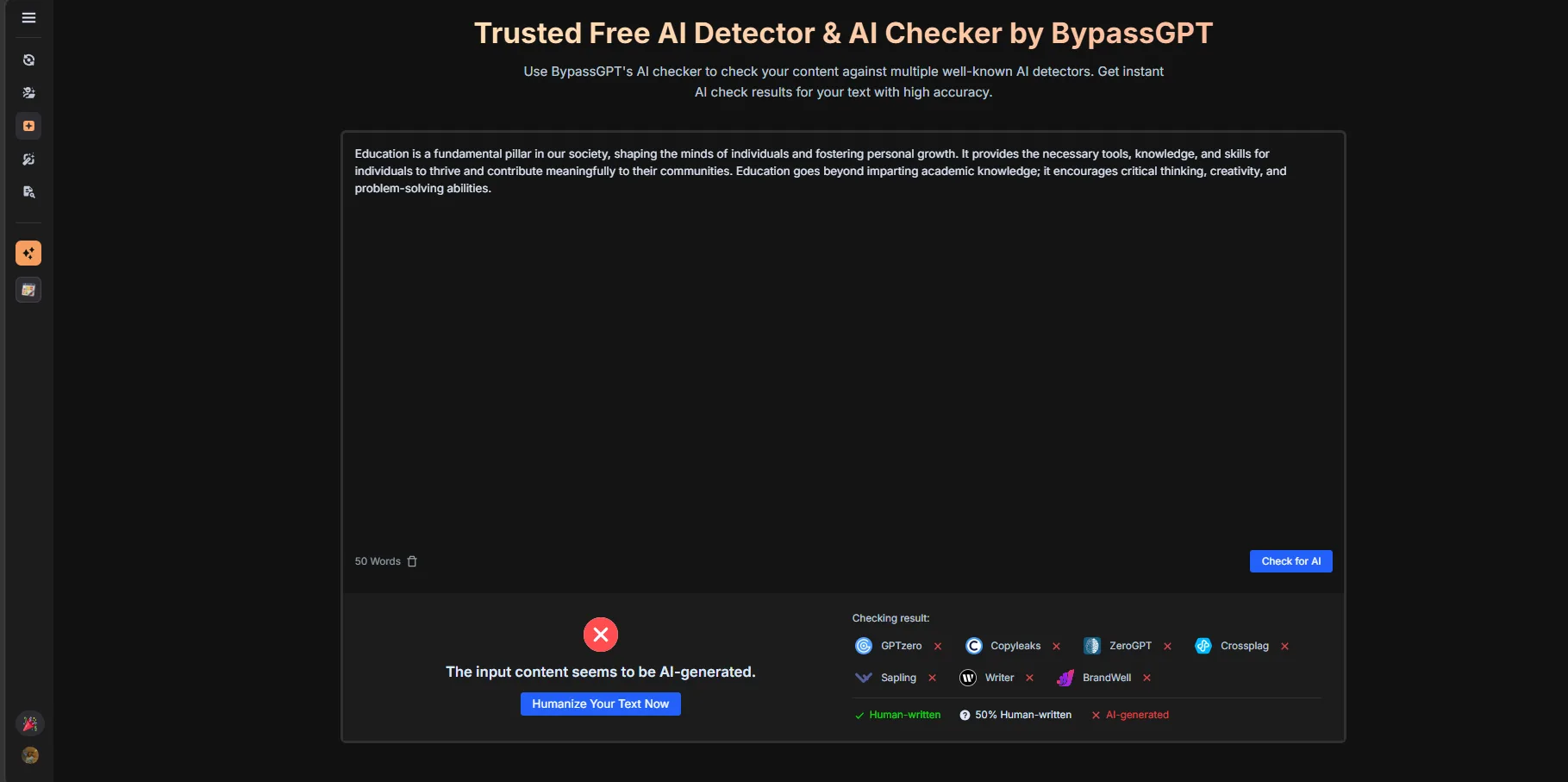
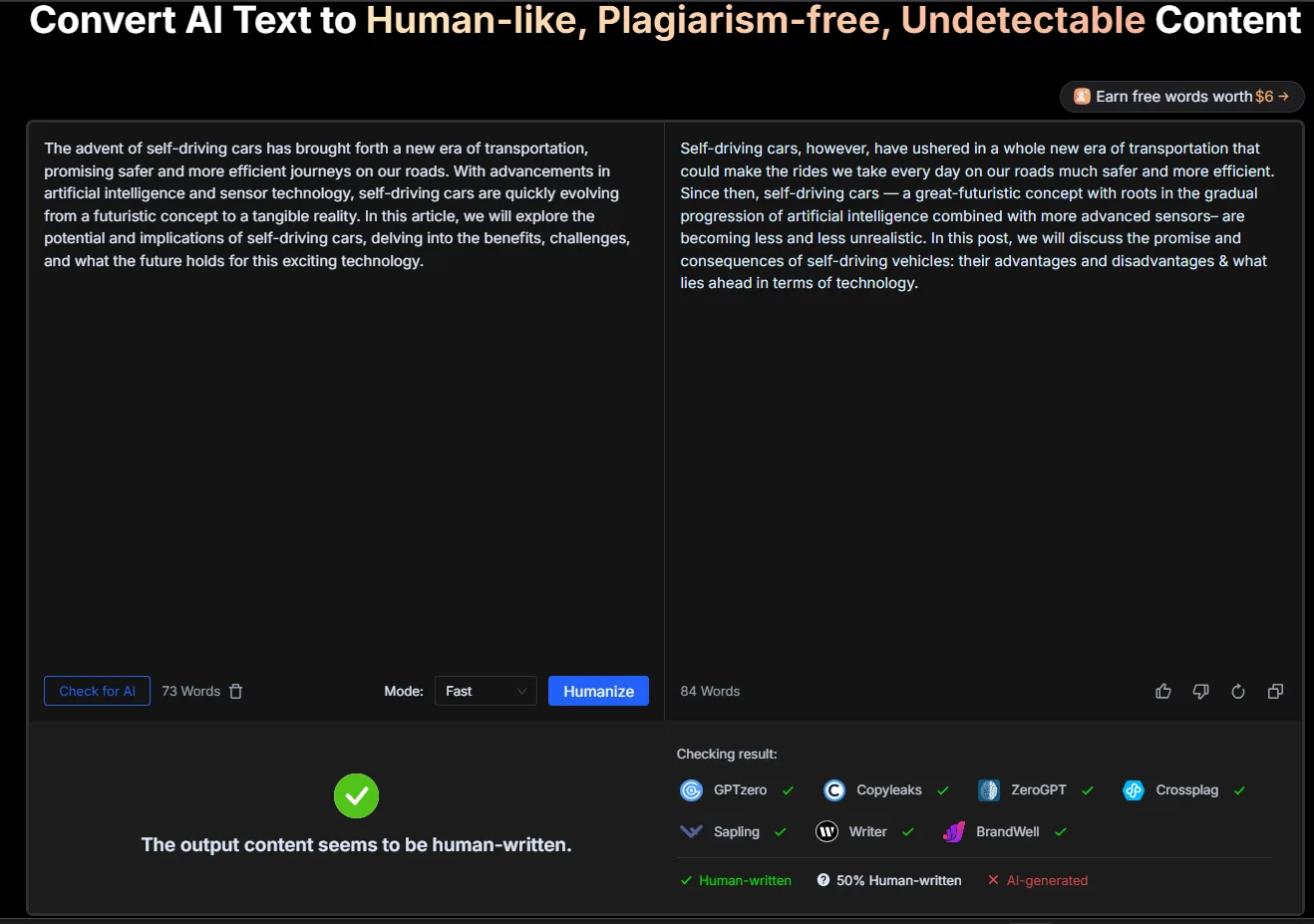
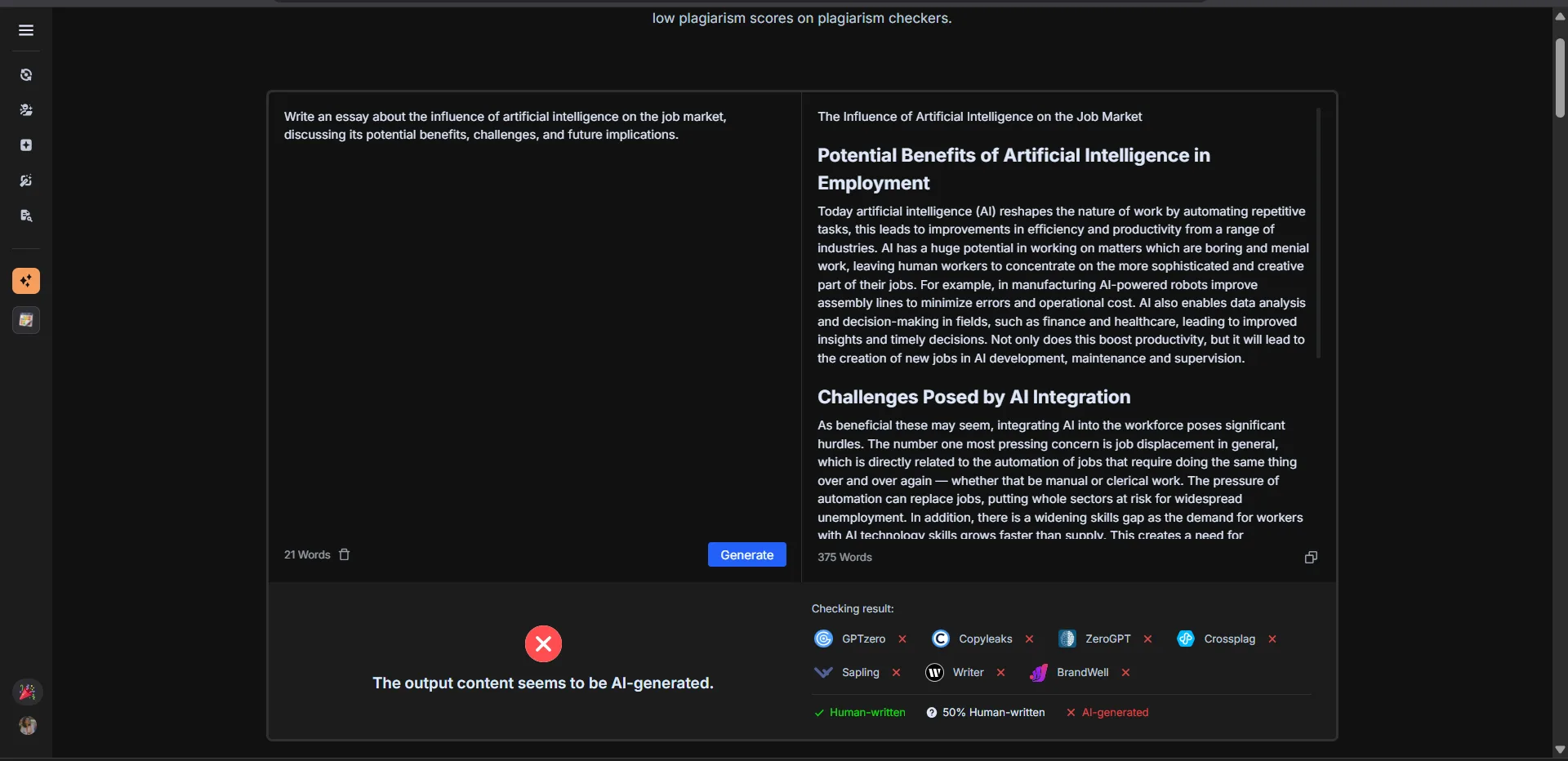
The detector also flagged the output text it provides on its own platform as AI-generated, which is strange and additionally, it also flagged its output, one with clear signs of AI generation as human. If the tool cannot handle its own demonstration content correctly, that raises real questions about calibration. A detector that tells me AI text is human is not just unreliable, it is actively misleading. I would rather have a tool that errs on the side of caution than one that gives false confidence.
The multi-detector panel below the humanizer output is actually more trustworthy than BypassGPT’s own detection tool, which is ironic. The panel pulls results from external tools and presents them honestly, including when they disagree with each other.
Undetectable AI (Humanizer variant)
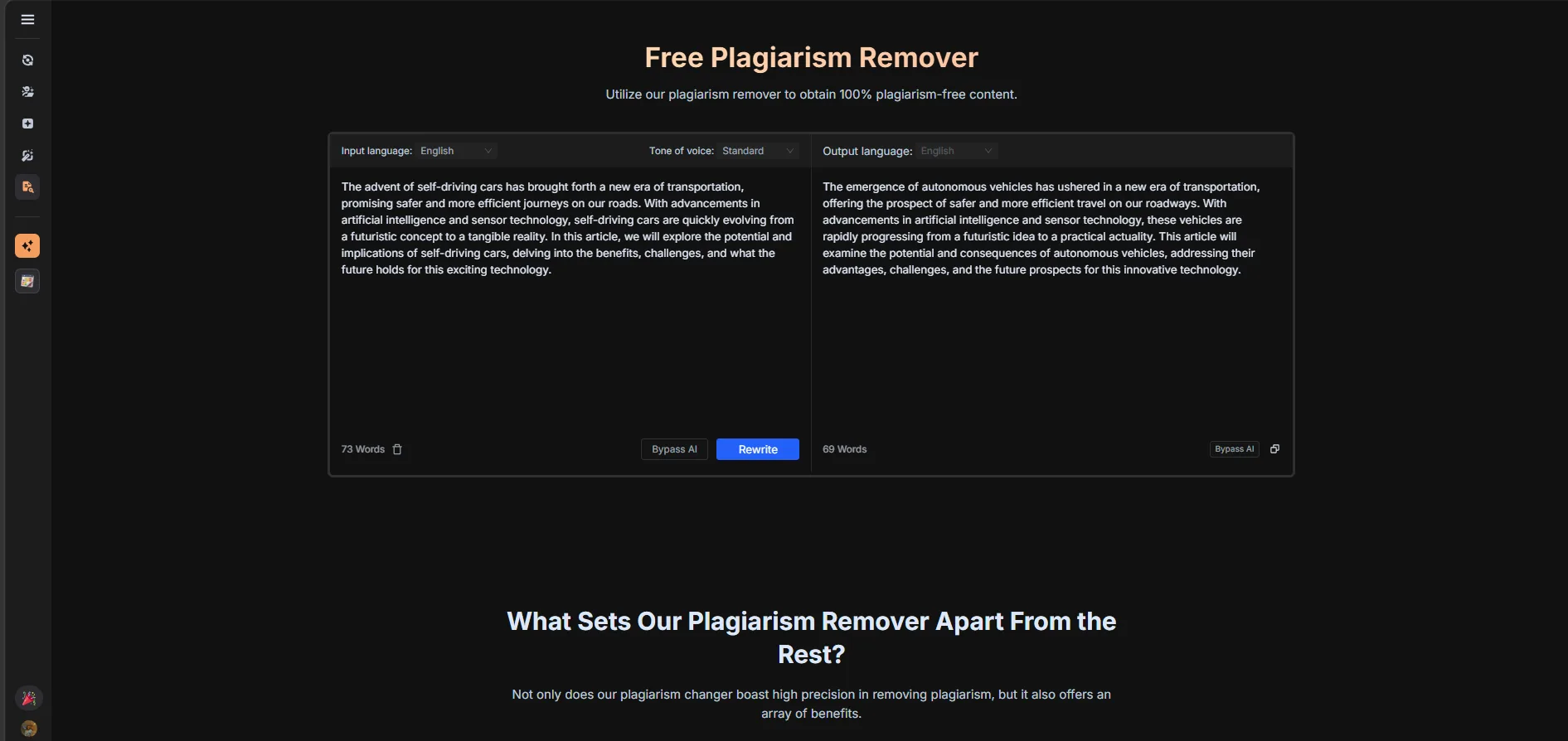
This is labeled as a separate tool from the main humanizer but when I tested it the outputs were extremely similar. I ran the same self-driving cars paragraph through both and the rewritten versions were structurally almost identical, with minor wording differences. This is a pattern across several of BypassGPT’s tools. The Essay Rewriter, Article Rewriter, Paragraph Rewriter, and Stealth Writer all produced very similar outputs for the same input. It feels like there is one underlying rewriting engine that is being repackaged under multiple names rather than genuinely different tools with different logic.
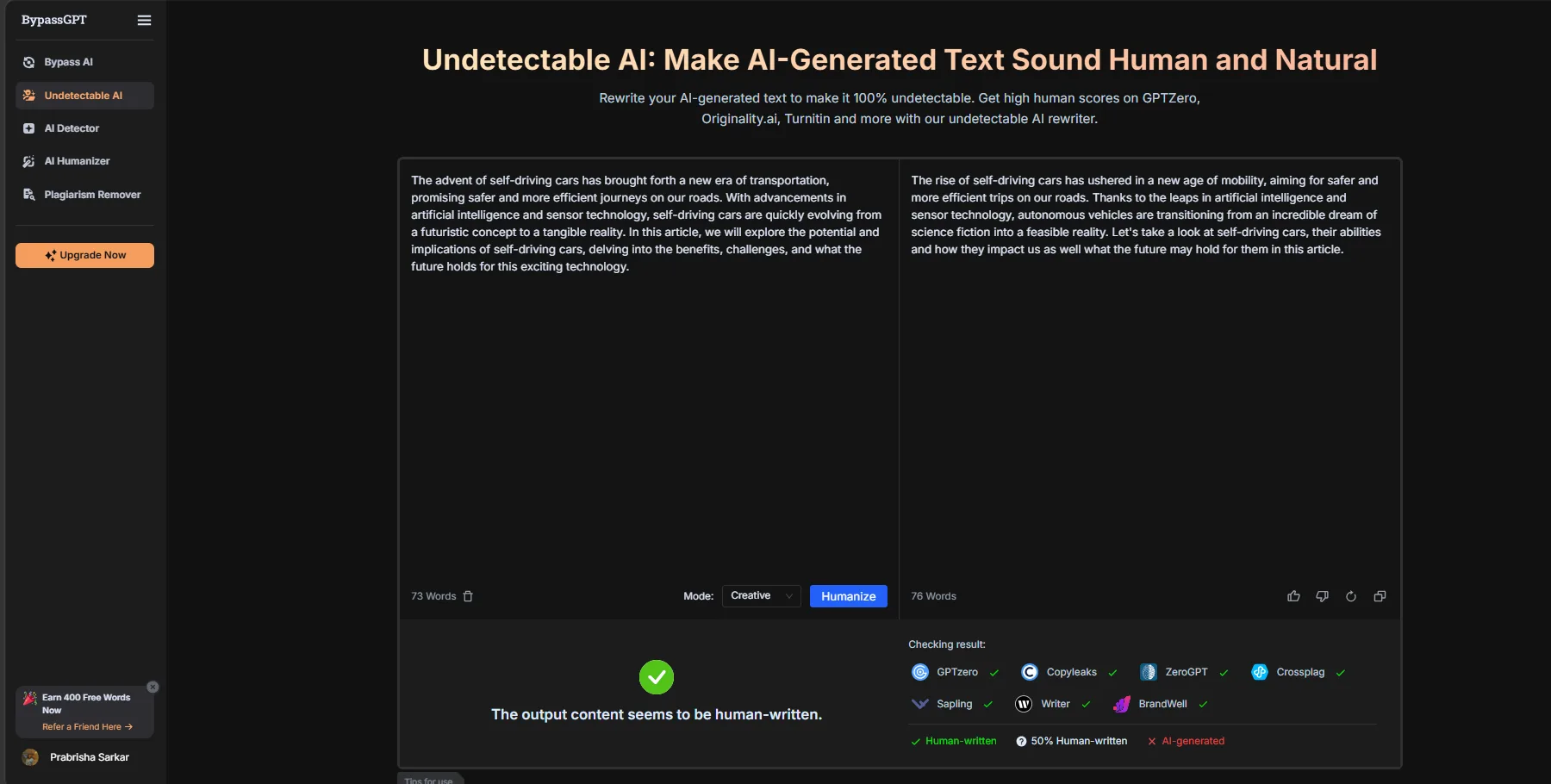
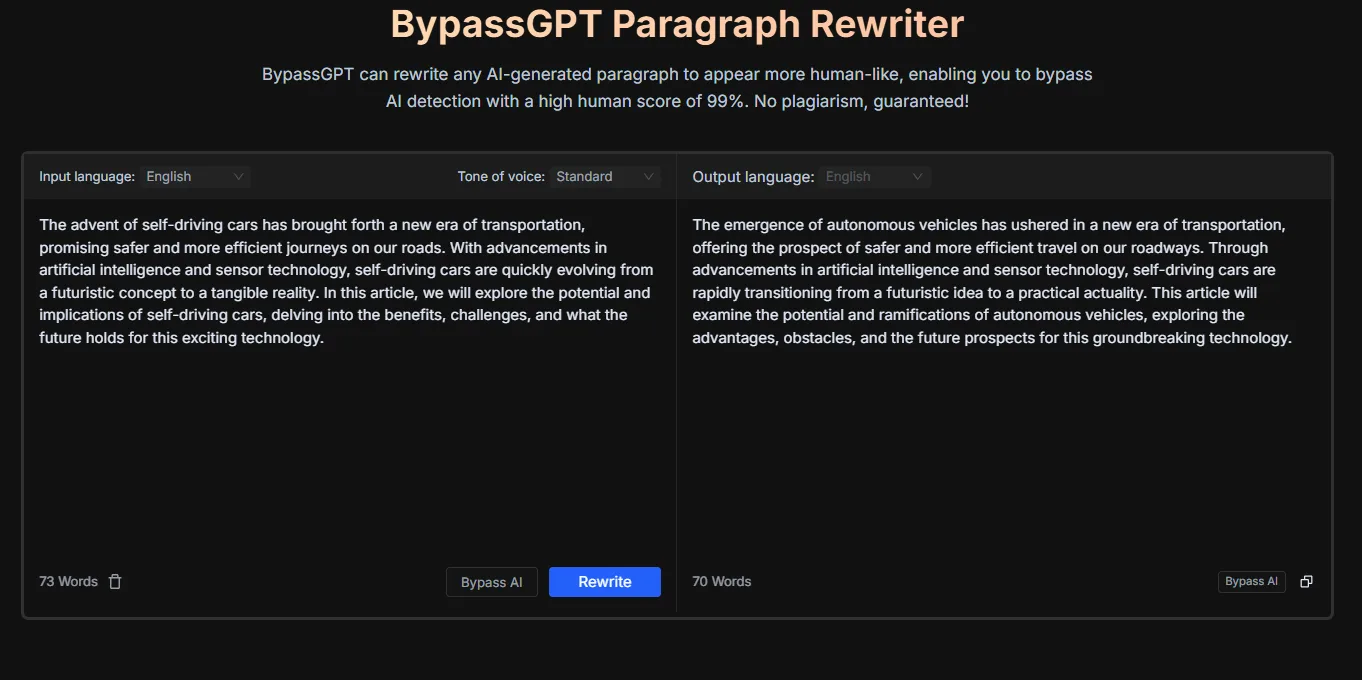
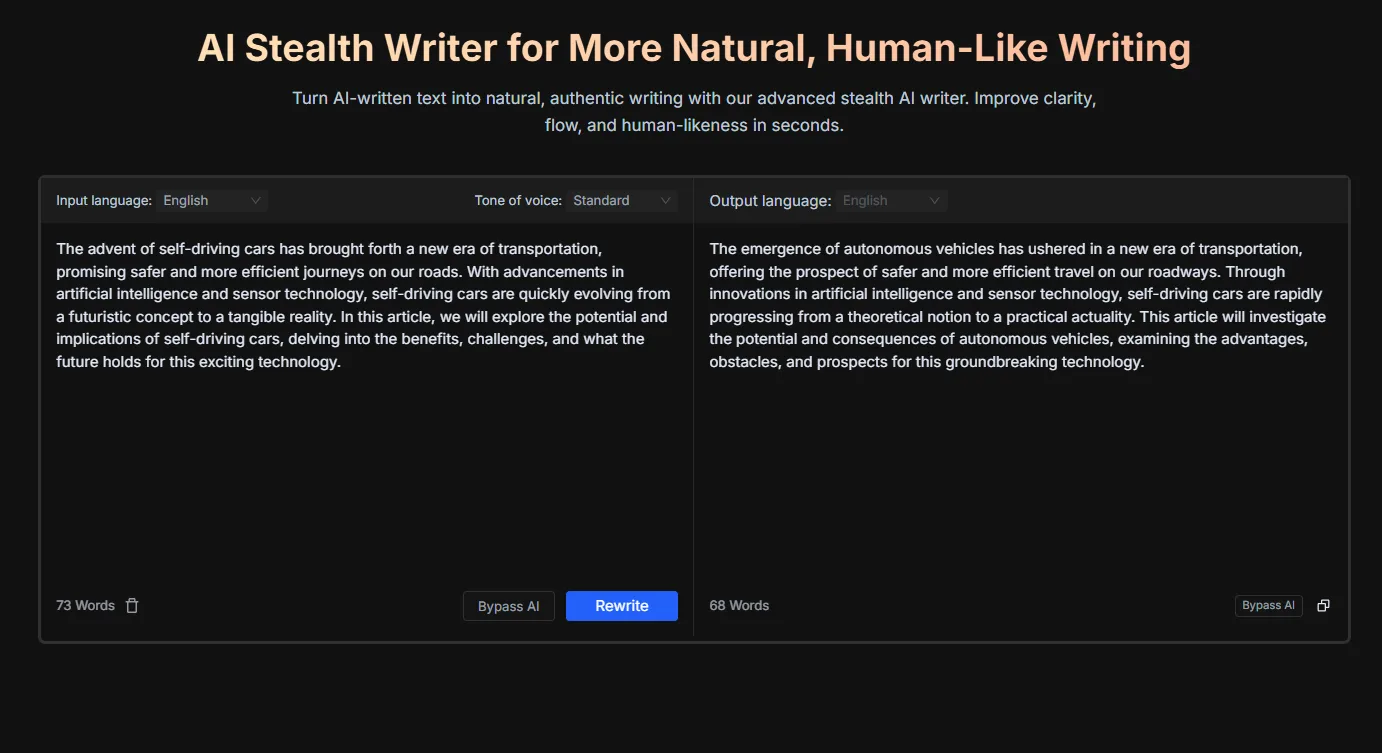
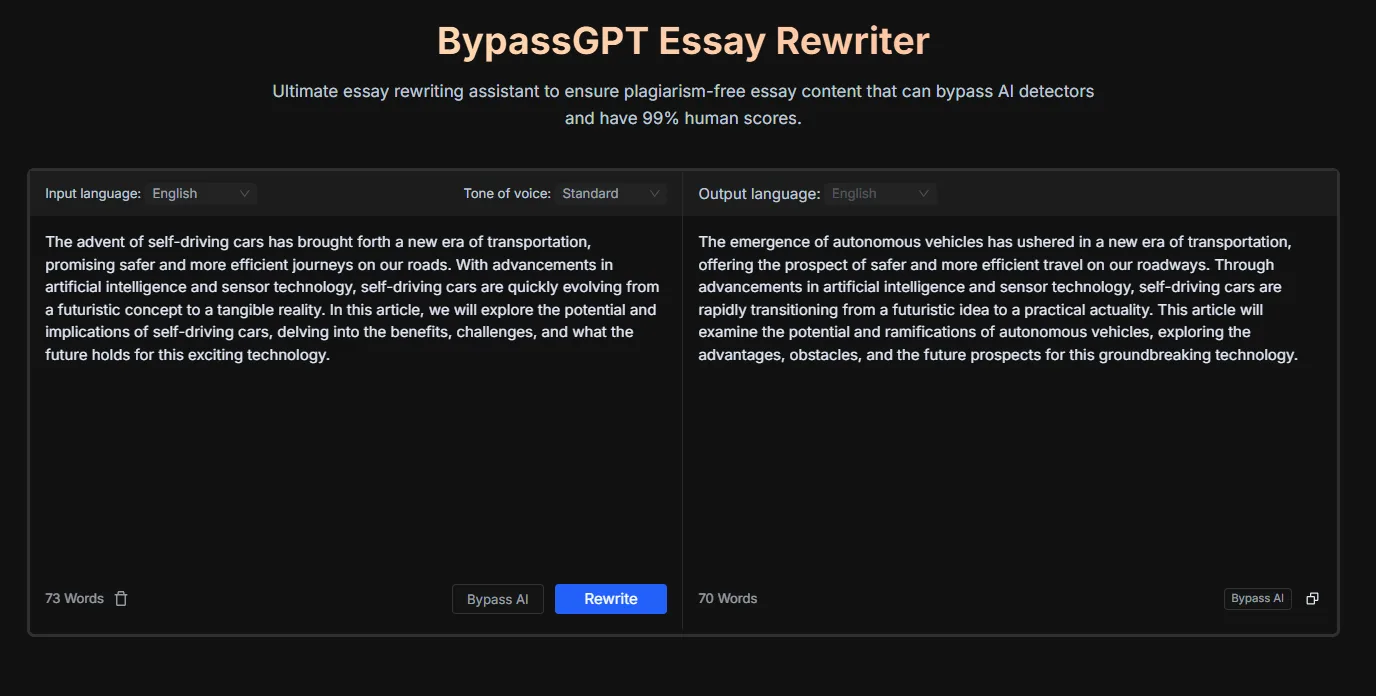
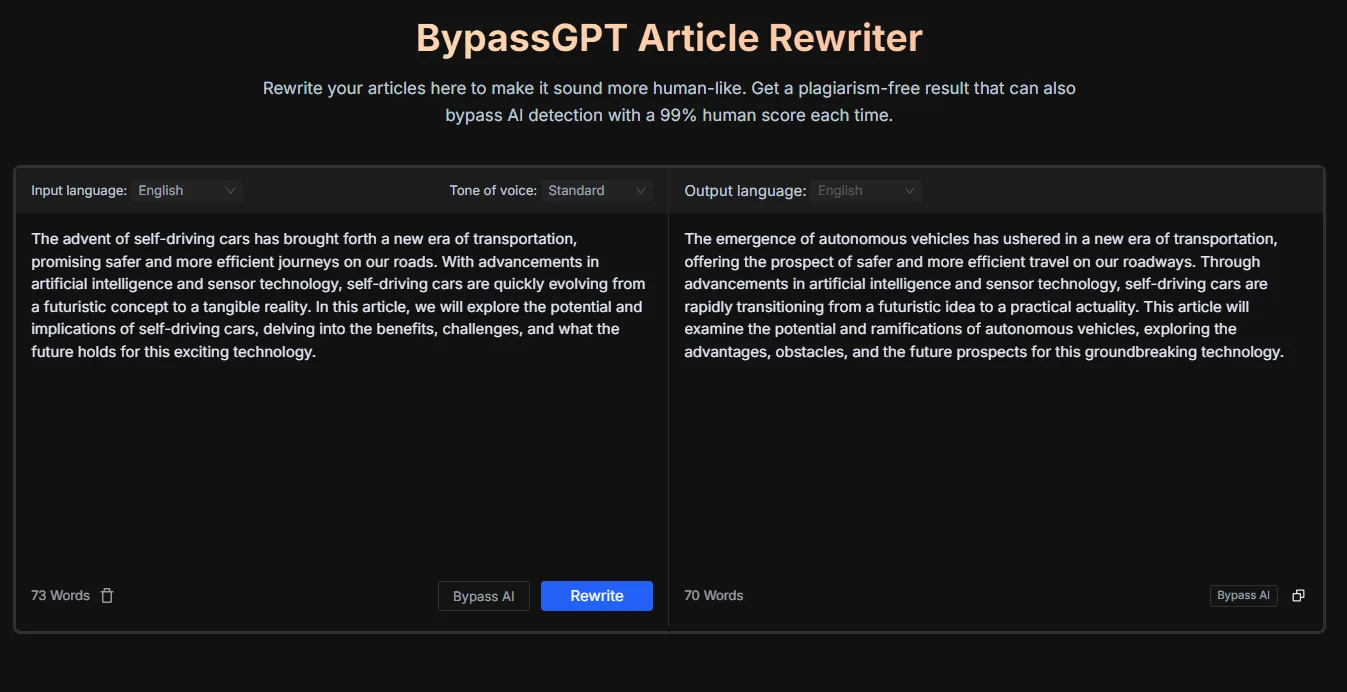
That is not the end of the world but it is worth being clear about. If someone is paying for access to five rewriting tools and they all produce basically the same output, that perceived variety is not real variety.
Plagiarism Remover
The plagiarism remover is presented as a separate tool but functions identically to the rewriters in terms of interface and output. My issue with it is that it does not show which parts of the text were flagged as plagiarized, or what the plagiarism percentage was before and after. It just rewrites the text and labels the result “plagiarism-free.” Without seeing what was actually identified as plagiarized, I have no way to verify whether the tool is doing real plagiarism detection or just rewriting everything regardless. BypassGPT’s plagiarism remover operates like a black box.
Bypass AI Essay Generator
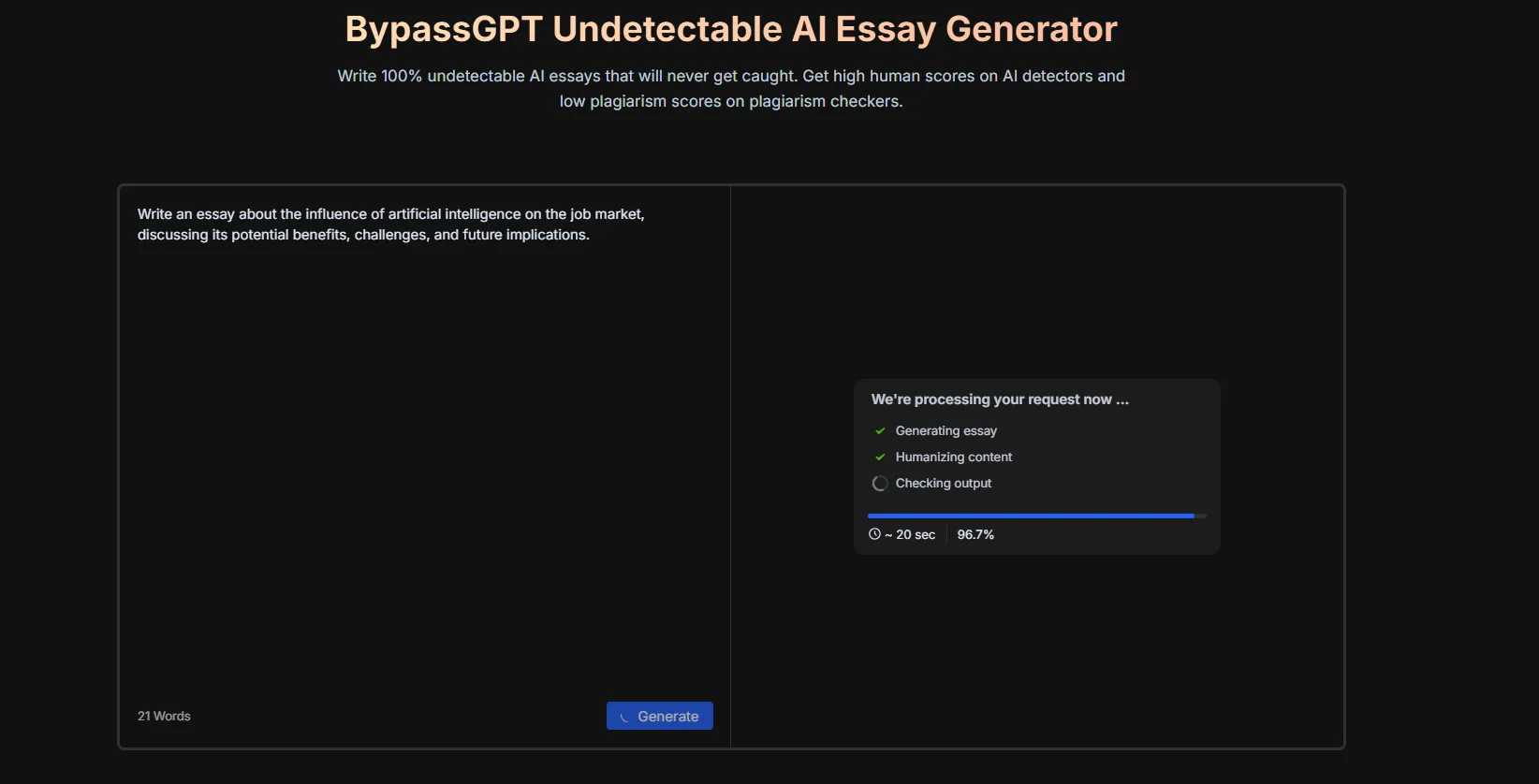
The essay generator works by taking a prompt, generating an essay, humanizing it, and then checking it against detectors, all in one pipeline. The processing screen shows three stages: generating essay, humanizing content, and checking output. In my test run, the output came back flagged as AI-generated despite going through the full pipeline. A tool that generates, humanizes, and then detects its own output as AI is a significant reliability problem. I tested this myself and saw the red X result on the checking panel. That is a hard thing to defend.
Performance and Output Reliability
The performance picture here is honestly not good. The humanizer does produce functional rewrites and in Creative mode the output reads reasonably naturally. That part works. Everything else around it is inconsistent in every way that matters.
The AI detector gave me incorrect results on clearly AI-generated text, including text with obvious AI markers. The essay generator produced an output that its own detection panel flagged as AI. The various rewriting tools produce near-identical results for the same input. The plagiarism remover gives no transparency into what it is actually removing. These are not minor issues. For a tool whose entire value proposition is built around AI detection and humanization accuracy, getting those two core things wrong is a fundamental problem.
The only part of the platform where the output panel felt trustworthy was the external multi-detector results displayed below the humanizer, and those are not BypassGPT’s own detections, they are pulling from other tools.
Pricing Breakdown and Limitations
The pricing structure for BypassGPT (yearly billing) is as follows:
- Free: $0, 150 words per month, 80 words per input, Fast, Creative, and Enhanced modes available, but no Turnitin bypass, no Originality.ai Turbo 3.0 bypass, no ChatGPT watermark removal
- Basic: $8/month (yearly), 5,000 words per month, 500 words per input, same mode access, still no Turnitin or Originality.ai Turbo bypass
- Pro: $15/month (yearly), 30,000 words per month, 1,000 words per input, no Turnitin bypass, no Originality.ai Turbo bypass
- Unlimited: $19/month (yearly), unlimited words, unlimited per input, full access including Turnitin and Originality.ai Turbo bypass, ChatGPT watermark removal
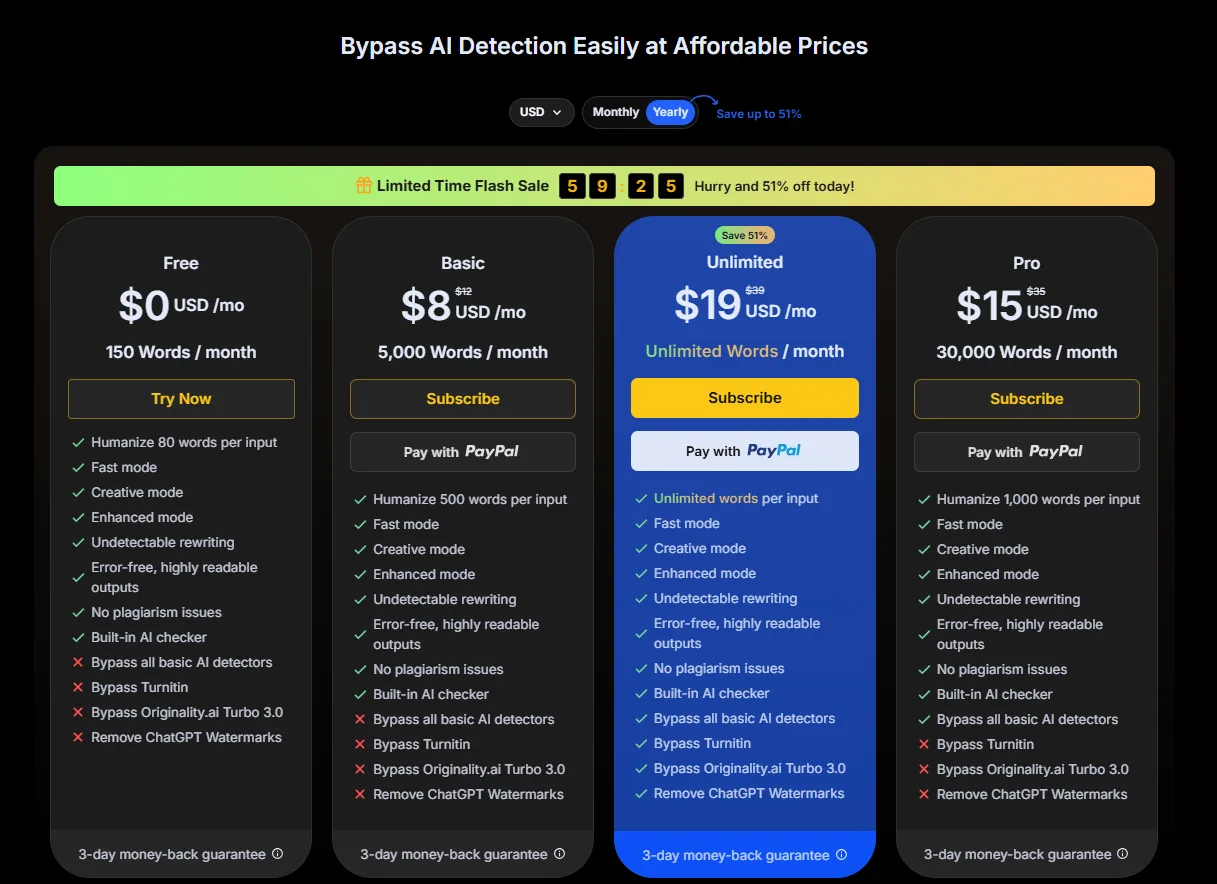
The 150 free words per month is the single most restrictive free plan I have reviewed in this category. Even WriteHuman, which I found too limited in my earlier review, at least gives 200 words per request and two humanization attempts before hitting a paywall. BypassGPT gives 150 words total for the entire month. The referral program (400 bonus words) and daily check-in rewards exist to stretch this a bit, but these are engagement loops, not genuine free access.
The feature gating is also worth noting. Turnitin bypass is only on the Unlimited plan. Originality.ai Turbo 3.0 bypass is only on the Unlimited plan. If those are the specific detectors a user needs to bypass, they have to go straight to the most expensive tier at $19 per month. For someone who specifically needs Turnitin bypass, that is a real cost to weigh.
Privacy and Data Handling
The BypassGPT platform gathers various personal, technical, and usage-based data from its users. The privacy policy includes the gathering of typical account information, technical and behavioral data about devices and browsers used, and when and under what conditions this information can be disclosed to third parties. Still, there is no information provided concerning the use of input text or other user-generated content for training AI models.
Important features to remember:
- Gathers personal information and account data, such as name, email, username, billing information, and authentication details
- Gathers technical information, including IP address, device and browser information, geolocation data, cookies, and other behavioral analytics
- Can share personal data with affiliates, partners, service providers, and when transferring business assets through merger or acquisition
- Transfers data internationally
- Maintains personal data for as long as needed for business and legal purposes
- Allows users to access, correct, or delete personal data collected by the organization
- Provides no information on content ownership or processing of input/output content generated by users
- Makes no mention regarding the use of user-generated content for AI training
BypassGPT vs ZeroGPT vs WriteHuman vs Walter AI
|
Feature |
BypassGPT |
ZeroGPT |
WriteHuman |
Walter AI |
|
Core Focus |
Humanization + detection bypass |
Detection + broad writing suite |
Humanization + detection |
Humanization + detection |
|
Free Plan Words |
150 words per month |
15,000 characters per detection, most tools free |
200 words, 2 humanizer attempts |
300 total trial words |
|
AI Detector Reliability |
Unreliable in my testing |
Good, sentence-level results |
Moderate |
Good, doesn’t rubber-stamp own output |
|
Humanizer Output Quality |
Decent in Creative mode |
Good but limited on free basic model |
Surface-level on free |
Solid on trial, deeper modes locked |
|
Multi-detector Panel |
Yes, strong feature |
No, single score |
No |
No |
|
Tool Variety |
Low (rewriters + detector) |
Very high (13+ tools) |
Low |
Very low |
|
Pricing Start |
$8/month (yearly) |
$7.99/month (yearly) |
~$12/month |
$8/month (yearly) |
|
UI Quality |
Good, clean dark theme |
Clean, dark mode available |
Minimal, pastel |
Excellent dark theme |
Between these four tools, ZeroGPT is still my clear preference and BypassGPT reinforces that conclusion rather than challenging it. ZeroGPT has a free plan that actually lets me use the platform, a detection tool that returns nuanced results, and a tool suite broad enough that I am getting real value without paying. BypassGPT’s strongest feature is honestly its UI, and that is a design win, not a functional one.
Walter AI and WriteHuman are both also more restricted than they should be on their free tiers, but at least Walter’s detector was reliable in my testing and WriteHuman showed real detection score drops after humanization. BypassGPT failed at the most basic version of what its detector should do, which is correctly identify AI text.
My personal preference is ZeroGPT and it is not a close comparison. If someone specifically needs a multi-detector panel in their workflow, BypassGPT has that. But outside that one feature, the platform does not justify choosing it over ZeroGPT, especially not for free users.
Final Verdict and Overall Score
BypassGPT is a tool that looks much better than it performs. The UI is good, the dark theme is well-executed, and the multi-detector panel below the humanizer output is a genuinely smart design choice. Those are real positives and I want to be fair about that.
But a detection tool that calls AI text human, an essay generator that flags its own output as AI, five rewriting tools that produce essentially the same output, and the most restrictive free plan in this entire category, none of those things are small problems. They go to the core of what this tool is supposed to do.
I would not recommend BypassGPT to anyone. For AI detection and humanizing, especially free users or anyone who relies on detection accuracy, there are better and more generous options available.
Overall Score: 2.1 / 10
Frequently Asked Questions
No, BypassGPT is not reliable for AI detection. In testing, it flagged clearly AI-generated text as human-written, including text with obvious AI markers like em dashes. This inconsistency raises serious questions about its calibration and reliability.
BypassGPT’s free plan is extremely limited, offering only 150 words per month. This is significantly more restrictive than other tools like ZeroGPT, which offers 15,000 characters per detection, or WriteHuman, which provides 200 words per request.
The main issues with BypassGPT include unreliable AI detection, near-identical outputs from different rewriting tools, and a plagiarism remover that lacks transparency. Additionally, the essay generator produced output that was flagged as AI-generated despite going through the full pipeline.
BypassGPT offers several pricing tiers: Free ($0, 150 words/month), Basic ($8/month yearly, 5,000 words/month), Pro ($15/month yearly, 30,000 words/month), and Unlimited ($19/month yearly, unlimited words). The Unlimited plan is the only one that includes Turnitin and Originality.ai Turbo 3.0 bypass.
BypassGPT falls short compared to ZeroGPT. While BypassGPT has a clean UI, its AI detection is unreliable, and its free plan is highly restrictive. ZeroGPT, on the other hand, offers a more generous free plan, reliable detection, and a broader suite of tools.
BypassGPT gathers personal, technical, and usage-based data, including IP addresses, device information, and geolocation data. It can share this data with affiliates and partners, and it transfers data internationally. However, it does not provide clear information on the use of user-generated content for AI training.
One unique feature of BypassGPT is its multi-detector panel, which checks humanized output against multiple external detectors simultaneously. This panel provides a more trustworthy assessment than BypassGPT’s own detection tool.
Subscribe to our email newsletter to get the latest posts delivered right to your email.
Comments