Conclusion
Presenti is built for design precision and brand consistency, boasting dedicated asset hubs for brand fonts, custom color palettes, LaTeX formulas, and interactive mind maps. Its manual editor is arguably the most capable in this series, supported by a polished dark mode and transparent AI model selection. Unfortunately, the AI Agent struggles with basic structural prompts—failing to trim slide counts when instructed—and an opaque credit system that can swing unpredictably into the negative damages its everyday reliability.
Pros:
- Exceptional manual slide editor with support for LaTeX math, mind maps, charts, and media
- Comprehensive brand management toolkit for corporate logos, color schemes, and custom fonts
- Transparent pre-generation controls allowing users to select underlying models (GPT-5, Gemini)
- Clean, responsive interface featuring an eye-friendly dark mode
Cons:
- AI Agent fails to follow simple structural instructions like reducing slide counts
- Unclear, volatile credit consumption that can rapidly push free accounts into severe negative balances
- Offline PPTX/PDF file exports and password-protected sharing are restricted to paid tiers
- Multi-slide generation frequently doubles the user’s requested slide count on initial drafts
Table of Contents
- First Impressions & User Experience
- Core Features
- Performance, Reliability & Everyday Usability
- Pricing Breakdown & Limitations
- Privacy & Data Handling
- Comparison Gamma vs Presenti
- Final Verdict
Presenti was my third stop in this presentation tool series, and going in, I was curious to see how it would hold up against Gamma because the interface gave me a similarly polished, professional feel right from the first screen. What stood out to me pretty quickly was that Presenti isn’t really trying to be just another one-off AI presentation generator. It feels much more focused on presentation creation with a strong emphasis on brand and design control, which I think could make it a good fit for companies that want a tool they can actually settle into and use regularly.
For me, the strongest part was the amount of control I had over the visual side of things. I could work with brand colours, fonts and templates, and there were enough customization options that I didn’t feel like I was simply accepting whatever design the AI decided to give me. I can see Presenti being particularly useful for teams or individuals who care about keeping presentations visually consistent across different decks.
Where I became less convinced was the AI editing side. I don’t think Presenti is the best fit for someone who wants to hand the AI a bigger structural task and then just trust it to get everything right. My experience with the AI Agent was pretty rocky, especially when I asked it to make a specific change to the overall structure of the presentation. It could make individual edits, but I still felt like I had to go back and check whether it had actually followed my instructions.
So overall, I see Presenti as being stronger for its presentation editor, branding and design controls than for completely handing over the editing process to its AI.
First Impressions & User Experience
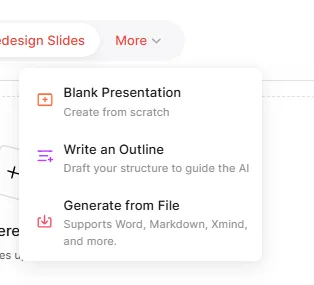
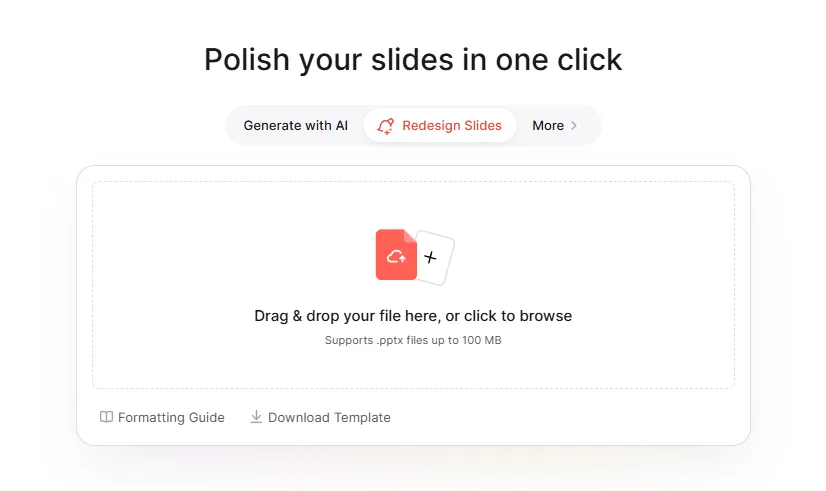
The interface opened in light mode first, but switching over to dark mode made a real difference for me, I ended up preferring it for most of the session. The home page laid out several starting points, Generate with AI as the main option, Redesign Slides for uploading an existing PowerPoint and having it reworked, and under a “More” menu there was a blank presentation option, an outline first workflow, and generating straight from an uploaded file. So even before touching the AI generation itself, it was obvious Presenti wanted to cover both the AI native crowd and people coming from a more traditional slide building habit.
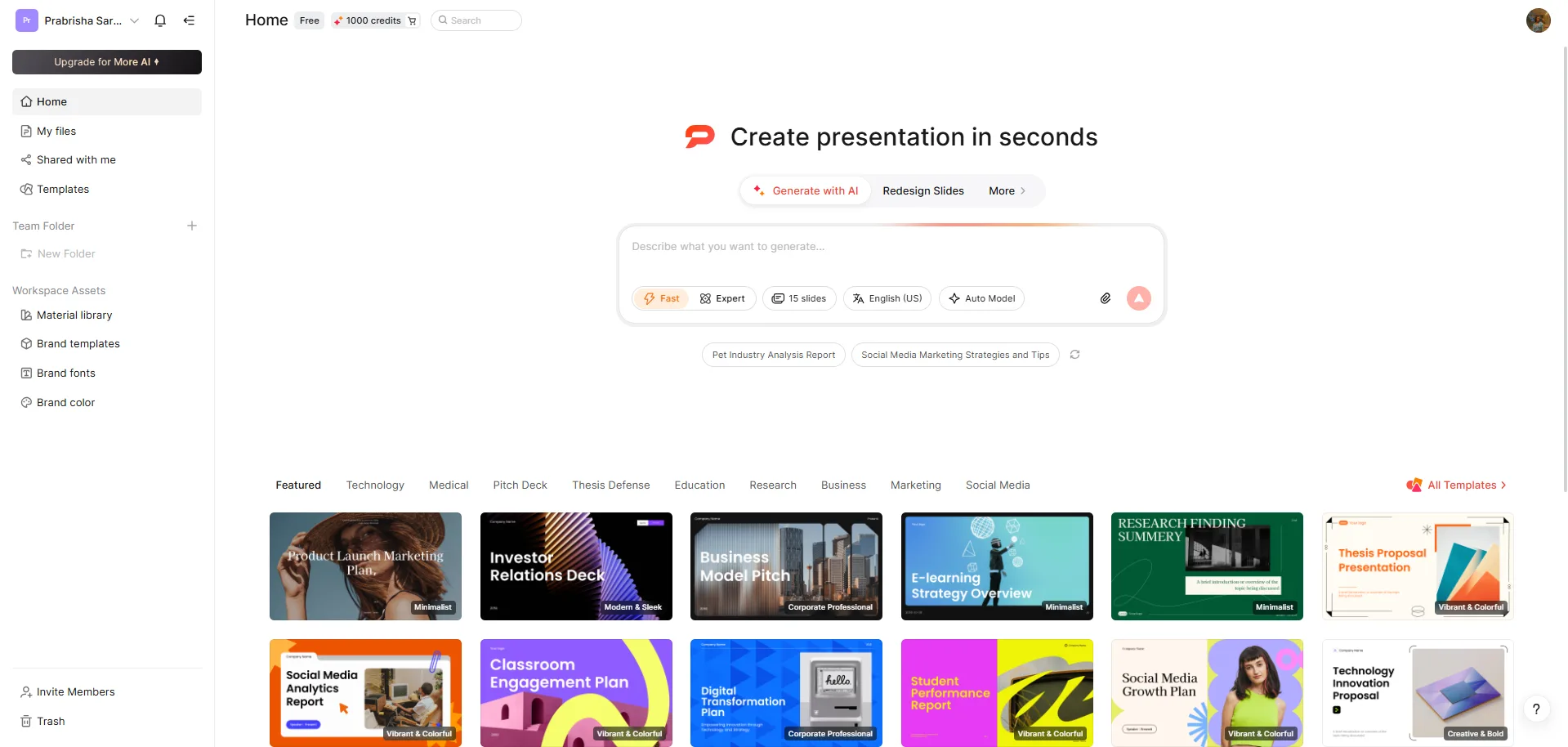
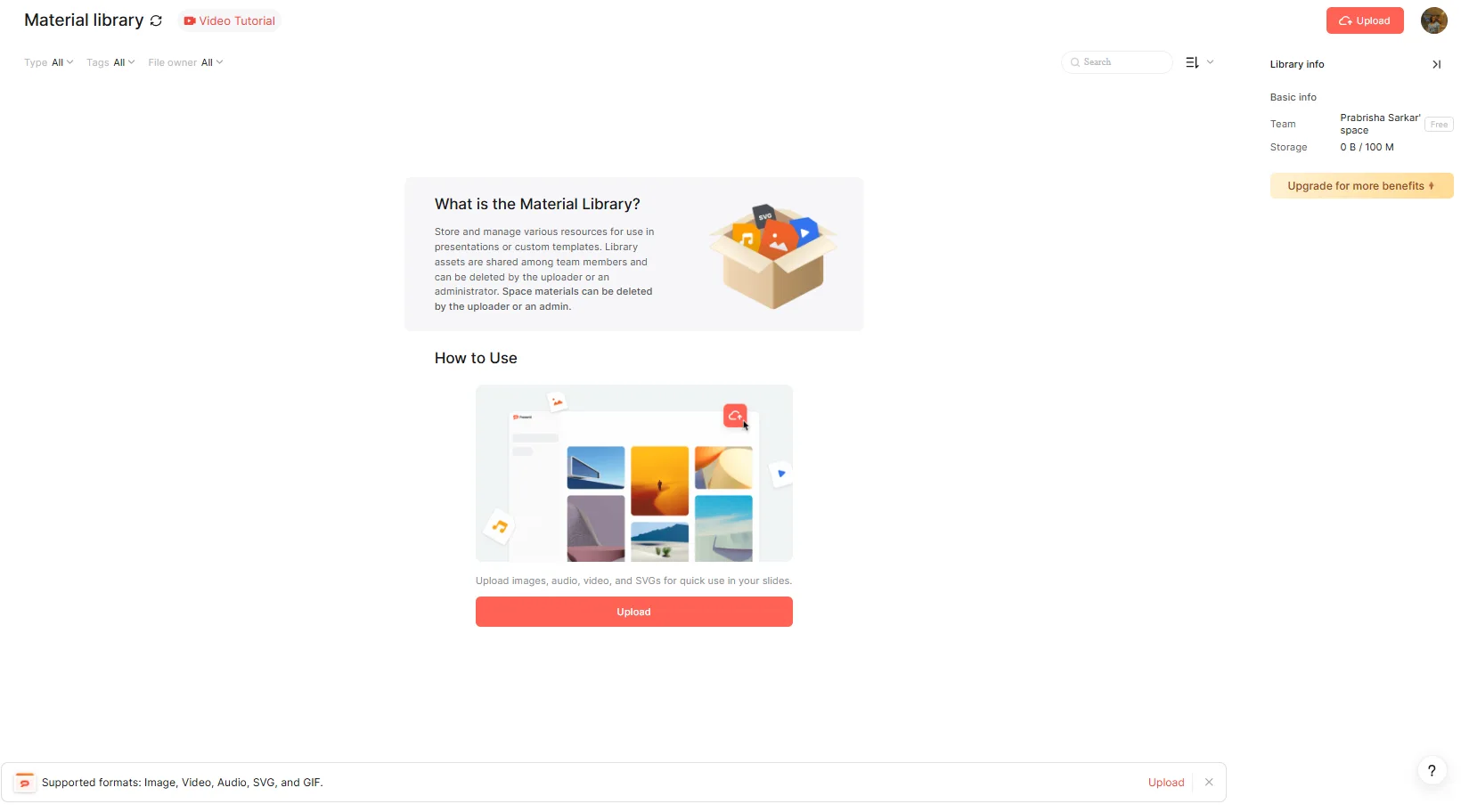
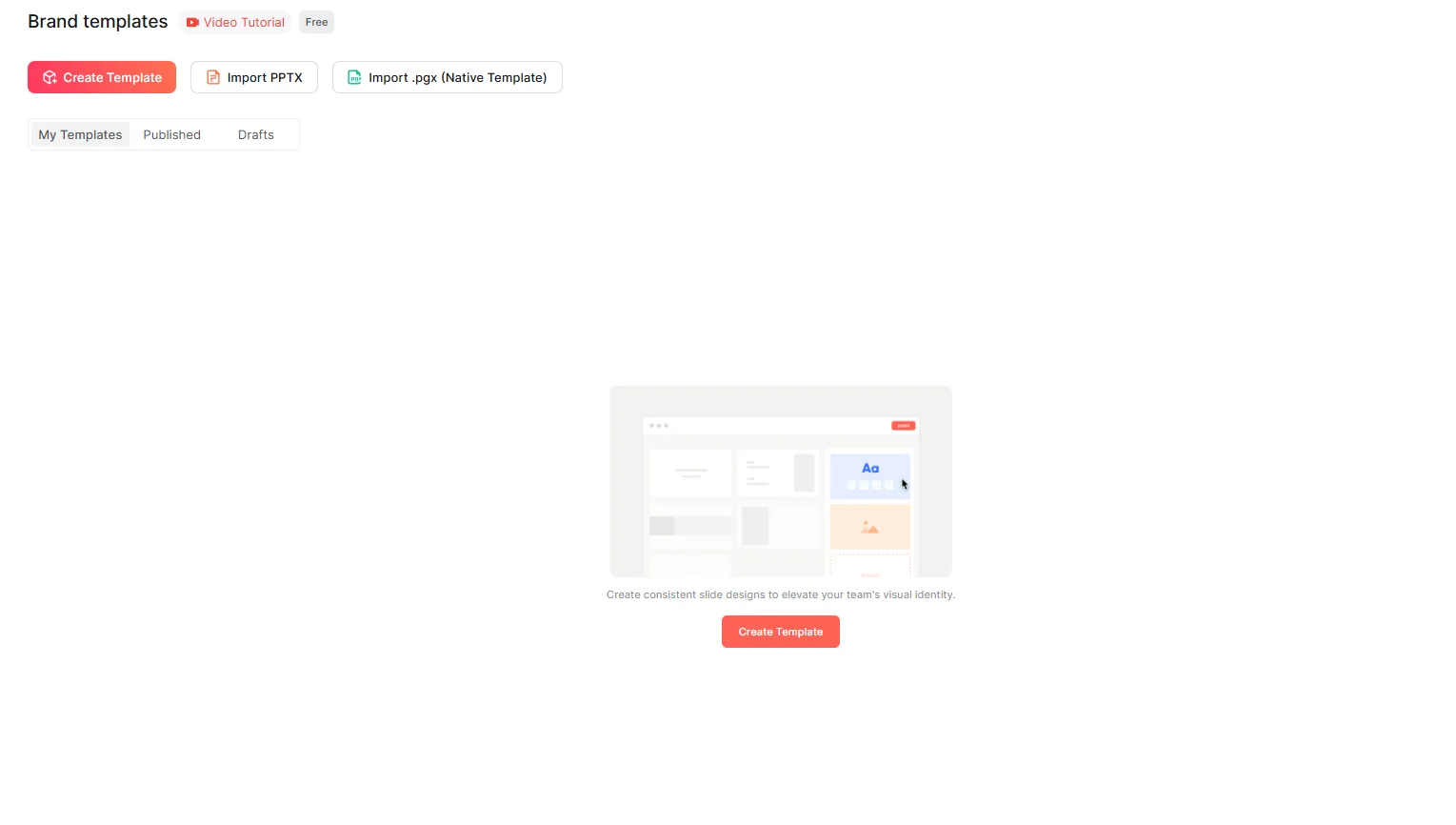
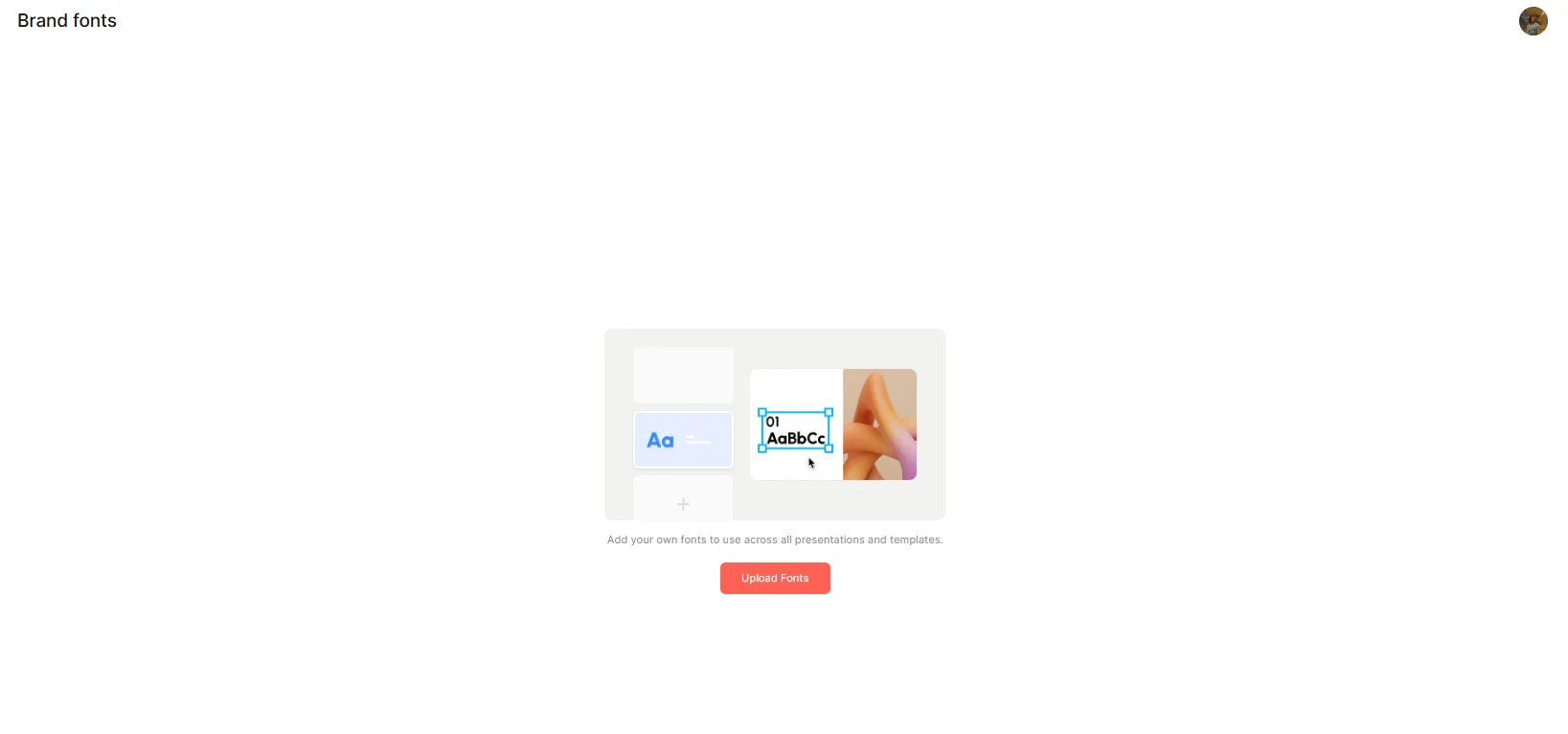

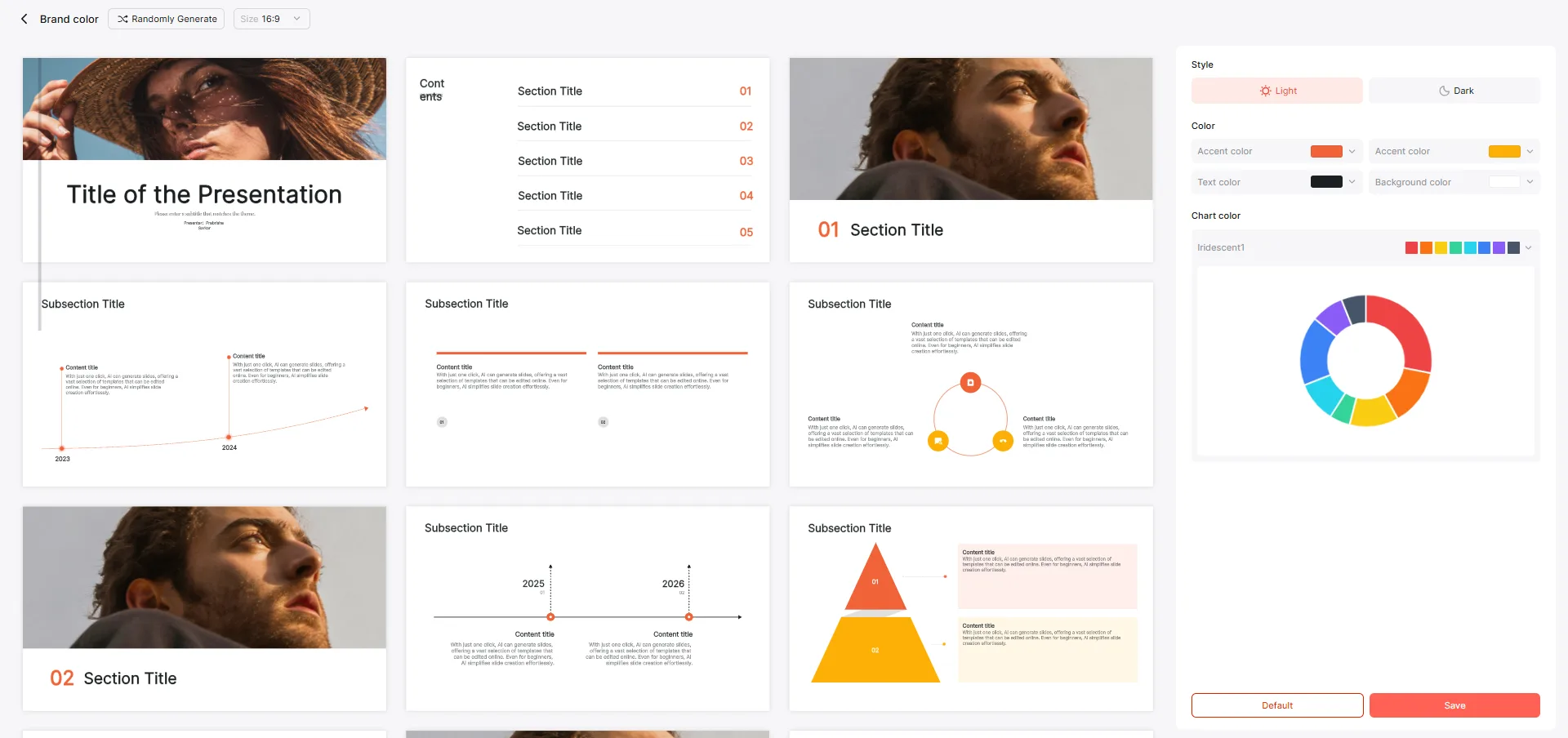
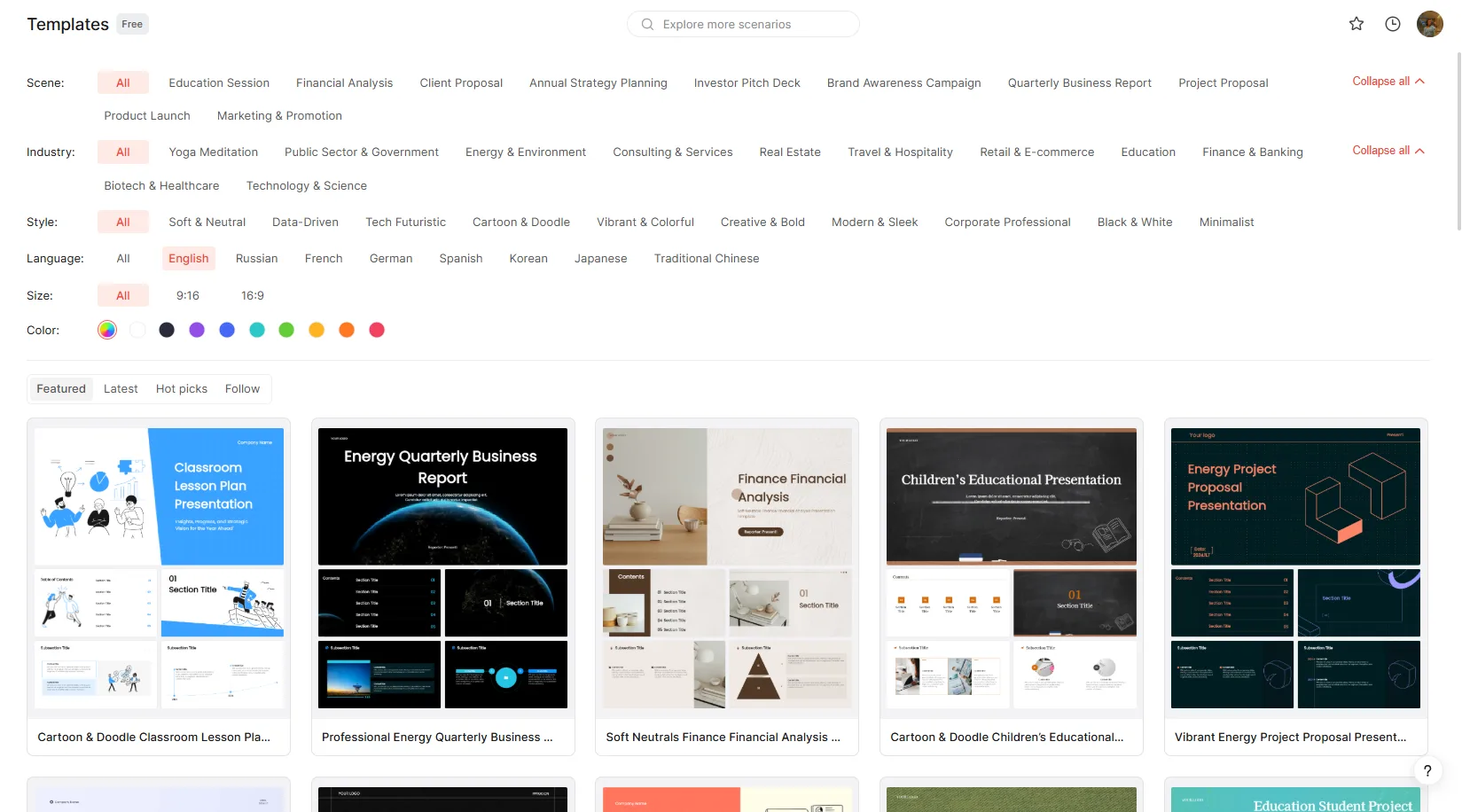
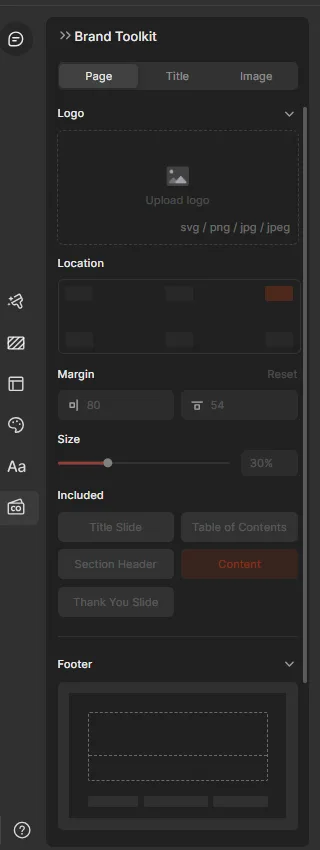
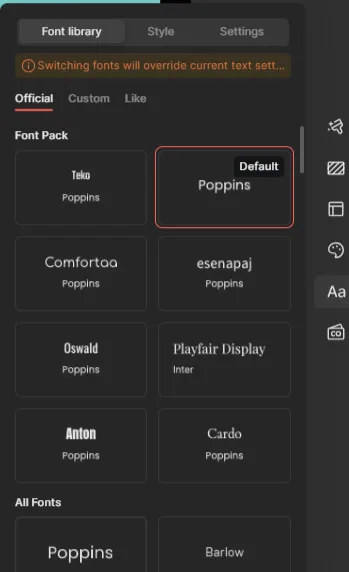
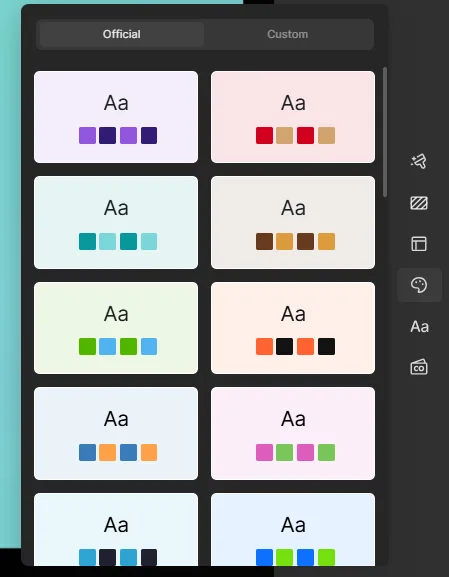
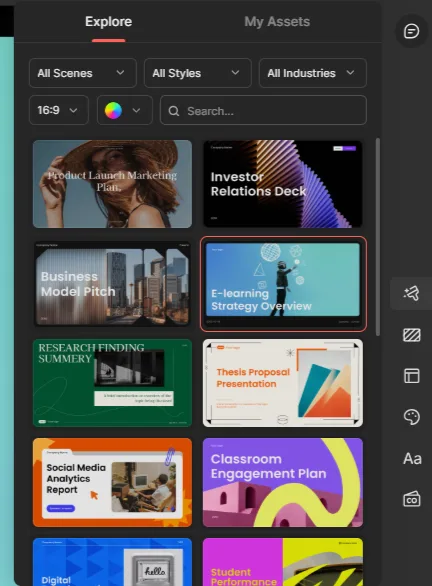
There were also several brand management sections tucked into the sidebar, a Material Library, Brand Templates, Brand Fonts, and Brand Color. I could upload or create templates, set specific fonts, and adjust preset color palettes to match whatever I actually needed. For a corporate or agency setting this stuff matters a lot, being able to keep a consistent look across decks instead of the AI reinventing the visual identity every single time. The general template library sitting alongside all this was also fairly deep, filterable by category and style, so I never felt short on starting points.
Core Features
This is where my opinion ended up split pretty evenly between impressed and frustrated.
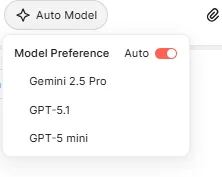
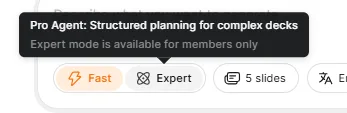
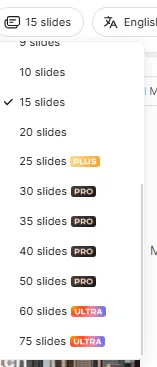
Pre generation controls. Before I even typed a prompt, Presenti let me pick the slide count, anywhere from a short deck up to 75 slides, though anything past 20 slides required a paid tier, 25 and 30 needed Plus, 50 needed Pro, and 60 or 75 needed Ultra. I could also choose the underlying model, Auto, Gemini 2.5 Pro, GPT 5.1, or GPT 5 mini, plus a choice between Fast mode for quick planning and Expert mode for more structured, complex decks. Honestly, I don’t see model selection exposed this directly in most tools I’ve tested, so that stood out to me as a genuinely unusual and welcome bit of transparency.

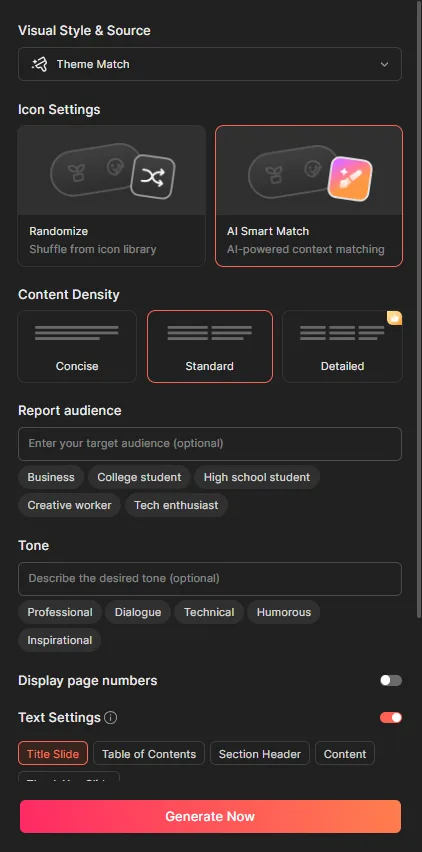
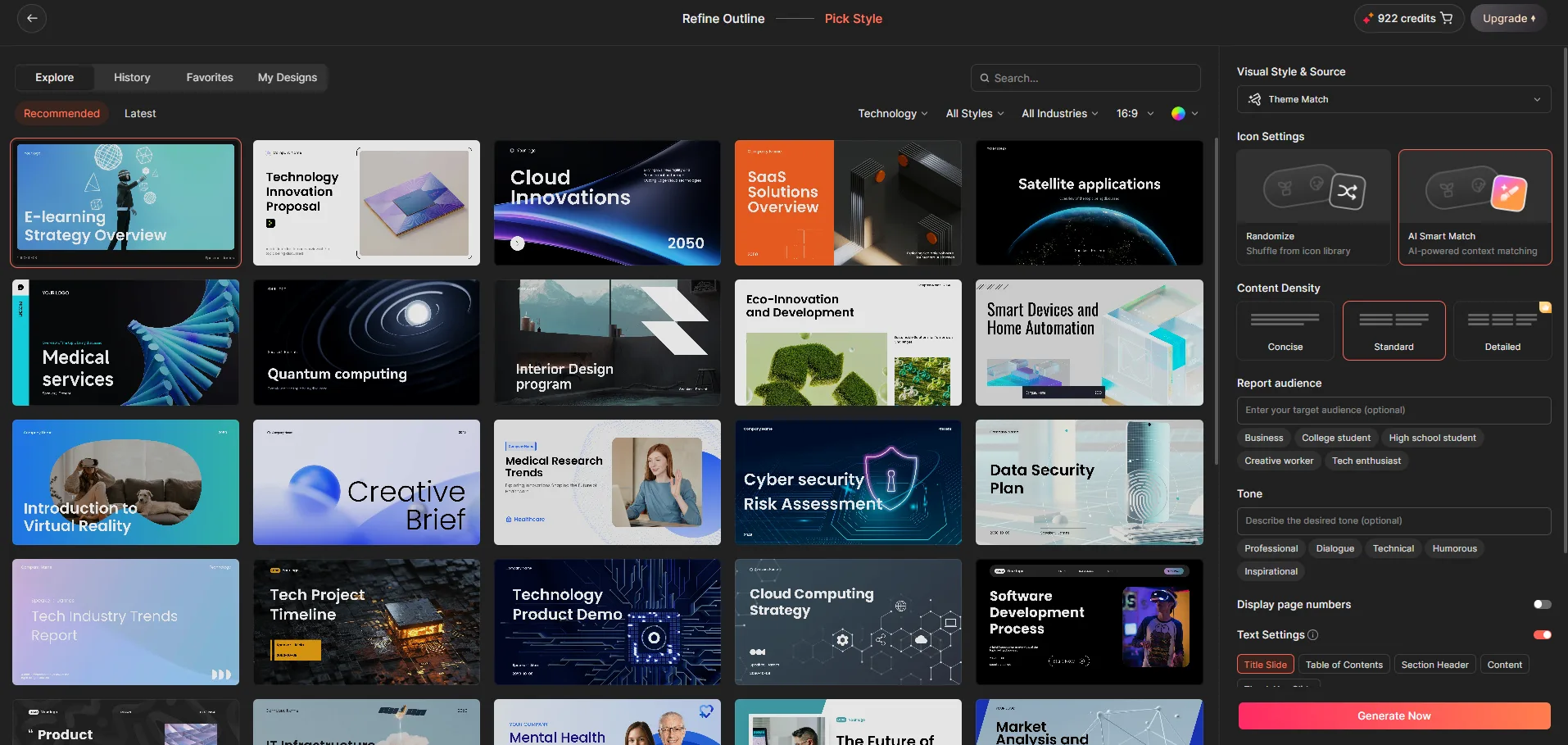
Outline and setup. Same pattern as the other tools in this series, it generated an outline first before touching actual slides, and I could review it before committing. After that came theme selection, plus more granular controls, matching visual style to content, choosing content density between concise and standard, picking an audience (business, college student, high school student, creative worker, tech enthusiast) and a tone (professional, dialogue, technical, humorous, inspirational). I liked having this many levers before generation even started, it felt like more influence over the outcome than a single generic prompt box would give me. A chunk of the more detailed controls were gated behind paid plans though, worth flagging upfront.
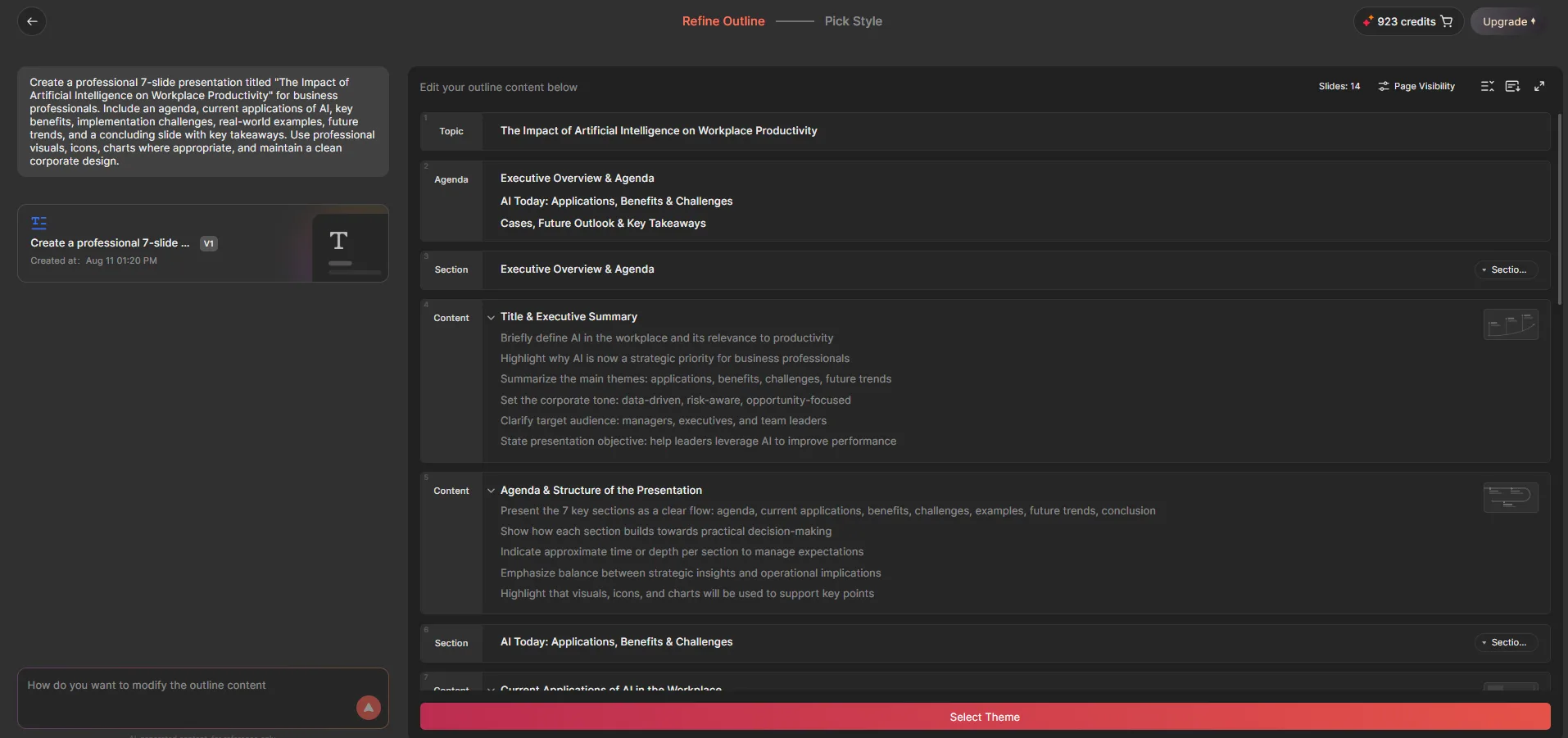
Generation speed and initial quality. It was quite fast, one to two minutes, occasionally closer to three. No complaints there. The first deck I generated actually looked good at a glance, real diagrams and charts instead of walls of bullet points, reasonably polished overall.
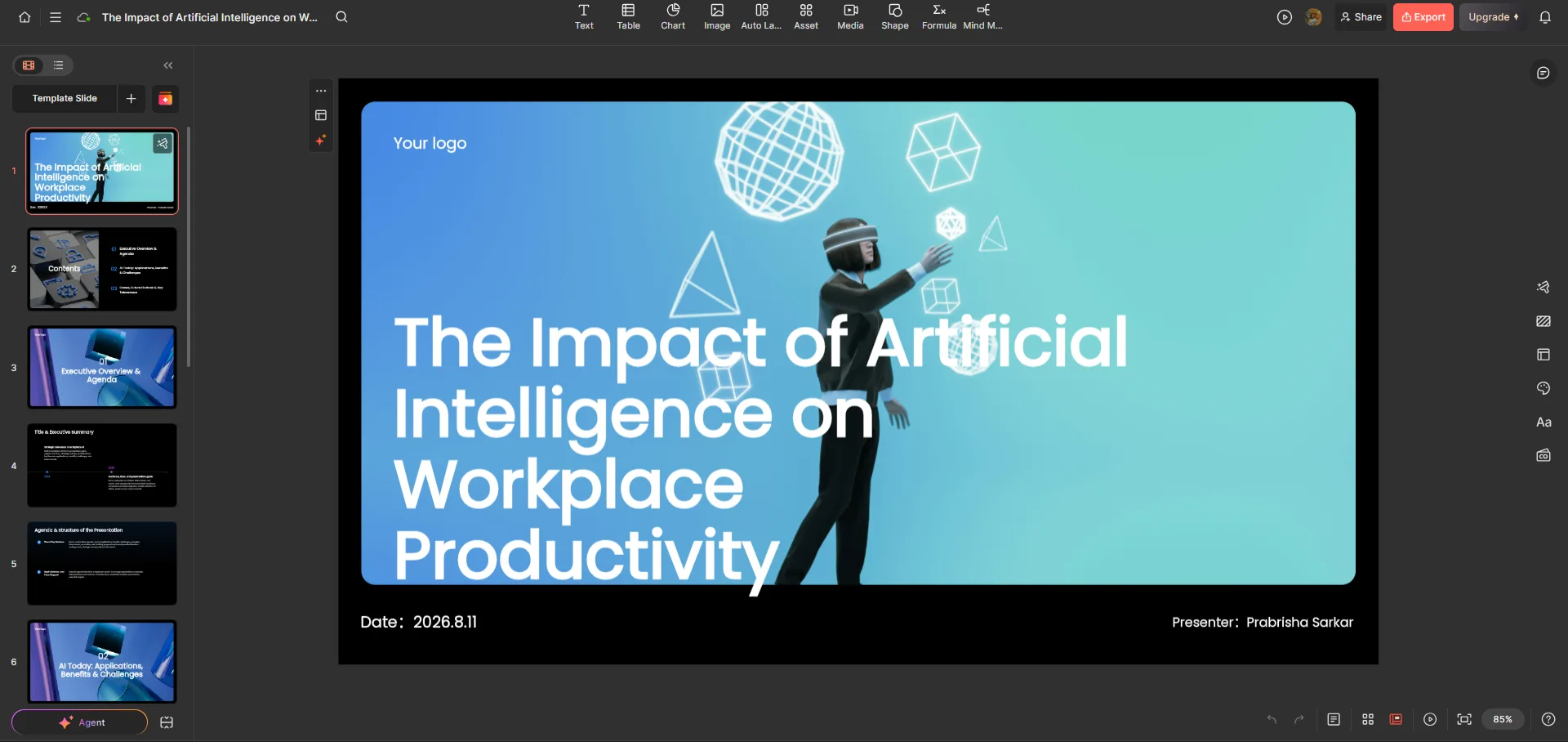
AI Agent. This is where things went sideways for me. I specifically asked for a seven slide deck and got fourteen instead. Fine, I figured, I’ll just ask the AI Agent to trim it down. I did, explicitly, more than once. It stayed at fourteen slides. It added a new slide I’d asked for and may have quietly dropped one somewhere in the process, but the actual instruction, cut this down to seven, never got carried out. Compared to Gamma, which handled a nearly identical slide reduction request without issue, this was a real and noticeable weakness. An AI agent that can’t reliably execute a simple structural instruction isn’t something I’d trust with bigger changes unchecked, I’d always feel like I needed to double check its work afterward.
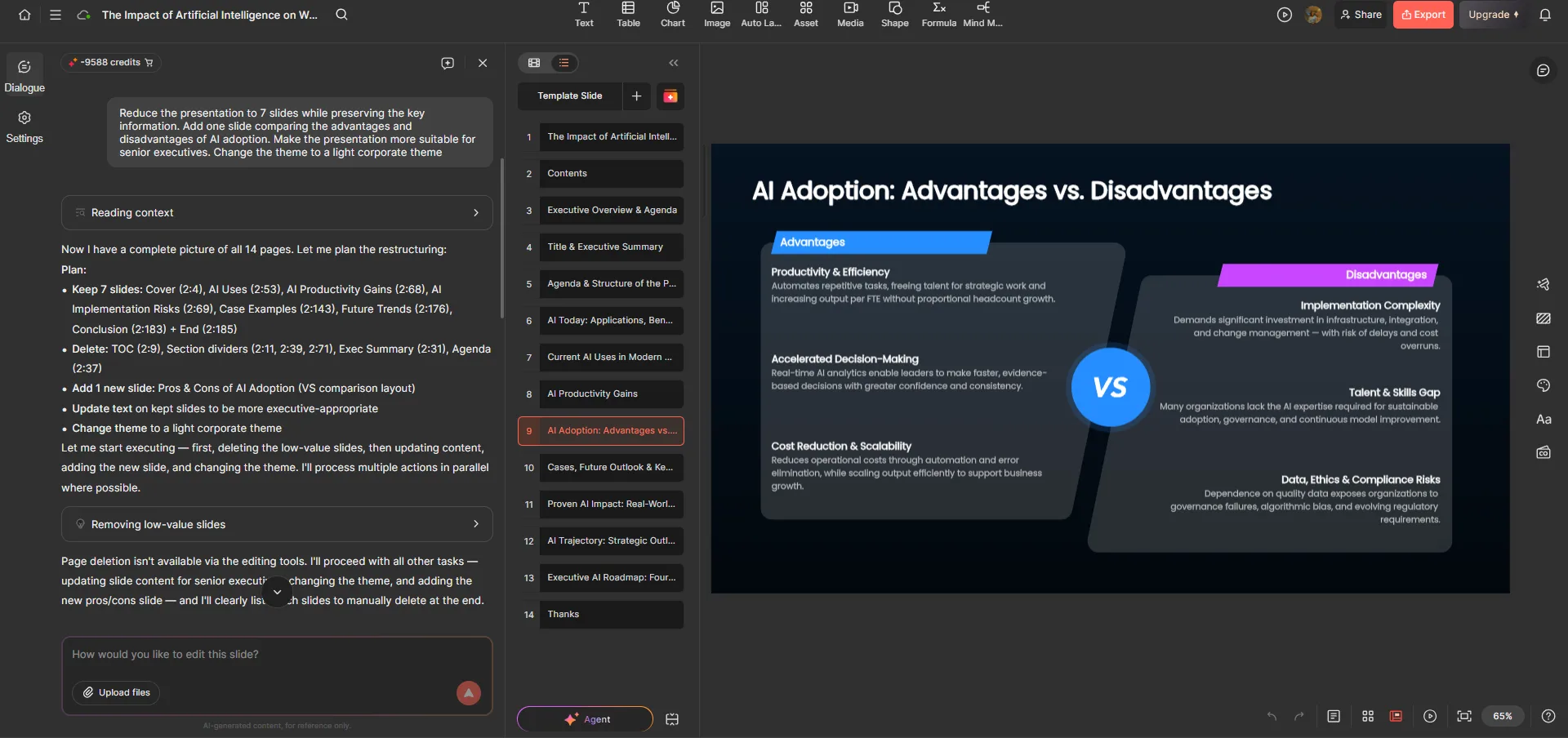
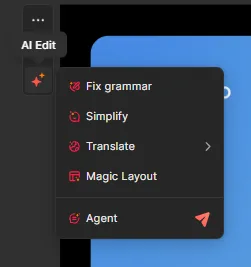
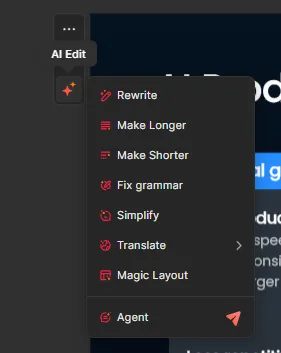
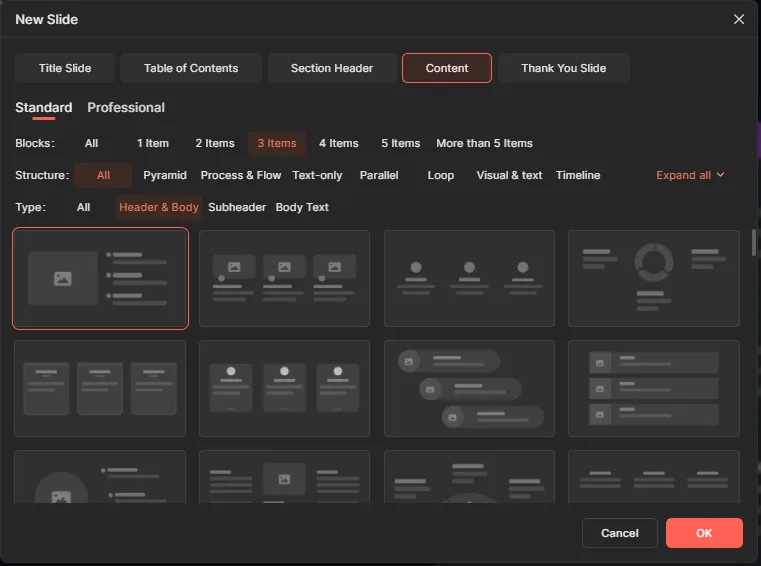
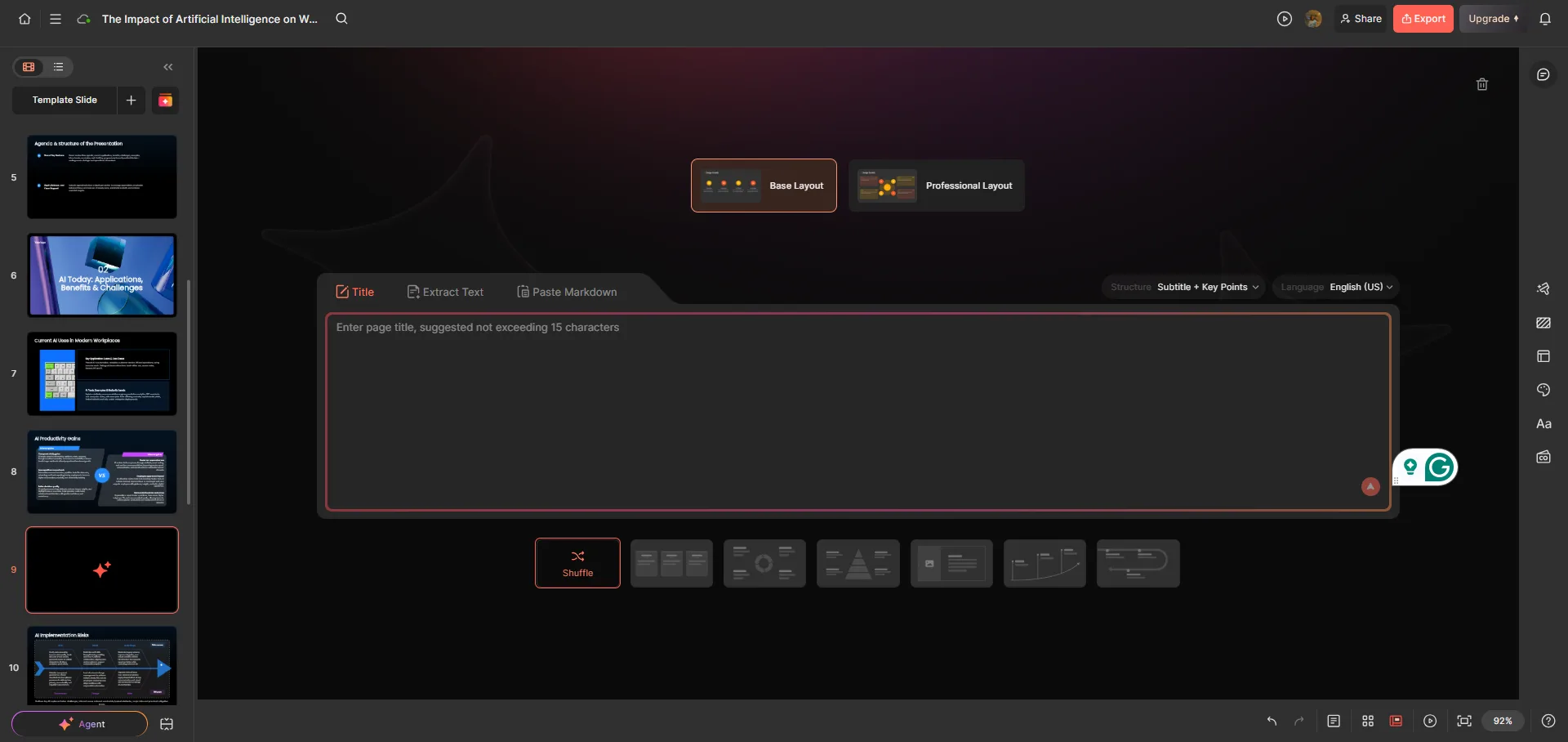
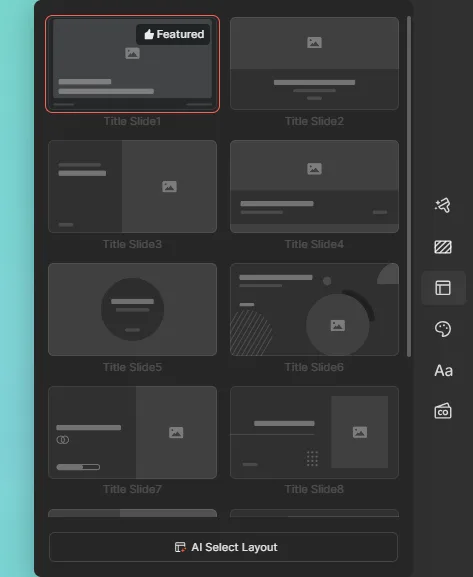
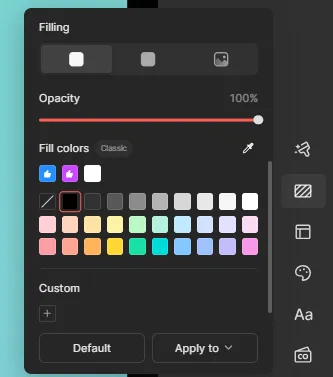
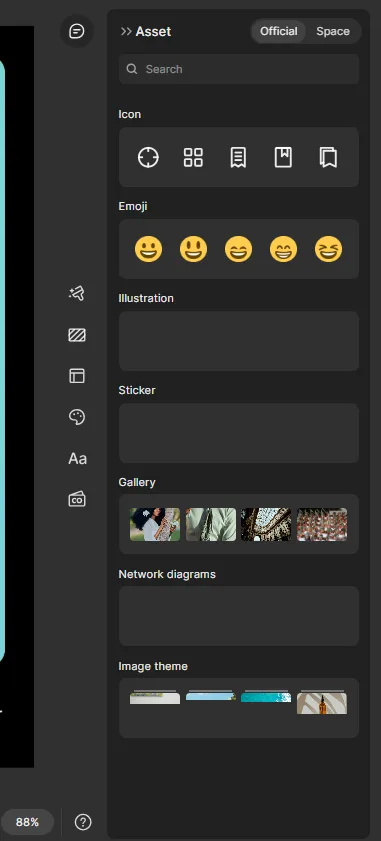
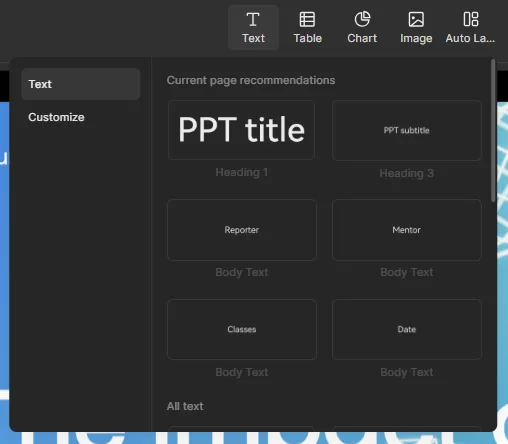
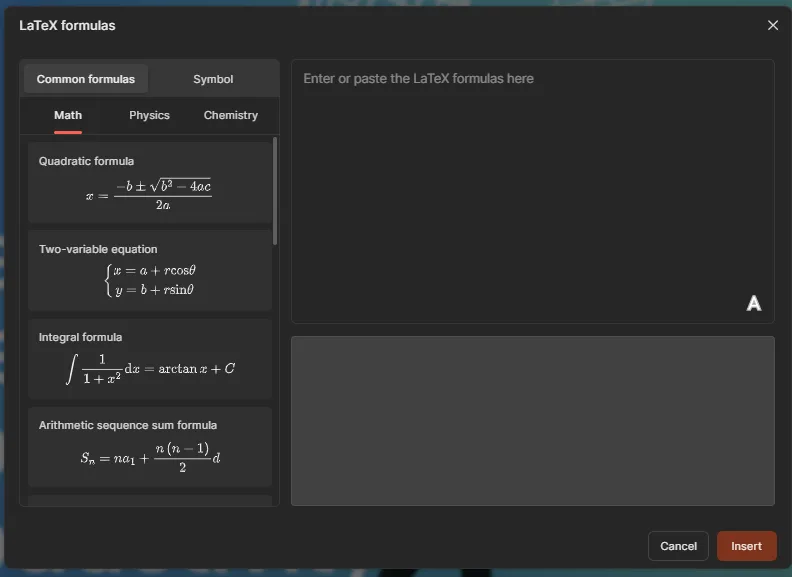
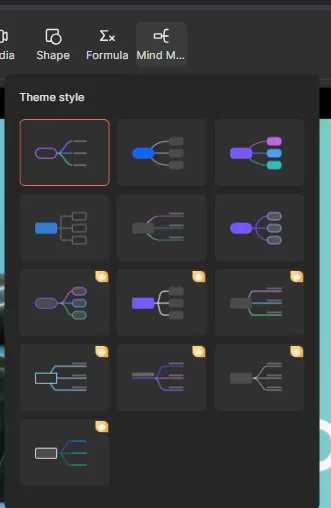
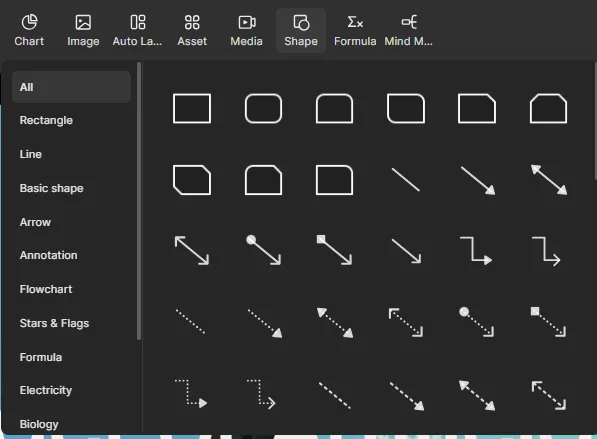
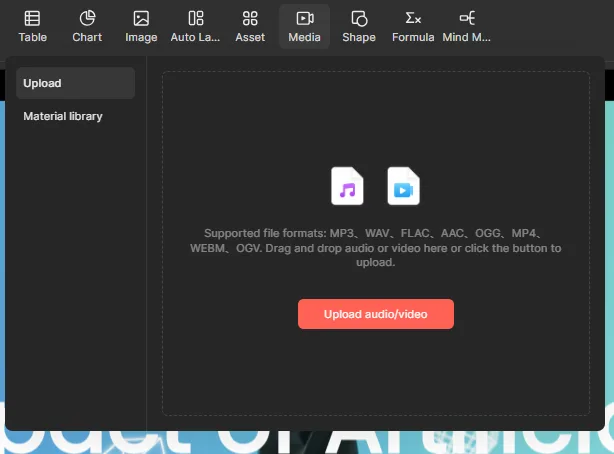
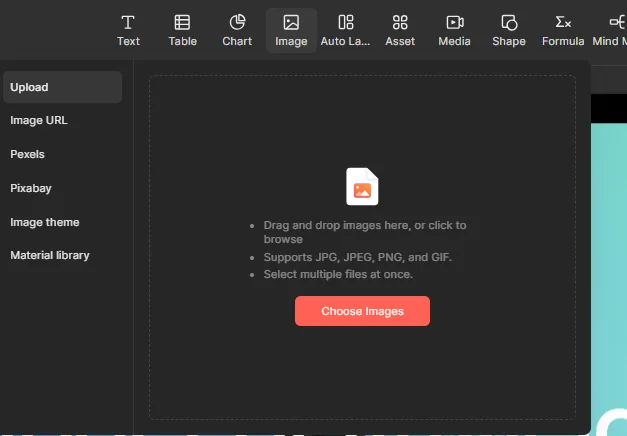
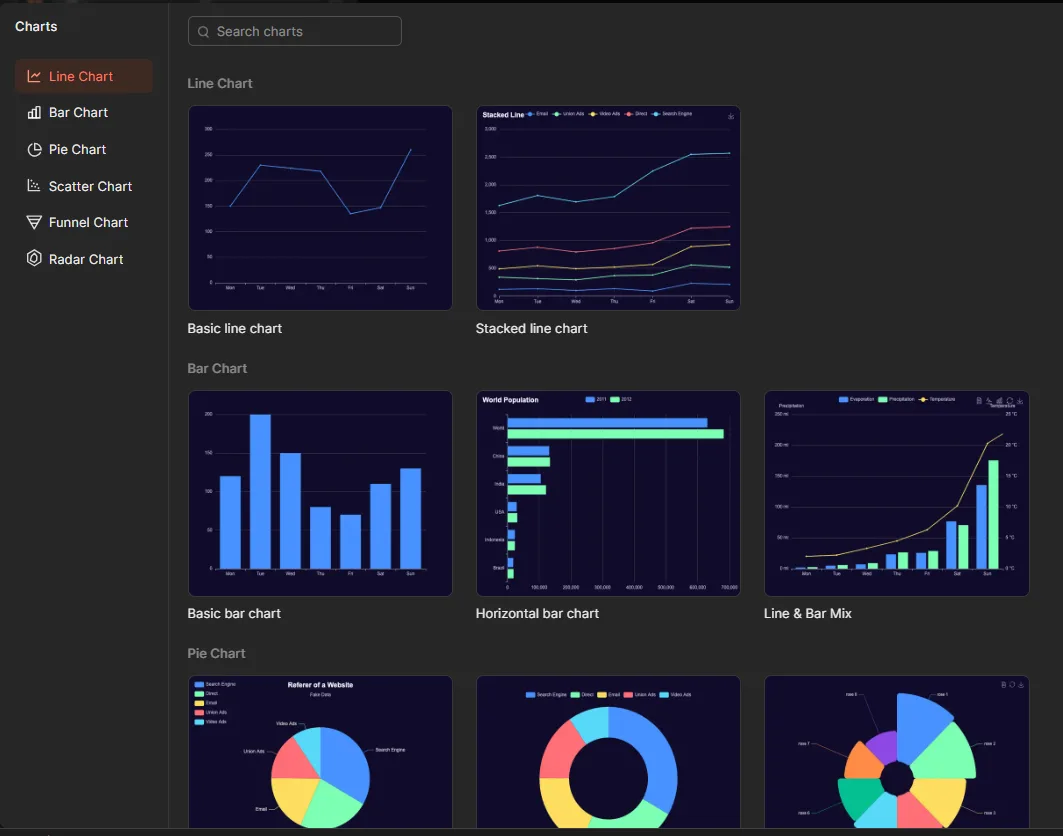
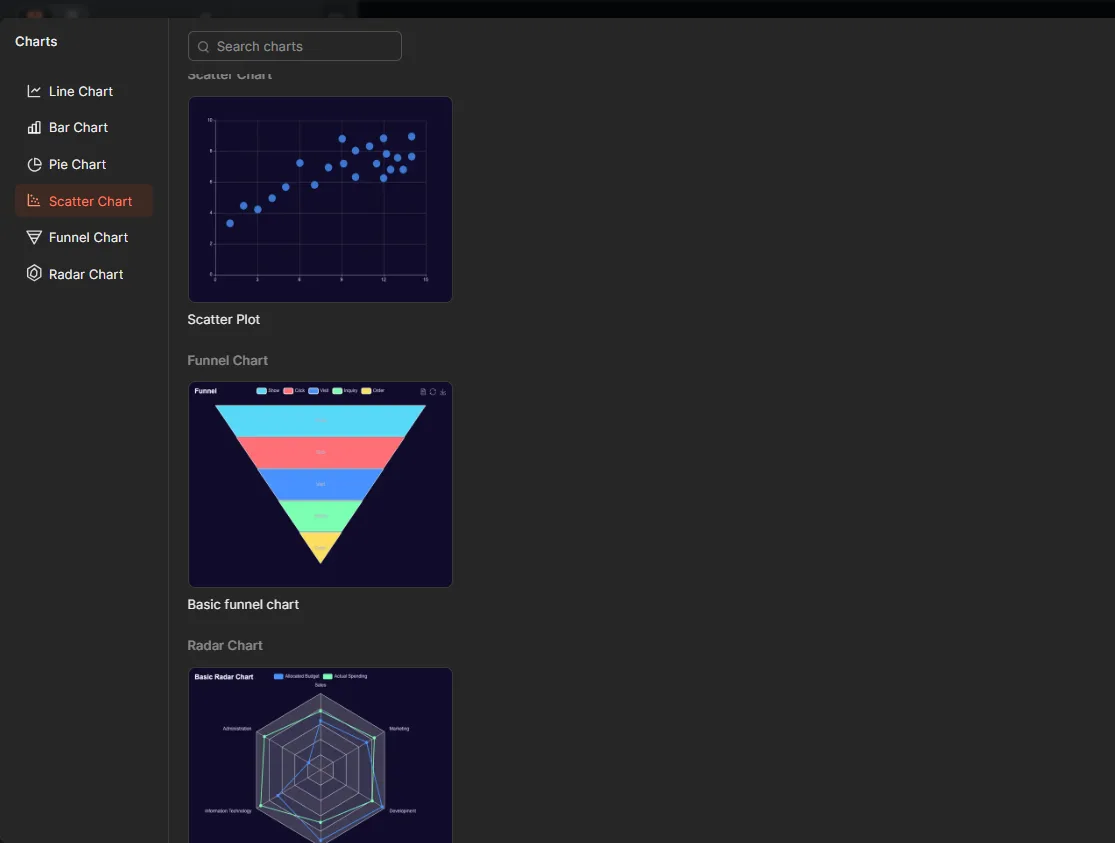
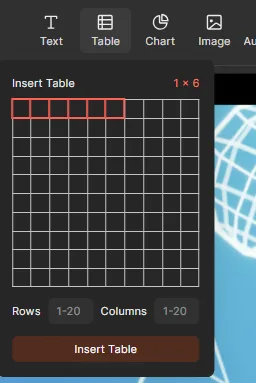
Manual editor. This is genuinely the strongest part of Presenti. Theme, color, opacity, layout, and font controls, a dedicated brand toolkit for logos and styling, and the ability to manually drop in text, tables, charts, images, audio, video, shapes, formulas, and mind maps. The chart library covered several types, mind maps came in multiple visual styles though some were locked behind subscription tiers, and the asset panel had icons, emojis, illustrations, stickers, and galleries. If I wanted to build a slide manually rather than editing something generated, there were pre built layout structures to start from instead of a totally blank canvas. Media support was broad too, image uploads plus stock libraries, and audio and video support across formats like MP3, WAV, AAC, MP4, and WebM.
Speaker notes. There were two options here, generate notes for just the current slide or for the whole deck, and I appreciated having that choice rather than being forced to regenerate everything every time. The notes themselves were solid enough to actually present from. That said, I didn’t find the output meaningfully different from what I’d get pasting a deck into a general purpose AI assistant and asking for the same thing. The convenience of it living inside the editor is the real selling point here, not the quality of the notes themselves.

Credits, and this is the part that really soured things. I started with around 1,000 AI credits. The initial generation ate roughly 300 of them. After running a handful of AI Agent edits on top of that, my balance showed negative 9,588 credits. The interface broke down costs by action, AI Prompt Generation at 500 credits per use, AI Presentation in Expert Mode at 5,000 credits per use, AI Ask Me Generation at 100 credits per use, AI Image Generation at 300 credits per use, with a note that actual usage depends on task complexity. Even seeing those numbers laid out, I genuinely couldn’t reconstruct how I ended up thousands of credits in the negative from one deck and some edits. I tried starting a second presentation afterward, went through the entire outline and setup flow again, and got blocked right at generation because the credits were gone.

Performance, Reliability & Everyday Usability
Generation speed was consistently fast for me, and I didn’t run into any crashes, freezing, or noticeable lag while working in the editor, even when I spent longer sessions jumping between different panels and trying out different tools. The overall editor felt stable, and once I was manually editing the presentation, I didn’t have any issues with layouts breaking apart or elements suddenly shifting around. So for me, the real reliability issue wasn’t technical stability at all, it was whether the AI would actually do what I asked it to do.
The failed slide reduction request was the clearest example of that. I had given the AI Agent a very straightforward instruction to bring the presentation down to seven slides, but it didn’t actually complete that task even after I repeated the request. It could make individual changes, like adding a slide, but it wasn’t consistently following the bigger structural instruction I had given it. That’s exactly the kind of thing that made me second guess handing larger presentation-wide tasks over to the agent, because I found myself wanting to check every change afterwards instead of trusting that it had understood the request. For me, that ended up being a bigger reliability concern than anything happening inside the editor itself. Once I took over and made changes manually, though, the presentation remained stable and I didn’t see anything unexpectedly break or move around while I was working.
Pricing Breakdown & Limitations
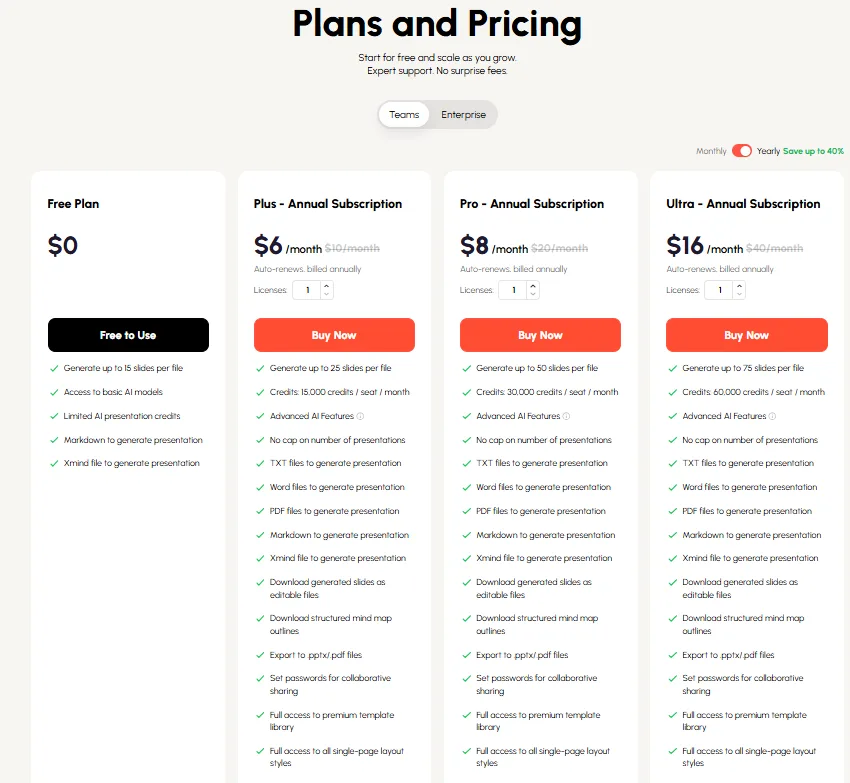
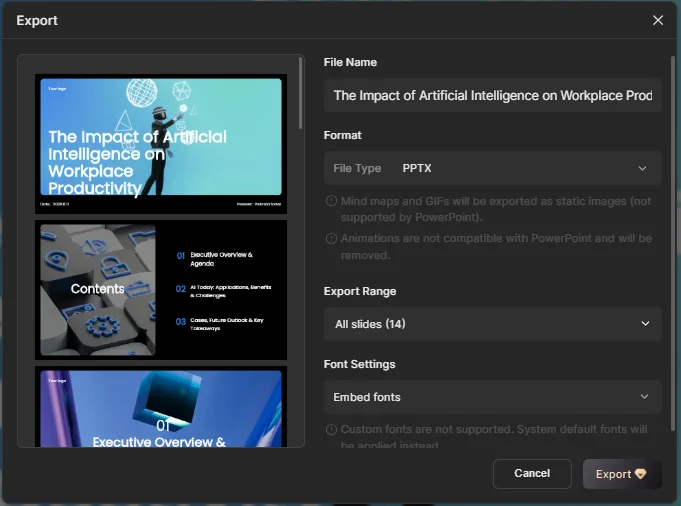
Presenti runs a Free plan alongside Plus at $6 a month, Pro at $8 a month, and Ultra at $16 a month, with annual billing baked into those numbers. Higher tiers unlock more generation credits, longer decks, and features like advanced mind map styles that sit behind a paywall on the lower plans. The Free plan let me invite up to five editors but didn’t include password protected sharing, and full export access along with certain sharing controls were tied to paid tiers as well. I could copy a shareable link freely, but that’s a different thing entirely from being able to just export a clean file whenever needed, and for anything professional, walking out of the platform with a usable file matters just as much as generating the thing in the first place.

Privacy & Data Handling
Checking Presenti’s actual policy directly, a few things stood out as practically relevant. The company behind it is Shenzhen Pixso Technology, and account data collected includes fairly standard stuff, name, email, billing info, along with device and usage data collected through the product itself. Where it gets more specific to the AI features is this, if the image generation tool is used, reference images get sent to whichever model is selected for processing, and for other AI features, documents get sent to a ChatGPT model for semantic analysis before the result comes back into the editor. The site also runs a fairly long list of third party tracking tools, Google Analytics, Facebook and LinkedIn pixels, Hotjar, and a few others depending on the page. Data deletion and access requests go through email rather than a self serve dashboard, and the policy is explicit that the platform isn’t intended for anyone under 16. Nothing here felt alarming exactly, but the direct routing of documents through a third party model for AI features is worth knowing about before uploading anything sensitive or client confidential.
Comparison Gamma vs Presenti
Category | Gamma | Presenti |
|---|---|---|
AI presentation quality | Polished, consistent, ready to present | Looks good initially but instruction following is unreliable |
Design quality | Clean and professional throughout | Strong, especially with brand tools factored in |
Visual assets | Automatic charts and diagrams built in | Wide manual asset library, less automatic polish |
Template variety | Solid range | Larger library plus dedicated brand template system |
Editing experience | AI editor plus manual tools working together smoothly | Manual editor is excellent, AI Agent is hit or miss |
AI assistance | Reliably executes specific instructions | Failed a basic slide count reduction request in my testing |
Export options | PDF, PowerPoint, Google Slides, PNG free | PPTX available but tied to plan restrictions |
Pricing | Roughly $8 to $20 a month for paid tiers | Roughly $6 to $16 a month for paid tiers |
Free plan | Genuinely usable, credits rarely felt tight | Credit system confusing, exhausted quickly and unpredictably |
Best use case | Fast AI assisted decks with minimal cleanup needed | Brand heavy, manually polished decks where AI is a starting point only |
Gamma still comes out ahead for me here, mainly because I can actually trust its AI editor to do what I ask without needing to babysit the output afterward. Presenti’s manual toolkit and brand features are genuinely better in some respects, but that only matters if the AI layer sitting on top of it behaves predictably, and in my testing it didn’t consistently.
Final Verdict
My overall experience with Presenti landed somewhere in the middle. I liked the interface a lot, dark mode alone put it ahead of some competitors for me personally, and the brand management tools, template depth, and sheer range of customization both before and after generation impressed me. Being able to pick the underlying model and choose between Fast and Expert modes was a genuinely interesting touch. The manual editor is easily the strongest single part of the whole platform, there’s enough here to substantially rebuild a deck by hand if needed.
But the AI reliability issues pulled my overall impression down more than I expected going in. Generating double the requested slide count is one thing, but failing to fix that even after a direct follow up instruction is a bigger problem, it tells me the agent can’t be fully trusted with structural changes. The credit system compounded that frustration, watching a balance swing to nearly ten thousand in the negative after one deck and a few edits, with no clear explanation available in the interface, made me wary of relying on it for anything beyond casual testing.
Weighing all of it, I’d put Presenti below Gamma but ahead of PPT.AI. The bones of a genuinely strong, brand focused presentation tool are here, but the AI layer needs to catch up to the quality of everything built around it before I’d trust it with anything time sensitive or client facing.
Overall Score: 6.7/10.
Frequently Asked Questions:
Yes. Presenti provides an upfront model selector letting users choose between Auto, Gemini 2.5 Pro, GPT-5.1, or GPT-5 mini, alongside Fast and Expert planning modes.
Yes, Presenti’s manual editor includes built-in support for inserting LaTeX equations across math, physics, and chemistry, as well as multiple customizable mind map templates.
While the Agent can add new slides, testing revealed it struggled with structural commands—failing to reduce a 14-slide deck down to 7 slides despite repeated instructions.
Users start with roughly 1,000 credits, but specific actions have steep costs (such as 5,000 credits for Expert mode presentations), which can quickly exhaust balances after a single deck and a few edits.
Yes. Presenti provides an upfront model selector letting users choose between Auto, Gemini 2.5 Pro, GPT-5.1, or GPT-5 mini, alongside Fast and Expert planning modes.
Yes, Presenti’s manual editor includes built-in support for inserting LaTeX equations across math, physics, and chemistry, as well as multiple customizable mind map templates.
While the Agent can add new slides, testing revealed it struggled with structural commands—failing to reduce a 14-slide deck down to 7 slides despite repeated instructions.
Users start with roughly 1,000 credits, but specific actions have steep costs (such as 5,000 credits for Expert mode presentations), which can quickly exhaust balances after a single deck and a few edits.
Subscribe to our email newsletter to get the latest posts delivered right to your email.
Comments