Conclusion
After a thorough analysis of various AI email tools, it’s clear that the choice between single-function and multifunctional tools depends largely on individual needs and preferences. Single-function tools like Clean.Email and Ready to Send excel in their specific tasks, offering exceptional value and performance in their respective domains. On the other hand, multifunctional tools like Fyxer and Actor.do provide a broader range of features, making them ideal for users seeking a comprehensive solution. Fyxer stands out for its premium features and depth in drafting and scheduling, while Actor.do shines in automation and rule settings. Ultimately, the best choice hinges on whether you prioritize specialization or versatility in your email management.
Table of Contents
- 1. Inbox Cleanup, Rules & Move to Trash
- 2. Drafting & Reply Generation
- 3. Email Analysis & Triage
- 4. Rule Automation & AI Logic
- 5. Subscription Management / Unsubscribing
- 6. Scheduling, Events & Agenda Management
- 7. Follow-Ups, Nudges & Reminders
- 8. Export & Share Features (WhatsApp, etc.)
- 9. Tone & Style Training
- 10. App Ecosystem / Mini-Modules
- 11. Performance & Speed
- 12. Ease of Setup & Onboarding
- 13. Cross-Platform Support (Gmail + Outlook)
- 14. Pricing & Value
- Final Winners
- Frequently Asked Questions
I’ve spent the past months testing a whole ecosystem of AI email tools, some tiny and hyper-focused, others massive and multifunctional. Somewhere along the way, I realised most people don’t struggle with choosing between two email tools. They struggle with choosing between a cheaper, single-function tool and a feature-packed, multifunctional platform that promises to help with everything.
I kept asking myself: “If I only need one function, say cleanup, or drafting, is it smarter to go for a specialist tool that nails it? Or a multifunctional tool that costs more but might cover additional needs later?”
The more I tested, the more I realised the real struggle isn’t “Which two tools should I choose between?” The real struggle is deciding whether I should commit to a cheaper, single-function tool that does one thing exceptionally well, or pay more for a multifunctional platform that might cover far more of my workflow if I ever need it.
What made this even more interesting is how differently these tools think. Clean.Email thinks in terms of structure and grouping. Fyxer thinks in terms of context and relationships. Actor.do thinks in rules and automation patterns. Shortwave thinks in bundles and speed. Ready to Send thinks purely in tone. Somewhere in that mix, I started seeing a pattern; the tools aren’t competing as much as they’re compensating for each other’s weaknesses. And that’s when it clicked for me that comparing them tool-versus-tool was useless. The only fair way was to compare function versus function: cleaning against cleaning, drafting against drafting, automation against automation.
That became the starting point of this blog.
Instead of comparing tools in a big messy group, I decided to compare functions one by one. For each function, I looked at:
- What the specialist tool does
- What each multifunctional platform does
- Which one actually works better in real use
- And whether the cheaper, single-function option is still the smarter buy
For example:
- Clean.Email’s cleaning vs Actor.do’s cleaning vs SaneBox’s cleaning
- Fyxer’s drafting vs Ready to Send’s drafting vs Shortwave’s drafting
- Actor.do’s rule engine vs Clean.Email’s automation vs SaneBox’s filters
This made the comparison fair, structured, and actually useful, because comparing a drafting tool to a cleaning tool makes no sense.
The tools I compared:
- Actor.do – the multifunctional automation assistant
- Fyxer – premium executive-assistant-style AI
- SaneBox – inbox organiser / filtering tool
- Clean.Email – cleaning + unsubscribe + bulk management
- Shortwave – Gmail client with smart bundles + drafting + search
- Ready to Send – Gmail drafting add-on
- HeyHelp – Gmail sidebar AI drafter
1. Inbox Cleanup, Rules & Move to Trash
Cleaning an inbox is a strange experience, sometimes it feels therapeutic, other times it feels like we’re scraping barnacles off an old ship. When I threw my inbox at these tools, it immediately became obvious which ones were built for this and which ones were trying their best to keep up. Cleaning is the category where I immediately knew single-purpose tools had the advantage. When I tested Clean.Email, I could instantly see how deeply it understood the chaos in my inbox. It grouped things into “old mail,” “large mail,” “social updates,” “newsletters,” and so on. Actor.do’s cleanup rules are good, but not as intuitive or visually guided. SaneBox shines at ongoing filtering, but not deep cleaning. Shortwave offers helpful bulk actions but nothing dramatic. This is the one category where specialisation pays off instantly.
Contenders
- Clean.Email
- SaneBox
- Actor.do
- Shortwave
- Fyxer (very light cleanup)
Comparison Table
| Tool | Cleanup Strength | Ease | Automation | Notes |
| Clean.Email | ☆☆☆☆☆ | Very easy | Yes | Best for big cleanups |
| SaneBox | ☆☆☆☆ | Very easy | Yes | Great long-term filtering |
| Actor.do | ☆☆☆ | Medium | Yes | Good, but not specialist-level |
| Shortwave | ☆☆ | Easy | Limited | Basic bundles + delete |
| Fyxer | ☆ | N/A | No | Not designed for cleanup |

Winner: Clean.Email It consistently cleaned thousands of emails faster and more accurately than the others, and its grouping was miles ahead of any multifunction tool.
For inbox cleaning, I genuinely feel single-purpose tools have the upper hand. Clean.Email makes it obvious that when a tool focuses on one job, it can do it better than anything multifunctional I’ve tried.
2. Drafting & Reply Generation
Drafting is where AI tools can feel magical… or painfully robotic. Drafting emails is where AI tools either shine brightly or show their cracks. I spend a ridiculous amount of time replying to everyday messages: follow-ups, confirmations, politely declining things, acknowledging something, or explaining the same concept again and again. So I became hyper-aware of how each tool “felt” when drafting. My experience was very consistent: Fyxer writes the way a person writes when they’re having a good day, calm, measured, emotionally aware. Ready to Send feels like the lightning-fast version of myself when I’m in a rush but still polite. HeyHelp is the version of me who’s trying to sound friendly but efficient and it handles tone better inside Gmail. Actor.do drafts well but tends to be too brief when the situation needs detail. Testing them back-to-back made their personalities incredibly obvious.
Contenders
- Fyxer
- Ready to Send
- HeyHelp
- Shortwave
- Actor.do
Comparison Table
| Tool | Short Replies | Long Replies | Tone Matching | Speed | Notes |
| Fyxer | ☆☆☆☆ | ☆☆☆☆☆ | High | Good | Best for nuance + long form |
| Ready to Send | ☆☆☆☆☆ | ☆☆ | Very high | Very fast | Best everyday replier |
| HeyHelp | ☆☆☆☆ | ☆☆ | High | Fast | Great inside Gmail |
| Shortwave | ☆☆☆☆ | ☆☆☆ | Medium | Very fast | Clean, but neutral |
| Actor.do | ☆☆☆ | ☆☆ | High | Fast | Length not always adequate |
When I say “tone matching,” I’m referring to a combination of three things: how well the tool matches my own writing style, how well it adapts to the emotional tone of the message I’m replying to, and how much control I have over the tone settings. Fyxer does all three extremely well because it studies previous emails I’ve written and understands the context of the thread. Ready to Send focuses more on sounding like me, clear, polite, and concise, while HeyHelp mirrors the sender’s tone slightly more. Actor.do lets me customise tone presets manually, but sometimes feels too short. So “tone matching” isn’t just one thing; it’s how naturally and consistently the assistant sounds like me in different situations.
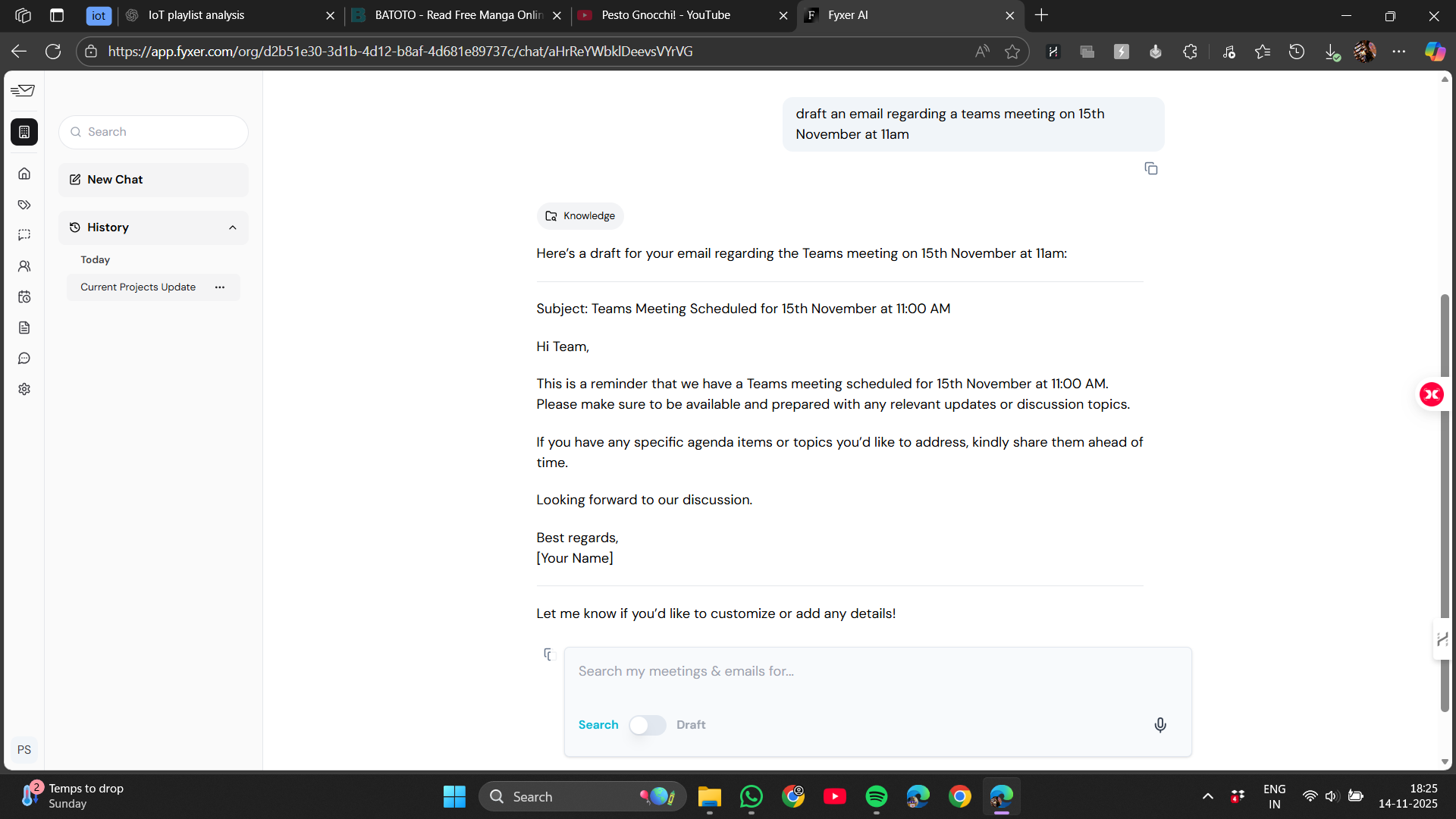
Winner: FyxerIt consistently produced the most thoughtful, human-feeling drafts, especially for longer replies that needed real context. One important note is that Fyxer doesn’t automatically pop up drafts inside our inbox the way some Gmail-adjacent tools do. Instead, we usually open the Fyxer sidebar or chat panel and let it analyse the email we want to reply to. It then generates a draft based on the conversation context. So it can produce a reply automatically, but we still trigger the action manually, it doesn’t auto-inject drafts into Gmail without our input.
This is where a multifunction tool like Fyxer really earns its premium price. But if all I needed was fast everyday replies, a single-purpose tool like Ready to Send would still make perfect sense. It’s a good reminder that the “best” choice depends on what I actually need most.
3. Email Analysis & Triage
This category matters more than people think. Half of email stress isn’t replying, it’s figuring out what even needs attention. Some tools treat emails like a list. Others treat them like a story. Fyxer belongs in the latter group. It looks at a thread almost as if it understands the emotional flow: who said what, why they said it, what’s implied but not stated. Actor.do, on the other hand, is more of a pattern recogniser, it spots categories, patterns, follow-ups, and nudges that make structuring easier. Shortwave stays visual and practical: bundles, separations, and clean grouping. SaneBox sorts quietly in the background without trying to interpret anything. Seeing these differences made me realise how differently “analysis” can be defined. This function tells me which emails need attention and which don’t. Actor.do categorises things well. Shortwave’s bundles are fantastic for visually scanning an inbox. But Fyxer still understands threads with the most depth, almost like someone briefed it on the background before writing.
Contenders
- Fyxer
- Actor.do
- Shortwave
- SaneBox (indirect through filtering)
Table: Email Analysis
| Tool | Depth | Accuracy | Usefulness | Notes |
| Fyxer | ☆☆☆☆☆ | High | High | Best thread awareness |
| Actor.do | ☆☆☆☆ | Medium | High | Great categories |
| Shortwave | ☆☆☆ | High | Medium | Bundles = clarity |
| SaneBox | ☆☆ | High | Medium | Sorting not analysis |

Winner: Fyxer It understood conversation context better than anything else and made triage feel genuinely intelligent.
Email Analysis feels deeper and more intuitive when the assistant sees the whole ecosystem, which naturally gives multifunction tools an advantage. Fyxer’s context awareness shows how helpful that extra reach can be in real life.
4. Rule Automation & AI Logic
Automation is where I get unreasonably excited. There’s something deeply satisfying about watching a tool move, sort, label, archive, or even respond to things without me lifting a finger. Automation can sound abstract, but in practice it’s one of the biggest time-savers. In the simplest terms, automation means the tool watches our inbox for patterns and performs actions for us like sorting, labeling, archiving, forwarding, auto-replying, or organising, without needing us to repeat the same tasks every day
Actor.do became the automation “brain” of my workflow, letting me combine conditions and triggers that felt almost like writing logical scripts. It lets me set up little “rules” that work like invisible helpers. Clean.Email has excellent automation for cleaning but not much beyond that. SaneBox is the simplest and most elegant, its rules feel almost invisible, and yet they work flawlessly. Shortwave has rules, but they’re more like polite guidelines. Fyxer doesn’t compete here, because it focuses its energy elsewhere. This is the category where multifunctional tools can win if they built the right backbone, and Actor.do absolutely did.
For example:
- If an invoice arrives Actor.do can auto-label plus forward it to finance
- If a client emails after 7 days with no response then it can send a polite follow-up
- If newsletters from a specific domain appears then it can move them to a reading folder
- If a project update arrives it can pin it and additionally mark it as priority
This makes email feel less like a chore and more like a system that quietly maintains itself in the background. Actor.do handles these with precision; Clean.Email handles cleaning automation beautifully; SaneBox filters automatically with almost no setup. Tools like Shortwave and Fyxer offer lighter automation because they focus on other strengths. Once these automations are set, they work every day without me doing anything, which is honestly one of the biggest time-savers in the entire email world.
Contenders
- Actor.do
- Clean.Email
- SaneBox
- Shortwave
- Fyxer (light automation)
Table: Automation
| Tool | Flexibility | AI Awareness | Ease | Notes |
| Actor.do | ☆☆☆☆☆ | Yes | Moderate | Strongest automation engine |
| Clean.Email | ☆☆☆☆ | Medium | Easy | Great cleanup rules |
| SaneBox | ☆☆☆☆ | No | Very easy | Fantastic filters |
| Shortwave | ☆☆ | No | Easy | Limited logic |
| Fyxer | ☆ | Yes | Easy | Not focus area |

Winner: Actor.do It was the only tool where I could build truly custom, multi-layer rules that felt smart instead of mechanical.
Automation becomes powerful only when a tool can touch several parts of my workflow at once, so this category naturally leans toward multifunction tools. Actor.do proved to me that depth plus logic can outperform a specialist here.
5. Subscription Management / Unsubscribing
Unsubscribing sounds like an easy feature until we actually need it. Some senders make the unsubscribe link microscopic; others pretend to unsubscribe without actually doing it; some just ignore our requests entirely. I quickly learned that the “unsubscribe” experience is very different from one tool to the next. Unsubscribing sounds like a tiny thing, but the amount of peace it brings is ridiculous. All those newsletters, promo blasts, “updates you never asked for”, they slowly bury the stuff that actually matters. A good unsubscribe tool saves me from digging through all that. Instead of hunting for the unsubscribe link in each email, the tool gathers everything in one place and lets me wipe dozens of senders out of my life in minutes. Clean.Email feels almost aggressive in the best way, it identifies newsletters I forgot I signed up for, surfaces senders I didn’t realise were cluttering my inbox, and helps me remove everything cleanly. SaneBox’s BlackHole feature is one of the most satisfying things I’ve ever used: drag an email into the folder, and it disappears forever. Actor.do tries, but it doesn’t catch everything. Shortwave helps but lightly. Fyxer doesn’t try at all. This is one place where expertise still beats generalisation.
Contenders
- Clean.Email
- SaneBox
- Actor.do
- Shortwave
- Fyxer (minimal)
Table: Subscription Tools
| Tool | Unsubscribe Power | Auto-Blocking | Ease | Notes |
| Clean.Email | ☆☆☆☆☆ | Yes | Very easy | Best bulk unsubscribe |
| SaneBox | ☆☆☆☆☆ | Yes | Very easy | BlackHole is powerful |
| Actor.do | ☆☆☆☆ | Yes | Medium | Sometimes misses senders |
| Shortwave | ☆☆☆ | No | Easy | Lighter approach |
| Fyxer | ☆☆ | No | Easy | Only soft filtering |

Winner: Clean.Email It simply removed more junk senders with fewer misses, and the process felt clearer and more reliable.
Unsubscribing is one of those cases where a specialist still makes the most sense. Clean.Email simply outperforms broader tools because all its energy is spent on this one pain point, and it shows.
6. Scheduling, Events & Agenda Management
Organizing appointments isn’t about marking dates on a calendar; it involves cutting down the repetitive exchanges that often sap much of the effort from organizing a meeting. An effective AI assistant processes the email determines if a meeting is truly necessary reviews schedules, suggests times and occasionally even dispatches the invitation or reminder. Scheduling is when the difference, between tools and high-end solutions becomes strikingly evident. Fyxer operates as if it grasps the structure of a meeting, not its timing. It is aware of what comes before, what comes after, what follow-ups are required, and how to phrase things in a courteous manner. While Shortwave offers me simple recommendations and Actor.do does a respectable job with basic scheduling, neither of them feels like they’re taking on the persona of a human assistant like Fyxer does. This made me realise that some tasks require depth, not breadth, and scheduling is one of them.
Contenders
- Fyxer
- Actor.do
- Shortwave
Table: Scheduling
| Tool | Meeting Intelligence | Ease | Depth | Notes |
| Fyxer | ☆☆☆☆☆ | Very easy | High | Best for professionals |
| Actor.do | ☆☆☆ | Easy | Medium | Decent but not deep |
| Shortwave | ☆☆ | Easy | Low | Basic assistive tools |

Winner: Fyxer It handled meetings with real assistant-like intelligence, not just calendar shortcuts.
Scheduling depends on context, timing, tone, and follow-ups, so it’s no surprise a broader assistant like Fyxer shines here. It’s one of the few categories where a multifunction tool doesn’t just help, it feels almost necessary.
7. Follow-Ups, Nudges & Reminders
The longer I tested email tools, the more I realised that forgotten emails are the silent killers of productivity. We don’t ignore them on purpose, they just slip through the cracks. This is where AI nudges matter. Reminders are one of those features we don’t think we need until we realise how many emails quietly slip through the cracks. A good assistant pays attention to our inbox the way a second pair of eyes would. Fyxer is especially strong because it doesn’t just remind based on time, it reminds based on context. If someone asks a question and I forget to answer, it nudges me. If a thread went cold but something was expected, it notices. If I said I’d follow up next week, it remembers that, too. Actor.do’s rule-based system is flexible and helpful when the logic is predictable, but it’s automation gives it an edge over the rest. Shortwave has light, friendly nudges that work well inside its UI. Ready to Send’s follow-up logic is tied to drafting, which works for basic scenarios. This category taught me that reminders aren’t just “reminders”, they reflect the tool’s entire personality.
Contenders
- Fyxer
- Actor.do
- Shortwave
- Ready to Send (light reminders)
Table: Follow-Ups
| Tool | Intelligence | Reliability | Custom Rules | Notes |
| Fyxer | ☆☆☆☆ | High | Yes | Best at remembering threads |
| Actor.do | ☆☆☆☆ | High | Yes | Rules-based, flexible, automated |
| Shortwave | ☆☆☆ | High | No | Simple & effective |
| Ready to Send | ☆☆ | Good | No | Basic follow-ups |

Winner: Actor.do It is great at follow-up nudges and its automation sets it apart from the rest.
Because reminders rely so much on understanding past conversations, expectations, and tone, multifunction assistants naturally do better. Fyxer and Actor.do both showed me how much smoother email becomes when an assistant keeps an eye on the loose ends for us.
8. Export & Share Features (WhatsApp, etc.)
A niche category, but surprisingly practical. Sometimes if I ever needed to share email content with someone who isn’t on Gmail or who mostly uses WhatsApp. Only one tool treated this as a genuine feature rather than an afterthought and only one tool does this meaningfully.
Contenders
- Actor.do
Table: Export Tools
| Tool | Export Options | Ease | Notes |
| Actor.do | ☆☆☆☆☆ | Easy | WhatsApp export included |

Winner: Actor.do Simply because it’s the only one that offers WhatsApp export, and it works smoothly.
Exporting isn’t a “core” email task, which is why only a multifunction tool like Actor.do even attempts it. This is one place where a broader approach unexpectedly opened up a feature I ended up using more than I thought.
9. Tone & Style Training
Tone training changes how “mine” the assistant feels. Tone is personal. It’s emotional. It’s the difference between looking warm and looking passive-aggressive without realising it. I became obsessed with how closely each tool matched my natural voice. Ready to Send surprised me the most, it writes like the version of myself who isn’t tired. Actor.do offers a whole dashboard of training options, which is great if we like tweaking. HeyHelp stays warm, friendly, and “Gmail-like.” Fyxer excels in long-form tone because it understands context better than any other tool. This category made me reflect on how my email actually comes across to the people I send it to.
Contenders
- Ready to Send
- Actor.do
- HeyHelp
- Fyxer
Table: Tone Training
| Tool | Tone Accuracy | Training Depth | Consistency | Notes |
| Ready to Send | ☆☆☆☆☆ | Medium | High | Extremely natural |
| Actor.do | ☆☆☆☆ | High | High | Highly customisable |
| HeyHelp | ☆☆☆☆ | Medium | High | Polished Gmail feel |
| Fyxer | ☆☆☆☆ | Low | High | Great for longer emails |

Winner: Ready to SendIt consistently mirrored my tone with almost no effort on my part.
Tone is deeply personal, and it’s interesting that both single-purpose and multifunction tools handle it well in different ways. Ready to Send feels like a quick mirror of my voice, while bigger tools lean on context. It shows that good tone doesn’t depend on size, just execution.
10. App Ecosystem / Mini-Modules
Some tools try to do everything inside a single dashboard, and Actor.do is the best example of that. Actor.do has a whole collection of small “apps” like little helpers that each do one thing well, such as templates, insights, follow-ups, or sender breakdowns. Having all these tools inside one place means I don’t need five different websites or Chrome extensions just to stay organised. Everything is right there, and everything works together. It’s a small thing in theory, but in daily use it makes my inbox feel less like a maze and more like a workspace that adapts to me. Shortwave has its own internal features but doesn’t go nearly as broad. Fyxer stays focused, choosing depth over modularity. This category taught me that ecosystems matter when we want to automate our entire workflow, not just fix one pain point.
Contenders
- Actor.do
- Shortwave
- Fyxer (powerful but not modular)
Table: Ecosystem
| Tool | Number of Modules | Flexibility | Notes |
| Actor.do | ☆☆☆☆☆ | Very high | Strong internal toolkit |
| Shortwave | ☆☆☆ | Medium | Polished but limited |
| Fyxer | ☆☆ | Low | Strong core features, not modular |

Winner: Actor.do Because it offered the widest range of mini-apps and genuinely reduced repetitive work.
Ecosystems, by definition, belong to multifunction tools. Actor.do’s library of mini-apps really reminded me how nice it is when all the tools I need sit inside one place instead of feeling scattered across extensions and tabs.
11. Performance & Speed
Speed might sound like a small detail, but when we have to reply to dozens of emails a day, it becomes the difference between feeling in-control and feeling stuck. Shortwave is lightning fast, everything loads instantly, drafts appear quickly, and the interface never lags. Ready to Send generates replies inside Gmail faster than I expected. HeyHelp is light and pleasant. Actor.do’s engine is fast, but the UI sometimes slows things down. Fyxer is slower simply because it thinks more deeply. This category reminded me that speed isn’t just convenience, it’s momentum.
Contenders
- Shortwave
- Ready to Send
- HeyHelp
- Actor.do
- Fyxer
Table: Performance
| Tool | Draft Speed | UI Speed | Notes |
| Shortwave | ☆☆☆☆☆ | Very fast | Light, smooth, instant |
| Ready to Send | ☆☆☆☆☆ | N/A | Instant drafts |
| HeyHelp | ☆☆☆☆ | Fast | Smooth sidebar |
| Actor.do | ☆☆☆☆ | Moderate | Engine fast, UI busy |
| Fyxer | ☆☆☆ | Moderate | Deep processing = slower |

Winner: Shortwave It consistently felt the fastest and never got in my way.
Speed often comes down to simplicity. Shortwave stays fast because it stays light, while larger tools naturally carry more depth. This is one area where a smaller, focused tool gave me the best day-to-day experience.
12. Ease of Setup & Onboarding
Some tools require an afternoon to set up. Others are active in under a minute. Ready to Send is the definition of plug-and-play: install then draft and done. HeyHelp is almost as simple. Shortwave is easy because it feels familiar. Actor.do takes time because it has so many knobs to adjust. Fyxer takes time because it wants to understand us properly. This is one area where simplicity wins, especially if someone is impatient or busy.
Contenders
- Ready to Send
- HeyHelp
- Shortwave
- Actor.do
- Fyxer
Table: Setup Ease
| Tool | Setup Time | Learning Curve | Notes |
| Ready to Send | ☆☆☆☆☆ | Very low | Start replying instantly |
| HeyHelp | ☆☆☆☆ | Low | Works right away |
| Shortwave | ☆☆☆☆ | Low | Familiar UI |
| Actor.do | ☆☆ | Medium | More knobs to adjust |
| Fyxer | ☆☆ | Medium-high | Detailed setup |

Winner: Ready to Send. Because it let me customise nothing and start using everything immediately.
Setup is where small tools really shine. Ready to Send and HeyHelp were working within minutes, while bigger tools asked for more time to understand my inbox properly. It’s a fair trade-off depending on how much help I want long-term.
13. Cross-Platform Support (Gmail + Outlook)
This one surprised me. Almost every AI email tool I tested was built exclusively for Gmail. If someone uses Outlook, especially in companies, their options shrink dramatically. That’s why SaneBox and Actor.do impressed me here. They didn’t limit themselves to Gmail users. SaneBox feels especially polished on Outlook, and Actor.do works smoothly on both platforms. This category made me realise how little attention Outlook users get in the AI world.
Contenders
- SaneBox
- Actor.do
Table: Cross-Platform
| Tool | Gmail Support | Outlook Support | Notes |
| SaneBox | ☆☆☆☆☆ | ☆☆☆☆☆ | Smoothest dual-platform experience |
| Actor.do | ☆☆☆☆☆ | ☆☆☆☆ | Solid Outlook integration |

Winner: SaneBox Because it felt seamless on both platforms and required almost no setup.
Cross-platform support depends more on commitment than tool size. SaneBox and Actor.do proved that both specialists and multifunction tools can do this well when they actually invest in it.
14. Pricing and Value
Money does matter, especially when email is something we deal with every day. The pricing across these tools falls into clear tiers: Fyxer sits at the premium end because it behaves like a personal assistant, not just an add-on. Actor.do and Shortwave land in the middle, very capable without being overly expensive. Clean.Email, SaneBox, Ready to Send, and HeyHelp are great value if we only need one part of the email puzzle solved. Seeing them next to each other made one thing clear: the tools that do one job well cost less, and the tools that do “everything” naturally cost more. It just depends on whether we want one sharp knife or a whole toolbox.
Price made the whole comparison feel even clearer. Single-purpose tools offer amazing value if I only need one problem solved. Multifunction tools ask more, but they also carry more weight. For me, it really came down to whether I wanted one perfect tool for one task, or a broader assistant that grows with my workflow.
| Tool | Typical Price Range | Type |
| Fyxer | High ($30–$50) | Premium multifunction |
| Actor.do | Medium (~$10 – $20) | Multifunction automation |
| Shortwave | Medium (~$9–$15) | Gmail client + drafting |
| Clean.Email | Low ($9.99+) | Single-purpose cleaning |
| SaneBox | Low–Medium ($7–$20+) | Inbox filtering |
| Ready to Send | Low ($5+) | Drafting add-on |
| HeyHelp | Low (~$20) | Gmail drafting sidebar |
The Final Question: Single-Function vs Multi-Function?
After months of testing, here’s my honest conclusion:
Single-function tools excel at one job.
- Clean.Email cleans better than Actor.do ever will.
- Ready to Send drafts quick replies better than Actor.do.
Multifunction tools win when someone wants fewer subscriptions and one hub.
- Actor.do handles “good enough” versions of many tasks under one roof.
- Fyxer handles “premium” versions of high-value tasks.
The right choice depends on personality:
- If someone likes specialised tools → single-function wins.
- If someone likes centralisation → multifunction wins.
- If someone wants quality above all → premium assistant wins.
- If someone wants price/value → single-purpose tools dominate.
Final Winners
Best Tool (Quality Winner): Fyxer
Even though it’s more expensive, the depth of drafting, meeting intelligence, and contextual understanding sets it apart. It feels like the closest thing to a real personal assistant. On top of that it has many additional features not present in other multifunctional tools like the meeting recording the note transcribing and summarising meetings, which sets it apart from the rest.
Best Buy (Price / Quality Winner): Clean.Email
It consistently outperforms multifunction tools in the job it focuses on, and the price feels extremely fair for the value. It’s the tool that gave me the most impact at the lowest cost possible.
Frequently Asked Questions
Clean.Email is the best AI email tool for inbox cleanup. It excels in this category due to its deep understanding of inbox chaos, intuitive grouping, and faster, more accurate cleaning compared to multifunctional tools.
Fyxer is the best AI email tool for drafting and reply generation. It produces thoughtful, human-feeling drafts, especially for longer replies that need real context. It understands previous emails and the context of the thread, making it highly effective.
Actor.do offers the best automation and rule settings. It allows for custom, multi-layer rules that feel smart instead of mechanical. This makes it highly effective for automating various aspects of email management.
Clean.Email is the best tool for unsubscribing from emails. It aggressively identifies and removes newsletters and other unwanted senders, making the process clear and reliable.
Fyxer is the best AI email tool for scheduling and agenda management. It handles meetings with real assistant-like intelligence, understanding the context and follow-ups required, making it highly effective for managing schedules.
Shortwave is the fastest AI email tool in terms of performance and speed. It loads instantly, generates drafts quickly, and has an interface that never lags, making it highly efficient for daily use.
Clean.Email offers the best value among AI email tools. It consistently outperforms multifunctional tools in its specialized job of inbox cleanup and offers a fair price for the value it provides.
SaneBox is the best AI email tool that supports both Gmail and Outlook. It feels polished and seamless on both platforms, making it a versatile choice for users of either email service.
Abonneer je op onze nieuwsbrief en ben als eerste op de hoogte van tijd- en geldbesparende AI-tools!
Comments