Conclusion
Type.ai is a solid long-form content generator that excels in its core promise of creating and editing long-form content. Its clean, dark-themed interface and comprehensive template library make it a useful tool for professionals who regularly produce large volumes of writing. However, it falls short in several areas, including the lack of an AI humanizer, plagiarism checker, and SEO tools. The free plan’s opaque credit system and the limited audio narration feature are notable drawbacks. Despite these limitations, Type.ai offers good value for its price, especially for those who need a dedicated long-form writing assistant.
Pros
- Effective long-form content generation
- Clean and focused user interface
- Comprehensive template library
- Question-driven content creation for better structure
- Clear stance on data privacy
Cons
- Lacks AI humanizer and plagiarism checker
- Opaque credit system in the free plan
- Limited audio narration feature
- No SEO tools
Table of Contents
- First Impressions and Dashboard Experience
- Core Features
- Performance and Output Reliability
- Pricing Breakdown and Limitations
- Privacy and Data Handling
- Type.ai vs Copy.ai vs Paperpal
- Final Verdict and Overall Score
- Frequently Asked Questions
Type.ai is one of those tools that does not try to be everything to everyone, and that restraint works in its favor. Fundamentally, it is a document-centric AI writing platform designed specifically for long-form content creation. The concept is straightforward: write and edit within the same clean interface, with an AI assistant integrated directly into the workspace. No switching tabs or copy-pasting between tools or stitching together outputs from three different platforms.
Type.ai caters to working professionals who regularly produce long-form content and seek a capable AI writing assistant that is seamlessly integrated into the editing workflow. Content writers, essayists, bloggers, and anyone who regularly produces large volumes of writing will find the core feature set thoughtfully designed. The dark-themed UI immediately appealed to me, and the minimal, clutter-free layout facilitates focus.
However, Type.ai is not suitable for all users. If you’re seeking an AI humanizer, plagiarism checker, AI detector, or SEO tools, this platform does not cater to those needs. It is solely a content generation and editing environment, and it markets itself honestly and accurately as such. Anyone expecting features like detection bypass, tone customization for personal brands, or a versatile multi-toolset will find themselves quickly limited.
First Impressions and Dashboard Experience
The dashboard is refreshingly clean. When I first logged into Type.ai, I was greeted by a simple dark-themed home screen with a large centered prompt box that reads “What are we writing today?” and two options below it: Import draft and New draft. The left sidebar offers minimal navigation: Home, Search, Tutorials, Support, Settings, along with Resources (Uploads and Styles) and Folders (Drafts). That’s about it.
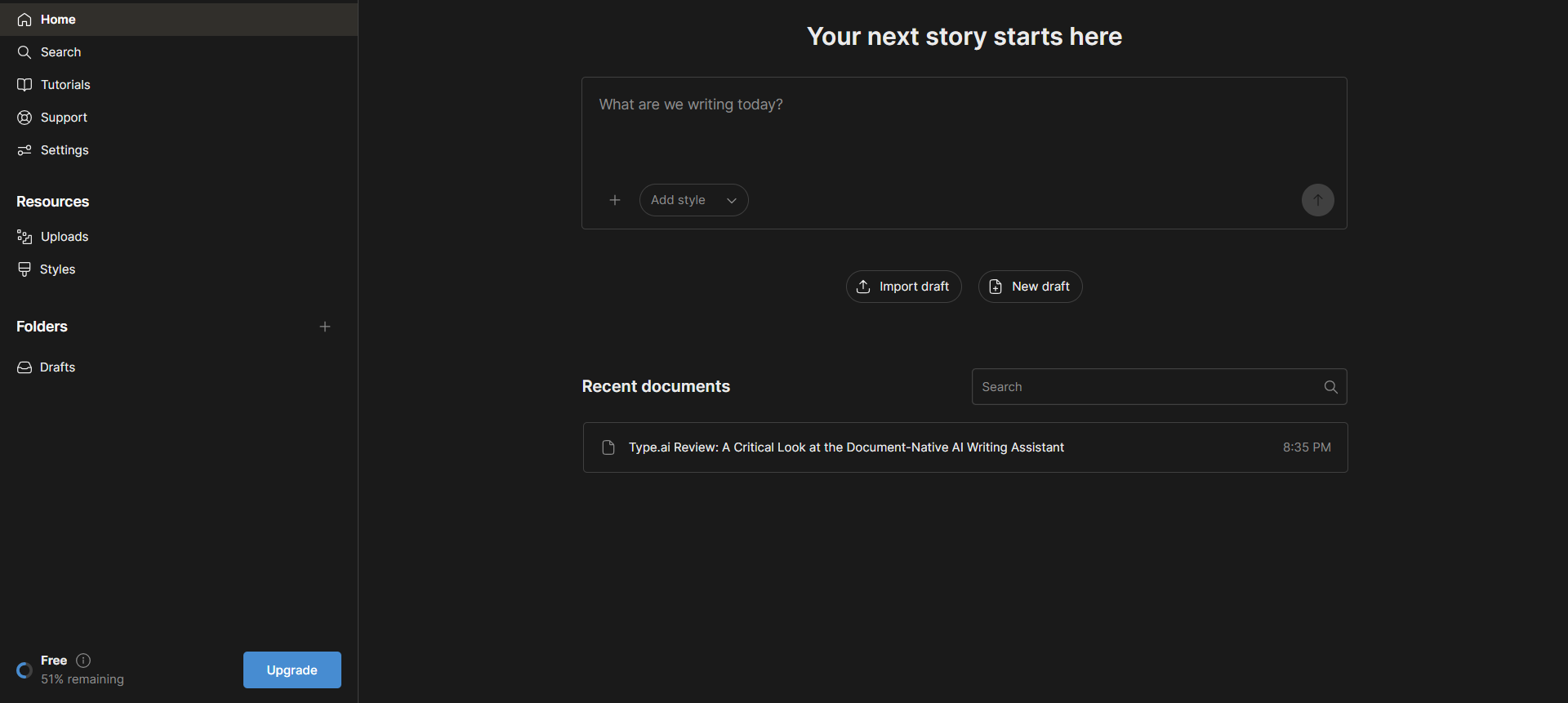
Nothing here competes for attention—no feature tiles, banners, or clutter pushing multiple tools. It opens directly into a writing-focused environment and remains focused there. For those accustomed to dark-mode interfaces, the aesthetic felt instantly comfortable. The blue accent against the dark background provides a clean contrast and remains easy on the eyes during long sessions.
A notable feature on the dashboard is the free plan usage indicator in the bottom left, displaying remaining trial credits as a percentage. Beginning with 100%, after creating a long-form blog post and a cold outreach email, my credits dropped to 34%. The issue is that Type.ai does not clearly display how many credits each task consumes, the total credit balance, or an estimate of how far the free plan can take you. This lack of transparency was quite frustrating. Paperpal, for instance, shows clear per-feature usage limits right in the interface. Type.ai does not come close to that level of transparency, and I noticed it fairly early.
Within the document editor, the layout consists of two panels: the main writing area on the left and a sidebar on the right, which switches between Chat, Review, and Audio tabs. The toolbar offers standard text formatting options. Throughout testing, the interface proved fast and stable, with no noticeable performance issues or delays.
Core Features
AI Chat and Content Generation
The core writing process in Type.ai centers around the Chat panel. Upon opening a new document, the AI greets with a setup prompt, inquiring about the document’s topic and then posing targeted follow-up questions before generating content. This question-and-answer method before drafting is one of the more effective design choices I encountered during testing. Instead of producing a generic first draft from a single prompt, it attempts to grasp the goal, audience, tone, and structure of the piece. But it seems to also burn through the credits at quite a pace.


The quality of output from this method was genuinely impressive. The resulting long-form blog post was well-structured, approaching 2,500 words—a substantial output by any standard. The writing was clear, with coherent paragraph transitions and logical structure. Was it clearly AI-generated? Yes, certain patterns were evident, recognizable to anyone familiar with AI writing. Nonetheless, in terms of structure and readability, it was solid. I requested a critical, opinionated tone; while the output was more polished than truly opinionated, it avoided the lifeless, filler-laden style seen in other tools. However, for those seeking genuinely human-like writing or a distinct personality, this tool likely falls short.
One important note: Type.ai does not offer true tone customization or brand voice training. Users can specify tone preferences in chat, such as requesting a conversational and critical style, which the AI considers. But it cannot be trained on a specific writer’s voice or style the way some content marketing platforms attempt. While style instructions in chat influence the output, it will still retain a distinctly processed, AI-like feel.
Review
The Review panel proves more useful than it initially seems. It highlights grammar and style suggestions throughout the document, with options to Accept or Dismiss each one. It flagged redundant phrases, inconsistent word choices, and sensible structural suggestions. Review mode offers presets such as Custom, Improve, Fix Errors, Shorten, Lengthen, Simplify, and Enhance Structure and Formatting. These presets address most editing needs when reviewing a draft.


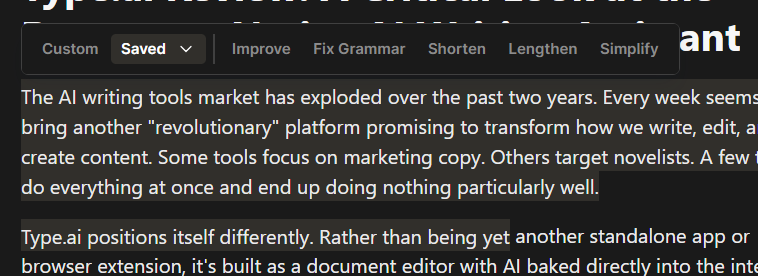
The Improve preset performed well during testing. It refined clichéd transitions and tightened phrasing without altering the original meaning. Fix Errors accurately identified grammatical issues. Shorten effectively reduced length without sacrificing substance. Overall, it is a practical set of tools that functions as promised.
AI Audio
The AI Audio feature was the most intriguing yet surprisingly limited aspect. The Audio panel offers various AI voices categorized by style, such as Arabella (Narrative, Story), David (Narrative, Story), Amelia (Narrative, Story), Ian (Suspense, Narrative), Mark (Conversation), Miles (Educational), Ray (Epic Trailer), Samara (Social Media), and Nichalia (Informative). It includes options for adjusting speed and quality. When functioning properly, the audio output is clear. Arabella’s narration quality was particularly suitable for listening content. However, the voices lack a truly human-like quality, despite having varied textures. A blind listener would likely not mistake these voices for real humans.
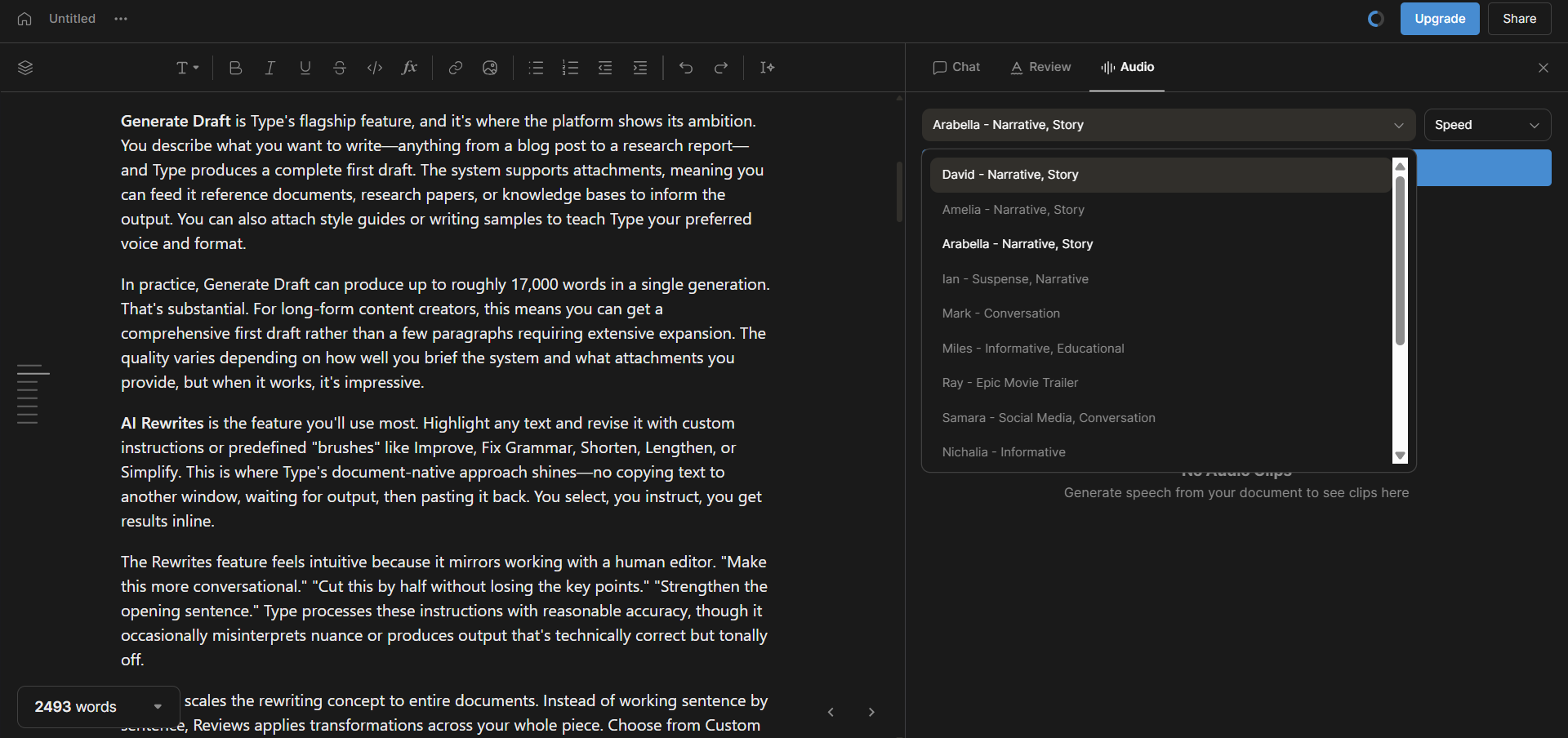


The main limitation is the 10,000-character cap. For a platform focused on long-form writing, an audio feature that cuts off before completing a full blog post seems counterproductive. Attempting to narrate the entire generated document resulted in an error, citing it as too lengthy. Selecting a portion manually is a workaround, but it is still a constraint that undercuts the feature’s usefulness for longer pieces.
Templates
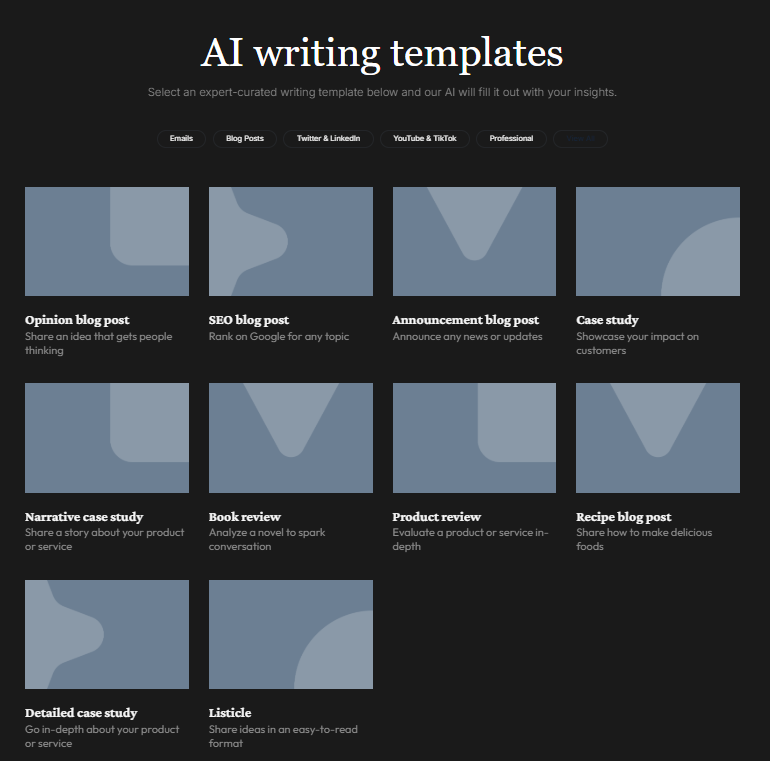
Templates are organized into categories: Emails, Blog Posts, Social Media (Twitter, LinkedIn, TikTok, YouTube), and Professional. The variety of templates exceeded my expectations. Email templates include cold outreach, onboarding, product launches, weekly and industry newsletters, VIP outreach, follow-ups, resignations, B2B SaaS outreach, and others. Blog templates cover SEO articles, opinion pieces, case studies, product reviews, narrative case studies, book reviews, and more. Social media templates include Twitter threads, LinkedIn posts, TikTok scripts, and YouTube scripts and descriptions.
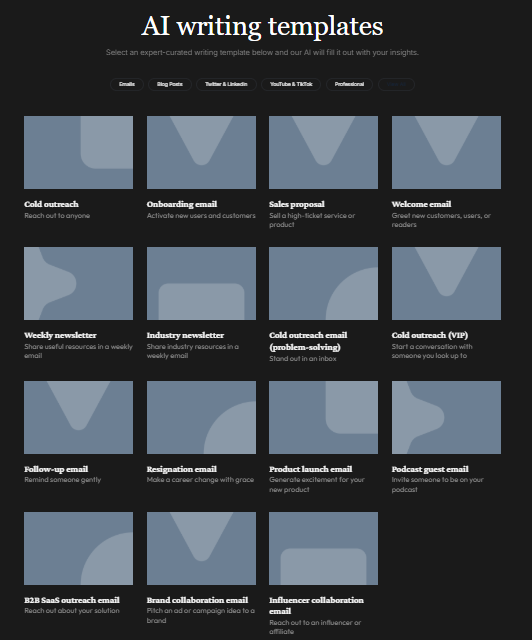
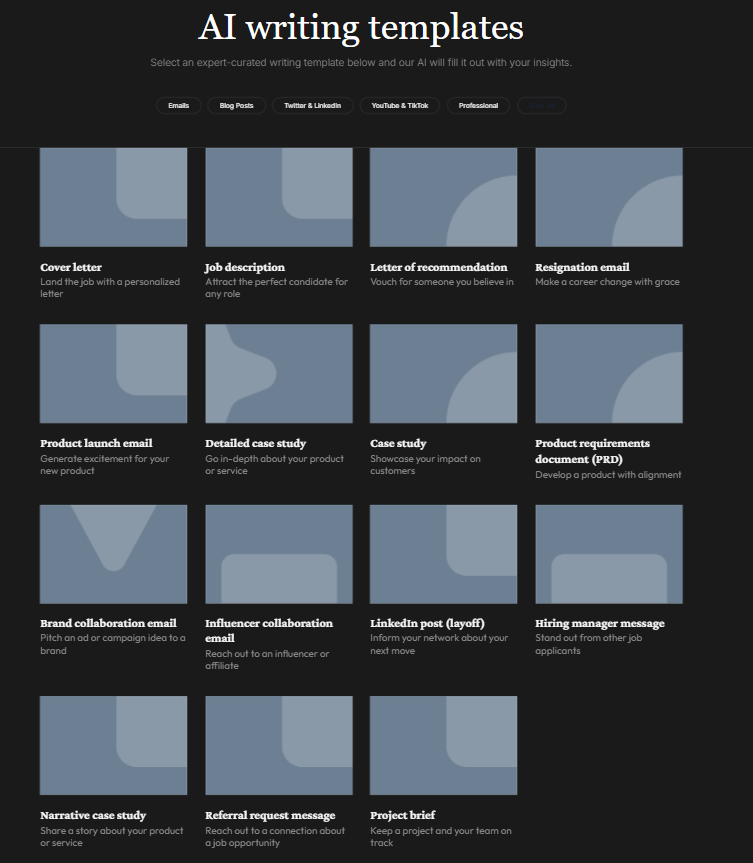
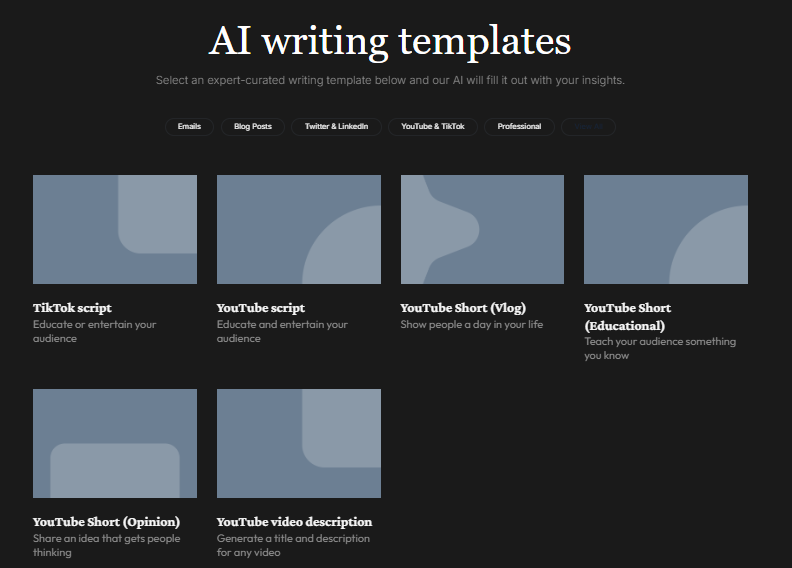
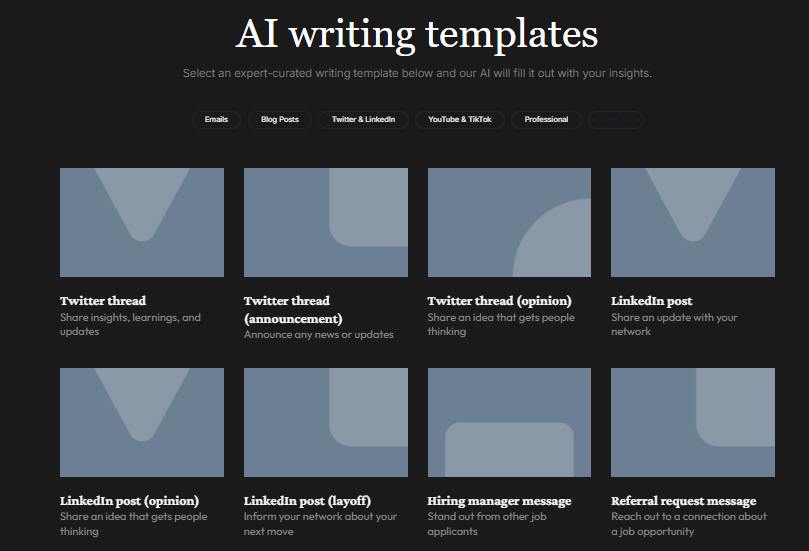

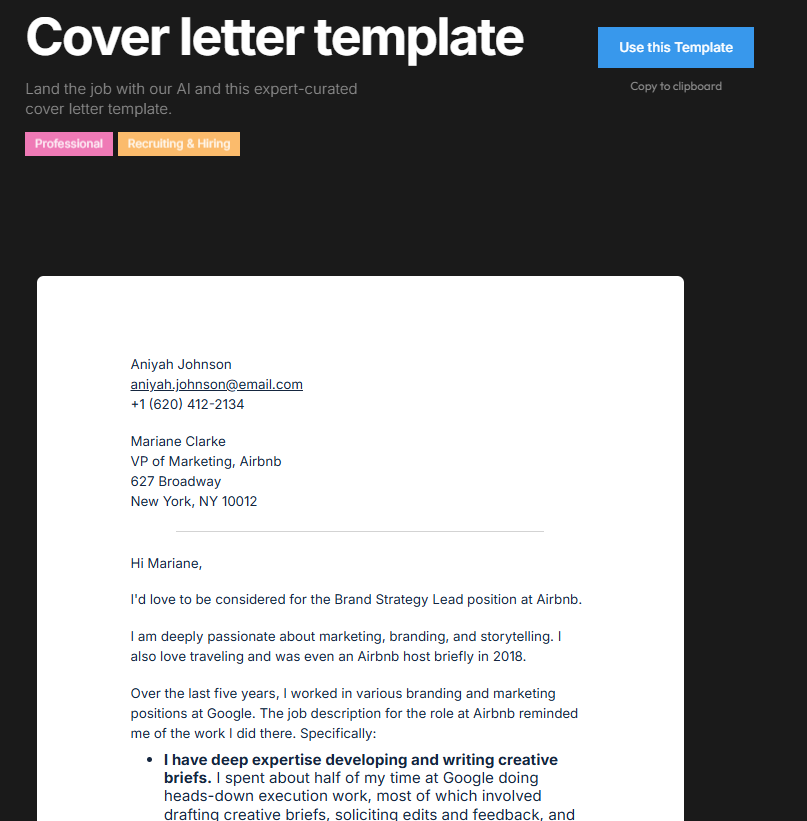
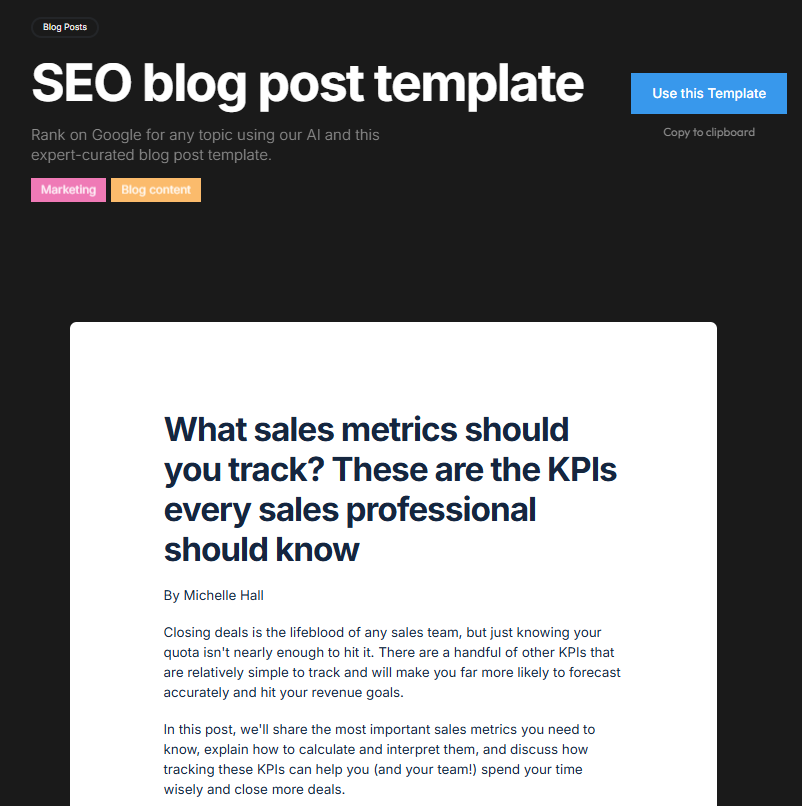
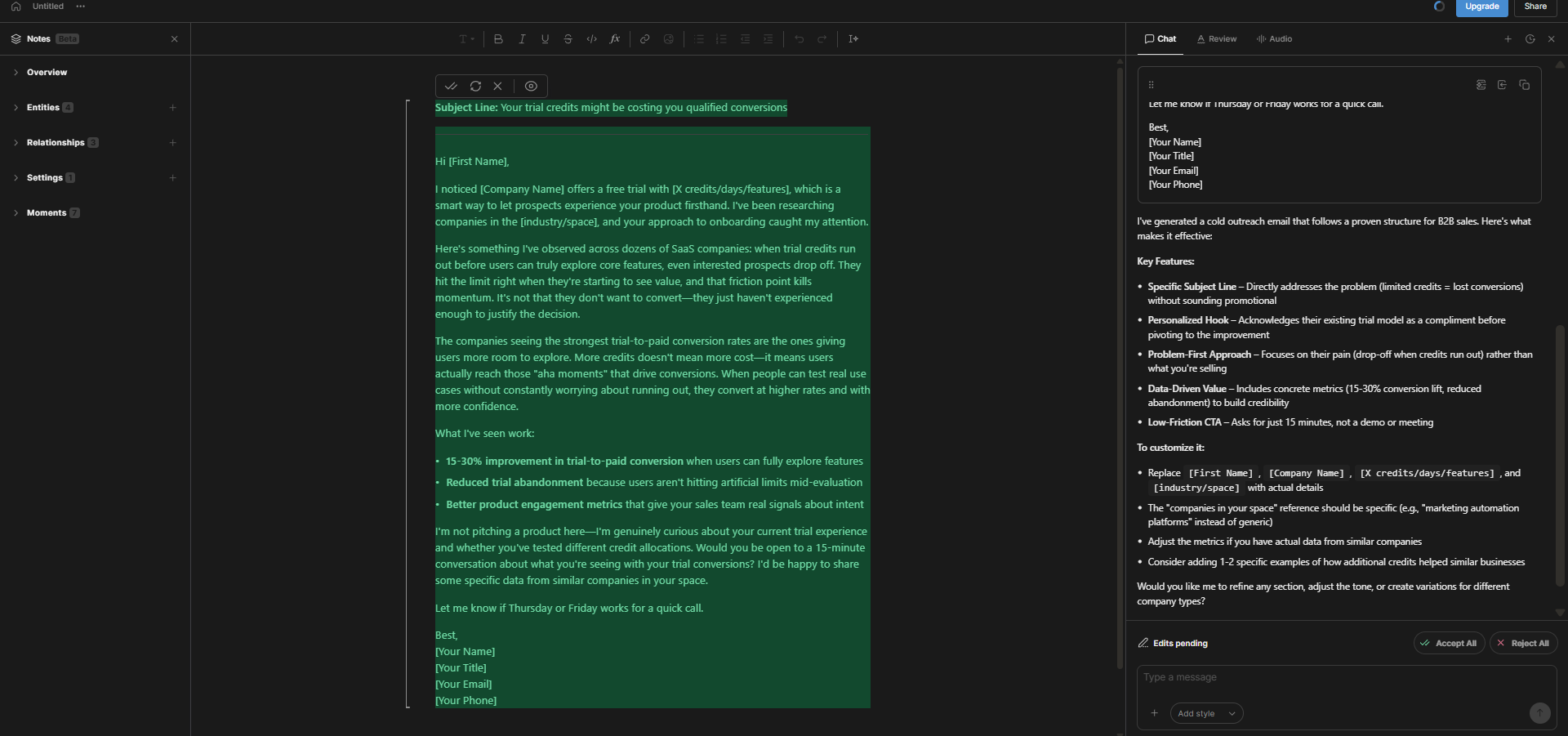
Testing the cold outreach email template, it produced a structured, B2B-appropriate email featuring a problem-first hook, data-driven value proposition, and a low-friction call-to-action. The AI offered a breakdown on the right, explaining the structural choices, which I found insightful. While the content required further personalization and editing for real campaigns, it served as a solid starting framework.
Preferred Model
One detail visible in the document settings menu is a “Preferred model” option, suggesting that Type.ai either supports or plans to support multiple underlying AI models. The pricing page confirms that paid plans include access to “latest models from Anthropic, Open AI and Google,” which means the platform is not locked to a single LLM. On the free plan, the specific model being used is not stated, but the output quality felt consistent with a capable modern model.

Performance and Output Reliability
Performance during testing remained consistently reliable. The interface was lag-free, with quick generations and no errors apart from the audio character restriction. The AI chat workflow generated content that was understandable, fairly well-structured, and suitable as an initial draft. The Review tool identified genuine issues, with suggestions that were mostly accurate and appropriately measured.
A notable shortcoming of Type.ai is in the naturalness of its output. Although structurally sound, the content exhibited recognizable AI patterns. The platform lacks tools to address this, such as a humanizer, AI detector, or any way to assess detectability. For those aiming to publish naturally flowing content, this is a significant gap. Within its scope, the tool performs well, but it does not cover the final step of humanizing content. That responsibility is entirely on the user.
Pricing Breakdown and Limitations
Type.ai offers four subscription tiers, with all paid plans billed annually.
- Free: $0/month, includes trial credits with no clear documentation on how they are measured or how much each generation costs
- Basic: $8/month (billed annually at $96/year), described as suited for shorter form content or stories
- Pro: $16/month (billed annually at $192/year), described as suited for longer works like novels or screenplays, and includes 3x the AI usage of Basic
- Max: $64/month (billed annually at $768/year), described as ideal for writing multiple books a year, and includes 12x the AI usage of Basic

All paid plans include access to the latest models from Anthropic, OpenAI, and Google, and priority email support.
The free plan is where frustrations are most evident. The credit system is percentage-based and lacks transparency. After creating a long-form article and a template email, I used 66% of my trial credits. It provides no detailed breakdown of credits per action, no total credits remaining, and no straightforward way to gauge how far the free plan can take you. This seems like an intentional design choice, subtly encouraging upgrades, but it is not user-friendly.

At $8/month for Basic, the entry price is competitive, placing it alongside Paperpal’s Prime at $8.10/month and below Writesonic’s base pricing. The Pro plan at $16/month makes sense for daily long-form writing needs. The Max plan at $64/month targets high-volume professional writers rather than casual users.
Privacy and Data Handling
Type.ai explicitly states on its website that it does not train AI models on user data. All uploads and documents are kept private and accessible only to the user. This clear stance on data privacy is prominently featured in the FAQ, avoiding legal jargon.
While it collects typical account and usage data, the commitment not to train on user content is most relevant for those producing professional or client work. This positions Type.ai favorably for users concerned about content ownership and data privacy, though it lacks easily accessible formal certifications like ISO or GDPR compliance, unlike Paperpal.
Type.ai vs Copy.ai vs Paperpal
|
Feature |
Type.ai |
Copy.ai |
Paperpal |
|
Primary focus |
Long-form content generation and editing |
Marketing copy and content generation |
Editing, polishing, academic and professional writing |
|
Long-form output quality |
Strong, up to ~17,000 words |
Good, strong first drafts |
Limited generation, editing-focused |
|
Templates |
Yes, extensive library across email, blog, social, professional |
Yes, large library especially for marketing |
Yes, limited set focused on professional and academic |
|
AI Chat workflow |
Yes, question-based pre-generation |
Yes, prompt-based |
Yes, contextual in-document |
|
Review/editing tools |
Yes, with preset brushes |
Basic rewriting tools |
Strong, with consistency audit and AI review |
|
Audio narration |
Yes, 10,000 character limit |
No |
No |
|
AI detector |
No |
No |
Yes, 5 scans/day free |
|
Plagiarism checker |
No |
No |
Yes, 7,000 words/month free |
|
Chat PDF |
No |
No |
Yes, 5 PDFs/month free |
|
Free plan transparency |
Low, opaque credit system |
Low, 2,000 word cap |
Clear, per-feature usage tracking |
|
Entry price (annual) |
$8/month |
$24/month |
$8.10/month |
Among these three tools, preference depends entirely on the specific use case. Copy.ai is ideal for quick, large-scale marketing copy, with strong output quality, but its free plan is limited and pricing increases rapidly. Paperpal is a more comprehensive professional tool, offering editing depth, plagiarism detection, and document analysis. Type.ai stands out as the best dedicated long-form generation platform among the three. For generating and refining a structured 2,000+ word draft from a brief within the same editor, Type.ai performs this task more naturally than the others. Beyond that, Paperpal offers greater versatility, while Copy.ai excels in producing high volumes of marketing copy.
Final Verdict and Overall Score
Overall, Type.ai is a genuinely effective long-form content generator, fulfilling its core promise more reliably than most tools I have evaluated. Its document-centric AI workflow, question-driven content creation, audio narration, and comprehensive template library demonstrate a serious commitment to its primary purpose. The dark UI remains clean and focused, the editor is responsive, and the output quality exceeds initial expectations.
However, notable gaps exist and deserve explicit mention. It lacks an AI humanizer, plagiarism checker, AI detection, and its content will not convincingly mimic human writing. The free plan’s credit system is unclear and depletes quickly, hindering proper evaluation. Despite its interest, the audio feature is limited by a 10,000-character cap, reducing its usefulness for long-form content. The lack of SEO tools confirms it remains solely a drafting and editing platform.
For professionals producing large volumes of long-form content and willing to refine AI outputs, the $8/month Basic plan is a worthwhile investment. However, those seeking an all-in-one toolkit with detection, humanization, or SEO features will find this platform lacking.
Overall Score: 6.7 / 10
Frequently Asked Questions
Type.ai is best suited for professionals who regularly produce long-form content, such as content writers, essayists, and bloggers. It offers a clean, document-centric AI writing platform designed specifically for long-form content creation and editing. However, it is not suitable for those seeking an AI humanizer, plagiarism checker, or SEO tools.
Type.ai’s free plan offers trial credits, but it lacks transparency in how these credits are measured or consumed. Users have reported that their credits deplete quickly, with no clear documentation on how much each generation costs or the total credits remaining. This can be frustrating for users trying to evaluate the platform.
Type.ai offers four subscription tiers: Free ($0/month), Basic ($8/month billed annually), Pro ($16/month billed annually), and Max ($64/month billed annually). The Basic plan is suited for shorter form content, while the Pro and Max plans cater to longer works and high-volume writing needs, respectively.
Type.ai explicitly states that it does not train AI models on user data. All uploads and documents are kept private and accessible only to the user. This clear stance on data privacy is prominently featured in their FAQ, making it a favorable choice for users concerned about content ownership and data privacy.
Type.ai’s core features include AI chat and content generation, a review panel for grammar and style suggestions, AI audio narration, and a comprehensive template library. The AI chat workflow is particularly effective, generating well-structured, long-form content based on user prompts and follow-up questions.
Type.ai stands out as the best dedicated long-form generation platform among the three. Copy.ai is ideal for quick, large-scale marketing copy, while Paperpal offers greater versatility with editing depth, plagiarism detection, and document analysis. Type.ai excels in generating and refining structured long-form content within the same editor.
Type.ai has several limitations, including the lack of an AI humanizer, plagiarism checker, and SEO tools. The free plan’s credit system is opaque and depletes quickly. Additionally, the AI audio feature has a 10,000-character cap, which limits its usefulness for long-form content. The output, while structurally sound, can exhibit recognizable AI patterns and may not mimic human writing convincingly.
Type.ai received an overall score of 6.7 out of 10. It is a genuinely effective long-form content generator that fulfills its core promise more reliably than many other tools. However, it has notable gaps, such as the lack of an AI humanizer and plagiarism checker, and its free plan’s credit system is unclear. Despite these limitations, it is a worthwhile investment for professionals producing large volumes of long-form content.
Abonneer je op onze nieuwsbrief en ben als eerste op de hoogte van tijd- en geldbesparende AI-tools!
Comments