Conclusion
Trimbox stands out as a highly efficient and user-friendly tool for Gmail users looking to declutter their inboxes. Its seamless integration with Gmail, minimalist design, and strong privacy stance make it a reliable choice for quick and effective email management. While it may lack some advanced features and broader compatibility with other email providers, its simplicity and affordability, especially with the lifetime deal, make it a valuable tool for those who prefer straightforward solutions.
Pros
- Seamless integration with Gmail
- Fast and efficient bulk processing
- Strong privacy and security measures
- Affordable pricing, especially the lifetime deal
- Minimalist and user-friendly design
Cons
- Limited to Gmail only
- No advanced automation or filtering features
- Free plan is extremely limited
Table of Contents
- Setup & Initial Impressions
- UI & Navigation: Minimalist Yet Purposeful
- Practical Experience & Features
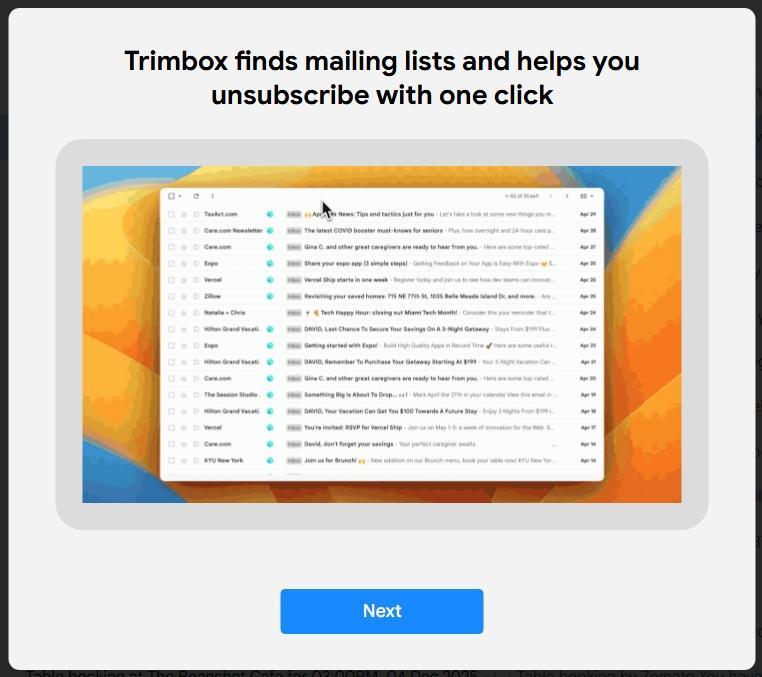
- Fast Unsubscribe and Bulk Delete
- Block Senders Quickly
- Unblock Anytime: Easy Recovery
- Bulk Processing
- Performance: Fast and Nearly Instant
- Privacy & Security: Solid Stance
- Pricing & Value
- Strengths & Weaknesses
- Who Would Benefit Most?
- How Trimbox Compares to Other Tools I Tested
- Final Verdict: Is Trimbox Worth It?
- Frequently Asked Questions
There is a universal truth about email: nobody signs up for chaos.Yet somehow, all inboxes drift toward it. Not because of spam, but because of the signup button clicked months ago, the discount code quickly used before checkout, the “updates” from a brand once liked, or the newsletter meant to be read someday.
While reviewing various email cleanup tools recently, Trimbox consistently appeared on recommendation lists as one of the cleanest and simplest options for bulk unsubscribing and blocking unwanted senders. Moreover, it exists solely as a Chrome extension integrated directly into Gmail, unlike more elaborate alternatives.
I decided to perform a thorough, hands-on review of Trimbox, including setup, features, unsubscribe effectiveness, pricing, security, and comparison with other recent tools I’ve tested. The aim wasn’t to solve a personal inbox crisis, but to answer a straightforward question:
Is Trimbox genuinely a useful long-term inbox partner, or merely a short-term decluttering solution?
Here’s what I discovered.
Setup & Initial Impressions
Trimbox is available in the Chrome Web Store, and installation took about 10 seconds. No account setup or standalone app was needed; I just refreshed Gmail, and a small lightning icon appeared in the sidebar.
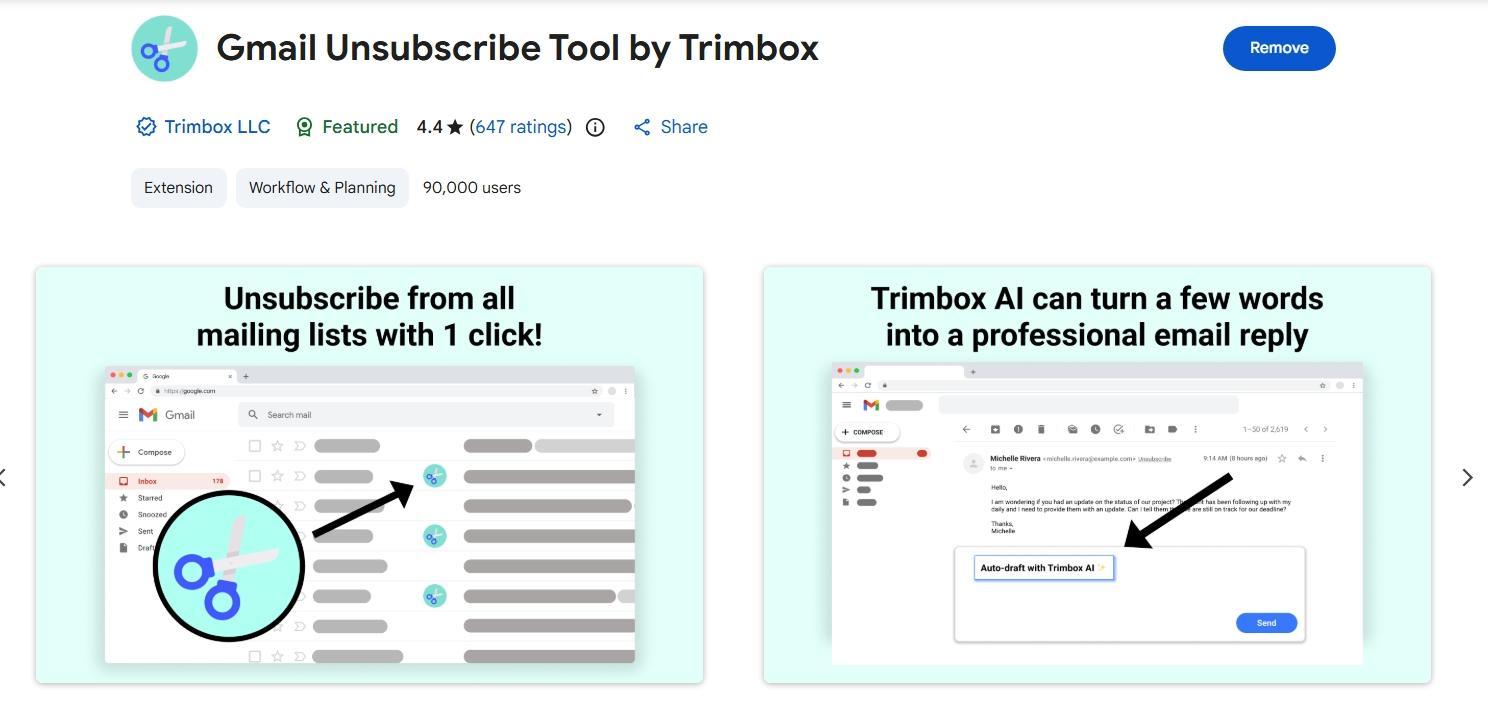
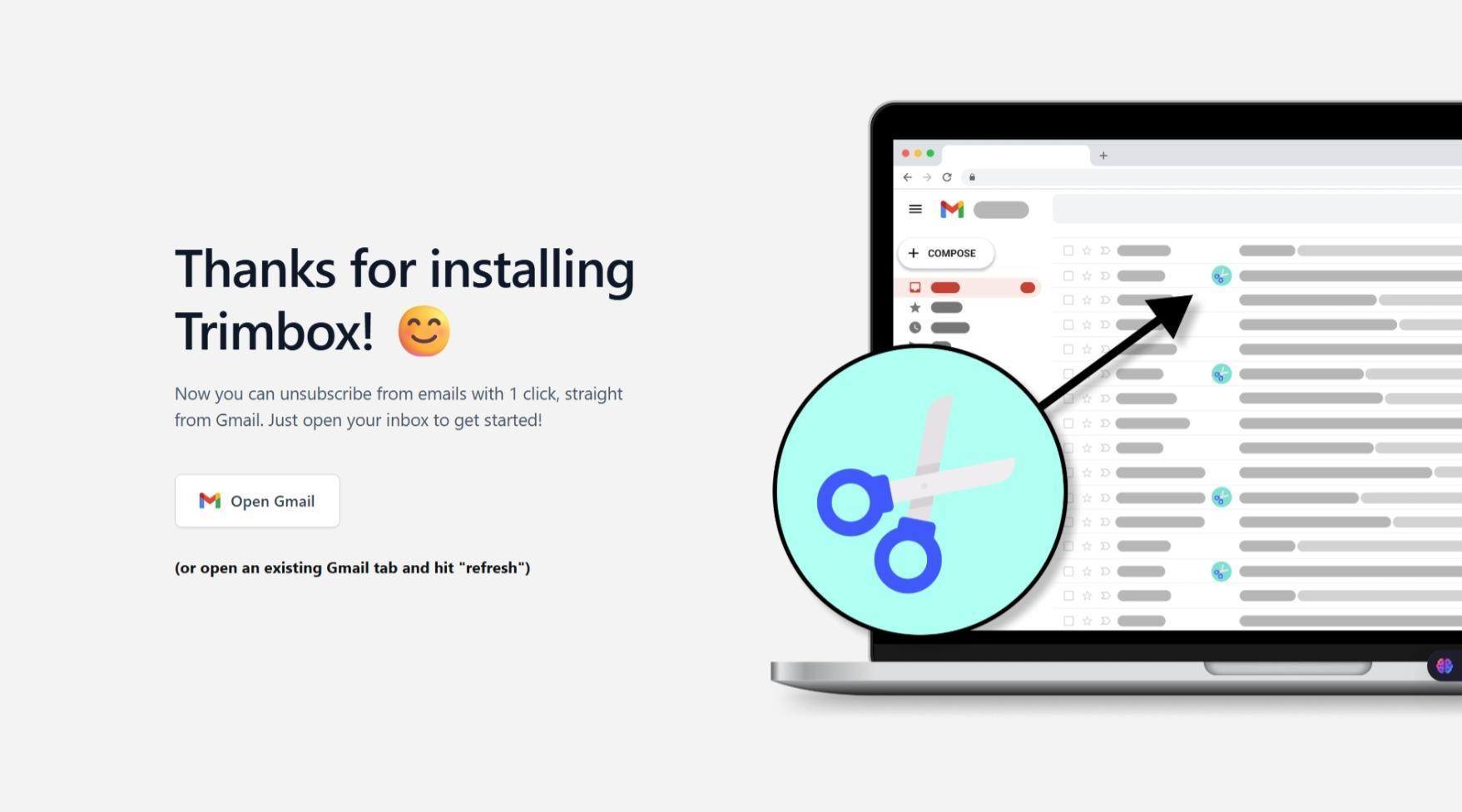
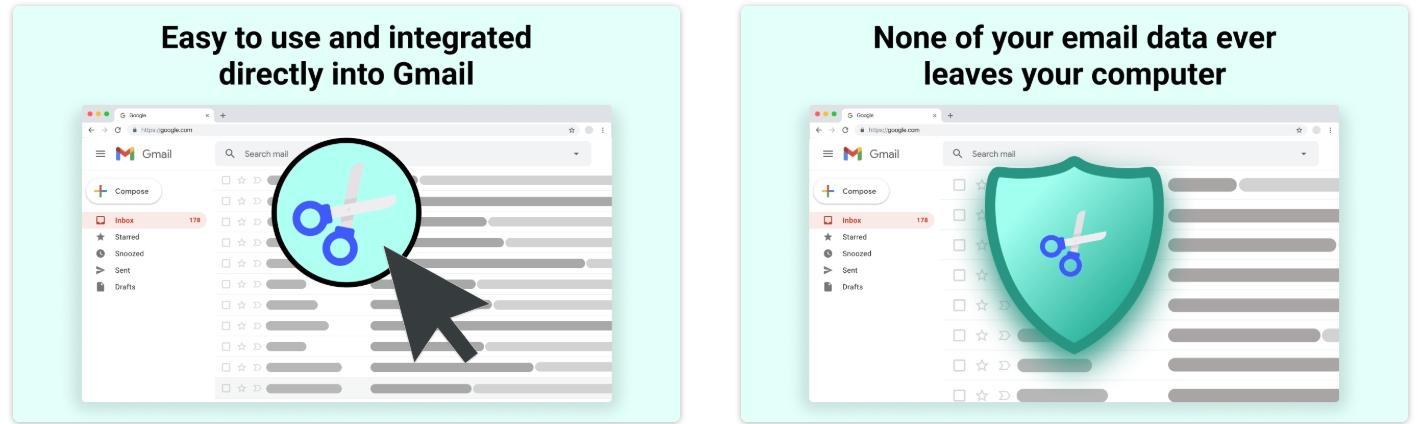
Several advantages became immediately apparent:
- No learning curve: all cleanup occurs within the familiar Gmail interface
- No need to switch tabs or dashboards
- Seamless connection to Gmail, as it technically never leaves the platform
- Immediate ability to unsubscribe: no waiting for scans
Rather than reinventing email, Trimbox functions as a smart detox assistant integrated into Gmail. It blends so seamlessly that it almost feels like a native Google feature that was never officially introduced.
The initial impression was pleasantly straightforward: no onboarding slides, no promotional banners, no feature overload. Just a simple prompt: “Here are the senders you seldom read. Want to remove them?”
UI & Navigation: Minimalist Yet Purposeful
Trimbox doesn’t aim to overhaul Gmail or be a productivity suite. Its interface mainly includes:
- A filtering strip displaying subscription senders
- Quick actions beside each sender: Block, Unsubscribe, Delete emails
- A single floating button for additional Trimbox settings
Everything remains within Gmail’s default layout, keeping cognitive load minimal.
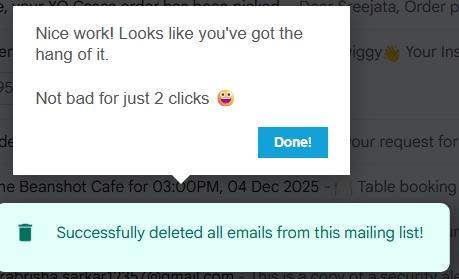
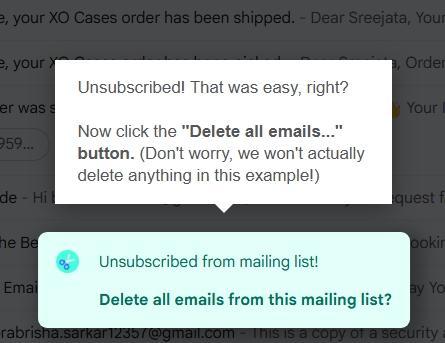
What I liked:
- Sender list displays logos and unsubscribe status clearly
- No complex folders to manage
- The action button appears precisely where needed
- Newsletters from selected senders can be managed in bulk
This design facilitates quicker decision-making, not complicates it.
Additionally, Trimbox directly alters Gmail labels and filters when unsubscribing or blocking, enhancing that “native” feeling when managing senders.
However, if you prefer visual dashboards, charts, or gamified “you’ve cleaned X space!” celebrations, Trimbox isn’t for you.
Its intentionally minimal design, and that simplicity, becomes its key strength.
Score: 7 out of 10
Practical Experience & Features
Messages accumulate faster than we notice, so a cleanup tool must be instant in response. Trimbox performs reliably in this regard.
Highlights from using it include:
Fast Unsubscribe and Bulk Delete
With one click, you can:
- Unsubscribe from a sender
- Automatically move all past emails from that sender to Trash
- Stop future emails from coming back
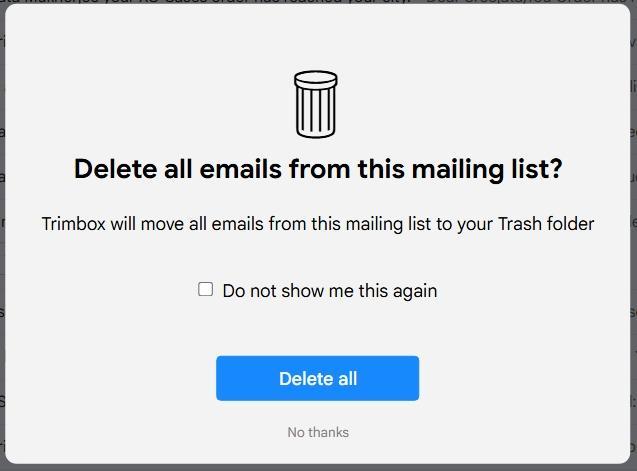
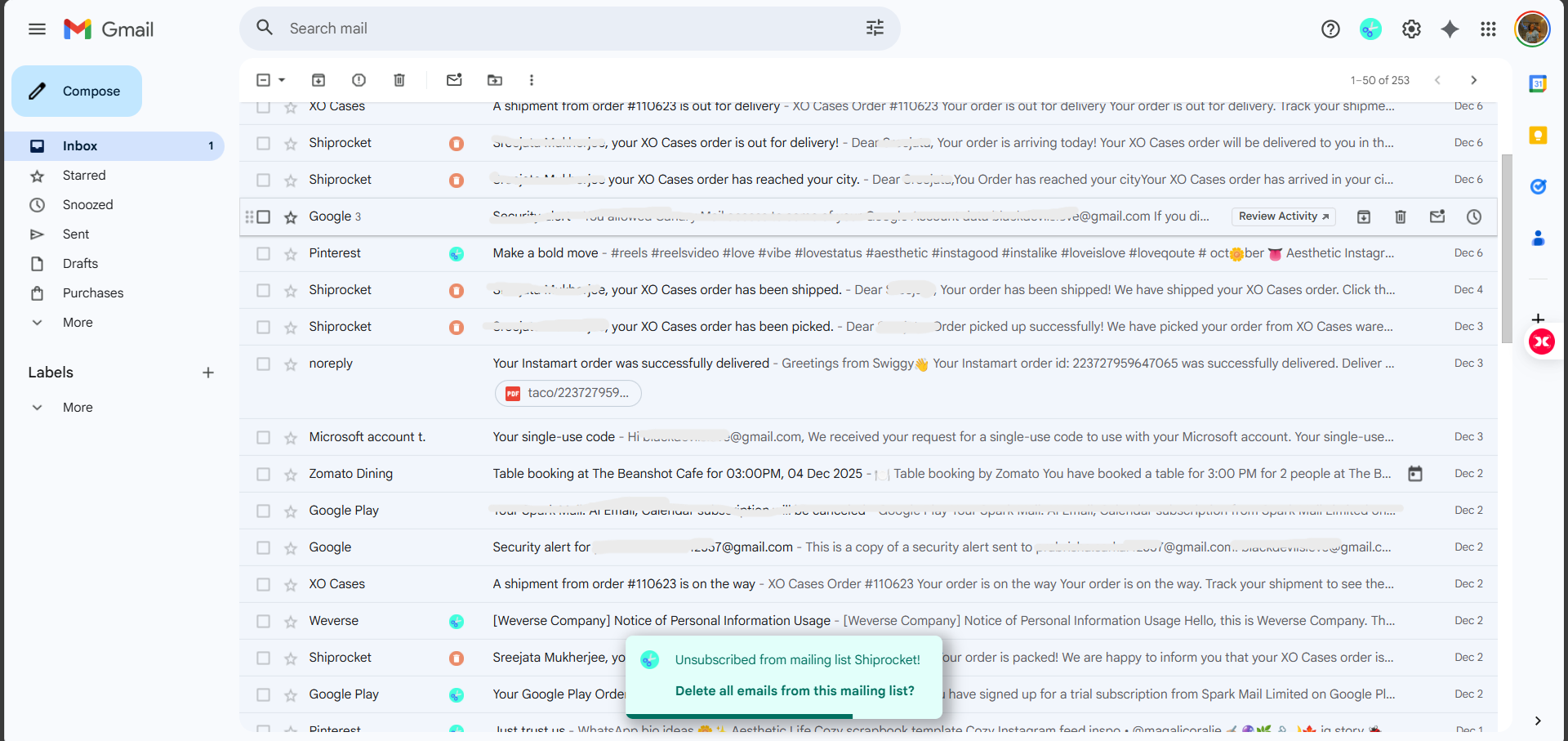
Avoiding the need to scroll through each email to find a tiny unsubscribe link saves a lot of time.
Block Senders Quickly
For newsletters ignoring unsubscribe requests or promotions masquerading as “updates,” I could:
- Block the sender entirely
- Automatically send future messages to Trash
That’s Gmail filtering, enhanced.
Unblock Anytime: Easy Recovery
This is crucial: Restoring someone accidentally blocked was straightforward.
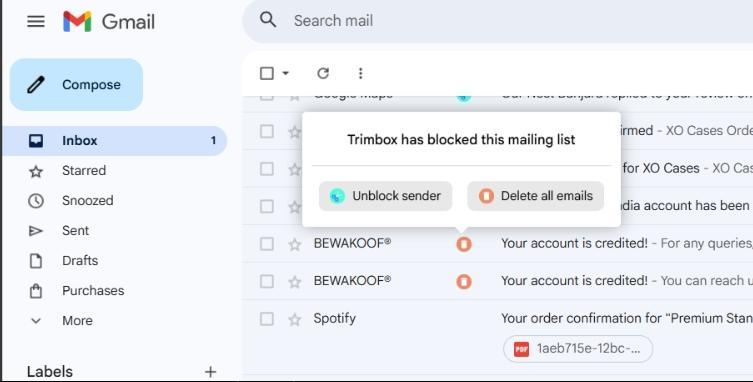
Reversing mistakes shows that Trimbox isn’t reckless; it offers control without danger.
Bulk Processing
Trimbox allows deleting all past emails from a sender with one click. This is ideal during seasonal clutter like sale floods. Select the sender, click delete, confirm, and Gmail clears it instantly, no scrolling or manual multi-select needed.
AI Reply Helper: Minimal Effort, Professional Tone
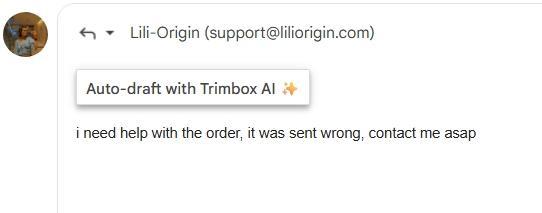
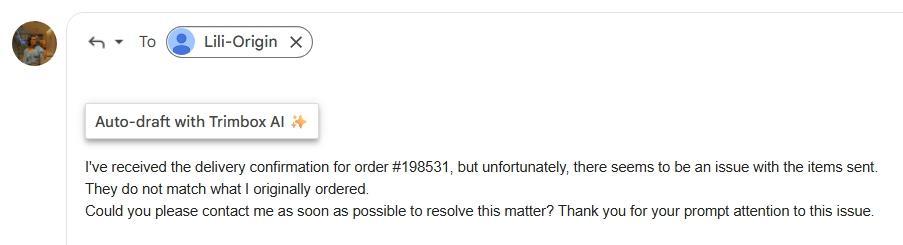
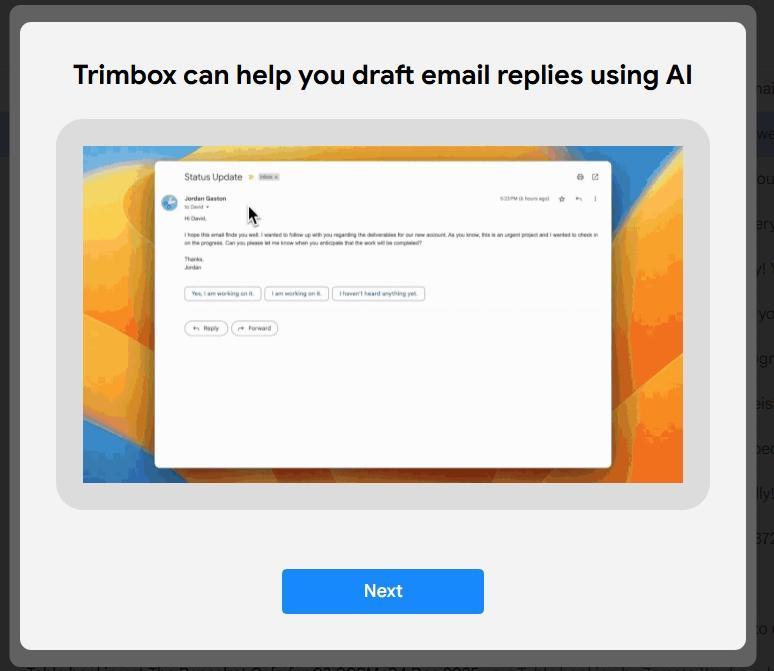
One of the unexpected benefits is Trimbox’s AI reply helper. Typing a brief, rough message like “order wrong help asap” results in the AI generating a polished, friendly email with proper sentences. It saves time and reduces stress when replying to customer service or order issues, without sounding robotic or overly formal. It mainly refines rough text into clear, polite responses. It doesn’t mimic my personal tone but focuses on speed and clarity, fitting the lightweight nature of the tool.
Overall Score: 8 out of 10
Performance: Fast and Nearly Instant
Many cleanup tools need waiting for inbox scans or database syncs. Trimbox avoids this by working directly within Gmail in real time.
Observations during testing:
- Deleting hundreds of promotional emails didn’t impact Gmail’s performance
- Blocking was immediate
- No lag when selecting large batches of newsletters
- The interface stayed responsive while Gmail processed changes in the background
- No extension crashes or quirky behaviour
I encountered no interruptions; the design is optimized for quick actions tap, confirm, done.
A minor delay occurred once or twice, as Gmail took a moment to update counts after deletions. That’s Gmail’s behavior, not Trimbox’s. Overall, the extension maintained a fast, momentum-respecting pace.
Score: 8.3 out of 10
Privacy & Security: Solid Stance
Trimbox emphasizes its privacy stance:
- “We do not collect or store your personal data.”
- “Google-verified privacy compliance.”
- “All processing occurs locally within Gmail.”

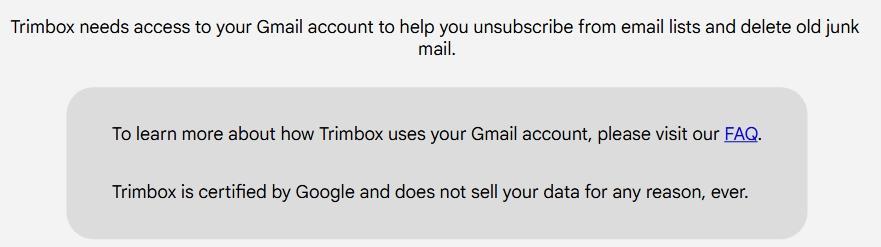
This aligns with my observations:
- No external dashboards mean less data leaves Gmail
- No analytics pop-ups requesting tracking permission
- No unusual permissions beyond standard inbox access
- No account creation means no personal profile is stored anywhere
This is reassuring, especially compared to tools that monetize aggregated inbox data.
One nuance to note: Trimbox still requires Gmail permissions to delete emails and unsubscribe. Trust is involved when granting a browser extension access to email functions.
Compared to other tools I’ve tested, Trimbox is among the least “data-intrusive.” It seems developed by people who understand that users value digital privacy as well as a clean inbox.
For those prioritizing privacy over automation or AI features, Trimbox scores very well.
Score: 9 out of 10
Pricing & Value
Trimbox’s pricing model is straightforward and more affordable than most inbox tools, especially when paying in INR.
- Free plan – ₹0 / $0
- Lets us start cleaning with 10 free unsubscribes.
- Good for testing the workflow and seeing if the extension fits your habits.
- Trimbox Unlimited – Monthly subscription
- When I tested it, the upgrade screen showed a discounted price of about ₹144.60 per month (roughly $1.70–$1.80 USD), with an original price of ₹481.99/month listed above it.
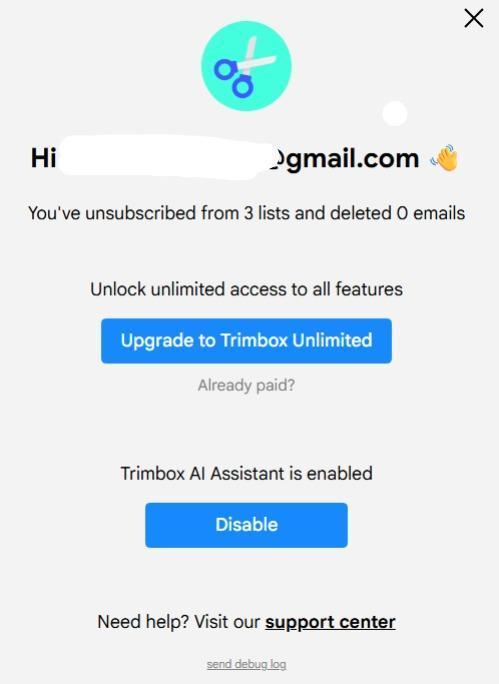
- This plan unlocks unlimited unsubscribes, unlimited bulk deletes and the Trimbox AI assistant for all Gmail accounts you connect.
- Trimbox Unlimited – Lifetime deal
- There’s also a one-time lifetime option at ₹289.50 (around $3.40–$3.60 USD), heavily discounted from a crossed-out price of ₹964.99.
- Once paid, it promises unlimited cleaning for all your Gmail accounts forever, which is very unusual for subscription-style tools.
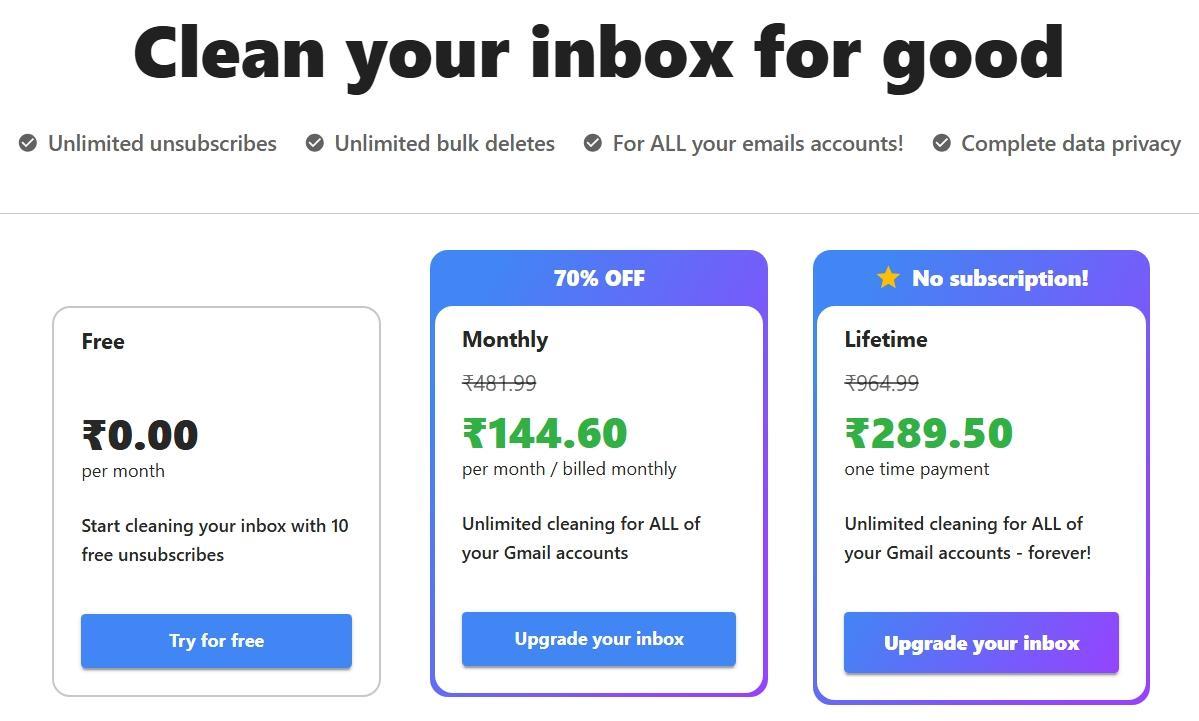
That means a full lifetime subscription costs roughly the same as 2 months monthly, so that plan is the only remotely sensible option.
Paid plan unlocks:
- Unlimited unsubscribes
- Unlimited blocked senders
- Unlimited message deletion
- Full multi-account inbox support
Now here’s the honest part:
The lifetime plan is much more reasonable, and becomes fair value if someone uses Trimbox regularly as part of monthly tidying.
Score: 9.4/10
Strengths & Weaknesses
What Trimbox does really well
- Operates directly inside Gmail, no app-hopping
- Unsubscribe + delete in one motion
- Fast bulk processing
- Easy recovery when mistakes happen
- Privacy-first approach with minimal data exposure
- Great pricing honestly especially with the discounted lifetime subscription
- No learning curve. Truly intuitive
Where it shows its limits
- Gmail-only (not suitable for Outlook / Yahoo / etc.)
- No Android app. Chrome desktop only for now
- Free plan is extremely limited
- No automation rules or ongoing organization
- Price may feel high for occasional use
It’s a tool designed for quick control, not full inbox management.
Who Would Benefit Most?
Trimbox is ideal for:
- Gmail users whose inbox is mostly newsletter mess
- People who prefer simple tools that don’t demand learning
- Users who want privacy and minimal access requests
- Anyone who wants occasional batch cleanup without switching apps
Probably not the best fit for:
- Multi-email users on free plans
- People expecting filters, AI, or smart categorisation
- Anyone outside the Gmail ecosystem
- Someone who wants a one-time cleanup and never again
Trimbox assumes Gmail is the centre of communication, a fair assumption for many, but not universal.
How Trimbox Compares to Other Tools I Tested
Each tool solves a slightly different inbox headache. Here’s the reality as I experienced it:
Trimbox vs. Inbox Zapper
- Inbox Zapper is cleaner visually and supports multiple providers
- But requires switching to its own dashboard
- Trimbox’s Gmail-native approach feels faster for ongoing maintenance
- Pricing is cheaper, but Inbox Zapper has broader compatibility
Trimbox vs. Cleanfox
- Cleanfox is completely free and works well for batch unsubscribe
- Game-style UI, eco-impact stats, more playful
- But slower and requires operating on a separate site and has major privacy concerns
- Trimbox sacrifices visuals for speed and convenience
Trimbox vs. Leave Me Alone
- Leave Me Alone supports more email providers and offers deeper subscription insights
- Cuter analytics dashboard, better long-term subscription oversight
- But it’s pricier and requires using a separate website
- Trimbox keeps everything inside Gmail and feels faster and more seamless for Gmail users
Trimbox vs. Mailstrom
- Mailstrom is best for giant inboxes needing hardcore filtering
- More bulk-sorting categories (by date, sender, size)
- But heavier features = higher mental load
- Mailstrom is also pricier compared to Trimbox and does not have a lifetime one-time pay subscription option
- Trimbox is simpler, but Mailstrom is more powerful
So where does Trimbox fit?
It’s the fastest tool for Gmail users who want to clean while staying inside Gmail. Not the most advanced. Not the most feature-packed. But definitely one of the most frictionless.
Final Verdict: Is Trimbox Worth It?
Trimbox impressed me in all the ways that matter for practical inbox cleaning:
- Super quick messaging cleanup
- Perfect Gmail integration
- No confusion during use
- Strong privacy approach
- Useful undo controls when needed
But the bigger question is whether it becomes a long-term tool or a short-term fix.
Here’s how I’d summarize my conclusion after testing:
Trimbox is excellent for occasional cleanup. If inbox clutter comes in waves, Trimbox is the friend to call every few months.
Trimbox isn’t a replacement for full email organization. Anyone wanting AI automation or intelligent filtering will outgrow it quickly.
In the end, I’d happily recommend Trimbox to Gmail users who:
- Want a straightforward, privacy-respecting declutter tool
- Prefer minimal apps and don’t want to learn a new interface
- Don’t mind investing yearly if it prevents inbox overwhelm
It’s the kind of extension that does its work, steps aside, and lets email feel lighter again.
Overall Score: 8.1 / 10
Inbox Cleanup Tools: A Detailed Comparison
In the quest to declutter our inboxes, several tools have emerged, each promising to streamline the process of managing unwanted emails. This comparison focuses on five prominent tools: Trimbox, Mailstrom, Inbox Zapper, Leave Me Alone, and Cleanfox. We delve into their pricing structures, automation capabilities, and bulk management features to determine which tool offers the best value and efficiency. The criteria used for this comparison include pricing transparency, automation and filtering features, bulk processing efficiency, privacy and security measures, user interface and experience, and additional unique features that set each tool apart. The goal is to provide a clear and objective analysis to help users make an informed decision based on their specific needs.
🔗 Trimbox vs Mailstrom | Trimbox vs Inbox Zapper | Trimbox vs Leave Me Alone | Trimbox vs Cleanfox | Mailstrom vs Inbox Zapper | Mailstrom vs Leave Me Alone | Mailstrom vs Cleanfox | Inbox Zapper vs Leave Me Alone | Inbox Zapper vs Cleanfox | Leave Me Alone vs Cleanfox
Mailstrom emerges as the overall winner due to its comprehensive suite of features that cater to both immediate and long-term inbox management needs. Its powerful batch actions, advanced automation tools, and support for multiple email providers make it a versatile and robust solution. While it may not be the most beginner-friendly or the cheapest option, its performance and capabilities justify the investment for users with extensive email management needs.
Frequently Asked Questions
Trimbox is a Chrome extension designed to declutter Gmail inboxes by allowing users to bulk unsubscribe and block unwanted senders directly within the Gmail interface. It integrates seamlessly with Gmail, providing quick actions to unsubscribe, block, or delete emails without leaving the platform.
Trimbox offers a free plan that allows for 10 free unsubscribes, which is useful for testing the tool. For unlimited use, there are paid options including a monthly subscription and a one-time lifetime deal, which is quite affordable and provides unlimited cleaning for all connected Gmail accounts.
Trimbox stands out for its seamless integration with Gmail and its minimalist approach. Unlike tools like Inbox Zapper or Leave Me Alone, which require separate dashboards, Trimbox operates directly within Gmail, making it faster and more convenient for Gmail users. It is simpler and more privacy-focused but may lack some advanced features found in other tools.
Trimbox offers several key features including fast unsubscribe and bulk delete options, quick sender blocking, easy recovery for accidentally blocked senders, and bulk processing of emails. It also includes an AI reply helper that refines rough text into clear, polite responses, enhancing the overall email management experience.
Yes, Trimbox emphasizes a strong privacy stance. It does not collect or store personal data and all processing occurs locally within Gmail. It has Google-verified privacy compliance and requires minimal permissions, making it one of the least data-intrusive tools available for email cleanup.
Trimbox is ideal for Gmail users whose inboxes are cluttered with newsletters and promotional emails. It is particularly useful for those who prefer simple, intuitive tools that do not require a learning curve. It is also suitable for users who prioritize privacy and minimal data exposure.
Trimbox is limited to Gmail and does not support other email providers like Outlook or Yahoo. It is also only available as a Chrome extension and does not have an Android app. The free plan is quite limited, and the tool lacks automation rules or ongoing organization features, making it less suitable for users needing advanced email management.
Abonneer je op onze nieuwsbrief en ben als eerste op de hoogte van tijd- en geldbesparende AI-tools!
Comments