Conclusion
Slidesgo remains an exceptional template marketplace, offering thousands of professionally designed slide kits that can be exported seamlessly into PowerPoint, Google Slides, or Canva. However, its AI Presentation Maker is underwhelming, repeatedly producing text and graphical element overlaps that require manual correction. At roughly $3/month on annual billing, its Premium tier is a bargain for template access, but users seeking a hands-off, automated AI deck generator should look elsewhere.
Pros:
- Massive, high-quality template catalog categorized by industry, aesthetic, and color
- Direct, frictionless export to PowerPoint, Google Slides, and Canva
- Ability to switch themes dynamically without wiping generated text content
- Highly affordable Premium subscription compared to market alternatives
Cons:
- AI generator consistently produces visual bugs, including overlapping text blocks and lines
- AI theme selector offers a much narrower, less sophisticated selection than the main template library
- Post-generation AI editing is restricted to basic fixed-action buttons without a conversational agent
- Free plan is limited to only three AI presentation generations per month
Table of Contents
- First Impressions & User Experience
- Core Features
- Performance, Reliability & Everyday Usability
- Pricing Breakdown & Limitations
- Privacy & Data Handling
- Comparison With AutoPPT
- Final Verdict
Slidesgo was the eighth tool in this series, and it’s a bit of an odd one to place because, for me, the AI generator isn’t really the main reason to use it. The real selling point is the sheer size of the template library. There are so many templates to choose from, and a lot of them are genuinely well designed. The AI generator feels more like an extra convenience on top of that rather than the thing the whole platform is built around.
I think Slidesgo makes the most sense for someone who wants a good-looking starting point and would rather take the template into PowerPoint, Google Slides or Canva and make it their own. There’s a lot of freedom there, and I actually found that part of the platform much more impressive than the AI generation itself. But if you’re looking for a tool where you can type a prompt, sit back and get a polished, presentation-ready deck with very little fixing afterwards, I don’t think Slidesgo is the best fit. In my testing, the AI had some pretty noticeable problems with how it handled the content and the template, which took away from what was otherwise a very strong template ecosystem.
First Impressions & User Experience
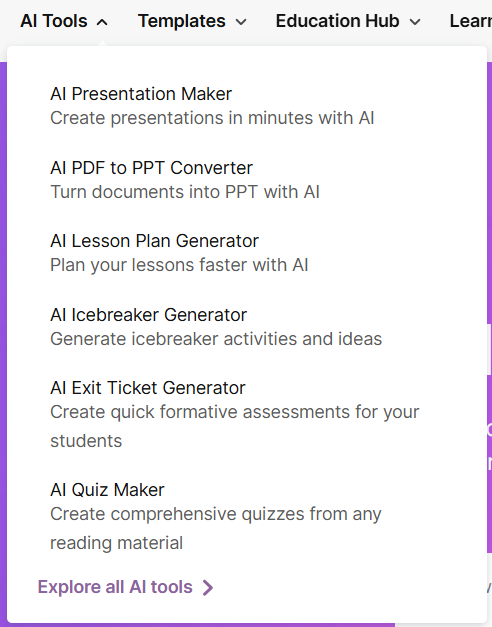
Slidesgo was pretty easy to get into. I didn’t really have to spend much time figuring out where anything was, although there is quite a lot on the platform because it offers more than just the AI presentation maker. For this review, I stuck specifically to the AI Presentation Maker since that’s what I was actually testing across the different tools. I skipped the other AI features because they weren’t really part of what I was comparing.
Core Features
This is where the split between “great platform” and “underwhelming AI” really showed up.
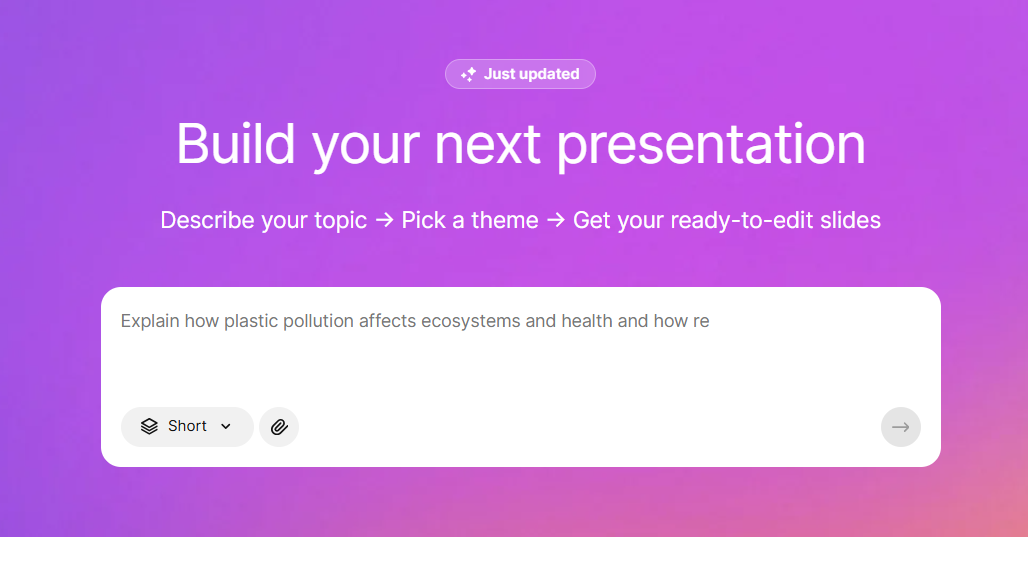
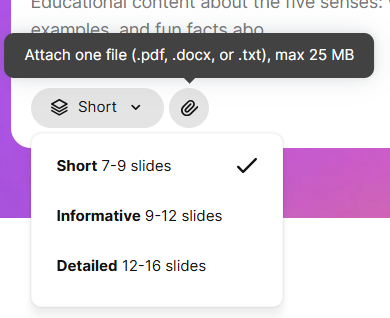
Pre generation controls. It was fairly minimal but useful. I could attach a PDF or document as reference material alongside my prompt, and choose a length, Short at 7 to 9 slides, Informative at 9 to 12, Detailed at 12 to 16. Having a direct length control like that is something I appreciate, it sets expectations upfront rather than leaving slide count entirely up to the AI’s judgment.
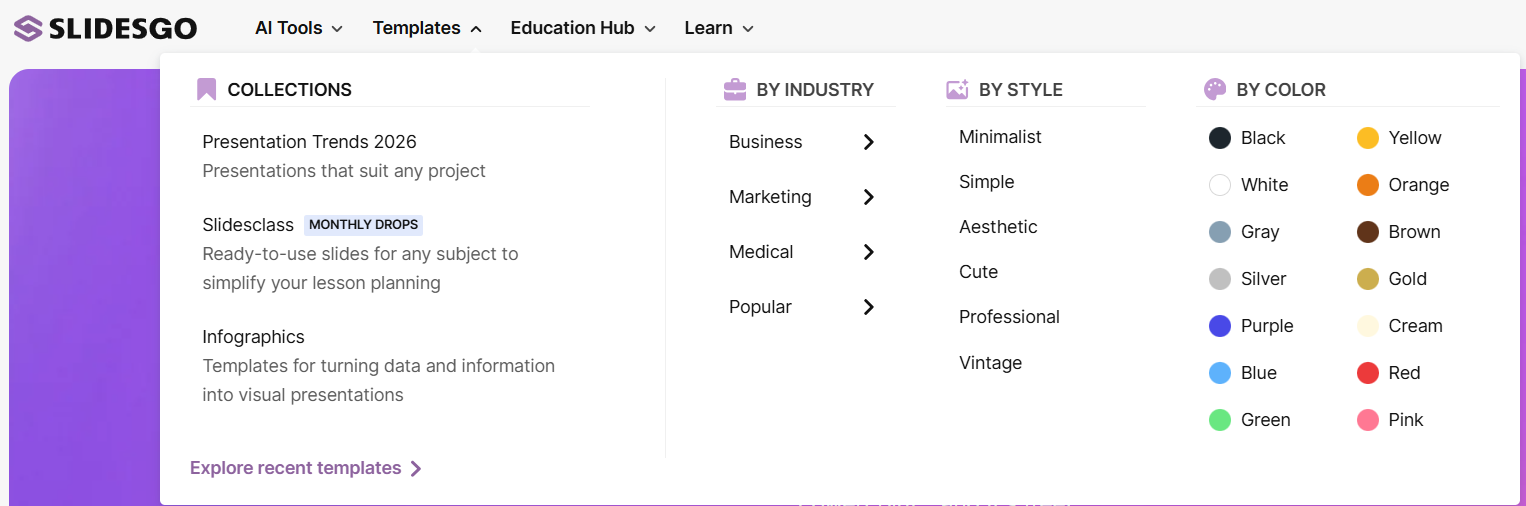
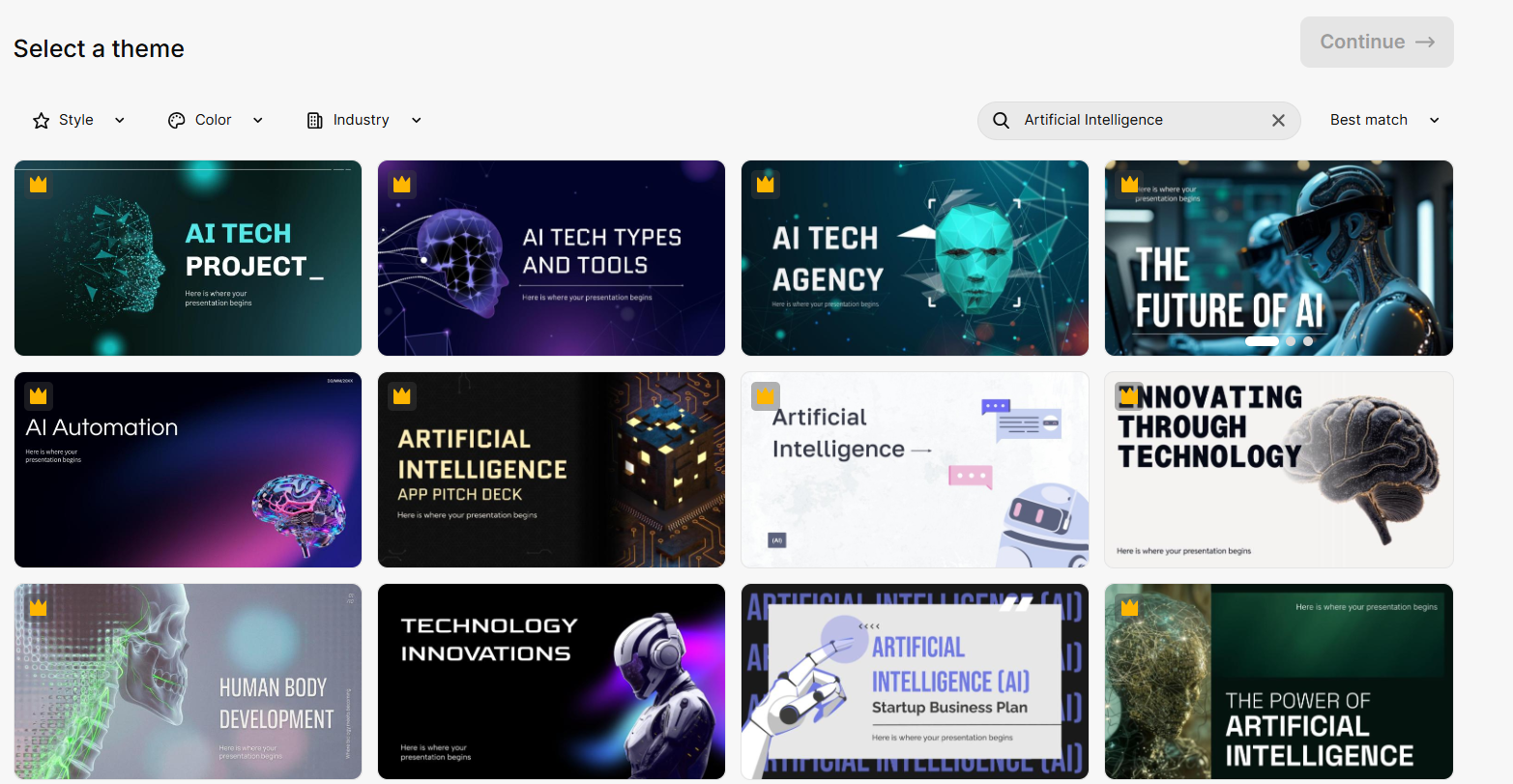
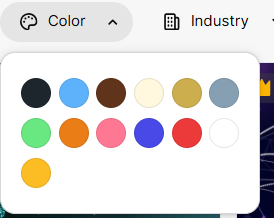
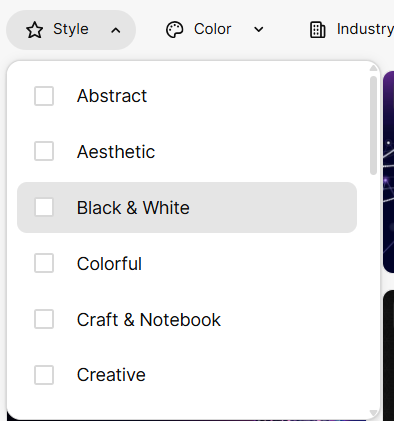
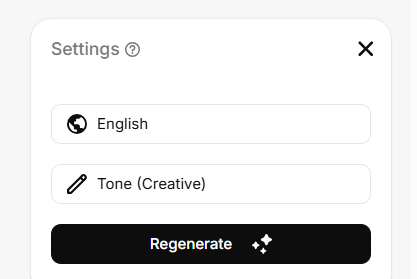
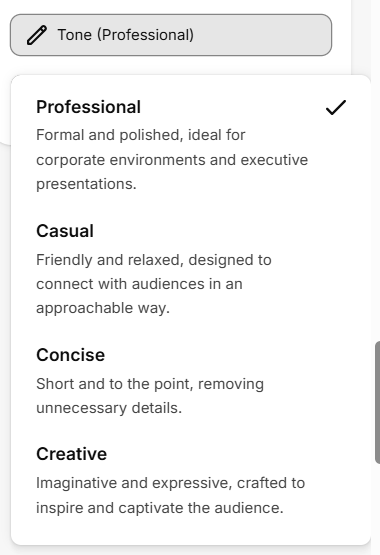
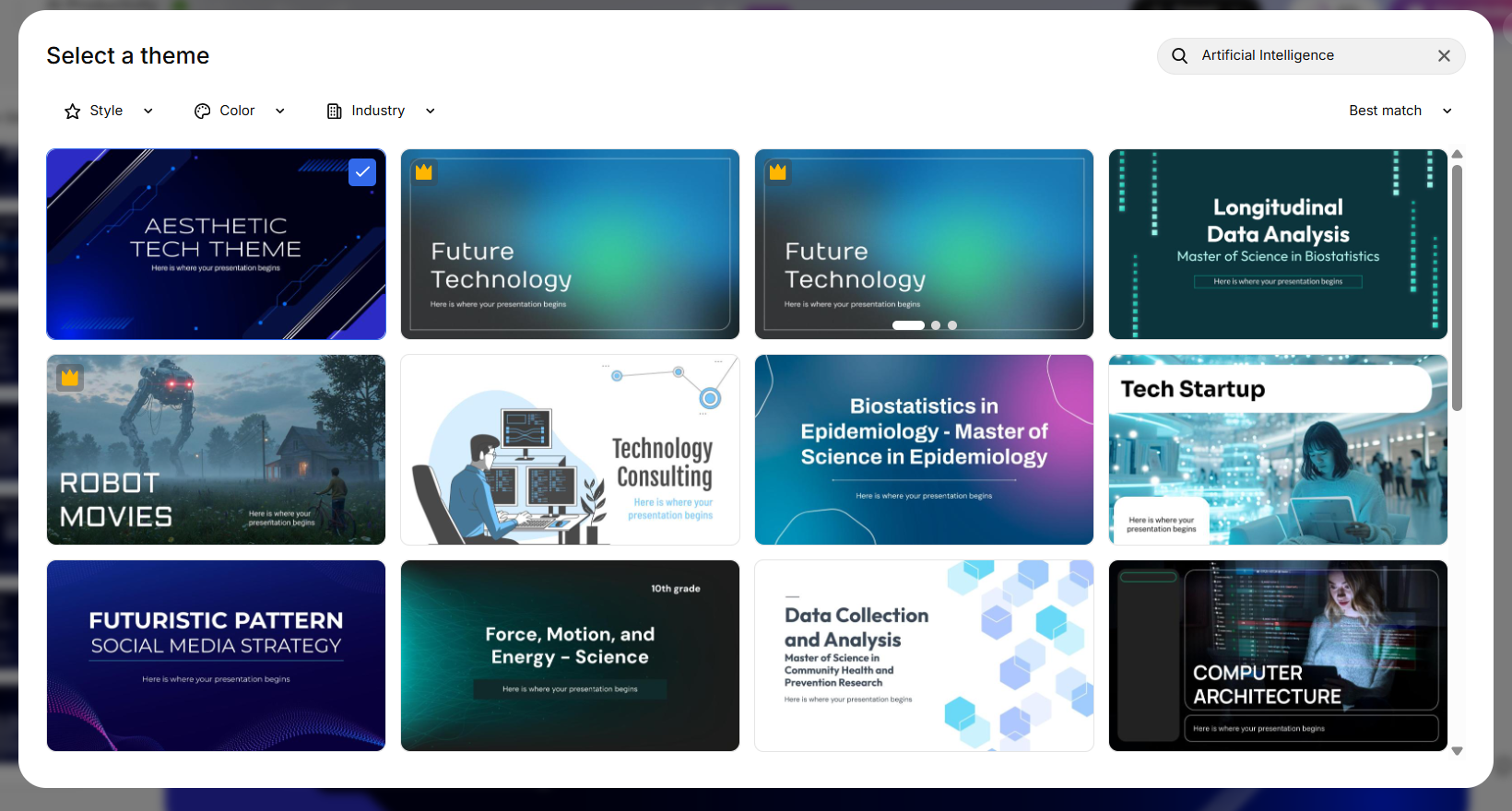
Theme selection. Once I’d entered my prompt, I got to pick a theme and had a decent amount of choice for this part. I could filter by style, with options like Professional, Aesthetic, Colourful, Creative and Black & White, and I could also narrow it down by industry such as Business, Education, Marketing, Medical and Technology. On top of that, I could choose the tone of the presentation, including Professional, Casual, Concise and Creative. It wasn’t a super detailed setup process, but I thought it gave me enough control to at least point the presentation in the direction I wanted before generating it.

Post generation AI editing. The generation took around three minutes, which felt pretty average compared with everything else I’d tested. It wasn’t one of the faster tools, but it also wasn’t slow enough that I was sitting there getting impatient. Once the presentation was generated, I had a few AI editing options to work with. I could change the tone, switch the theme, pick different images, rewrite the content on a slide, or make the text shorter or longer. These were useful for quick little fixes, especially when a slide had too much text, but I wouldn’t call the editing system particularly advanced.
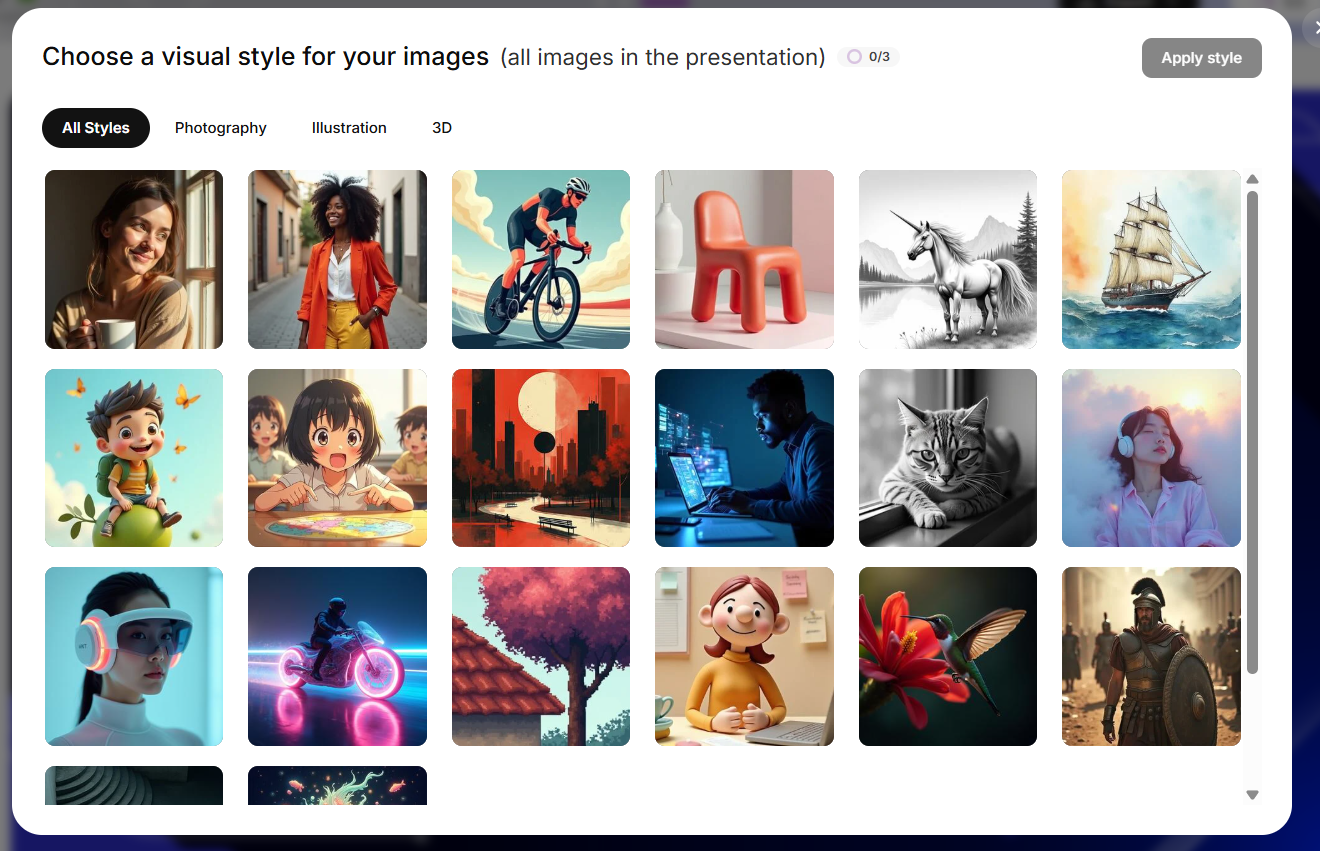
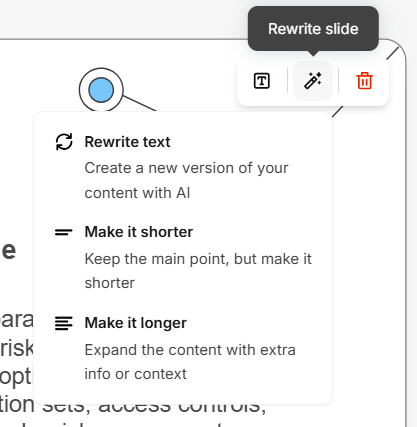
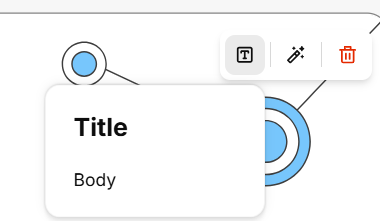
There wasn’t a proper conversational AI Agent where I could just tell it what I wanted changed and let it figure out the steps. Instead, I was working with a fixed menu of actions like Rewrite text, Make it shorter and Make it longer. It reminded me a bit of Presentations.AI, although I found Slidesgo’s options less capable overall. And if I wanted to make a bigger structural change, like adding or deleting a slide, I had to do that myself. So it worked fine for basic edits, but I didn’t get the feeling that the AI was really taking over the editing process.
Templates. The template library was honestly the first thing that caught my attention. There was a lot to choose from, and I could filter everything by style, colour and industry, which made browsing much less of a pain. There were enough different designs that I didn’t feel like I was just looking at the same template with a different colour slapped on it.
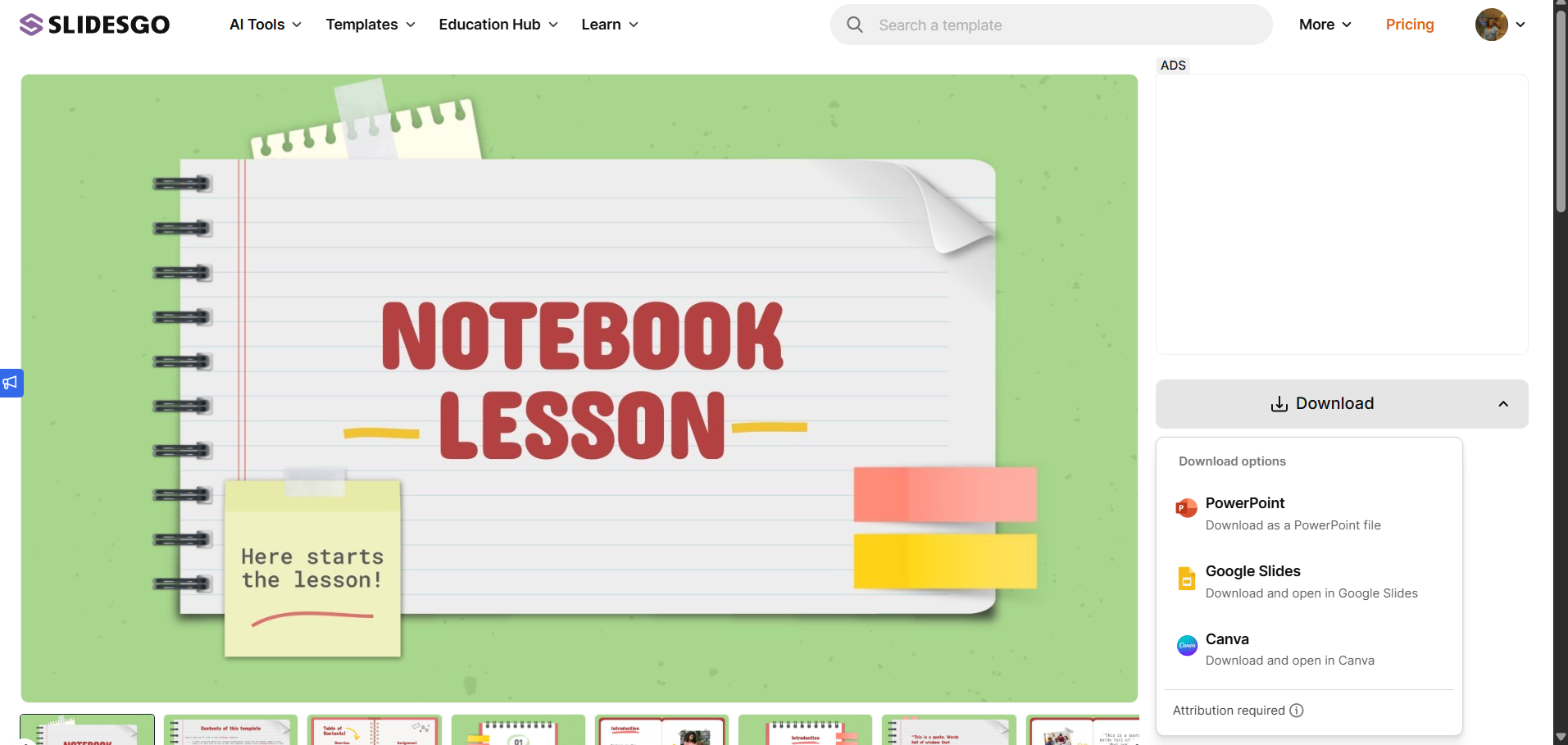
What I liked even more was that I wasn’t forced to keep using Slidesgo’s own editor. I could download the templates directly into PowerPoint, Google Slides or Canva and do whatever I wanted with them there. I really liked that because I’m not always looking for an entire presentation tool. Sometimes I just want a good template, and Slidesgo gives me the option to take that template somewhere I’m already comfortable working in. That’s quite different from most of the other tools I tested, where the whole experience is built around keeping you inside their platform.
Theme quality during AI generation specifically. One thing I actually liked was that I could change the theme without losing the content I’d already generated. The presentation kept the same information and structure, so I could try out different visual styles without having to regenerate the whole thing every time. It’s a small feature, but I found it genuinely useful because I could play around with the look of the deck without worrying about starting over.
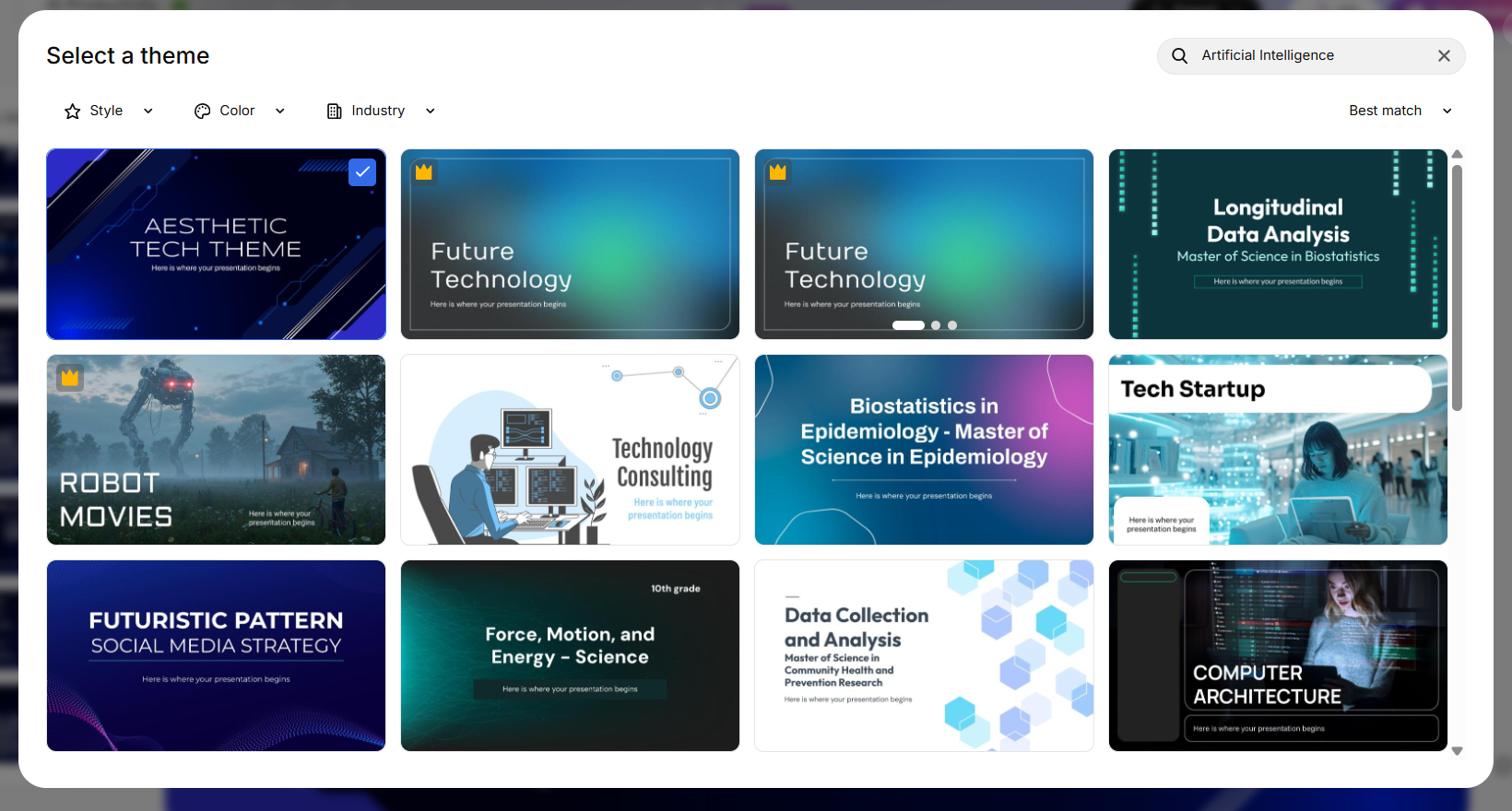
The actual theme selection during the AI generation was a bit more disappointing, though. I already knew Slidesgo had a really big template library from browsing the platform, but the themes I was shown during the AI workflow felt much more limited. There were some nice and cute designs, but I didn’t come across many of the stronger, more infographic-heavy layouts I’d seen elsewhere on the site. My guess is that some of the better options are part of Premium and simply aren’t available in the free AI workflow.
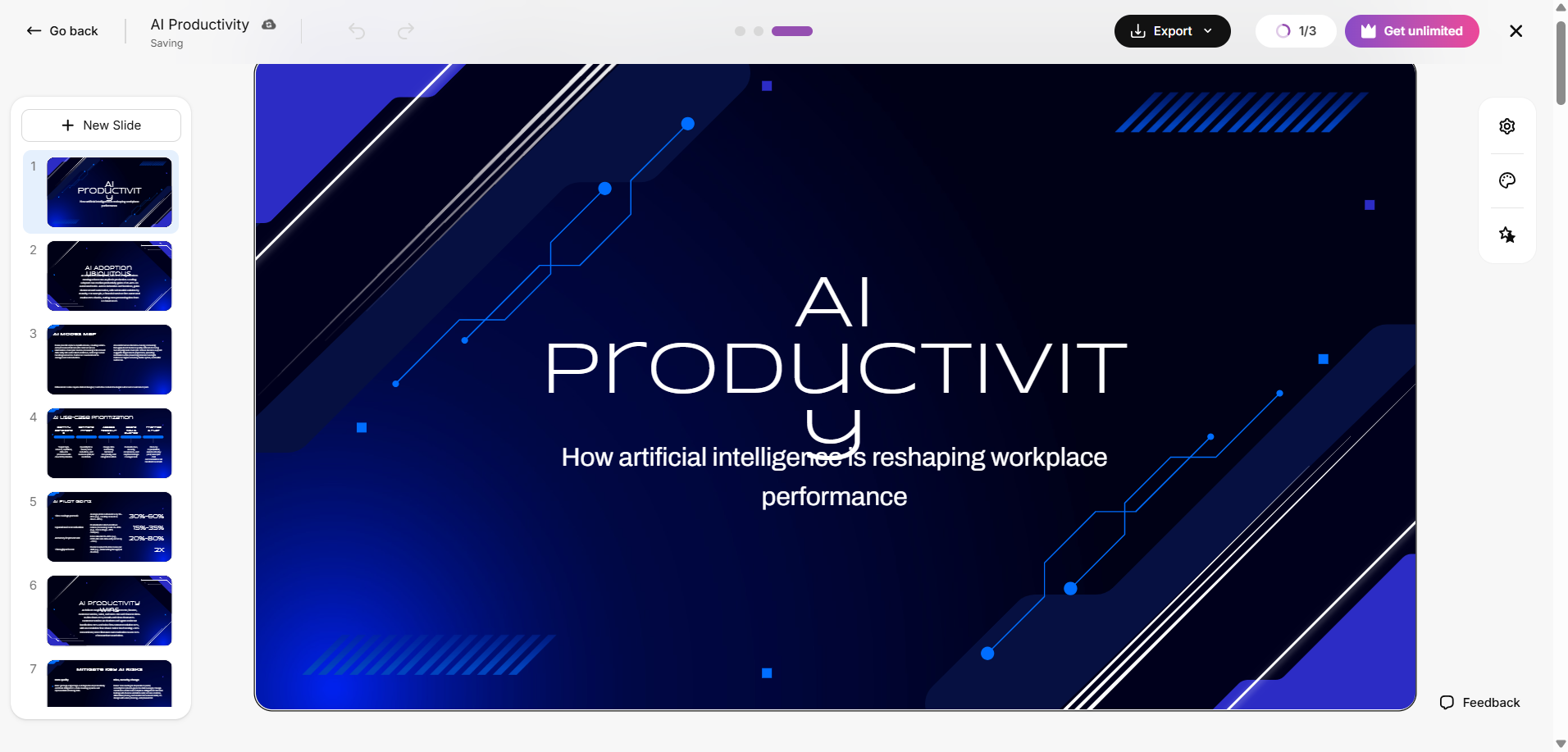
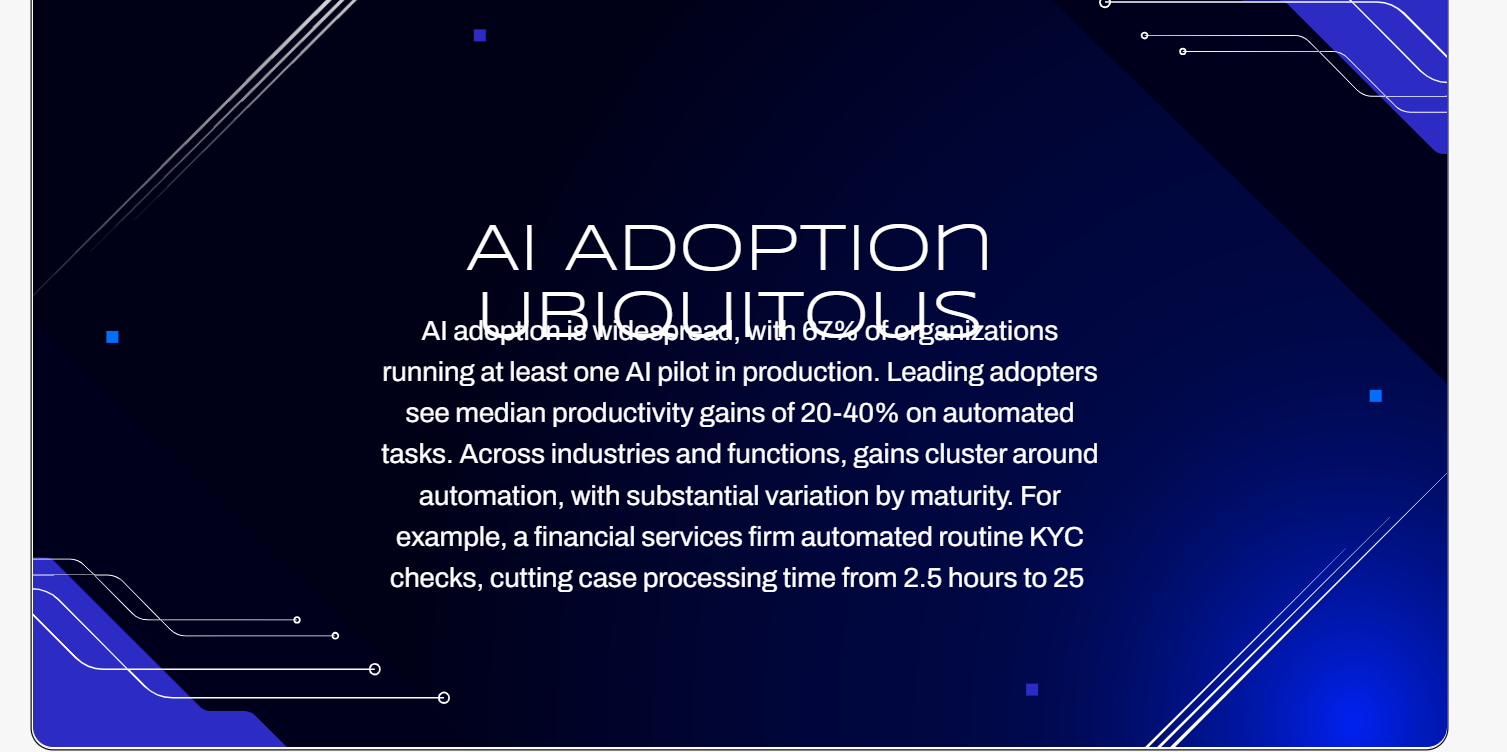
The actual generation quality. This was the bigger issue. At a glance the deck looked fine because the theme itself was decent, but once I actually looked closely, I ran into content and design elements overlapping on multiple slides, not a one off glitch on a single slide. That’s the same kind of basic layout failure I flagged with AutoPPT, and it undercut my confidence in the AI generation specifically, even while my opinion of the template system stayed high. It really drove home the distinction for me, having good templates and having an AI that uses those templates well are two completely different things, and Slidesgo is stronger at the first than the second.
Manual editor. Fairly basic, text box insertion and standard adjustments, nowhere near the depth I found in something like Pitch. Not really a knock against Slidesgo specifically though, since the platform clearly isn’t positioning itself as a full featured presentation editor in the first place.
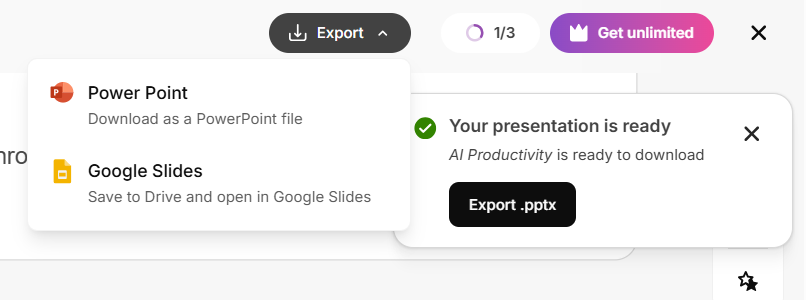
Export. A genuine bright spot. I could download the finished deck as an actual PowerPoint file, and Google Slides export was available too. After testing several tools in this series where export sat entirely behind a paywall, having this available freely was a real relief and made the whole platform feel more practically usable.
Performance, Reliability & Everyday Usability
Nothing really went wrong with Slidesgo while I was using it. It didn’t crash, I didn’t run into any strange behaviour, and the generation time was pretty consistent at around three minutes. So from a stability point of view, I was fine with it.
The problem was the presentation it gave me. I kept noticing text and lines running into each other on different slides, and it happened enough times that I couldn’t just treat it as a random mistake. Every time I generated a deck, I felt like I had to go through the whole thing afterwards and check each slide properly. So while the tool itself was stable, I couldn’t really trust the AI output to be ready without doing that extra cleanup first.
Pricing Breakdown & Limitations
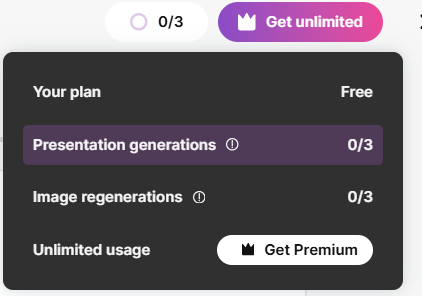
The free plan gave me three AI generated presentations a month plus three image regenerations, enough to properly test the feature but not something I’d call generous for anyone planning to use this regularly for AI generation specifically. Premium pricing, though, was genuinely one of the more affordable options I’ve come across in this whole series, around $35.99 a year billed annually, working out to roughly $3 a month, or $5.99 a month if billed monthly. That’s meaningfully cheaper than most of the other tools I’ve tested.
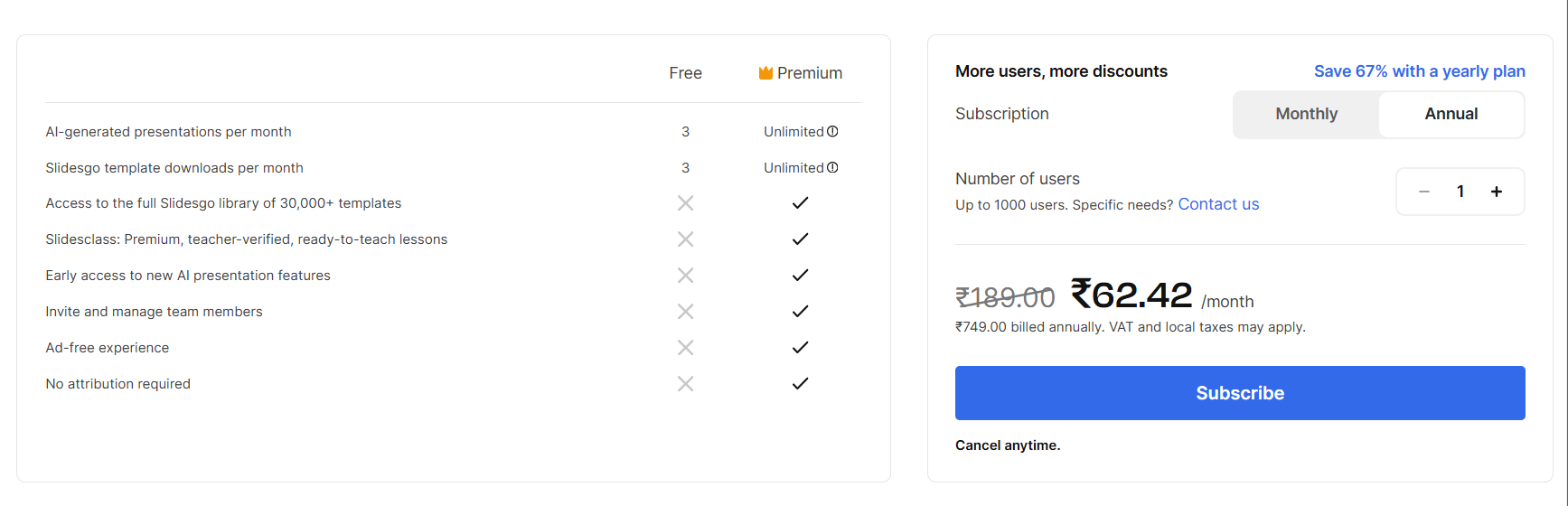

This actually makes the value question more complicated than usual. If I’m paying for the template library specifically, the huge selection plus the ability to take those templates into PowerPoint, Slides or Canva, this feels like genuinely excellent value at that price. If I’m paying specifically for a sophisticated AI generator, I’d be a lot less enthusiastic, the actual AI output quality just didn’t hold up to that same standard.
Privacy & Data Handling
It collects fairly standard information when I create an account, mainly things like my name and email address. It also collects usage and device information through cookies and similar tracking tools, mostly for analytics. There is also a Google Slides extension that connects with Google account information such as my name, email, language preference and profile image, with that data also being covered by Google’s API policies.
One thing I liked was that marketing emails are opt-in, so I wouldn’t have to sign up and then go hunting for an unsubscribe button later. If I wanted to access, correct or delete my personal information, I could contact Slidesgo directly and request it.
The one thing I couldn’t find a clear answer on was whether prompts or AI-generated content are used for training. I wouldn’t necessarily take that as meaning they are, but the policy didn’t give me a clear enough answer either way. If that’s something that matters for a particular project, I’d definitely want to look into it further before uploading anything sensitive.
Comparison With AutoPPT
Given how the actual AI generation experience shook out here, similar limitations, similar overlap issues, comparing against AutoPPT felt like the more honest match than pitting Slidesgo against something like Gamma, which is playing an entirely different game.
Category | AutoPPT | Slidesgo |
|---|---|---|
AI presentation quality | Generic, occasional text overlap issues | Decent at a glance, but repeated overlap across multiple slides |
Design quality | Repetitive across topics | Strong template foundation, inconsistently applied by the AI |
Visual assets | Manual shapes and charts only | Broad template based visuals, filterable by style and industry |
Template variety | Limited, some locked behind Pro | Extensive, genuinely one of the best libraries I’ve seen in this series, though there are many locked behind premium |
Editing experience | Manual editor only, no AI editing | Basic AI menu plus limited manual editor |
AI assistance | None inside the editor at all | Predefined actions only, no full agent |
Export options | Download blocked entirely on free | PowerPoint and Google Slides export available free |
Pricing | $16.66 to $19.99 a month, plus lifetime option | Roughly $3 to $6 a month |
Free plan | Restrictive, download blocked outright | Three AI generations a month, but export included |
For me, Slidesgo comes out ahead mainly because of the template library and the fact that I can actually export what I create. The templates are much more useful in practice because I can download them and keep working in PowerPoint, Google Slides or Canva, instead of being stuck inside the platform. It’s also noticeably cheaper, which makes the whole thing a bit easier to justify.
AutoPPT does have a slightly more capable manual editor, so if I cared mostly about having more editing controls inside the platform, I could see the argument for it. But looking at everything together, I still preferred what Slidesgo offered. Even though its AI generator had some of the same problems I’d seen with AutoPPT, particularly around the quality of the generated layouts, I thought Slidesgo gave me more value overall because of how strong the template side is, how flexible the exports are, and how much less the Premium plan costs.
Final Verdict
My overall impression of Slidesgo really comes down to the fact that the template side is much stronger than the AI side. The template library is genuinely one of the best I’ve come across in this series, with a huge amount of variety, useful filtering, and the freedom to take those templates into PowerPoint, Google Slides or Canva. Being able to export a PowerPoint for free also stood out to me, especially after testing so many tools where that was locked behind a paywall. And at the Premium price, I think the template offering is genuinely hard to beat.
The AI generation, though, was a different story. I kept running into overlapping elements across multiple slides, and the themes available through the AI workflow felt much more limited than the wider library. The editing options were fine for basic changes, but there wasn’t much there for more involved edits.
So I’d see Slidesgo primarily as a template platform with an AI generator attached, rather than an AI-first presentation maker. If I wanted great templates at a low price, I’d absolutely consider it. If I wanted the AI to generate a polished, presentation-ready deck with minimal cleanup, I’d look elsewhere.
Overall score: 5.3/10.
Frequently Asked Questions:
Yes. One of Slidesgo’s strongest advantages is that you can download its templates directly to PowerPoint or open and edit them seamlessly inside Google Slides and Canva.
Yes. Testing revealed repeated formatting failures where titles, descriptive text, and decorative vector lines collided and overlapped on finished slides.
Free users receive 3 AI presentation generations and 3 image regenerations per month, but can freely download completed presentations as PowerPoint files.
Yes, Slidesgo allows you to apply different visual styles to an existing deck while retaining the generated slide content and hierarchy.
Abonneer je op onze nieuwsbrief en ben als eerste op de hoogte van tijd- en geldbesparende AI-tools!
Comments