Conclusion
Frase stands out as a robust tool for content creators who prioritize research and SEO optimization. It excels in providing a structured approach to writing, ensuring that users cover all necessary topics and maintain high SEO standards. However, its interface can feel somewhat demanding, and the pricing structure, which includes both subscriptions and credits, may add complexity. Despite these drawbacks, Frase offers valuable insights and tools that can significantly enhance the quality and completeness of content.
Pros
- Encourages a research-first approach, reducing uncertainty in content creation
- Provides comprehensive SERP analysis and competitor insights
- Offers flexible writing modes, from full AI generation to manual writing
- Includes robust content governance features for teams
- Supports multiple languages, even in the free trial
Cons
- Interface can feel dense and demanding, especially for new users
- Pricing structure with additional credits can add friction and complexity
- Constant scoring and optimization feedback may feel nagging to some users
Table of Contents
- Introduction
- Dashboard / UI Experience
- Core Features
- Rank-Ready Article Creation
- Research and SERP Context
- Topic Score, SEO Score, and Optimization Feedback
- Outline and Heading Control
- Writing Tools and Templates
- Content Governance and Brand Control
- Post-Publish Content Opportunities
- Integrations and Workflow Add-Ons
- Performance and Output Quality
- Pricing and Value (What Each Tier Really Unlocks)
- Privacy and Trust
- Comparison
- Who This Tool Is Best Suited For
- Final Verdict
- Frequently Asked Questions
Introduction
Writing long form content usually isn’t hard because of typing, it’s the second guessing. You start wondering if you missed something or if the article is actually done or just long. That’s the mindset I was in when I started testing Frase.
Frase is a content research and writing tool meant to reduce that uncertainty, especially for writers working on SEO driven pieces. I used it across real writing tasks, and in this review I’ll break down what felt helpful, what felt heavy, and where I still found myself hesitating.
Dashboard / UI Experience
The first thing I noticed about using Frase via the web app is that it doesn’t compel me to write immediately. That might seem minor, but it’s significant. The entire session starts differently because the dashboard feels more like a planning space than a blank page.
The layout is clean, but not minimal in a calming way. It’s structured. Almost managerial. There’s a clear split between writing and analysis, and that separation stays consistent no matter where I click.
Some things that stood out immediately:
- A left sidebar that stays visible at all times
- Clear grouping between Write and Analyze
- Documents, Templates, and AI Tools living together
- SEO Analytics, AI Visibility, and Content Opportunities kept separate


That structure makes sense after a few minutes, but at first it felt slightly dense. Not confusing, just busy. I didn’t feel lost, but I did feel like I needed to slow down and read labels instead of clicking instinctively. Once I got used to it, the flow became more intuitive.
What the dashboard is quietly encouraging:
- Start with research, not prose
- Look at competitors before drafting
- Treat content like something measurable, not expressive
This mindset is evident throughout. Even when beginning a new document, the default tendency leans toward a “Rank-Ready” workflow rather than freeform writing. It’s not imposed, but it’s clearly encouraged.
From a usability perspective, a few points are worth highlighting:
- Panels open and collapse smoothly
- Scores and progress indicators are always visible
- The editor, analysis, and outline live side by side
- Nothing feels hidden, but nothing feels lightweight either
UI rating: 7.5 / 10
Core Features
Rank-Ready Article Creation
When I start a new article in Frase, it doesn’t feel like opening a blank page and hoping for the best. There’s a very clear sense that the tool wants me to understand the topic space before I write a single paragraph. The article creation flow is built around preparation first and writing second, which changes how I approach content entirely.
Instead of guessing what Google wants, I’m shown what already exists, what’s missing, and where my article could realistically fit. I don’t feel rushed to generate text. I feel nudged to slow down and get my footing first. The content Frase generates is generally clear and well structured, especially for outlines and early drafts, and it stays focused on the actual search intent.

Within the article creation flow, Frase includes:
- SERP analysis tied to the exact query
- Competitor pages pulled in automatically
- Research progress stages like exploring and reading sources
- A “rank-ready” status indicator once everything is covered.
When it comes to actual writing, Frase gives me a few clear paths, and I’m free to switch between them. I can use credits to generate an entire article in one go, which works, but it does burn through credits quickly. Once that draft exists, I can rewrite specific sections, replace paragraphs based on AI suggestions, or ignore those suggestions entirely and edit the text myself inside the editor. I’m not locked into what the AI produces.
If I don’t want to spend credits on full drafts, I can also start from scratch and write everything myself, using the research, SERP insights, and outline as guidance. That obviously requires more effort on my side, but it’s fully supported by the tool. In practice, Frase lets me choose between three modes: generating full content with credits, writing manually while still receiving optimization feedback, or writing completely on my own without using credits at all. That flexibility made it feel more like a writing environment than an AI autopilot.
Rating: 8/10
Research and SERP Context
This is the part where Frase feels most different from normal writing tools. A large portion of the screen is dedicated to research rather than text. I’m shown real pages ranking for the topic, along with snippets, claims, and summaries pulled from those pages.


What stood out to me is that research isn’t hidden in the background. It stays visible while I’m writing whether I’m drafting sections myself or tweaking AI generated text. That makes it harder to write vague or unsupported statements without catching it early.
I used the “Generate Article” button, which uses AI credits to create an outline based on the analysis Frase has already done. There’s very little manual work needed to get to that first structure, though I can adjust or expand it as I go. The value here isn’t just the outline itself, but the fact that it’s built on visible research that stays accessible throughout the writing process.
From the research panels, I can see:
- SERP cards with ranking positions
- Extracted summaries from multiple sources
I didn’t manually check every source one by one, but the setup makes it very clear where information is coming from, and where something might be thin or opinion-based. It’s valuable, mainly as a quick way to sense check information while writing. It makes it easier to spot where something is well supported versus where it might not be. It’s not a replacement for deeper research, but it helps catch weak spots early
Rating: 8.7/10
Topic Score, SEO Score, and Optimization Feedback
As I wrote, Frase kept showing me how complete the article is compared to what’s already ranking. This happened through a topic score and an SEO score that update as content changes.
The feedback doesn’t rewrite anything for me automatically. Instead, it points out what’s missing or under-covered. Sometimes that’s helpful, sometimes it feels a bit naggy, but it’s consistent.

What the optimization panels include:
- Topic coverage percentage
- Average competitor score for comparison
- Word count, headers, links, and images compared to SERP
- Suggestions tied to authority, readability, and structure
There’s also a GEO optimization section focused on visibility in AI search tools. It’s marked as early beta, which I appreciated. I didn’t rely on it heavily, but it’s clearly something Frase is building toward.


Rating: 8.3/10
Outline and Heading Control
This is one of the areas where Frase quietly changed how I work, even when I wasn’t paying attention to it. The outline isn’t something I open once and forget. It stays there, always visible, always reminding me of the shape of the article. That alone altered my writing rhythm. I found myself thinking in sections earlier than usual, sometimes even before I had the words.
Instead of drafting freely and restructuring later, I was nudged to decide what deserved its own space. That doesn’t sound dramatic, but over time it reduced the amount of backtracking I usually do. I wasn’t constantly rewriting the same section because I’d already committed to where it belonged.
Inside the outline system, I could clearly see:
- Automatically generated heading structures
- Editable H1, H2, and H3 hierarchy
- Section-level topic suggestions
- The total number of headings competitors tend to use
I didn’t follow the outline blindly. Some sections felt unnecessary for my angle, and I removed them. Others felt thin, and the outline made that obvious before I even started writing. The biggest benefit here wasn’t the outline itself, but how early it forced me to confront structure instead of postponing it.
Writing Tools and Templates
Frase includes a large set of smaller writing tools, and at first glance, it can feel like too much. Rows and rows of options, each promising to handle a specific task. I didn’t use most of them deeply, and I didn’t feel like I had to. They sit there as support, not as the main event.
When I did open them, they felt very focused. One tool, one job. No ambiguity about what it’s meant to do. That made them easier to trust in short bursts, even if I didn’t rely on them for full sections.

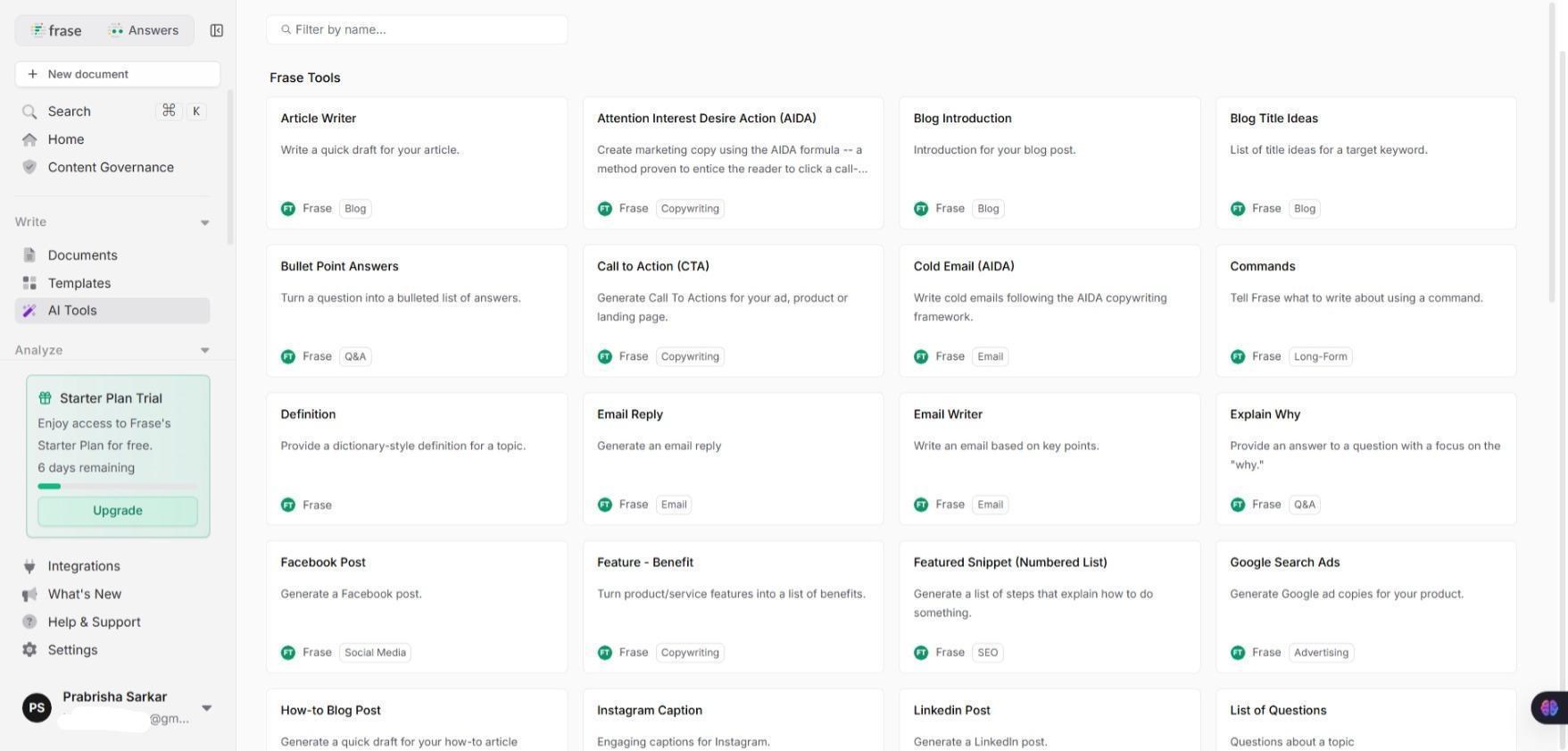


The writing tools cover things like:
- Blog introductions and paragraph starters
- Paragraph rewriting and shortening
- Meta titles and meta descriptions
- Pros and cons formatting
- Definitions and brief explanations
- Social posts, ads, and basic email drafts
I treated these more like utilities than creative partners. They helped me move past small sticking points, but the core writing still happened inside the main editor. That separation actually helped. I never felt like the tools were trying to take over the writing itself.
Rating: 7.8/10
Content Governance and Brand Control
This section made it very clear who Frase is built for. While I didn’t rely heavily on these features myself, their presence is hard to ignore. The platform assumes that content isn’t always written by one person, and that consistency matters.
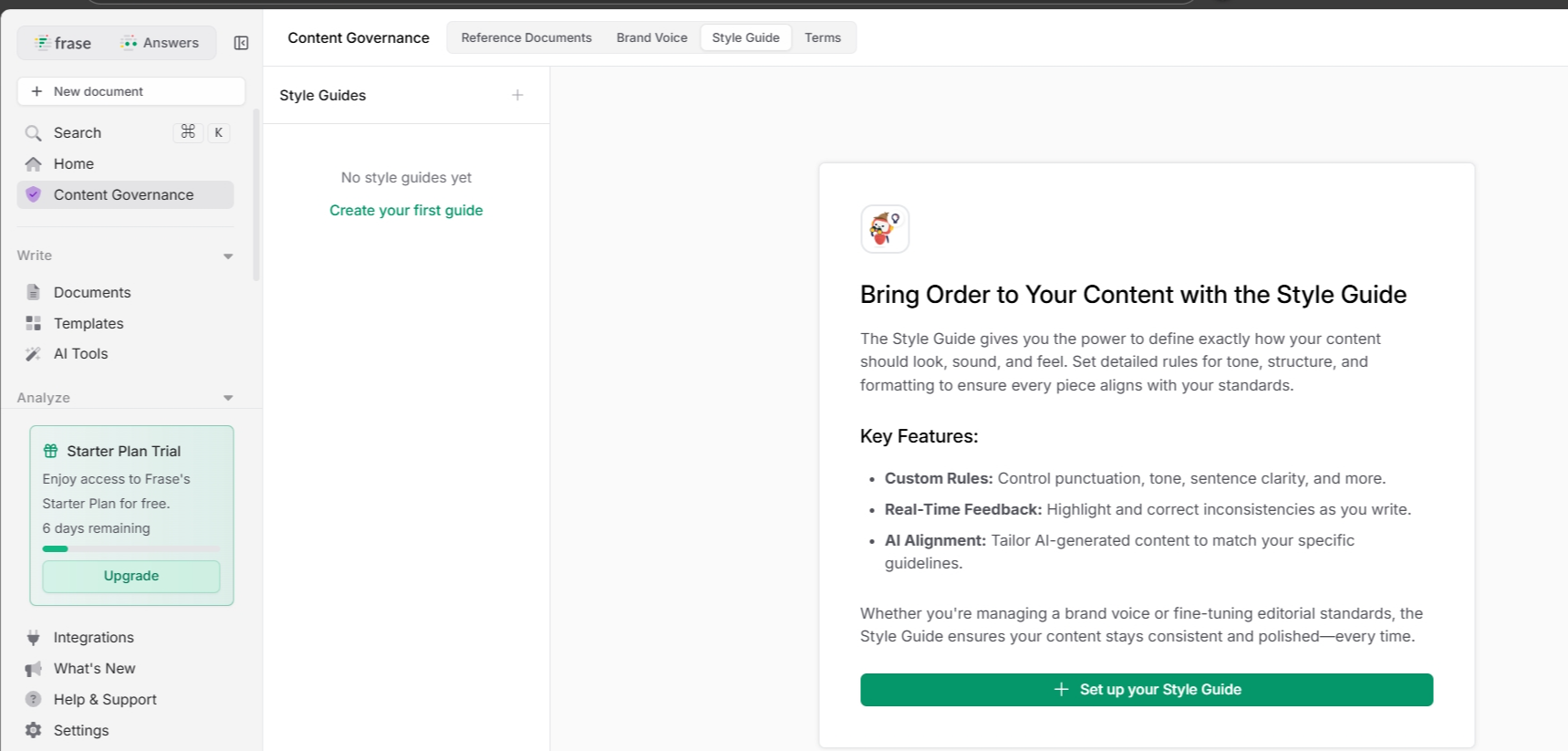


Governance features feel less about creativity and more about preventing drift. Drift in tone. Drift in terminology. Drift in how things are explained across different pieces.
From the governance area, I could see:
- Brand voice profiles with limits based on plan
- Style guides for tone, formatting, and clarity
- Approved and restricted terms
- Reference documents for writers to follow
The AI does take these guidelines into account when generating text, so things like tone, terminology, and formatting are reflected in the output as well. That said, it’s not a perfect switch where everything suddenly becomes indistinguishable from a specific writer’s voice.
From what I saw, it works best as a guardrail rather than a full replacement for judgment. It helps keep things consistent and avoids obvious drift, especially across multiple writers or pieces. One would still want a human pass for nuance, but it does a decent job of keeping AI output from feeling generic or off brand.
For solo writers, this might feel excessive. I could see myself ignoring most of it. But for teams or agencies, this feels like the part of the tool that quietly saves time and avoids internal friction.
Post-Publish Content Opportunities
One thing Frase doesn’t let me forget is that publishing isn’t the end. There’s a strong emphasis on revisiting and improving content once it’s live, especially when connected to search performance.

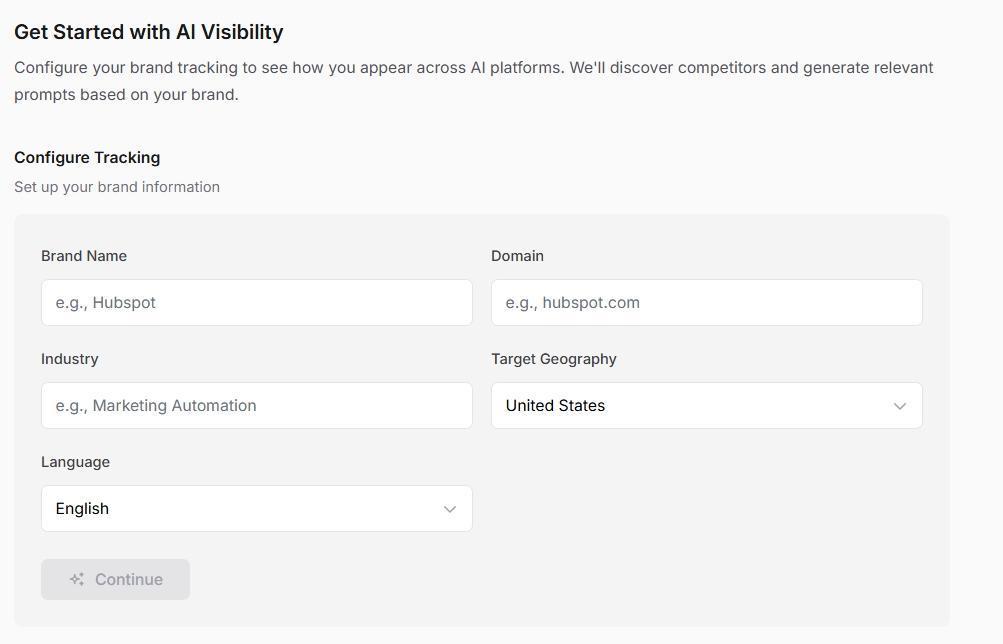
The post-publish features are clearly tied to monitoring rather than writing. They sit slightly apart from the editor, which makes sense. This is about reflection, not creation.
From what was visible, these features include:
- Content opportunity tracking tied to real performance
- SEO and GEO content analytics
- Domain-level monitoring depending on plan
I didn’t connect my own data here, so I’m careful with claims. But the layout makes it clear that Frase expects content to be maintained, not abandoned. That mindset runs consistently through the platform.
Integrations and Workflow Add-Ons
Frase doesn’t force me to live inside its editor, which I appreciated. The integrations feel like optional extensions rather than requirements. I can write elsewhere and still pull Frase into the process when needed.

From what’s visible, Frase integrates with:
- Google Docs
- WordPress
- A Chrome browser extension
These integrations are framed as ways to bring Frase’s analysis and guidance into familiar writing spaces. I didn’t test each one personally, but their presence suggests flexibility rather than lock-in. That matters, especially if writing already happens across different tools.
Performance and Output Quality
In actual use, the platform felt steady. Pages loaded without stalling, research panels populated without freezing, and long documents didn’t break the editor. I didn’t have moments where content disappeared or where I felt nervous about refreshing the page. That alone made longer sessions feel safer.
From what I observed while working:
- Research stages update without interrupting writing
- Scores refresh as content changes
- The editor remains responsive even with long articles
- Optimization suggestions stay visible but don’t overwrite text
The output itself felt structured and predictable. Not always perfect, and not always natural without editing, but rarely chaotic. Frase doesn’t lock me into one way of writing. I can draft everything manually inside the editor, or I can use the AI to generate sections when it makes sense. When I choose to auto generate content, it uses AI and credits, but I’m just as free to write the article myself and only lean on the AI where it actually helps.
In terms of quality, I’d describe the output as reliable rather than impressive. Most of what Frase generated was relevant, on topic, and clearly shaped by the research it pulled in, which meant I wasn’t constantly stopping to fact-check obvious gaps. That said, I never feel comfortable publishing AI-generated sections as-is. The writing usually needs a human pass for smooth transitions, to add nuance, and make it sound more like something I’d actually say. As a starting point though, it was consistently usable.
Frase doesn’t try to surprise me with clever phrasing. It tries to make sure I didn’t miss something obvious.
Performance rating: 8 / 10
Pricing and Value (What Each Tier Really Unlocks)
Frase’s pricing is layered, and that matters. There’s the subscription, and then there are credits. Both shape how often and how freely the tool can be used.

From the pricing screen shown, the main plans are:
- Starter: $38/month
- Professional: $97/month
- Advanced: $115/month
- Scale: Custom pricing
What changes between tiers isn’t just volume, it’s how much friction I feel while working.
On Starter, the platform is usable but limited. It’s enough to understand how Frase works, but not enough to forget about limits.
At this level, I could expect:
- Limited number of documents per month
- Limited Rank-Ready usage without buying credits
- Fewer brand voice profiles
- Restricted domain connections for analytics
Moving to Professional is where Frase starts to feel practical for regular use.
Here, the experience opens up with:
- More documents per month
- More brand voice profiles
- Better access to optimization features
- More room to work without constantly watching counters
The Advanced plan pushes further toward team and agency use.
At this tier, what becomes clear is:
- Higher content limits
- More governance features
- Broader analytics and monitoring
- Less friction when revisiting and updating content
The Scale plan is positioned for large operations. Pricing is custom, and the framing is clearly about volume, domains, and teams rather than individual writing.

On top of subscriptions, Frase uses Rank-Ready document credits for fully optimized long-form articles:
- 1 document for $3.50
- 5 documents for $15
- 10 documents for $25
- 20 documents for $45
- 30 documents for $60
This means the cost isn’t just monthly. It’s tied to how often I publish fully optimized pieces. That changes behavior. I became more careful about when I used credits and when I didn’t.
Pricing rating: 7 / 10

Privacy and Trust
Using Frase means connecting accounts if I want accurate analysis. That’s unavoidable if features like search performance, content opportunities, or analytics are involved. Without those connections, scores and insights stay surface-level.
From how privacy is handled, the platform feels straightforward rather than overly reassuring. Personal information is used to operate the service, improve it, communicate, and process purchases. That includes account details, usage data, and technical information like device and browser data.
Frase also makes it clear that deeper insights depend on integrations. When I connect things like Google Search Console or other third-party services, additional data flows into the platform so metrics can be calculated accurately. That’s expected, but it’s still a trust decision.
From the privacy approach overall:
- Data retention varies based on data type and account status
- Information can be accessed, corrected, or deleted through settings or support
- Third-party processors are used for hosting, payments, analytics, and support
- Security measures exist, but there are no claims of absolute safety
- Customer data from integrations is not used to train generalized models
There’s also a clear acknowledgment that no system is perfect and that external links and integrations come with their own risks. I didn’t see language that tried to dodge responsibility or gloss over that reality.
Privacy rating: 7.5 / 10
Comparison:
Frase vs Koala I’ve spent time inside both Frase and Koala, and comparing them feels natural because they solve similar problems in very different ways.
|
Aspect |
Frase |
Koala |
|
Core mindset |
Research-first, coverage-driven |
Writing-first, structure-driven |
|
Starting workflow |
SERP analysis before writing |
Article setup before writing |
|
Writing experience |
Guided by scores and coverage |
Guided by parameters and sections |
|
SEO approach |
Competitive analysis and topic coverage |
Keyword, structure, and configuration |
|
Content scoring |
Strong emphasis on scores and benchmarks |
Less score-focused, more setup-focused |
|
Credit system |
Separate Rank-Ready document credits |
Mostly plan-based usage limits |
|
Free / entry access |
Limited but usable for research |
Restricted but usable for writing |
|
Pricing feel |
Layered with credits. Starting at $38 per month |
Tiered and heavy at higher levels. Starting at $49 per month |
|
Best strength |
Reducing uncertainty and blind spots |
Producing structured long-form content |
|
Overall feel |
Analytical and demanding |
Controlled and production-oriented |
If I had to summarize the difference simply, Frase helps me understand what to write, while Koala helps me produce it in a very controlled way. Frase feels like a decision-support system. Koala feels like a content production system.
Frase vs Grammarly (How They Actually Feel in Real Use)
|
Aspect |
Frase |
Grammarly |
|
Starting price |
Around $38 per month (Starter plan) |
Around $30 per month (Premium varies by billing) |
|
Core focus |
Research-heavy SEO and structured content creation |
Writing correctness and clarity at sentence/paragraph level |
|
Writing mindset |
I start with research and structure before writing |
I start with text and improve it as I go |
|
Best strength |
Reducing uncertainty about what to cover |
Catching grammar, style, and clarity issues |
|
Approach to SEO |
Built-in topic analysis, competitor comparison, scoring, outline guidance |
Minimal SEO support, mostly surface-level suggestions |
|
Optimization |
Constant reminders about topic gaps and coverage |
Suggestions for readability, tone, word choice |
|
Long-form content |
Encourages planning, outlines, and topic scores |
Helps polish text but doesn’t guide structure |
|
Short-form or everyday writing |
Not its natural suit, feels heavy |
Very comfortable and unobtrusive |
|
Academic writing support |
Limited features targeted at citation or fact verification |
Stronger support with grammar checks, clarity suggestions, genre-specific tone |
|
Free or low-tier limits |
Free or low tiers are quite restrictive, research tools visible but limited |
Free tier feels generous for basic grammar and feedback |
|
Credits or usage |
Rank-Ready credits needed on top of subscription for optimized documents |
No separate credit system; subscription unlocks everything |
|
Workflow feel |
I feel like I’m preparing a piece for publication from the start |
I feel like I’m refining something I already wrote |
I’ve spent time inside both of these tools in different contexts. They often get mentioned in the same breath because both touch writing, but the way they behave and what they’re built for feels very different when I’m actually in them.
Grammarly feels like a friend who sits quietly beside me as I type and whispers, maybe fix this, maybe tighten that.Frase feels like someone handing me a map before I start walking, showing where other people have gone and pointing out paths I may have overlooked.
Neither is inherently better. They just show up in different parts of the writing day.
Who This Tool Is Best Suited For
After spending real time with Frase, it became clear that it’s not meant for everyone, and it doesn’t pretend to be.
Frase feels best suited for:
- Writers who care deeply about coverage and completeness
- SEO-focused content creators who dislike guessing
- Teams that need consistency across multiple writers
- People who want research, writing, and optimization in one place
- Content workflows where revision and updating matter
It feels less natural for:
- Casual bloggers
- Freeform or personal writing
- Writers who prefer intuition over structure
- Anyone who finds constant scoring distracting
- People who want a lightweight drafting tool
Another thing to be noted is that Frase supports multiple languages even in its free trial, so it’s appealing for people looking to write not in traditionally english language, but Koala has this feature too so it’s not a unique point.

Final Verdict
Spending time with Frase changed how I thought about content, even when I wasn’t actively using it. It made gaps more visible. It made assumptions harder to ignore. And it made me slow down in ways that were sometimes uncomfortable, but often useful.
This isn’t a tool that flatters writing. It challenges it. At times, that felt heavy. There were moments when I wished I could just write without being reminded of competitors, scores, and coverage percentages. But there were also moments when Frase saved me from publishing something incomplete.
It’s not perfect. The pricing structure requires thought. The credit system adds friction. The interface can feel demanding on long days. But it’s honest about what it’s doing and who it’s for.
Frase doesn’t replace thinking. It pressures it. Whether that’s a good thing depends on how seriously content outcomes matter.
Overall rating: 7.8 / 10
Frequently Asked Questions
Frase is a content research and writing tool designed to reduce uncertainty in SEO-driven content creation. It helps by providing SERP analysis, competitor insights, and structured outlines, encouraging a research-first approach before writing begins.
Frase’s dashboard feels more like a planning space than a blank page, with a structured layout that separates writing and analysis. It encourages starting with research rather than prose, which can feel slightly dense at first but becomes intuitive with use.
Frase’s core features include Rank-Ready article creation, comprehensive research and SERP context, topic and SEO scoring, outline and heading control, writing tools and templates, content governance, and post-publish content opportunities.
Frase offers layered pricing with subscription plans starting at $38/month and additional Rank-Ready document credits for fully optimized long-form articles. The cost depends on both the subscription tier and the number of credits used for optimized content.
Frase is best suited for writers who care deeply about coverage and completeness, SEO-focused content creators, teams needing consistency across multiple writers, and those who want research, writing, and optimization in one place.
Frase is more research-driven and focused on reducing uncertainty in content creation compared to Koala’s writing-first approach. Unlike Grammarly, which focuses on grammar and clarity, Frase emphasizes SERP analysis, competitor comparison, and topic coverage.
Frase’s strengths include its ability to reduce uncertainty in content creation, provide comprehensive research tools, and offer structured writing guidance. However, its pricing structure and credit system can add friction, and the interface may feel demanding on long days.
Yes, Frase supports multiple languages, even in its free trial, making it appealing for non-English writers. However, this feature is not unique to Frase as other tools like Koala also offer multilingual support.
Abonneer je op onze nieuwsbrief en ben als eerste op de hoogte van tijd- en geldbesparende AI-tools!
Comments