Conclusion
ChatSlides excels in producing detailed, presentation-ready speaker notes and handling reliable PDF-to-PowerPoint conversions without data corruption. Its credit-free editing on individual slides and potential for audio voiceovers make it particularly attractive for lecturers and educators. However, the free tier feels heavily restricted: AI-generated images, watermark removal, deck-wide AI editing, and basic PowerPoint/PDF file downloads are all locked behind the paid Plus tier. For script preparation it is stellar, but export walls restrict its free utility.
Pros:
- Genuinely comprehensive, contextual speaker notes that serve as ready-to-use presenter scripts
- Dependable PDF-to-PPT conversion that accurately structures source material without errors
- Editing individual slides with the AI agent does not consume extra credits
- Clear document privacy policy confirming encrypted processing and zero AI model training
Cons:
- All file export formats (PowerPoint, PDF, Keynote) are strictly paywalled behind the Plus plan
- Flat credit pricing charges a minimum of 20 credits per deck, even for short 5-slide presentations
- AI-generated images and full-deck AI revisions are locked behind paid tiers
- Visual themes and manual customization tools feel basic and limited in variety
Table of Contents
- First Impressions & User Experience
- Core Features
- Performance, Reliability & Everyday Usability
- Pricing Breakdown & Limitations
- Privacy & Data Handling
- Comparison With SlidesPilot
- Final Verdict
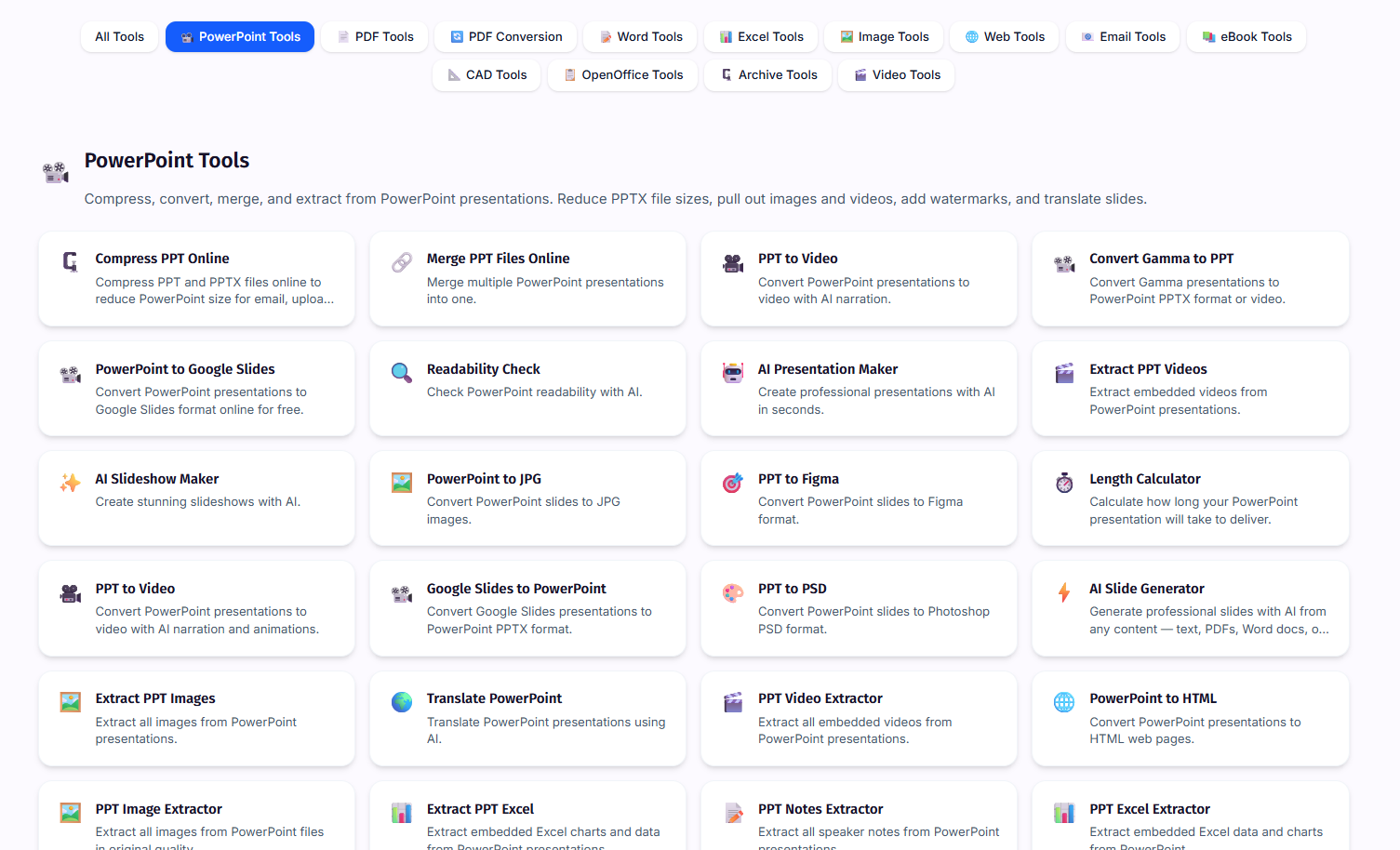
ChatSlides was next in my testing, and like a few of the other tools in this series, it’s doing way more than just presentations. There are PDF tools, document and format conversion, Word and Excel tools, image and video stuff, even CAD tools. There’s a lot going on, so I ignored most of it and stuck to the PowerPoint section. Even there, I only tested the AI Presentation Maker and PDF to PPT, since those were the two things most relevant to what I’m testing.
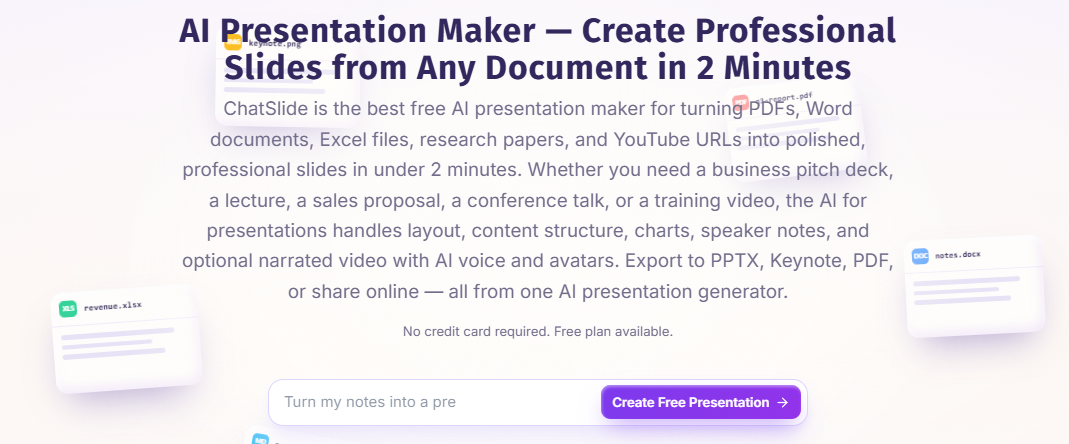
I can see ChatSlides working well for someone who mainly wants a presentation put together quickly and cares a lot about having proper speaker notes. The notes were easily one of my favourite parts of the whole experience, and I could also see it being useful for educators, especially since there’s a separate education-focused version built around that kind of use. Where I struggled with it was the design side. The free version felt pretty restrictive, with AI-generated images, removing the branding, full-deck editing and exporting all sitting behind the paid plan. So if what I want is a deck that already looks polished without having to spend much time fixing it myself, I don’t think ChatSlides is the strongest option, especially on the free tier.
First Impressions & User Experience
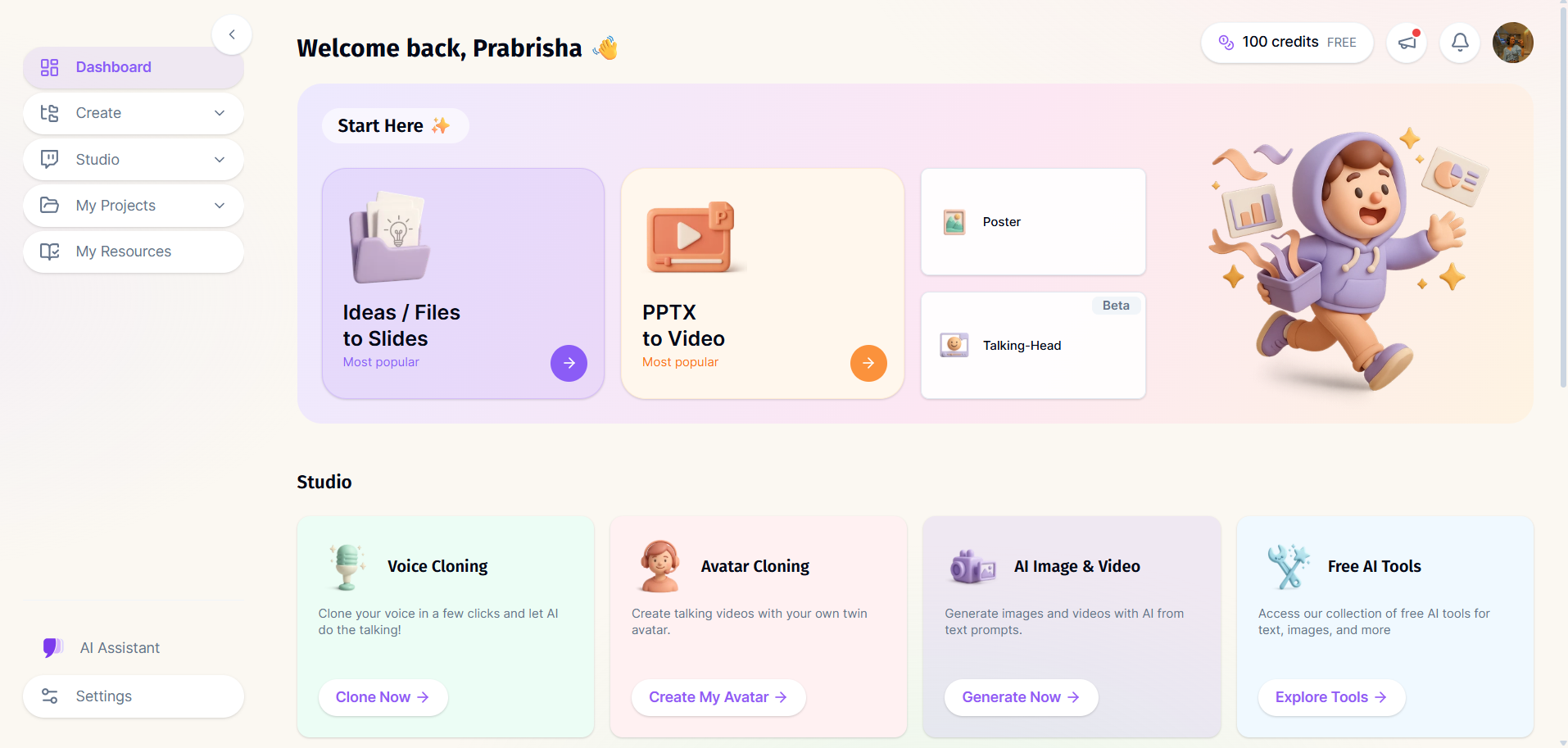
The interface itself was pretty clean, and I found it quite easy to find my way around without having to figure out where everything was first. There wasn’t a huge amount happening on the screen either, which I appreciated given how many different tools ChatSlides has packed into the platform. When I logged in, I got 100 credits, and what I liked was that the site actually showed me how those credits were being used across the different actions and plans. So I wasn’t completely guessing how quickly I’d burn through them. It made the whole credit system feel fairly straightforward to understand, at least while I was testing it.
Core Features
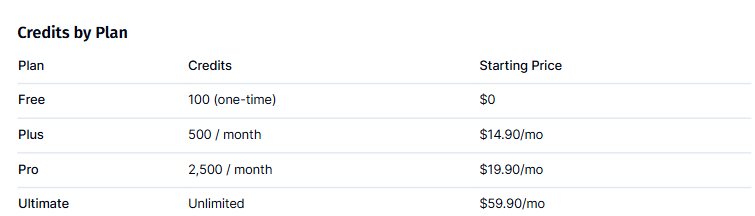
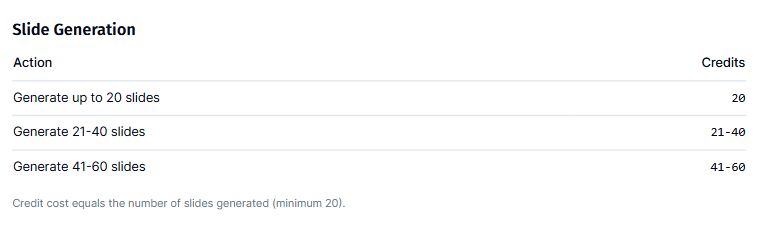
Credit structure. The credit system was pretty straightforward. Generating a presentation of up to 20 slides costs a flat 20 credits, so whether I make one slide, five slides, or 19 slides, I’m still paying the same 20 credits. I actually found that a little odd because there’s no real saving from making a shorter deck. I also only got 100 free credits when I signed up, and those didn’t refresh or reset. Once I used them up, I’d have to subscribe if I wanted to keep generating presentations. So while 100 credits sounds decent at first, it really only gave me around five presentation generations before I hit the limit.
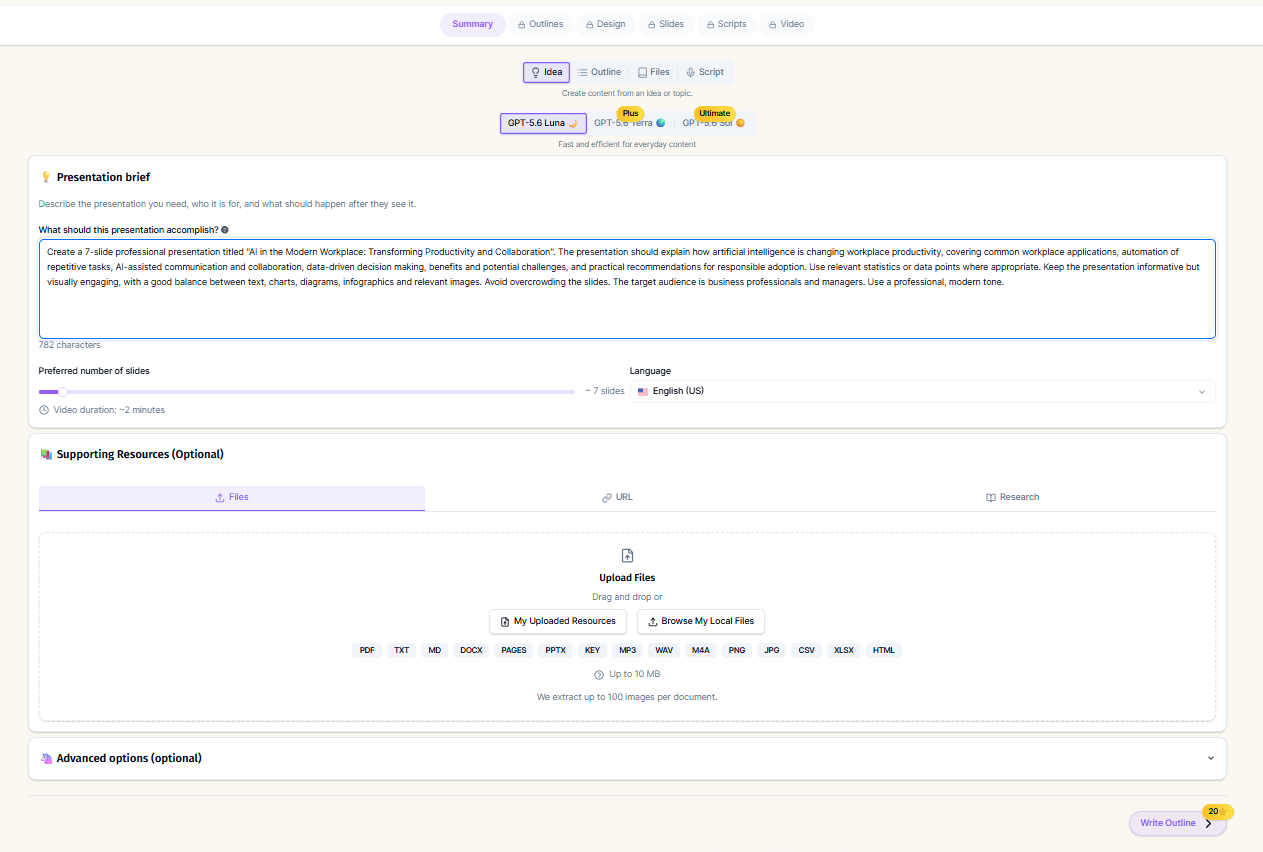
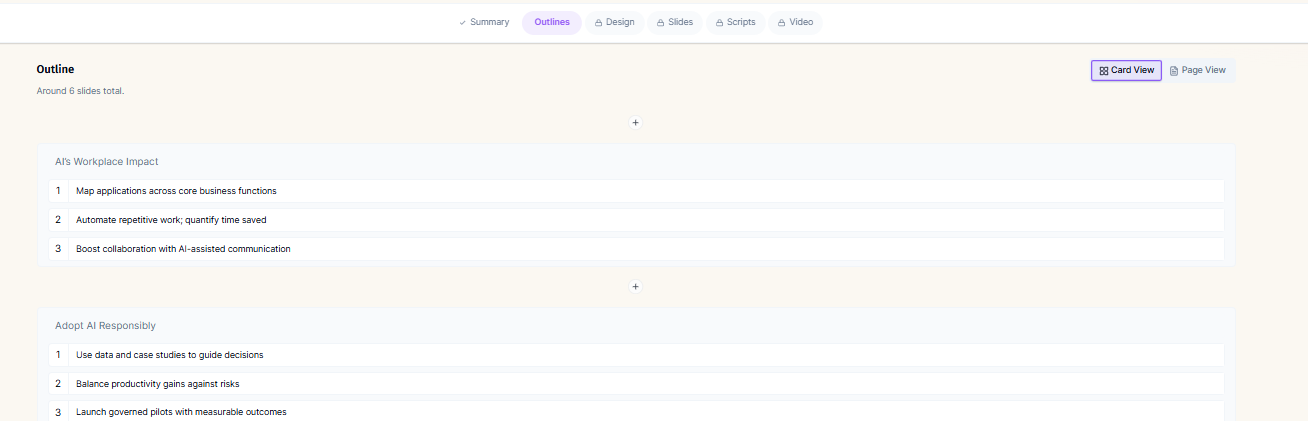
Generation workflow and first impression. After I put in my prompt, ChatSlides gave me the option to upload some supporting material, which was good because it meant I could give it something more specific to work from if I wanted. It then gave me an outline before actually building the presentation, which is something I’ve generally liked seeing in the better tools I’ve tested, but the one given to me by ChatSlides wasn’t very polished, it just showed me the topic names and nothing on what it would actually contain in the finished deck. It gives me a chance to see whether the structure makes sense before I’m suddenly looking at a finished presentation but honestly speaking the structure itself wasn’t very well put together. After that, I could pick the theme and layout.
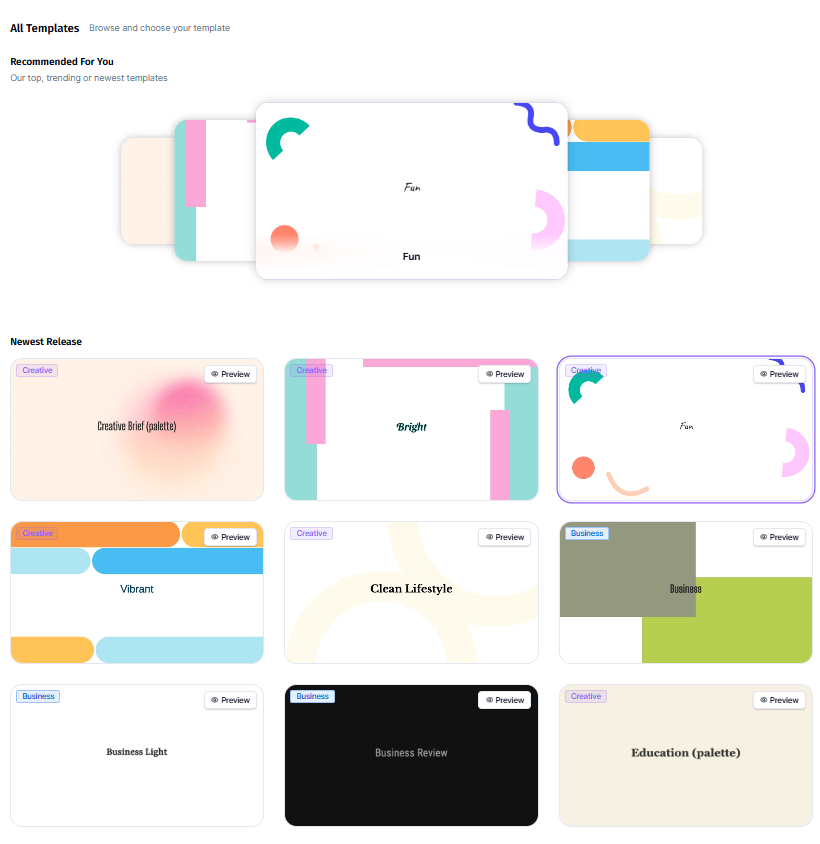
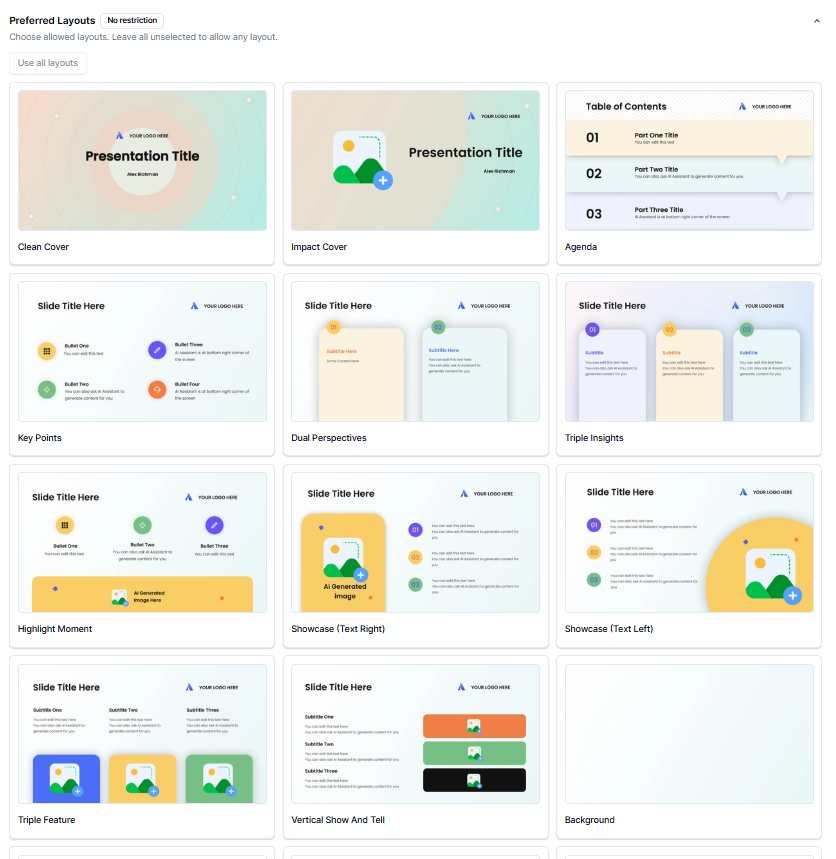
I wasn’t particularly impressed by the theme or template choices though. The theme selection felt pretty limited to me. There were some options, and I could play around with different layouts, but there wasn’t a huge amount of visual variety between the themes themselves. Compared with some of the other tools I’ve tested, it felt like I was choosing from a fairly small set rather than having loads of genuinely different looks to work with. And because the final deck was already fairly simple visually, having more interesting themes would’ve made a pretty big difference.
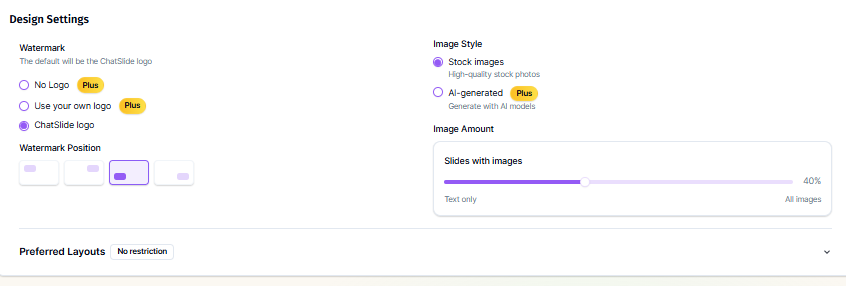
The image options were also quite restricted on the free plan. I could use images, but AI-generated ones were locked behind Plus, so my free presentation was working with stock images instead. The ChatSlides branding also stayed on the deck, and if I wanted to remove that or use my own logo, I’d have to upgrade. None of those things individually are dealbreakers for me, but they started adding up, especially when I was already finding the visual side a little underwhelming.
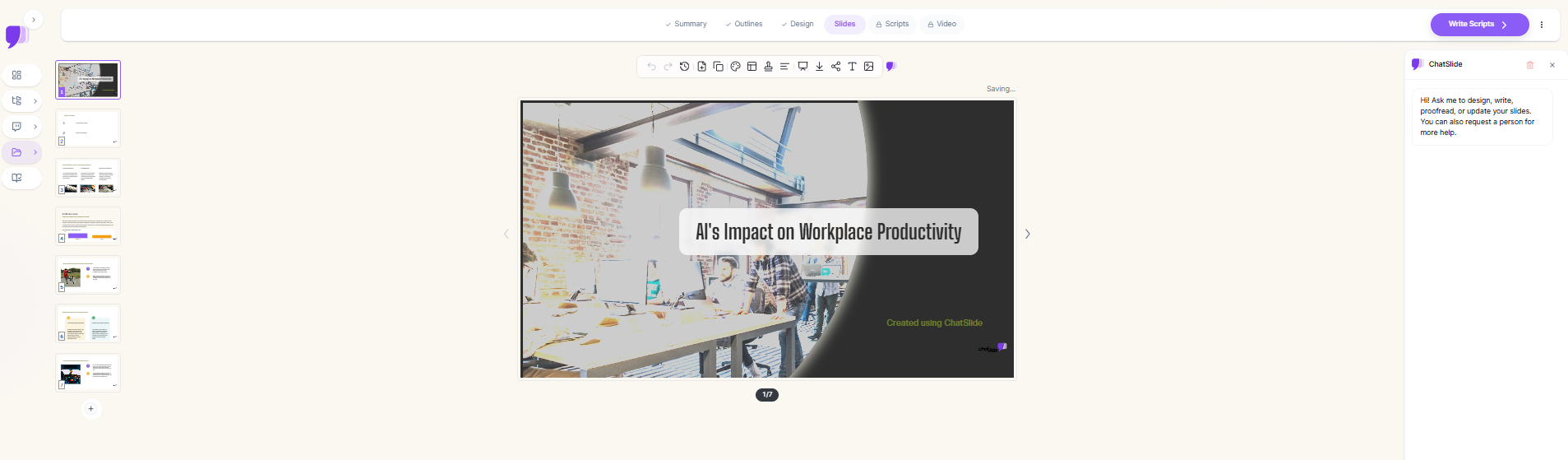
The actual generation took around three minutes, which was perfectly reasonable. Content-wise, I thought the first draft was decent. It covered the topic properly enough and wasn’t something I immediately wanted to throw away. But visually, it just didn’t come together as well as some of the stronger presentations I’ve tested. It felt more like a usable first draft that needed some design work than a deck I could confidently take and present as-is.
Manual editing and the AI agent. The manual editor was pretty basic compared with some of the other tools I’ve tested. I could change the text, swap images, change layouts and switch the overall theme, which covered the obvious stuff, but that was more or less it. I couldn’t really get into individual charts, infographics or other elements and properly tweak them myself. So if I wanted to make a bigger visual change to a slide, I was mostly relying on the AI agent rather than fixing it manually.
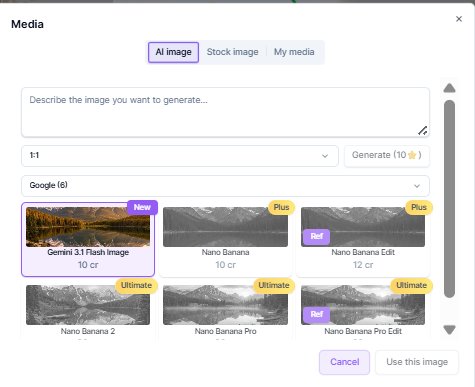
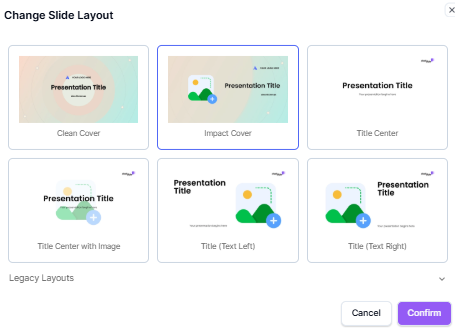
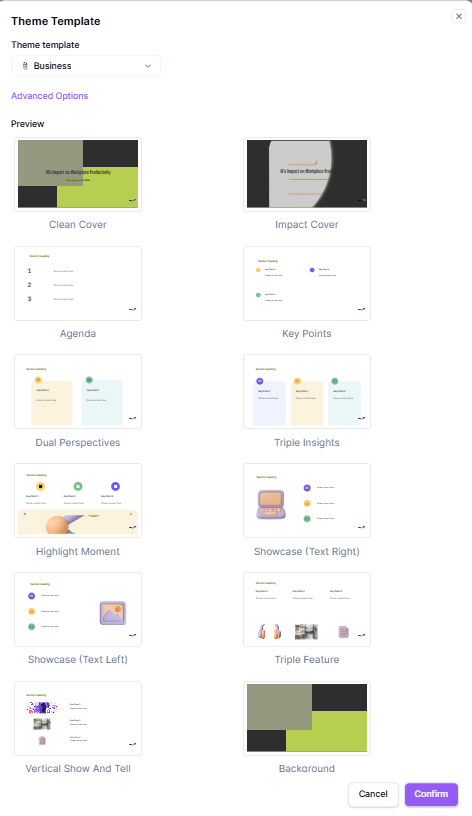
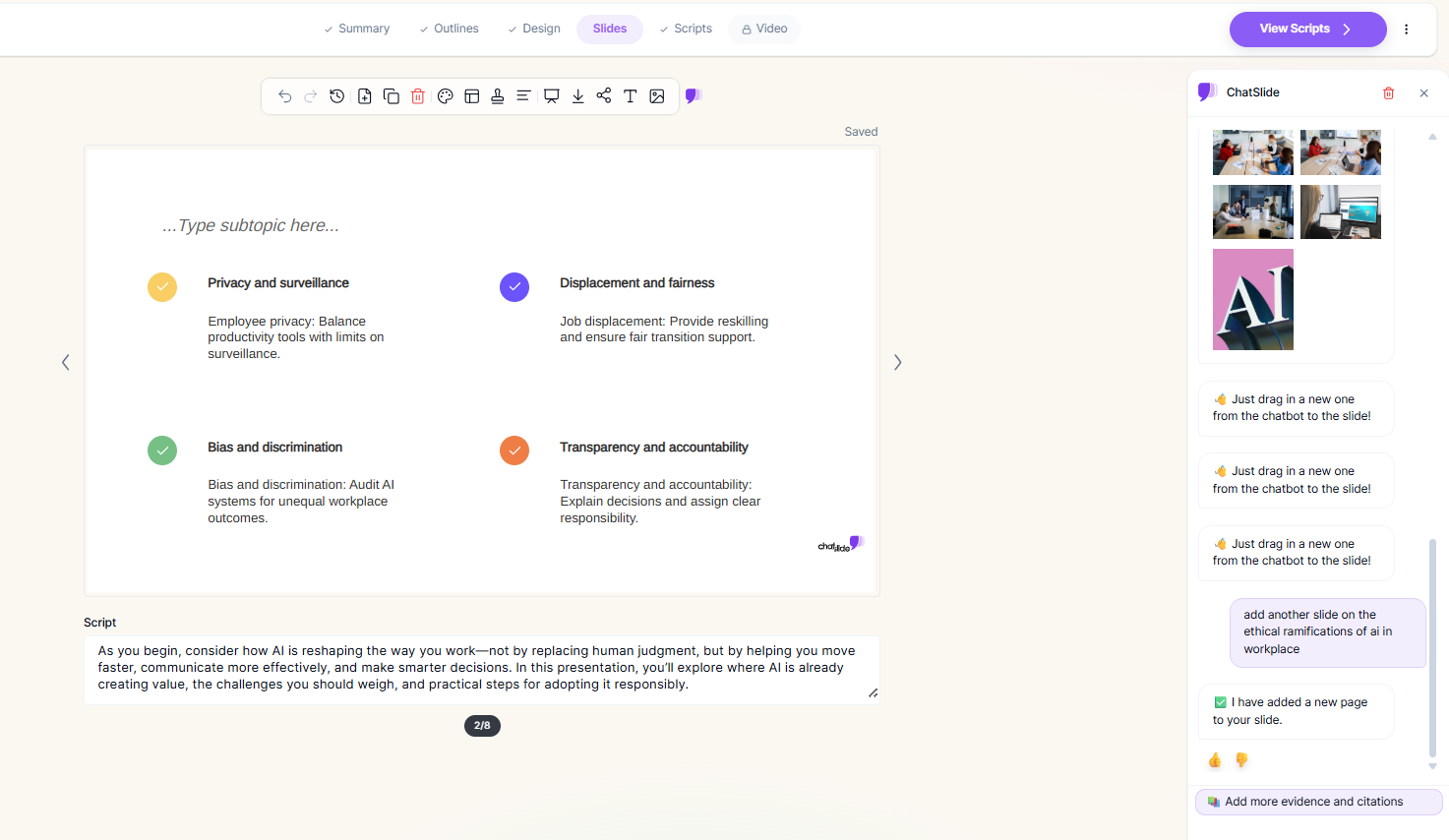
The AI agent itself was a bit hit or miss for me. I could work on individual slides through it without using extra credits, which I actually liked, although editing the whole deck at once was locked behind the paid plan. For the slides I could access, I could ask it to add or remove slides, change the layout, swap images and make other smaller changes, and some of those worked pretty smoothly.
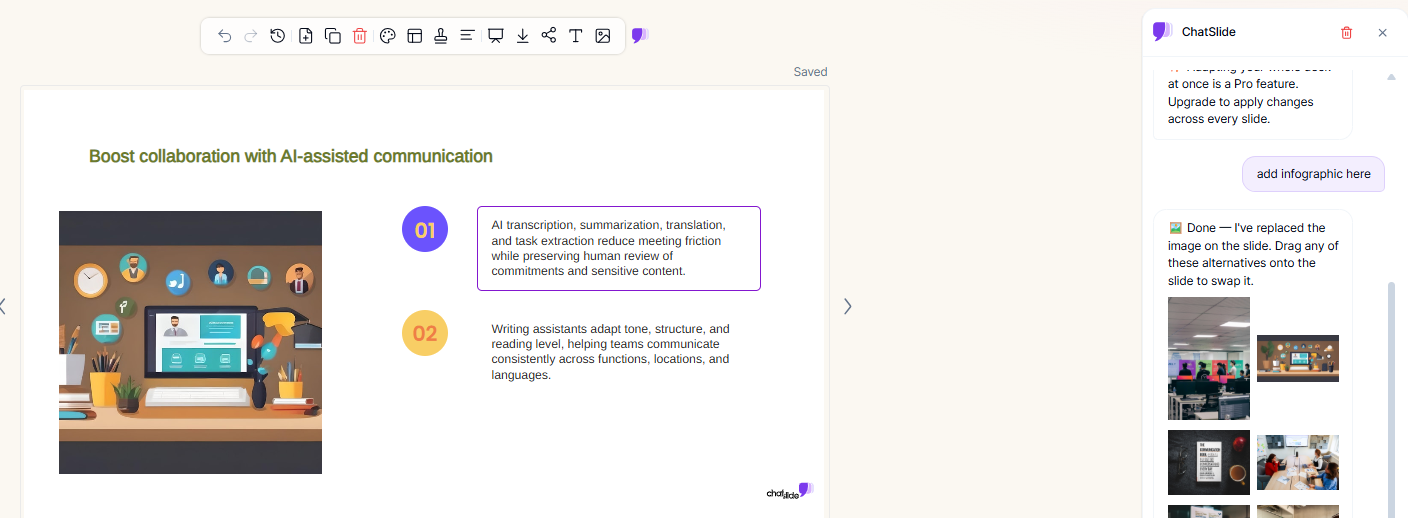
Where I started having issues was when I got more specific about what I actually wanted. I asked it to add an infographic to one of the slides, expecting it to create something that would actually communicate the information visually. Instead, it just replaced the existing image with another stock photo. So it clearly picked up that I wanted something changed on the slide, but it didn’t really understand what I was asking it to add. That was the kind of thing that made the editor feel a little unpredictable. It was useful for basic changes, but whenever I asked for something more specific, I had to check the slide afterward rather than assuming it had done exactly what I’d asked.
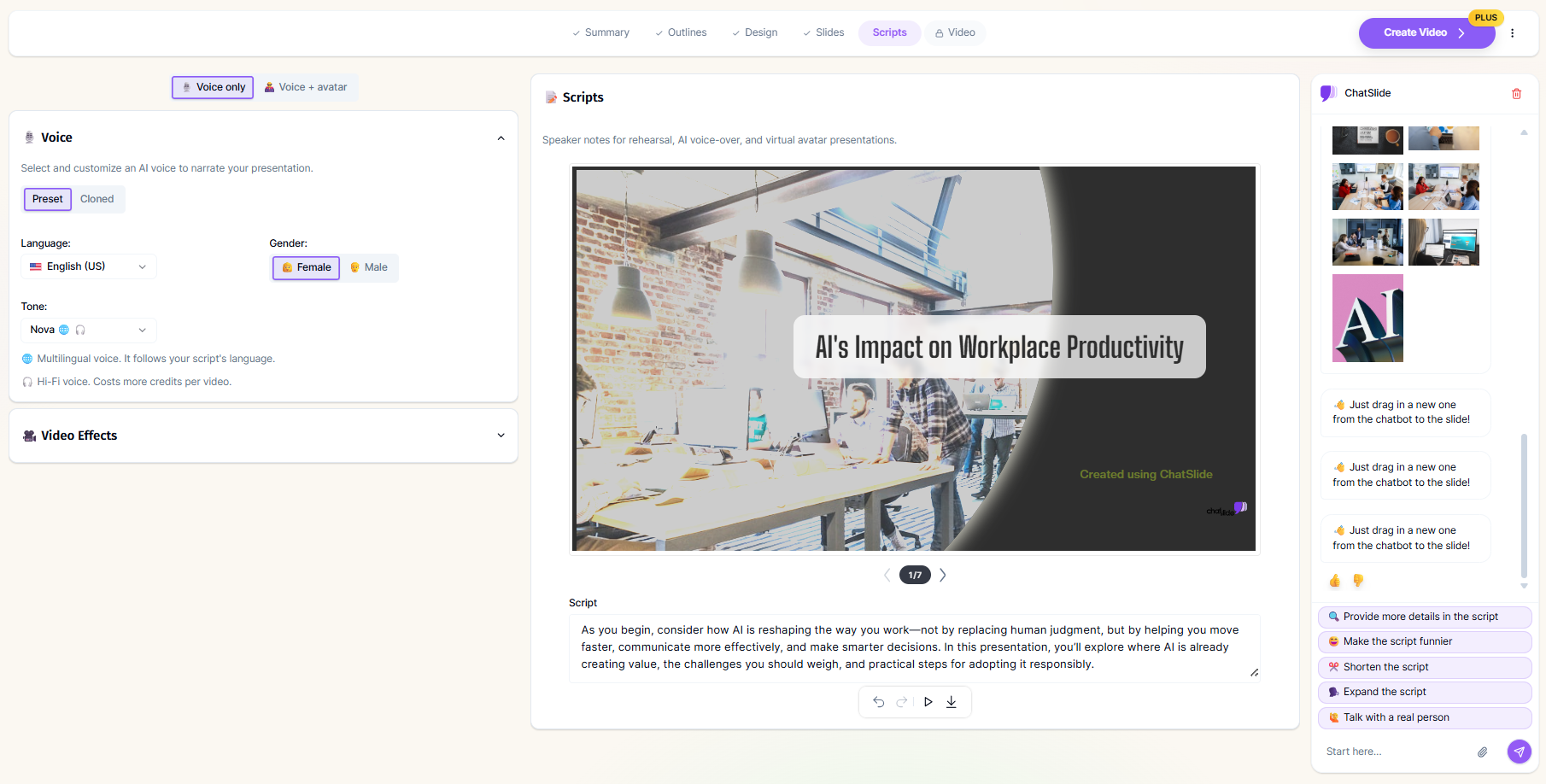
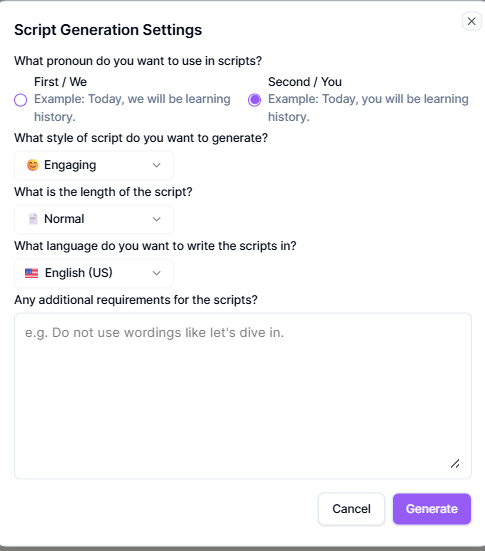
Speaker notes were easily my favourite part, though. ChatSlides actually gave me proper speaker notes that I could see myself using, rather than the really thin one-sentence notes I’ve come across in some of the other tools. They had enough detail to actually help me present the slide, which made this feature stand out quite a bit for me. There was also an option to turn those notes into a voiceover, which I thought was pretty neat, although creating the full presentation video was locked behind Plus, so I couldn’t really test that last part.
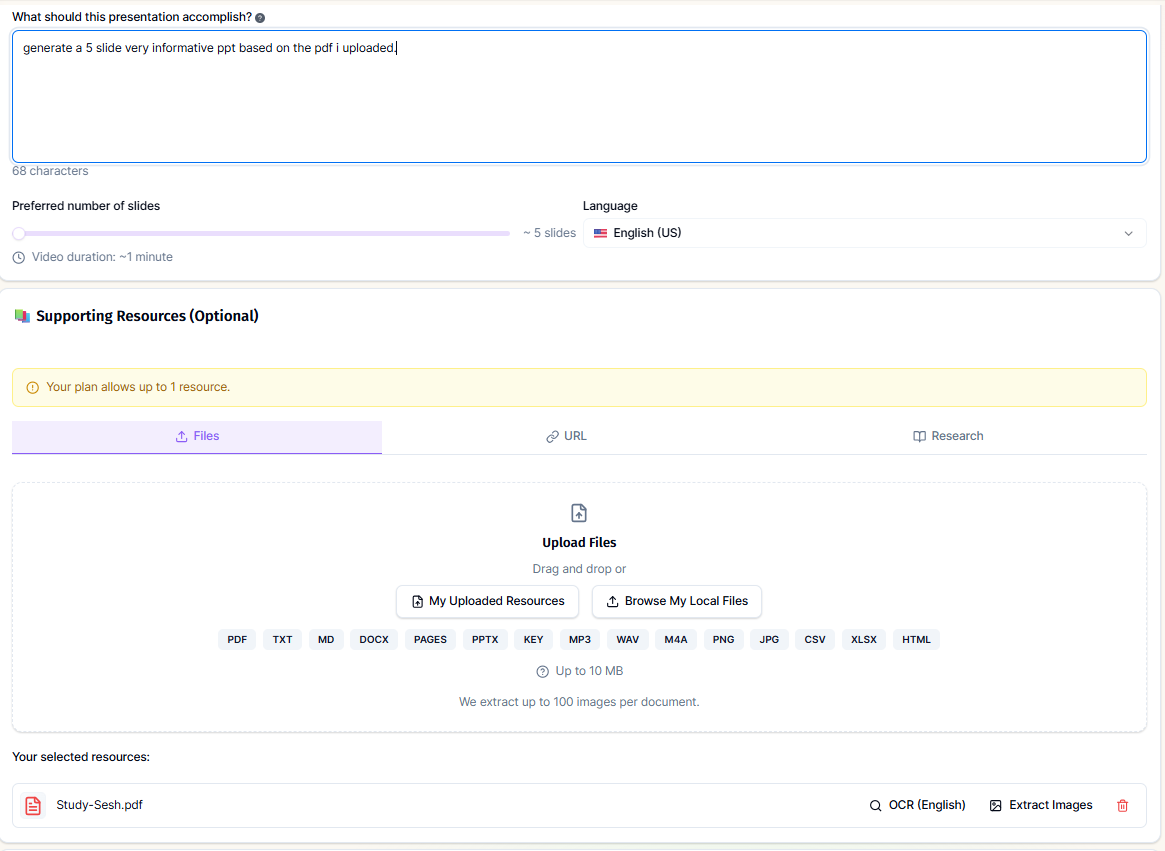
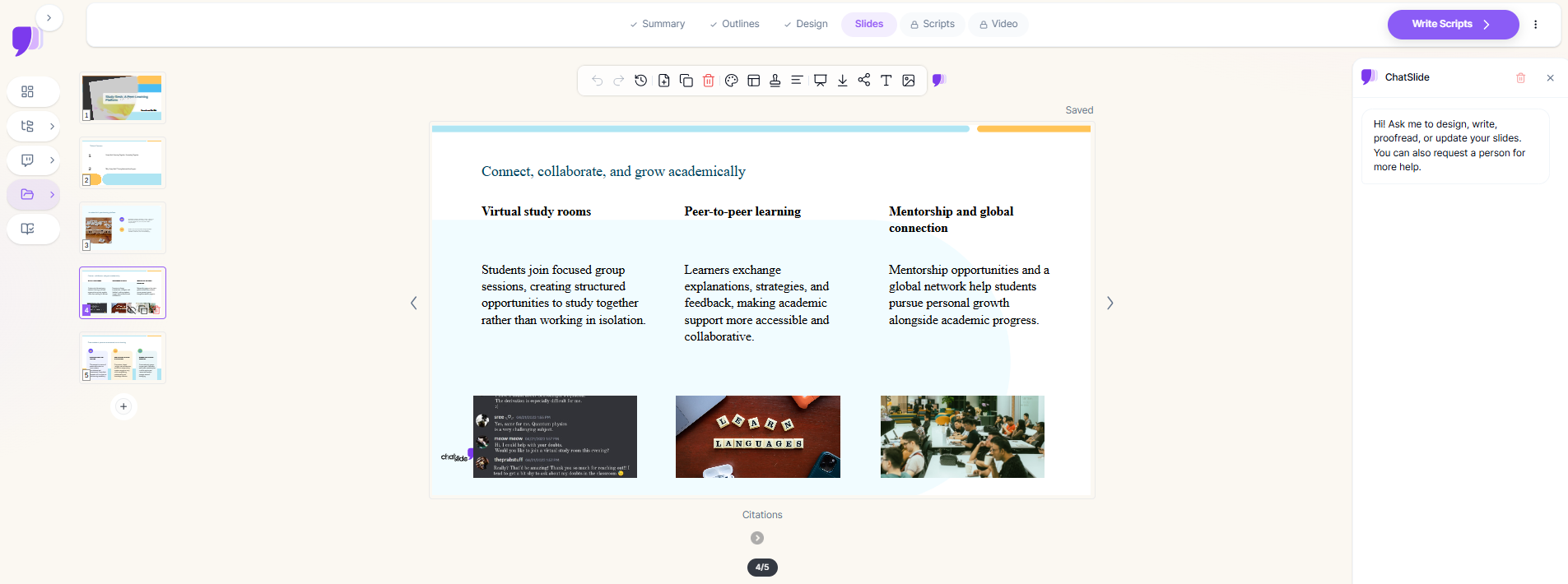
PDF to PPT. It worked nicely too. I uploaded the same kind of reference document I’d been using for the other tools, and ChatSlides managed to turn it into a presentation without any trouble. That was a good experience, especially because I’ve had PDF-based workflows fail completely on another platform before. I didn’t have to keep retrying it or figure out some workaround, it just worked.
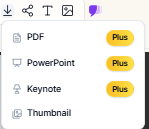
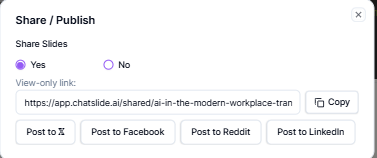
Export and Share. This was probably the biggest annoyance for me. I could share the presentation through a link and even post it to some social platforms, so the deck wasn’t completely stuck inside the tool. But when I actually wanted the file, that’s where the paywall came in. PowerPoint, PDF and Keynote export were all locked behind Plus. So I could generate the presentation, edit it, add my speaker notes and share it, but I couldn’t actually download the finished thing and use it elsewhere without paying. For this kind of tool, that’s a pretty significant restriction, especially when some of the other presentation makers I’ve tested let me export at least a basic version for free.
Performance, Reliability & Everyday Usability
It was pretty stable throughout my testing. I didn’t run into any crashes or anything that stopped me from finishing a presentation, and both the initial generation and the edits went through without any major issues. The generation time was also fairly predictable, so I always had a decent idea of how long I’d be waiting.
For me, the bigger reliability issue wasn’t whether ChatSlides would actually work, but whether it would do the thing I had asked it to do. The AI agent could sometimes take a request and interpret it a little too loosely. The infographic example was the clearest case, where I specifically asked for an infographic and ended up with a different stock image instead. So technically everything was running fine, but I still had to keep checking the results because I couldn’t always trust that a completed edit meant the exact change I asked for had actually been made.
Pricing Breakdown & Limitations
The free plan gives me 100 credits once, with no monthly refresh, so once those are gone, that’s it unless I upgrade. And quite a few of the things I’d actually want to use are locked behind Plus, which makes the free tier feel more like a way to try the platform out than something I could realistically stick with.
- Free: 100 credits, one time only
- Plus: $14.90/month, 500 credits/month
- Pro: $19.90/month, 2,500 credits/month
- Ultimate: $59.90/month, unlimited credits + premium AI and video models
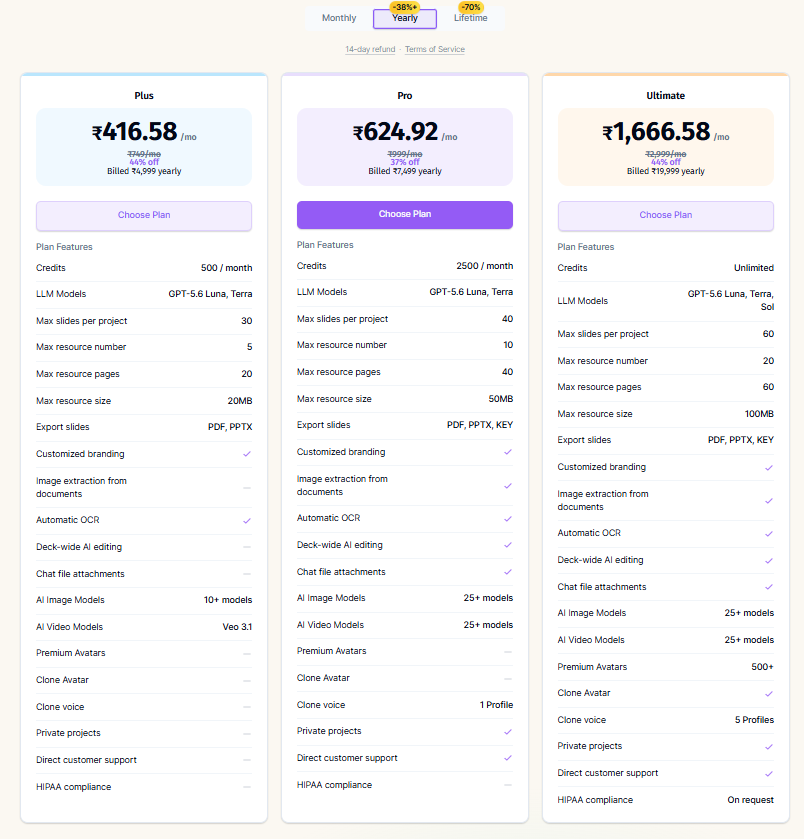
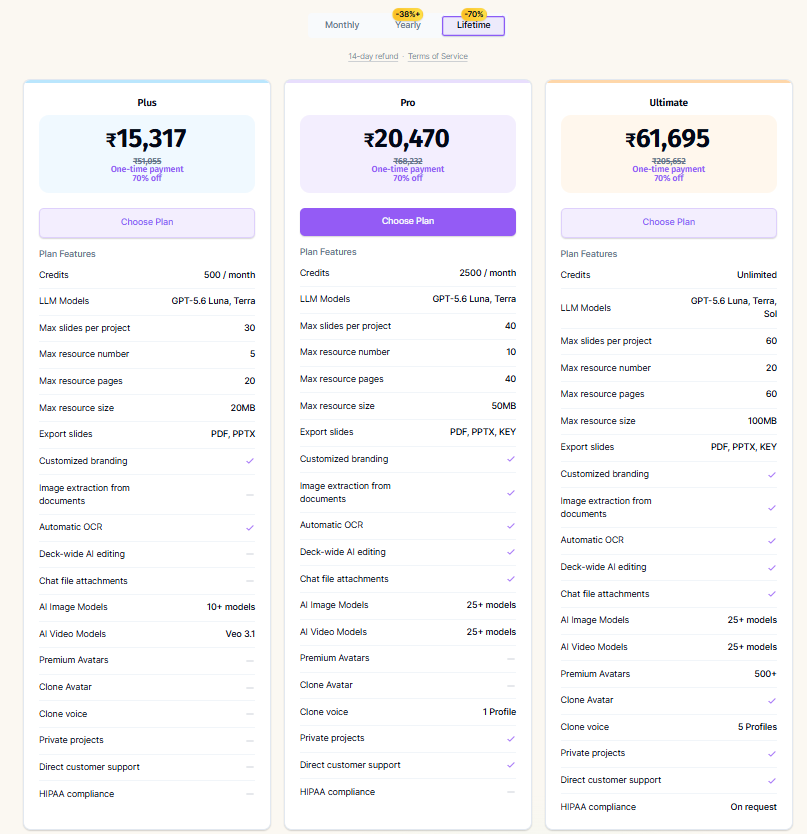
For me, the biggest issue is that Plus unlocks a lot of the useful stuff at once, including AI-generated images, removing the ChatSlides branding, editing the whole deck through the AI agent, and actually exporting the presentation. So I could do the basic workflow for free, but I’d hit restrictions pretty quickly if I wanted to properly finish and use the deck.
Privacy & Data Handling
One thing I actually liked about ChatSlides was how clear they were about uploaded files and what happens to them. They collect the usual account and usage information, but when it comes to documents, they specifically say that uploads are encrypted, processed in temporary memory, and not used to train their AI models. They also say I can delete uploaded files from my account whenever I want, which is always good to see stated clearly.
I also noticed that their education pages recommend removing identifying student information before uploading things like gradebooks. I thought that was a sensible precaution rather than just making a broad privacy claim and leaving it at that. Overall, I found the privacy side of ChatSlides pretty reassuring, especially around uploaded documents, and I didn’t come across anything that immediately made me uncomfortable about using it for normal presentation material.
Comparison With SlidesPilot
Category | SlidesPilot | ChatSlides |
|---|---|---|
AI presentation quality | Good structure, followed instructions precisely including slide counts | Reasonable content, visually less cohesive than stronger tools |
Design quality | Decent, theme library isn’t a particular strength | Thin theme library, stock images only on free tier |
Visual assets | Strong infographic selection, add on request | Requested infographic got swapped for a stock image instead |
Template variety | Limited but functional | Limited, less variety than several other tools tested |
Editing experience | AI editor plus beautification plus manual tools | Slide by slide AI editing free, whole deck editing paywalled |
AI assistance | Reliably executed compound instructions in one pass | Hit or miss, sometimes misread specific instructions |
Speaker notes | Not a specific focus | Genuinely excellent, detailed and presentation ready |
Export options | Download locked behind subscription, share link free | Export entirely locked behind Plus, share link and social posting free |
Pricing | $8 to $23.33 a month | $14.90 to $59.90 a month |
SlidesPilot comes out ahead for me overall. Its AI editor was simply more reliable when I gave it specific requests, and I didn’t have to second guess quite as much whether it had actually done what I asked. The free tier also felt more usable because I could keep coming back and making more presentations, even if the credits did run down fairly quickly.
ChatSlides definitely has one area where it wins, though, and that’s speaker notes. Those were genuinely much better than what I got from SlidesPilot, with enough detail to actually be useful rather than just filling the space. But for me, that wasn’t enough to make up for everything else being so heavily restricted on the free plan, especially when it came to editing and exporting.
Final Verdict
My overall impression of ChatSlides was pretty mixed. I wouldn’t say it was bad, but the free plan made it feel much more restricted than I would’ve liked. The PDF to PPT conversion worked really well for me, especially since I’ve had similar features fail completely before. I also liked being able to use the AI agent on individual slides without it eating into my credits, and the speaker notes were honestly one of the best parts of the whole thing. They were actually detailed enough to be useful, rather than just giving me a couple of lines that I’d have to expand myself.
But then there were quite a few little things that started adding up. The theme selection was pretty thin, the AI agent didn’t always understand exactly what I was asking for, and AI-generated images were locked behind the paid plan, so I was limited to stock images on free. And the export was again paywalled. I could make the presentation, edit it and share it, but I couldn’t actually download the finished deck without paying. That’s a pretty frustrating restriction because, at the end of the day, I want to be able to take the presentation I’ve made and actually use the file somewhere else.
So yeah, there are definitely things I liked about ChatSlides, but I kept running into enough restrictions that I wouldn’t put it among my favourites from this series.
Overall Score: 5.5/10.
Frequently Asked Questions:
No, downloading your presentation as a PPTX, PDF, or Keynote file requires an active paid subscription to the Plus tier or higher. Free users are restricted to web share links.
ChatSlides charges a flat minimum of 20 credits for any presentation up to 20 slides. New users receive 100 one-time credits, which provides roughly five presentation generations before needing a subscription.
The speaker notes are among the best in the category, providing detailed, structured talking points and transitions tailored to each slide rather than generic summaries.
No, ChatSlides states that uploaded files are encrypted, handled in temporary memory, and never used to train general AI models.
Abonneer je op onze nieuwsbrief en ben als eerste op de hoogte van tijd- en geldbesparende AI-tools!
Comments