Conclusion
Obsidian excels as a personal knowledge management system that transforms isolated thoughts into an interconnected web of ideas via bi-directional backlinks and its signature Graph View. Built around local Markdown vaults, it ensures total offline data ownership and lightning-fast speed with zero telemetry or tracking. However, it completely bypasses mainstream features like native AI writing assistance, speech-to-text transcription, and integrated calendar scheduling. For thinkers, writers, and developers wanting a private, future-proof second brain, Obsidian is an exceptional tool.
Pros:
- Local-first data storage gives complete file ownership with zero telemetry or privacy invasive tracking
- Interactive Graph View and bi-directional backlinks visualize complex relationships between ideas
- Generous free tier with no paywalls on core notes, linking, formatting, or canvas customization
- Lightweight and responsive Markdown editor that runs fast even with multiple linked files
Cons:
- Complete absence of native AI writing assistants, automated summaries, or semantic search
- No built-in meeting management, calendar scheduling, or native voice transcription tools
- Multi-device cloud synchronization requires setting up your own system or paying for Obsidian Sync
- Steeper initial learning curve around Markdown syntax and vault management compared to basic note apps
Table of Contents
- First Impressions and User Experience
- Core Features
- Performance, Reliability and Everyday Usability
- Pricing, Plans and Limitations
- Privacy, Data Handling and Trust
- Comparison
- Final Verdict
I want to be upfront about something before diving in, I tested Obsidian entirely on the mobile app rather than desktop, so everything I say here comes from that experience specifically. Even with that limitation in mind, I think I came away with a pretty solid understanding of what this app is actually trying to be, and it is trying to be something genuinely different from most of what I have tested so far in this series.
Obsidian suits someone who wants to build a real, interconnected knowledge base over time rather than just capture the occasional note and move on. It suits people who care deeply about owning their data locally instead of trusting it to some company’s servers by default. Where it does not suit as well is anyone hoping for AI assistance, meeting transcription, or a built in calendar, because none of that exists here, and Obsidian does not seem to be even trying to compete in that space at all.
First Impressions and User Experience
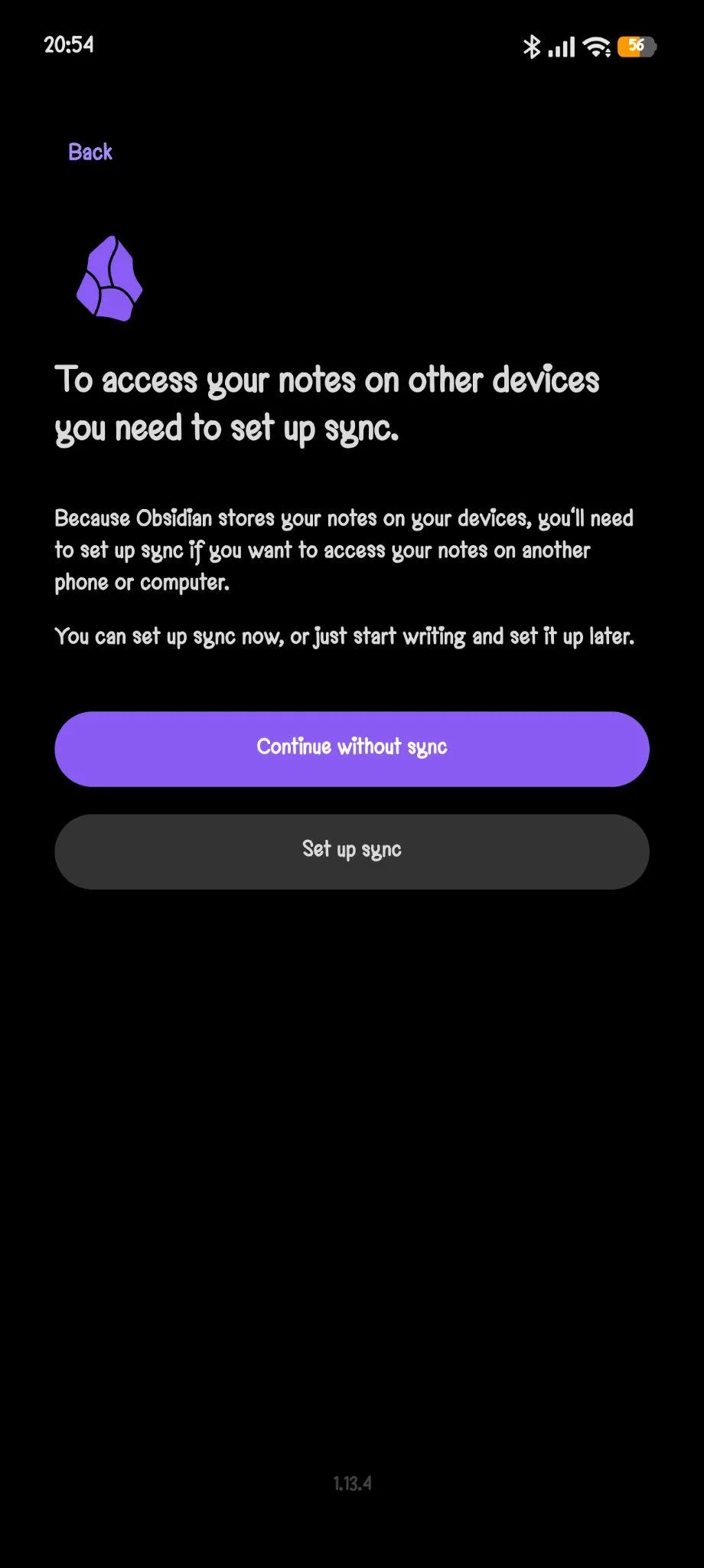
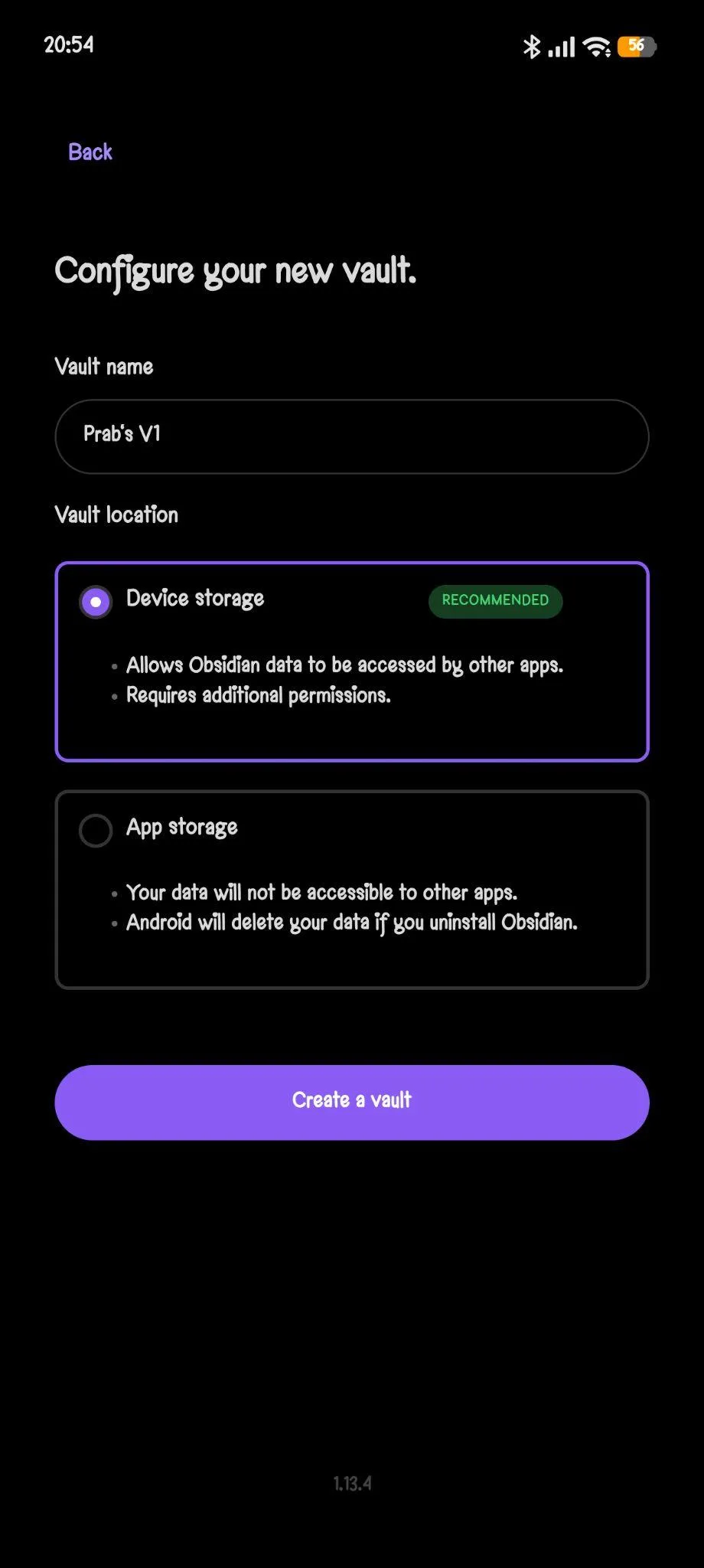
The onboarding itself was quite different from most note taking apps I had tested before this one. Instead of pushing me to create an account and immediately shoving cloud sync down my throat, it first asked me to create a vault, which is essentially where all my notes live locally on the device. I actually really appreciated that approach because it made it obvious from the very first screen that this app prioritizes local storage and genuine ownership of my own data rather than forcing everything up onto some cloud server by default. It also let me continue without purchasing Obsidian Sync at all, so I could just start using the thing immediately without any payment wall standing in my way.



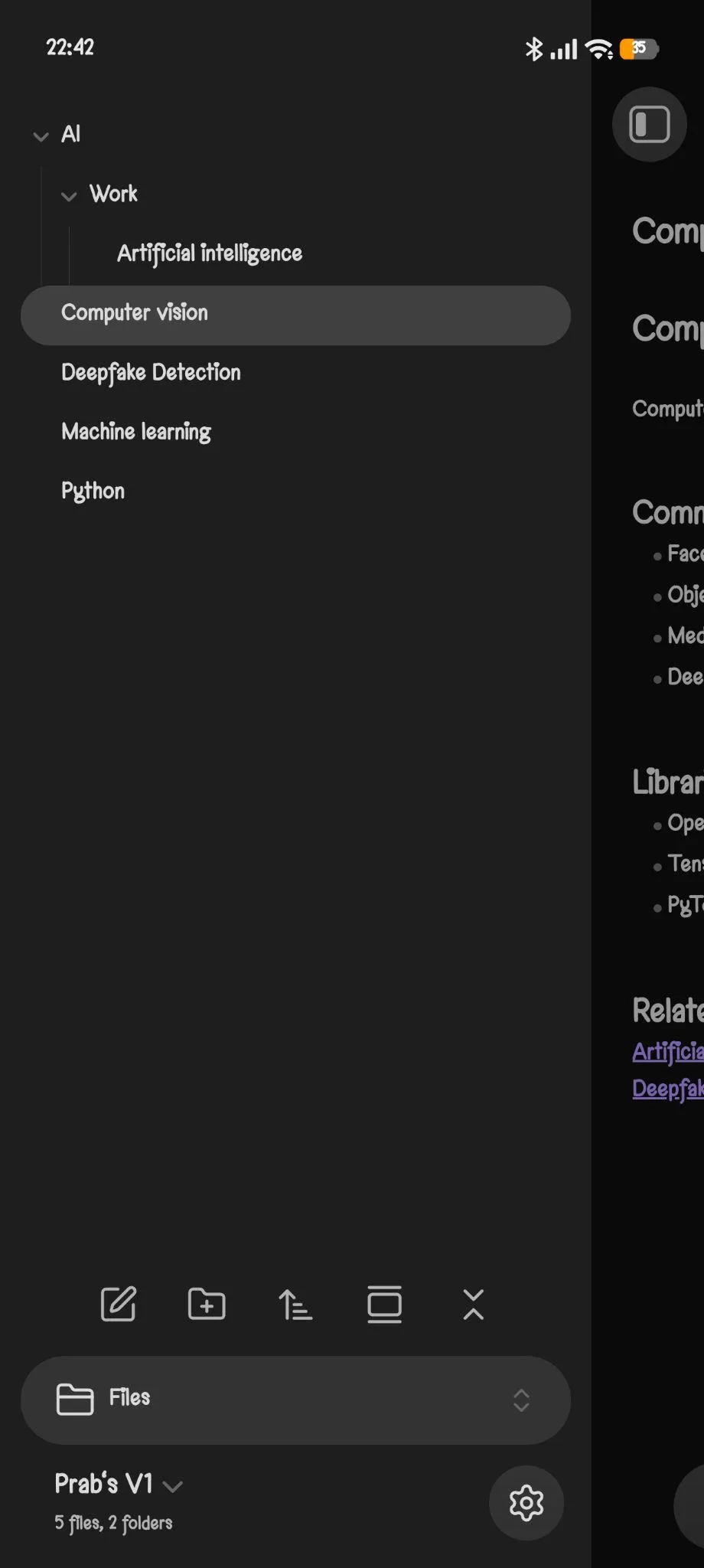
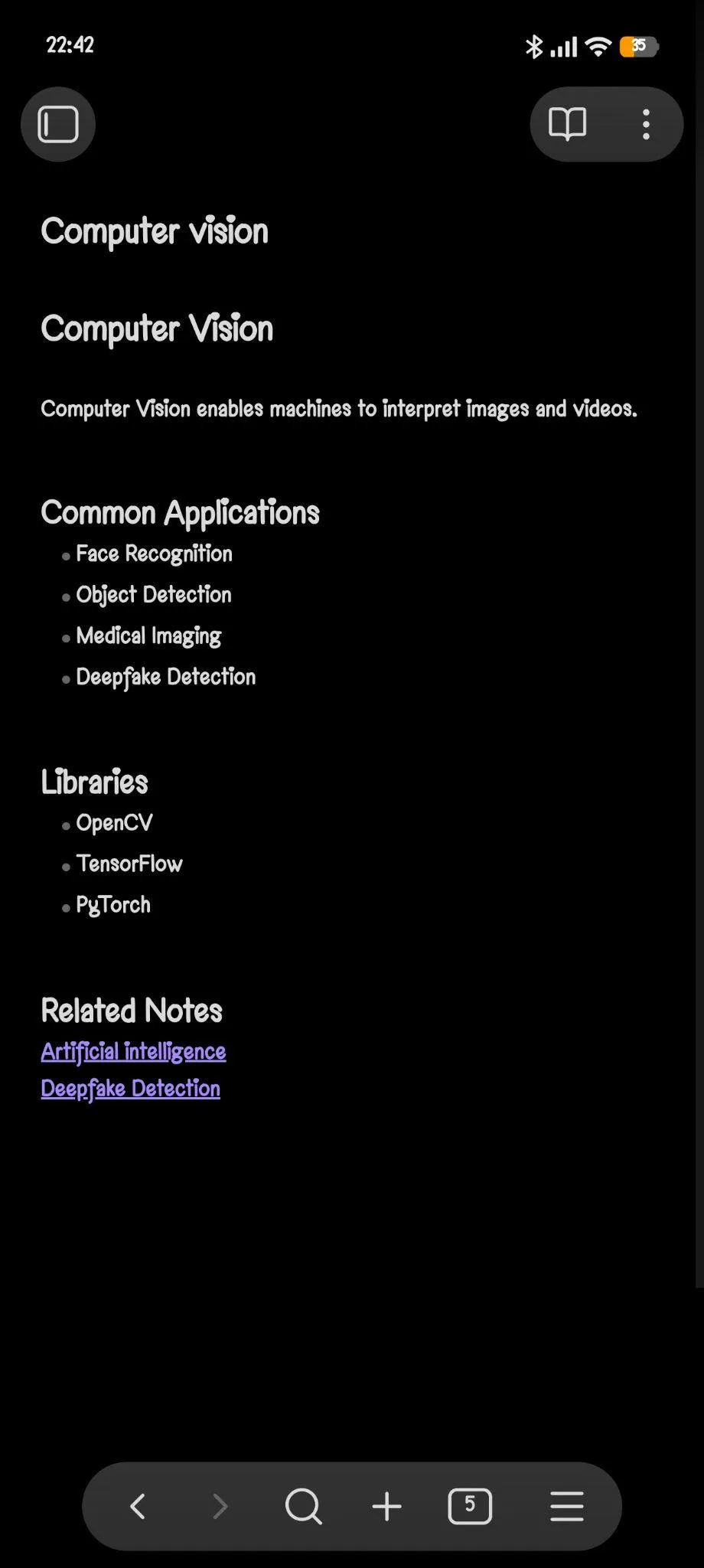
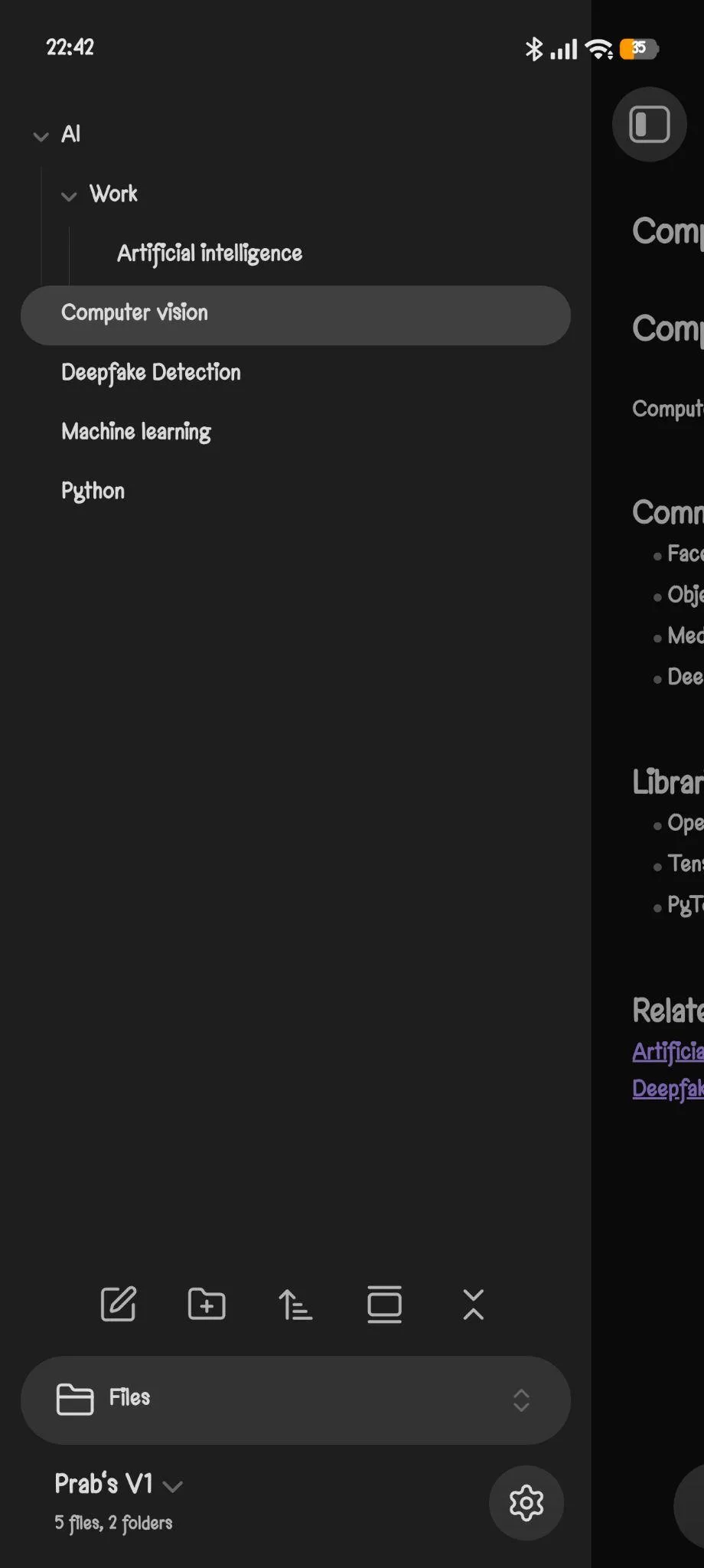
From there I created several interconnected notes covering topics like Artificial Intelligence, Machine Learning, Computer Vision, Python and Deepfake Detection, mostly just to see how Obsidian handled linked information rather than isolated standalone notes sitting alone. The writing experience itself felt genuinely smooth. The editor is lightweight and responsive, and even though it runs on Markdown, it was not particularly hard to get used to at all. I played around with headings, bullet points, properties, tags and checklists, and every single one of them worked exactly the way I expected them to, no surprises there. There are also options for attachments, and the app supports inserting images and other files directly into notes, which made it feel capable of more than just plain boring text sitting on a page. Throughout my whole testing period I never once noticed any lag or sluggishness while switching between notes or editing them, everything felt fast, genuinely fast.
Core Features
Since I was on the Android app rather than desktop, it is possible some desktop specific workflows just were not available to me here. But I did not find any built in AI assistant, voice recording or transcription features, or native calendar integration anywhere during my testing. While Obsidian does support attaching files like images, PDFs, audio and videos, its whole core philosophy is clearly centered around Markdown based note taking, internal linking and personal knowledge management rather than AI assisted productivity or collaborative workspaces of any kind.
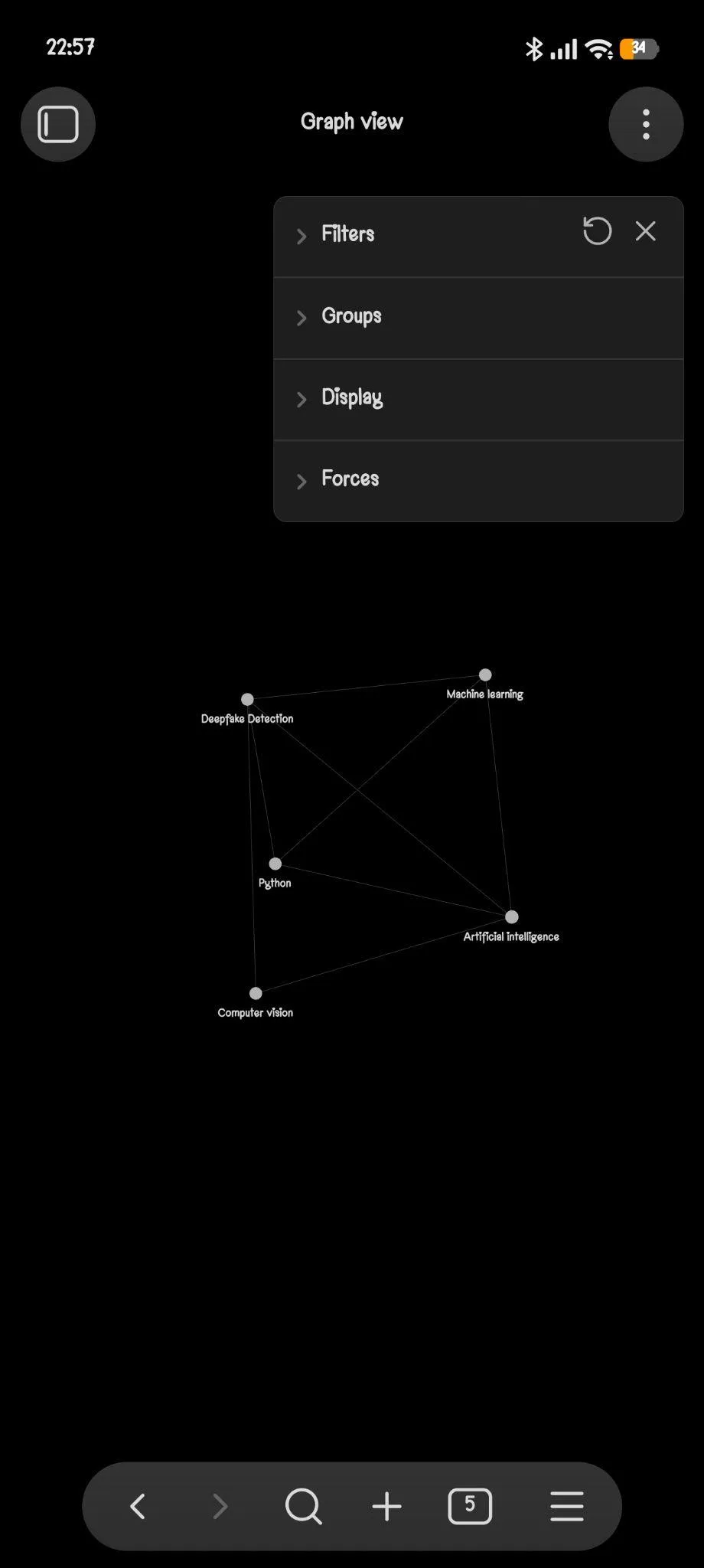
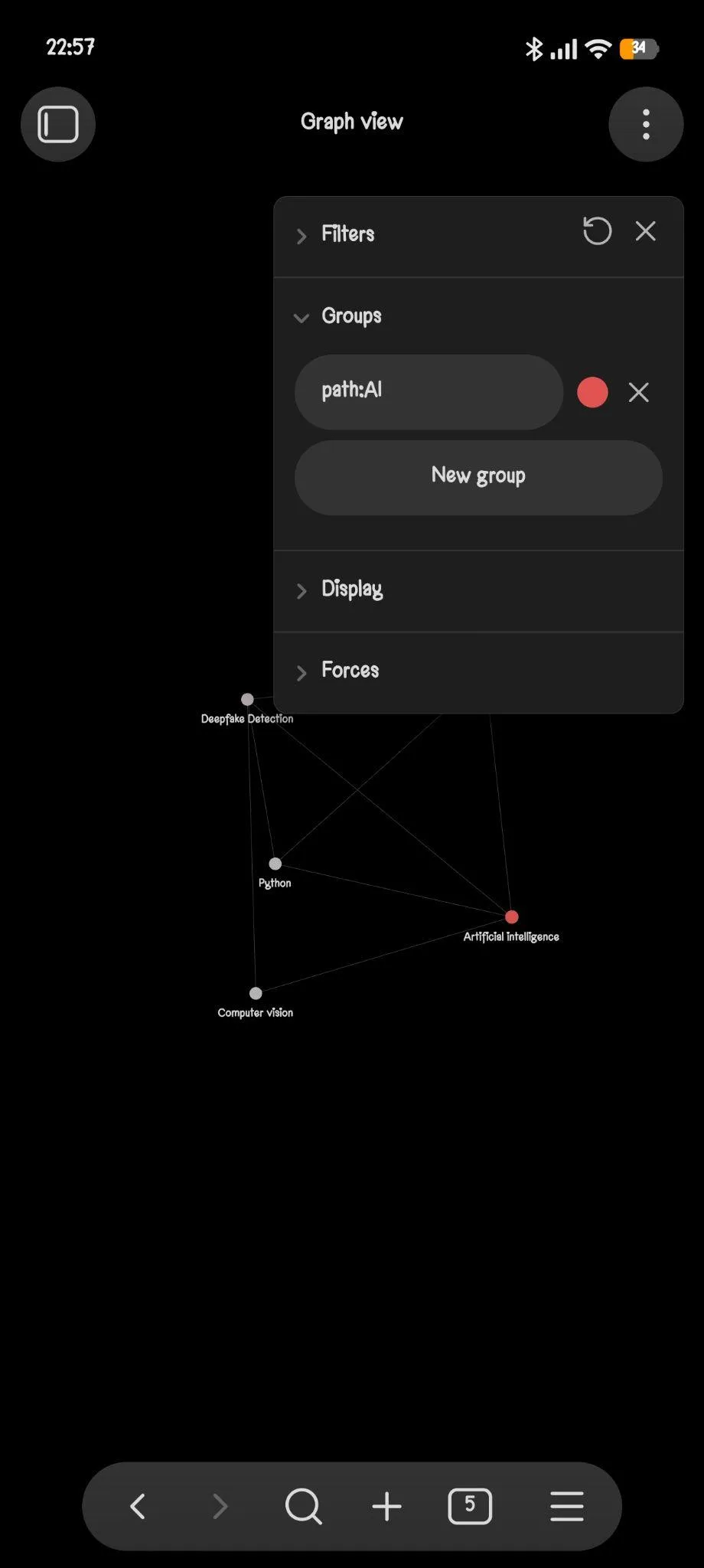
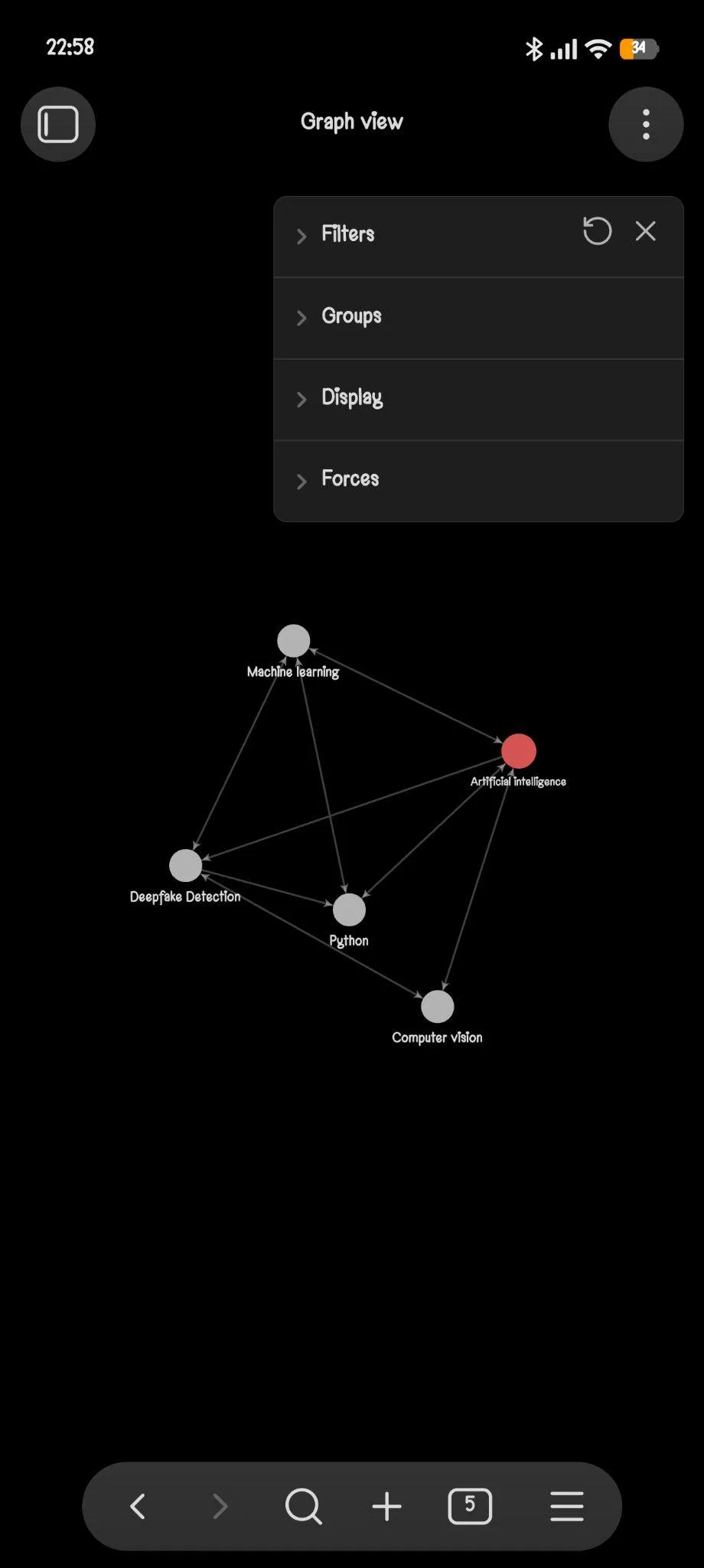
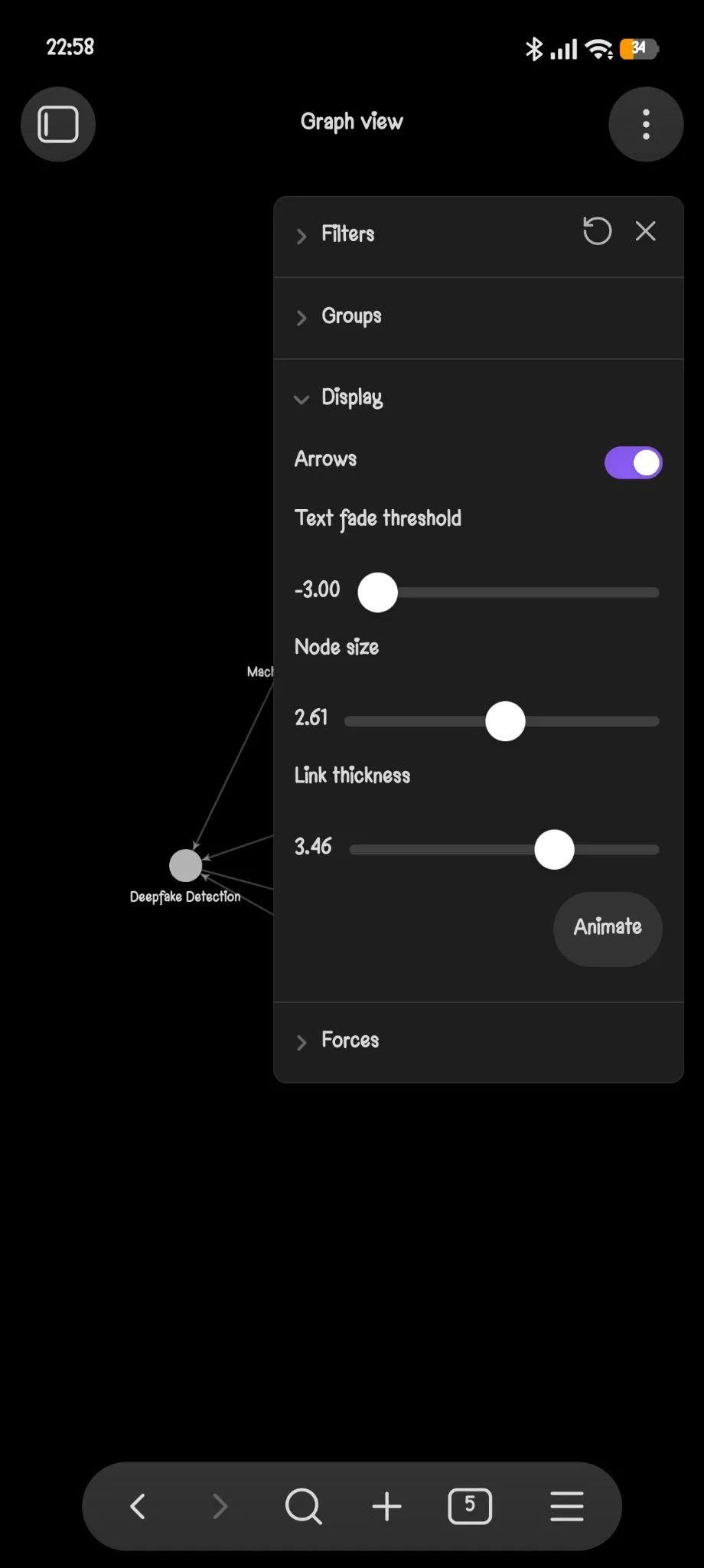
- Internal linking and Graph View. This was, without question, the feature that impressed me the most out of everything I tested. Rather than just dumping notes inside folders, I linked related notes together and could move naturally between connected topics as I worked. Once several notes had been connected, I opened up Graph View and could actually see those relationships visualized as an entire network of connected ideas, it even showed me an animation of sorts, from the very first note created all the way to the last, and how each one linked to the others. I spent a good chunk of time experimenting with the graph settings too, adjusting node sizes, filters, groups and other display options. It is very easy to see why this has become Obsidian’s signature feature, honestly. With only a handful of notes it looked more interesting than genuinely essential, but I can easily imagine how useful this would become once a vault grows into hundreds or even thousands of interconnected notes over time. It genuinely feels less like a note taking app and more like a personal knowledge management system in the truest sense.
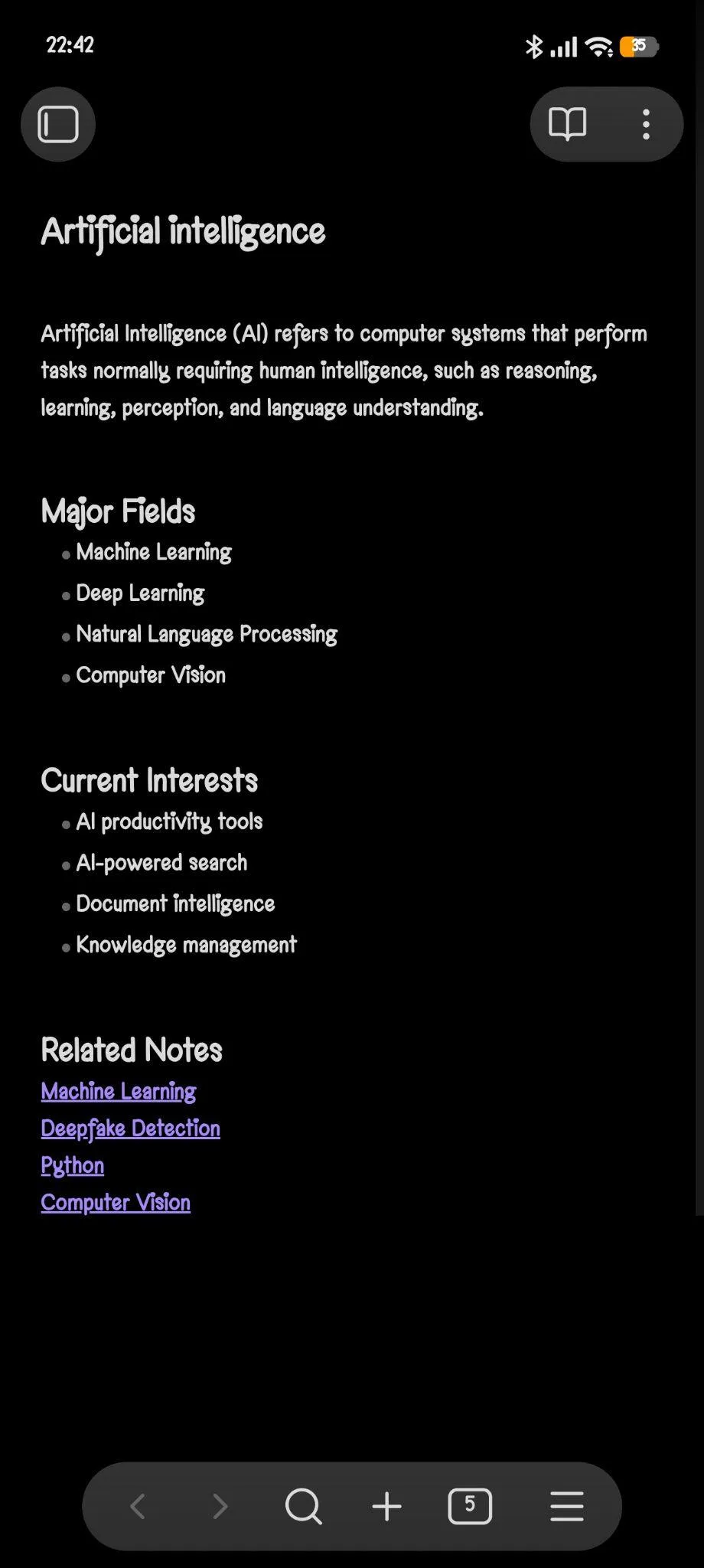
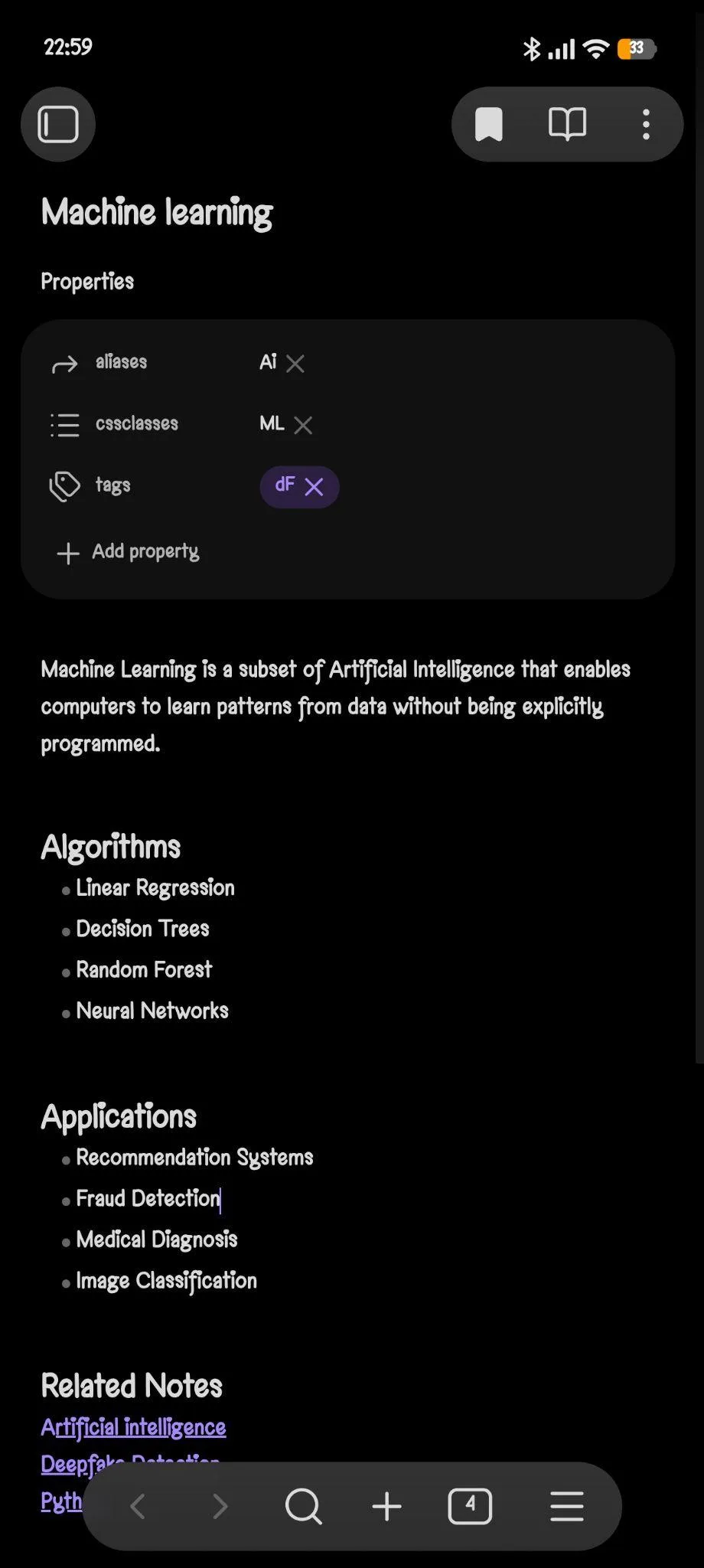
- Properties and tags. Notes support structured properties like aliases and tags right at the top, which made cross referencing and organizing topics feel more deliberate than just throwing everything into a folder and hoping for the best.
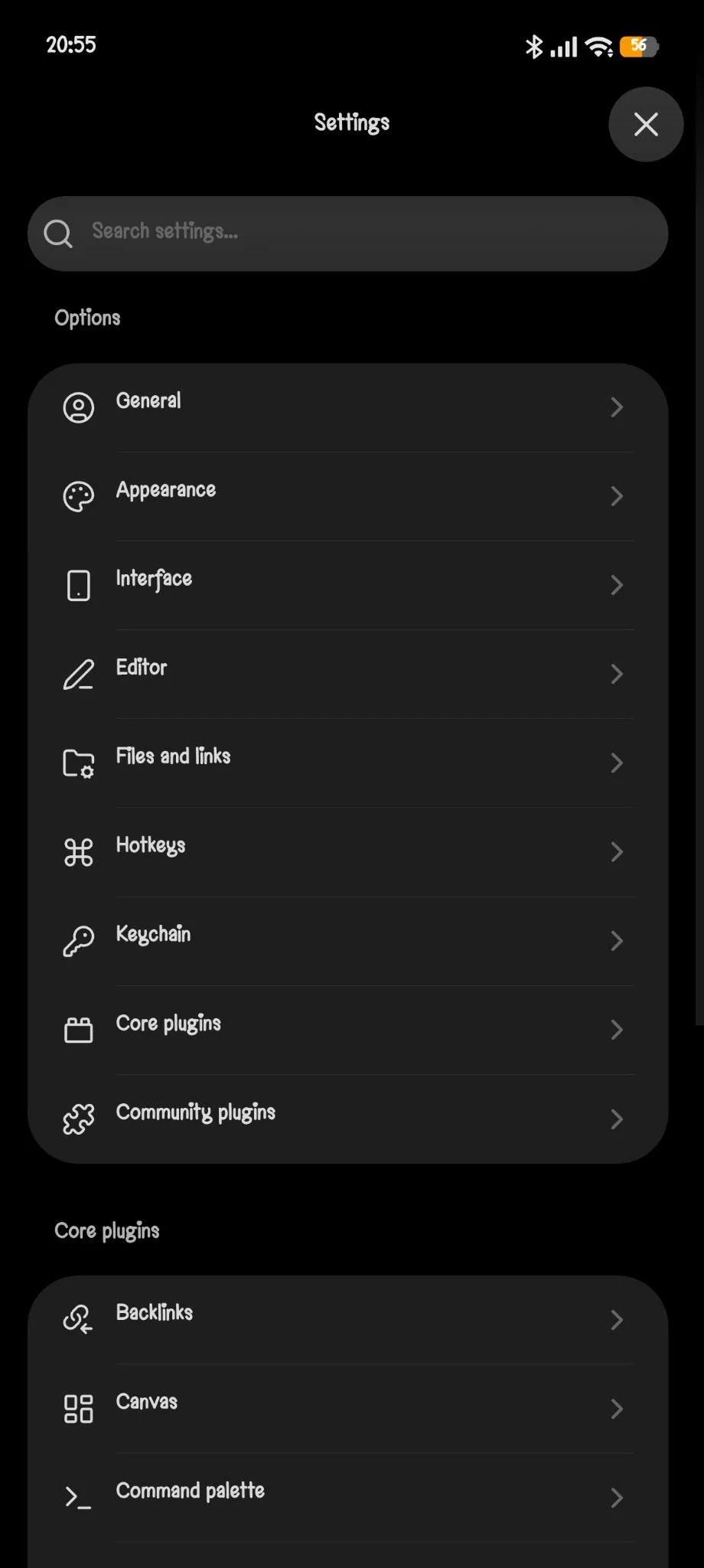
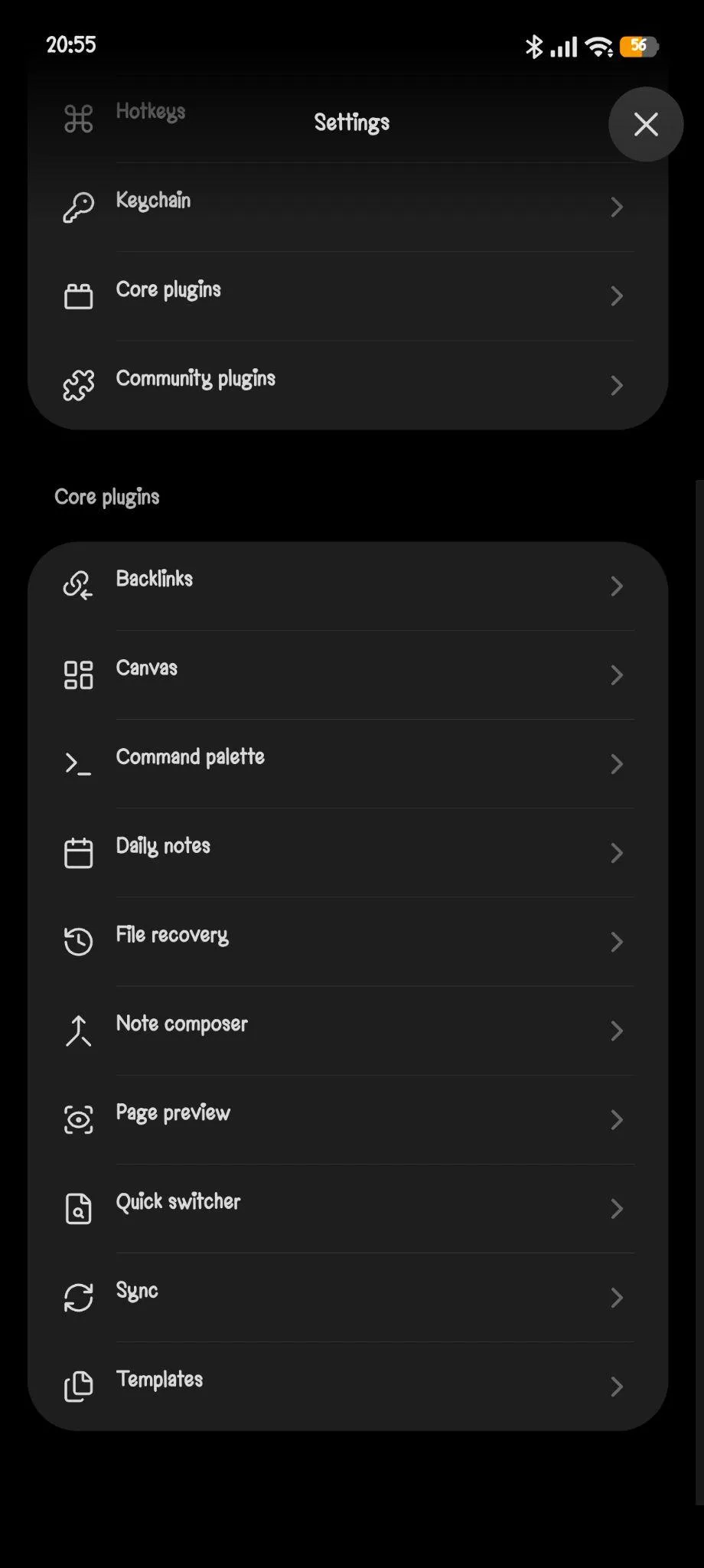
- Customization and settings. I browsed through the settings menu and noticed just how customizable this whole application really is. There are options for appearance, editor behaviour, backlinks, Canvas, templates, daily notes, community plugins and a bunch of other areas I did not even fully dig into. I certainly did not test every single customization option because there are simply too many of them to reasonably cover in one sitting, but it was obvious the app is built for people who genuinely enjoy tailoring their workspace down to the smallest detail.
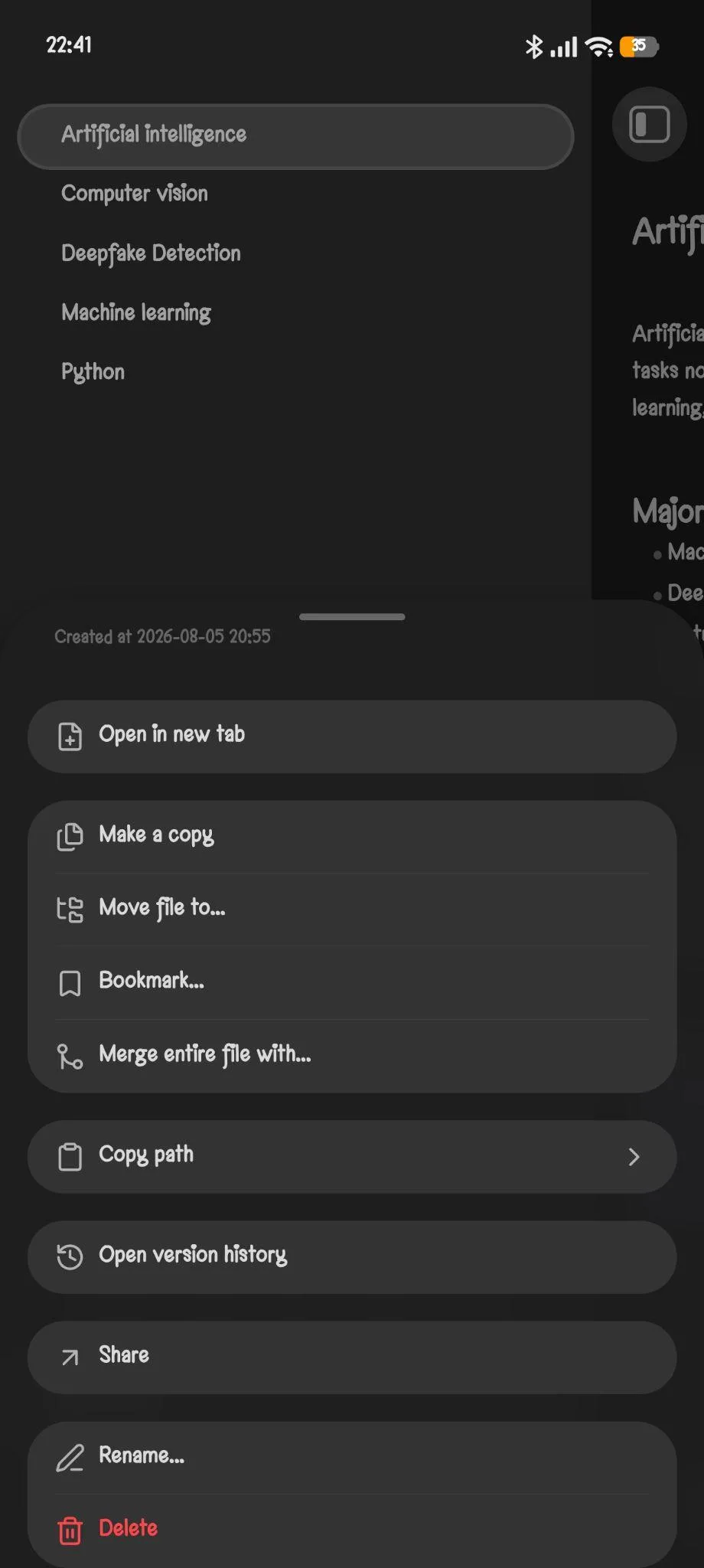
- Daily notes and templates. These exist and worked fine when I poked at them, though they feel more like foundational building blocks than standout features on their own.
That said, I also noticed several things missing during my testing, and some of these gaps stood out pretty clearly. The first was the complete absence of any built in AI features. After spending so much time reviewing tools like Notion, Mem and NotebookLM recently, the lack of any AI powered assistance here stood out to me almost immediately. There is no AI chat, no automatic summaries, no writing assistant and no semantic search that I could find anywhere in the app. Obsidian clearly is not trying to compete in that space at all, but it is still worth mentioning given how common AI has become across pretty much every modern productivity tool at this point.
I also could not find any built in calendar integration or meeting management features anywhere. There are templates and daily notes available, sure, but nothing remotely comparable to the task scheduling, calendar syncing or meeting workflows that something like Notion offers. Another thing I specifically looked for was voice functionality, and I could not find any option for recording voice notes or automatically transcribing speech into text either. Since I tested this entirely on mobile, I did wonder whether some of these features might exist on desktop but simply were not available to me here, but I do not think that changes my overall impression much, since the core experience should stay fairly consistent across platforms regardless. If anything, the mobile app already demonstrates what Obsidian considers its primary strengths, and those strengths are clearly knowledge management, note linking and customization rather than AI or productivity automation of any kind.
Performance, Reliability and Everyday Usability
Performance wise, this was one of the smoothest experiences I have had testing any note app in this series so far. Switching between notes felt instant, editing never lagged even with several interconnected notes open, and the Graph View rendered without any stutter even while I was adjusting node sizes and filters in real time. Nothing crashed, nothing hung, nothing needed a second attempt.
Because everything lives locally on the device by default, there is also no waiting around for sync or worrying about connectivity issues while actually working, the app just works whether internet is available or not. The only moments Obsidian reaches out to the internet at all are for checking updates, which can be disabled, and for browsing or installing plugins and themes, or loading embedded content like iframes inside notes.
Pricing, Plans and Limitations
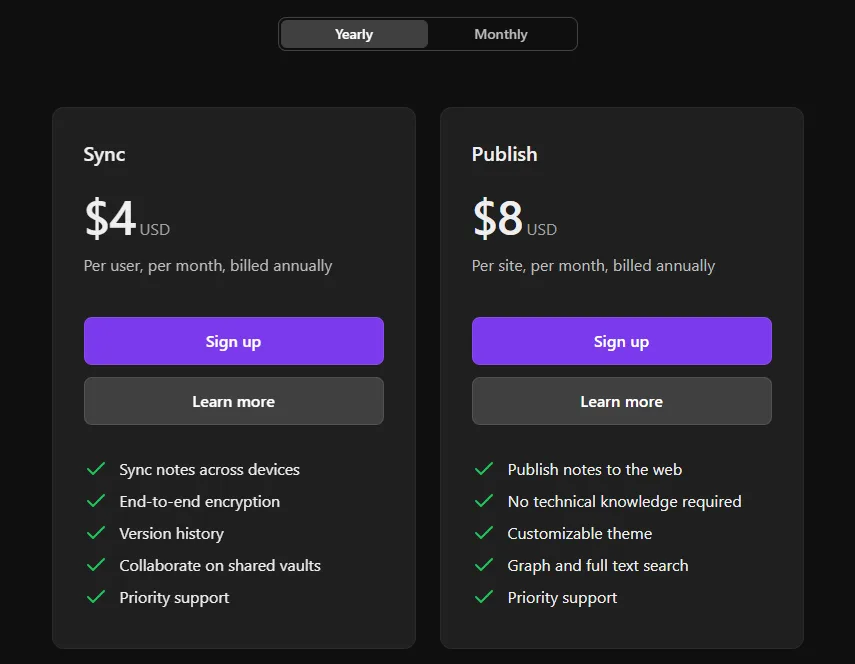
For pricing, the core app itself is completely free to download and use, no strings attached there. Beyond that, according to Obsidian’s own pricing page, Sync costs 4 dollars per user per month billed annually and handles syncing notes across devices with end to end encryption plus version history and the ability to collaborate on shared vaults. Publish runs 8 dollars per site per month billed annually and lets someone turn their notes into a published website with no technical knowledge required, along with a customizable theme and full text search built in.
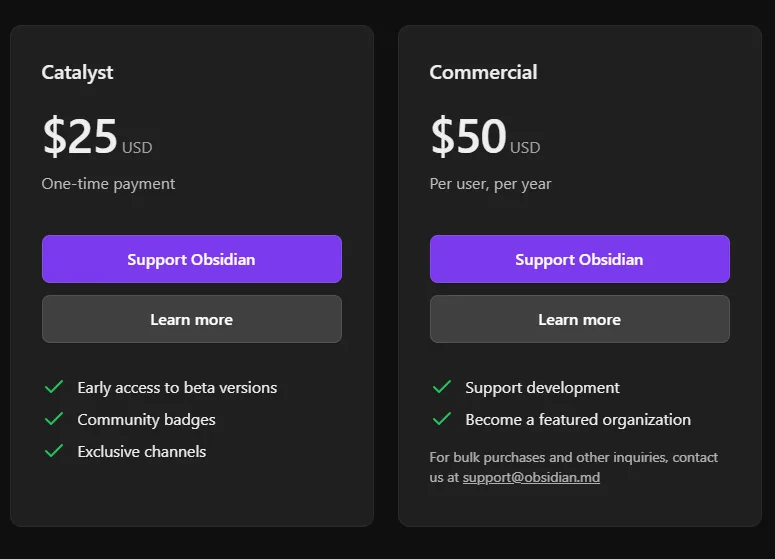
There are also two support oriented tiers sitting above those, Catalyst, which is a one time payment of 25 dollars and gives early access to beta versions along with community badges and exclusive channels, and Commercial, which runs 50 dollars per user per year for organizations that want to support development and get featured as a supporting organization.
The core note taking experience never asked me to pay for anything during testing, everything I actually used, linking, Graph View, properties, tags, checklists, attachments, all of it worked completely free.
Sync and Publish are the only features gated behind a subscription, and both are genuinely optional depending on whether someone needs cross device access or wants to publish notes publicly.
Compared to subscription heavy tools like Notion or Mem, Obsidian’s pricing feels refreshingly modest, most people could realistically use this forever without paying a cent unless they specifically need sync across multiple devices.
Privacy, Data Handling and Trust
This is honestly where Obsidian pulls way ahead of almost everything else reviewed so far in this series. According to Obsidian’s own privacy page, all data inside the desktop and mobile apps is saved locally on the device and is never sent to their servers. They state plainly that they do not collect any personal data and do not collect any telemetry data either. The app does connect to the internet to check for updates, but that can be turned off in settings, and it also connects when browsing or installing plugins and themes, or loading embedded content inside notes. Third party plugins and themes listed in their official directory are required to follow developer policies that specifically prohibit capturing client side telemetry and require any network usage to be clearly disclosed upfront.
If Sync or Publish get used, that is the one place where data does get stored on Obsidian’s servers to actually provide the service. According to the policy, Sync data, including file names, is end to end encrypted. If a Sync or Publish subscription expires, the data stays stored for one month before permanent deletion, or gets deleted immediately if the subscription is cancelled manually. Local vaults on the device itself are never affected either way. Setting up an Obsidian account only requires an email address, which is not shared with third parties aside from payment processors needed to handle billing.
Given how much of this whole review series has involved apps that quietly scan notes for advertising or AI training purposes, Obsidian’s local first, we don’t collect your data approach feels like a genuine outlier in the best possible way. For anyone who values privacy above almost everything else, this alone might be reason enough to pick it over most of the alternatives out there.
Comparison
Category | Joplin | Obsidian |
|---|---|---|
UI | Clean but generic, dark theme feels like every other note app | Clean too, but the vault based structure gives it a slightly more purposeful feel from the first screen |
Ease of learning | Immediately familiar, no real learning curve | Slightly steeper, Markdown and the vault concept take a few minutes to settle in |
Markdown experience | Basic, functional, gets the job done | Smooth and lightweight, felt more natural to write in |
Knowledge management | Notebooks and tags, fairly standard | Genuinely built around it, notes connect and build on each other over time |
Graph view | Does not exist | The standout feature, visualizes how notes link together as a network |
Backlinks | Not really present in any meaningful way | Core to the whole experience, this is what makes the graph view useful |
Customization | Toolbar customization only, fairly limited | Extensive, appearance, editor behaviour, plugins, themes, a lot to tweak |
AI | None | None |
Calendar and integration | None found | None found |
Pricing | Free app, optional Joplin Cloud from around 2.40 euros a month | Free app, optional Sync at 4 dollars a month and Publish at 8 dollars a month |
Privacy | Local first, minimal default data sharing, transparent about third party connections | Local first, no personal data or telemetry collected at all, even more locked down |
Comparing Obsidian with Notion or Mem almost feels unfair honestly, because they are solving completely different problems from the ground up. The closest real competitor, in my opinion, is Joplin. Both are open source, Markdown based, privacy focused and local first note taking applications at their core. However, where Joplin feels like an excellent digital notebook and stops there it never gave me a reason to stick with it beyond being a decent free notebook. Obsidian goes several steps further by transforming notes into an actual interconnected knowledge network through backlinks, Graph View and extensive customization options. It does demand a slightly steeper learning curve to really get the most out of it, but in return it offers a genuinely richer knowledge management experience than Joplin ever attempts to provide.
Obsidian actually made me think differently about how notes connect to each other, and once I saw the graph view working with even a handful of linked notes, I could tell this is the one that scales into something genuinely useful the more it gets used. Joplin feels like a notebook I would use and forget about, Obsidian feels like something I would keep building on for months. The privacy story is stronger with Obsidian too, and honestly that combination of local first data handling plus the graph and backlink system is what tips it in Obsidian’s favor for me.
Final Verdict
I came away from this one with the clear impression that Obsidian is built for a very specific kind of user, and it does not apologize for that at all. It does not try to become an all in one productivity suite, and it does not attempt to replace project management software or AI assistants either. Instead it focuses entirely on helping someone build an interconnected, locally stored knowledge base that grows organically the more it gets used. I genuinely enjoyed using it, especially given how responsive it felt throughout and how naturally the linked notes worked together once a few of them existed.
At the same time, I can see exactly why it would not appeal to everyone. Someone looking for collaborative workspaces, AI assistance, meeting transcription, calendar integration or workflow automation is going to find this lacking pretty quickly. But for anyone who mainly wants a fast, private, deeply customizable app for connecting ideas and managing personal knowledge over the long run, Obsidian does an excellent job at exactly that. Graph View alone makes it stand out from nearly every other note taking app I have tested in this whole series so far, and even though it is not the most feature rich productivity platform overall, it knows precisely what it wants to be and executes that vision remarkably well.
Overall Score: 6.2/10
Frequently Asked Questions:
Yes, Obsidian is free for personal use with no functional paywalls on core features like backlinking, Markdown formatting, properties, or Graph View. Paid add-ons like Obsidian Sync ($4/month billed annually) and Obsidian Publish ($8/month billed annually) are strictly optional for cloud sync and web hosting.
Obsidian stores notes locally on your device in plain Markdown files rather than uploading them to company servers. The app collects no personal telemetry, requires no account to use locally, and protects synchronized data with end-to-end encryption when Obsidian Sync is enabled.
Graph View is an interactive visual map that plots your notes as nodes and their bi-directional links as connecting lines. It allows you to explore thematic clusters, adjust forces and node sizes, filter groups, and run time-lapse animations of how your vault grew over time.
No, Obsidian does not include native AI chatbots, automatic text summarizers, voice memo transcription, or integrated calendar scheduling in its core build.
Subscribe to our email newsletter to get the latest posts delivered right to your email.
Comments