Conclusion
Mem delivers a genuinely intelligent, folderless workspace that reasons across your notes to link ideas, assign collections, and extract action items. Its context-aware side assistant and strong privacy policy make it an effective second brain for knowledge workers managing scattered thoughts. However, the web version suffers from unreliable voice transcription, read-only calendar sync, and a restrictive free plan that locks basic amenities like dark mode behind a paywall. For users seeking effortless semantic recall it is a powerful companion, provided you are willing to pay for Pro.
Pros:
- Transparent AI organization that reasons before categorizing notes into collections
- Deep semantic search that accurately extracts deadlines, themes, and teammates’ tasks across all notes
- Strong privacy stance ensuring personal notes and Workspace data are never used to train AI models
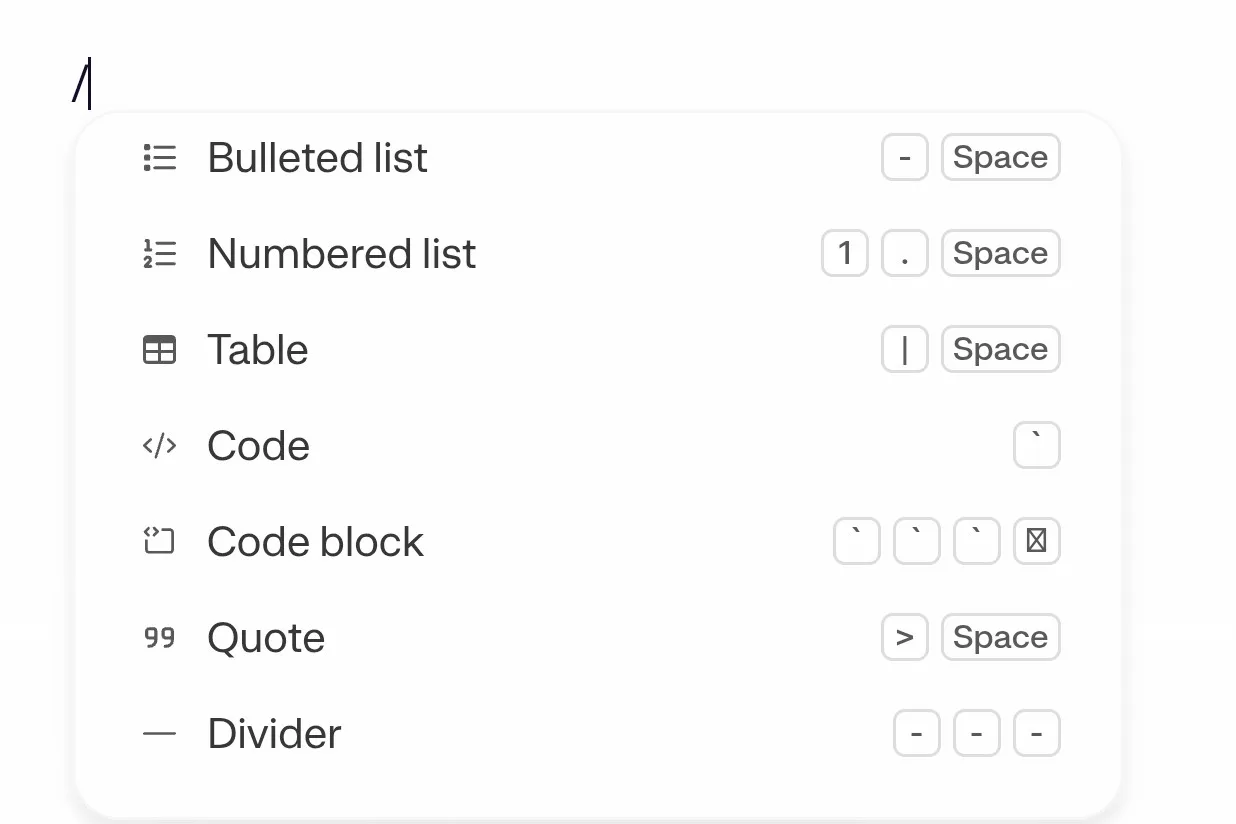
- Clean modern editor supporting slash commands, rich code highlighting, tables, and file embeds
Cons:
- Basic quality-of-life settings like dark mode are locked behind the paid tier
- Web voice recording and audio transcription are inconsistent and prone to detection errors
- Calendar integration is strictly read-only and cannot create or push scheduled events
- Steep price jump to higher-level proactive agent capabilities
Table of Contents
- First Impressions and User Experience
- Core Features
- Performance, Reliability and Everyday Usability
- Pricing, Plans and Limitations
- Privacy, Data Handling and Trust
- A Note on Comparison
- Final Verdict
I’ll be frank, I went into Mem expecting another glorified notes app with an AI chatbot bolted onto the side as a marketing gimmick. Every note tool suddenly has an AI button somewhere to try and “keep up with the changing times” and half the time it barely does anything beyond rewriting a sentence. Mem broke that pattern for me pretty quickly, and by the end of testing it I was actually a little surprised at how much I liked using it.
Mem suits someone who wants their notes to be more than just a place where information goes to sit unread. It suits people who create a lot of scattered notes across different projects and don’t want to spend time manually filing everything into folders. It also suits anyone who wants an AI that actually knows their own content rather than a generic assistant answering from nowhere. Where it does not suit as well is anyone on a tight budget, because the moment I wanted something as basic as dark mode, I hit a paywall, and that stung a bit given how much this thing already costs at the higher tiers.
First Impressions and User Experience
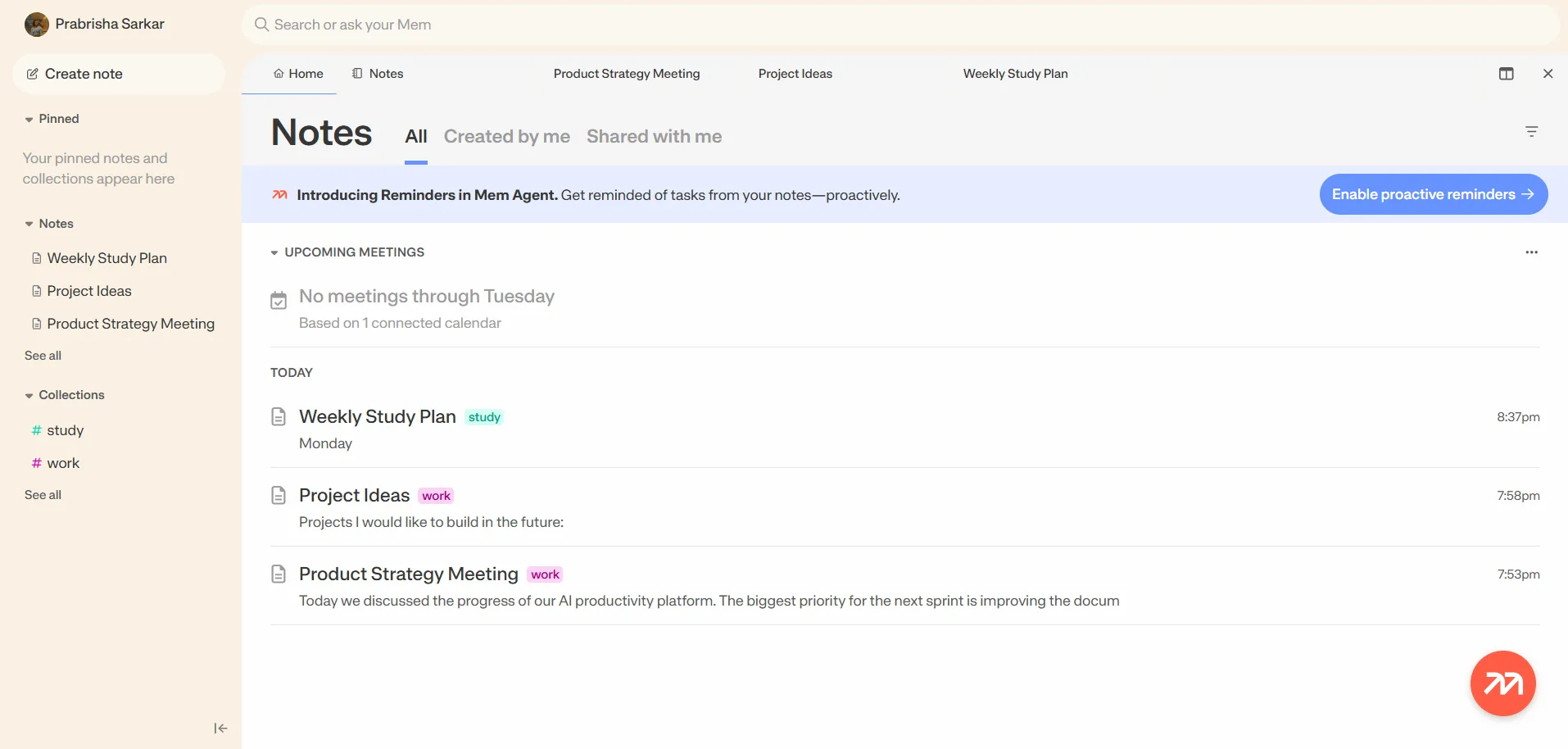
Opening Mem for the first time, the interface felt clean without feeling sparse. On the left there’s a sidebar with pinned notes, a notes section, and collections, and the main panel shows recent notes along with a small upcoming meetings widget at the top since I’d connected my calendar. Creating a new note is dead simple, there’s a create note button right at the top of the sidebar and once inside a note I get a little hint text that says to type a slash to insert formatting, an at symbol to link another note, and a hashtag to tag a collection. That kind of inline guidance is a nice touch, it means I wasn’t digging through a help doc to figure out the shortcuts, they’re just sitting there the first time I open a blank note.
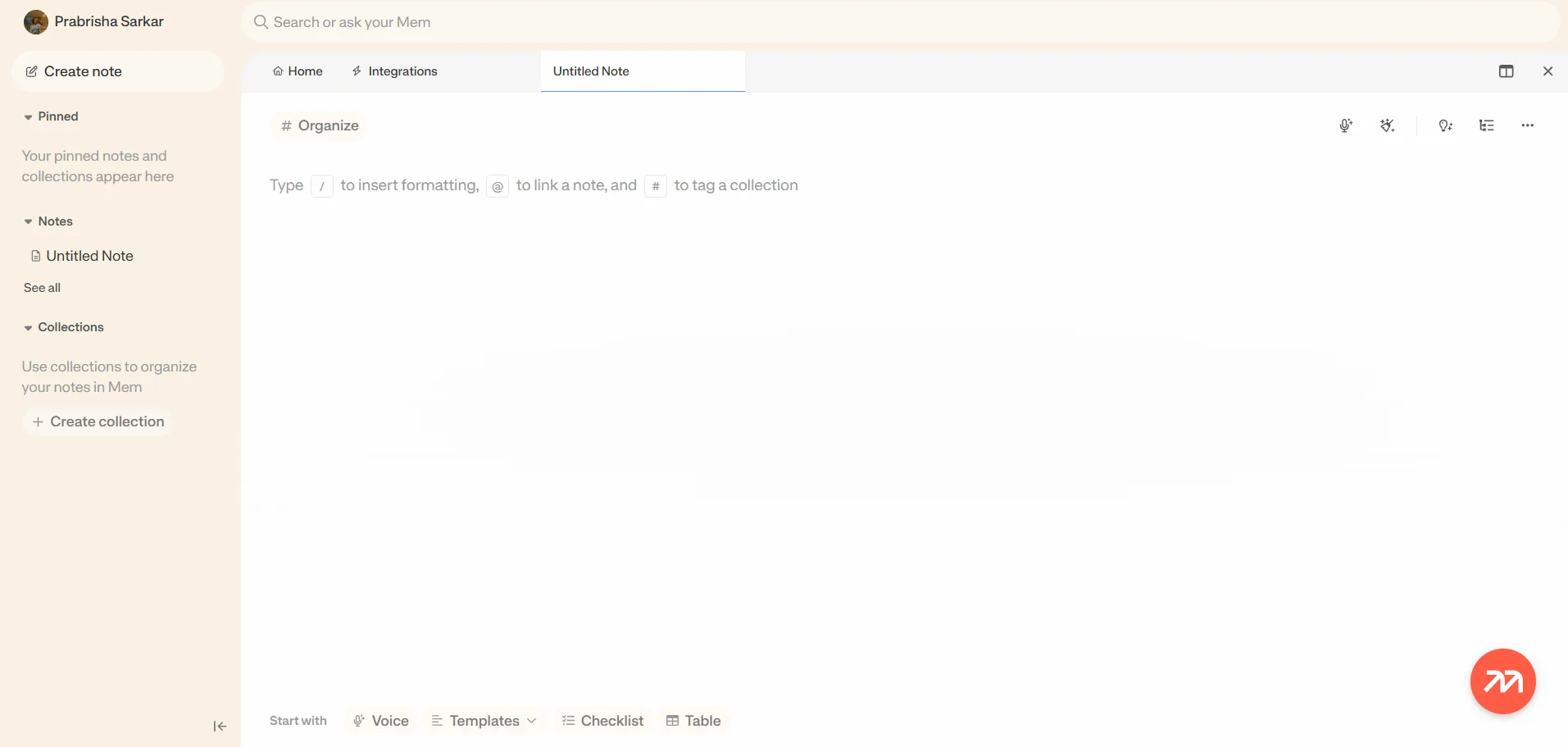
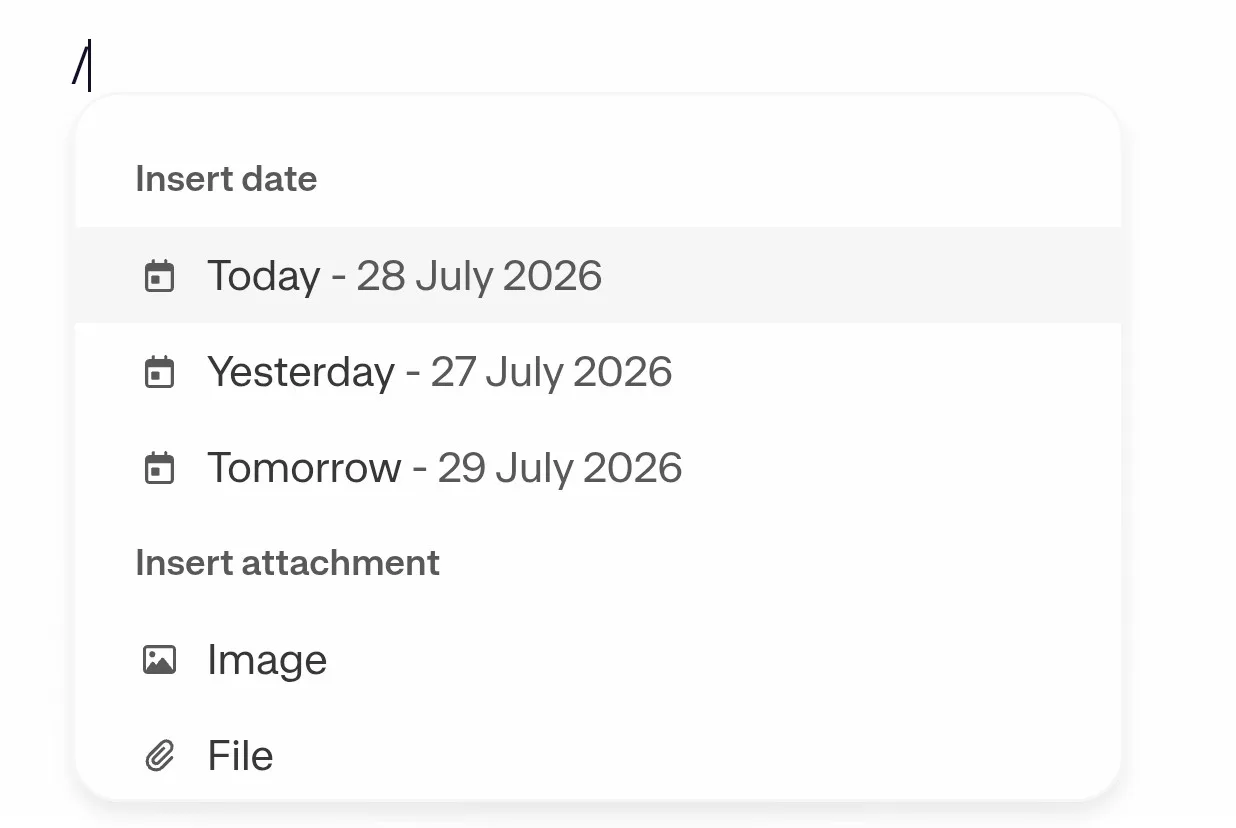
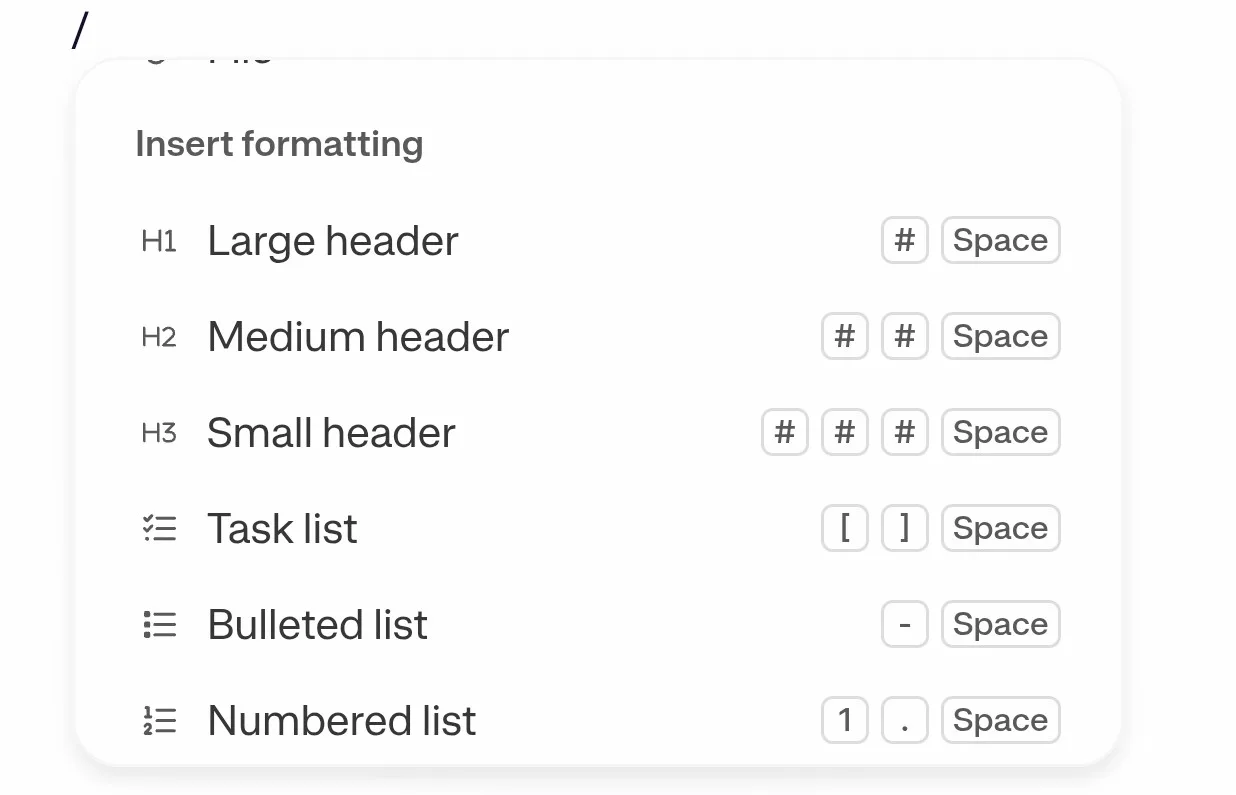
Formatting itself works how I’d expect from any modern editor, slash commands pull up headers, tables, checklists, code blocks and so on. The bottom of a fresh note also gives quick start buttons for voice, templates, checklist or table, which is convenient when I don’t feel like typing a slash command and just want to tap something.
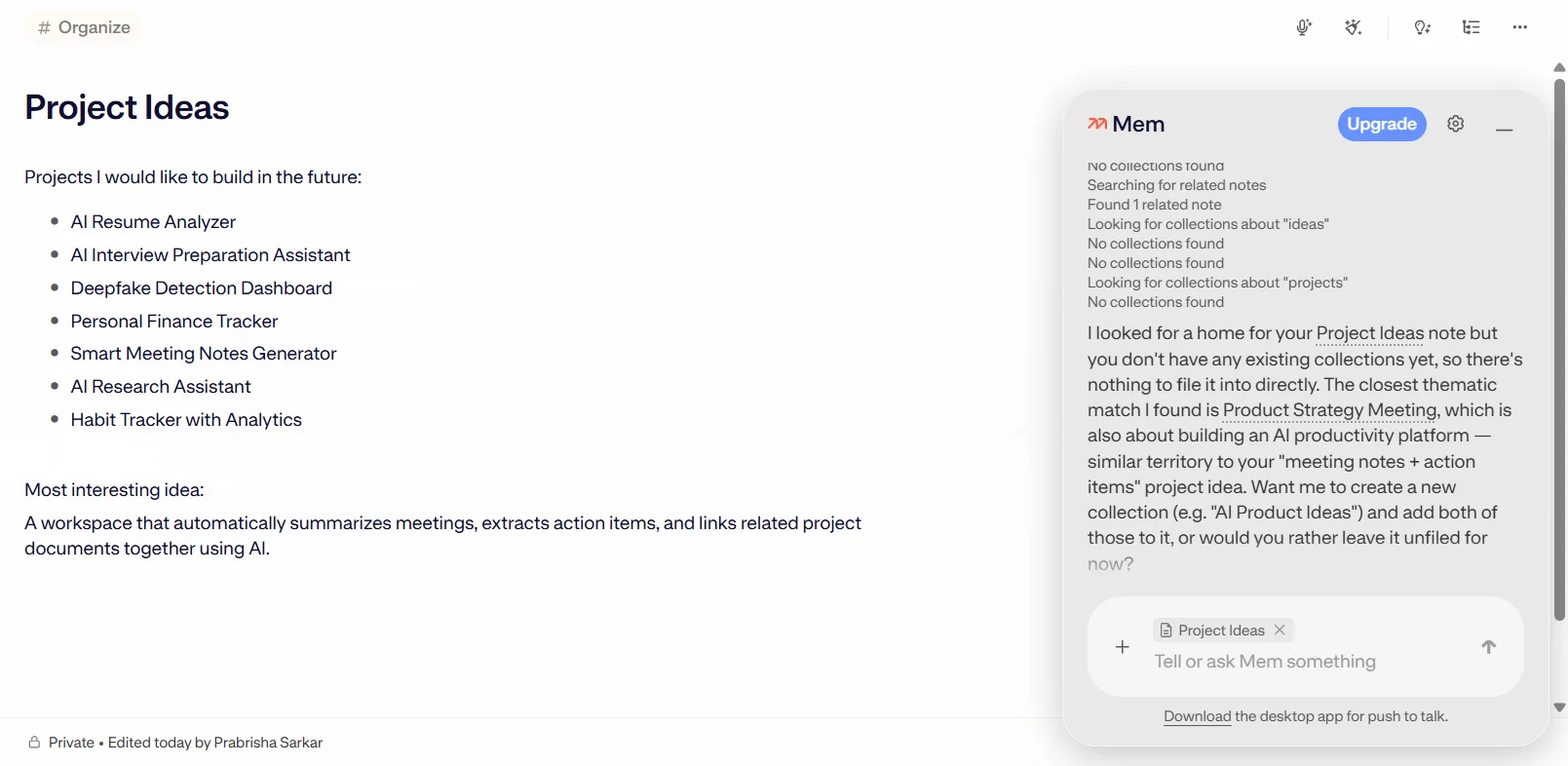
Where Mem really starts to separate itself is the little assistant panel that lives on the right side of most notes. It’s not some separate chat window I have to go hunting for, it just sits there contextually aware of whatever note I’m working in. I could ask it to organize a note into a collection, and it would go look through my existing collections, tell me its reasoning, and either slot the note in or ask me for confirmation first. That back and forth felt less like a generic AI feature and more like something that was actually paying attention to how I already had things set up.
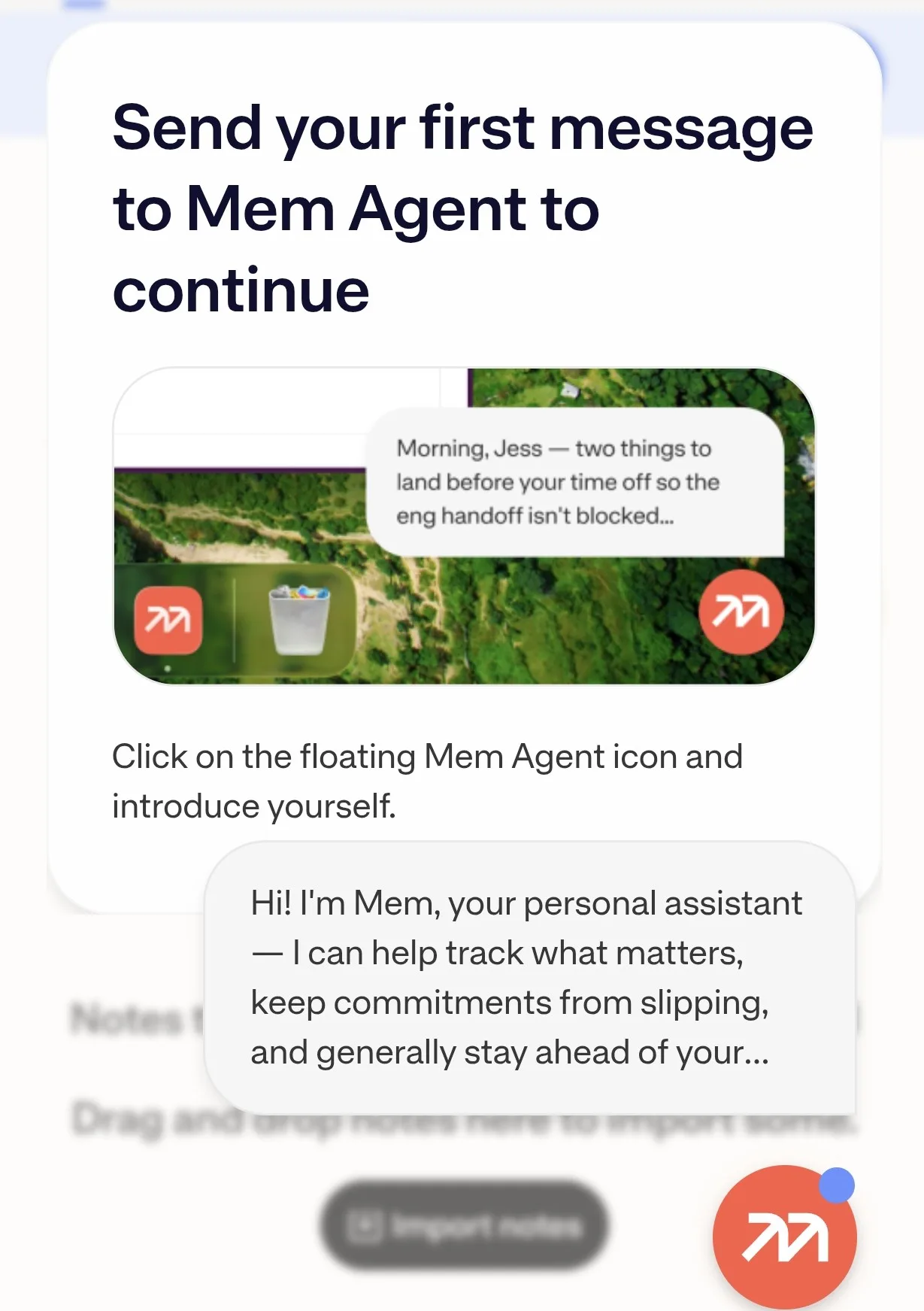
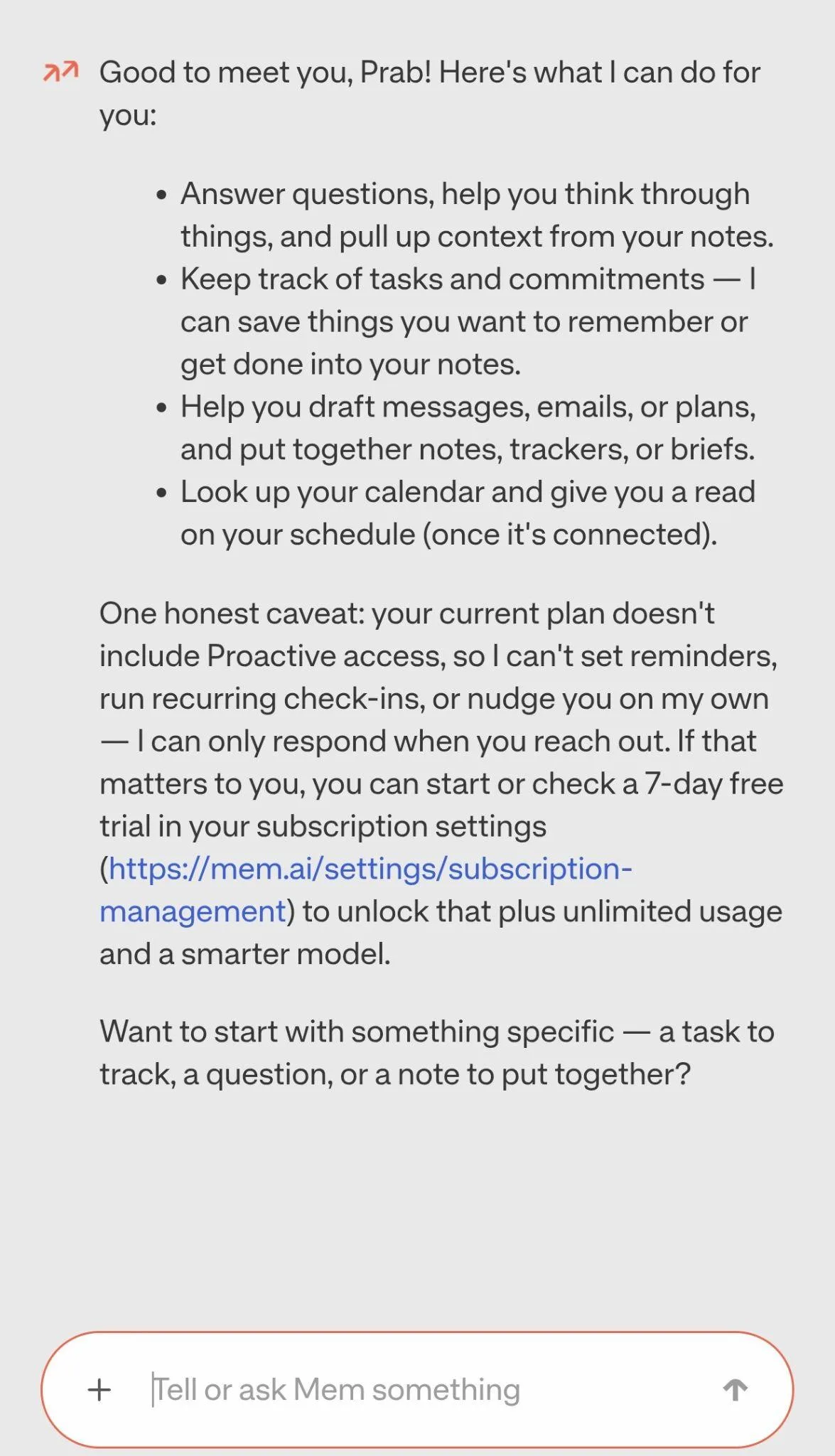
Core Features
This app has a lot going on, and most of what I tested actually held up, though there were a couple of rough patches worth flagging honestly.
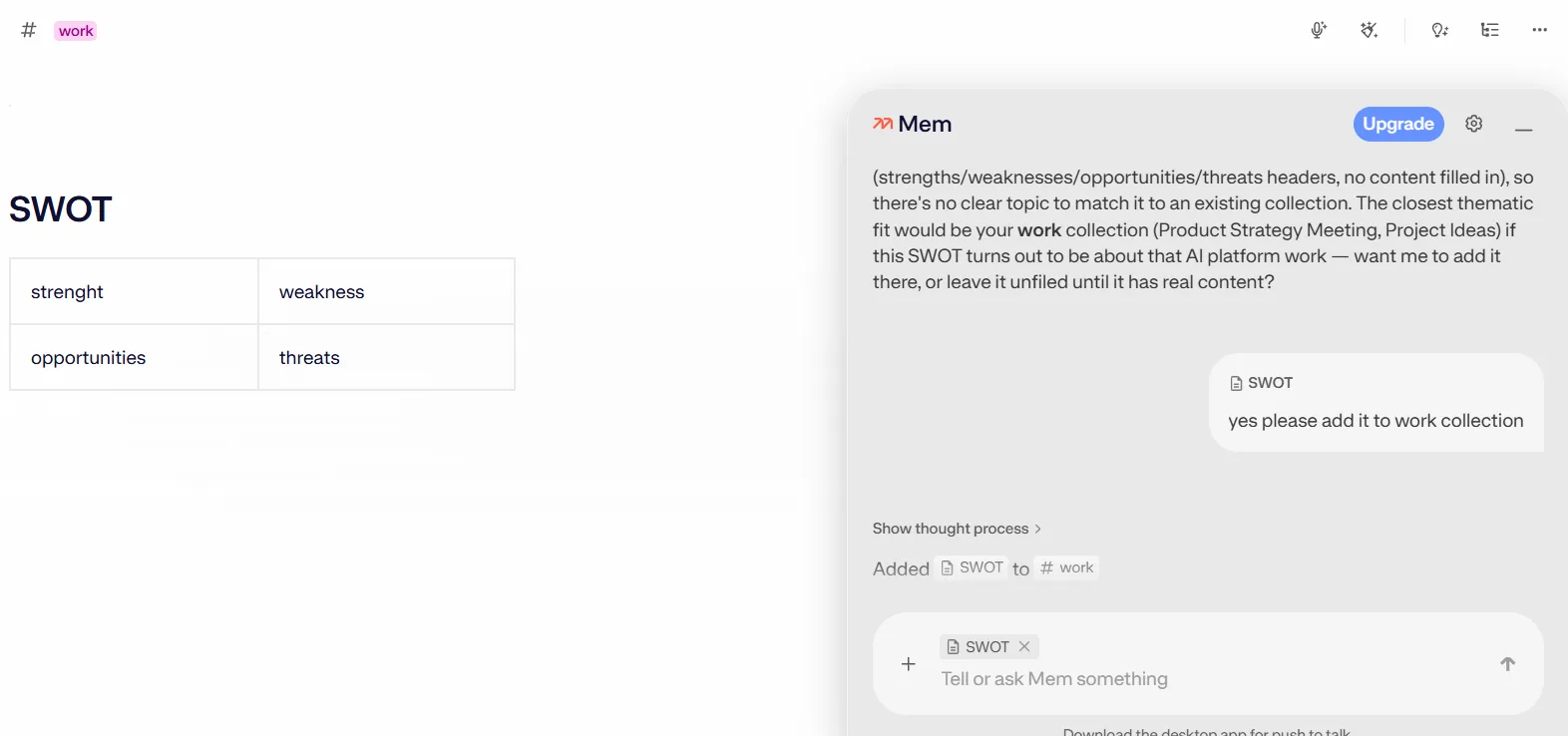
- AI organization. This was probably the standout feature for me. When I wrote a note and asked Mem to file it into a collection, it didn’t just blindly dump it somewhere, it explained its reasoning first, mentioned which existing collections were a thematic fit, and asked before making the change. I tested this with a note that didn’t cleanly match anything and it correctly told me there wasn’t a strong home for it yet and offered to create a new collection instead. That kind of transparency is rare, most AI organizing features I’ve used just do the thing silently and I’m left wondering why.
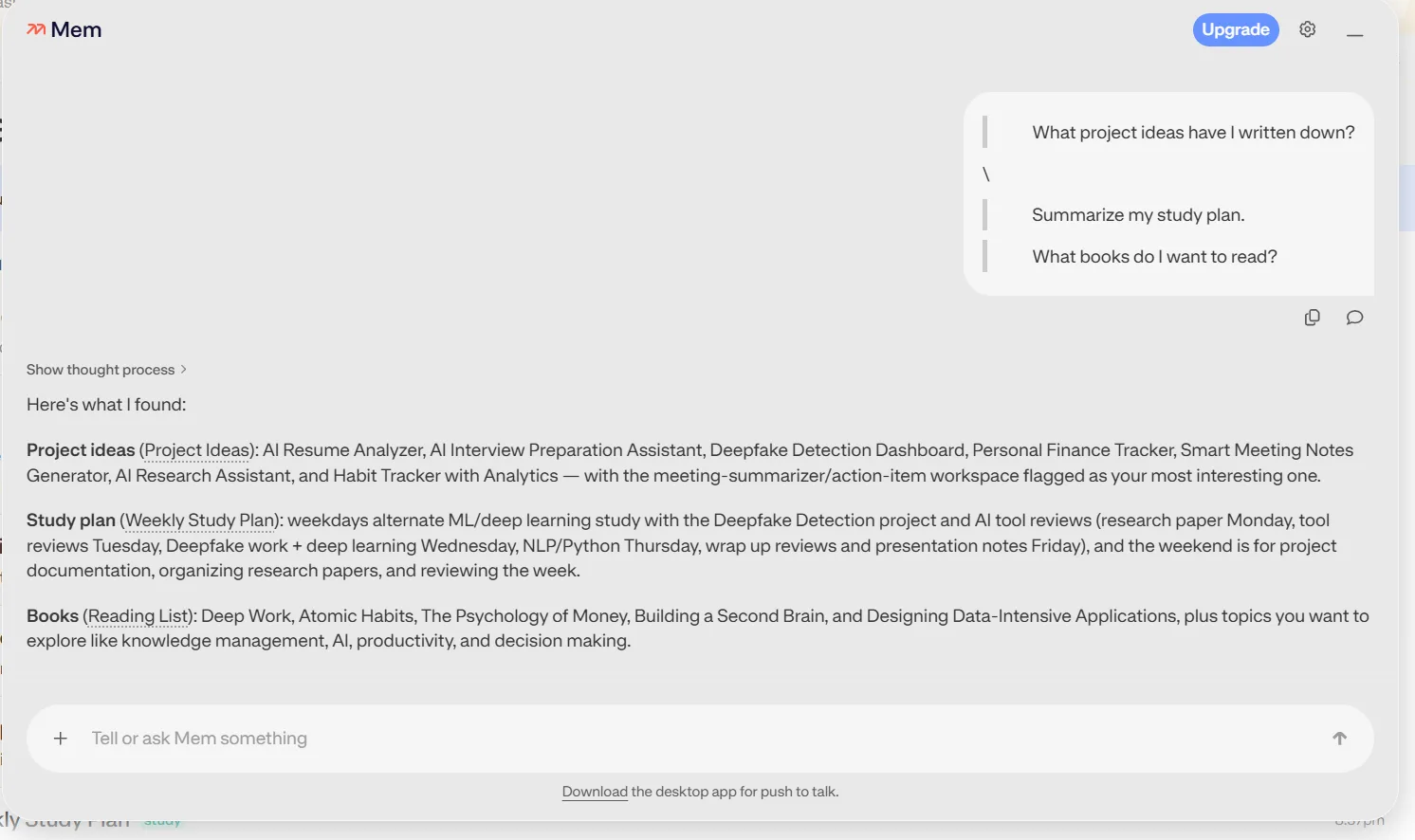
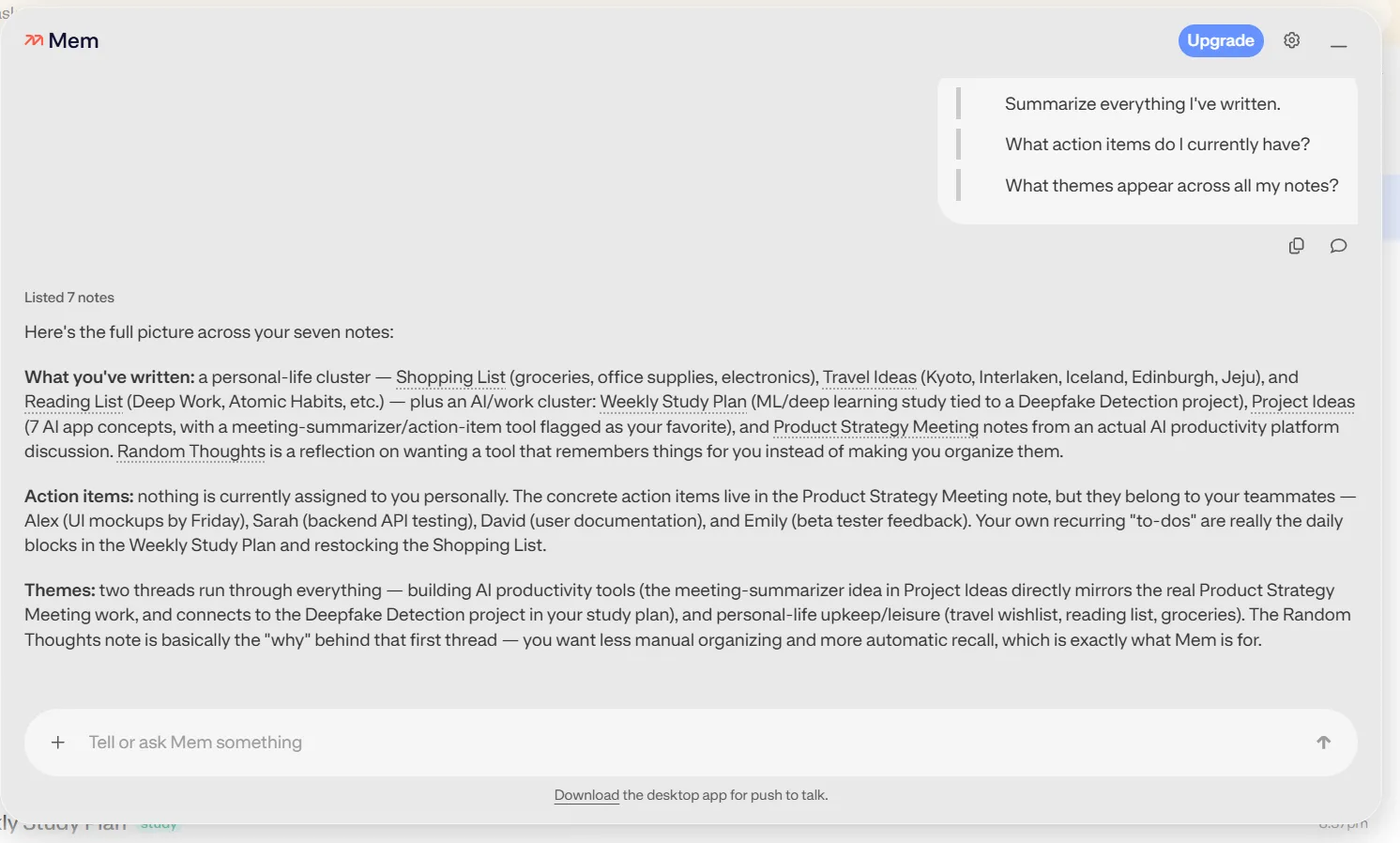
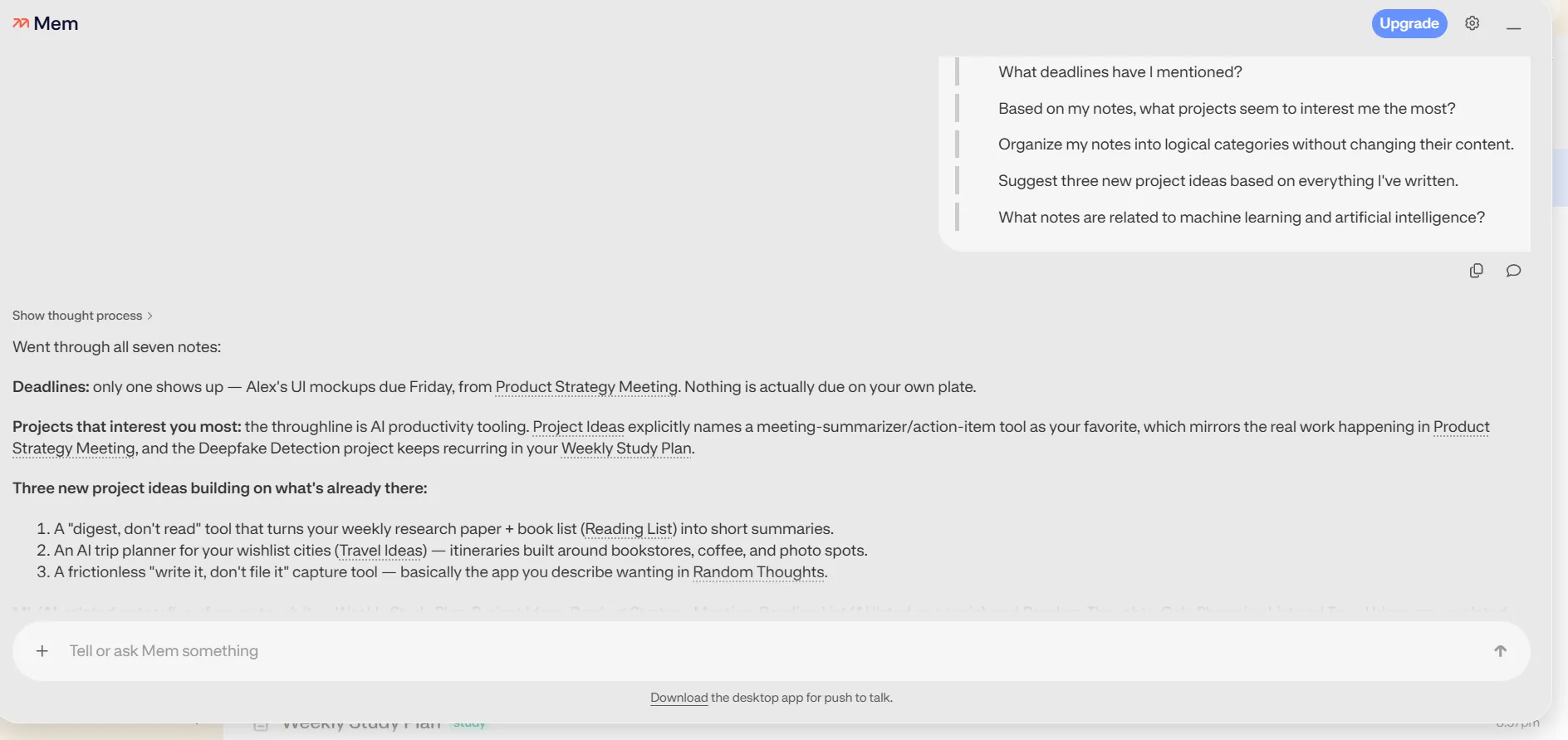
- AI search and summarization. I asked it things like what deadlines I’d mentioned across my notes, what project ideas I’d written down, and what themes kept showing up, and it answered all of these accurately by actually pulling from the right notes and linking back to them. It correctly identified that most of my action items belonged to teammates rather than me, which is a small detail but it shows it was reading the content properly rather than just pattern matching on keywords.

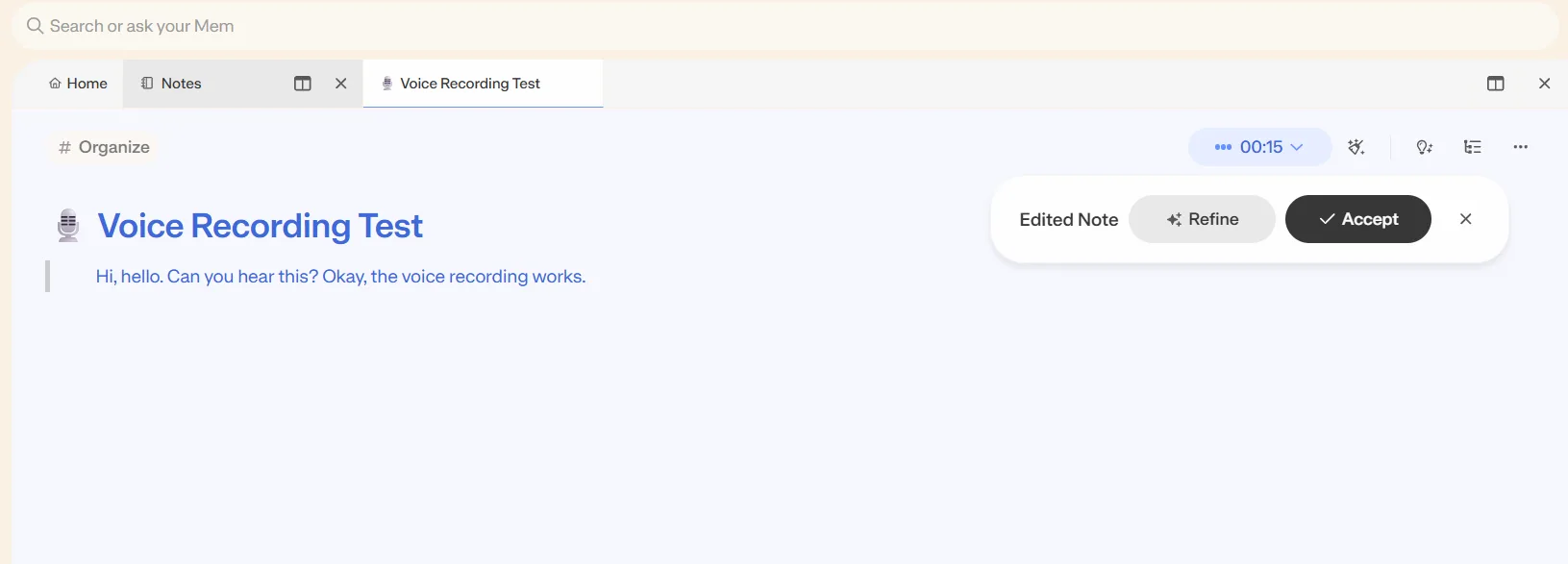
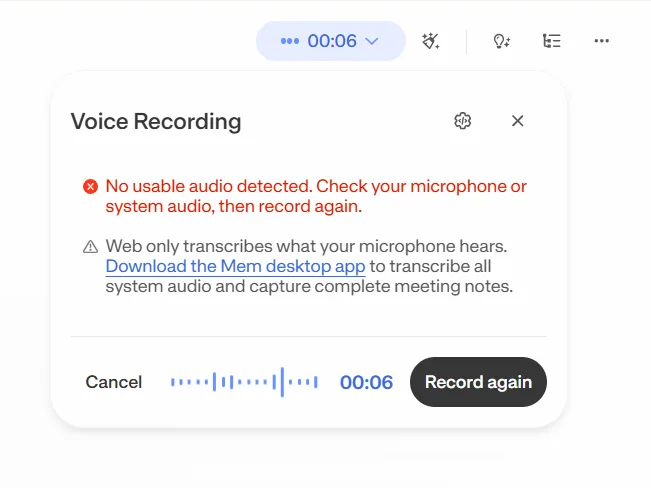
- Voice recording and transcription. This one was genuinely hit or miss, and I mean that literally, sometimes it transcribed cleanly and sometimes it just failed outright with a message saying no usable audio was detected, telling me to check my mic or download the desktop app since the web version apparently only captures whatever the microphone physically hears. When it did work though, it transcribed well and gave me an editable note afterward with options to refine or accept the transcription. So the feature is good when it works, it’s just inconsistent enough that I wouldn’t rely on it for anything important without a backup plan.
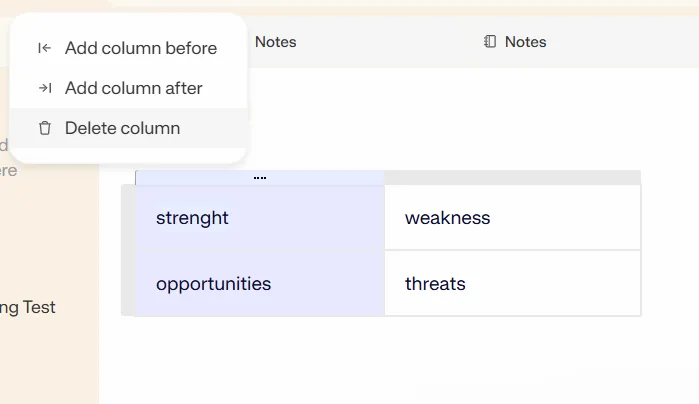
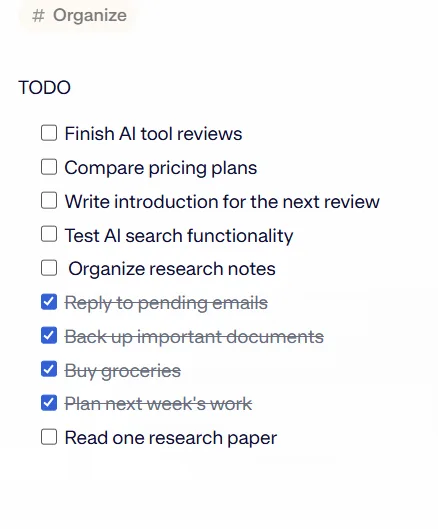
- Tables and checklists. Both worked without issue. I built a quick SWOT table and it let me add or delete columns easily, and checklists behaved exactly as expected, checking something off strikes it through and moves on.
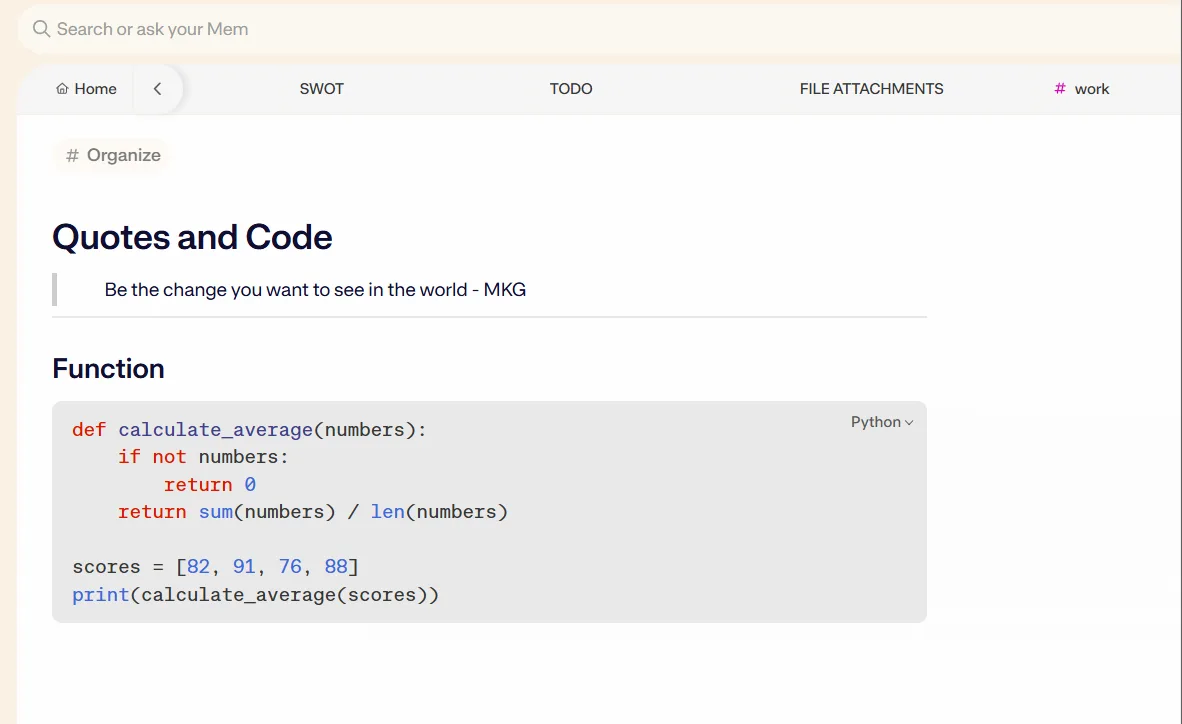
- Code blocks and quotes. I dropped in a python function and it rendered with proper syntax highlighting and a language label in the corner, and a quote block worked cleanly too. As someone who writes python fairly often, having code actually look like code instead of plain text sitting in a paragraph was appreciated.
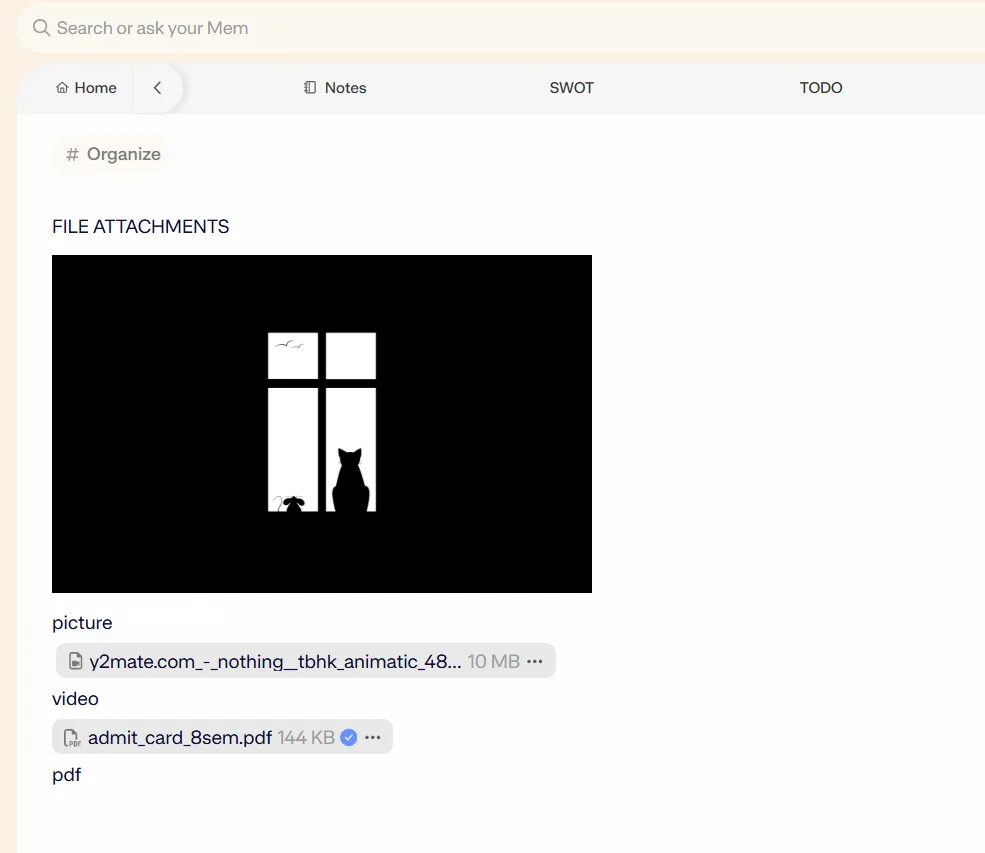
- File attachments. Images, PDFs and even a video file attached without much friction, and image and PDF previews rendered right inside the note. Video files didn’t preview inline the way the other file types did, they just sat there as a file link, which is a minor gap but not a dealbreaker.
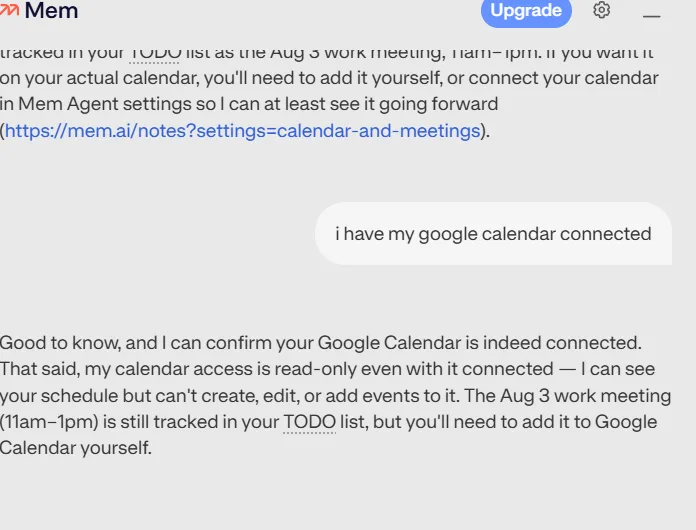
- Calendar integration. This is where I ran into the most noticeable limitation. Even with my Google calendar connected, Mem could only read my schedule, it flat out told me its calendar access was read only and that I’d need to add events to my calendar myself. It could track something as a to-do inside a note, but it couldn’t push that same thing onto my actual calendar. For an app that leans this heavily into being an AI thought partner, not being able to close that loop felt like a missed opportunity, and I have a suspicion this might get unlocked at a higher tier eventually, but as it stands right now, reading only goes so far.
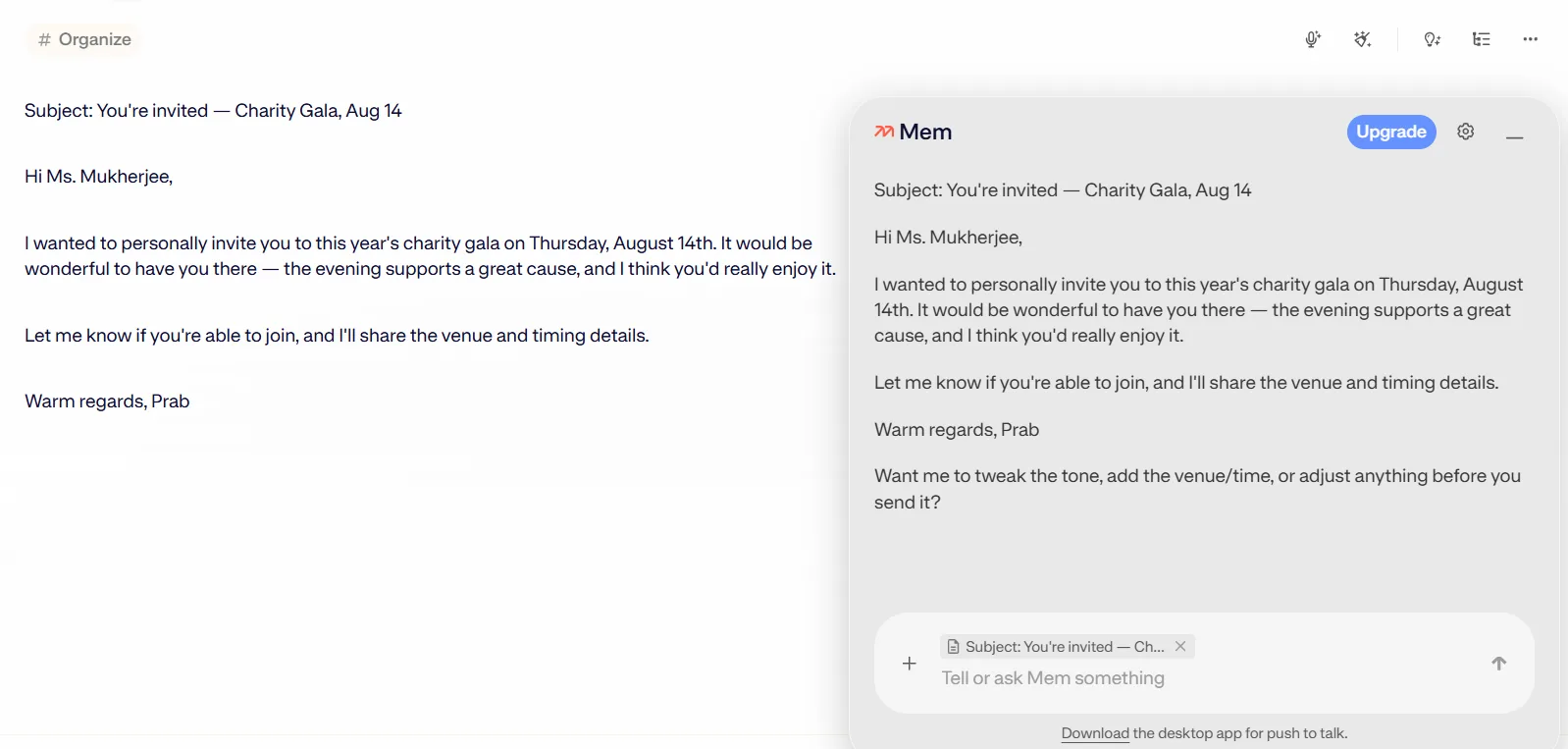
- Writing assistance. Asking it to draft an email or message worked about as well as any general purpose LLM would, nothing mem-specific about the quality here, but it’s convenient to have that built in rather than switching to a separate tool.
Performance, Reliability and Everyday Usability
Across my testing period, the app stayed responsive and I didn’t run into any crashes. Notes saved quickly, switching between tabs was smooth, and the AI responses in the side panel came back within a few seconds most of the time, not instant but not annoyingly slow either.
The one recurring frustration, and I already mentioned this, was the voice recording reliability. It wasn’t a small edge case either, it failed enough times during testing that I stopped trusting it for anything I actually needed captured accurately. That inconsistency stood out against how solid everything else felt.
Something else worth noting, the AI agent seems to genuinely learn the shape of what I’ve written over time rather than treating every question in isolation. When I asked about project ideas after already asking about themes across my notes, it built on what it already knew instead of repeating itself from scratch. That continuity within a session made longer working sessions feel less repetitive than I expected going in.
Pricing, Plans and Limitations
This is where I have to be a bit critical. The free tier gets me a usable note taking experience, but the moment I wanted dark mode, which feels like such a basic thing at this point, I hit an upgrade wall. The Pro plan runs 12 dollars a month and unlocks dark mode along with unlimited notes, unlimited chat messages, unlimited deep searches, unlimited collections, unlimited templates, unlimited connected emails, unlimited API keys and unlimited PDFs in search and chat.
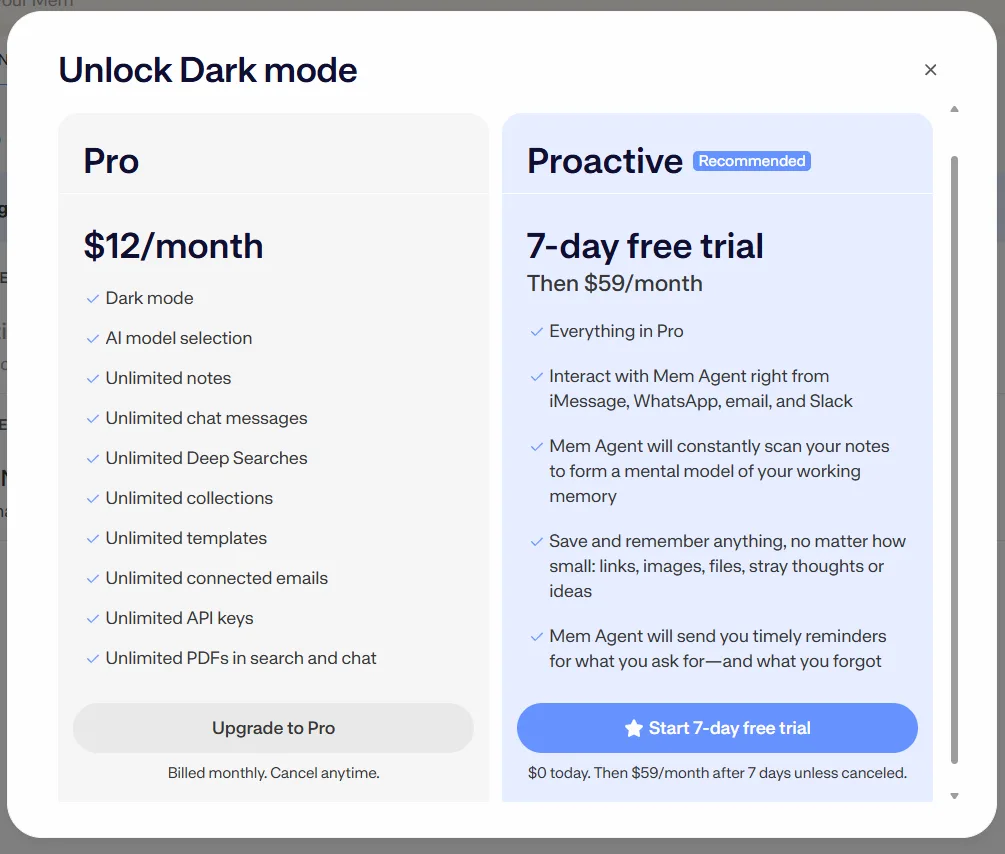
Then there’s a tier above that called Proactive, which comes with a 7 day free trial before jumping to 59 dollars a month. That tier adds the ability to interact with the Mem agent through iMessage, WhatsApp, email and Slack, has the agent constantly scanning notes to build what they call a mental model of working memory, and sends timely reminders based on what’s been asked for and what’s been forgotten. That’s a steep price jump for what’s essentially a more proactive version of the same assistant, and I didn’t test this tier myself so I can’t speak to whether it’s worth that jump, but 59 dollars a month puts it in a different league entirely compared to basically every other note app out there.
For someone who just wants solid AI powered organization and search, the 12 dollar Pro tier feels reasonable. The free tier feels a little too restrictive though, locking something as cosmetic as dark mode behind a paywall isn’t a great first impression for anyone testing the waters.
Privacy, Data Handling and Trust
According to Mem’s privacy policy on their website, they collect a fairly broad range of information, names, phone numbers, email addresses, contacts, the actual content of mems, and calendar events, along with automatically collected data like IP address, device information, browser details, and location data. If the app is used on mobile, they also collect mobile device identifiers and can send push notifications.
The reassuring part is what they explicitly say they do not do with this information. According to the policy, they do not sell data to advertisers or third parties, they do not use collected information to show third party advertisements, and importantly they state they do not use personal information, notes, or data collected through integrations like Google Workspace APIs to train any generalized AI or machine learning models. That last point matters a lot for a notes app specifically, since the content going into Mem is often genuinely personal or work sensitive, and knowing it isn’t being fed into some broader model training pipeline is a meaningful trust signal.
Data does get shared with vetted third party subprocessors for things like payment processing, hosting, and analytics, and they maintain a public trust center listing exactly who those subprocessors are, which is more transparency than I’ve seen from a lot of comparable tools. Google API data specifically is bound by Google’s own limited use policy on top of Mem’s own rules. Account deletion is available by emailing support directly rather than a self-serve button in settings, which is a bit old fashioned but functional, and they note that some data may persist in backups even after deletion for things like fraud prevention or legal compliance.
Overall the privacy picture is reasonably trustworthy for a tool this AI forward, the no ad, no data sale, no model training stance covers the big concerns, even if the amount of automatically collected device and usage data is on the higher end of what I’ve seen from smaller note apps.
A Note on Comparison
Normally this is where I’d stack Mem up against something else I’ve already reviewed, but honestly nothing I’ve tested so far feels like a fair match up. I’ve used AI inside notes before with tools like NotebookLM, but that one is fundamentally built around uploaded source material, answering questions about documents I feed it. Mem is a different beast entirely, it’s AI first around the notes I actually create or that get shared with me, constantly organizing and reasoning about my own working memory rather than a fixed set of reference documents. Putting those two side by side wouldn’t really tell anyone anything useful, so I’m skipping the comparison table this time around.
Final Verdict
Mem impressed me more than I expected going in. The AI organization and search features aren’t just decoration, they genuinely understood the content I fed it and reasoned about it in a way that felt useful rather than gimmicky. The formatting tools, code blocks, and attachment handling all worked the way a modern note app should. The privacy stance on not training models with personal notes is a real point in its favor too.
Where it stumbles is the voice recording reliability, the calendar being read only when I expected more given how AI forward this whole app is positioned, and a pricing structure that locks even small things like dark mode behind a dollar amount. The jump to the Proactive tier at 59 dollars a month is steep enough that I’d want a lot more testing before recommending it without hesitation.
Would I keep using it? Yeah, probably, especially for anything where I need to dig back through a pile of scattered notes and actually get a coherent answer out of them. It’s not perfect, but it’s one of the more genuinely useful applications of AI inside a notes app that I’ve come across.
Overall Score: 7.7/10
Frequently Asked Questions:
No, Mem’s privacy policy explicitly states that it does not sell user data, serve third-party ads, or use personal notes and Google Workspace API integrations to train generalized AI or machine learning models.
No, dark mode is treated as a premium feature and is locked behind the paid Pro subscription.
No, calendar integration is currently read-only. Mem can view your upcoming schedule to surface context and track to-do items inside notes, but it cannot schedule, edit, or push new events directly to your calendar.
Instead of manual folder trees, Mem utilizes AI-driven collections, bi-directional linking, and an in-note assistant. When asked to organize, the AI analyzes the content, recommends matching collections with clear reasoning, and asks for confirmation before filing.
Subscribe to our email newsletter to get the latest posts delivered right to your email.
Comments