Conclusion
HumanizeAI stands out as a reliable and focused tool for humanizing AI-generated content, offering a refreshing experience compared to other tools in the market. Its strengths lie in the accuracy of its detection, the variety of tone modes, and the detailed plagiarism checker. However, it does have some limitations, such as the 300-word cap per process and the lack of a built-in plagiarism remover. Despite these drawbacks, HumanizeAI delivers on its promises and provides good value, especially for short-form content creators.
Pros
- Accurate detection in both directions
- Genuinely different outputs across tone modes
- Detailed plagiarism checker with source-level information
- Generous free plan with 1,500 words
- Clean and user-friendly interface
Cons
- 300-word limit per process can be restrictive
- No built-in plagiarism remover
- Limited language support (only English and Spanish)
Table of Contents
- First Impressions and Dashboard Experience
- Core Features
- Performance and Output Reliability
- Pricing Breakdown and Limitations
- Privacy and Data Handling
- HumanizeAI vs BypassGPT vs ZeroGPT
- Final Verdict and Overall Score
- Frequently Asked Questions
I’ll be honest, by the time I got to testing HumanizeAI, I was already a little tired of tools that overpromise and then stumble on the most basic things. BypassGPT had just left me with a bad taste, so I came into this one expecting more of the same. But HumanizeAI turned out to be a genuinely decent experience, not perfect, but decent in a way that actually felt refreshing. It is focused, it works mostly as advertised, and the free plan is more generous than almost anything else I tested in this category except CleverHumanizer and maybe ZeroGPT.
I think HumanizeAI suits bloggers, students, content writers and people who deal with shorter form AI-generated content and need a quick humanization and detection pass without signing up for an expensive platform. The plagiarism checker, in particular, impressed me more than I had anticipated. It is less suitable for those who work with long-form content regularly, require multilingual support beyond English and Spanish, or seek a plagiarism remover rather than merely a checker.
First Impressions and Dashboard Experience
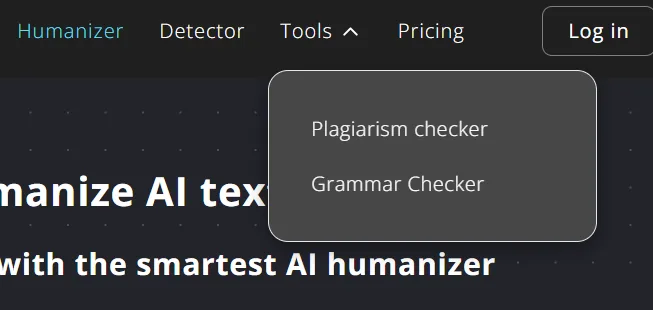
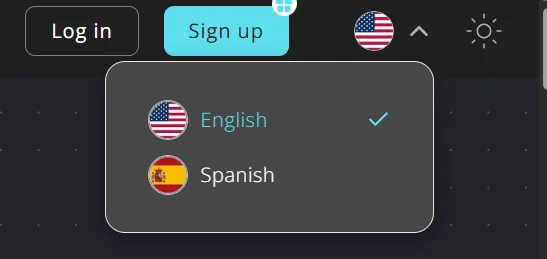
The interface is clean, dark-themed, and minimalist in a way that I genuinely appreciated. The layout is not cluttered at all. Everything is accessible through a simple top navigation bar: Humanizer, Detector, Tools (which drops down into Plagiarism Checker and Grammar Checker), and Pricing. There is also a light mode toggle in the top right corner, which is a small touch but appreciated. I used the dark mode throughout my testing and found it easy on the eyes, especially during longer sessions.
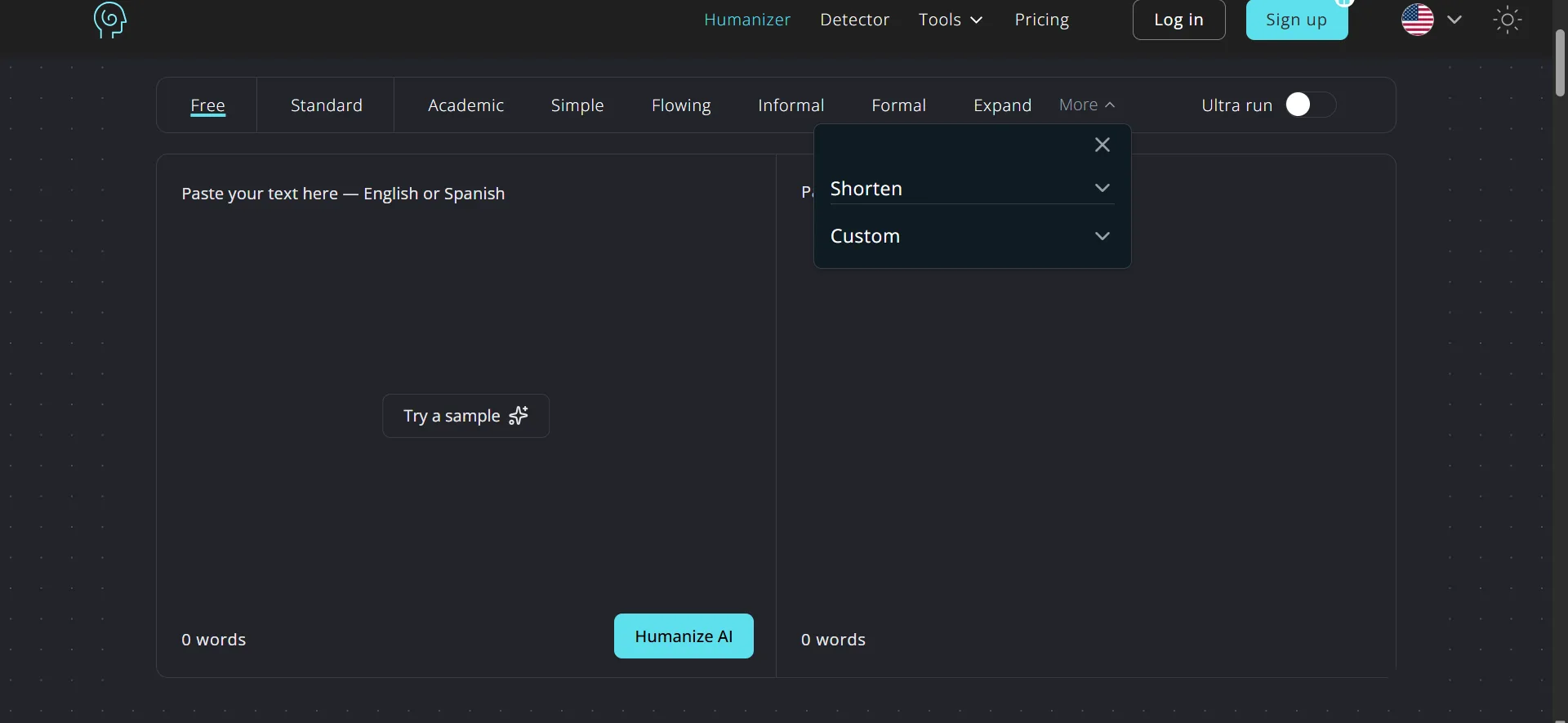
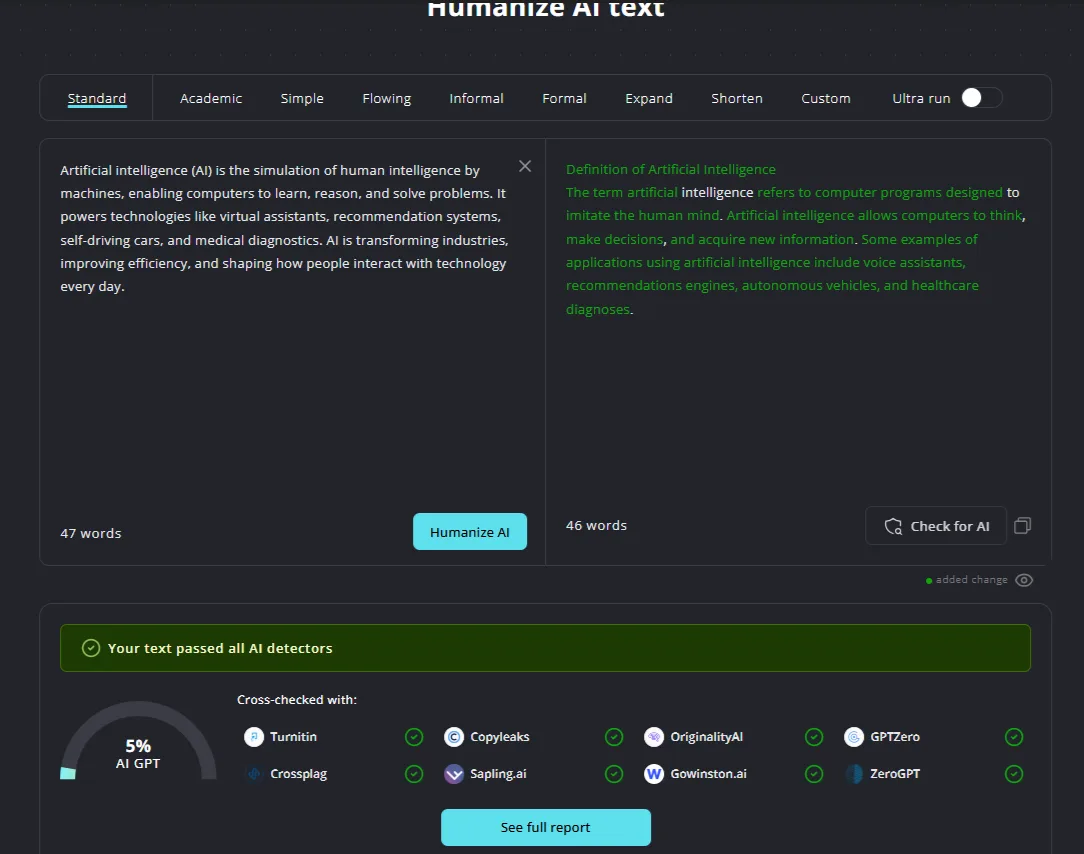
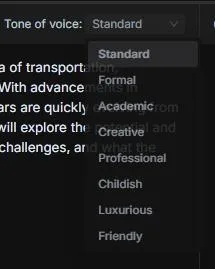
The humanizer interface itself is a familiar side-by-side layout, input on the left, output on the right, with the tone options displayed as tabs across the top. Standard, Academic, Simple, Flowing, Informal, Formal, Expand, Shorten, Custom (coming soon), and Ultra run. The output modifications are highlighted in green, making it easy to see at a glance what the tool has changed. This visual feedback stands out as one of the better design choices among all the tools I reviewed. It is a small thing but genuinely useful.
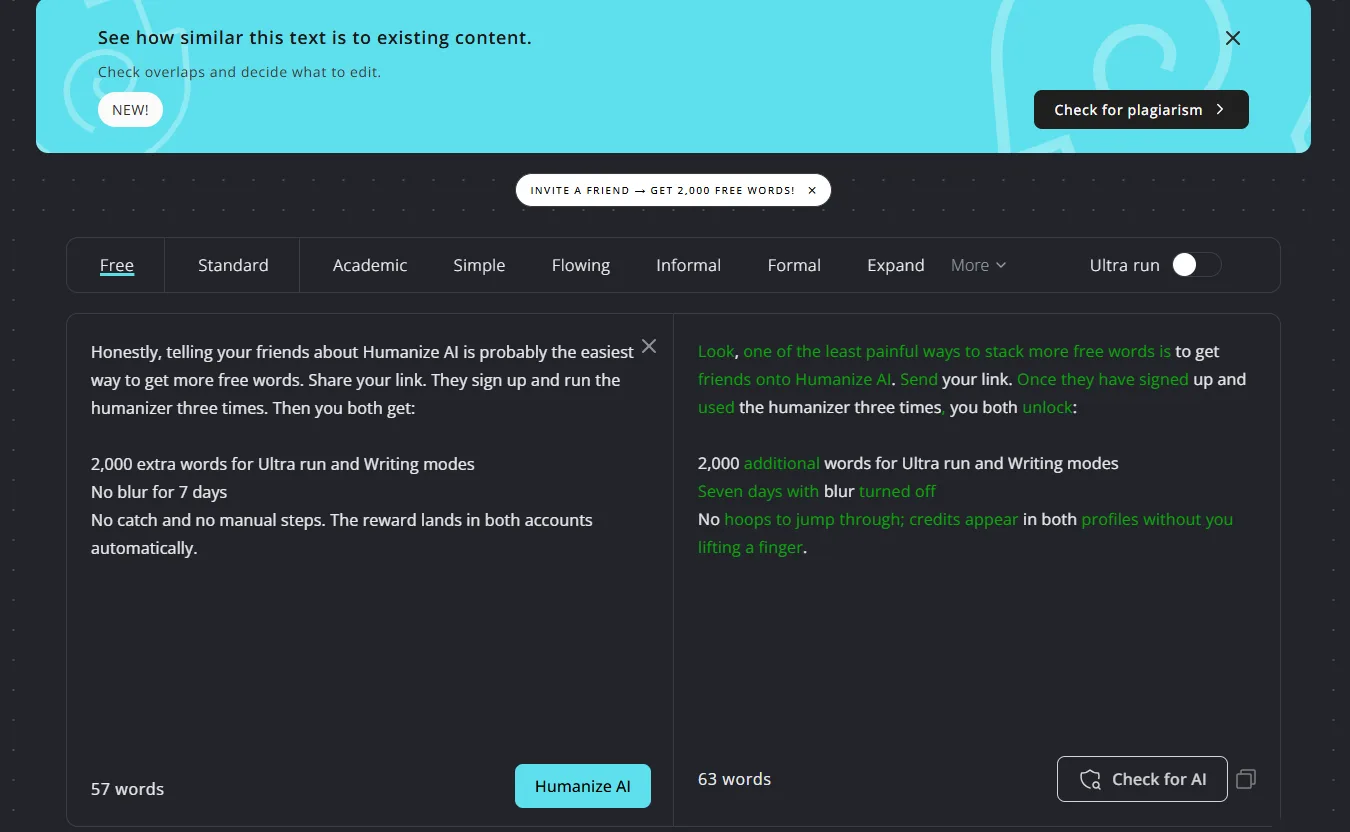
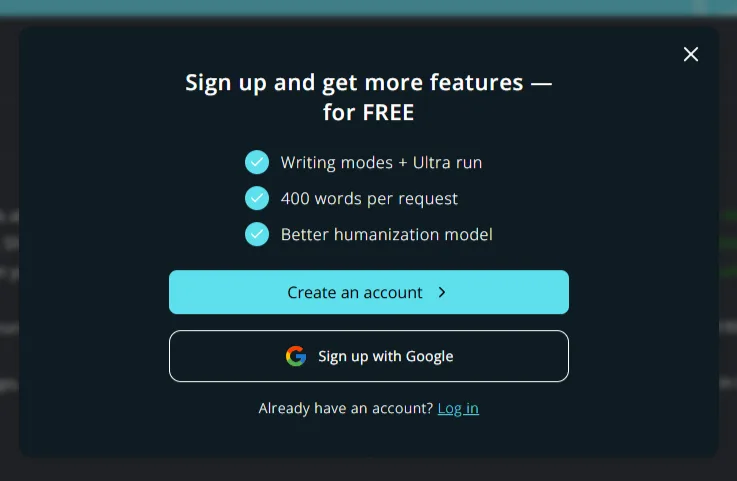
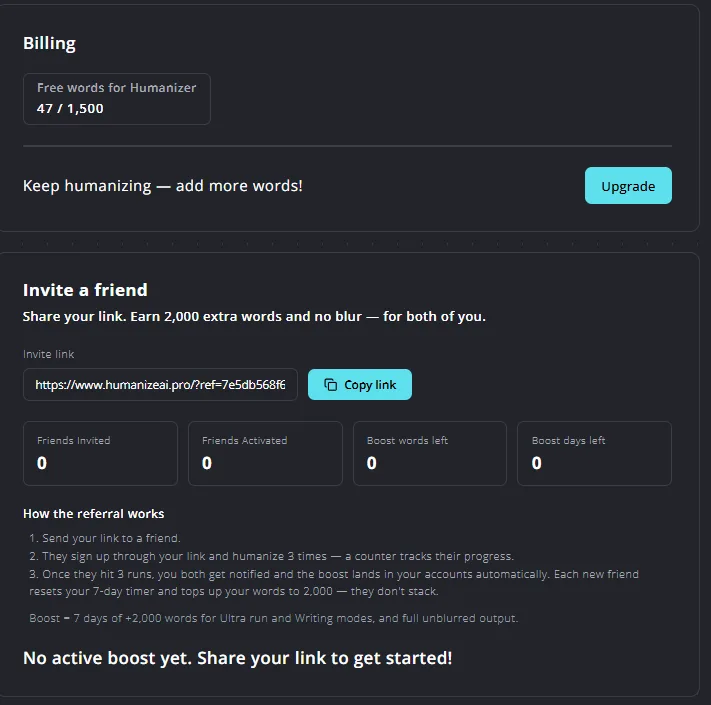
One thing was that a sign-up prompt appeared when I tried to switch to certain tones, which was slightly disruptive. Not too aggressive, but noticeable. Additionally, there is an Invite a Friend prompt offering 2,000 bonus words when a friend completes three humanizer runs, along with a plagiarism check shortcut that appears as a banner above the humanizer. None of it felt too pushy, compared to some of the tools I have tested where the upsell pressure starts the moment you land on the page.
Core Features
AI Humanizer
This is the main feature and honestly the one I was really impressed by. I ran a 47-word AI-generated paragraph through five different tones, Standard, Academic, Simple, Informal, Expand, and Shorten, and the results were noticeably different from each other. That alone sets HumanizeAI apart from BypassGPT, where all the rewriting tools produced nearly identical outputs for the same input.
Standard mode rewrites the text clearly and naturally, with green highlights indicating exactly what has been altered. Academic mode refines the phrasing and employs a more formal sentence structure. Simple mode simplifies the language, making it more accessible. Expand mode adds context and increases the word count from 47 to 62 words. Shorten mode reduces it to 35 words while retaining the core meaning. Informal mode makes it conversational and slightly relaxed, in a natural way.
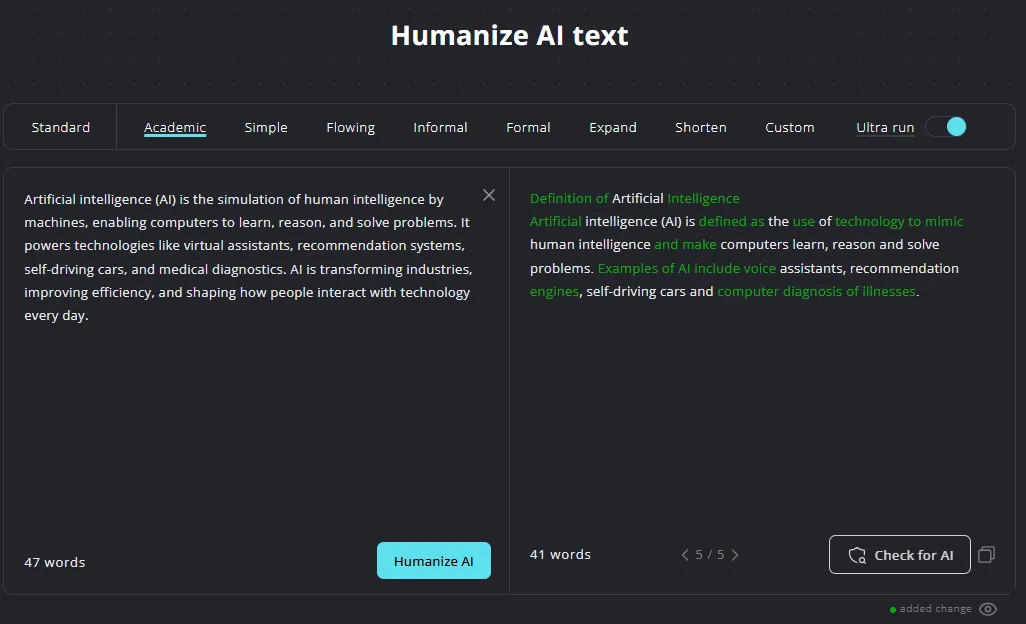
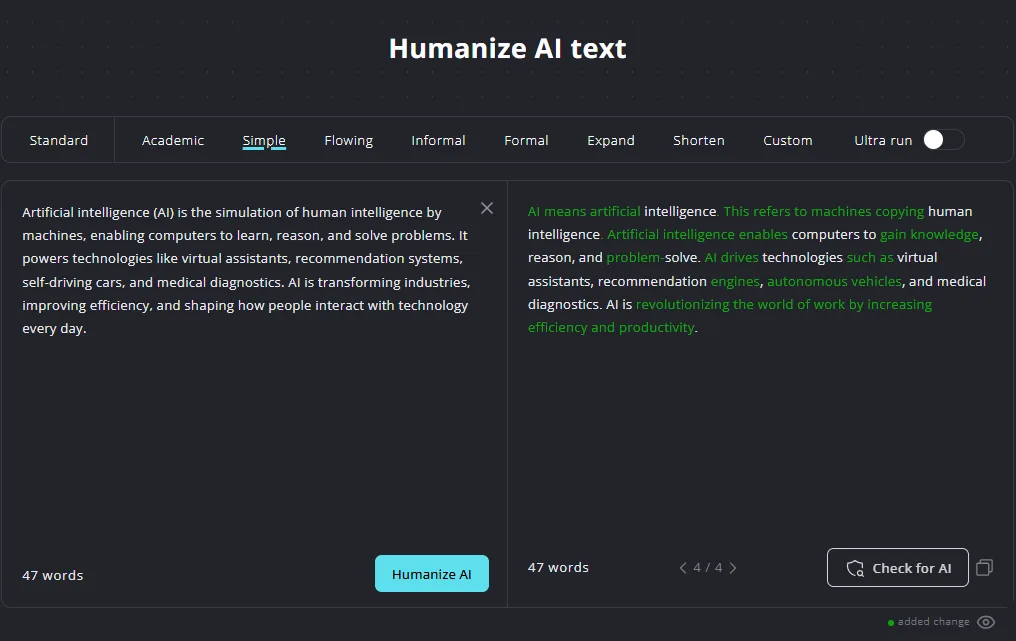
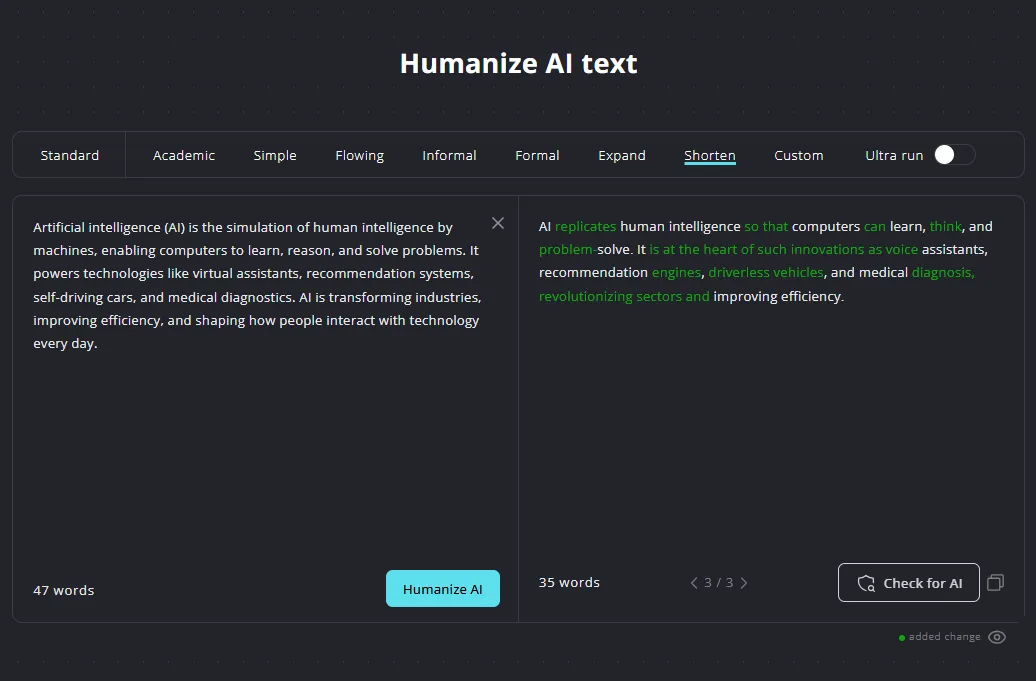
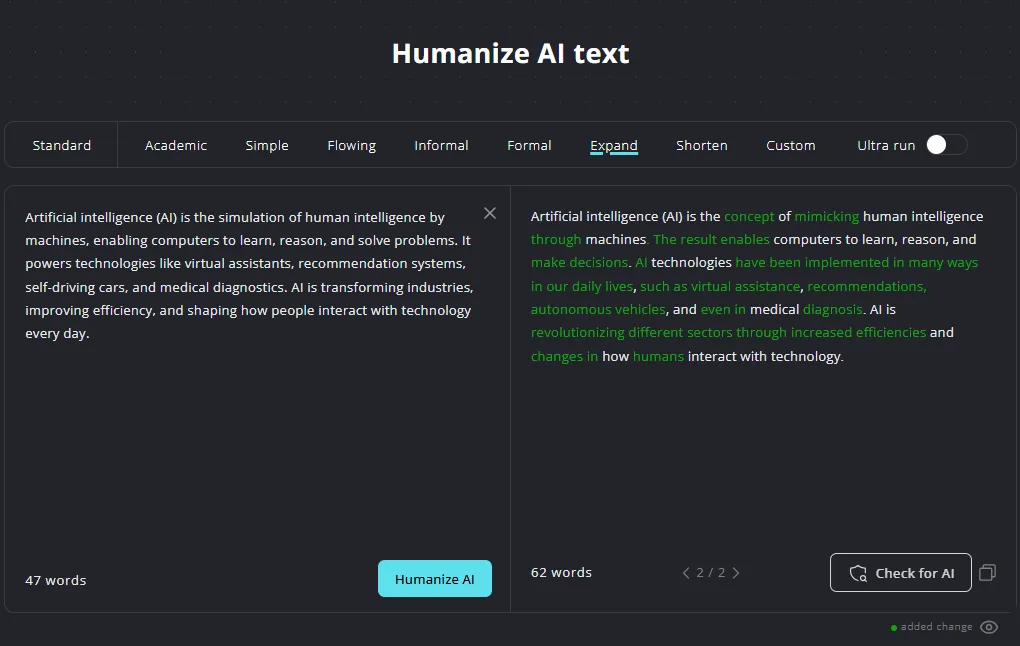
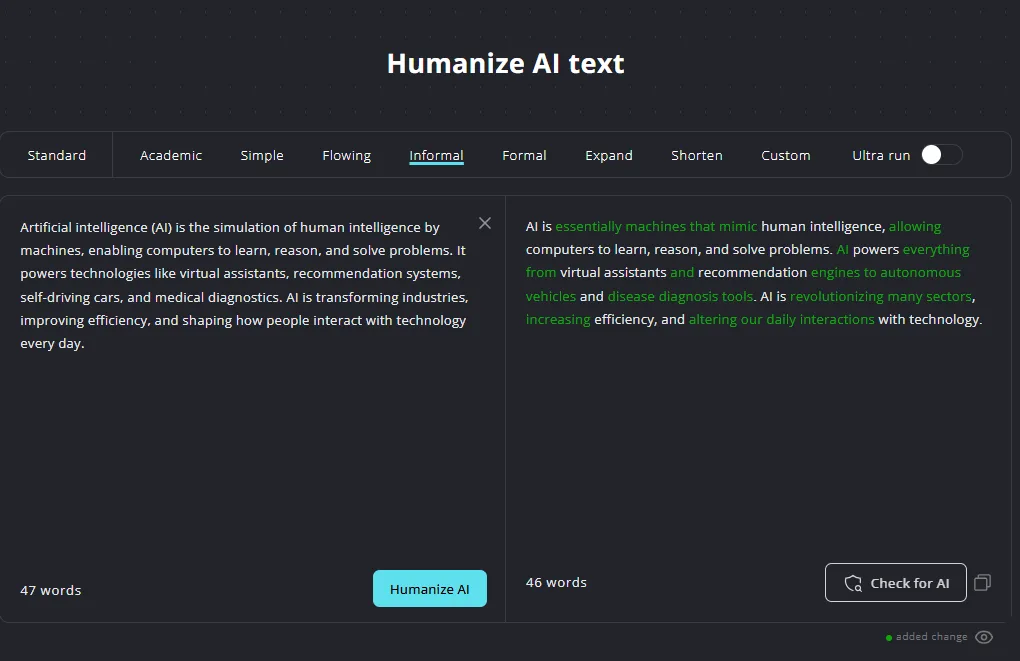
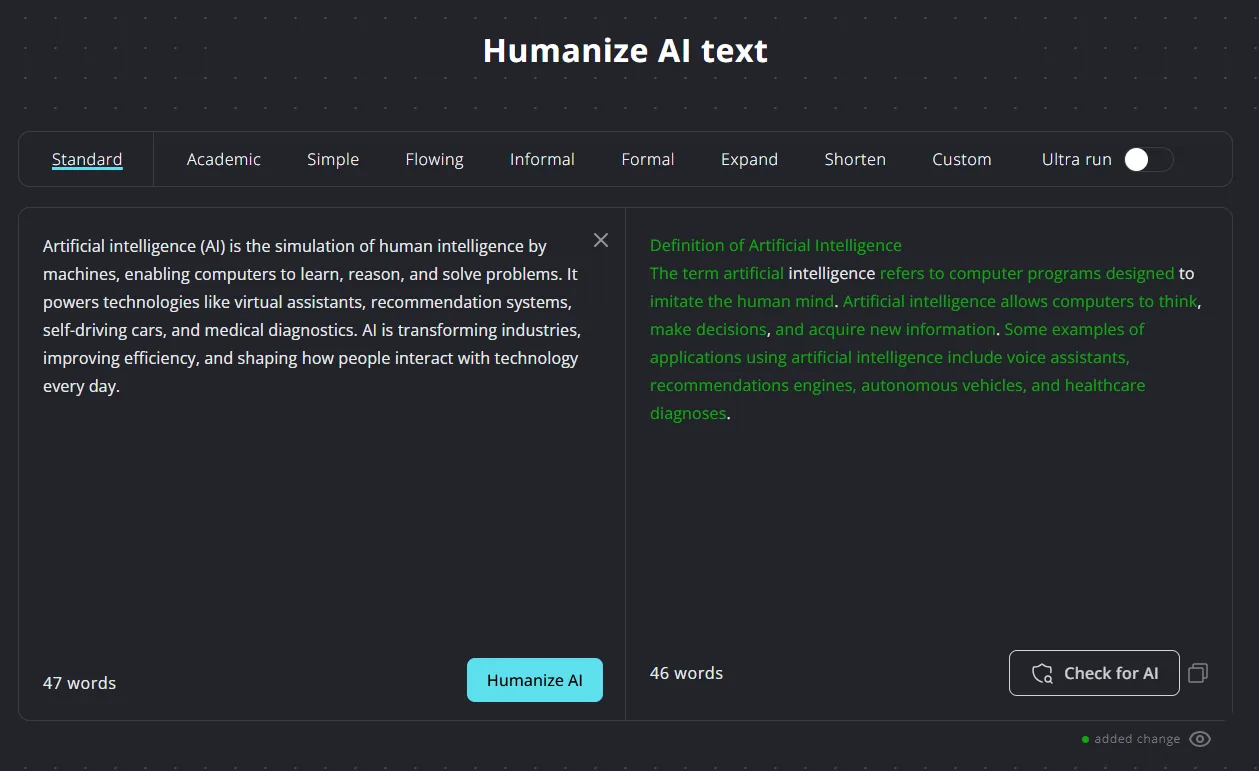
What stood out to me is that the tool seemingly did not count each tone test separately against my word quota. After testing the same paragraph across five different tones, the billing page still showed only 47 words used out of 1,500. This is a clever and generous approach, allowing me to explore different tones without quickly exhausting my allowance.
However, the 300-word limit per process is a significant restriction. For those working with even a medium-length article, this requires splitting content into chunks and processing multiple times. For short-form writing it is fine. For anything longer it becomes genuinely tedious.
I also tested the Check for AI feature after humanizing. The output registered at 5% AI across the multi-detector panel, with Turnitin, Copyleaks, OriginalityAI, GPTZero, Crossplag, Sapling, Gowinston, and ZeroGPT all indicating human authorship. That is a strong result and one that I trust more than BypassGPT’s panel because unlike BypassGPT, here the raw AI text also got correctly flagged at 100% AI on the same detector. Detection works both ways, indicating the tool does not simply rubber-stamp its own output.
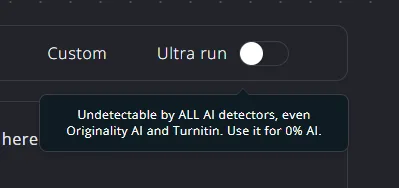
The Ultra run toggle claims to render content undetectable by all AI detectors, including Originality.ai and Turnitin. I tested it, but since standard mode already passed all checks, I could not observe a significant difference for short content. The claim might hold up more for longer pieces where detection patterns are harder to mask, but I genuinely cannot confirm that based on what I tested.
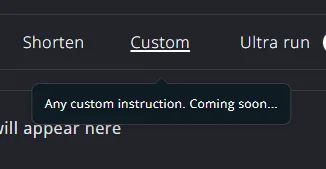
Custom mode is listed as coming soon, which is fine but worth noting as a gap.
AI Detector
The detector is clean and functional. It cross-checks against Turnitin, Copyleaks, OriginalityAI, GPTZero, Crossplag, Sapling, Gowinston, and ZeroGPT simultaneously and shows a percentage breakdown of AI-generated, AI-assisted, and Human-written. The raw AI text I pasted came back at 100% AI-generated across the board. A humanized sample of the referral description on the page itself came back at 0% AI and 100% human-written. Both results seemed to be correct.
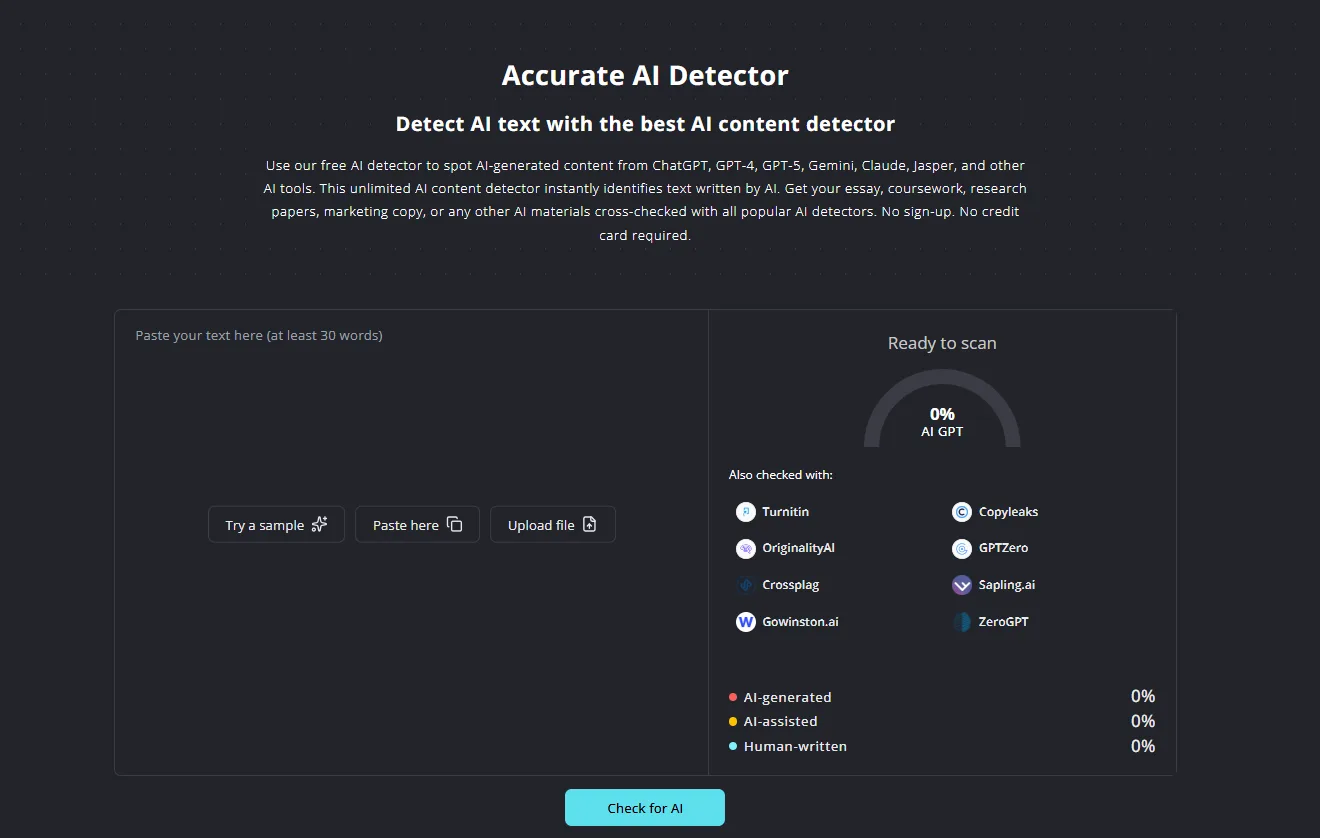
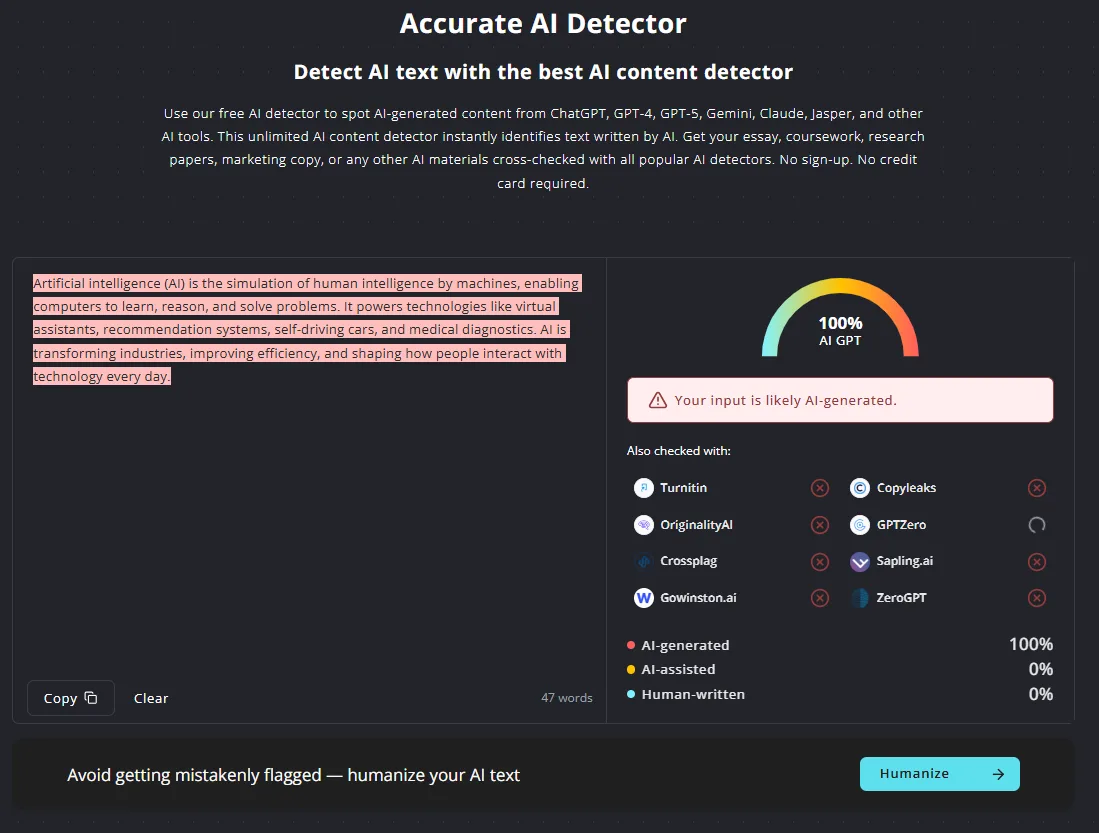
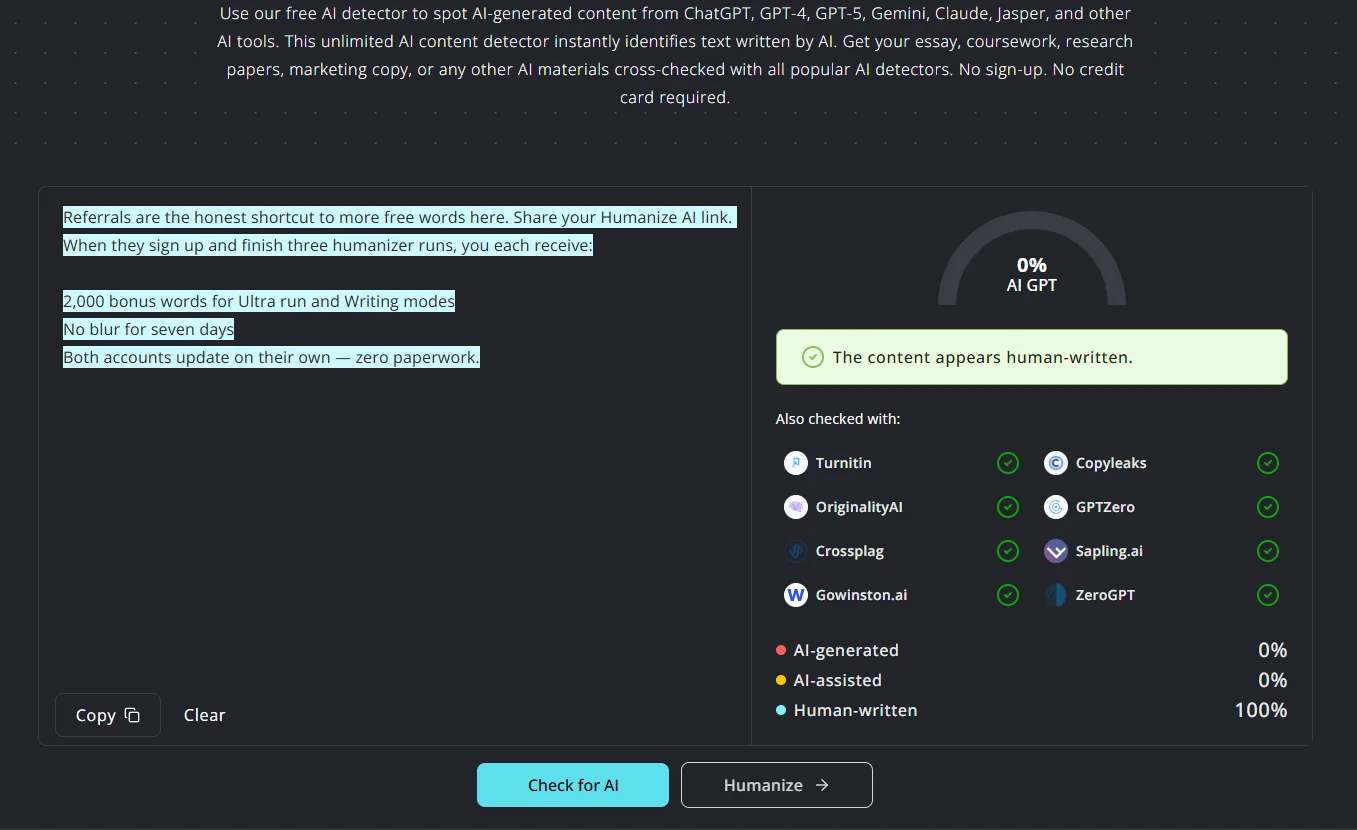
This is a significant contrast to BypassGPT, whose own detector called clearly AI-generated text human-written even when the text contained obvious AI markers like em dashes. HumanizeAI’s detector did not make that mistake in my testing. It called AI text as AI and humanized text as human, which is literally the minimum requirement for a detection tool and one that BypassGPT failed.
The minimum word count for detection is 30 words, which is reasonable. No credit card or sign-up wall is required before testing, which I appreciated. The free trial allows up to 1,500 words with 300 words per process. While somewhat limiting for long content, dividing it into smaller segments makes it manageable.
Plagiarism Checker
This was the feature I liked most after testing, and I did not expect to say that. The plagiarism checker displays a circular dial indicating the percentage of plagiarism, with a color-coded bar under each source—red for high, yellow for moderate, green for low—along with the source URL, match percentage, and number of matched segments. For the AI-generated paragraph I tested, it found 10 matched sources including frontiersin.org with 57.2% match, mdpi.com with 52.6%, and pmc.ncbi.nlm.nih.gov with 61.1%.
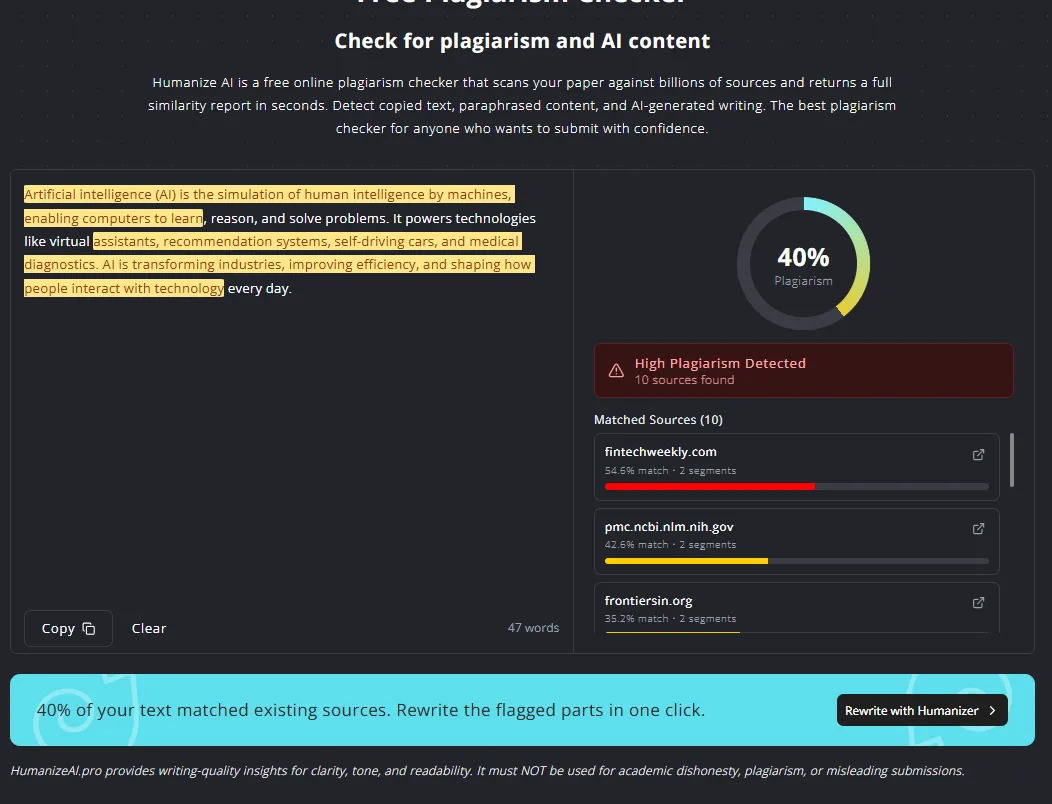
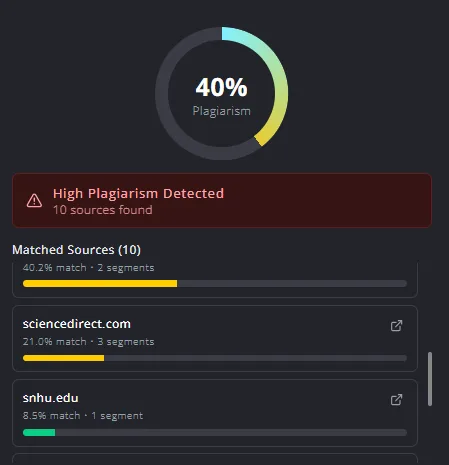
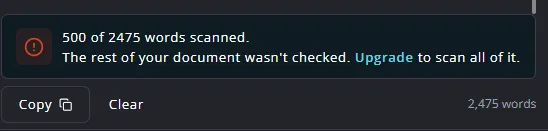
For context, that level of detail is something ZeroGPT’s free plagiarism checker does not offer at all, it is basically locked behind a paid plan with no meaningful transparency on the free tier. HumanizeAI’s plagiarism checker gives real, actionable information for free. But, on the other hand, it only allows 500 words in the free trial.
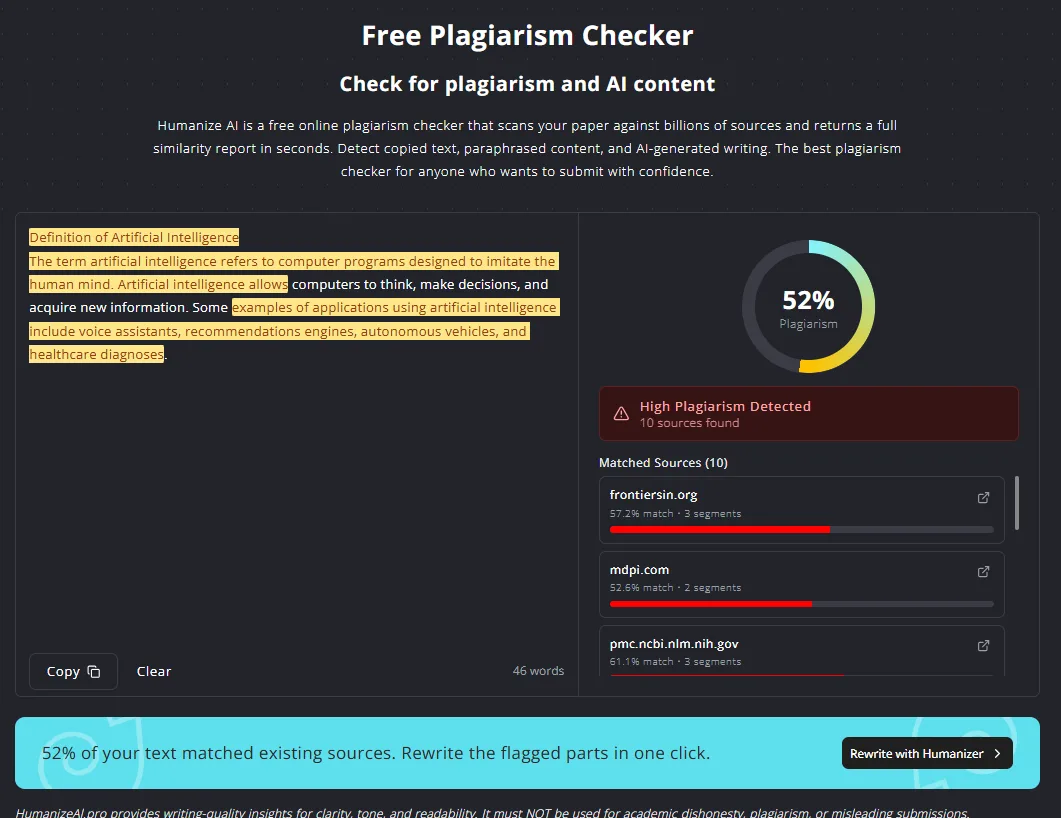
One issue I noticed is that when I ran the humanized output through the plagiarism checker, it showed a higher plagiarism percentage than the original AI text. This suggests the humanizer may incorporate phrasing from indexed web content, ironically increasing plagiarism risk while attempting to evade AI detection. However, there is no plagiarism removal feature—only a checker. So the tool identifies the problem but does not fix it directly, you have to go back to the humanizer manually and rewrite flagged sections yourself. That is a real gap in the workflow.
Grammar Checker
The grammar checker is straightforward and effective. It lists errors with numbered annotations and specifies the necessary corrections. For my test paragraph it caught three errors: “power” should be “powers”, “are” should be “is”, and “shape” should be “shaping”. Each error has its own Fix button, and there is an option to fix all errors at once. Clean interface, clear corrections, no confusion about what changed or why. There’s also a 1000 word limit on the free trial.
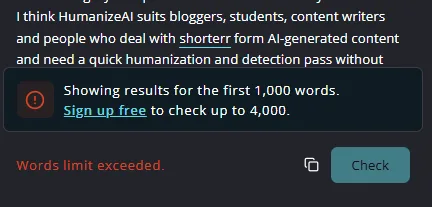
The grammar checker states it runs on a self-hosted engine, ensuring text remains private during the process. Whether or not that claim holds completely, I do appreciate the transparency about the architecture.
Performance and Output Reliability
All tools I tested within HumanizeAI performed consistently and quickly. No crashes, no failed generations, no error messages. Every tone mode produced output without issues and the detection panel loaded results quickly. The grammar checker was near-instant.
The detection accuracy was reliable in both directions and that matters a lot. The humanizer did produce genuinely different outputs across different tone modes rather than running the same engine with a different label on top of it. That is a meaningful quality difference compared to BypassGPT, where I found the Essay Rewriter, Article Rewriter, Paragraph Rewriter, and Plagiarism Remover all giving nearly the same rewritten output for the same input.
My primary concern regarding reliability was the higher plagiarism score of the humanized output. If the rewritten text itself scores higher on plagiarism than the original, that is a real workflow problem for anyone using both tools together. It is not a dealbreaker, but it is something the platform should address.
Pricing Breakdown and Limitations
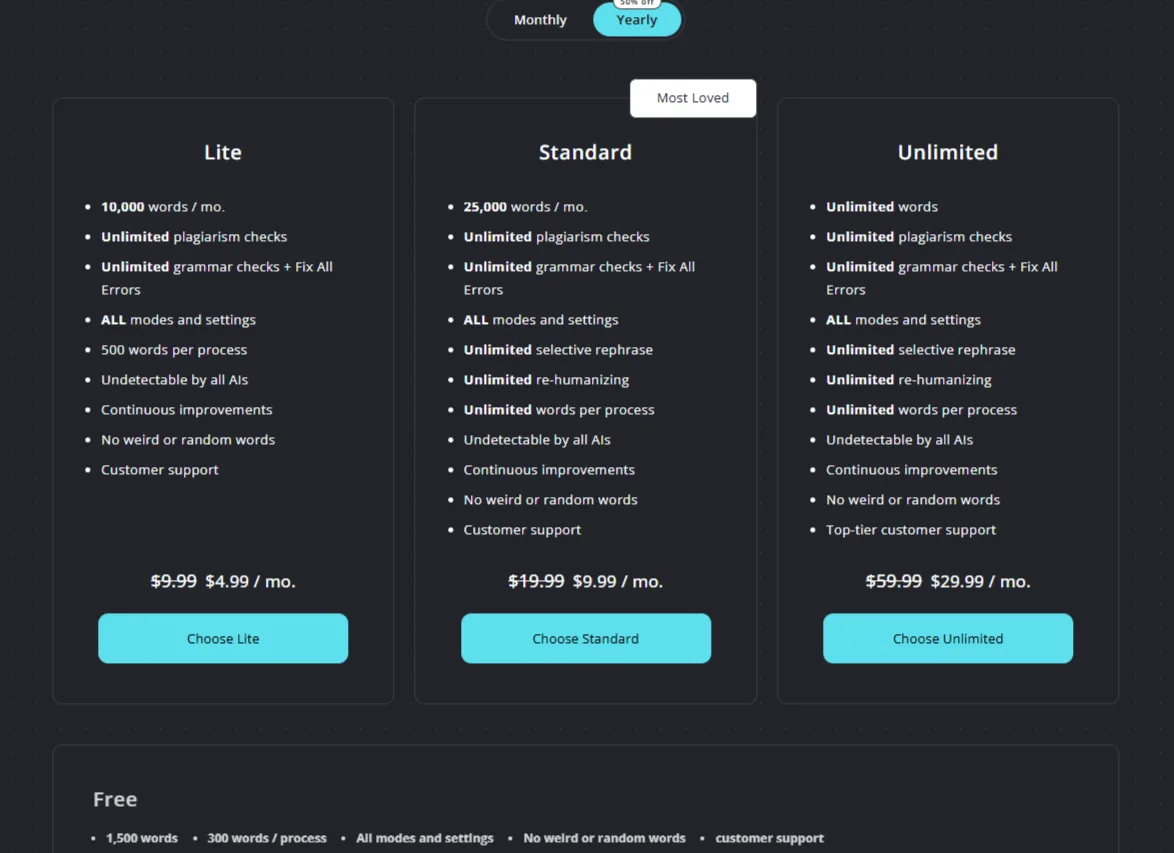
HumanizeAI’s pricing structure (yearly billing) is as follows:
- Free: 1,500 words total (likely a one-time allocation, not confirmed as monthly renewal), 300 words per process, all modes and settings, no weird or random words, customer support
- Lite: $4.99/month (yearly), 10,000 words per month, 500 words per process, unlimited plagiarism checks, unlimited grammar checks and Fix All Errors, all modes, undetectable by all AIs
- Standard: $9.99/month (yearly), 25,000 words per month, unlimited words per process, unlimited plagiarism checks, unlimited selective rephrase, unlimited re-humanizing, undetectable by all AIs
- Unlimited: $29.99/month (yearly), unlimited words, unlimited everything, top-tier customer support
The free tier giving 1,500 words is genuinely one of the most generous in this category, except maybe ZeroGPT. For comparison, BypassGPT gives 150 words per month, WriteHuman gives 200 words per request with only two attempts before a paywall, and Walter AI gives 300 total trial words ever. HumanizeAI’s 1,500 is ten times BypassGPT’s monthly allocation.
However, the 300-word cap per process on the free plan is a real bottleneck. Even with 1,500 total words, I can only process a maximum of five 300-word chunks before the allocation is gone. For short-form work that is sufficient. For long-form content it won’t be enough.
The paid plans are priced competitively. $4.99 a month for the Lite plan is cheaper than every paid plan I have compared across BypassGPT, Walter AI, WriteHuman, and ZeroGPT’s paid tiers. The jump to Standard at $9.99 adds unlimited words per process, which removes the biggest friction on the free plan. For regular users of a humanizer tool, Standard at under $10 a month seems like reasonable value.
Privacy and Data Handling
The privacy policy states that HumanizeAI.pro is based in India, and data is processed locally. Users outside India who submit data are consenting to that transfer by using the service. Personal data collected includes information provided during registration, usage data, and data from social login if used (Google, Facebook, Twitter), which can include name, email, friends list, and profile picture depending on platform settings.
The cookie policy for HumanizeAI.pro confirms that third-party cookies are used, including those serving targeted advertising. But that doesn’t pan out to actual input or output, at least there’s no mention of it.
On the positive side, the platform claims content is not stored after processing and is not used to train models, though this claim appears in marketing copy rather than in the formal privacy policy, so it should be taken with a grain of salt. Data is retained only as long as necessary to comply with legal obligations, which is a reasonably standard position.
Overall, the privacy practices are comparable to other tools in this space: standard data handling with some advertising tracking, but no major red flags.
HumanizeAI vs BypassGPT vs ZeroGPT
|
Feature |
HumanizeAI |
BypassGPT |
ZeroGPT |
|
Core Focus |
Humanization + detection + plagiarism checker + grammar |
Humanization + detection bypass |
Detection + broad writing suite |
|
Free Words |
1,500 (one-time) |
150 words per month |
15,000 characters per detection, most tools free |
|
AI Detector |
Yes, multi-detector panel, reliable in testing |
Yes, multi-detector panel, unreliable in testing |
Yes, single score, percentage-based, sentence-level |
|
Humanizer Quality |
Good, genuinely different outputs across tone modes. But is detected as highly plagiarised content |
Okay in Creative mode, all rewriting tools nearly identical |
Good |
|
Tone/Mode Variety |
8 real modes plus Ultra run |
3 modes (Fast, Creative, Enhanced) |
2 modes (Quick, Thinking, locked behind plans) |
|
Plagiarism Checker |
Yes, source-level detail with colour-coded severity. |
Shows no source-level detail |
Not available in Free tier |
|
Grammar Checker |
Yes, numbered errors with individual fix options |
No |
Yes |
|
Long-form Support |
No, 300 words per process |
No, 80 words per input on free |
Yes, up to 15,000 characters |
|
Language Support |
English and Spanish only |
Multiple languages |
Extensive language list |
|
Pricing Start |
$4.99/month (yearly) |
$8/month (yearly) |
$7.99/month (yearly) |
|
UI Quality |
Clean, dark theme, light mode toggle |
Excellent dark theme |
Clean, dark mode available |
|
Detection Reliability |
Good, both directions work correctly |
Poor, AI text called human in testing |
Good, nuanced percentage results |
In my experience, HumanizeAI clearly outperforms BypassGPT. The detection works correctly, the humanizer produces genuinely different outputs per tone mode, the plagiarism checker gives real source-level information, and the free plan is far more generous. BypassGPT’s only meaningful advantage is a slightly more polished UI and a multi-detector panel that is better than HumanizeAI’s detection presentation, but since BypassGPT’s detector gave me incorrect results, that panel feels decorative rather than trustworthy.
Against ZeroGPT the comparison is more balanced. ZeroGPT wins on tool variety, long-form content handling, and free access to 13+ tools. HumanizeAI wins on humanizer tone variety, plagiarism checker depth, and detection accuracy of its own humanized outputs. For someone who primarily needs humanization and a reliable plagiarism checker, HumanizeAI is the better choice. For someone who wants an all-purpose writing utility with detection built in, ZeroGPT is still the stronger platform.
For a dedicated humanization workflow, my preference is HumanizeAI. Its combination of reliable detection, diverse tone modes, and source-based plagiarism checking makes it the most comprehensive focused humanizer I have evaluated. ZeroGPT remains my overall preferred platform for the breadth of what it offers, but if humanization is the primary use case, HumanizeAI handles it well.
Final Verdict and Overall Score
HumanizeAI is a well-built, focused tool that does most of what it promises and does it reliably. The detection accuracy, the quality difference between tone modes, the transparency of the change highlighting, and the plagiarism checker with source-level detail are all genuine strengths. Coming directly after testing BypassGPT, the experience honestly felt like a breath of fresh air.
The limitations are notable as well—the 300-word per process cap significantly hampers long-form applications. The language support being only English and Spanish is narrow for a tool in this space. The plagiarism checker having no built-in remover creates a workflow gap. And the 1,500 free words on the free trial being a lifetime one-time cap is somewhat of a limitation too.
Overall, HumanizeAI scores well and even exceeds my initial expectations.
Overall Score: 8.6 out of 10
Frequently Asked Questions
HumanizeAI is a tool designed to humanize AI-generated content and check for plagiarism. It is best suited for bloggers, students, and content writers who deal with shorter form AI-generated content and need a quick humanization and detection pass without signing up for an expensive platform.
HumanizeAI’s free plan offers 1,500 words total, which is more generous than most other tools in this category. For comparison, BypassGPT gives only 150 words per month, and WriteHuman provides 200 words per request with only two attempts before a paywall.
The main features of HumanizeAI include an AI Humanizer with multiple tone options, an AI Detector that cross-checks against several platforms, a Plagiarism Checker with source-level detail, and a Grammar Checker that lists errors with numbered annotations.
The free plan has a 300-word limit per process and a total of 1,500 words. This can be a bottleneck for long-form content. Additionally, the plagiarism checker only allows 500 words in the free trial.
HumanizeAI’s plagiarism checker displays a circular dial indicating the percentage of plagiarism, with a color-coded bar under each source. It provides detailed information including the source URL, match percentage, and number of matched segments, which is more transparent than many other free tools.
HumanizeAI outperforms BypassGPT in detection accuracy and humanizer output variety. Compared to ZeroGPT, HumanizeAI offers better humanizer tone variety and a more detailed plagiarism checker, but ZeroGPT provides a broader range of tools and better long-form content handling.
HumanizeAI offers several pricing plans: Free (1,500 words total), Lite ($4.99/month yearly, 10,000 words per month), Standard ($9.99/month yearly, 25,000 words per month), and Unlimited ($29.99/month yearly, unlimited words). The paid plans are competitively priced and offer good value for regular users.
HumanizeAI states that content is not stored after processing and is not used to train models. However, personal data collected includes information provided during registration and usage data. The platform uses third-party cookies for targeted advertising but claims to process data locally in India.
Subscribe to our email newsletter to get the latest posts delivered right to your email.
Comments