Conclusion
Linguix presents itself as a comprehensive grammar checker and writing assistant, aiming to compete with established tools like Grammarly. It offers a range of features, including an extensive Agent Library, multilingual support, and a well-integrated Copilot panel. However, its free plan is overly restrictive, providing limited feedback and nudging users towards a paid subscription. While the tool performs well in certain areas, such as content creation via the Agent Library, it falls short in others, particularly in the reliability of its grammar checker and humanizer. The pricing is also a significant drawback, with the monthly plan being quite expensive compared to its competitors.
Pros
- Extensive Agent Library with a wide range of templates
- Well-integrated Copilot panel for in-document AI assistance
- Multilingual grammar support
- Comprehensive tool library covering various writing needs
- Solid privacy and data handling practices
Cons
- Free plan is overly restrictive and limited
- Grammar checker provides limited feedback
- Humanizer is not consistently reliable
- Pricing is high, especially for the monthly plan
Table of Contents
- First Impressions and Dashboard Experience
- Core Features
- Performance and Output Reliability
- Pricing Breakdown and Limitations
- Privacy and Data Handling
- Linguix vs Grammarly vs Type.ai
- Final Verdict and Overall Score
- Frequently Asked Questions
Linguix positions itself as a comprehensive grammar checker similar to Grammarly, which is a bold claim. Grammarly is arguably the most recognizable name in AI-assisted writing, so pitching itself against it sets a very specific expectation. After thoroughly testing Linguix’s core features, I believe the tool performs well in certain areas but falls short of justifying its price, particularly given the limitations of its free tier.
Linguix is suitable for writers, content teams, and professionals seeking an all-in-one writing assistant that offers grammar checking, content creation, paraphrasing, and AI support from a single dashboard. Its Chrome extension enhances usability across various platforms, and the template and agent library stands out as one of its more impressive features. Multilingual grammar support in Spanish, German, French, Italian, Portuguese, and Polish further distinguishes it for non-native English speakers working in multiple languages.
However, Linguix may not be ideal for those seeking a free or affordable tool with obvious value. Its pricing is high, the free plan is quite restrictive, and the grammar checker offers limited feedback on the free tier, reducing its usefulness. Comparing it directly to Grammarly reveals noticeable gaps, which become more significant given the high price.
First Impressions and Dashboard Experience
Upon logging in, Linguix immediately prompts the installation of its Chrome extension. There’s a “Continue without installation” option, but the nudge is clear. The web editor opens with a clean, minimal white interface, featuring a document area on the left and the Linguix Copilot panel on the right. At the very top, there is a navigation bar showing “Explore Agents,” the trial countdown, an Upgrade button, and an “Add to Chrome” link.

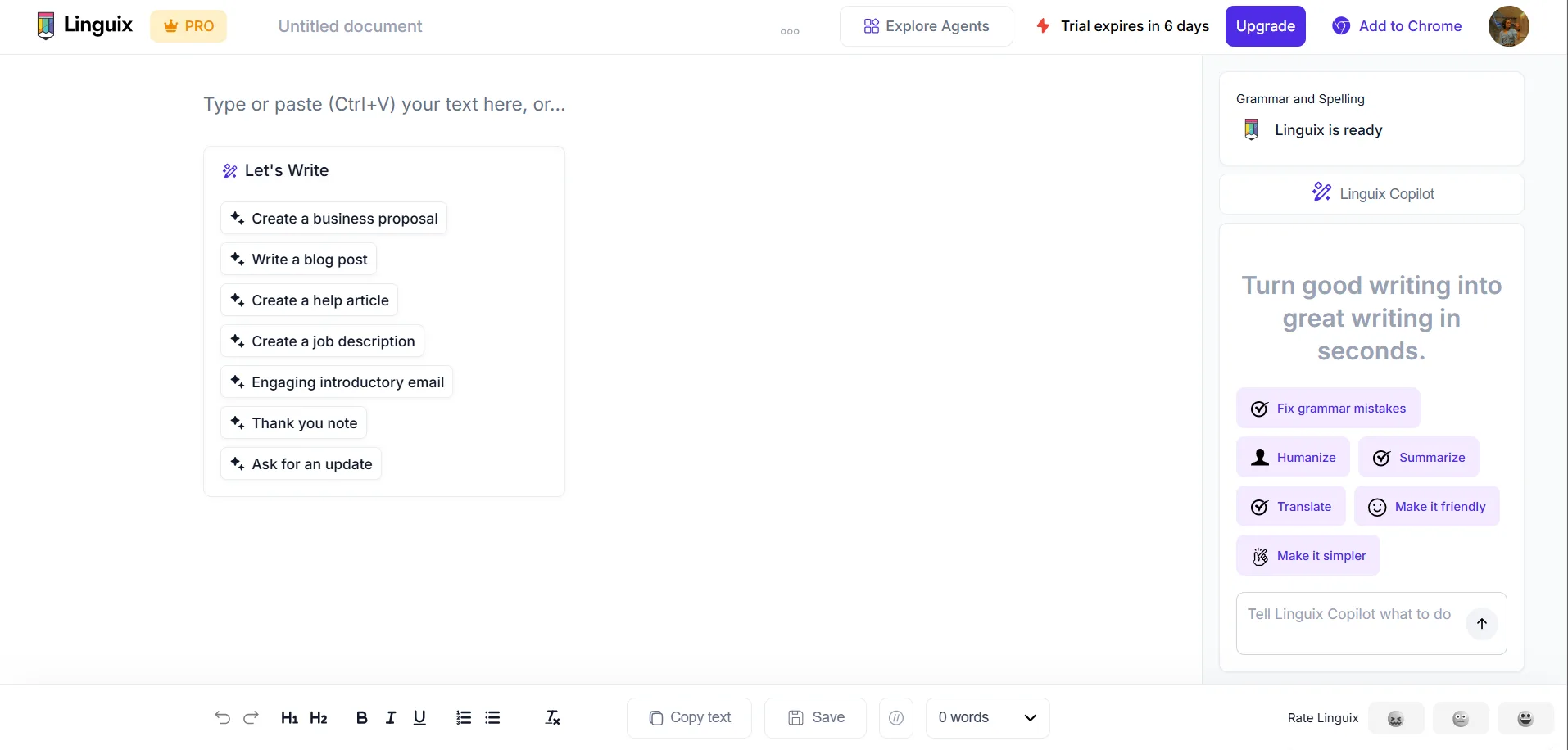
The editor layout appears thoughtfully designed, avoiding clutter and allowing smooth navigation between the document and the Copilot sidebar. The right sidebar features quick-access buttons for Fix grammar mistakes, Humanize, Summarize, Translate, Make it friendly, and Make it simpler, all reachable with a single click. For someone who writes a lot and needs quick in-document actions, that accessibility is good.
A slight complication in the first impression is the trial expiry notice. It was visible from the initial session, reminding me that the trial would expire in six days. This subtle yet persistent reminder influences the overall experience. The platform clearly recognizes that much of its valuable functionality is behind a paywall, and it emphasizes this.
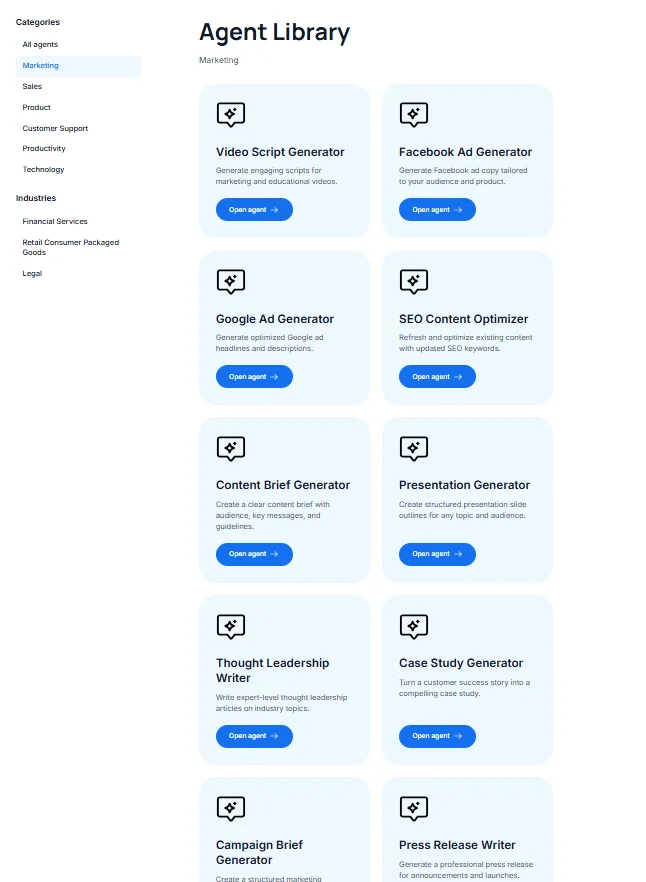
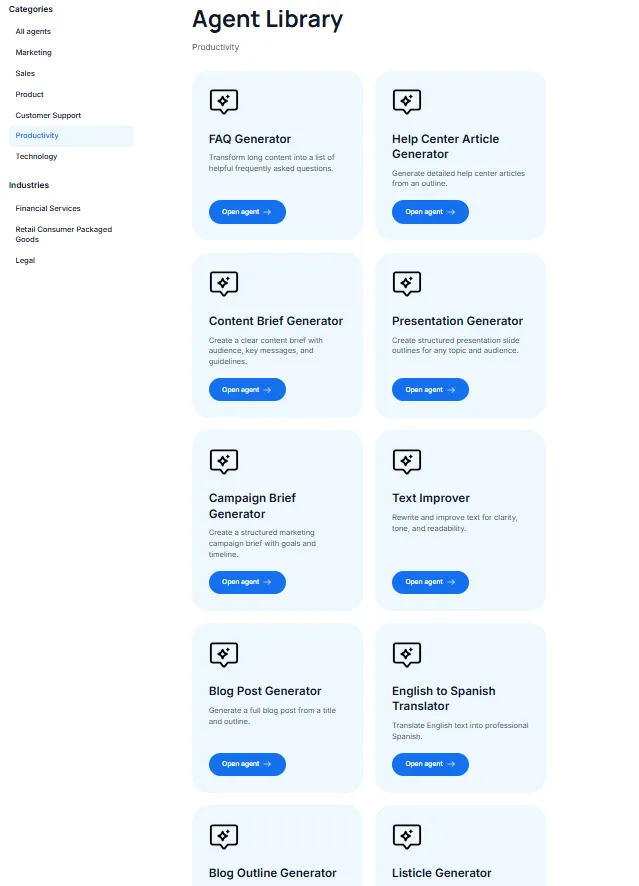
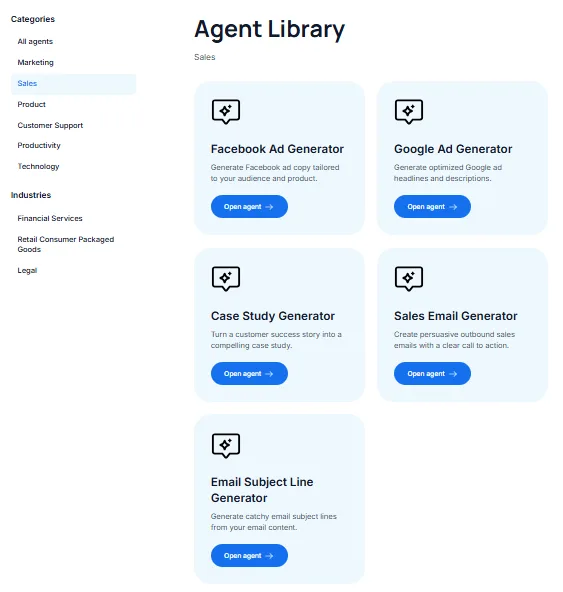
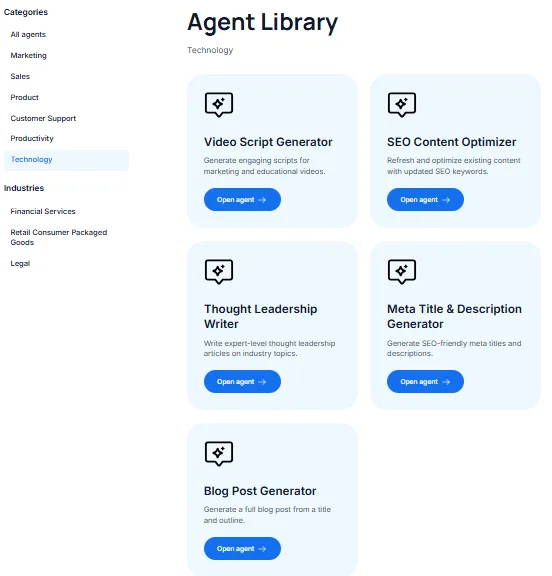
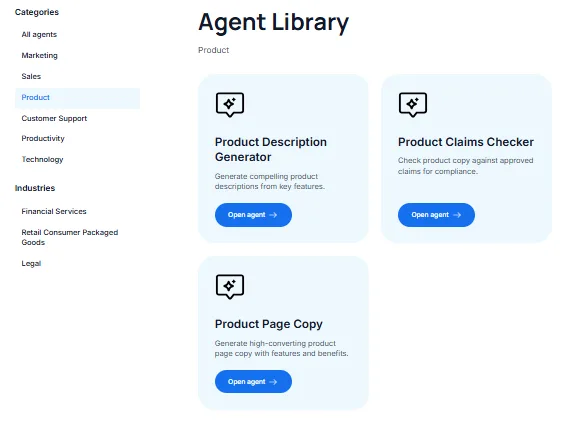
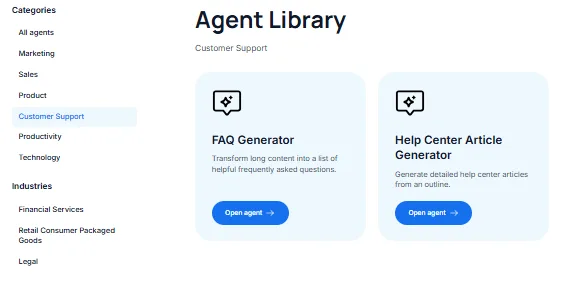
Accessible via the top navigation, the Agent Library is genuinely one of Linguix’s most impressive features. The library is organized into numerous categories, and its extensive scope genuinely surprised me.
Core Features
Blog Post Generator and Agent-Based Generation
I experimented with the Blog Post Generator from the Agent Library. Setup requires a working title, a brief summary, section outlines, and a voice choice among Formal, Neutral, or Friendly. I selected Friendly voice and structured the post around a common topic in AI writing tools.
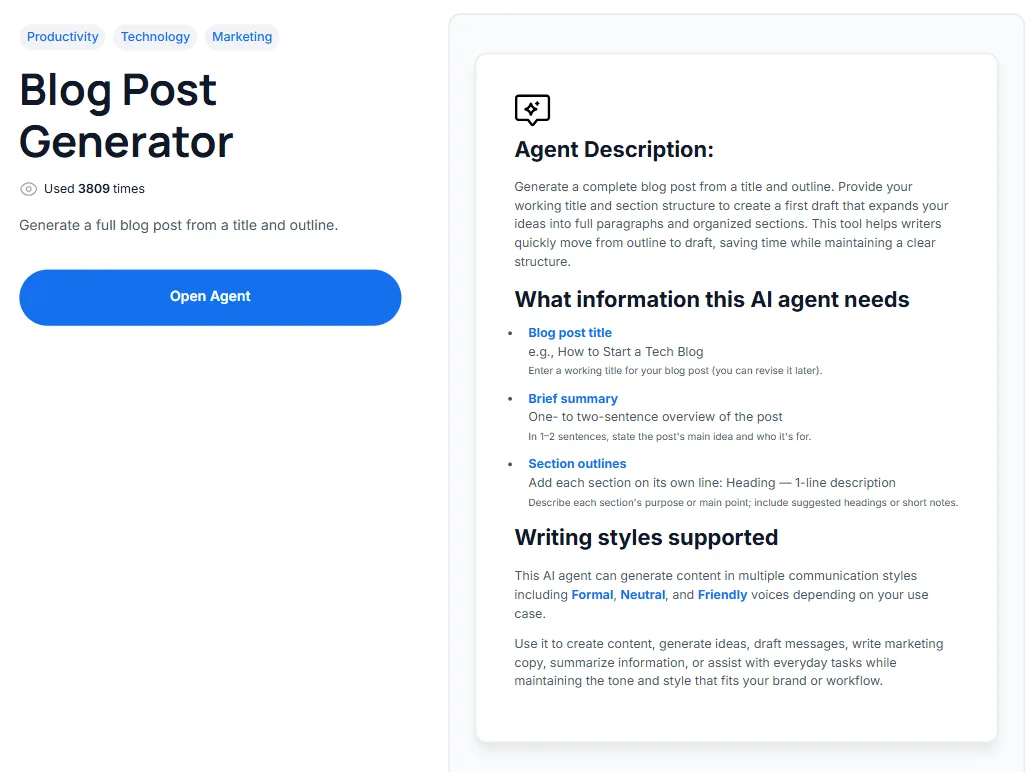
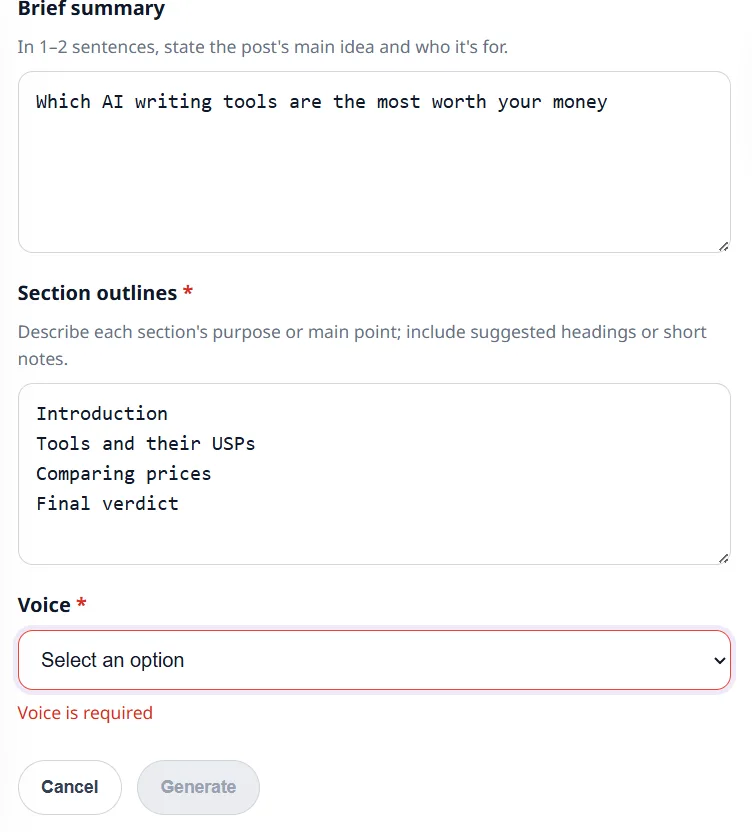
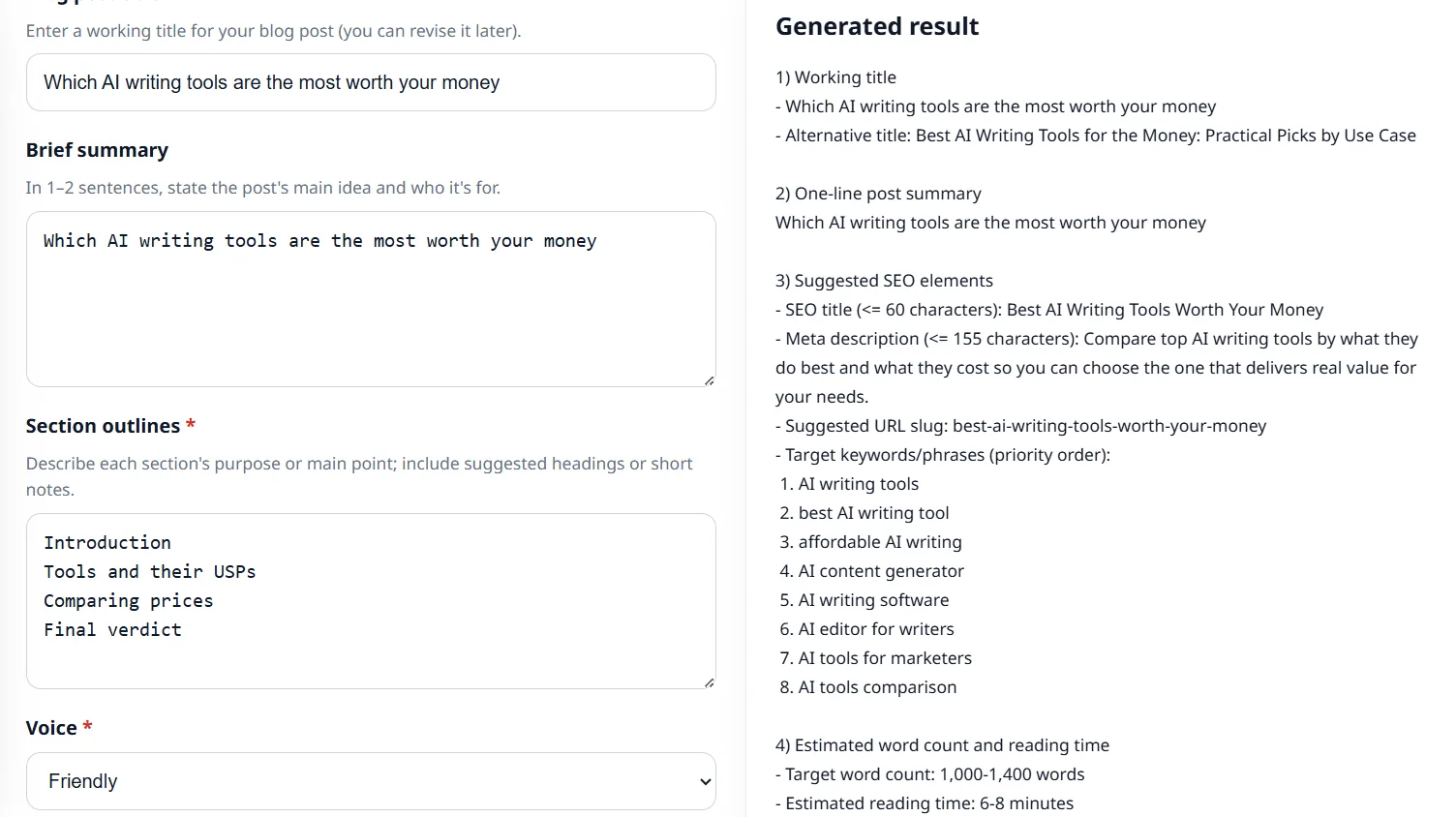
Before generating the full article, the tool displayed a result panel with a working title, alternative title, a one-line summary, suggested SEO elements (including title, meta description, URL slug, and eight prioritized keywords), along with an estimated word count of 1,000 to 1,400 words and a reading time estimate. This pre-generation metadata is a considerate feature, as few tools offer keyword targeting and meta description suggestions before content creation.
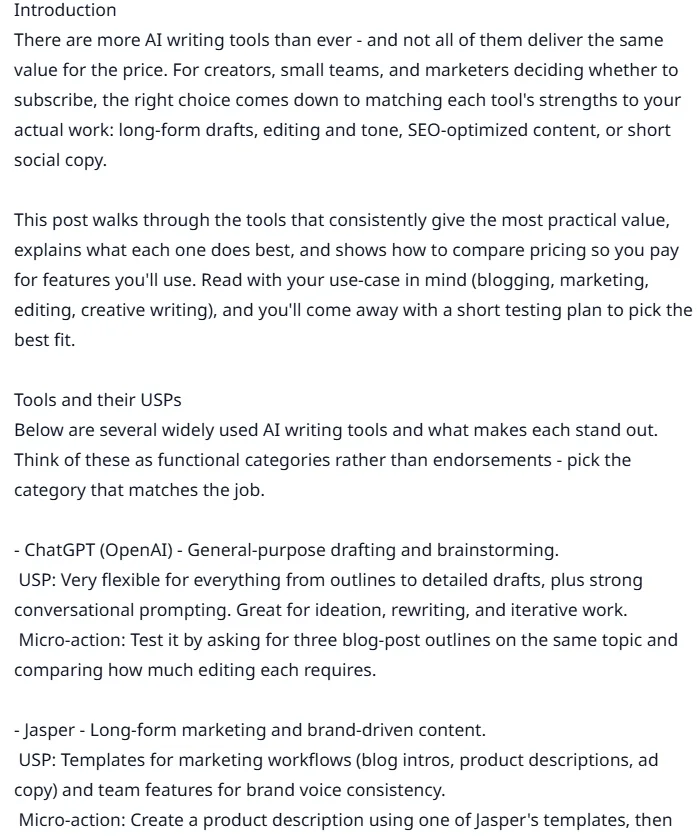
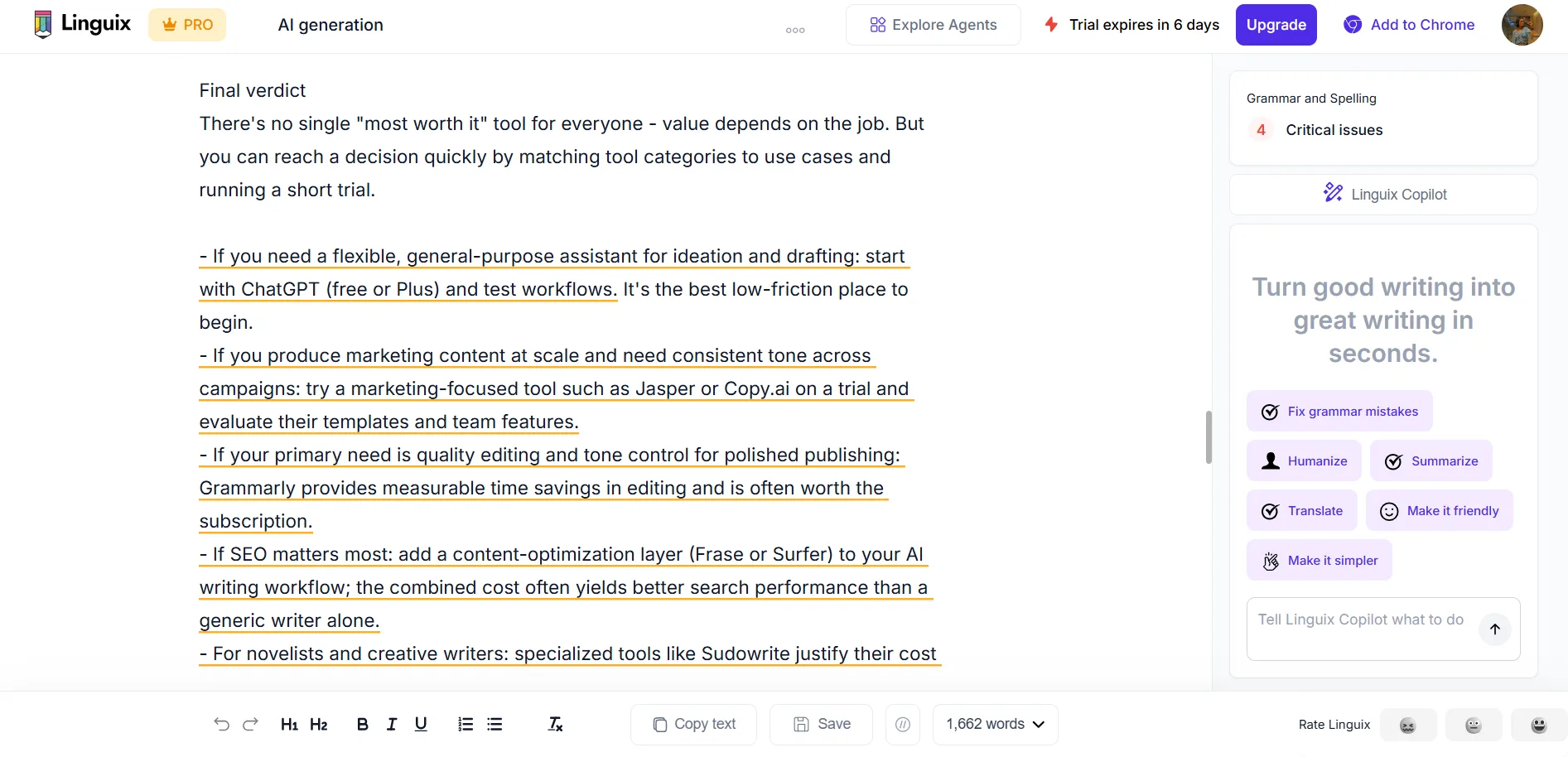
The generated blog post was approximately 1,600 words, clear and well-structured, yet unmistakably AI-generated in tone and voice. It lacked personality; although the friendly setting softened the formal tone, it still felt flat—each paragraph stating a point, briefly explaining, and then moving on without much texture. I would not publish it without substantial editing, and most serious writers would likely share that view. It may serve as a useful first draft outline, but not as a final piece.
Linguix Copilot
The Copilot panel functions as the central AI assistant and is arguably the most valuable feature of the tool. It operates as an in-document AI with preset command buttons and a free-text input. Visible presets include Fix grammar mistakes, Humanize, Summarize, Translate, Make it friendly, Make it simpler, and Continue writing. The expanded interface features context-aware tabs for Home, Marketing, SEO, Support, HR, and additional presets like Translate, Summarize, Schedule calendar event, Improve writing, Change tone, Make shorter, Make longer, Simplify text, and Continue writing.
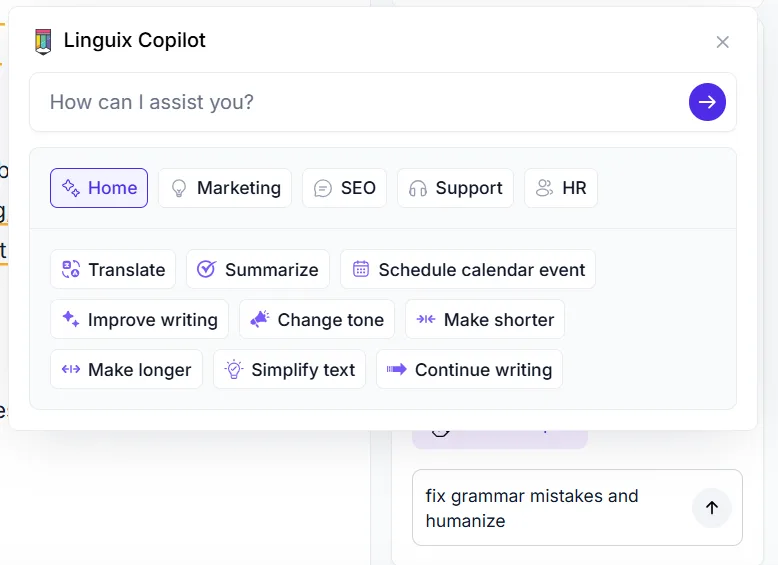
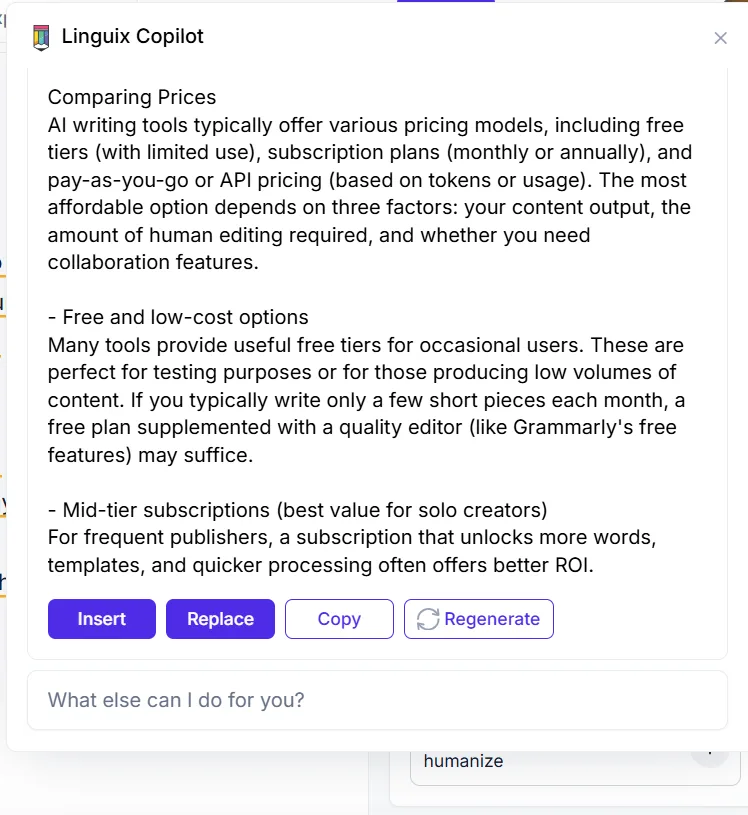
I used Copilot with combined instructions to fix grammar and humanize, which returned a rephrased version along with four options: Insert, Replace, Copy, and Regenerate. This four-button interface is straightforward and functional: Insert adds the result without replacing existing text, while Replace replaces it entirely. Such UX details contribute to a feeling of thoughtful design rather than haste.
The humanizer feature within Copilot offers some assistance but is not entirely reliable. Even after humanization, the AI content detector still flagged parts of the text as AI-generated. This cycle—humanizing content and still being flagged—indicates the humanizer isn’t sufficiently trained to reliably fool detection tools. For those aiming to lower AI detection scores, this combination remains unreliable.
Grammar Checker
The grammar checker works but is limited on the free plan. Pasting a test paragraph, it flagged a single issue labeled ‘improve clarity,’ highlighted in orange. A readability score of 95% was displayed, with a note indicating the text is good to go. The issue is that no explanation or suggested fix was provided for the flagged problem. Just the label “Improve clarity.” In contrast, Grammarly’s free plan typically offers two or three specific rewrite suggestions for clarity issues. Linguix on free just tells me something is wrong and stops there.
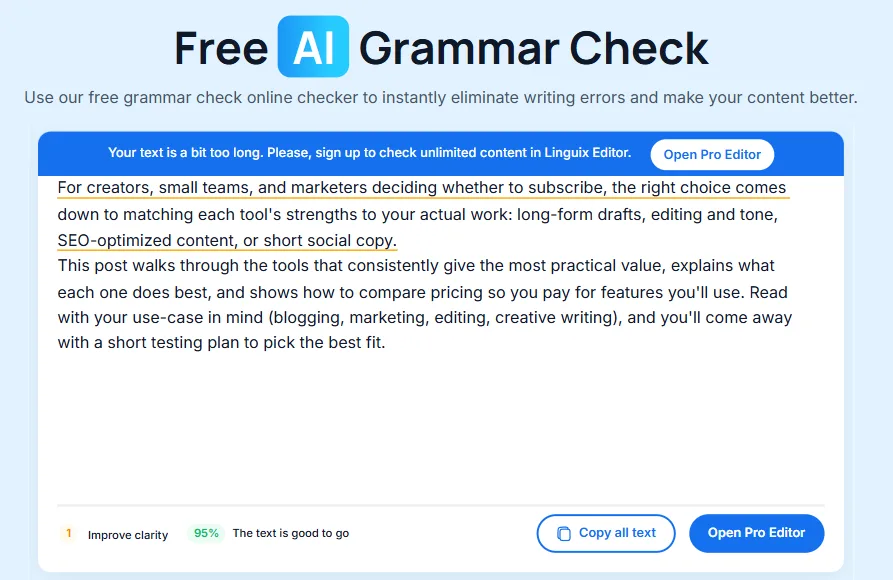
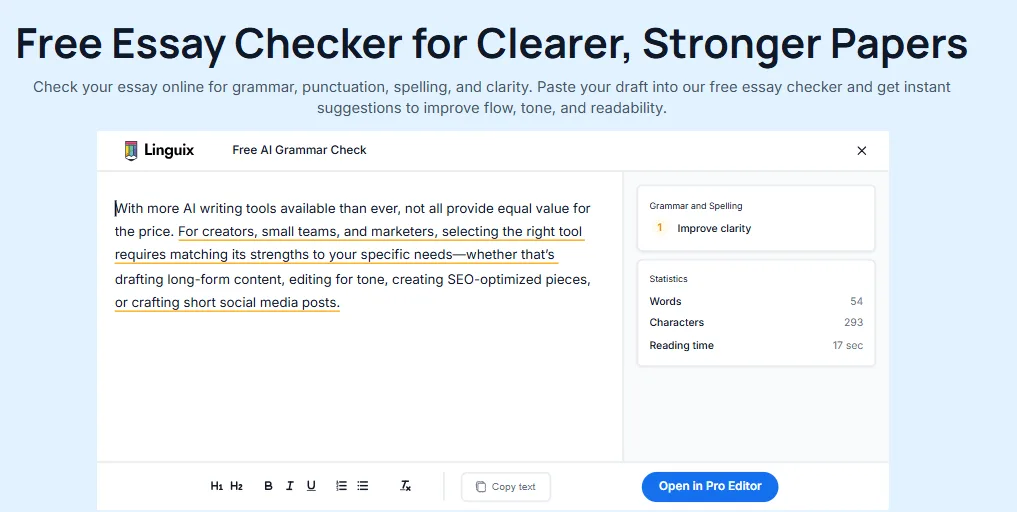
A longer text exceeded the character limit, prompting a prompt to upgrade to Pro Editor for unlimited checking. Thus, the free grammar checker provides limited feedback and input capacity.
AI Content Detector
The AI content detector stands out as one of the more intriguing features. I evaluated it using three different samples to assess its reliability. The first test involved a clearly AI-generated paragraph from the blog post produced by the tool itself. The detector flagged it in red and returned the verdict “It seems like your text was generated by AI, and not human.” That is the correct result.
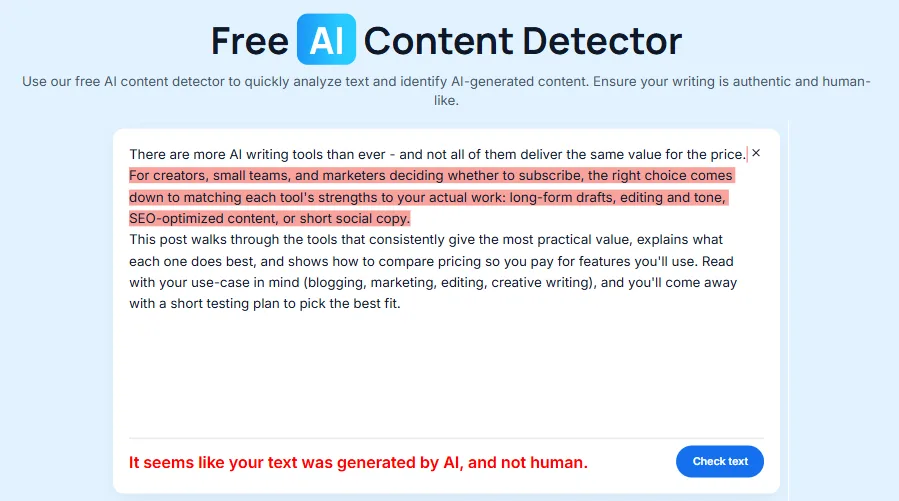
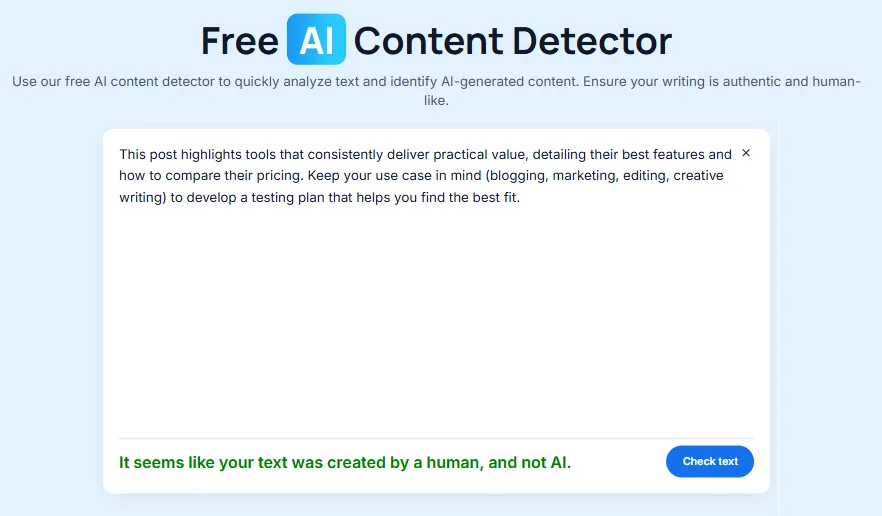
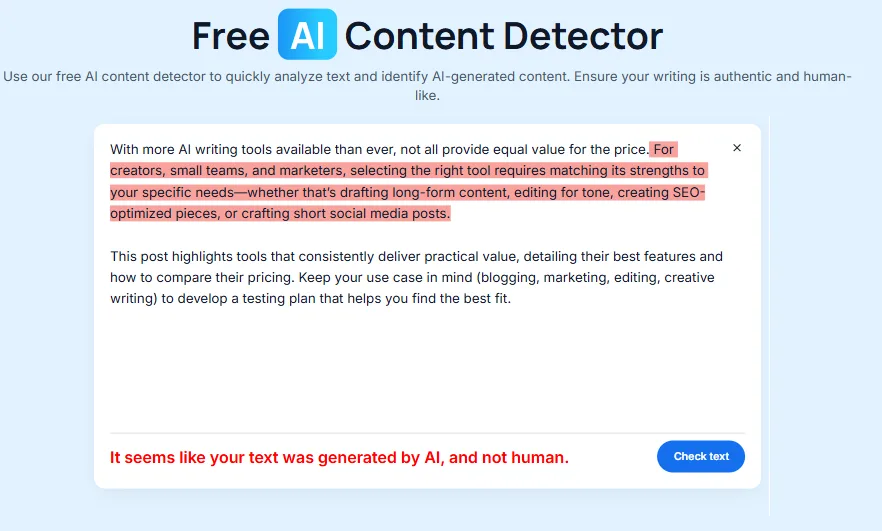
The second test used a humanized version of a similar paragraph. The detector returned “It seems like your text was created by a human, and not AI,” displayed in green. This is also correct, suggesting the humanizer was effective enough to fool the detector in this case. The third test involved a lightly paraphrased AI text, which the detector correctly identified as AI. Detection is binary—either human or AI—with no percentage scores or sentence-level details. It simply provides a human or AI verdict, which is less informative than tools offering percentage scores or sentence-specific flags.
Templates
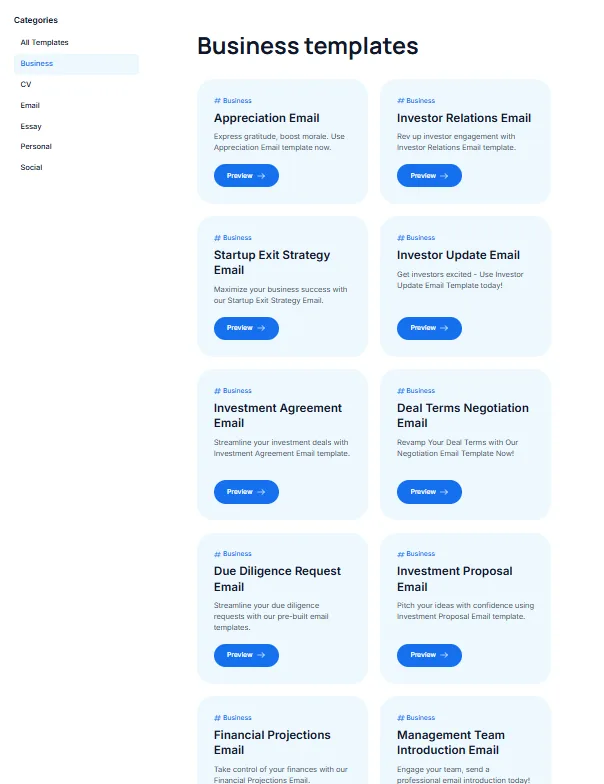
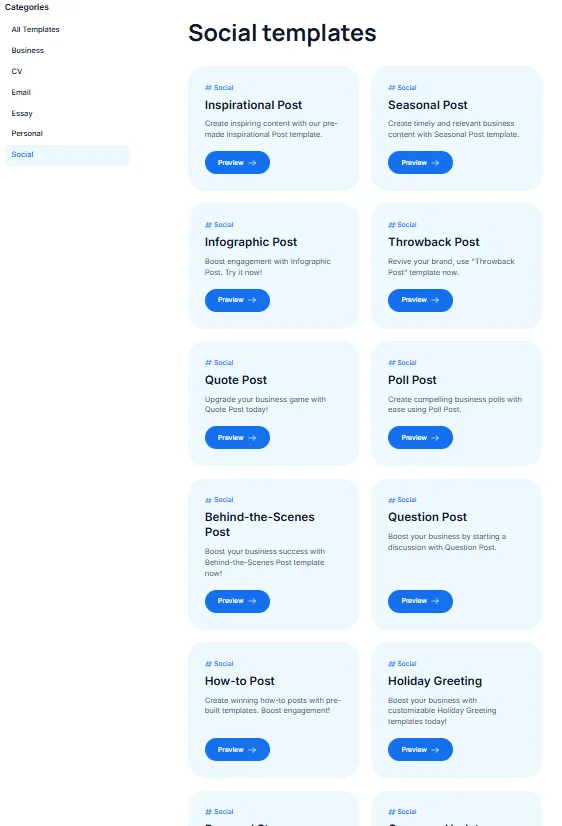
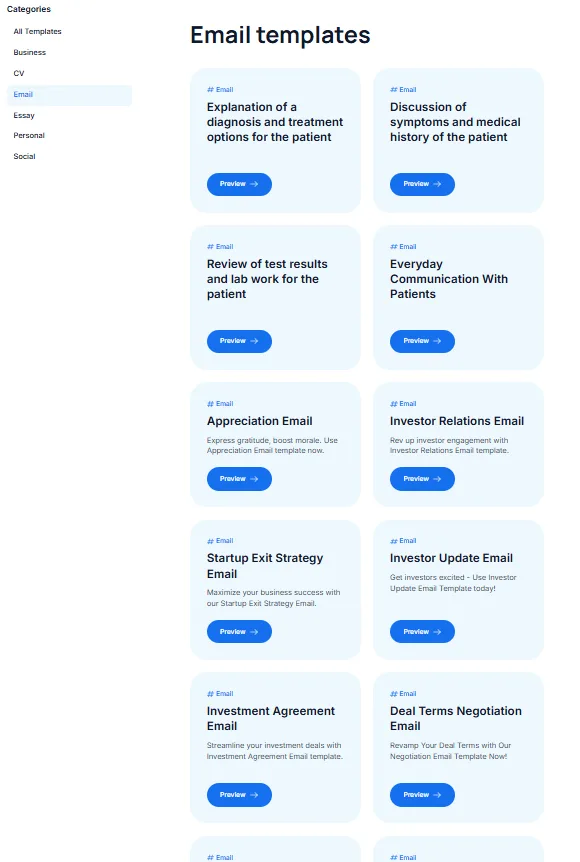
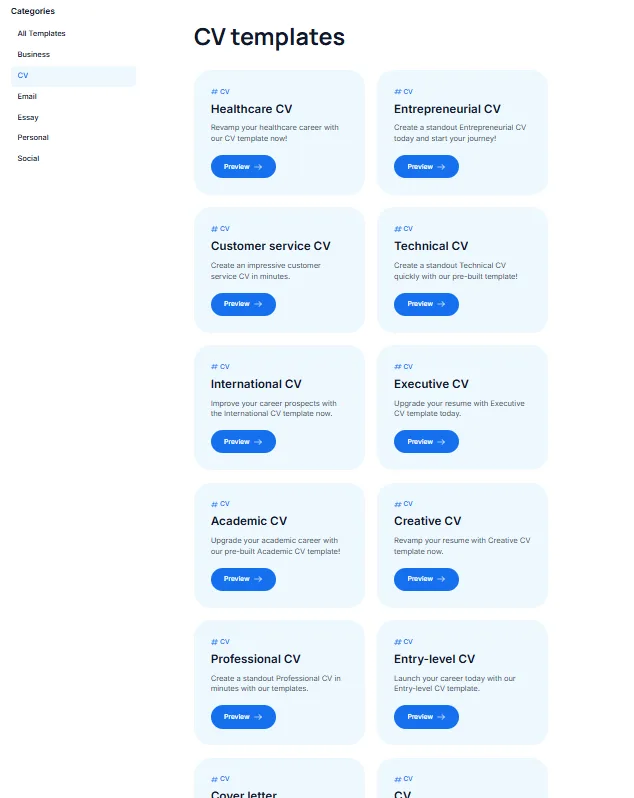
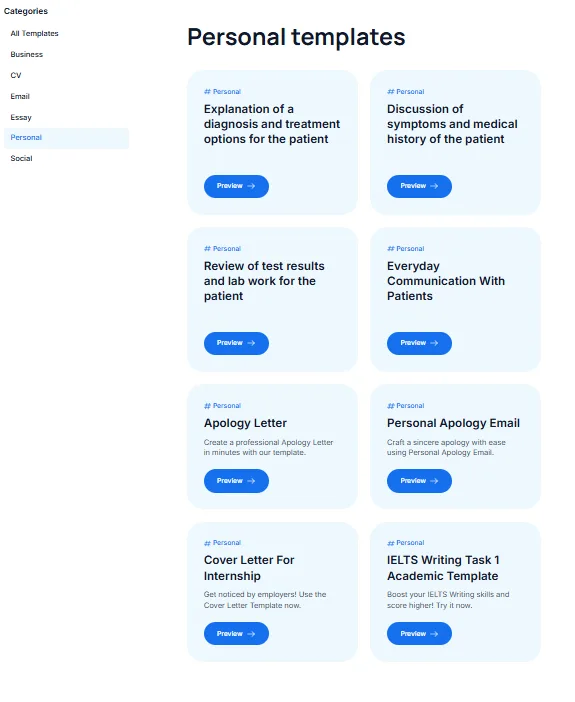
The template library exceeds my expectations in breadth. Templates are categorized into Business, CV, Email, Essay, Personal, and Social sections. The Essay category contains numerous sub-templates. The CV section features various sub-templates tailored to specific sectors or professions. The Social section also includes many sub-templates. Overall, these templates serve as useful starting points across many areas but typically require manual editing or a prompt via Copilot to be truly effective.
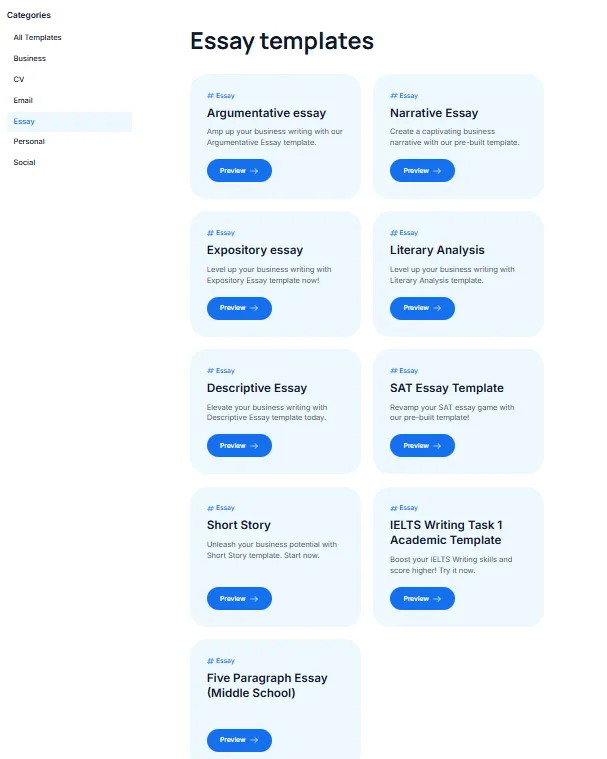
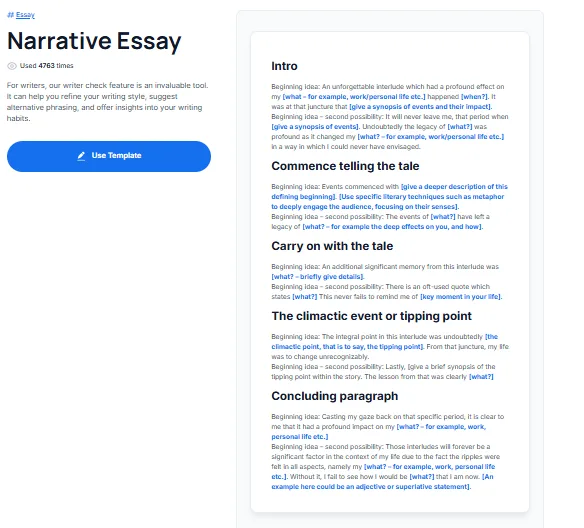
Opening the Narrative Essay template revealed a structured outline with section headers and prompts for each part: Intro, Begin the story, Continue the story, Climax or turning point, and Conclusion. The template functions as a scaffold but does not automatically generate content. Clicking ‘Use Template’ opens the main editor with the outline as a starting point for Copilot to expand.
Tools Library
Linguix’s tools library is genuinely one of the most extensive I’ve encountered in this category. It is divided into sections such as Proofreading, Rewriting, Email & Business, eCommerce, and Text Tools. Proofreading includes grammar, spelling, punctuation, readability, and multilingual support in six languages. Rewriting tools include a paraphraser, humanizer, sentence shortener, and sentence expander. The eCommerce section targets store content such as product descriptions, titles, and category text—an area often overlooked by typical grammar tools. Text Tools provides utility functions like case conversion, word and character counts, text comparison, and cleaning AI outputs. The Email & Business section features the AI Email Writer, which I explored next.
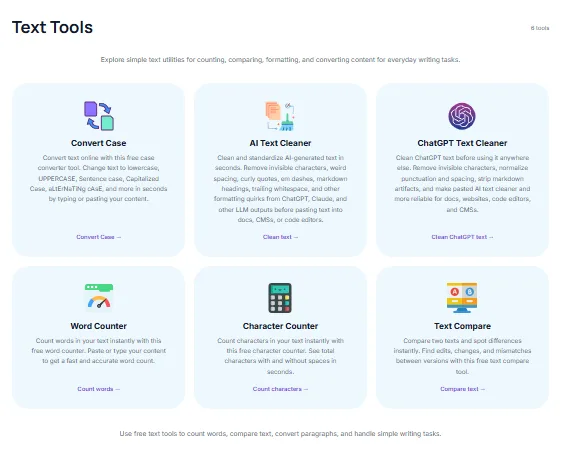
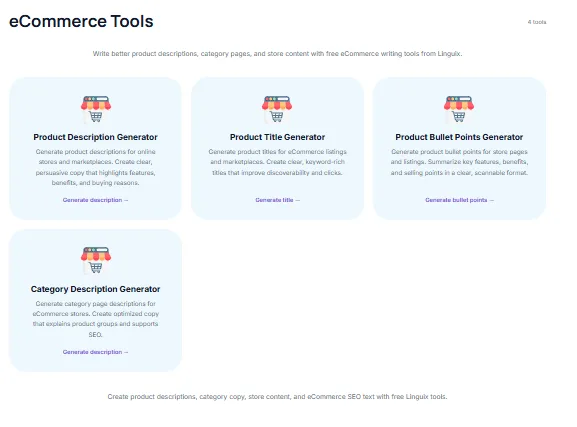
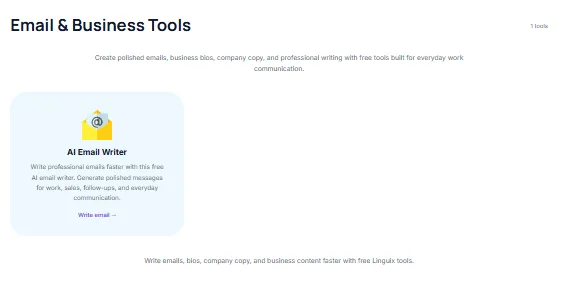
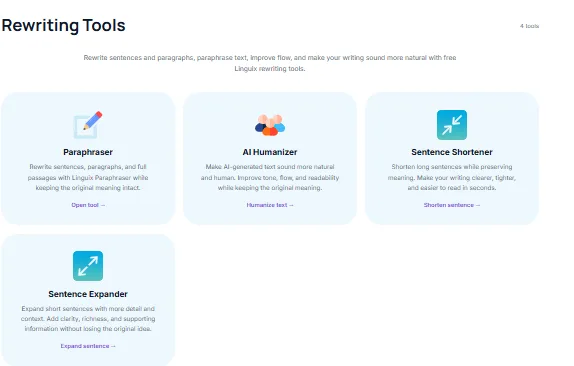
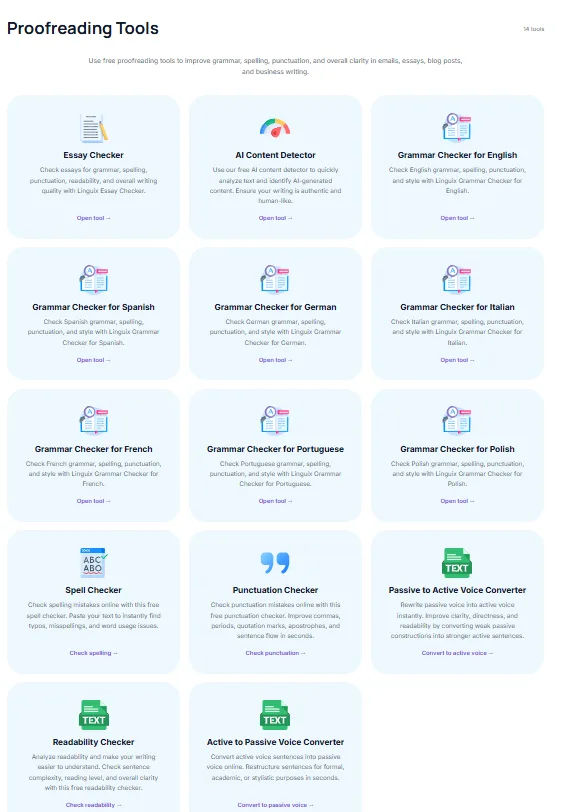
The library’s breadth genuinely works in Linguix’s favor. It’s not a one-trick pony; it aims to be a comprehensive writing environment. The effectiveness varies across sections, and overall, execution is inconsistent. Nevertheless, from a coverage perspective, Linguix strives to be a comprehensive writing platform.
AI Email Writer
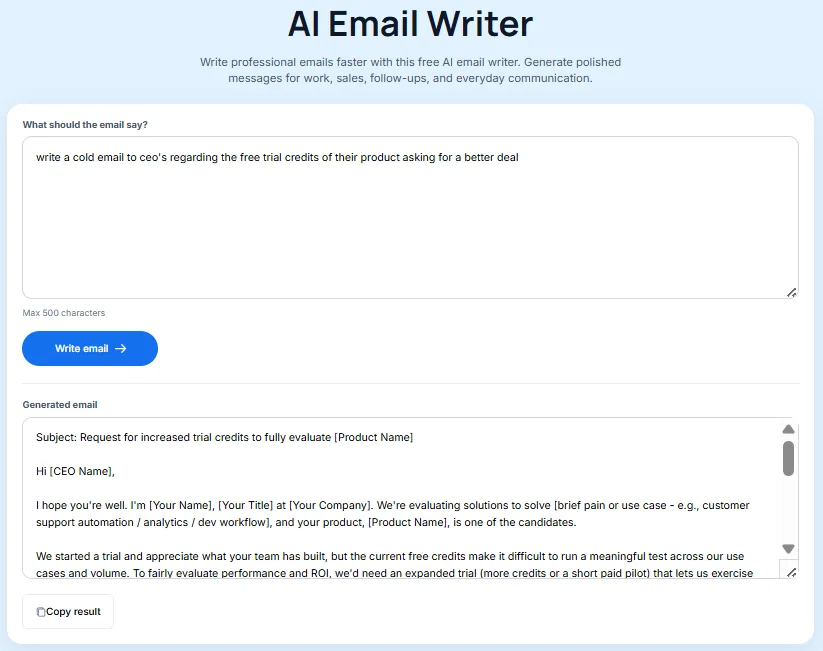
The AI Email Writer is a straightforward prompt-based tool for generating emails, found in the Email & Business Tools section. It accepts a natural language instruction of up to 500 characters and produces a structured email with subject and body. I tested it with a cold email prompt; the output was well-structured, featuring a hook, context, and a gentle call-to-action. It used placeholders for names and company info, as expected. B2B writers or sales teams can use this as a starting point, but it requires personalization before deployment.
Paraphrasing Tool
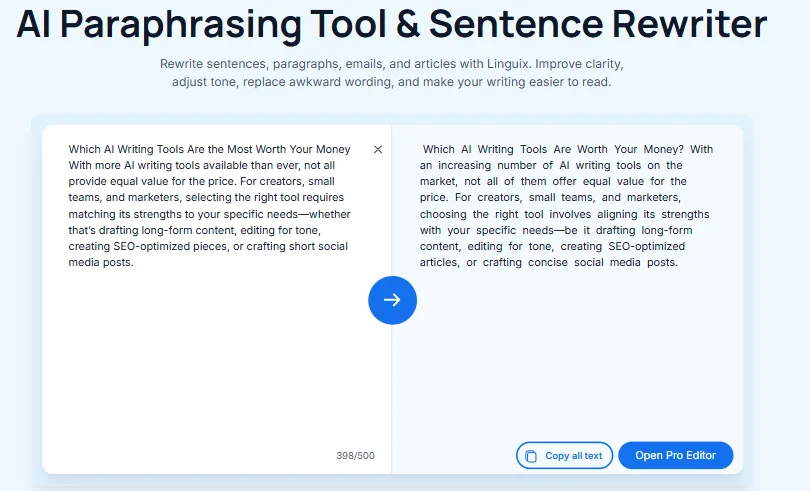
The paraphrasing tool on the free plan is limited to 500 characters, which is very restrictive. Since paragraphs often surpass this limit, the free plan is nearly unusable for meaningful paraphrasing. When it functioned, the output was reasonable, with the rewritten text altering sentence structure and vocabulary while preserving meaning. But the character gate makes it a non-starter for free users, and the “Open Pro Editor” button that appears every time the limit is hit makes the nudge towards paid conversion feel quite aggressive.
Common English Mistakes Library
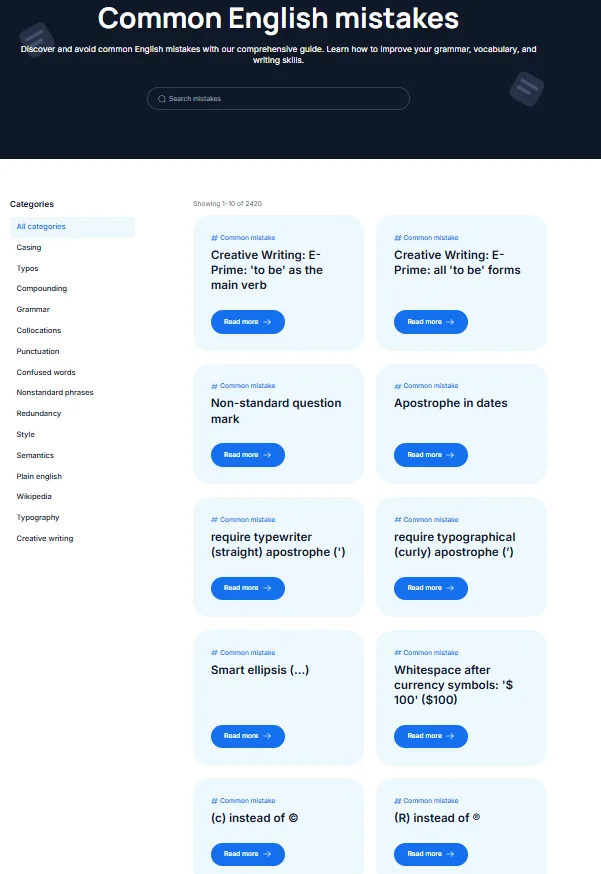
This feature genuinely impressed me and was somewhat unexpected. Linguix offers a library of over 2,420 categorized English mistakes, including Casing, Typos, Compounding, Grammar, Collocations, Punctuation, Confused words, Nonstandard phrases, Redundancy, Style, Semantics, Plain English, Wikipedia style, Typography, and Creative writing. It serves as a genuine linguistic reference, not merely a tips list. Searching this library and reading explanations for specific mistakes is valuable for those actively improving their writing, not just fixing errors.
Performance and Output Reliability
The platform is quick, with no loading issues or crashes, and the Copilot responded rapidly in all tests. The editor handled documents without any noticeable slowdown. From a pure technical performance standpoint, Linguix is smooth.
Content quality, however, is another story. The blog generator creates drafts that need substantial human editing and are not truly polished. The AI tone persists throughout, requiring significant manual editing to produce usable content. The grammar checker flags issues but does not provide fixes on the free plan, making the experience intentionally limited. The humanizer offers some assistance but is not reliable enough to consistently lower AI detection scores. These are not catastrophic failures, but they do mean the tool’s reliability depends heavily on what tier someone is paying for.
Pricing Breakdown and Limitations
Linguix offers three paid plans, all at 50% discount during testing. There is no permanent free plan; access is limited to a trial.
- Monthly plan: $30/month (discounted from the regular price)
- Annual plan: $140/year, approximately $11.67/month
- Two-year plan: $240 for two years, about $10/month
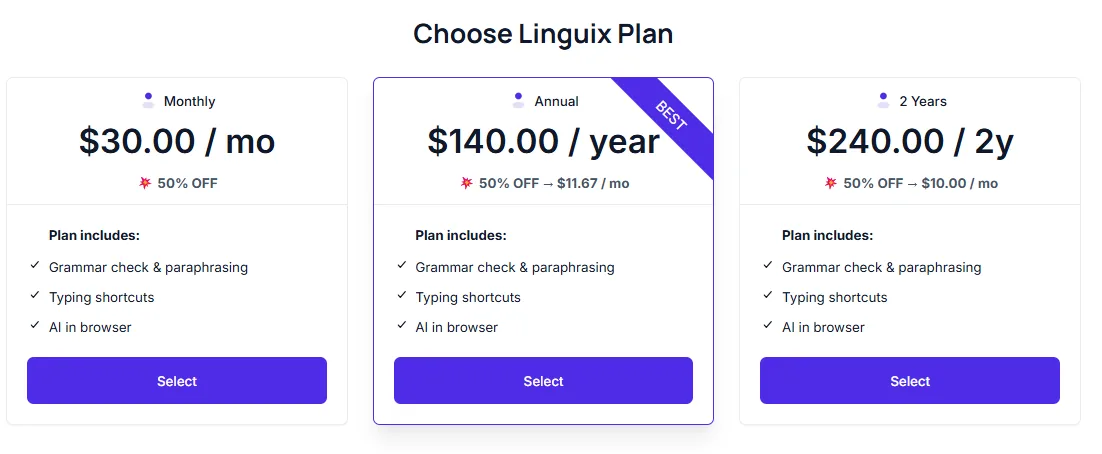
All paid subscriptions include grammar checking, paraphrasing, typing shortcuts, and in-browser AI.
At $30/month on the monthly plan, this is expensive. At $11.67/month on annual, it is more reasonable but still significantly pricier than Grammarly’s comparable tier. The trial’s countdown timer, rather than a usable free plan, creates pressure and limits proper evaluation of the tool’s value. Based on the free tier, I doubt most individual writers would find the $30/month paid plan justified.
Privacy and Data Handling
Linguix’s privacy position is reasonably solid for an AI writing tool. It is GDPR-compliant, a key baseline for users in the EU or handling European data. Linguix states clearly that users own their content, and submitted text is used solely for service provision and statistical improvements. This means writing samples contribute to statistical improvement, representing indirect data use outside traditional AI training.
Security is managed via Microsoft Azure, adhering to HIPAA-like standards with encrypted data transfer, role-based access, and multi-factor authentication. A pastebin mode is available in the editor, where content isn’t stored after session end, useful for sensitive documents.
The privacy policy indicates no aggressive data sharing for advertising, contrasting with tools that do not specify such policies or use data for training. Overall, the data handling practices are suitable for professional applications.
Linguix vs Grammarly vs Type.ai
|
Feature |
Linguix |
Grammarly |
Type.ai |
|
Primary focus |
Grammar checking, editing, AI writing assistance |
Grammar checking and editing |
Long-form content generation |
|
Grammar checker |
Flags issues but withholds fixes |
Strong with inline suggestions on free plan |
Basic review presets, no deep grammar analysis |
|
AI content generation |
Yes, via Agent Library with broad templates |
No dedicated generation |
Yes, question-based and decent quality |
|
AI Copilot |
Yes, in-document with presets and free text |
Yes, contextual AI chat |
Yes, chat-based generation workflow |
|
AI Content Detector |
Binary human or AI verdict, no percentage |
Paywalled |
No |
|
AI Humanizer Quality |
Available via Copilot, partially reliable |
Yes, works well |
N/A |
|
Paraphrasing |
500 character limit on free plan |
Available on paid |
No |
|
Template and agent library |
Extensive, multiple categories |
No templates |
Extensive, email, blog, social, professional |
|
Chrome extension |
Yes, free |
Yes, free |
No |
|
Pricing |
$11.67/month annual |
~$12/month annual |
$8/month annual |
|
Free plan quality |
Trial only with countdown timer |
Functional free tier with core corrections |
Free tier with opaque credit system |
Among these three tools, my preference depends solely on the specific task. For grammar correction and polishing, Grammarly is the leading choice, with a clear advantage. Its correction depth, inline suggestions, and reliability make it ideal for those focusing on refining their own writing. For long-form content generation, Type.ai is the better option, it does that one thing well and the document-native workflow is genuinely more thought through than what Linguix’s Agent Library produces. Linguix aims to do both but doesn’t excel at either compared to specialized tools. Its true strength lies in breadth: the extensive tool library, multilingual support, Chrome extension, and diverse agent categories make it a more comprehensive environment. However, being comprehensive doesn’t always equate to being the best; most individual writers benefit more from specialized tools.
Final Verdict and Overall Score
Linguix is a capable, well-designed platform but has two primary drawbacks. Firstly, its free plan is too limited to provide a true sense of the paid features. Secondly, the grammar checker offers limited feedback, and the humanizer is only partially dependable. The Agent Library stands out as an impressive feature in scope, the Copilot is seamlessly integrated, and the English Mistakes library is a valuable addition many competitors overlook.
Content creation via the Agent Library offers real value; if that is your main focus, Linguix warrants serious consideration. However, for grammar-focused users on a budget, the free tier is too restrictive, and the monthly cost is difficult to justify without a comprehensive trial. At $10/month on a two-year plan, it becomes more reasonable for content-heavy workflows, but at $30/month, most writers would benefit more from a specialized tool.
Overall score: 6 out of 10.
Frequently Asked Questions
Linguix positions itself as a comprehensive grammar checker similar to Grammarly but falls short in several areas. While it offers a wide range of features like grammar checking, content creation, and multilingual support, its free tier is quite restrictive and the grammar checker provides limited feedback. Grammarly, on the other hand, offers more specific rewrite suggestions and has a more reliable free plan.
Linguix has several impressive features, including its extensive Agent Library, which offers a wide range of templates and agents for various writing tasks. The Copilot panel is also noteworthy, functioning as an in-document AI assistant with preset commands and a free-text input. Additionally, the Common English Mistakes Library is a valuable resource for improving writing skills.
Yes, Linguix offers multilingual grammar support in several languages, including Spanish, German, French, Italian, Portuguese, and Polish. This makes it a suitable tool for non-native English speakers who work in multiple languages.
Linguix’s free plan is quite restrictive. The grammar checker offers limited feedback and has a character limit for text input. Additionally, the free plan includes a trial countdown, which can be a persistent reminder of the tool’s paywall. Many valuable functionalities are behind this paywall, limiting the overall experience.
Linguix’s AI content detector is one of its more intriguing features. It correctly identified AI-generated and humanized content in tests, but the detection is binary—either human or AI—without percentage scores or sentence-level details. This makes it less informative than tools that offer more detailed feedback.
Linguix offers three paid plans, all at a 50% discount during testing. The monthly plan is $30/month, the annual plan is $140/year (approximately $11.67/month), and the two-year plan is $240 for two years (about $10/month). All paid subscriptions include grammar checking, paraphrasing, typing shortcuts, and in-browser AI. However, there is no permanent free plan; access is limited to a trial.
Linguix’s privacy position is reasonably solid. It is GDPR-compliant and states that users own their content. Submitted text is used solely for service provision and statistical improvements. Security is managed via Microsoft Azure, adhering to HIPAA-like standards with encrypted data transfer, role-based access, and multi-factor authentication. A pastebin mode is also available for sensitive documents.
Linguix is a capable, well-designed platform with some impressive features like the Agent Library and Copilot panel. However, its free plan is too limited, and the grammar checker offers limited feedback. The pricing is also a drawback, with the monthly plan being quite expensive. Overall, it scores a 6 out of 10, making it a decent tool but not the best in its category.
Subscribe to our email newsletter to get the latest posts delivered right to your email.
Comments